- Why Running Magento and Odoo Apart Gets Expensive
- What “Bi-Directional” Actually Means, and Why It Matters
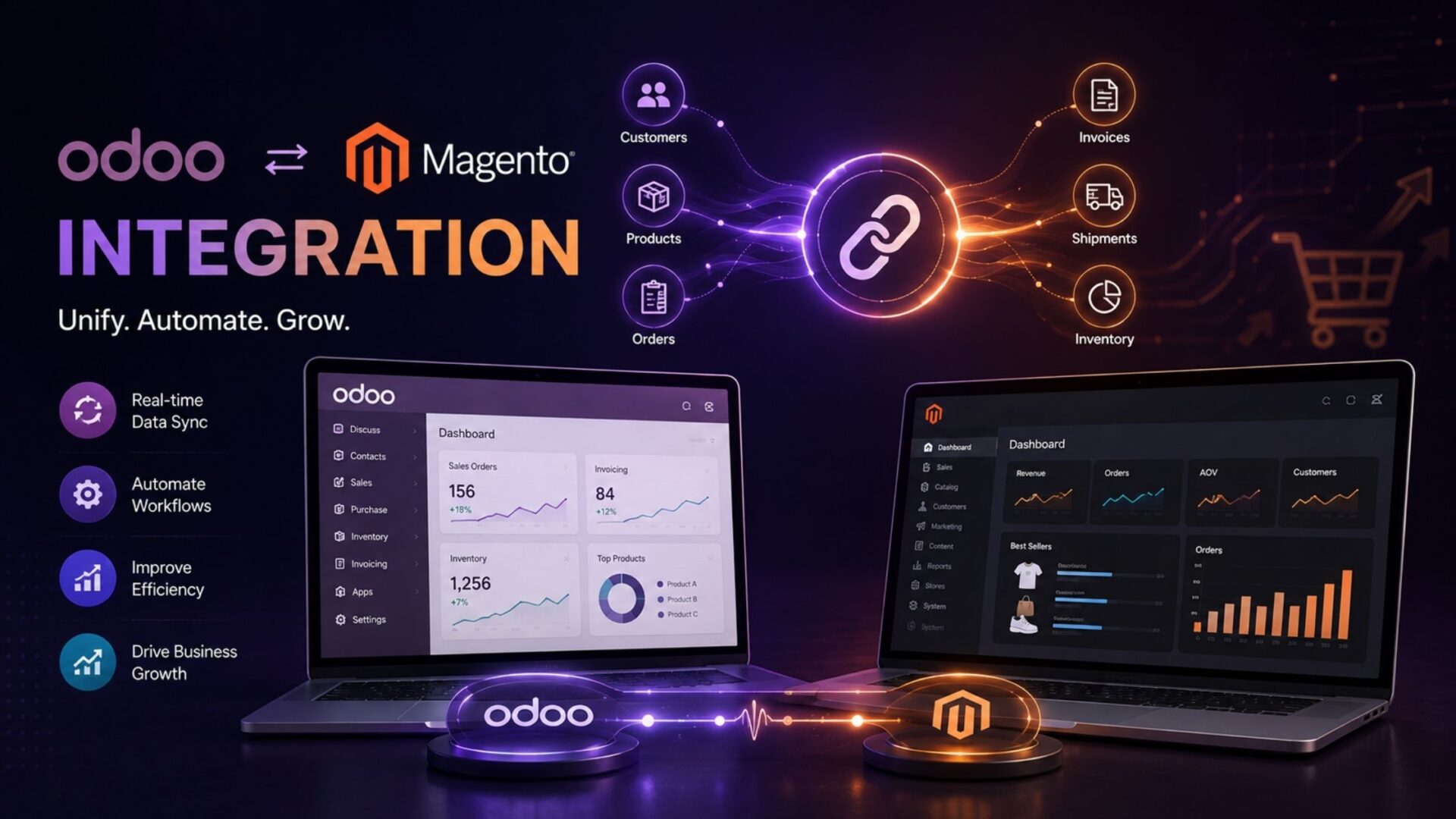
- What an Odoo Magento Integration Syncs
- How the Connection Actually Works
- The First Sync, and What to Expect From It
- Direct Connector, Middleware, or iPaaS?
- What to Check Before You Commit
- Where Our Magento 2 Connector Fits
- Stop reconciling Magento and Odoo by hand. Install it instead.
- FAQs
- Is the sync really two-way?
- Which versions does it support?
- Does it handle Magento configurable products?
- Real-time or scheduled?
- Will it work on a customized Magento store?
- The Short of It
- Tired of Magento and Odoo Pulling in Different Directions?
Magento, now Adobe Commerce, is a serious eCommerce platform. Odoo is a serious ERP. Put both in the same business, run them side by side without a bridge, and you end up with two capable systems quietly disagreeing with each other all day long.
A customer buys three units on Magento. Your warehouse ships them. Odoo still thinks they’re on the shelf. Multiply that across a busy week and the gap between “what the store says” and “what the business actually has” gets wide enough to hurt.
A proper Odoo Magento integration is what closes that gap. It keeps your storefront and your back office reading from the same numbers, without a person sitting in the middle re-typing orders.
We’ve spent years building connectors on both sides of this fence, Magento and Odoo, and this particular pairing has a reputation for being fiddly. So here’s the practical version, minus the sales gloss: what the integration does, what bi-directional really means, how the setup works, and how to avoid picking a connector you’ll regret.
Why Running Magento and Odoo Apart Gets Expensive
You can keep them separate. Loads of merchants do at first, usually because everything felt manageable when the order count was low.
The trouble is that Magento and Odoo are both busy systems in their own right. Magento handles the customer-facing side: catalog, pricing, checkout. Odoo runs the engine room: inventory, purchasing, accounting, fulfillment. When those two don’t share data automatically, someone has to.
And that someone makes mistakes. Not because they’re careless, but because copying order details by hand a hundred times a day is a task built for errors. A wrong SKU here, a missed order there, a stock figure that’s a day out of date.
The costs stack up quietly. Oversells you have to apologize for. Refunds. Support tickets. Hours your team spends reconciling numbers that a machine should have kept in step. None of it shows up as a single big bill, which is exactly why it goes unnoticed for so long.
What “Bi-Directional” Actually Means, and Why It Matters
Here’s a distinction that trips people up when they’re shopping for an Odoo Magento connector.
A lot of tools only push data one way. They’ll send your Odoo products out to Magento and call it “integration.” That’s fine until a sale happens, stock changes, or an order status updates, because none of that flows back. You’re left with half a bridge.
That two-way flow is the whole point of a connector, and it’s the thing worth checking hardest before you buy. A one-way tool looks cheaper on the surface. It just moves the manual work somewhere less obvious.
Our Magento 2 Connector runs bi-directional by design, between Odoo 19 and Magento 2. That’s not a bolt-on feature. It’s the reason the thing exists.
What an Odoo Magento Integration Syncs
This is where the marketing copy usually turns vague, so let me lay it out plainly.
Read the inventory row twice. That “both ways” is doing the heavy lifting. If stock only flows in one direction, you’re still exposed to the oversell problem you bought the connector to solve.
How the Connection Actually Works
An Odoo Magento 2 connector talks to Magento through its API, the official, supported way to read and write store data. No scraping, no brittle hacks that break the next time Magento updates.
During setup, each field gets mapped to its counterpart. A Magento product SKU matches your Odoo internal reference, a customer record maps to a partner in Odoo, order lines map to sale order lines, and so on. That mapping step is where the real work lives. Get it right early and daily syncing mostly runs itself.
Timing usually comes in two flavors:
Most merchants blend the two: orders in real time, bulk catalog updates on a timer.
Worth being honest here. Magento setups vary a lot, custom attributes, multiple store views, complex tax rules, so a little planning up front saves a lot of cleanup later. It’s rarely plug-and-play on a heavily customized store, and any connector that promises otherwise is overselling. If your build is genuinely complex, that’s usually a job for a proper Odoo development team rather than an off-the-shelf module on its own.
The First Sync, and What to Expect From It
The initial sync is the moment of truth for any Odoo Magento 2 connector. It’s when all that field mapping finally meets real data.
|
1
|
Line Up Your SKUs FirstThe SKU is what the connector uses to recognize the same product on each side. Mismatched SKUs are the leading cause of duplicate records, and untangling duplicates after a full integration has already run is a genuinely tedious job. Nobody enjoys it. |
|
2
|
Run It SmallPush a handful of products through before you let the whole catalog loose, and check they land in Magento the way they should, attributes in the right place, prices correct, images attached. If five products come through clean, five thousand usually will too. |
|
3
|
Switch On the Live ConnectionOnce the test batch looks right, you switch the live connection on and let it settle in. Most stores are stable within a day. A tidy catalog can be up and syncing in an afternoon. |
Direct Connector, Middleware, or iPaaS?
When you go looking, you’ll run into three broad options, and they’re not equal.
iPaaS Platforms
Connect almost anything to almost anything. Flexible, yes, but often pricey and general-purpose, which means they don’t always understand the quirks of Odoo or Magento deeply. Makes sense when you’re stitching together five or six platforms.
Custom Middleware
Powerful, but expensive to build and yours to maintain forever. A big commitment for connecting just two systems.
Direct, Purpose-Built Connector
Made specifically for the Odoo-to-Magento route. For most merchants running Magento 2 and Odoo 19, this is the sensible middle. It knows both systems, it’s affordable, and there’s a team behind it when something needs attention.
For just these two systems, iPaaS is usually more than you need.
What to Check Before You Commit
A few things separate a connector you can trust from one that becomes a headache:
✅ True Bi-Directional Sync
Ask directly. One-way tools leave you doing the rest by hand.
✅ Current Version Support
Ours targets Odoo 19 and Magento 2. Older builds can strand you at upgrade time.
✅ Attribute and Variant Handling
Magento’s configurable products are complex. Make sure they map cleanly.
✅ Real Support
When a sync stalls before a big campaign, you want a team that replies, not a stale forum post.
That last point is easy to overlook while you’re comparing prices, and it’s usually the one that matters most when things go sideways at an awkward hour.
Where Our Magento 2 Connector Fits
We built ours for merchants who’ve outgrown the manual stage and just need Magento and Odoo to stay honest with each other. It handles the full sync scope above, runs bi-directional between Odoo 19 and Magento 2, connects through the Magento API, and supports both real-time and scheduled modes.
If you want the feature list, screenshots, and version detail, the app lives here: Magento 2 Connector on the Odoo Apps Store. Have a proper look before you decide anything, check the sync scope against your own setup and see if it lines up.
No rush. The point is to pick the tool that actually fits how you sell, not the flashiest listing.
|
O
|
Available on the Odoo Apps Store Stop reconciling Magento and Odoo by hand. Install it instead. |
Everything covered in this guide, bi-directional order and inventory sync, product and price mapping, and both real-time and scheduled modes, comes pre-built into a single verified module for Odoo 19 and Magento 2.
| View on Odoo Apps Store → | $20.23 one-time · No subscription |
FAQs
Is the sync really two-way?
Yes. Orders come from Magento into Odoo, and inventory and pricing push back the other way. That two-way flow is the core of it.
Which versions does it support?
The current build is made for Odoo 19 and Magento 2. On something older? Get in touch first and we’ll point you the right way.
Does it handle Magento configurable products?
It does. Product attributes and variants map across, though a heavily customized catalog is always worth a quick planning chat before you go live.
Real-time or scheduled?
Both. Run orders in real time and batch your larger catalog syncs on a schedule. You choose the balance.
Will it work on a customized Magento store?
Usually, yes, but custom attributes and unusual configurations deserve a look first. Tell us what you’re running and we’ll be straight about the effort involved.
The Short of It
Running Magento and Odoo without a connector works right up until it doesn’t, and the moment it breaks tends to be your busiest week, when you can least afford it. A dependable, bi-directional Odoo Magento integration keeps products, orders, and inventory in agreement so you can stop reconciling spreadsheets and get back to growing the store.
And if you sell on more than one channel, it’s worth knowing we build connectors for those too. If Shopify is part of your setup, our Odoo Shopify Connector guide covers that side in the same detail. You can see the full lineup on our Odoo eCommerce connectors page and work out how the pieces fit your stack.
Tired of Magento and Odoo Pulling in Different Directions?
Our Odoo integration team can set up a real-time, bi-directional connector that keeps your orders, products, and inventory in agreement, so you can stop reconciling spreadsheets and get back to growing the store.