- What Odoo Amazon Integration Actually Does
- Sign 1: You Learn Your Real Margin Weeks After the Sale
- Sign 2: Your Stock Number Depends on Who You Ask
- Sign 3: Somebody Starts the Day by Exporting a CSV
- Sign 4: Your Late Shipment Rate Is Creeping Up
- Sign 5: You Sell in Several Marketplaces and Report on Them Separately
- Sign 6: Your Accountant Dreads the Amazon Reconciliation
- Sign 7: You Buy Stock on Instinct
- If You Recognized Three or More
- Choosing an Odoo Amazon Connector
- Stop reconciling Amazon by hand. Install it instead.
- Three Mistakes to Avoid on the Way In
- Conclusion
- FAQs
- How do I know if my business is big enough to need ERP integration?
- Does Odoo already include an Amazon connector?
- Will integration fix my Amazon account health metrics?
- How does an Odoo connector handle FBA stock?
- How long does setup take?
- Recognized Three or More of These Signs?
Most Amazon sellers do not decide to integrate their ERP. They hit a wall and then decide.
The wall looks different for everyone. A stock count that nobody trusts. A settlement deposit that refuses to reconcile. A Tuesday spent rebuilding a spreadsheet that broke. The common thread is that your back office stopped keeping up with your sales volume, and nobody noticed the exact moment it happened.
Odoo Amazon integration solves a specific version of this problem: the gap between what Seller Central knows and what your business needs to know. Below are seven signs that gap has opened in your operation, what each one actually costs, and what changes when you close it.
If three or more sound familiar, you are past due.
What Odoo Amazon Integration Actually Does
Quick context before the list, for anyone newer to this.
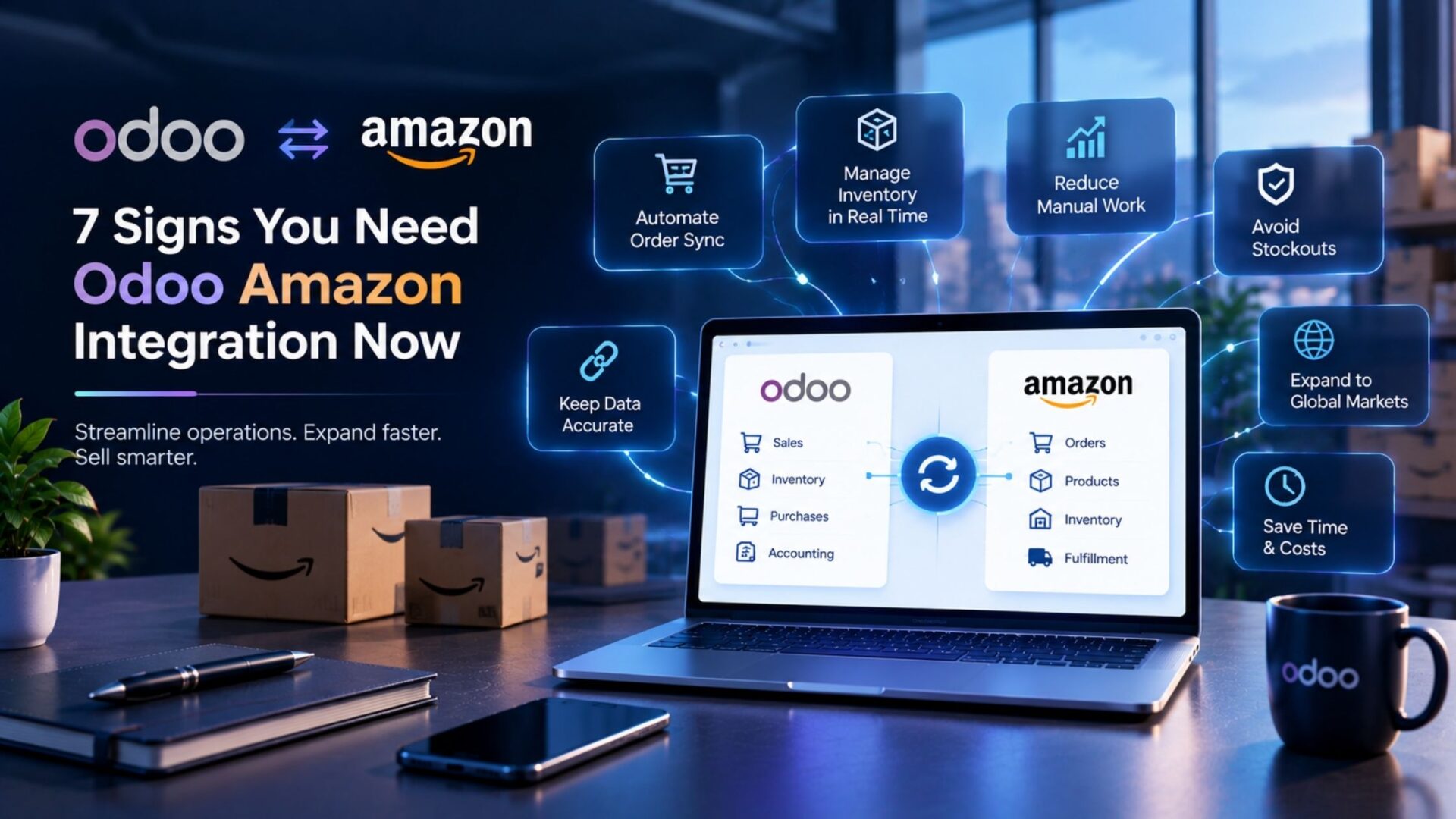
Amazon exposes your seller data through its Selling Partner API. Odoo is an ERP that handles inventory, purchasing, accounting, and reporting in one database. A connector sits between them and moves records automatically: orders in, stock levels out, fees and settlements into your books.
That is the whole idea. Nothing moves by hand.
What makes marketplace integration harder than connecting a normal storefront is Amazon’s specific rules: settlement cycles instead of per-order payouts, FBA stock you own but do not hold, restricted buyer data, and performance metrics that penalize slow fulfillment. Any connector worth using has to handle all four.
Now, the signs.
Sign 1: You Learn Your Real Margin Weeks After the Sale
Seller Central tells you what sold and for how much. It does not tell you what you kept.
Your actual margin sits behind referral fees, FBA fulfillment fees, monthly storage, long-term storage surcharges, returns processing, inbound shipping, and advertising. Amazon reports these across different documents on different schedules.
So most sellers price on gut feel and find out the truth at quarter end. Sometimes a best-selling SKU turns out to lose money on every unit, and it has been doing so for months.
What changes: fees post per order and per SKU in Odoo as the settlement data imports. Profitability becomes a report you run, not an investigation you launch. You can see which products earn and which ones you should delist.
Sign 2: Your Stock Number Depends on Who You Ask
Ask the warehouse manager how many units you have. Ask the person watching Seller Central. Ask your accountant. Three answers.
This happens because your inventory genuinely lives in several places at once. Units in Amazon’s fulfillment centers. Units in your own warehouse for merchant fulfilled orders. Units on an inbound shipment that left last week and has not been received yet.
None of those systems talks to the others. So you keep a spreadsheet, and the spreadsheet drifts.
What changes: Odoo models each of those as a separate stock location under one product. Your warehouse, Amazon’s network, and goods in transit all roll up into one figure you can actually trust. Inventory synchronization keeps it current without anyone updating a cell.
Sign 3: Somebody Starts the Day by Exporting a CSV
This one is easy to spot. Watch how your team begins the morning.
If a person downloads an order report, cleans it, and imports it somewhere else before any real work starts, you are paying salary for data entry. Worse, you are paying for the errors that come with it. A mistyped address becomes a reshipment. A missed order becomes a cancellation.
Manual processing also caps your growth in an uncomfortable way. Double your order volume and you double that person’s workload, not your profit.
What changes: orders import automatically with the right customer, marketplace, fulfillment channel, and tax treatment attached. Your team reviews exceptions instead of processing every transaction. Order automation is the least glamorous benefit of Odoo Amazon integration and usually the first one people feel.
Sign 4: Your Late Shipment Rate Is Creeping Up
This sign only applies to merchant fulfilled sellers, and it matters more than most realize.
Amazon requires shipment confirmation with valid tracking inside a set window. Miss it and your Late Shipment Rate and Valid Tracking Rate suffer. Those metrics feed account health, and account health feeds Buy Box eligibility.
In other words, slow back office processes do not just annoy your team. They quietly cost you sales to competitors who confirm faster.
What changes: when an order flows into Odoo automatically and a picking generates on arrival, dispatch starts hours earlier. Once the delivery is validated, tracking pushes back to Amazon without anyone logging into Seller Central. Shipment updates reach the buyer on time, every time.
Sign 5: You Sell in Several Marketplaces and Report on Them Separately
Selling in the US, Canada, and Mexico under one North America account is common. So is adding a European marketplace later.
What usually lags is reporting. Each marketplace gets its own spreadsheet tab, its own currency conversion done by hand, and its own set of assumptions. Leadership ends up looking at three partial pictures instead of one real one.
That makes basic decisions harder than they should be. Which market deserves more inventory? Which one is quietly unprofitable after fees and freight?
Plenty of sellers in this position also run their own storefront alongside the marketplace. If that describes you, the same logic applies to a Shopify Odoo Connector, because the problem is the channel count rather than the channel itself.
What changes: every marketplace imports into one Odoo database with correct currency and tax handling per region. Multi-store management stops being a reconciliation exercise and becomes a filter on a report.
Sign 6: Your Accountant Dreads the Amazon Reconciliation
Ask your bookkeeper how they feel about Amazon. The answer tells you a lot.
Amazon pays on a settlement cycle rather than per order. The deposit that lands in your bank is gross sales minus dozens of fee lines minus refunds minus reserves. Matching that one number back to your books by hand takes hours, and it frequently does not balance.
Many sellers cope by recording the deposit as a single lump of revenue. That is fast, and it is wrong. It hides your fee load completely and makes your gross margin look better than it is.
What changes: the connector imports the settlement report and posts each category to its own account. Referral fees, fulfillment fees, storage, refunds, and reimbursements all land where they belong. Accounting automation turns a half-day reconciliation into a five-minute check.
Sign 7: You Buy Stock on Instinct
Amazon punishes both directions. Run out and you lose rank and sales velocity. Overstock and you pay storage fees, then long-term storage surcharges, then possibly a removal fee to get your own goods back.
Threading that needle needs real data: sales velocity by SKU, supplier lead times, inbound transit times, and current restock limits. Most sellers have some of that in their head and the rest nowhere.
Purchasing decisions made this way are expensive even when they look fine. Cash sits in slow-moving stock while your best sellers go out of stock.
What changes: Odoo reorder rules read actual consumption and lead times, then suggest purchase orders before you run dry. Procurement buys against demand instead of memory.
If You Recognized Three or More
The pattern above is cumulative. One sign is annoying. Three or more means your manual processes have become the constraint on growth, and adding staff will not fix it because the work itself is the problem.
The good news is that Odoo Amazon integration is a well-trodden path at this point. You are not solving a novel problem, and the decisions that matter are mostly about sequencing rather than technology.
Choosing an Odoo Amazon Connector
Worth knowing: Odoo ships a basic Amazon connector in its Sales application. It imports orders and creates sale orders, which is enough at low volume.
Where third-party modules earn their place is depth. Before choosing one, check it handles:
- Settlement report import with fee lines posted per category
- FBA and merchant fulfilled orders treated differently, since only one needs a picking
- Inbound shipments visible as in-transit stock
- Multiple marketplaces and currencies
- Rate limiting and retry logic, because the API will throttle you
- A visible error queue, because silent failure costs more than loud failure
The Amazon Odoo Connector on the Odoo Apps Store is one option to measure against that list.
If your setup involves custom fee logic, several channels feeding one database, or unusual routing rules, bringing in Odoo development services for the configuration stage usually costs less than unpicking a rushed implementation later.
|
O
|
Available on the Odoo Apps Store Stop reconciling Amazon by hand. Install it instead. |
Settlement import with per-category fees, FBA and merchant-fulfilled handled separately, in-transit stock, and multi-marketplace support, all pre-built into a single verified module on the official Odoo Apps Store.
| View on Odoo Apps Store → | For Odoo 19 · Selling Partner API |
Three Mistakes to Avoid on the Way In
⚠️ Starting With Dirty SKUs
Seller SKU is the key that joins both systems. Inconsistent codes break matching in ways that take days to unwind. Clean them first.
⚠️ Skipping a Settlement Test
Order sync is the easy half. Import one real settlement report in a staging database and confirm the net figure reconciles before you go live.
⚠️ Turning Everything On at Once
Stage it. Orders first, inventory next, financial posting last. When only one thing changed, diagnosing a problem takes minutes instead of days. If nobody internally owns the rollout, it is worth the cost to hire Odoo developers for the configuration window rather than learning on production.
Conclusion
None of these seven signs appear overnight. They build quietly while you are busy selling, and by the time they are obvious, they have already cost you a season of margin.
The good news is that the fix is well understood. Clean your SKU data, map your fee and tax rules deliberately, test a full settlement cycle in staging, and roll out in stages. Done that way, Odoo Amazon integration removes a whole category of monthly friction and gives you numbers you can act on.
If two or three of these signs described your week, start by reviewing the connector options against the checklist above. Test one against your own data before committing. The first clean reconciliation usually pays for the effort.
FAQs
How do I know if my business is big enough to need ERP integration?
Volume matters less than complexity. A seller shipping 200 orders a month from one warehouse may be fine with spreadsheets. A seller shipping 200 orders across three marketplaces with both FBA and merchant fulfilled stock is already past the point where manual tracking holds up. Count your moving parts, not your orders.
Does Odoo already include an Amazon connector?
Yes. Odoo’s Sales application ships with a built-in Amazon connector that imports orders and creates sale orders. It works for simpler setups. Third-party modules typically add settlement report import, fee breakdown by SKU, inbound shipment tracking, and deeper multi-marketplace support, which is where most growing sellers need help.
Will integration fix my Amazon account health metrics?
It helps with the ones tied to speed. Orders arriving automatically means dispatch starts earlier, and automated shipment confirmation with tracking supports your Late Shipment Rate and Valid Tracking Rate. It cannot fix problems caused by product quality, supplier delays, or policy violations.
How does an Odoo connector handle FBA stock?
Well-built modules treat Amazon’s fulfillment network as a distinct stock location in Odoo. Those units remain your asset, so they belong in your books, but no picking should generate when an FBA order imports because Amazon ships it. A connector that treats FBA and merchant fulfilled orders identically will misreport both.
How long does setup take?
Technical configuration often takes a day or two for API authorization and module installation. Data preparation and testing take longer. Allow two to four weeks for a typical seller, including SKU cleanup, staged imports, and one full settlement cycle tested in a staging database before going live.
Recognized Three or More of These Signs?
Our Odoo team can scope, configure, and stage an Amazon integration around your fee rules, marketplaces, and FBA setup — so your settlements reconcile and your stock numbers finally agree.