





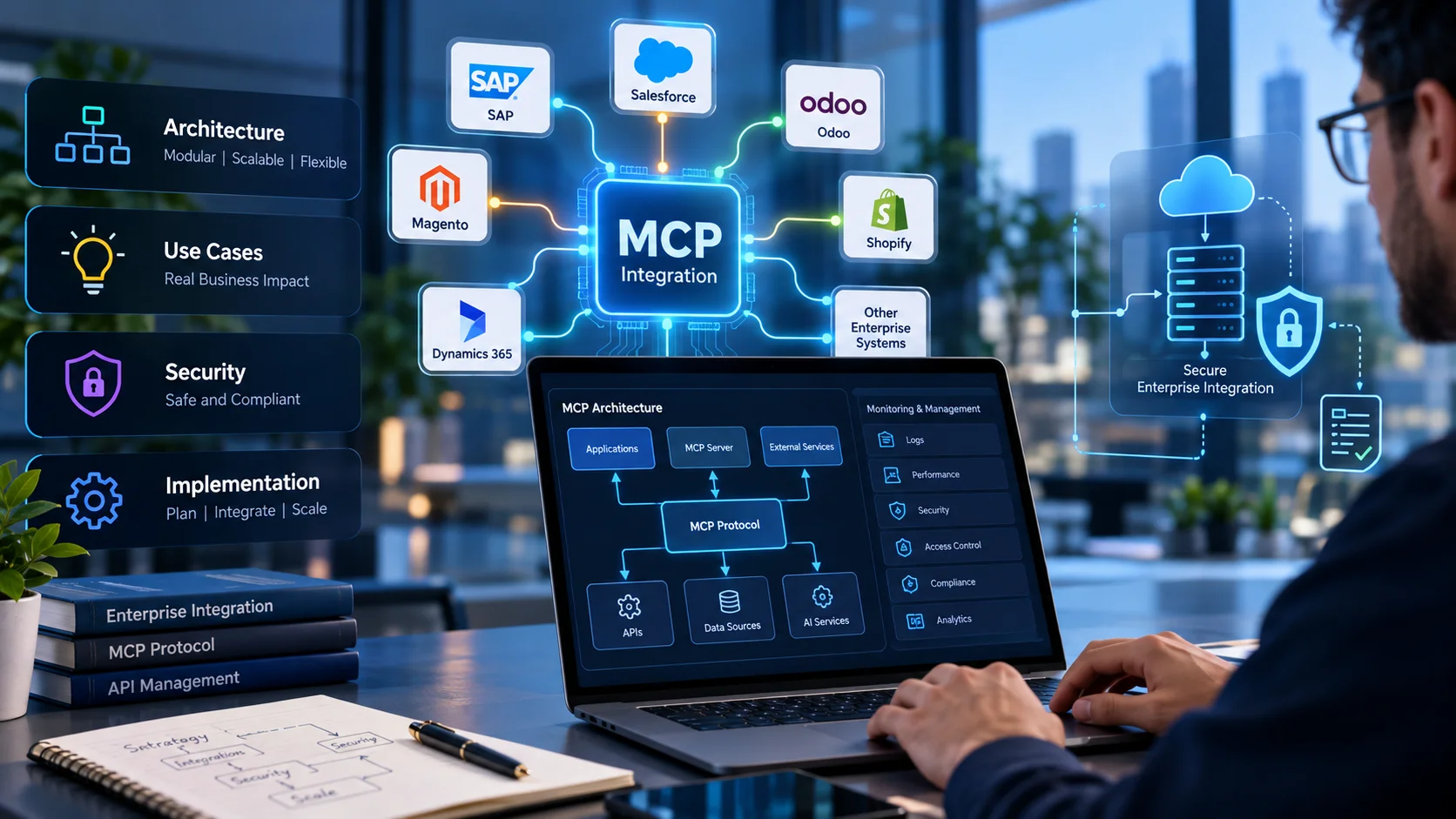
- What Is MCP Integration and How Does It Work?
- Understanding the Model Context Protocol
- How an MCP request moves through an enterprise system
- Tools, resources, and prompts
- MCP Integration Architecture for Enterprise Applications
- The core components
- Connect MCP to existing applications, not around them
- Local and remote MCP servers
- Designing for reliability and scale
- Example: a multi-system architecture
- Choose an MCP Integration Model: Existing Server, Custom Server, or Gateway
- Use an existing MCP server when the integration is standard
- Build a custom MCP server for proprietary workflows
- Consider a gateway or centralized control layer
- Build-versus-buy decision table
- MCP vs. API Integration: What Is the Difference?
- Different roles, not always competing technologies
- When MCP adds value
- Enterprise MCP Integration Use Cases
- CRM and sales operations
- ERP and finance workflows
- Ecommerce and order management
- Internal knowledge and enterprise search
- Data analytics and business intelligence
- Software development and IT operations
- How to Implement MCP Integration Step by Step
- Step 1: Choose a measurable business workflow
- Step 2: Map systems, data, and existing APIs
- Step 3: Select the server and hosting model
- Step 4: Define small, well-scoped tools
- Step 5: Implement identity and authorization
- Step 6: Test functional and hostile scenarios
- Step 7: Deploy with monitoring and rollback
- Step 8: Run a pilot and expand carefully
- MCP Security Best Practices for Enterprise Deployments
- Authentication and authorization
- Least privilege and tool-level boundaries
- Prompt injection and tool poisoning
- Protect sensitive data and credentials
- Logging, monitoring, and incident response
- Governance and specification changes
- MCP Integration Costs and Business ROI
- Final Takeaway: Treat MCP as an Integration Layer, Not a Shortcut
- Key Takeaways
- Frequently Asked Questions
A sales operations manager asks an AI assistant to summarize an account, check the latest order status, and prepare a follow-up task. The information sits in a CRM, an ERP, and a project management tool. The model can write a convincing answer, but without a secure connection to those systems, it cannot reliably retrieve the current facts or carry out an approved action. This is the integration problem the Model Context Protocol (MCP) is designed to help solve.
MCP gives compatible AI applications a standardized way to discover and call tools, access contextual resources, and work with reusable prompts exposed by an MCP server. It does not replace an organization’s APIs, identity provider, business rules, or security controls. It creates a common protocol layer that can make those capabilities available to AI applications in a more consistent way.
After the demo, implementation must fit existing architecture, preserve permissions, protect data, handle failures, and provide useful monitoring. This guide covers architecture, implementation models, use cases, and security.
Quick Answer
MCP integration connects compatible AI applications to approved enterprise tools and data through a standardized protocol. A typical implementation includes an AI host and MCP client, one or more MCP servers, existing APIs or data sources, and security and monitoring controls. MCP can simplify how AI applications discover and use capabilities, but it does not automatically make an integration secure or replace the underlying APIs. Enterprises should begin with one measurable workflow, limit tool permissions, test failure and abuse scenarios, and expand only after the pilot demonstrates value.
What Is MCP Integration and How Does It Work?
Understanding the Model Context Protocol
The Model Context Protocol (MCP) specification defines an open protocol for connecting AI applications with external capabilities and context. An AI application can use an MCP client to communicate with an MCP server, which exposes a defined set of tools, resources, or prompts. A server might provide a narrow set of CRM operations, retrieve documents from an approved knowledge repository, or expose selected functions backed by an internal service.
The important distinction is that MCP standardizes communication, not the business logic behind every system. A server may call an existing REST API, invoke a service in an internal application, or retrieve approved data from a repository. The system behind it remains responsible for its own data rules and transactions. MCP also does not guarantee that an AI model will select the right tool, interpret results correctly, or make a safe decision. Those outcomes depend on tool design, permissions, validation, and the wider application.
How an MCP request moves through an enterprise system
Consider a support employee who asks, “Can you check order 8421 and summarize its current delivery status?” The AI host interprets the request and uses its MCP client to discover or select an appropriate tool. The client sends a request to an MCP server that exposes an order lookup. The server validates the request, checks authorization, and calls the organization’s order API. The API returns the current status; the server formats the result, and the client passes it back to the AI application for a response.
That flow has several control points. The tool should validate the order identifier, the server should verify the caller’s access, the underlying service should enforce its own business rules, and logs should record useful operational events without unnecessarily copying sensitive customer information. If the user asks to cancel an order rather than check its status, the tool needs stronger controls because it can change business state.
Tools, resources, and prompts
MCP supports different server capabilities. Tools are callable operations, such as looking up an invoice or creating a draft task. Resources provide contextual data that a client can retrieve, such as a document or a structured record. Prompts are reusable prompt templates that a server may offer to help clients perform common tasks. Not every server needs to expose all three. The right capability set depends on the workflow and the client implementation.
For enterprise design, avoid exposing a broad “run anything” tool when a small number of well-defined operations will do. Clear tool descriptions, typed inputs, predictable outputs, and explicit failure responses make it easier to test the integration and review its permissions.
MCP Integration Architecture for Enterprise Applications
The core components
A practical enterprise architecture includes an AI host, MCP client, MCP server, business systems, and cross-cutting controls. The host is where the user interacts with AI; the client handles protocol communication and capability discovery; the server exposes approved tools and resources. Existing APIs, databases, and application services remain the sources of business data and transactions. For broader decisions about building enterprise platforms, see Elsner’s custom enterprise software development guide.
Layer 1
AI host
Where the user interacts with AI.
Layer 2
MCP client
Handles protocol communication and capability discovery.
Layer 3
MCP server
Exposes approved tools and resources.
Layer 4
Business systems
Existing APIs, databases, and application services remain the sources of business data and transactions.
Identity services establish who is making a request and what they may do. Policy controls can restrict sensitive operations, while logging and monitoring help teams trace calls, diagnose errors, and investigate suspicious activity. Design these controls into the architecture before the pilot becomes business-critical.
Connect MCP to existing applications, not around them
In many projects, the most maintainable option is to build an MCP server on top of existing APIs or service layers. This approach reuses authentication, validation, and business rules that the organization already maintains. For organizations connecting ERP platforms with other business systems, Elsner’s ERP integration guide provides additional context on integration methods and ownership. For example, an MCP tool for checking inventory can call the same inventory service used by the ecommerce storefront and warehouse system. It should not create a second, independent source of stock data.
Direct database access may be appropriate for carefully bounded read-only use cases, but it should not be the default shortcut. Direct access can bypass application rules, expose more data than the workflow needs, and complicate auditing. If database queries are necessary, use narrowly scoped credentials, approved views or stored procedures where appropriate, parameterized queries, query limits, and clear data-access policies.
Local and remote MCP servers
A local server runs as a process in a user’s environment or alongside a local application. It may suit developer tooling or controlled desktop workflows, but endpoint security, local credential storage, and installation management become important. A remote server is hosted as a service and accessed over a network. It can centralize deployment and management, but needs secure transport, authentication, authorization, availability planning, and operational monitoring.
Choose based on the workflow, not a blanket preference. Document where the server runs, which systems it can reach, where credentials live, how updates are deployed, and who owns incidents. Remote HTTP-based deployments should follow the MCP authorization specification; local process-based setups have different trust boundaries.
Designing for reliability and scale
An enterprise server should have predictable timeouts, bounded retries, rate limits, and useful error responses. Retry only operations that are safe to retry; repeating a payment, order submission, or other state-changing request can create duplicates unless the underlying operation supports idempotency. Where supported by the client and server, caching capability lists or stable reference data can reduce unnecessary calls, but stale data must not be used for critical decisions.
The July 28, 2026 MCP specification introduced a stateless protocol core, header-based routing options, cache hints for list responses, authorization hardening, and a formal extensions framework. These can help with scale and gateway integration, but verify support across the actual SDKs, clients, servers, and infrastructure before relying on a feature.
Example: a multi-system architecture
A Hypothetical Example
Imagine a distributor that wants an AI assistant to summarize an account before a sales call. One MCP server exposes approved CRM lookups; another exposes order and invoice status through ERP APIs; a third provides documents from a permission-aware knowledge repository. The host coordinates requests, while each server keeps its own tool scope and access policy. A central monitoring layer captures tool names, response status, latency, and trace identifiers. Sensitive fields are minimized in logs, and write actions are separated from read-only retrieval.
This is easier to govern than one server with unrestricted access to every system. Ownership is clearer: CRM teams maintain CRM tools, finance owns financial permissions, and platform engineering maintains shared infrastructure. More components do mean more monitoring, so standard onboarding and versioning are essential.
Choose an MCP Integration Model: Existing Server, Custom Server, or Gateway
Use an existing MCP server when the integration is standard
A vendor-maintained or community server may be a sensible starting point when it supports the required application, operations, and authentication model. Before adopting one, review its maintainer, release history, issue response, permissions, dependencies, telemetry, and compatibility with the client you intend to use. Check whether it can perform only the actions your team needs or exposes a much broader surface area.
A popular repository is not automatically production-ready. Pin versions, review source and dependencies, test upgrades outside production, and establish rollback. For critical integrations, define who patches the server and how quickly security issues are addressed.
Build a custom MCP server for proprietary workflows
A custom server can make sense when a workflow depends on internal systems, unique business rules, or services that an off-the-shelf option does not support. The work includes defining schemas, implementing authorization, handling errors, testing edge cases, documenting behavior, monitoring performance, and maintaining compatibility as systems evolve.
Custom development is most defensible when it solves a scoped problem. Teams modernizing older platforms can also review Elsner’s legacy software modernization services when existing systems need more than a protocol adapter. Start with a few tools, such as “get order status” or “prepare a draft service ticket,” rather than exposing a large internal API surface. Measure whether they reduce manual work or improve decision quality before expanding.
Consider a gateway or centralized control layer
A gateway or management layer may help organizations route requests, apply shared policies, manage server registration, and collect observability data across multiple MCP servers. The precise capabilities depend on the product and architecture. A gateway does not remove the need for server-side authorization or downstream controls, and it should not be treated as a magic security boundary.
Build-versus-buy decision table
| Evaluation factor | Existing server | Custom server | Gateway or managed layer |
|---|---|---|---|
| Initial effort | Often lower | Usually higher | Varies by platform and setup |
| Workflow fit | Limited to supported features | Can match proprietary processes | Coordinates multiple services |
| Control over code | Depends on license and maintainer | High, with internal ownership | Depends on provider and configuration |
| Maintenance | Shared with or dependent on maintainer | Owned by the development team | Includes platform-specific operations |
| Best fit | Common, well-supported integration | Unique business rules or legacy systems | Multi-server governance and routing |
A hybrid model can combine a maintained server for standard tools, a custom server for proprietary logic, and centralized management when multiple integrations make governance difficult. Add infrastructure only when needed.
MCP vs. API Integration: What Is the Difference?
Different roles, not always competing technologies
An API defines how software systems request or exchange data and actions. MCP defines a standard way for compatible AI applications to discover and use capabilities exposed by an MCP server. A server can call an existing API behind the scenes, so MCP and APIs often operate at different layers of the same architecture.
Traditional API integration is often the right choice for deterministic system-to-system workflows: synchronizing inventory, processing a scheduled export, or sending a confirmed order event. These jobs usually benefit from explicit control flow, predictable schemas, and known triggers. MCP can add value when an AI application needs to choose among approved tools based on a user’s request and the context available at runtime.
When MCP adds value
Suppose an operations manager asks, “Which delayed orders need attention, and can you draft a message for the account owners?” The AI application may need to retrieve order data, identify relevant cases, and prepare draft messages. MCP can provide a consistent interface to the approved tools involved. The underlying APIs still retrieve the records and perform the supported operations.
MCP should not become an excuse to put every business process under an AI model’s control. If a workflow must always follow a strict sequence, use deterministic application logic for that sequence. The AI can assist with interpretation or recommendations, while ordinary services enforce required rules.
| Question | API integration | MCP integration |
|---|---|---|
| Main role | Exposes application operations and data | Standardizes how compatible AI clients use exposed capabilities |
| Typical caller | Application, service, or scheduled process | AI host through an MCP client |
| Workflow control | Usually explicit in application code | The host/model may select among exposed tools within policy |
| Common use | Reliable system-to-system exchange | Contextual tool use in AI-assisted workflows |
| Relationship | May be used directly | Often calls APIs underneath |
The decision is not “MCP or APIs everywhere.” Keep stable transactions in services designed for them, and use MCP where a standardized tool interface helps an AI application work with context and approved actions.
Enterprise MCP Integration Use Cases
CRM and sales operations
A sales assistant can retrieve account summaries, opportunities, support issues, and approved notes before a meeting, then draft a follow-up for review. The CRM remains the source of truth, and record-level permissions still apply. Return only fields needed for the task.
ERP and finance workflows
An assistant may retrieve purchase order status, summarize invoice exceptions, or help a finance analyst locate transactions that need review. Read-only retrieval is a useful first pilot because it has a lower operational risk than initiating payments or changing ledger records. Any write-capable finance tool needs strict authorization, validation, approval steps, and an auditable trail.
Ecommerce and order management
For ecommerce, MCP tools can retrieve order status, check inventory, or summarize fulfillment exceptions. Teams planning deeper store-to-ERP connections can also review Elsner’s ecommerce ERP integration guide. A support agent can prepare a response without switching dashboards. Refunds, cancellations, and address changes must still follow eligibility rules and confirmation requirements.
Internal knowledge and enterprise search
An MCP server can expose approved retrieval for policies or procedures. Preserve source-system permissions, include source references where possible, and flag incomplete or outdated content.
Data analytics and business intelligence
A business user may ask for regional sales or an explanation of a metric change. An MCP server can expose approved queries and metric definitions. Avoid unrestricted production SQL; use allowlisted metrics, parameterized queries, row limits, and read-only credentials.
Software development and IT operations
Approved tools can retrieve incident details, deployment status, build results, or engineering documentation. This can help teams triage incidents and assemble context faster. Read-only access is a reasonable starting point; deployments, production changes, and permission updates should remain behind established approval workflows. An AI-generated recommendation should not be treated as proof that a production action is safe.
Across these use cases, choose a narrow workflow, expose only necessary data and actions, preserve business rules, and define a measurable outcome. “Connect all enterprise systems to AI” is not a useful first scope.
Not Sure Where MCP Fits in Your Stack?
Elsner’s team can review your existing APIs, permissions, and systems to identify one workflow worth piloting first, before you commit to a server or architecture.
How to Implement MCP Integration Step by Step
Step 1: Choose a measurable business workflow
Start with a problem that happens often and has a clear baseline, such as the time needed to prepare an account brief or investigate an order exception. Identify the users, systems involved, expected outputs, and actions that are out of scope. Set success criteria before development begins: task time, completion rate, error rate, user satisfaction, and the amount of human review required.
Step 2: Map systems, data, and existing APIs
Document each source system, the data it owns, its supported APIs, authentication method, rate limits, and business rules. Identify duplicate records, data freshness requirements, and dependencies on legacy applications. Decide which system remains authoritative for each field. This prevents the MCP layer from accidentally becoming another disconnected data store.
Step 3: Select the server and hosting model
Evaluate whether an existing server meets the requirements, a custom server is needed, or multiple servers need a management layer. Choose local or remote hosting based on the use case, deployment constraints, data sensitivity, and operations capability. Verify client/server protocol compatibility and test the intended authentication flow before committing to the design.
Step 4: Define small, well-scoped tools
Each tool should have a clear purpose, descriptive name, typed input schema, predictable output, and explicit failure behavior. Prefer “get_order_status” to a vague tool such as “manage_order.” Separate reading information from changing it. Validate every argument, impose size and query limits, and reject unexpected values. Do not rely on the model’s instructions as the only guardrail against misuse.
Step 5: Implement identity and authorization
Determine whether access is based on an individual user, a service identity, or a combination. Apply the principle of least privilege, keep secrets out of source code, and validate credentials for the intended server and audience. Ensure that the server checks authorization for each sensitive operation and that downstream systems enforce their own access rules. For remote HTTP-based MCP, use the current authorization specification and provider documentation that apply to the selected implementation.
Step 6: Test functional and hostile scenarios
Test valid requests, malformed inputs, missing permissions, expired credentials, rate limits, unavailable downstream systems, and oversized responses. Test whether malicious content in a document or tool response could manipulate the assistant into calling an unintended tool. Check duplicate submissions and retry behavior for state-changing operations. Include integration tests against realistic sample data and negative tests that prove unauthorized requests are denied.
Step 7: Deploy with monitoring and rollback
Use controlled environments and a release process. Configure secrets, access policies, timeouts, resource limits, logs, alerting, and a rollback plan before production launch. Monitor tool-call success rates, latency, authorization failures, downstream errors, and unusual call patterns. Log enough to investigate issues, but avoid storing full prompts, customer records, credentials, or other sensitive data unless there is a documented need and suitable protection.
Step 8: Run a pilot and expand carefully
Compare the pilot with the baseline. Did users finish the task faster? Were the results accurate? How often did they need to correct the assistant? Did it ever expose data or attempt an action outside the approved scope? If results are mixed, refine the workflow before adding systems.
Implementation checkpoint
- One owner and one measurable use case are documented.
- Source systems, APIs, and data permissions are mapped.
- Tool schemas and allowed actions are reviewed.
- Authentication, authorization, and secrets management are tested.
- Negative tests, failure handling, and rollback are complete.
- Monitoring and business success metrics are active.
MCP Security Best Practices for Enterprise Deployments
MCP security is not a single setting. Organizations must secure the server, client, underlying systems, and the way AI uses tools. Start with a threat model that identifies likely failures, exposed data or actions, and controls that prevent or detect them.
Authentication and authorization
Authenticate clients that access protected remote servers, validate tokens for the intended resource, and follow the relevant authorization specification. Never assume that possession of a token for one service grants access to another. Avoid forwarding tokens blindly between systems. Keep credentials in an approved secret store, rotate them when required, and limit their lifetime and scope according to the environment.
Authorization should be checked for each sensitive operation. A user who can read an order should not automatically be able to refund it. Where an action is performed on behalf of a user, preserve the user’s identity and permissions where the architecture supports that model. Service identities should have only the permissions needed for their specific tools.
Least privilege and tool-level boundaries
Expose only the capabilities required for the workflow. Use separate tools for read and write actions, restrict input values, and enforce business rules on the server or underlying service. A tool description saying “do not delete records” is not a security control. The server must technically prevent deletion when the user or workflow is not authorized to perform it.
For high-impact operations, require confirmation, dual approval, or existing workflow controls. Explain the effects before execution and offer a preview or draft where possible.
Prompt injection and tool poisoning
Content retrieved from documents, websites, tickets, or external systems can contain malicious instructions. Treat that content as data, not as trusted policy. Tool poisoning can also occur when a tool’s description or behavior is altered to encourage unsafe actions. Review server provenance, restrict tools to approved sources, validate returned data, and test whether hostile content can trigger an unintended call.
Do not give a single tool broad access simply because the model is expected to behave. Limit reachable systems at the network and credential levels. Consider allowlists for destinations and operations, and require review before adding a new tool to a production server.
Protect sensitive data and credentials
Return the minimum data needed for the task. Redact personal, financial, or confidential fields from logs unless there is a documented operational reason to retain them. Apply access controls and retention limits to traces, and ensure test environments use suitable sample or masked data. Avoid embedding secrets in prompts, tool descriptions, source code, or error messages.
Logging, monitoring, and incident response
Record the authenticated identity, tool name, outcome, latency, policy decision, and trace identifier where appropriate. Avoid logging full prompts by default. Alert on repeated authorization failures, unusual tool use, and sensitive-workflow errors. Define how to revoke credentials, disable a server, investigate incidents, and restore service.
Governance and specification changes
Maintain an inventory of approved servers, owners, permissions, versions, dependencies, and business purpose. Review access and remove unused tools. Test protocol or SDK upgrades before production. Because MCP features evolve, verify behavior against the official MCP specification and vendor documentation. OWASP’s MCP security guidance can structure threat modeling, but it does not replace testing your architecture.
MCP Integration Costs and Business ROI
There is no universal price for MCP integration. Cost depends on system complexity, API quality, data sensitivity, custom logic, authentication, testing, hosting, monitoring, and maintenance. Connecting one documented API is very different from exposing a legacy ERP with complex permissions and transaction rules.
Separate discovery, architecture, server configuration or development, downstream integration, security review, testing, deployment, and recurring operations in the estimate. Include updates, monitoring, incident response, and changes to connected systems. Compare vendor quotes only after clarifying assumptions and responsibilities.
To evaluate ROI, compare baseline task cost with measured results. Estimate hours spent preparing a report, multiply by monthly report volume and loaded hourly cost, then compare potential savings with implementation and operating costs. Include quality and response time, but do not count AI-generated actions as savings if staff still need to verify or correct them.
A pilot should prove improvement without unacceptable risk. If the benefit is small, keep the existing process or improve the API before introducing MCP.
Final Takeaway: Treat MCP as an Integration Layer, Not a Shortcut
MCP can make it easier for compatible AI applications to discover and use enterprise tools, but a successful deployment still depends on good architecture, reliable APIs, precise permissions, and operational ownership. Start with one workflow that has a clear business outcome. Map the data and actions it needs, expose only those capabilities, test failure and abuse cases, and measure the result before expanding.
The strongest implementation is not the one with the most tools. It helps people complete a useful task while keeping systems secure and accountable. Start by defining the workflow and the systems it needs to reach.
Key Takeaways
- MCP standardizes how AI applications reach tools and data. It does not replace your APIs, identity provider, or security controls.
- Build the MCP server on top of existing APIs and service layers instead of creating a second source of business data.
- Choose between an existing server, a custom server, or a gateway based on the workflow, not a blanket preference.
- Keep tools small, separate read from write actions, and enforce permissions on the server, not in tool descriptions.
- Start with one measurable workflow, test failure and abuse cases, and expand only after the pilot proves value.
Frequently Asked Questions
What is MCP integration?
MCP integration connects an AI application to approved tools and contextual information through the Model Context Protocol. An MCP server can expose capabilities backed by existing APIs, services, or repositories, while the underlying systems continue to enforce business rules and data ownership.
How does MCP work with existing APIs?
An MCP server can call an existing API and present selected operations as tools to a compatible AI application. This lets organizations reuse established services rather than rebuilding their business logic. Authentication, authorization, validation, and error handling still need to be designed and tested.
Is MCP secure for enterprise applications?
MCP can be used in enterprise environments, but security depends on the implementation. Teams need authentication, server-side authorization, least-privilege tools, protected credentials, input validation, monitoring, and testing against prompt injection and unauthorized actions. The protocol alone does not guarantee a secure deployment.
What is the difference between an MCP server and an API?
An API defines how software accesses data or operations. An MCP server exposes protocol-compatible tools, resources, or prompts to an MCP client and may call APIs behind the scenes. They often complement each other rather than serve as direct replacements.
Can MCP connect CRM, ERP, and ecommerce platforms?
Yes, if the required integrations and permissions are implemented and the AI client supports the necessary MCP capabilities. A server may expose selected CRM records, ERP status checks, or ecommerce operations through existing APIs. Each system’s access rules and business logic should remain in force.
How much does MCP integration cost?
Costs depend on system complexity, custom development, security requirements, testing, hosting, and maintenance. Estimate from a defined workflow and a review of APIs, permissions, and data quality. A pilot can establish value before broader investment.
Planning an Enterprise MCP Integration?
Need to connect AI workflows with existing business applications without losing control of data, permissions, or operations? Explore Elsner’s custom software development services or discuss your integration requirements with the team.

