- Why Connect Shopify to Odoo in the First Place?
- What an Odoo Shopify Connector Actually Syncs
- How the Sync Actually Works Under the Hood
- Getting Set Up: What to Actually Expect
- The “I’ll Just Export a CSV” Trap
- How to Tell a Good Connector From a Risky One
- Where Our Odoo Shopify Connector Fits
- Stop syncing orders by hand. Install it instead.
- A Few Questions We Hear a Lot
- Does it sync in real time?
- Which Odoo versions are supported?
- Does it handle product variants and multiple price lists?
- Is the inventory sync one-way or two-way?
- Can it bring in older orders?
- The Short Version
- Tired of Shopify and Odoo Never Quite Agreeing?
If you run a Shopify store and Odoo at the same time, you already know the quiet headache.
A sale lands on Shopify. Someone updates stock in Odoo an hour later. And by the afternoon, the two numbers don’t agree anymore. Nobody did anything wrong, exactly. The systems just weren’t talking.
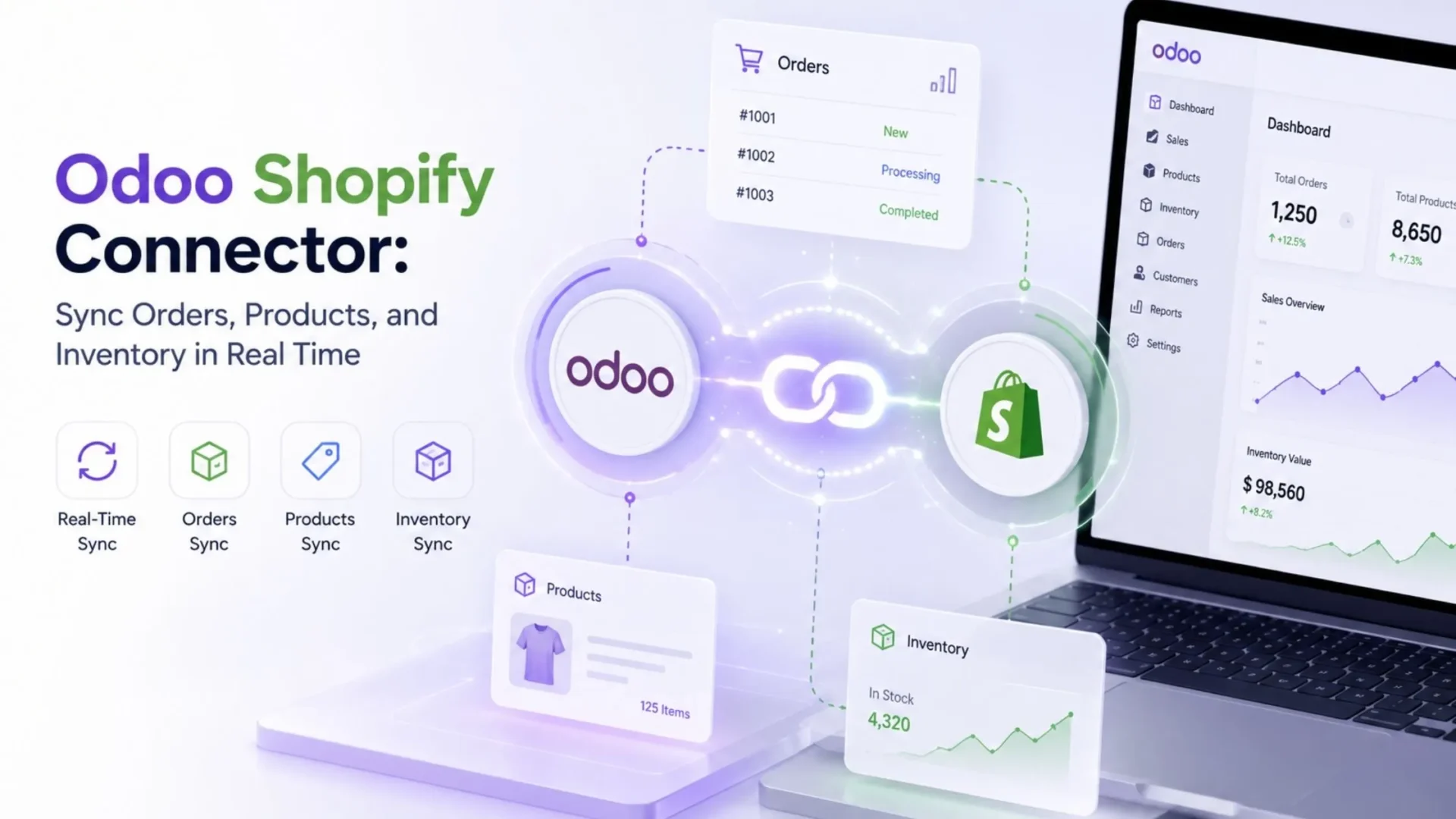
An Odoo Shopify Connector closes that gap. It keeps your storefront and your back office in step, so an order placed online shows up in Odoo without a single person copying it across by hand.
Sounds simple enough. In practice, getting the sync to behave is where a lot of setups quietly fall apart.
We’ve built and supported Odoo integrations for years now, and Shopify is one of the connections merchants ask about most. So here’s the honest version: what the connector does, what it actually syncs, how the setup works, and how you tell a dependable one from a shaky one.
Why Connect Shopify to Odoo in the First Place?
You can absolutely run both systems side by side. Plenty of businesses do, at least for a while. Then the orders start piling up and the cracks show.
Manual entry is fine when you’re shipping maybe ten orders a week. Push that to two hundred and it turns into missed line items, wrong stock counts, and the odd oversell you then have to apologize for. That last one stings the most. It’s not just a refund, it’s a customer wondering whether they can trust you again.
A proper Odoo Shopify integration takes the copy-paste step out entirely. Orders come in on their own. Inventory moves in both directions. Your finance team looks at real figures instead of yesterday’s best guess.
The bit people tend to underestimate: It isn’t only about saving hours, though you will. It’s about having one version of the truth. When Shopify and Odoo agree, everyone downstream, the warehouse, accounts, the person answering support tickets, is reading from the same page.
What an Odoo Shopify Connector Actually Syncs
This is usually where the sales copy goes vague, so let me be specific instead.
A good connector handles the core records that travel between a store and an ERP. Not every tool covers all of them, which is exactly why it pays to check the list before you pay for anything.
Read this line twice: The two-way inventory sync is the one I’d read twice. A one-directional tool will happily push products to Shopify and then let your stock counts drift the moment a sale happens somewhere else. That defeats most of the reason you wanted the connector.
How the Sync Actually Works Under the Hood
Our Odoo Shopify Connector talks to Shopify through the official Admin REST API. In plain language, that’s the secure door Shopify gives developers to read and write store data. No scraping, no fragile workarounds, no logging in as you and clicking around.
When something changes, the connector maps each field to its Odoo equivalent. A Shopify product title goes to the Odoo product name, a variant SKU matches your internal reference, and so on. Get that mapping right during setup and the day-to-day sync mostly takes care of itself.
For timing, you generally have two modes:
Most merchants use a mix: orders in real time, big product catalog updates on a schedule.
That flexibility matters more than it looks. A flash sale behaves very differently from a normal Tuesday, and you want a connector that can keep up on both.
Getting Set Up: What to Actually Expect
Installing the connector is the easy part. The setup that matters is the mapping.
Before you connect Shopify to Odoo, spend twenty minutes on housekeeping. Make sure your SKUs line up across both systems, because the SKU is what the connector uses to recognize the same product on each side. Mismatched SKUs are the number one cause of duplicate products, and cleaning up duplicates after the fact is nobody’s idea of a good afternoon.
From there, a typical Shopify Odoo integration goes roughly like this:
|
1
|
Install the ModuleInstall the connector module in Odoo to get started. |
|
2
|
Generate an API TokenGenerate an API access token in your Shopify admin and drop your store credentials into the connector settings. |
|
3
|
Map the Key FieldsMap products, variants, price lists, and warehouses across both systems. |
|
4
|
Run a Small Test SyncRun a small test sync with a handful of items before you let the whole catalog through. |
That test run is worth doing every single time. It is far cheaper to catch a mapping slip on five products than on five thousand.
Once the first sync looks right, you flip on the live connection and let it work. Most merchants are up and stable within a day. Sometimes an afternoon, if the data was already tidy going in.
One more thing worth saying plainly: a connector is not a “set it and forget it” appliance for the first week. Keep an eye on it, spot-check a few orders, and confirm stock counts match. After that initial settling-in, it genuinely does fade into the background.
The “I’ll Just Export a CSV” Trap
Here’s the tempting shortcut. Shopify lets you export orders to CSV. Odoo lets you import them. Free, right?
For a handful of orders, sure. But CSV work is manual, it runs on a delay, and it breaks the moment your columns don’t line up. Inventory doesn’t sync back at all, so you’re still exposed to overselling. And someone has to remember to do it, every single day, forever.
Warning: I’ve watched teams treat CSV exports as a stopgap that somehow lasted eighteen months. It works until the one week it doesn’t, usually during your busiest sales period, which is the worst possible time to discover your stock counts were fiction.
A dedicated connector removes the human step and the delay. That’s the whole point.
How to Tell a Good Connector From a Risky One
Not all Shopify Odoo integration tools are built to the same standard. A few things separate the ones worth trusting:
✅ Current Odoo Version Support
Ours runs on Odoo 19. A connector built for an older release can leave you stuck when you upgrade.
✅ True Two-Way Inventory
If stock only flows one direction, you’ll still oversell. Ask directly.
✅ Proper Variant Handling
Sizes, colors, bundles. If variants get flattened or duplicated, you’ll spend weekends cleaning them up.
✅ Real Support Behind It
When a sync stalls at 2 a.m. before a launch, you want a team that answers, not a forum thread from 2021.
That last one is easy to skip when you’re comparing prices, and it’s the one that saves you later. Software rarely fails politely.
Where Our Odoo Shopify Connector Fits
We built our connector for merchants who are past the “small enough to fudge it” stage and need the two systems to just stay honest with each other. It handles the full sync scope above, runs on the Admin REST API, supports real-time and scheduled modes, and it’s kept current with Odoo 19.
If you want to see the feature list, screenshots, and version details, the app is right here on the Odoo store: Shopify Odoo Connector on the Odoo Apps Store. You can review exactly what it does before committing to anything.
No pressure to decide today. Read the sync scope, check it against your own list, and see if it lines up.
|
O
|
Available on Odoo Apps Store Stop syncing orders by hand. Install it instead. |
Everything covered in this guide, real-time order sync, two-way inventory, variant and price-list mapping, comes pre-built into a single verified module on the official Odoo Apps Store.
| View on Odoo Apps Store → | $49.03 one-time · No subscription · 90 days support |
A Few Questions We Hear a Lot
Does it sync in real time?
Yes, through webhooks. Orders can appear in Odoo within moments of being placed. You can also run scheduled syncs if you’d rather batch things.
Which Odoo versions are supported?
The current build targets Odoo 19. If you’re on an older version, get in touch before you install so we can point you the right way.
Does it handle product variants and multiple price lists?
It does. Variants map across cleanly, and pricing flows from Odoo out to your Shopify storefront so the two never quietly disagree.
Is the inventory sync one-way or two-way?
Two-way. Stock changes in either system update the other, which is the part that actually protects you from overselling.
Can it bring in older orders?
Historical order import depends on your setup and volume. It’s usually doable, just tell us what you’re working with.
The Short Version
Running Shopify and Odoo without a connector is fine right up until it isn’t, and the moment it breaks is almost always the moment you can least afford it. A dependable Odoo Shopify Connector keeps your products, orders, and inventory in agreement so you stop firefighting and get back to selling.
If you sell across more than one channel, it’s worth knowing we build connectors for those too. You can browse the full set on our Odoo eCommerce connectors page and see how the pieces fit together.
Tired of Shopify and Odoo Never Quite Agreeing?
Our Odoo integration team can set up a real-time, two-way connector that keeps your orders, products, and inventory in sync — so you stop firefighting and get back to selling.