- What Is Zoho Marketing Automation?
- Key Zoho Marketing Automation Features
- 1. Lead Generation and Contact Management
- 2. Audience Segmentation and Personalization
- 3. Multichannel Marketing Campaigns
- 4. Automated Customer Journeys
- 5. Lead Qualification and Scoring
- 6. Website Tracking and Behavioral Insights
- 7. Campaign Planning and Reporting
- Practical Zoho Marketing Automation Workflows
- Workflow 1: B2B Lead Nurturing
- Workflow 2: SaaS Trial Onboarding
- Workflow 3: Webinar Registration and Follow-Up
- Workflow 4: Ecommerce Customer Engagement
- Workflow 5: Re-Engaging Inactive Contacts
- How Zoho CRM Integration Improves Marketing Automation
- Important Integration Considerations
- Zoho Marketing Automation Implementation: A Step-by-Step Plan
- Zoho Marketing Automation vs. Zoho Campaigns
- Common Zoho Marketing Automation Mistakes to Avoid
- How to Measure Zoho Marketing Automation Performance
- Is Zoho Marketing Automation Right for Your Business?
- Frequently Asked Questions
- Conclusion
Marketing teams often collect leads from multiple channels but struggle to turn those contacts into qualified opportunities. A prospect might download a guide, register for a webinar, visit a pricing page, or request a demo. Without a coordinated follow-up process, these interactions can remain disconnected from the sales pipeline.
Zoho Marketing Automation helps businesses organize marketing activities, engage contacts across supported channels, build automated customer journeys, and connect marketing engagement with sales processes. When configured around clear business goals, it can reduce repetitive work and help teams deliver more relevant communication throughout the customer lifecycle.
Successful automation takes more than switching on email sequences. Businesses need reliable contact data, clear audience segments, appropriate consent management, well-defined workflow triggers, and a practical way to measure results. If your sales side already runs on Zoho CRM, our walkthrough on how to implement Zoho CRM and Marketing Plus shows how the two fit together.
This guide explains Zoho Marketing Automation features, real-world workflow examples, Zoho CRM integration, implementation considerations, common mistakes, and performance metrics. It’s designed to help marketing managers, sales leaders, and business owners assess whether the platform fits their processes.
Quick Answer
Zoho Marketing Automation is a platform for coordinating lead generation, contact engagement, customer journeys, lead qualification, and marketing reporting. It’s most useful when a business has a clearly defined process to automate, accurate contact data, and a way to connect marketing activity with meaningful business outcomes.
What Is Zoho Marketing Automation?
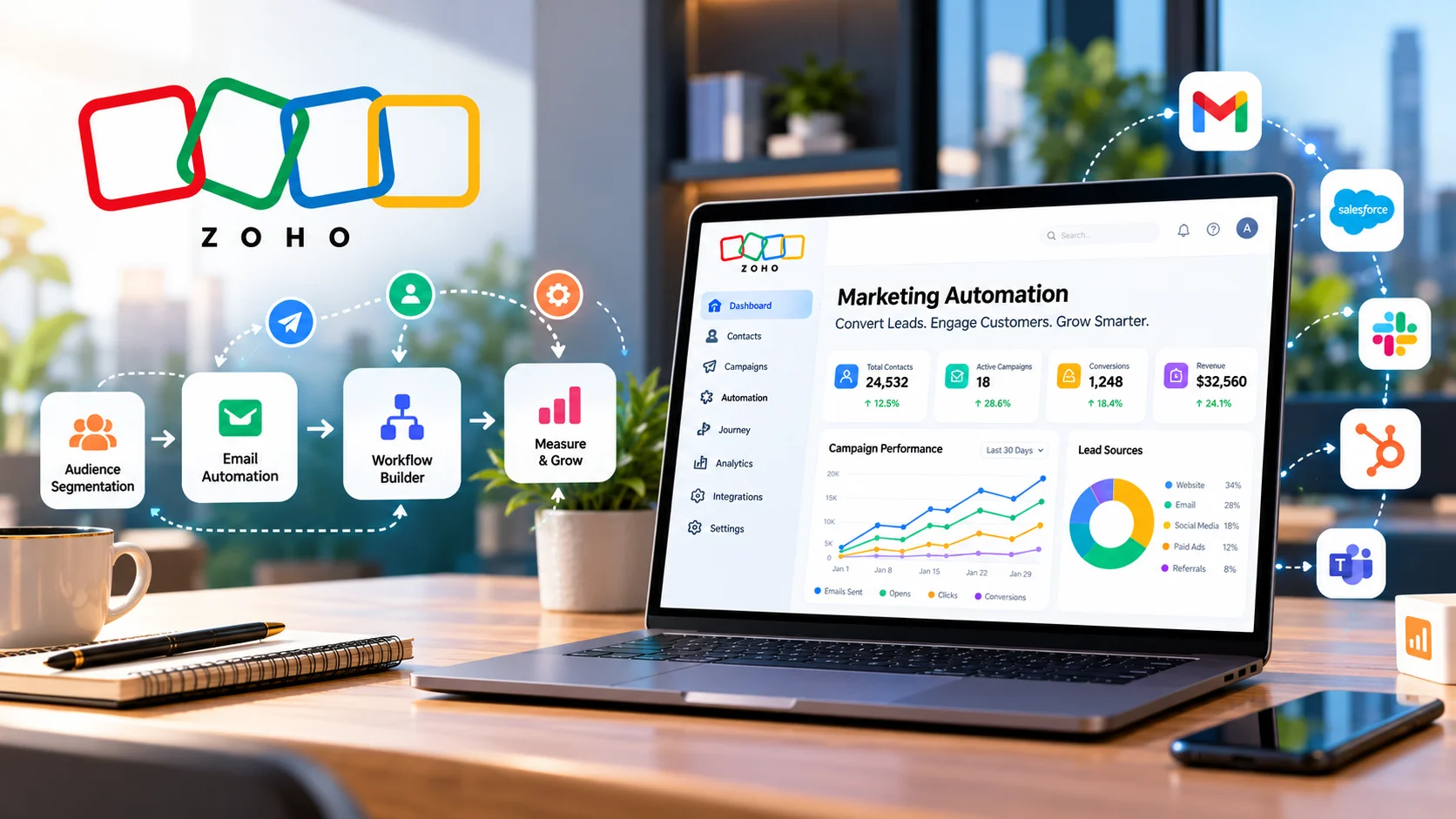
Zoho Marketing Automation is a marketing platform designed to help businesses attract prospects, manage contacts, run campaigns, automate engagement, and analyze marketing performance. Its documented capabilities include lead generation, lead nurturing, behavioral marketing, lead qualification, customer journeys, website analytics, campaign planning, and multichannel marketing. Zoho’s own Marketing Automation site lists the current capabilities and plans.
Instead of treating every contact the same way, businesses can organize audiences using relevant information and engagement behavior. They can then determine which messages to send, when to follow up, and when a prospect may need attention from the sales team.
Picture a software company. Someone downloads a product guide and gets an educational email. If that contact later requests a demo, a properly configured journey could move them into a more sales-focused follow-up process, subject to the business’s workflow rules and integrations.
The goal isn’t to automate every interaction. It’s to automate repeatable activities while preserving room for relevant, personal communication.
Key Zoho Marketing Automation Features
Seven capabilities do most of the work. Here’s the short version before the detail.
| Feature | What it helps with |
|---|---|
| Lead generation and contact management | Collecting and organizing contacts through forms, landing pages, pop-ups and integrations |
| Segmentation and personalization | Grouping contacts by industry, lifecycle stage, interests, location or behavior |
| Multichannel campaigns | Engaging contacts across email, SMS, social and web, depending on your account |
| Customer journeys | Moving contacts through triggers, conditions and actions |
| Lead qualification and scoring | Prioritizing contacts who show stronger buying intent |
| Website tracking | Connecting visitor behavior to marketing decisions |
| Planning and reporting | Coordinating campaigns and seeing what worked |
1. Lead Generation and Contact Management
Marketing automation starts with collecting and organizing contact information. Zoho Marketing Automation includes lead-generation capabilities that can involve signup forms, landing pages, pop-ups, and supported integrations. Once contacts enter the system, businesses can organize them into lists and segments. Appropriate field mapping and data validation help maintain consistent records and reduce problems caused by duplicate or incomplete information.
A B2B services company, for example, might collect a prospect’s name, business email, company, industry, and service interest through a consultation form. Those fields can help the team tell prospects interested in ecommerce development apart from those exploring custom software.
- Define the information required for each lead source.
- Standardize field names and acceptable values.
- Review duplicate records and incomplete contact details.
- Record contact source where possible.
- Maintain accurate consent and subscription information.
Contact collection should follow applicable privacy requirements and the communication preferences recorded for each recipient.
2. Audience Segmentation and Personalization
Segmentation lets marketers group contacts by industry, lifecycle stage, interests, location, or engagement behavior. Without it, a business may send the same message to a new subscriber, an active customer, and a prospect already talking to sales.
A subscription software company could create separate segments for new trial users, active subscribers, inactive customers, and qualified enterprise prospects. Each one gets communication that suits its relationship with the business.
Segmentation gets more useful when it’s combined with accurate CRM fields and recent engagement data. Start with segments that support clear objectives, then expand when evidence shows extra distinctions help. Excessive segmentation makes campaigns hard to manage without improving relevance.
3. Multichannel Marketing Campaigns
Zoho Marketing Automation supports engagement across multiple channels, with availability depending on the current product configuration and applicable requirements. Documented capabilities include email, SMS, social channels, and website-based interactions.
Multichannel doesn’t mean sending the same promotion everywhere. Each channel needs a clear purpose and should suit the recipient’s preferences. An event organizer might use email for the invitation, a permitted reminder channel for a time-sensitive update, and a follow-up email with useful resources. Before launching, check:
4. Automated Customer Journeys
Customer journeys define how contacts move through a workflow based on configured triggers, conditions, and actions. A journey can begin when a contact meets a defined condition, perform supported actions, then evaluate what comes next. A basic lead-nurturing journey might work like this:
These are illustrative steps, not a claim that every action is available in every account. Check Zoho’s current documentation for supported components, and test entry conditions, exit rules, and re-entry behavior before activating a workflow.
5. Lead Qualification and Scoring
Not every lead is ready for a sales conversation. Qualification helps teams separate contacts who are still researching from prospects who show stronger buying intent. Businesses can use contact attributes and engagement signals to prioritize follow-up, depending on the available configuration.
Someone who requests a consultation and repeatedly visits a pricing page probably deserves faster follow-up than a newsletter subscriber. Those signals don’t guarantee purchase intent, but they help the team decide where to look first.
- Define which actions indicate meaningful engagement.
- Set criteria for when a lead should be reviewed by sales.
- Establish who receives qualified leads and how quickly they should respond.
- Define what happens when sales rejects or recycles a lead.
- Review scores against actual lead quality and sales outcomes.
Caution
A high engagement score isn’t proof that a prospect is a good fit. Use scoring as a prioritization signal and validate it against business results.
6. Website Tracking and Behavioral Insights
Website behavior gives useful context for marketing decisions. Tracking can help businesses understand visitor activity and evaluate defined website goals, subject to the tracking configuration and privacy requirements that apply.
A software company might check whether visitors who read a product comparison page later request a demo. An ecommerce business might look at how campaign engagement relates to visits to product or category pages.
Before relying on tracking data, verify that the tracking code is installed correctly, goals are defined, and data is interpreted within the applicable consent rules. Tracking should answer a business question, not produce a dashboard full of numbers with no purpose.
7. Campaign Planning and Reporting
Planning helps teams coordinate activities, schedules, responsibilities, and objectives. Reporting shows what happened and where to improve. Depending on available features, teams can review campaign engagement, audience activity, journey performance, and other metrics. Begin reporting with a question:
- Are webinar registrants progressing to qualified sales conversations?
- Are certain audience segments responding better to onboarding emails?
- Are leads receiving timely follow-up after requesting a consultation?
Answering these is more valuable than reporting email opens without connecting them to business outcomes.
Practical Zoho Marketing Automation Workflows
The best workflows are built around a specific customer need. Start with a trigger, define the conditions for later actions, and decide how success will be measured. The five examples below are planning templates, so adapt them to the features and integrations enabled in your account.
Workflow 1: B2B Lead Nurturing
Objective: Help new prospects understand a service before a sales conversation.
This keeps communication consistent without anyone manually managing every follow-up.
Workflow 2: SaaS Trial Onboarding
Objective: Help trial users understand the product and spot when they need assistance. A sequence might include a welcome message, a setup guide, an explanation of a relevant feature, and an invitation to request support or a demonstration. The journey should respond to the user’s stage instead of sending every message regardless of behavior.
A user who has completed setup may not need another introductory email. Someone who requests a demo may need to move into a different follow-up process.
Workflow 3: Webinar Registration and Follow-Up
Objective: Manage event communication consistently.
- Registration triggers a confirmation.
- A scheduled reminder is sent before the event.
- Attendance or non-attendance determines the next communication.
- Attendees receive relevant resources or a recording, if available.
- Qualified prospects are routed for appropriate sales engagement.
Account for changes in registration status, and don’t send reminders to contacts who have cancelled.
Workflow 4: Ecommerce Customer Engagement
Objective: Improve the relevance of post-purchase and repeat-purchase communication. An ecommerce business might segment customers by product category, purchase history, or other attributes, then send product education, replenishment reminders, or related-product recommendations when the business model supports them.
This depends on accurate purchase data and a reliable connection between the store and the marketing system. If the project also needs store-level implementation or system integration, Elsner’s ecommerce development services cover that technical side. Confirm connector availability, data fields, synchronization behavior, and event triggers before designing the journey.
Workflow 5: Re-Engaging Inactive Contacts
Objective: Give inactive contacts a relevant reason to come back. The workflow could identify an inactive segment, send a useful update or preference-based message, and evaluate what happens next. Contacts who stay inactive may be excluded from routine campaigns or handled under a suitable retention policy.
Watch Out
Don’t keep messaging unresponsive contacts just to improve engagement numbers. Review consent, deliverability, and list hygiene before launching a re-engagement campaign.
How Zoho CRM Integration Improves Marketing Automation
Marketing automation gets more useful when marketing activity is connected to the information sales teams use to manage prospects and customers. Depending on the configured integration, CRM details such as lead source, industry, deal stage, or account type can help marketers build more relevant segments. Marketing engagement can also support sales prioritization and follow-up.
Zoho describes the connection as a native integration that needs no third-party middleware, and says campaign data sent through Marketing Automation appears in Zoho CRM’s analytics. Its CRM integration page also covers two-way contact sync, field mapping, and lead scoring, so check it for current capabilities before you plan.
Important Integration Considerations
| Consideration | What to settle before launch |
|---|---|
| Field mapping | Confirm that important fields match correctly between systems. Incorrect mappings create misleading segments and incomplete records. |
| Synchronization rules | Decide which records and fields synchronize, in which direction, and under what conditions. Test how updates and duplicates are handled. |
| Lead ownership | Establish how qualified leads are assigned and how the sales team is notified. |
| Lifecycle stages | Define what makes a contact a marketing-qualified lead, sales-qualified lead, active opportunity, or customer. |
| Suppression rules | Prevent inappropriate campaigns after an opt-out, purchase, disqualification, or other status change. |
| Testing | Use sample records to verify the data flow before activating the workflow for the full audience. |
If your organization needs custom field mapping, API-based connectivity, or coordination across several business applications, evaluate the technical requirements before choosing an approach. Elsner’s web development services can support API and third-party integration work. Native integrations, supported connectors, and custom development each carry different configuration and maintenance implications.
Need Implementation Support?
If your project involves Zoho customization, implementation planning, or integrations across business applications, discuss the requirements and technical approach with the Elsner team.
Zoho Marketing Automation Implementation: A Step-by-Step Plan
A successful implementation begins with the business process, not the software settings.
Step 1: Define the Business Objective
Choose a specific goal, such as improving lead follow-up, coordinating webinar campaigns, onboarding trial users, or reducing manual campaign administration. Define how the team will measure progress before building the workflow.
Step 2: Audit Contact Data
Review data sources, duplicate records, required fields, contact permissions, and existing segmentation rules. Decide which records should be imported and which need correction first.
Step 3: Map the Customer Journey
Identify the stages between initial contact and the desired outcome. Record the events that trigger communication, the conditions that change the next action, and the events that should end the journey.
Step 4: Configure Integrations
Set up required connections and field mappings. Confirm that records move correctly, updates don’t create unexpected duplicates, and the right teams can access the information they need.
Step 5: Build a Limited Pilot Workflow
Start with one workflow that has a clear audience and measurable objective. Don’t launch several complex journeys before the underlying data and rules have been validated.
Step 6: Test Edge Cases
Test more than the ideal scenario. Check what happens when a contact unsubscribes, submits a form twice, changes lifecycle stage, becomes a customer, or no longer meets the entry conditions.
Step 7: Launch and Review
Monitor the workflow after launch. Compare results against the original objective, collect feedback from sales and marketing, and make controlled improvements based on evidence.
Zoho Marketing Automation vs. Zoho Campaigns
Both support marketing communication, but they aren’t interchangeable. Evaluate them against your actual requirements.
| Factor | Zoho Marketing Automation | Zoho Campaigns |
|---|---|---|
| Best suited to | Broader lifecycle workflows, behavioral engagement, lead qualification, journey orchestration | Needs centered on email campaigns and subscriber management |
| Setup effort | Higher, since data, rules and integrations need care | Often lighter when needs are limited |
| Decide by | Channels, integrations, automation logic, reporting and operations | The same factors, with a narrower scope |
Compare the current official product documentation and plan details before making a purchasing decision. Don’t choose the broader platform just because it has more capabilities. A smaller, well-configured solution may be easier to maintain. Our guide to an email marketing strategy with Zoho Campaigns helps if email is your main need.
Common Zoho Marketing Automation Mistakes to Avoid
- Automating an unclear process. Automation can repeat a poor process just as efficiently as a good one. Document the current workflow and resolve ownership or approval issues first.
- Using inaccurate contact data. Poor data quality affects segmentation, personalization, reporting, and routing. Validate and maintain important fields.
- Sending too many messages. Contacts shouldn’t receive overlapping campaigns without frequency controls. Review how journeys interact and define suppression rules.
- Ignoring consent and preferences. Maintain clear subscription records and respect opt-outs. Using an automation platform doesn’t remove your responsibility for compliant communication.
- Treating engagement as revenue. Opens and clicks are useful signals, but they don’t prove commercial success. Connect activity with qualified opportunities, conversions, and retention.
- Launching without testing. Incorrect triggers, field mappings, and exit rules can send the wrong message to the wrong person.
- Failing to review results. Customer behavior and priorities change. Review workflows regularly and update them when the original logic stops serving its purpose.
How to Measure Zoho Marketing Automation Performance
The right metrics depend on the campaign objective. Choose measures that help the team make decisions, not every number available.
| Objective | Useful metrics | What to investigate |
|---|---|---|
| Lead generation | Valid leads, conversion rate, cost per lead | Which channels attract relevant prospects? |
| Lead nurturing | Qualified leads, progression between stages | Are prospects moving toward meaningful next steps? |
| Email engagement | Click-through rate, bounce rate, unsubscribes | Is the message relevant and reaching the intended audience? |
| Sales alignment | Follow-up time, accepted leads, opportunities created | Are qualified leads reaching the right team? |
| Ecommerce retention | Repeat purchases, reactivation, customer value | Are campaigns supporting useful customer actions? |
| Workflow efficiency | Manual tasks reduced, processing time, errors | Is automation simplifying the actual process? |
Metrics need context. Email open rates, for example, can be skewed by privacy features and tracking limitations, so use them carefully. Where possible, compare results against a documented baseline and use controlled experiments to evaluate changes. Don’t assume an improvement happened because a workflow was automated. Verify the outcome.
Is Zoho Marketing Automation Right for Your Business?
It’s worth evaluating if your organization needs to coordinate multichannel engagement, nurture leads, qualify prospects, build customer journeys, and connect marketing activity with relevant business data.
It may be a good fit when the team has clearly defined processes and can maintain the contact data, integrations, and workflow rules the system needs. A simpler campaign tool may be enough if the business only sends occasional newsletters and handles basic subscriber management. Before deciding, weigh these:
Frequently Asked Questions
What is Zoho Marketing Automation used for?
It helps businesses manage contacts, run marketing campaigns, build automated customer journeys, qualify leads, and evaluate engagement. Specific capabilities depend on the product configuration and enabled integrations.
Can Zoho Marketing Automation integrate with Zoho CRM?
Yes. Zoho provides an integration between the products that can support contact synchronization, field mapping, lead scoring, and coordinated marketing and sales workflows. Verify current setup requirements in the official integration documentation.
What are common Zoho Marketing Automation workflows?
Common examples include lead nurturing, trial-user onboarding, webinar reminders and follow-ups, ecommerce customer engagement, and re-engagement campaigns. The best one depends on your objective and the data available.
Does Zoho Marketing Automation support lead scoring?
Zoho documents lead qualification and scoring capabilities that help businesses prioritize contacts by configured criteria and engagement. Review scores against actual lead quality and sales outcomes.
How should a business start implementing Zoho Marketing Automation?
Define a measurable objective, audit contact data, map the customer journey, verify integrations, and test one pilot workflow. Expand after confirming the initial process works as intended.
How much does Zoho Marketing Automation cost?
Pricing and plan availability can change. Review the current official Zoho Marketing Automation website for plans, features, and billing details instead of relying on an unverified price in an article.
Conclusion
Zoho Marketing Automation can help businesses coordinate marketing activity, nurture leads, organize customer journeys, and connect engagement with sales processes. Its value depends on how well the platform is configured around business objectives, data quality, audience needs, and operational requirements.
Start with one clear workflow, test its triggers and conditions, establish appropriate consent and suppression rules, and measure outcomes that matter. Expand only when the process is reliable and the results justify more automation.
If your organization needs help with Zoho customization, implementation planning, or integrations across business applications, explore Elsner’s Zoho development services to discuss your requirements and the right technical approach.
Plan Your Zoho Project
Discuss your business requirements, integration dependencies, and implementation options with the Elsner team.
About This Guide
Written by the Elsner Technologies CRM and engineering team. Elsner has delivered web, mobile, CRM, and enterprise software for more than 20 years with 200+ developers. Zoho features, channels, and plans change over time, so confirm current details in Zoho’s official documentation before you plan a rollout.