- What is Zoho Billing, and where does it fit in a SaaS stack?
- Which SaaS business models can use Zoho Billing?
- Seat-based and tiered subscriptions
- Usage-based and hybrid pricing
- Features SaaS teams should evaluate
- Subscription lifecycle management
- Invoicing, reminders and customer self-service
- Payment collection and dunning
- Proration, usage and tax settings
- A practical Zoho Billing workflow for a SaaS business
- Document the lifecycle
- Define the catalog and pricing rules
- Configure signup and checkout
- Connect and test the gateway
- Automate renewals and notifications
- Design failed-payment recovery
- Handle upgrades, downgrades and cancellations
- Connect customer, finance and reporting systems
- Monitor events and exceptions
- Run acceptance tests
- Zoho Billing pricing: what SaaS businesses should budget for
- How to choose a plan
- Build a realistic total-cost estimate
- Zoho Billing integrations: what to connect and why
- Native Zoho integrations
- Payment gateways
- CRM, accounting and finance
- APIs and webhooks for custom SaaS applications
- Low-code, middleware or custom code?
- Security, privacy, and audit controls
- A practical example: subscription billing for a growing SaaS product
- A practical implementation roadmap
- Metrics to monitor after launch
- Common implementation mistakes and how to avoid them
- Configuring before business rules are agreed
- Treating payment success as proof that access is correct
- Syncing without a source of truth
- Ignoring failed payments
- Launching usage billing without reconciliation
- Assuming integrations remove manual work
- Letting published prices become stale
- Is Zoho Billing the right fit for your SaaS business?
- Conclusion
- Frequently asked questions
Recurring revenue looks simple in a pricing table: a customer picks a plan, pays, and keeps using the software. The operational reality is more involved. A SaaS business must handle trials, renewals, upgrades, downgrades, add-ons, failed payments, cancellations, invoices, tax settings, and access to the product. When those events live in separate systems, teams end up reconciling records manually and customers receive confusing billing messages.
Zoho Billing can help SaaS teams manage subscription billing, invoicing, payment collection, usage-based charges, and related customer workflows. Its value depends on the subscription model, the selected plan, the payment gateway, and how well it connects to the application and finance stack. It is not a substitute for designing the complete billing operation, however. A SaaS product still needs clear rules for who can access which features, what happens after a failed payment, and how billing events update customer records.
This guide explains how Zoho Billing fits into a SaaS billing system, what its current US plans include, how integrations can work, and what to test before launch. It is intended for teams evaluating the product or planning an implementation, not as a replacement for Zoho’s official pricing and API documentation.
Quick Answer
Zoho Billing can support SaaS subscriptions, invoicing, payment collection, usage-based charges and lifecycle operations. Success depends on choosing a suitable plan and connecting billing records to the systems that manage product access, customer relationships and finance.
Sources and Freshness
Pricing, feature and API claims are grounded in official Zoho documentation, including the US pricing page, the plan comparison and the subscription API. General SaaS billing context was reviewed against Stripe and Chargebee resources. The pricing snapshot was checked on October 15, 2026. Prices, limits, gateways and interface steps can change, so recheck the live pages before you buy or publish.
In This Guide
- What is Zoho Billing, and where does it fit?
- Which SaaS models can use Zoho Billing?
- Features to evaluate
- End-to-end subscription workflow
- Zoho Billing pricing in the US
- Integrations and reference architecture
- Security, privacy, and audit controls
- Practical SaaS example
- Implementation roadmap
- Billing metrics
- Common implementation mistakes
- Is Zoho Billing right for your business?
- Conclusion
- FAQs
What is Zoho Billing, and where does it fit in a SaaS stack?
Zoho Billing is a billing platform for managing customer billing records and payments, including recurring subscriptions. Its product capabilities include plan and product catalogs, invoices, customer portals, payment gateway connections, subscription lifecycle operations, and usage-based billing features. The available feature set depends on the account’s edition and plan, so a business should validate its exact requirements against the current US plan comparison before committing.
For a SaaS business, Zoho Billing is best thought of as the system that governs billing records and subscription state. The SaaS application remains responsible for delivering the software. A separate integration layer may need to connect the two. For example, when Billing confirms a new subscription, the application may need to create a tenant, apply the purchased entitlements, and record the billing customer ID. When the subscription is cancelled or marked unpaid, the application must follow the company’s agreed access policy.
A clean design gives each system a clear responsibility:
| System | Responsible for |
|---|---|
| The SaaS application | Manages login, organizations or tenants, user permissions, product features, and service availability. |
| Zoho Billing | Manages billing plans, subscriptions, invoices, payment state, and relevant billing events. |
| The payment gateway | Processes payment credentials and transactions under its own terms and fees. |
| The CRM | Stores sales context, customer relationships, and commercial activity when it is part of the stack. |
| The accounting or finance system | Supports reconciliation, bookkeeping, and financial reporting according to the company’s accounting setup. |
| The reporting layer | Combines trustworthy data to monitor revenue and customer behavior. |
Not every company needs every system. A small SaaS team may begin with a short stack, while a multi-product company may need several connected applications. The important decision is not how many tools to integrate. It is which system owns each piece of data and how changes move between them without creating conflicts.
Which SaaS business models can use Zoho Billing?
Zoho Billing is worth evaluating when a company needs structured recurring charges rather than one-time invoices alone. Fit depends on how customers buy, how usage is measured, and how much customization the business requires.
Seat-based and tiered subscriptions
A seat-based product charges by user or licence count. If a customer adds seats mid-cycle, the team needs a rule for the effective date, any prorated amount, and how the app changes user limits. For tiered plans and add-ons, keep the billing catalog aligned with the entitlements the product grants. Use stable plan codes so marketing can rename a package without losing the mapping to existing customers.
Usage-based and hybrid pricing
A service may charge by API call, transaction, data volume, processing time or another measurable unit. Zoho documents metered billing as a base plan plus additional charges based on customer usage. The usage measurement normally comes from the product’s infrastructure or telemetry. Confirm that the available billing features, billing period, rounding rules and usage format fit the pricing model before implementation.
Hybrid pricing combines a recurring base fee with variable usage, seats or one-time charges. It can offer a predictable base price while reflecting consumption, but invoices must explain included units, measured usage, and extra charges clearly. Define how to handle duplicate or late usage events, refunds, customer disputes and corrections, and retain a traceable record of each calculation.
When to Assess Alternatives
Do not choose Zoho Billing based on brand familiarity alone. Businesses with unusual contract structures, complex quote-to-cash processes, specialized revenue recognition or multi-entity needs should compare specific requirements against current product capabilities. Vendor comparison sites can help build a shortlist, but confirm fit through official documentation and a realistic proof of concept.
Features SaaS teams should evaluate
Subscription lifecycle management
The lifecycle spans signup, activation, renewal, plan change, payment problems, cancellation and reactivation. Zoho Billing’s subscription API documents operations such as creating, updating, cancelling and reactivating subscriptions. These operations can support automation, but the SaaS application still needs a defined response for each state change.
Invoicing, reminders and customer self-service
Recurring billing can reduce manual work, but invoice timing, line-item descriptions, billing contacts, payment links and renewal reminders require deliberate setup. Customers should be able to identify the plan, service period, quantities, discounts, taxes and extra charges without asking support to decode the bill. A customer portal may let customers view invoices or take subscription-related actions, depending on configuration and plan. Decide which changes users can make freely and which need review.
Payment collection and dunning
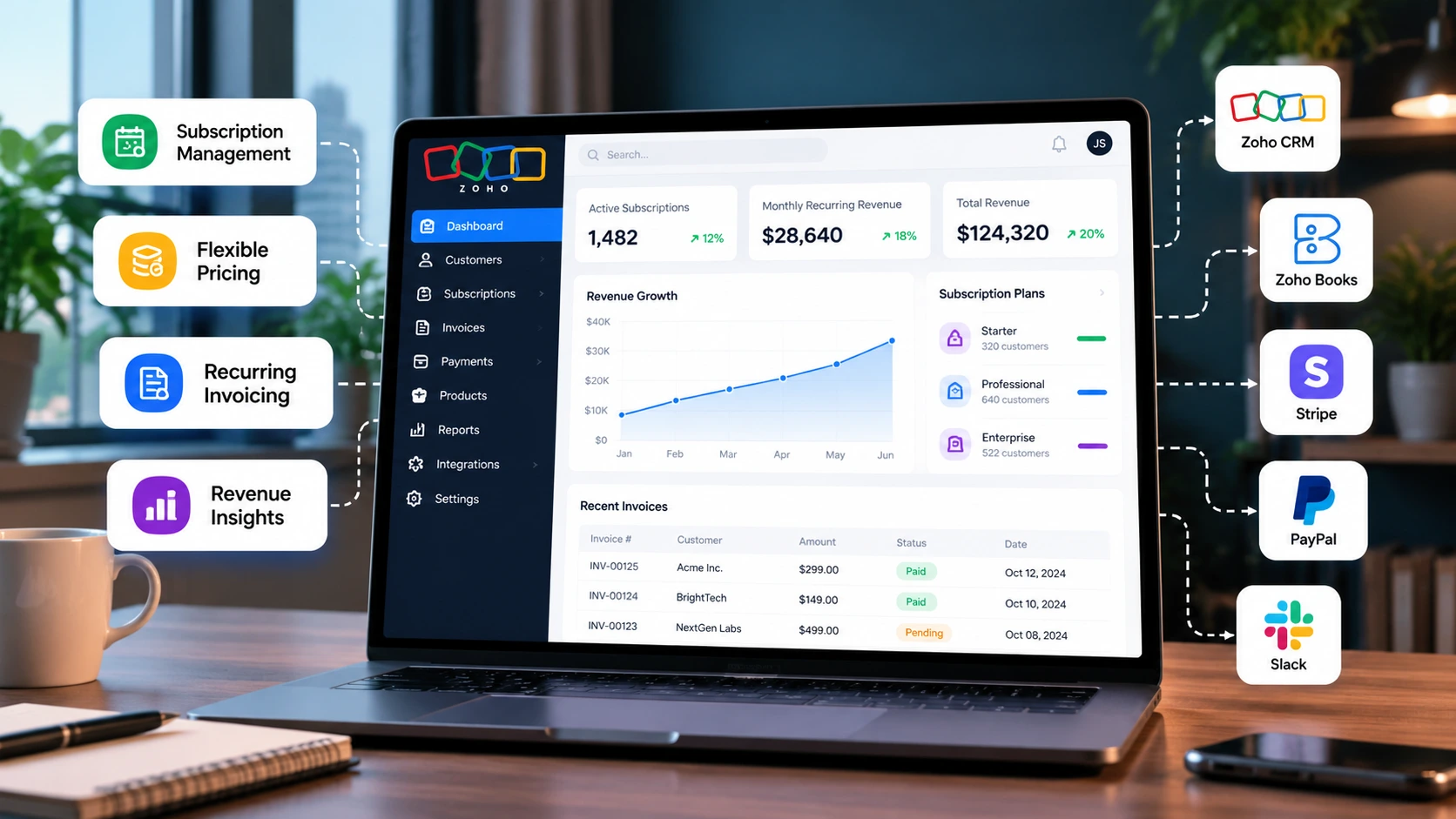
Zoho’s US online-payment documentation lists gateways including Zoho Payments, Authorize.Net, CSG Forte, Stripe, Square, Braintree, PayPal and Verifone. Availability varies by edition and setup. Gateway transaction fees are separate from Zoho Billing’s subscription price.
Dunning manages overdue or failed payments through notices, retries and follow-up actions. Customers may want to continue paying but have an expired card or temporary bank decline. Make payment updates easy, use a defined retry policy, and explain what happens after the final attempt. Because this process affects product access and trust, document whether a failed payment triggers a grace period, limited access, suspension or cancellation.
Proration, usage and tax settings
Proration can adjust charges when customers change plans mid-cycle. Decide when each change becomes effective, whether the current invoice is recalculated, and what happens to product features. Zoho documents metered billing, but your team must still define usage collection, rounding, billing cutoffs and reconciliation.
International businesses may also need multi-currency invoices and tax settings.
Not Tax Advice
Software configuration does not replace tax advice. Confirm sales-tax obligations, nexus, invoicing requirements and accounting treatment with qualified advisers who understand your business.
A practical Zoho Billing workflow for a SaaS business
A reliable implementation begins with business rules rather than software settings. Use the following sequence to plan and test it.
Step 1
Document the lifecycle
Map the journey from trial to paid activation, renewal, upgrade, downgrade, failed payment, cancellation and reactivation. For each event, record the owner, changed data, customer message and expected product behavior. Include edge cases, such as payment succeeding after a cancellation request or two plan changes arriving close together. Your application’s states may differ from Zoho’s labels, so map the actual fields and events to your own model.
Step 2
Define the catalog and pricing rules
List every plan, billing interval, included quantity, add-on, discount, trial policy and change rule. Decide whether annual plans are paid upfront, whether add-ons renew with the base plan, and whether a setup fee is separate. Assign stable codes to plans and add-ons; do not rely only on display names, which marketing may later change.
Step 3
Configure signup and checkout
Choose whether customers subscribe inside the app, through a hosted page, or through a sales-assisted process. Test the full path from customer record to completed checkout. Confirm that email, company name, plan code, currency, tax information and payment status map correctly. A successful payment page does not prove that the application account was provisioned.
Step 4
Connect and test the gateway
Select a gateway based on customer geography, accepted payment methods, currencies, settlement needs, recurring-payment support and fees. Use test credentials separately from production credentials and keep secrets out of client-side code and logs. Test successful and declined transactions, expired cards, interrupted checkout, duplicate submissions and delayed callbacks. Reconciliation should connect the invoice, gateway transaction and subscription state.
Step 5
Automate renewals and notifications
Define invoice timing, customer notifications, renewal dates, timezone assumptions and line-item descriptions. Clarify whether reminders go to billing contacts or account owners. An email being sent is not proof that payment succeeded, so payment status must come from verified billing or gateway data.
Step 6
Design failed-payment recovery
Set retry timing, reminders and the final action after retries, based on the product’s needs and gateway capabilities. Test the entire recovery path: payment details are updated, the outstanding amount is collected, and the application returns to the correct access state without creating duplicate subscriptions or invoices. Make sure support can see the next expected action.
Step 7
Handle upgrades, downgrades and cancellations
Define when changes take effect. An upgrade may grant access immediately, while a downgrade may begin at renewal. Explain effects on seats, storage, rate limits or usage allowances before confirming a change. Cancellation timing should be clear, whether immediate or at the end of the paid term. Test reactivation separately and retain historical billing records for finance and support.
Step 8
Connect customer, finance and reporting systems
Choose a source of truth for customer fields, subscription status, invoices and ledger entries. Document which system can create or update each field; avoid two-way sync without conflict rules. Elsner’s guide to integrating ERP, CRM and operational data provides broader data-flow context.
Step 9
Monitor events and exceptions
The Zoho Billing events documentation lists subscription events such as creation, renewal, upgrade, downgrade, unpaid status, cancellation and reactivation. Use the relevant events and make sure failures are recorded and can be retried safely. Event processing should be idempotent: the same event arriving twice must not create another tenant or apply a seat change twice. Store a reliable deduplication key, validate requests according to the available security guidance, and avoid exposing payment credentials in logs.
Step 10
Run acceptance tests
Have product, finance, support and engineering review a trial conversion, renewal, upgrade, downgrade, usage charge, failed card, recovered payment, cancellation at renewal, reactivation and integration outage. Compare what the customer sees, what the app allows and what finance records. Do not go live until the team can reproduce invoice totals, explain access changes, reconcile payments and repair a failed integration. For organizations that need custom data flows or product-specific workflows, Zoho development and integration services can be evaluated against the project scope.
Zoho Billing pricing: what SaaS businesses should budget for
Zoho’s US pricing page currently lists Standard at $50 per organization per month when billed monthly, or $39 per month when billed annually. Premium is listed at $100 per organization per month, or $79 per month when billed annually. Enterprise Edition uses custom arrangements. This snapshot was checked on October 15, 2026; confirm current amounts, thresholds and features before publication or purchase.
| Plan shown on Zoho’s US page | Published price snapshot | Relevant notes for a SaaS buyer |
|---|---|---|
| Standard | $50 monthly, or $39 per month billed annually | The comparison lists up to 3 users and annual billing limits. Do not assume this tier includes every subscription workflow. |
| Premium | $100 monthly, or $79 per month billed annually | Lists subscription billing, usage-based billing automation, proration, dunning, hosted payment pages, custom functions and advanced reporting. The comparison lists up to 10 users and annual billing limits. |
| Enterprise Edition | Custom | Intended for higher-volume operations and deeper customization. Confirm applicable limits and terms directly with Zoho. |
The licence is not the total cost of operating subscription billing. Budget for gateway fees, implementation, application changes, integrations, testing, finance or tax review, monitoring, support and future updates to pricing logic. Some requirements may be configuration work; others need middleware or custom development.
How to choose a plan
Start with required capabilities, not the cheapest monthly amount. If subscriptions, usage billing, dunning or proration are core to your business, compare them against the current plan comparison. Ask Zoho to confirm relevant thresholds or upgrade conditions in writing if your billing volume may grow. For annual billing, compare yearly cash outlay with monthly billing and account for add-ons, taxes, user changes or usage-related costs.
Build a realistic total-cost estimate
Separate recurring and one-time items:
- Platform licence: the plan and add-ons.
- Payment processing: fees based on method, volume, geography and provider terms.
- Implementation: catalog setup, plan mapping, permissions and notification templates.
- Integration: CRM, accounting, checkout, analytics and application provisioning.
- Migration: data cleanup and validation of historical customer or subscription records.
- Operations: monitoring, exception handling, support playbooks, test environments and future changes.
Use your actual transaction volume, pricing model and architecture to estimate costs. Do not replace vendor quotes with a generic percentage or an unverified industry average. Finance should also determine the accounting treatment of implementation costs under the company’s policy.
Zoho Billing integrations: what to connect and why
An integration should have a defined purpose, a clear direction of data flow and a way to detect and correct failures.
Native Zoho integrations
Zoho’s product documentation lists integrations with tools such as Zoho CRM, Zoho Books, Zoho Inventory, Zoho Desk, Zoho Analytics, Zoho SalesIQ and other applications, as well as third-party services. Availability can vary by edition, region and configuration. Check current documentation before promising a native connection in a project scope.
A native integration is a sensible first option when it supports the required data objects and workflow. It may not cover every field, timing requirement or exception, so test it with realistic data rather than assuming a successful connection completes the project.
Payment gateways
Select a gateway based on the markets you serve, accepted payment methods, currencies, settlement schedules, refunds, disputes, recurring-payment support and fees. Confirm capabilities and terms with the provider. A gateway may process a transaction while application provisioning fails, so the design needs a reconciliation path to detect and repair the mismatch.
CRM, accounting and finance
Connecting billing records with CRM can give sales and customer success teams visibility into plans, renewals, payment status and account changes. Decide which system owns customer names, contacts, account IDs and billing contacts. Only sync fields with a clear purpose, and protect payment information from users who do not need it.
Accounting records and billing events are not identical. Invoices, collections, refunds, gateway settlement and revenue recognition may be represented differently. Define how to reconcile each. A dashboard of billed or collected amounts should not automatically be described as recognized revenue; finance must establish the authoritative metric and apply the relevant accounting policy. If finance is changing systems too, the QuickBooks to Zoho Books migration guide is relevant background, although migration and integration are different projects.
APIs and webhooks for custom SaaS applications
If a new subscription should activate an application tenant, the SaaS product may need an API integration or middleware. Zoho Billing exposes subscription operations and event notifications; an integration service can listen for selected events, validate the current state and update the app’s entitlements.
A reference flow is:
- A customer completes checkout or sales creates a subscription.
- Zoho Billing records the subscription and relevant billing state.
- An event or controlled API lookup informs the integration service.
- The service maps the billing record to a SaaS tenant and validates the change.
- The application updates entitlements and records an audit event.
- Failures are logged, retried safely and routed to a monitored queue.
This is an implementation pattern, not a one-click feature promise. Account for duplicated or out-of-order events, missing mappings, deleted app accounts, manual edits and webhook delivery failures.
Low-code, middleware or custom code?
Choose the least complex approach that fully supports the workflow.
| Approach | When it may fit | Trade-off |
|---|---|---|
| Native connector | Standard objects and workflows are supported directly | Less flexibility for unusual rules or strict timing |
| Low-code or middleware | Common apps need moderate customization | Adds a vendor dependency, task limits and monitoring needs |
| Custom API integration | Product entitlements, complex mappings or application-specific logic are required | Requires engineering, testing and long-term maintenance |
A hybrid approach can use native connections for finance tasks and custom APIs for product access. Document ownership, alerting, error handling and event replay before launch.
Security, privacy, and audit controls
Billing integrations process customer identities, payment status, invoices and sometimes sensitive commercial details. Keep the integration’s access limited to the records and operations it needs. Store API credentials in a secrets manager or equivalent controlled environment, separate test credentials from production, restrict administrative access, and document how keys are rotated or revoked. Never place secrets or full payment details in browser code, support tickets, analytics events or application logs.
Prefer a gateway’s secure payment components and documented tokenization approach over collecting and storing raw card data yourself. Zoho’s US online-payment documentation says it stores only the last four digits of customer card details when gateway information is integrated, but businesses must still review the actual payment architecture, gateway terms and responsibilities before launch. Security obligations depend on how the systems are used and which parties handle payment data.
Design logs to help diagnose failures without exposing unnecessary personal information. Record event IDs, subscription IDs, processing results and timestamps, but apply a retention policy and access controls. Define what support agents may see, who can trigger a manual retry, and how production changes are approved. Include incident steps for leaked credentials, suspicious billing events, duplicated charges and failed data synchronization. Have security and privacy reviewers validate the finished architecture against the company’s risk profile and applicable obligations.
A practical example: subscription billing for a growing SaaS product
Hypothetical Example
Consider a hypothetical project-management SaaS with three plans. Starter includes five users, Growth includes twenty, and Enterprise has a negotiated contract. Growth customers can add storage. The product offers a trial and monthly or annual billing. These prices and terms are illustrative, not Zoho plan names or an actual Elsner customer story.
The team creates billing products and maps each plan code to an entitlement configuration in the application. When a trial converts to paid, Billing records the subscription and payment; the integration provisions the tenant and enables its user limit. If the customer purchases extra storage, the billing change is validated before the application updates its capacity.
At renewal, Billing processes the scheduled transaction. If payment fails, configured dunning sends a message and retries according to policy. The app enters a grace period if the company has defined one. When payment succeeds, the system restores the correct paid state without creating a duplicate tenant or invoice.
If a Growth customer downgrades, the team specifies whether the downgrade takes effect immediately or at renewal. The customer sees the effective date and effect on storage or seats before confirming. Billing and application records then update together, with an audit trail for support and finance.
The Takeaway
The takeaway is simple: subscription software does not define all of a business’s rules. Teams need a shared catalog, documented state transitions, clear system ownership, tested integrations and support procedures.
A practical implementation roadmap
A staged rollout reduces the risk of discovering billing logic gaps after real customers depend on the system. The SaaS product development roadmap is useful context for planning these workflows before launch.
| Stage | What happens |
|---|---|
| Discovery and requirements | Interview product, finance, engineering, customer success and support. Inventory existing plans, discounts, contracts, gateways, customer records, invoices and manual exceptions. Confirm the source of truth for each entity and agree on the states that affect access. |
| Solution design | Map plans and add-ons to product entitlements, select the Zoho Billing plan and gateway, decide which integrations should be native, low-code or custom, and document expected data flow. Record the cases that will not be automated in the first release so the team can plan safe manual handling. |
| Prototype and validation | Configure a non-production organization or test setup where available. Use representative data to test subscription creation, a payment decline, retry recovery, a mid-cycle upgrade, cancellation and an integration failure. Reconcile the application’s access state with Billing after each event. Finance should verify invoice lines and the reporting definitions. |
| Pilot and launch | Start with a controlled set of plans or internal test customers where practical. Monitor webhook errors, unmatched IDs, invoice exceptions and support tickets. Keep a rollback or manual recovery plan ready before expanding to all customers. |
| Post-launch review | Review metrics after the first complete renewal cycle, not just the first successful checkout. Update customer communications, retry rules and monitoring where the evidence shows friction. Record changes and re-test dependent flows whenever the plan catalog, gateway or integration logic changes. |
Metrics to monitor after launch
After launch, monitor measures that lead to specific operating decisions rather than relying on one total such as monthly collections.
Monthly recurring revenue (MRR)
Normalize recurring value to a monthly basis using a finance-approved definition. Document the treatment of annual plans, discounts and mid-cycle changes.
Renewal and churn
Track customers and recurring value lost in a defined period; keep logo churn and revenue churn distinct.
Failed-payment recovery
Measure the share of failed payments recovered in a stated window and show the denominator.
Trial-to-paid conversion
Compare converted trials with the cohort that started trial using a consistent observation window.
Expansion and contraction
Monitor changes from added seats, add-ons, plan changes and usage.
Invoice exceptions
Track duplicate invoices, corrections, tax discrepancies and manual-review cases.
Integration reliability
Monitor webhook failures, processing delay, retries, unmatched IDs and mismatches between billing status and application access.
Settlement reconciliation
Compare invoices, payments, processor settlements, refunds, fees and accounting records.
Give each metric an owner, definition, source, refresh frequency and response playbook. If recovery drops, review gateway declines, reminders, payment-update flows and retries. If billing and access disagree, investigate the integration before it becomes a customer support issue.
A deliberate business intelligence strategy helps teams choose useful measures, while the guide to integrating BI with ERP, CRM and operational systems provides more context for combining data.
Common implementation mistakes and how to avoid them
Configuring before business rules are agreed
If finance, product and engineering interpret upgrades or cancellations differently, software settings will not resolve the disagreement. Approve the lifecycle and edge cases before production, including grace periods, refunds, invoice corrections and custom contracts.
Treating payment success as proof that access is correct
Payment collection and product provisioning are separate operations. A successful charge may coincide with an application error or delayed webhook. Reconcile active subscriptions without access against enabled accounts without a valid subscription, and assign an owner to resolve mismatches.
Syncing without a source of truth
Two-way synchronization can create loops or overwrite accurate data. Choose a master system for each field, define update direction and store stable IDs so an email change does not create a duplicate customer.
Ignoring failed payments
A failed payment may be temporary. Test notifications, retries, payment-update links and access policies. Measure recovery rather than simply counting reminders sent.
Launching usage billing without reconciliation
Retain raw usage data, set a billing cutoff, remove duplicates and document how late events change an invoice. Compare sample usage totals with invoice lines at low, normal and high usage before charging live customers.
Assuming integrations remove manual work
Integrations introduce their own failure modes. Set alerts, test retries and document repair steps. Do not depend on an integration no one can monitor after its developer moves to another project.
Letting published prices become stale
Plan names, prices, supported gateways and feature limits can change. Link to official pages, record the verification date and ask a reviewer to confirm claims before publication and during periodic reviews.
Is Zoho Billing the right fit for your SaaS business?
Zoho Billing is worth shortlisting when a company needs structured subscription and invoice workflows, expects to use the wider Zoho ecosystem, and can represent its model within the available plan and integration options. Confirm recurring charges, plan changes, dunning, gateway requirements and usage logic before choosing a production setup.
Additional development may be needed for application-specific entitlements, unusual pricing rules or synchronization not covered by standard connectors. Companies with complex enterprise contracts, specialized revenue operations or strict compliance requirements should compare alternatives against written requirements rather than assume one product fits every workflow.
Use this quick checklist:
- Does the catalog support our plans, intervals, add-ons and pricing rules?
- Does the selected plan include the subscription and usage features we need?
- Can our gateway support the necessary payment methods and markets?
- Is ownership clear for subscription status, application access, customer records and accounting?
- Have we tested upgrades, failed payments, cancellation and integration outages?
- Can finance reconcile billing and settlement data, and can engineering detect stuck events?
- Do we understand licensing, gateway charges, implementation and maintenance costs?
If Any Answer Is Uncertain
If any answer is uncertain, run a proof of concept with representative plans and edge cases before migrating live customers. A realistic test is more useful than a demo limited to the happy path.
Conclusion
Zoho Billing can support SaaS subscriptions, invoicing, payment collection, usage-based charges and lifecycle operations. Success depends on choosing a suitable plan and connecting billing records to the systems that manage product access, customer relationships and finance.
Verify current US pricing and feature limits, select a payment gateway that fits your markets, define how subscription events affect the application, and test the complete lifecycle. Include monitoring and reconciliation from the start.
If your team is planning API-based connections or custom billing workflows, explore Elsner’s Zoho development and integration services and SaaS application development services. Share your subscription model, current systems and required integrations to discuss an approach aligned with your workflow.
Frequently asked questions
Can Zoho Billing manage SaaS subscriptions?
Yes. Zoho Billing supports subscription management, recurring billing and related lifecycle operations. The precise capabilities available to your organization depend on the selected plan, regional edition, configuration and integrations. Validate the latest US plan comparison before implementation.
Which Zoho Billing plan should a SaaS business evaluate first?
Start with the plan that explicitly includes the subscription capabilities the product needs. Zoho’s current US pricing page lists subscription billing, usage-based billing automation, proration and dunning management among Premium features. Businesses with more complex requirements should confirm plan limits and Enterprise options with Zoho.
Does Zoho Billing support usage-based SaaS pricing?
Zoho documents metered and usage-based billing capabilities. A business should verify that the supported model matches how it measures and prices product usage, then design the usage collection, calculation, reconciliation and invoice validation process before launch.
Which payment gateways work with Zoho Billing in the United States?
Zoho’s US online-payment documentation lists Zoho Payments, Authorize.Net, CSG Forte, Stripe, Square, Braintree, PayPal and Verifone. Availability and payment methods can change, and some gateways may require their own merchant approval. Check the latest documentation and provider terms before selecting one.
Can Zoho Billing integrate with a custom SaaS application?
Zoho Billing exposes subscription APIs and events that can be used as part of a custom integration. The SaaS application still needs logic to map billing records to customers or tenants, update entitlements, handle duplicates and out-of-order events, and recover from failed processing. Test this integration before processing live subscriptions.
Does Zoho Billing charge payment-processing fees?
Zoho’s online-payment documentation says it does not charge its own fee for receiving online payments, but payment gateways may apply transaction fees. The total cost should include the Zoho plan, gateway charges, add-ons, implementation, custom integration and ongoing maintenance. Verify current terms with both vendors.
Can Zoho Billing handle failed subscription payments automatically?
Zoho Billing includes dunning management features on its current Premium plan. Teams still need to configure a recovery policy, notifications and the final action after retries, and decide how failed payments affect access to the SaaS product. Test payment recovery, grace periods and reactivation end to end.
What should a SaaS company test before switching to Zoho Billing?
Test new subscriptions, trial conversion, renewals, plan changes, usage charges, declined payments, successful recovery, cancellation, reactivation, refunds or credits where applicable, and integration outages. Reconcile billing records with gateway settlement and application access, then document support and recovery procedures before migration.
Planning Zoho Billing for a SaaS product?
Share your subscription model, existing systems, and required workflows to discuss an integration approach that fits your product.