
 Zoho
Solutions
 Ecommerce
Development
 Web
Development
 AI
Solutions




- What Does AI Integration into an Existing SaaS Product Mean?
- AI Integration vs. Building a New AI-Powered SaaS Product
- When Does AI Integration Make Business Sense?
- What AI Features Can You Add to an Existing SaaS Product?
- Is Your Existing SaaS Product Ready for AI Integration?
- What Does AI Integration Architecture Look Like?
- Which AI Integration Approach Should You Choose?
- How Much Does It Cost to Integrate AI into an Existing SaaS Product?
- Initial Development and Integration Costs
- Ongoing AI Operating Costs
- What Factors Affect the Final Budget?
- How Can Businesses Estimate AI Integration Costs?
- AI Integration Security and Data Privacy Best Practices
- Step-by-Step Process for Integrating AI into an Existing SaaS Product
- How to Test, Evaluate, and Monitor AI Features After Launch
- Common Challenges When Integrating AI into Existing SaaS Products
- How to Measure the ROI of AI Integration
- FAQs
- How much does it cost to add AI to an existing SaaS product?
- Can AI be added to a SaaS product without rebuilding it?
- Does every SaaS product need RAG or fine-tuning?
- How can SaaS companies protect customer data when using AI?
- How long does AI integration take?
- Conclusion: Making AI Integration Work for Your SaaS Product
- Planning to Add AI to Your Existing Product?
Picture a support lead at a mid-sized project management app. Her team answers the same question forty times a day: where’s this setting, and why did my report come back empty? Meanwhile, the product is sitting on years of tickets, help docs, and customer records. Nobody’s using any of it smartly.
That’s usually when the AI conversation starts. And it’s why AI integration into SaaS has moved from a side idea to a real roadmap item. Search that understands plain questions. Summaries of long records. A support assistant. Recommendations. Workflow steps that draft themselves.
Here’s the catch. Connecting a model API is the easy part. The real work sits around it: data access, changes to your app, security controls, testing, and a bill that moves every month.
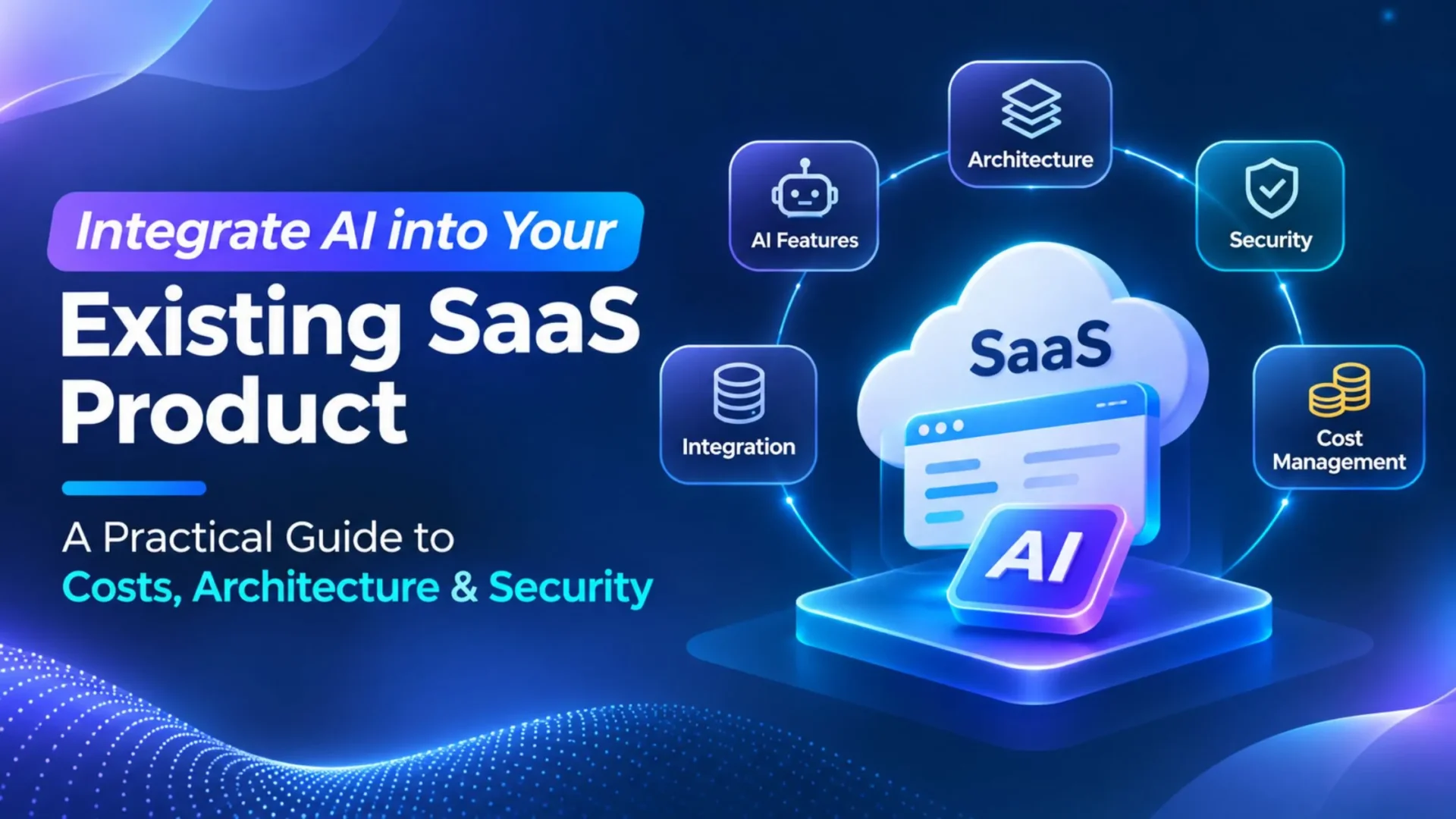
This guide answers three questions. What should you build? How do you plug it in? And how do you keep cost and risk under control? The honest answer depends on your data, your architecture, your customers, and your goals.
What Does AI Integration into an Existing SaaS Product Mean?
Plain version: you add AI capabilities to software that already works, without breaking what users rely on today. Same accounts. Same permissions. Same data flows and business processes. The AI feature lives inside all that. It doesn’t replace it.
Some teams call this AI integration into existing applications, and the word “existing” matters more than most articles admit.
AI Integration vs. Building a New AI-Powered SaaS Product
Three jobs often get lumped together. You can add AI features to a live product. You can build a brand new product with AI at the center. Or you can rebuild and modernize the architecture underneath. This article is about the first one only. If you’re weighing the second, Elsner’s AI native software development guide is the better starting point.
Why does the difference matter? Reuse. Your login system, business logic, APIs, and data stores already exist, so the scope is usually smaller and the cost lower than a ground-up build. The flip side is that you also inherit their limits. A messy internal API stays messy after you add AI on top.
When Does AI Integration Make Business Sense?
When a clearly defined feature can fix a clearly defined problem. Repetitive manual work. Information users can’t find. Decisions where people stall because there’s too much to read.
It doesn’t make sense just because it’s trending. If the pitch is “our competitor has a chatbot,” pause. A better test: can you name the user, the task, and what “better” looks like in numbers?
What AI Features Can You Add to an Existing SaaS Product?
Not every AI feature looks alike, and they don’t all cost the same. These six show up most often when teams add SaaS AI features to a live product.
|
1
|
AI Assistants and Contextual CopilotsAn assistant that sits inside your app and knows where the user is. It can explain a record, point to the right feature, draft a reply, or finish a defined task. Keep the job narrow at first. “Help me write this invoice note” beats “do anything.”
|
|
2
|
AI-Powered Search and Knowledge RetrievalSemantic search finds results by meaning, not exact words. It works well for help centers, internal knowledge bases, and documentation. Pair it with retrieval-augmented generation (RAG) and the model answers from your current, customer-specific content instead of guessing from general training. RAG earns its place when answers must reflect fresh or private information.
|
|
3
|
Automated Document Processing and Data ExtractionPulling fields out of invoices, forms, contracts, and reports. Useful, but accuracy matters, so add validation. A total that doesn’t match its line items should get flagged, not saved.
|
|
4
|
Recommendations and PersonalizationNext best action prompts, related content, and tailored workflows. Only worth it if you have enough behavior data to learn from.
|
|
5
|
Predictive Analytics and Natural-Language ReportingForecasting, anomaly detection, classification, and “ask your dashboard a question” interfaces. Often classic machine learning does the heavy lifting here, with a language layer on top.
|
|
6
|
Workflow AutomationAI can sort incoming requests, summarize records, draft responses, and suggest actions. One rule: separate suggestions from actions. Drafting a refund email is fine. Issuing the refund needs explicit approval.
|
One more thing. Don’t assume every feature needs a large language model. Traditional machine learning, plain business rules, or an API you already have can be the better tool. Sometimes a simple if/then rule wins.
Is Your Existing SaaS Product Ready for AI Integration?
Before picking a feature, run a few checks. They’re boring. They also save months.
Review Data Quality and Availability
Does the data you need actually exist? Is it current and accurate? And can you legally and technically use it for this purpose? Old, patchy, or inconsistent records make for poor answers, no matter how good the model is.
Review APIs and Application Architecture
Look for usable APIs, background job processing, solid authentication, and sensible places to hook in a new feature. If a task takes 30 seconds, your app needs a way to handle that without freezing a screen.
Identify Customer and Tenant Boundaries
If your product is multi-tenant, this one is non-negotiable. When an AI feature pulls up customer information, it must respect the same separation and permissions your app already enforces. Customer A’s documents should never show up in customer B’s answer. Ever.
Define the Business Objective
Set a baseline before you build. How long does the task take today? How often do searches fail? How much manual entry happens per week? Without a starting number, you can’t prove improvement later.
Quick readiness checklist:
- ✅ Data exists, is current, and is usable for this purpose
- ✅ APIs and background processing can support the feature
- ✅ Permissions and tenant boundaries are clearly mapped
- ✅ Someone owns the feature after launch
- ✅ You’ve picked a metric and recorded today’s baseline
What Does AI Integration Architecture Look Like?
Good news: you don’t need to redesign your product. A practical setup adds a small number of pieces around what you already run. Think of it as a new lane, not a new road.
The diagram below shows the full flow, from the user’s request through your backend and the AI service, then back into the workflow. It includes the existing interface, backend, and authentication, an AI orchestration service, the model API or approved model deployment, your business APIs and data sources, retrieval and embedding infrastructure for RAG, authorization and policy enforcement, and logging, evaluation, monitoring, and cost tracking.
One design rule sits above everything else. The model doesn’t decide who can see what. Your application does, before any data reaches the model.
|
1
|
Connect the Existing Application to an AI ServiceYour backend calls the model or AI service. The browser never does. That keeps API credentials off the client and lets you add limits, logging, and fallbacks in one place. An orchestration layer, which can be a small internal service, handles prompts, retries, and routing.
|
|
2
|
Provide the Right Data and ContextSend the model only what it needs for this request: authorized records, retrieved documents, or other approved context. Your app can read a lot of data. That doesn’t mean all of it should go to a model. Trim it. Mask sensitive fields where you can.
|
|
3
|
Validate Outputs and Apply Business RulesModel output is a draft, not a fact. Check structure, ranges, and rules before it touches a business process. If the feature returns extracted invoice data, validate it before showing it as verified. If it proposes an action, your rules decide whether it can run.
|
|
4
|
Monitor the Entire Request FlowTrack latency, errors, token usage, model calls, retrieval quality, and security events. When something feels off, you’ll want to know which hop caused it. Slow retrieval and a slow model look identical to a user.
|
Which AI Integration Approach Should You Choose?
There are four common routes. They aren’t exclusive, and plenty of products mix them. If you’d like a second opinion on the right fit, Elsner’s AI/ML development services team works on exactly this kind of choice.
|
1
|
Integrating an AI Model Through an APIThe fastest path. Fits summaries, classification, drafting, and chat-style features. You’ll write less code, but you’ll depend on an outside service, deal with some latency, and pay by usage.
|
|
2
|
Retrieval-Augmented Generation for Proprietary DataRAG pulls relevant information from approved sources and hands it to the model as context. Great for private or fast-changing content. Three things decide whether it works: retrieval permissions, document freshness, and retrieval quality. Get one wrong and answers suffer, or worse, leak.
|
|
3
|
Fine-Tuning an Existing ModelFine-tuning can help with repeated task patterns, strict output formats, or domain-specific behavior. It isn’t automatically needed, and it’s not a substitute for access controls on retrieval. Also check availability. At the time of writing, OpenAI’s pricing page notes that fine-tuning is closed to new users, so providers differ.
|
|
4
|
Using a Hosted or Self-Managed ModelA managed service means less infrastructure work. Self-hosting or open-source models give you more control and sometimes stronger privacy options, but you take on operations, scaling, and security yourself.
|
So which one? The simplest approach that meets your use case, privacy needs, reliability targets, and performance goals. Start there. Add complexity only when a real gap shows up.
How Much Does It Cost to Integrate AI into an Existing SaaS Product?
This is the part everybody scrolls to. Fair enough.
AI integration cost has two sides. There’s the one-time build, and there’s the monthly cost of running the thing. Teams that only budget for the first one get surprised in month three.
Initial Development and Integration Costs
Typical line items:
- Discovery and a technical assessment
- UX and workflow changes
- AI service and API integration
- Data preparation and retrieval infrastructure
- Custom development and app changes
- Security controls and access management
- Testing, evaluation, and deployment
- Documentation and training
Ongoing AI Operating Costs
After launch, you’ll usually pay for model input and output usage, embeddings, a vector database or search service, hosting and background processing, monitoring and logging, and support and maintenance. Plus the time to improve the feature as users react to it.
Model usage is metered per token, and rates vary a lot by model. Here’s a hypothetical to show the math. Say your feature handles 100,000 requests a month, with about 3,000 input tokens and 500 output tokens each. That’s 300 million input tokens and 50 million output tokens.
- On a mid-tier model priced at $2 per million input tokens and $10 per million output tokens, that’s about $600 plus $500, or roughly $1,100 a month.
- On a small model at $0.10 and $0.50, it’s about $30 plus $25, or roughly $55 a month.
Both rates come from OpenAI’s API pricing page, checked on November 16, 2026, at standard short context rates. Prices change often, and discounts like caching or batch processing can shift the total, so check the current page before you budget. Also, this covers model usage only. Hosting, retrieval, development, and maintenance are separate.
What Factors Affect the Final Budget?
Feature complexity, existing architecture, usage volume, model choice, how many systems you’re connecting, data quality, security expectations, and performance requirements. Messy data and tight security tend to move the needle the most.
How Can Businesses Estimate AI Integration Costs?
Keep four buckets separate:
- One-time implementation costs
- Recurring AI service and infrastructure costs
- Ongoing maintenance and support
- Future feature improvements and scaling
Here’s an illustrative planning table. These are scenarios, not industry averages or quotes. They assume a US-based team, an existing product with usable APIs, and a defined scope. Published agency guides land in broadly similar bands but disagree at the edges, so treat these as a starting point for conversation.
No cost or savings guarantees here. Your own scope decides the final number.
AI Integration Security and Data Privacy Best Practices
Adding AI shouldn’t weaken the security you’ve already built. It can, if you’re careless. A good reference is the OWASP Top 10 for LLM Applications 2026, where prompt injection, sensitive information disclosure, and excessive agency rank among the leading risks. The ideas below map to those.
|
1
|
Protect Customer and Business DataSend the minimum data needed. Handle sensitive fields on purpose, encrypt data in transit, and define what data is approved for AI use. Read each provider’s retention and processing terms. Practices vary by provider and plan, so don’t assume they all keep data, or that none do.
|
|
2
|
Enforce Tenant-Level Access ControlsAuthorize first, retrieve second. Your application must check permissions before it fetches customer records, documents, or embeddings. A line in the prompt saying “only show this tenant’s data” isn’t a control. Prompts can be bypassed. Microsoft’s guidance on secure multi-tenant RAG is a useful reference, and its page on multi-tenancy with Foundry Models explains how isolation choices affect security, scale, and cost.
|
|
3
|
Prevent Prompt Injection and Unsafe OutputsTreat anything the model reads from users, emails, or documents as untrusted. Validate structured output. Limit which tools the model can call. Handle output safely before it reaches a database, browser, or another system. Layer your defenses, because no single prompt or filter fully stops prompt injection.
|
|
4
|
Secure API Keys and Model IntegrationsStore secrets in a secrets manager. Scope credentials narrowly, rotate them, and apply rate limits. Keep backend-to-provider traffic on secured channels.
|
|
5
|
Review Compliance and Governance RequirementsCheck privacy, contract, and industry obligations before you process customer information. Which ones apply depends on your sector and data, whether that’s HIPAA, SOC 2 commitments, or state privacy laws. Adding an AI feature doesn’t make a product compliant with any of them. The NIST AI Risk Management Framework: Generative AI Profile, published in July 2024, helps with risk assessment and governance.
|
|
6
|
Define Human Approval for High-Impact ActionsAnything sensitive or hard to undo, like refunds, deletions, permission changes, or outbound messages to customers, should need a human OK. Don’t let generated output run those on its own.
|
Step-by-Step Process for Integrating AI into an Existing SaaS Product
Here’s a roadmap that works for most teams. If you also want the wider planning view, Elsner’s SaaS product development roadmap covers it.
|
1
|
Identify a High-Value AI Use CaseStart with a user problem and a business goal. Skip features chosen only because they’re popular.
|
|
2
|
Audit Existing Data and Technical ArchitectureReview APIs, data quality, permissions, system dependencies, and likely limits. Write down what you find.
|
|
3
|
Select the Integration Approach and ModelCompare API based integration, RAG, fine-tuning, and hosted or self-managed options against your requirements. Pick the simplest one that fits.
|
|
4
|
Build a Limited Proof of ConceptOne focused feature. Defined scope, test data, success criteria, and a cost cap. If it can’t show value at small scale, it won’t at large scale.
|
|
5
|
Integrate It Into the Product ExperienceConnect the feature to user accounts, permissions, workflows, interfaces, and approved data sources. This is where most of the real engineering time goes.
|
|
6
|
Complete Security and Quality TestingTest accuracy, permissions, failure handling, latency, and cost. Do it under normal use and under attack conditions.
|
|
7
|
Release Gradually and Collect FeedbackRoll out to a small group. Watch real-world behavior. Expand only when the feature meets the acceptance criteria you set earlier.
|
How long does all this take? It depends on scope, integrations, data readiness, and testing. As a rough assumption, a focused pilot on a product with clean APIs may take weeks, while multi-system work can take months. Treat those as planning guesses, not promises.
How to Test, Evaluate, and Monitor AI Features After Launch
Getting the feature to work once isn’t the finish line. Models change, data changes, and users ask things you never expected. So testing doesn’t stop at launch.
Measure AI Output Quality
Define quality for your task. That might be accuracy, relevance, groundedness (does the answer match the source?), and completeness. Add human review where mistakes are costly.
Test Integration Reliability
What happens on a timeout? A rate limit? A malformed response? Inconsistent data? Each should have a retry rule and a fallback, like showing standard search results if the AI service is down.
Evaluate Security and Privacy
Run tests for unauthorized retrieval, cross-tenant access, prompt injection, sensitive data exposure, and unsafe downstream actions.
Monitor Cost and Performance
Track latency, usage, model spend, error rates, fallback frequency, and any change after an update.
Establish Regression Testing
Retest after material changes to the model, prompts, retrieval settings, app code, or data sources. A small prompt tweak can quietly break something that worked last week.
A quick note on terms. Testing and evaluation ask whether the feature is good enough. Observability and production monitoring ask what’s happening right now and why. They’re related, but they aren’t the same job. For the second one, Elsner’s AI agent observability guide goes deeper. Skip universal benchmarks for accuracy or speed. Set targets that fit your own task.
Common Challenges When Integrating AI into Existing SaaS Products
Most problems fall into five buckets.
⚠️ Poor Data Quality and Incomplete Context
Outdated or missing information leads to weak answers. Fix the source data, and show users where an answer came from.
⚠️ Hallucinations and Unreliable Outputs
Models can sound sure and be wrong. Ground answers in retrieved content, validate outputs, and route low-confidence or high-stakes cases to a person.
⚠️ High Costs and Unpredictable Usage
Usage can spike. Set limits and rate caps, route simple tasks to smaller models where it makes sense, and watch spend daily at first.
⚠️ Legacy Architecture and Integration Complexity
Tightly coupled systems, limited APIs, and sync issues slow things down. Sometimes the app itself needs changes first. That’s where custom software development support can help.
⚠️ User Adoption and Vendor Dependency
A feature nobody uses is a failed feature. Collect feedback early. And plan for change, since model availability and pricing shift. A thin abstraction layer over your provider can help, when it’s justified.
Bottom line: AI integration works when product, engineering, security, and operations plan it together.
How to Measure the ROI of AI Integration
Pick metrics tied to the goal you set at the start:
- Time saved per completed task
- User adoption and feature engagement
- Task completion rate
- Cost per successful AI-assisted task
- Accuracy and correction rate
- Support workload, if the feature helps support teams
- Retention or conversion, where you can measure it fairly
- AI service and infrastructure costs
Simple formula:
Net annual benefit = Measurable annual business benefit − Annual AI operating and maintenance costs
For payback period or total return, include the implementation cost too.
Hypothetical example, clearly made up: a support team handles 3,000 tickets a month, and an AI summary saves 4 minutes each. That’s 200 hours a month. At a loaded cost of $40 an hour, the annual benefit is $96,000. If yearly AI operating and maintenance costs are $18,000, net annual benefit is $78,000. With a $60,000 build, payback lands around nine months. Your numbers will differ, and the assumptions do the heavy lifting.
FAQs
How much does it cost to add AI to an existing SaaS product?
It depends on feature complexity, integration work, data preparation, security needs, and ongoing model usage. A small pilot costs far less than a multi-system rollout, and monthly usage costs continue after launch.
Can AI be added to a SaaS product without rebuilding it?
Often, yes. Many AI features connect through APIs and application-level integrations. It works when your current architecture supports the data access and workflows the feature needs.
Does every SaaS product need RAG or fine-tuning?
No. The right approach depends on the task, your data, response requirements, and operating limits. Many features work fine with a model API and good context.
How can SaaS companies protect customer data when using AI?
Enforce authorization in your application, send only necessary data, keep tenants isolated, configure provider settings carefully, and test for leaks and prompt injection regularly.
How long does AI integration take?
No universal answer. Timeline depends on feature scope, data readiness, integrations, testing, and deployment needs. A defined proof of concept gives you a far better estimate than guessing upfront.
Conclusion: Making AI Integration Work for Your SaaS Product
Strong AI integration comes down to five habits. Pick a use case with real value. Choose the simplest approach and architecture that fits. Budget for building and running it. Protect customer data with permissions your app enforces. And keep testing after launch.
Planning to Add AI to Your Existing Product?
Elsner’s AI/ML development, SaaS development, and custom software development teams can help you scope it, build it, and run it safely. Reach out, and let’s talk through your use case.