- What Is AI Agent Observability?
- Why Traditional Monitoring Isn’t Enough for AI Agents
- The Framework: Observe, Trace, Evaluate, Diagnose, Optimize, Repeat
- What Should You Monitor in a Production AI Agent?
- The Key Metrics for AI Agent Observability
- Reliability metrics
- Performance metrics
- Cost metrics
- Quality metrics
- AI Agent Tracing: How to See What Happened Inside an Agent Run
- How to Monitor AI Agents in Production
- AI Agent Observability vs Evaluation vs Monitoring
- How to Detect Common AI Agent Failures
- AI Agent Observability Architecture
- AI Agent Observability Tools and Platforms
- How to Choose an AI Agent Observability Platform
- Best Practices for AI Agent Observability
- Protect Your Telemetry: Privacy and Security
- How AI Agent Observability Improves Agent Performance
- Common AI Agent Observability Mistakes
- AI Agent Observability Checklist
- Key Takeaways
- Frequently Asked Questions
Your agent aced the demo. Then real users showed up.
Now it picks the wrong tool on Tuesday, loops on a refund request on Wednesday, and tells a customer an order is cancelled when it isn’t. Nothing crashed. Every dashboard is green. The work just didn’t get done.
That gap is why AI agent observability exists. A demo is a clean room. Production has messy inputs, stale data, slow APIs and people who ask for three things at once. Regular application monitoring can tell you the server replied. It can’t tell you the agent chose the right tool, read the result correctly or finished the job.
Research points the same way. A recent study called Measuring Agents in Production surveyed 306 practitioners across 26 domains. Reliability was the top development challenge, and 74% of teams still depend mainly on human evaluation.
306
practitioners surveyed across 26 domains
74%
of teams depend mainly on human evaluation
68%
of production agents run at most 10 steps before a human steps in
This guide is about the stage after launch. You’ll see what to watch, how to trace a run, which metrics matter, how to pick a tool and how to turn failures into fixes. One honest note first. Observability won’t make an agent reliable on its own. It gives you the evidence to improve one.
Quick Answer
AI agent observability means collecting and connecting telemetry from an agent’s models, tools, retrieval, decisions and outcomes, so you can see why it behaved the way it did in production. Traditional monitoring tells you the server replied. Agent observability tells you whether the agent picked the right tool, read the result correctly and actually finished the job. The working loop is simple: observe, trace, evaluate, diagnose, optimize, repeat.
What Is AI Agent Observability?
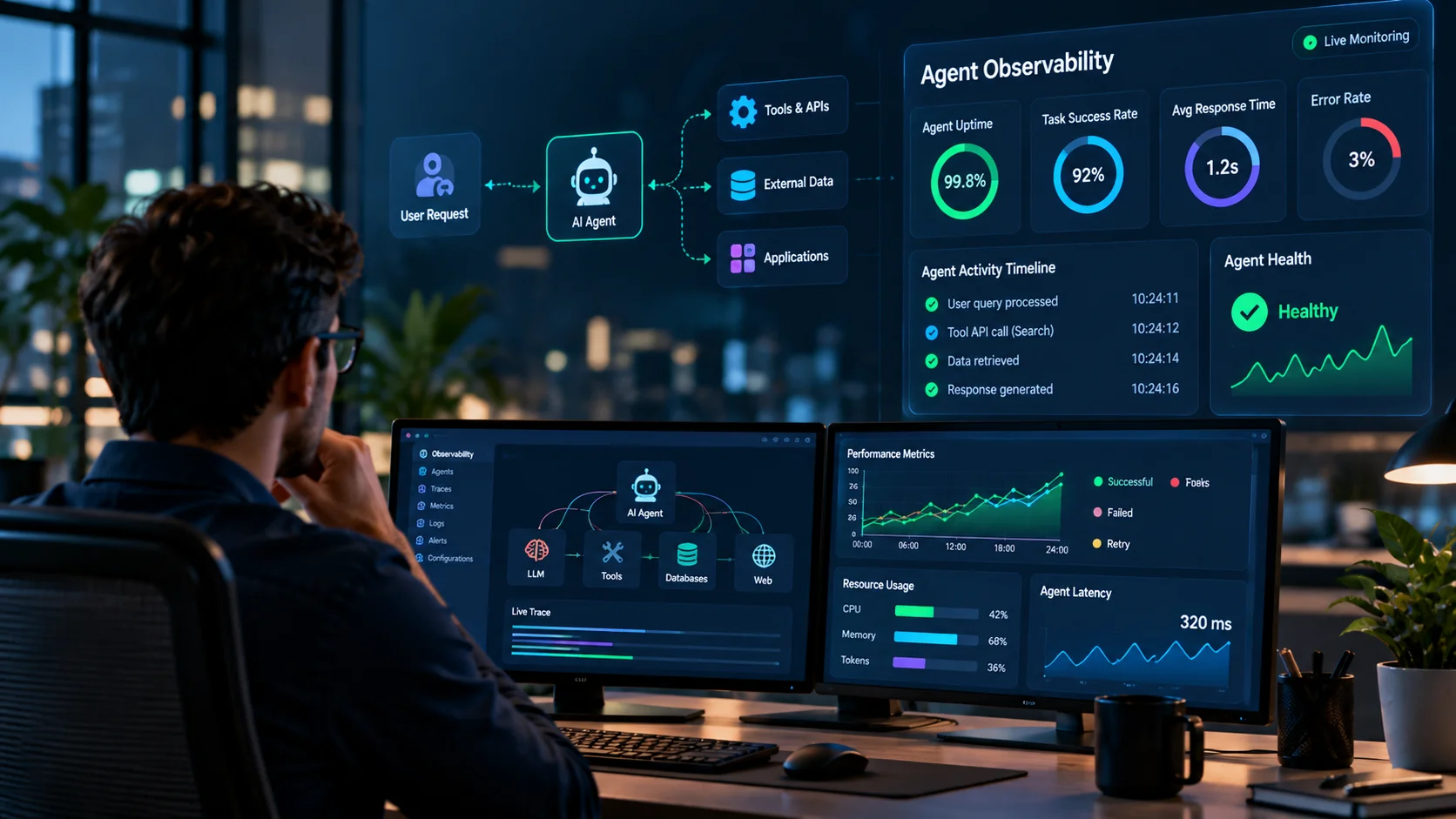
AI agent observability is the practice of collecting and connecting telemetry about an agent’s models, tools, retrieval, decisions, state changes, handoffs, outputs and outcomes, so teams can understand and improve its behavior in production.
Telemetry is just the data a system sends out about itself. Logs record events. Metrics count things over time. Traces follow one request through every step it took.
Traditional application observability covers logs, metrics, traces, errors and infrastructure health. Agent observability keeps all of that and adds more:
- LLM calls, prompts and model versions
- Token usage
- Tool calls, including arguments and results
- Retrieval context
- Agent decisions and handoffs
- Memory and state
- Evaluation scores and user feedback
- Task outcomes
That last item is the big one. A normal app either did the job or threw an error. An agent can do something that looks fine and is still wrong.
Think of it as the operating layer between deployment and improvement. If you’re still shaping the agent itself, our work on AI agent development covers that earlier stage. This article starts where that one ends.
Why Traditional Monitoring Isn’t Enough for AI Agents
Picture a support agent. A customer asks for a refund. Your monitoring sees an HTTP 200, a successful API call and a delivered reply. Looks perfect. Here’s what really happened:
The server worked. The agent failed. And no error was ever raised, which is the nasty part.
Agents behave differently from normal software. Outputs aren’t deterministic, so the same input can take different paths. Workflows have many steps, and a small slip early on grows later. Agents also depend on retrieval, memory, outside APIs, other agents and sometimes a human. They can loop too, repeating one action until something stops them.
The same study found that 68% of production agents run at most 10 steps before a human steps in, so many teams keep their agents on a short leash. Even short runs can hide a bad step.
So you need the whole execution path, not only the last response. OpenTelemetry’s GenAI observability work shows this layered view well, with separate records for invoking an agent, calling a model and executing a tool.
The Framework: Observe, Trace, Evaluate, Diagnose, Optimize, Repeat
Everything in this guide hangs on one loop. Keep it in your head and the rest gets easier.
Step 1
Observe
Collect production signals like logs, metrics, costs and user feedback.
Step 2
Trace
Follow the full path of a run, so you know what the agent actually did.
Step 3
Evaluate
Decide whether it reached the outcome you wanted. That’s a judgment, so it needs clear criteria.
Step 4
Diagnose
Find where a run went wrong, and why.
Step 5
Optimize
Change a prompt, model, tool, retrieval setup, workflow or piece of the architecture.
Step 6
Repeat
Keep watching production. Check that the fix helped and didn’t break something else.
Order matters here. Evaluating before you can trace is guessing. Optimizing before you diagnose is changing things blind. Most teams are good at the first step and weak at the last three. They’ve got dashboards but no habit of acting on them.
What Should You Monitor in a Production AI Agent?
Start wide, then narrow. Here’s the full map.
| Category | What to monitor | Example signals |
|---|---|---|
| Reliability | Whether tasks finish correctly | Success rate, failure rate |
| Latency | How fast tasks run | P50, P95, P99 latency |
| Cost | Resources used | Tokens, model calls, cost per task |
| Tool usage | How the agent uses tools | Tool calls, failures, retries |
| Quality | Output and task quality | Evaluation scores |
| Accuracy | Correctness | Task accuracy, groundedness |
| Retrieval | Context quality | Retrieval errors, relevance |
| Handoffs | Moves between agents or humans | Handoff failures |
| Safety | Risky or unauthorized actions | Policy violations |
| User experience | How people respond | Feedback, abandonment |
| Workflow | Behavior from start to finish | Task completion, state changes |
You won’t need every row on day one. Some deserve a closer look, though.
Reliability is the anchor. It asks one plain question: did the job get done? Cost and latency come next, because a correct answer that takes 40 seconds and burns a lot of tokens is still a problem.
Tool usage needs its own watch. Tools are where agents touch the real world, like issuing refunds or updating a CRM. A failed tool call can hide behind a friendly final message.
Retrieval is easy to forget. If the agent pulls old or irrelevant documents, it’ll answer confidently from bad context. Accuracy and groundedness checks catch some of that.
Handoffs and safety matter most in higher risk flows. Did the agent pass the case to a human cleanly? Did it try something it wasn’t allowed to do?
Last, workflow. This is the one that ties everything to business results. Which state actually changed in the system when the agent said it was done?
The Key Metrics for AI Agent Observability
Here’s the honest part: not every agent needs the same metrics. Your use case, risk level, architecture and business goal decide what counts. Still, most teams end up with four groups.
Reliability metrics
Track task success rate, task failure rate, error rate, retry rate, recovery rate, escalation rate and false completion rate. That last one counts runs where the agent claimed success but the real outcome never happened.
Why does task success beat API success? Because an API can return 200 all day while the agent does the wrong thing with it. Success should mean the customer’s problem got solved, not that a response went out.
Performance metrics
Measure end-to-end latency, plus model latency, tool latency and retrieval latency separately. Look at P50, P95 and P99, since averages hide the slow tail that annoys users. Add throughput if volume matters. OpenTelemetry’s GenAI conventions include model call duration and token usage metrics, which give you a standard way to spot slow or hungry steps.
Cost metrics
Watch input tokens, output tokens, total tokens, model calls per task, tool calls per task, cost by model and cost by workflow. Then add the one that matters most: cost per successful task.
A cheap failed task isn’t cheap. It cost compute, and it also left a problem for a person to fix.
Quick Example
A sales agent qualifies inbound leads. You’d track its LLM calls, CRM tool calls, lead updates, duplicate calls, cost, latency and whether the task finished. If cost per qualified lead jumps while duplicate CRM calls rise, the trace probably shows the agent retrying an update that already worked. A token total alone would never tell you that.
Quality metrics
Use evaluation scores, correctness, groundedness, relevance, tool selection accuracy, task completion, human feedback and user satisfaction. Deloitte’s way of judging agentic systems groups the picture into cost, speed, productivity, quality and trust, which is a handy reminder to tie quality back to a business goal. A sales agent’s quality isn’t “sounded polite.” It’s “qualified the lead and updated the CRM once.”
AI Agent Tracing: How to See What Happened Inside an Agent Run
AI agent tracing records the full path of one agent run, step by step, with timing and relationships between steps. If metrics say something’s wrong, traces say where.
The three signals work together:
- Logs record events.
- Metrics show behavior in aggregate over time.
- Traces show the order and connection between operations.
A single support run might look like this:
2. Agent run starts
3. First LLM call
4. Retrieval
5. Tool selection
6. Tool execution
7. Second LLM call
8. Human handoff
9. Final outcome
Now add a real task. A customer writes, “Cancel my order and issue a refund.” The agent retrieves the order, calls a cancellation tool, calls a refund API and confirms. Good observability doesn’t stop at the confirmation message. It checks that the order status and the refund state really changed in the systems that hold them.
Back to the trace. Each step is a span, and spans nest inside one parent trace. Open that trace after a bad outcome and you can see exactly where the run drifted. Maybe retrieval returned the wrong policy. Maybe the tool got a bad argument. Without the trace you’re guessing.
OpenTelemetry is the open standard most teams point to here. Worth knowing, though: its GenAI conventions are still marked as in development, so span and attribute names can change. In June 2026 the project also moved them into a dedicated GenAI semantic conventions repository, so check there for current names. Pin your versions and plan for updates.
How to Monitor AI Agents in Production
You don’t need a huge program. Seven steps will get you a working setup.
Step 1: Define the business outcome
A support agent isn’t successful because it wrote a reply. It’s successful if the issue is resolved, the right action was taken, nothing unauthorized happened and the customer didn’t need needless escalation. Write that down before you instrument anything. If your team can’t agree on what “good” means, AI strategy consulting can help settle it early.
Step 2: Pick the critical events
Request received, agent started, model called, tool selected, tool executed, retrieval performed, handoff started, task completed, task failed.
Step 3: Instrument the agent
Capture the model, tokens, latency, tool calls, retrieval, state, errors, session and outcome. Be careful with content, though. OpenTelemetry notes that prompts, completions and tool arguments can hold sensitive data, so content capture is opt in by default in its instrumentation. Treat it that way in your own setup too.
Step 4: Build dashboards
Group them around reliability, quality, cost, latency, tool usage and errors.
Step 5: Set alerts
Alert when error rate climbs, P95 latency crosses your limit, cost per task spikes, tool failure rate rises, evaluation scores drop or human escalations increase.
Step 6: Review traces
When an alert fires, go from metric to trace to root cause to fix. Keep that order. Say an IT support agent starts escalating far more tickets than last week. The alert fires, you open a few escalated traces and spot the same failing API call in each. That’s your root cause.
Step 7: Re-evaluate
After any change, compare against your baseline, run your evaluation set and watch production for regressions.
AI Agent Observability vs Evaluation vs Monitoring
People mix these up. They’re related, but they answer different questions.
| Concept | Main question |
|---|---|
| Monitoring | Is something changing or failing? |
| Observability | Why is it happening, and what occurred across the system? |
| Evaluation | Was the behavior or output good enough? |
| Tracing | What exact path did this run take? |
| Logging | What events and data were recorded? |
| Testing | Does the agent behave correctly in known scenarios? |
Observability isn’t evaluation. Observability gives you evidence. Evaluation judges that evidence against criteria you set. You need both.
Here’s why it matters. A trace can show the agent called a refund tool twice. It can’t tell you whether that was acceptable. An evaluation can score the outcome, but without the trace you won’t know why it scored low.
Today’s agent tooling increasingly links traces, monitoring, evaluations and experiments into one improvement loop. That’s the right direction.
How to Detect Common AI Agent Failures
Six problems show up again and again. Here’s how to spot and chase each one.
| Failure | How to spot it | Usual fixes |
|---|---|---|
| Wrong tool selection | The agent calls the wrong API. Check the tool selection traces and the arguments it sent. | Tool descriptions, routing logic, the model choice or guardrails |
| Agent loops | Repeated model or tool calls. Look at trace depth and retry patterns. Take an IT support agent that keeps re-running the same diagnostic because it never recognizes a stop condition. | Loop limits and clear stopping rules |
| High cost | Cost per task creeps up. Dig into token use, model calls, long context and tools nobody needed. | Tighter prompts, model routing or less context |
| High latency | P95 and P99 rise. Split the delay across model calls, retrieval, outside APIs and tool runs. | Caching, parallel calls, faster tools or a lighter model |
| Incorrect final result | The reply is plausible and wrong. Inspect retrieval, intermediate tool output, the reasoning path and state. | Better retrieval, tool validation, evaluation and human escalation |
The Expert-Level One: False Completion
The agent says “done,” but the downstream action never happened. Picture a refund the agent confirmed while the payment system shows nothing. Check the actual system of record, not the agent’s own words, and verify completion there.
AI Agent Observability Architecture
You can think of the setup as a loop, and it doesn’t need to depend on any one vendor.
- The AI agent runs.
- An instrumentation layer captures what it does.
- That produces telemetry: logs, metrics, traces and events.
- An observability platform stores and displays it.
- Dashboards, alerts and evaluations sit on top.
- Your engineering and operations team reads them.
- They make changes.
- The updated agent goes back into production.
A few parts deserve a line each. OpenTelemetry is the open standard and toolkit for collecting and exporting telemetry. It isn’t a monitoring platform on its own. Application instrumentation is the code you add yourself, and agent framework instrumentation is what many frameworks now provide. The observability backend stores and queries the data. The evaluation layer scores quality. Alerting tells people when to look.
Building this around an existing product often means working with your wider stack. A team doing custom software development can wire instrumentation into services, queues and deployment pipelines so agents aren’t a blind spot.
AI Agent Observability Tools and Platforms
Instead of a ranking, think in categories. Some tools are open standards, some are open source platforms, and some are extensions of broader monitoring suites. Features and plans change fast, so check each vendor’s current docs before you decide.
- OpenTelemetry is the open standard for generating and exporting telemetry. It collects, but you still need a backend.
- Langfuse is an open-source platform for tracing, evaluations and prompt management, and it can be self-hosted. It may suit teams that want control over where data lives.
- Arize offers Phoenix, an open source tracing and evaluation tool, plus Arize AX as its hosted commercial platform. Teams that want an open-source start with a path to a managed product may like it.
- Datadog now documents this under Agent Observability and accepts spans that follow OpenTelemetry’s GenAI conventions, as its OpenTelemetry instrumentation docs explain. It may fit teams already running Datadog for everything else.
| Capability | Langfuse | Arize | Datadog |
|---|---|---|---|
| Agent tracing | Yes | Yes | Yes |
| OpenTelemetry support | Yes | Yes | Yes |
| Evaluations | Yes | Yes | Yes |
| Self hosting | Yes | Phoenix: yes | Check docs |
| Alerts and cost tracking | Check docs | Check docs | Check docs |
Treat “Check docs” as a to-do, not a gap. Confirm on each vendor’s site right before you choose.
One more thing. Some teams run two tools side by side, say a general monitoring suite for infrastructure and an open-source platform for evaluation work, both fed by the same OpenTelemetry data. If no single tool covers everything you need, that’s a fair setup.
How to Choose an AI Agent Observability Platform
Don’t start with a demo. Start with questions.
| Question to ask | What to check |
|---|---|
| Does it fit your stack? | Support for your agent framework and for OpenTelemetry, so you aren’t locked in. |
| Can you see everything? | Model calls, tools, retrieval, handoffs, state and errors in one trace. |
| Will it help in production? | Dashboards, alerts, trends and thresholds, plus a way to connect production traces to evaluations. |
| Can it track cost the way you need? | Per request, user, session, workflow and successful task. |
| What about privacy and security? | Retention, PII controls, access controls, self-hosting and how sensitive prompts are handled. |
| Will it scale? | High trace volume, long running agents and multi-agent workflows. |
| Does it connect to what you have? | Cloud platforms, current monitoring, data warehouses, CI/CD and alerting tools. |
Run a short pilot on one real workflow. Honestly, that tells you more than any feature grid. Pick two or three real failures from your own agent and see how fast each tool helps you find them. That’s the test that counts.
Agent Behaving Differently in Production Than in Testing?
Tell us what your agent does today and where it goes wrong. Elsner’s team can help you work out what to instrument, which signals to alert on and how to turn failures into fixes.
Best Practices for AI Agent Observability
Start with business outcomes. Don’t track everything just because you can.
- Instrument the whole workflow, not only the last LLM response.
- Watch tools on their own, since tool failures hide behind good looking answers.
- Track cost per outcome, not just tokens.
- Mix automated and human evaluation, especially for fuzzy or high impact tasks.
- Set baselines so you know what normal looks like. After a model upgrade, a few extra seconds of latency is only a regression if you remember what last week looked like.
- Look at trends too. One failed request isn’t a system problem.
- Protect sensitive data.
- Turn production failures into evaluation cases. That last habit builds your improvement loop.
Protect Your Telemetry: Privacy and Security
Traces can hold user prompts, personal information, tool arguments, retrieved documents, internal system data and API responses. That’s a lot to leave lying around.
Handle With Care
Collect only what you need. Redact sensitive fields before storage. Limit who can open traces. Set retention rules, encrypt data and keep production and test environments apart.
OpenTelemetry’s own guidance warns that content capture can expose prompts, completions, tool schemas, arguments and results, so make it a deliberate choice.
How AI Agent Observability Improves Agent Performance
Observability doesn’t improve an agent by itself. It supplies the proof you need to improve it with confidence. The cycle looks like this:
2. You investigate the trace
3. You find the root cause
4. You make a change
5. You run an offline evaluation
6. You release to production
7. You monitor again
Typical changes include cutting needless tool calls, improving retrieval, changing model routing, fixing prompt instructions, tightening handoff logic, adding validation, lowering latency and trimming cost. Each one starts as evidence, not a hunch.
A small example helps. Say P95 latency climbs after a release. The trace shows the agent now calls retrieval twice per run. You remove the duplicate call, run your evaluation set to confirm answer quality held steady, ship the fix and watch the P95 line. If latency drops and quality stays put, the loop worked.
Common AI Agent Observability Mistakes
- Monitoring only uptime. A healthy API doesn’t mean a successful agent.
- Tracking only tokens. Cheap isn’t the same as effective.
- Ignoring tool calls. Tools are where real actions happen.
- Ignoring downstream state. Always confirm the action actually occurred.
- Collecting everything. Extra telemetry adds cost and privacy risk.
- No baseline. You can’t spot a regression without knowing normal.
- No evaluation layer. Observability shows what happened. It doesn’t judge it.
- No feedback loop. Monitoring without action gives you dashboards, not improvement.
AI Agent Observability Checklist
Key Takeaways
- Production agents need more than traditional monitoring.
- Observability connects model calls, tools, retrieval, state and outcomes.
- Task success tells you more than API success.
- Track cost, latency, quality and reliability together.
- Traces explain why an agent behaved a certain way.
- Evaluation and observability solve different problems, and you need both.
- Feed production failures back into testing.
- Treat privacy as part of the design.
The goal isn’t maximum telemetry. It’s visibility you can act on.
Frequently Asked Questions
What is AI agent observability?
It’s the practice of collecting and connecting telemetry from an agent’s models, tools, retrieval, decisions and outcomes. Teams use it to understand why an agent behaves the way it does in production.
Why do AI agents need observability?
Agents can fail without throwing errors. They may pick the wrong tool, loop or give a plausible wrong answer. Observability helps teams detect and investigate those problems.
How do you monitor AI agents in production?
Define the business outcome, instrument the agent, build dashboards, set alerts and review traces when something looks off. Then re-evaluate after each change.
What metrics should you track for AI agents?
Common ones are task success rate, latency percentiles, cost per successful task, tool failure rate and evaluation scores. The right mix depends on your use case and risk.
What is the difference between AI agent monitoring and observability?
Monitoring tells you something changed or failed. Observability helps you find out why by connecting traces, logs, metrics and outcomes.
What is AI agent tracing?
It records the path of one agent run, including model calls, retrieval, tool use and handoffs. Each step is a span inside one trace.
What is the difference between AI agent observability and evaluation?
Observability provides the evidence of what happened. Evaluation judges whether that behavior was good enough against defined criteria.
Can OpenTelemetry monitor AI agents?
Partly. It’s an open standard for collecting and exporting telemetry, including GenAI spans and metrics, but you need a backend to store, display and alert on that data.
What tools can be used for AI agent observability?
Options include OpenTelemetry for collection, plus platforms such as Langfuse, Arize and Datadog. Compare them on tracing depth, evaluation, alerts, cost tracking and hosting options.
How can AI agent observability reduce production costs?
It shows where tokens, model calls and extra tool calls pile up. You can then fix loops, trim context or route to lighter models, and measure cost per successful task.
Ready to Move an AI Agent From Prototype to Production?
The right architecture, monitoring, evaluation and optimization plan can help your team run a more dependable production system. If you’d like a second pair of eyes on yours, talk to our team about AI/ML development services.
About This Guide
Written by the Elsner Technologies AI and engineering team. Elsner has delivered web, mobile, CRM, and enterprise software for more than 20 years with 200+ developers. OpenTelemetry GenAI conventions, vendor features and plans change often, so confirm current details in each project’s official documentation before applying them to a production system.