 Zoho
Solutions
 Ecommerce
Development
 Web
Development
 AI
Solutions




- Quick Answer: Key Things to Know About B2B Ecommerce Portal Development
- What Is B2B Ecommerce Portal Development?
- B2B Ecommerce Portals vs. Traditional B2C Online Stores
- What Does Portal Development Involve?
- When Does a Business Need a Dedicated B2B Ecommerce Portal?
- Which Businesses Benefit Most?
- Essential Features of a B2B Ecommerce Portal
- Company Accounts and Role-Based Access
- Customer-Specific Pricing and Catalogs
- Bulk Ordering and Quick Reordering
- RFQ and Quote Management
- Purchase Orders, Payment Terms, and Approval Workflows
- Self-Service Account Management
- How Much Does B2B Ecommerce Portal Development Cost?
- Typical B2B Ecommerce Development Cost Ranges
- What Is Included in the Initial Development Budget?
- What Is the Difference Between Initial Cost and Total Cost of Ownership?
- What Factors Affect B2B Ecommerce Portal Development Cost?
- Platform and Customization Requirements
- Catalog and Pricing Complexity
- Number and Complexity of Integrations
- Data Migration and Legacy Systems
- Security, Testing, and Ongoing Support
- How to Choose the Right B2B Ecommerce Development Platform
- Shopify for B2B Ecommerce
- Adobe Commerce for Complex B2B Requirements
- BigCommerce and Other Platform Options
- When Should a Business Consider Headless or Custom Development?
- Essential Integrations for a B2B Ecommerce Portal
- ERP Integration
- CRM Integration
- PIM and Product Catalog Integration
- WMS, Inventory, and Order Management Integration
- Payment, Credit, Tax, and Shipping Integrations
- Procurement and EDI/PunchOut Integration
- B2B Ecommerce Portal Development Process: From Planning to Launch
- Step 1: Gather Business and Technical Requirements
- Step 2: Select the Platform and Define Architecture
- Step 3: Plan UX, Buyer Accounts, and Workflows
- Step 4: Develop the Portal and Connect Business Systems
- Step 5: Migrate Data and Validate Business Rules
- Step 6: Test, Launch, and Improve
- Security, Data Accuracy, and Performance Considerations
- Protect Customer and Commercial Data
- Keep Business Data Consistent
- Plan for Performance and Reliability
- How to Measure B2B Ecommerce Portal ROI
- Frequently Asked Questions
- How Much Does It Cost to Develop a B2B Ecommerce Portal?
- How Long Does It Take to Build a B2B Ecommerce Portal?
- Which Integrations Are Essential for a B2B Ecommerce Portal?
- Should a Business Choose Shopify, Adobe Commerce, or Custom B2B Development?
- Can a B2B Ecommerce Portal Support Both Wholesale and Retail Customers?
- Conclusion: Planning a Scalable B2B Ecommerce Portal
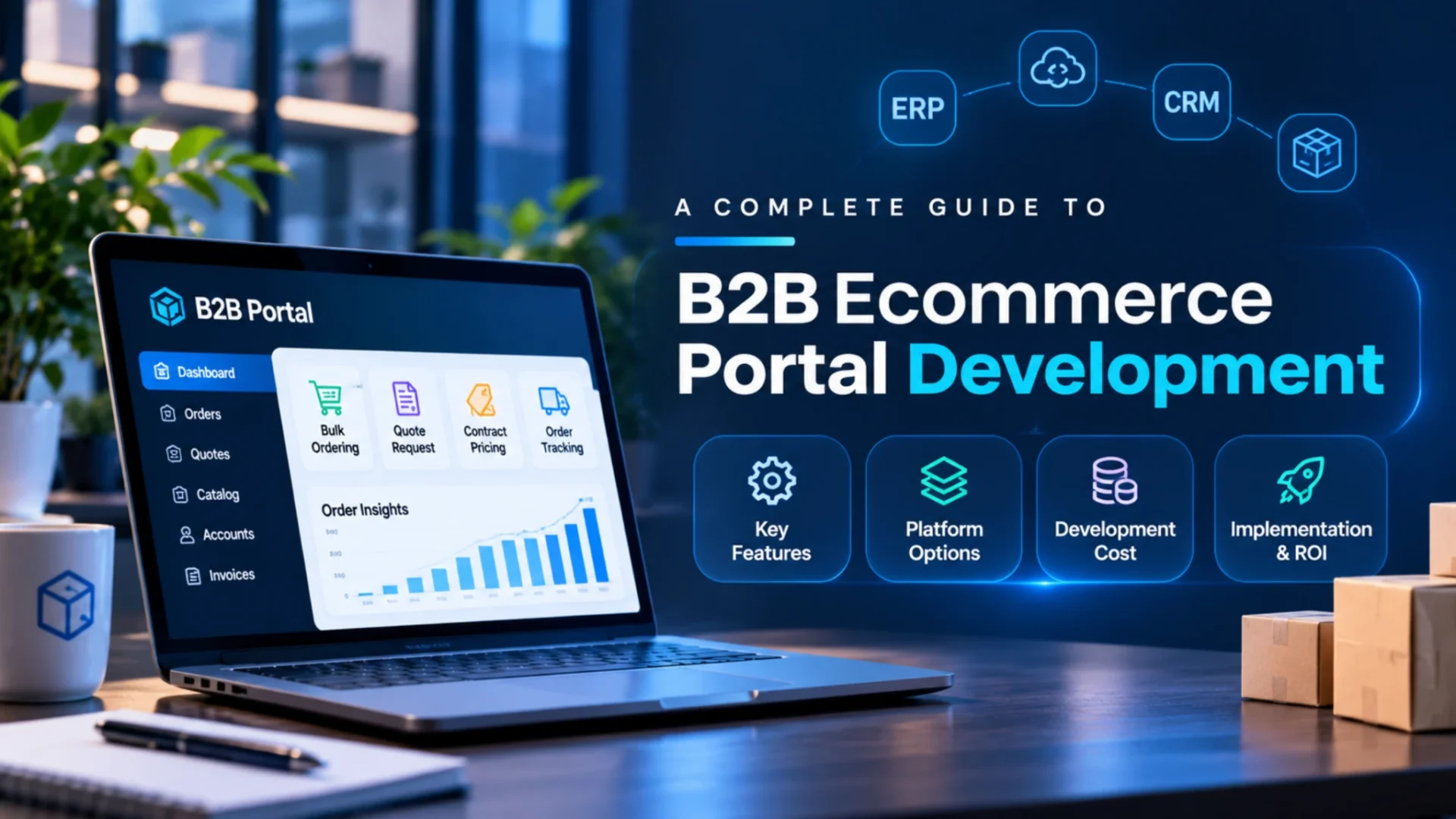
Quick Answer: Key Things to Know About B2B Ecommerce Portal Development
Developing a successful B2B ecommerce portal requires more than setting up an online storefront. Businesses need to plan account-specific pricing, company user roles, bulk ordering, quote management, purchase approvals, and self-service order tracking around their actual buying workflows.
Platform selection depends on business complexity: Shopify suits many mid-market requirements, Adobe Commerce supports complex B2B workflows, and BigCommerce B2B Edition offers dedicated wholesale capabilities. ERP integration is particularly important for synchronizing inventory, pricing, customer accounts, and orders.
Estimated development cost: $15,000 to $500,000+
Typical timeline: 2–4 months for basic implementations and 8–18 months or more for enterprise projects. Actual costs and timelines depend on customization, integrations, data migration, testing, and ongoing support requirements.
It’s a typical Tuesday morning at a medium-sized distributor. Three sales reps are entering purchase orders into the ERP. A buyer is on hold with pricing. A different buyer is asking about the whereabouts of last week’s shipment. It doesn’t mean the staff is doing anything wrong. It just means there are inefficiencies in the process.
That’s the inefficiency B2B ecommerce portals are meant to resolve. Ideally, a good portal enables a buyer to log in to view prices and place orders, request quotes, and track orders. Buyers want to do that anyway, and the trend is clear. A January 2026 eMarketer forecast estimates B2B ecommerce website sales to be over $3.1 trillion by 2029, and that’s just the websites.
The reality is, selecting the right platform is just a small part of the job. Rules, integrations, data migration, and ongoing maintenance ultimately dictate if a portal is fit for purpose. So this guide seeks to explain the features that drive realistic budgets, impact scope and the available platforms and integrations, as well as provide a build and implementation overview.
What Is B2B Ecommerce Portal Development?
A B2B ecommerce portal is a secure ordering system where a company’s approved buyers purchase from a supplier. Think of a store that knows who’s walking in. It knows the buyer’s company, their contract prices, their credit terms, and what they ordered last month. Portal development is the work of planning, building, and connecting that system to the rest of your business.
B2B Ecommerce Portals vs. Traditional B2C Online Stores
A B2C shopper is one person with one credit card. A B2B buyer represents a company, and somebody above them often has to approve the order. That difference changes almost everything under the hood.
| Area | B2B ecommerce portal | B2C online store |
| Accounts | Company accounts with several users and locations | Individual customer accounts |
| Pricing | Negotiated, account specific, volume tiered | One public price |
| Orders | Bulk and recurring, often SKU based | Small, mostly one time |
| Quotes | RFQs and price negotiation | Rarely needed |
| Payment | Purchase orders, net terms, ACH | Card or wallet at checkout |
| Approvals | Spending limits, manager sign off | None |
| Systems | Deep ERP and CRM connections | Light inventory and payment links |
What Does Portal Development Involve?
Requirements come first, then platform selection, design, and development. Integrations, testing, data migration, and deployment follow. We’ll walk through each stage later in this guide.
Not every project means building from scratch. Some teams configure an existing commerce platform. Others extend it with custom features. A few go fully custom. Most land somewhere in the middle, and that’s usually the sensible place to be.
When Does a Business Need a Dedicated B2B Ecommerce Portal?
Usually the pain shows up before anyone calls it a strategy problem. If several of these sound familiar, it’s time to look at a portal:
- Sales reps spend their days typing wholesale orders into the ERP
- Different accounts get different prices, and a spreadsheet decides who gets what
- Buyers need manager approval before they can purchase
- You’ve got a big catalog and plenty of repeat orders
- Orders ship from several branches or warehouses
- Storefront stock and ERP stock disagree. Often.
- Buyers keep emailing for invoices, order history, or tracking numbers
Buyers want this too. Gartner research released in May 2026 found that 70% of B2B buyers prefer a completely digital, self-service experience. The same research found that 69% still turn to a sales rep to validate AI generated insights. So a portal doesn’t replace your team. It takes routine reorders off their plate so they can handle the conversations that need a human.
Which Businesses Benefit Most?
Picture an industrial supplies distributor with 8,000 SKUs and 400 contract accounts. It feels the pain first. An auto parts wholesaler whose customers reorder the same 30 parts every week comes close. Medical equipment suppliers add approvals and compliance on top. Manufacturers selling through dealers hit the same wall, just with different paperwork.
Does everyone need custom development? No. A company with 40 wholesale accounts and three price tiers can often run on native platform features. Custom work earns its cost when your pricing logic, approval chains, or ERP rules are unusual enough that the platform keeps fighting you.
Essential Features of a B2B Ecommerce Portal
Our B2B ecommerce solutions page already covers the full feature list, so we won’t repeat it. The more useful question here is which features change your scope and your bill. These six do.
|
1
|
Company Accounts and Role-Based AccessOne company, many people. A buyer places orders, a manager approves them, and an accountant only needs invoices. Add several company locations, each with its own shipping address, and you’ve got a permission model to design. Simple roles are mostly configuration. Custom permission trees are real development work, and the cost climbs with them. |
|
2
|
Customer-Specific Pricing and CatalogsThis one’s the budget wildcard. It usually covers:
Watch where prices live. If your ERP owns them, the portal has to read from it, and mapping those price lists is where estimates quietly grow. |
|
3
|
Bulk Ordering and Quick ReorderingImagine a buyer who needs 300 line items every month. Adding them one at a time would eat an afternoon. With SKU entry, saved order lists, and CSV upload (where the platform supports it), it takes minutes. One click reorder buttons handle the rest. Cheap to build, big payoff. |
|
4
|
RFQ and Quote ManagementNot everything sells at list price. A buyer requests a quote, your sales team adjusts or approves the pricing, and the buyer turns it into an order. Simple on paper. In practice, you’ll need rules for who can approve discounts, how long a quote stays valid, and what happens if costs change mid negotiation. |
|
5
|
Purchase Orders, Payment Terms, and Approval WorkflowsBuyers submit PO numbers, pay on net terms, and often have spending limits that route big orders to a manager. One caution. Whether a customer deserves credit terms is a finance decision, not a storefront setting. That check usually lives in your ERP or accounting system, so plan for it. |
|
6
|
Self-Service Account ManagementOrder tracking, invoices, account documents, returns where they apply, and the ability to add or remove their own users. Every task a buyer finishes alone is one less email in your support inbox. |
Prioritize by your real workflows, not a vendor’s feature list. Build what buyers actually do and what your integrations can actually support. Everything else can wait for phase two.
How Much Does B2B Ecommerce Portal Development Cost?
Short answer: it depends, and anyone quoting a number without asking questions is guessing. Published US estimates for B2B ecommerce development cost run from about $15,000 for a basic build to well over $500,000 for a complex enterprise program. Where you land depends on the platform, your business processes, how many systems you’re connecting, catalog complexity, custom work, testing depth, and what happens after launch.
Typical B2B Ecommerce Development Cost Ranges
Here’s how the ranges stack up by project type. If you’re asking how much a B2B ecommerce portal costs for your own business, this table is the starting point, not the answer.
| Project type | Scope to assess | Indicative US budget | Typical timeline |
| Starter B2B portal | Existing platform, limited customization, standard business accounts | $15,000 to $50,000 | 2 to 4 months |
| Mid-market B2B portal | Custom pricing, bulk ordering, buyer roles, and selected integrations | $75,000 to $250,000 | 4 to 9 months |
| Enterprise B2B portal | Complex workflows, large catalogs, multiple integrations, and advanced permissions | $250,000 to $750,000 or more | 8 to 18 months |
| Custom or headless B2B platform | Bespoke architecture, custom business logic, and extensive integration requirements | $200,000 to $500,000 or more | Often the longest of the four |
About these numbers. They come from 2026 estimates published by US market agencies and consultancies, including ScienceSoft, Clarity Ventures, and Elogic Commerce, and they overlap because every agency scopes work differently. They mainly cover implementation: discovery, design, build, integrations, testing, and launch. Platform licenses, hosting, and post launch support usually sit outside them. And they aren’t Elsner quotes. Think of them as guardrails for budget conversations.
What Is Included in the Initial Development Budget?
Most quotes bundle the same building blocks: discovery and requirements, UX and UI design, platform setup, custom development, integration work, data migration, QA, launch, and training. Ask what’s missing. Migration and training are easy to overlook in a first quote, and both can hurt later.
What Is the Difference Between Initial Cost and Total Cost of Ownership?
The build is the down payment. After it comes licenses, hosting, third-party apps, monitoring, maintenance, support, and the enhancements you’ll want once real buyers start using the portal. Budget year two before you sign for year one. And treat every vendor price and development estimate, including the ones above, as a starting point. Nobody’s price fits every business.
What Factors Affect B2B Ecommerce Portal Development Cost?
Think of these as dials. Turn any of them up, and the budget follows.
Platform and Customization Requirements
Native features cost less than custom ones. If a platform already handles company accounts and quotes, you’re configuring. If it can’t do something, you’re paying for development, testing, and extra care on every future upgrade.
Catalog and Pricing Complexity
Variants, huge SKU counts, customer-specific catalogs, and layered pricing rules all add work. Ten thousand SKUs with three price tiers is one project. Ten thousand SKUs with a unique price list for every account is another.
Number and Complexity of Integrations
One connection is manageable. Five systems with different data formats, APIs, and sync schedules is a different animal. One agency’s published 2026 breakdown puts a mid-market ERP connection (NetSuite or Dynamics) at roughly $15,000 to $45,000 and an enterprise ERP connection (SAP or Oracle) at $25,000 to $70,000. Treat that as direction, not a promise.
Data Migration and Legacy Systems
Dirty data costs money. Duplicate customers, missing product attributes, and pricing that lives in someone’s spreadsheet all need cleaning before they move over. Old systems with weak or missing APIs make it worse.
Security, Testing, and Ongoing Support
Access controls, performance testing, backup and recovery plans, and post launch support all take hours. Skip them and you’ll pay later, usually at a bad time.
Before you ask anyone for a quote, pull together:
- Catalog size and number of variants
- Number of buyer accounts
- Features you need
- Systems you want connected
- Monthly order volume
- What data needs migrating
How to Choose the Right B2B Ecommerce Development Platform
Pick for your requirements, not for the brand everyone’s heard of. Here’s how the main options look.
Shopify for B2B Ecommerce
Shopify’s B2B features by plan page lists company profiles, net payment terms, quantity rules, volume pricing, and self-serve ordering across its plans, with up to three active B2B catalogs outside Plus. Plus adds unlimited catalogs, catalogs assigned straight to companies and locations, and advanced payment options like deposits and partial payments. That’s a strong fit for fast-moving mid-market sellers. Very custom order logic can hit limits, though. Check plan details before you commit, since they change. If Shopify is on your shortlist, an experienced team offering Shopify B2B development can map your needs to the right plan.
Adobe Commerce for Complex B2B Requirements
Adobe’s B2B documentation covers company accounts, shared catalogs, negotiable quotes, purchase order approvals, quick order, and requisition lists. Turn on company support and shared catalogs and quotes switch on with it. This is the usual pick for manufacturers and distributors with company hierarchies, heavy custom logic, and large catalogs. The trade-off is more development and hosting care. Teams exploring Adobe Commerce development should budget for that.
BigCommerce and Other Platform Options
BigCommerce’s B2B Edition adds company accounts, buyer roles, quotes, shopping lists, and an invoice portal to its SaaS platform, with open APIs for integrations. Other commerce platforms and ERP native storefronts can fit too, especially when your ERP already owns pricing and orders.
When Should a Business Consider Headless or Custom Development?
Headless means the storefront and the commerce engine are separate. You get design freedom, and you also get more moving parts, longer builds, and more upkeep. Consider it when pricing logic, ERP rules, or buying flows are truly nonstandard. Skip it when the real goal is just “we want it to look different.”
| Platform or approach | Suitable business requirements | Customization considerations | Integration considerations | Main trade-off |
| Shopify | Mid-market sellers, unified B2B and B2C, fast launch | Strong native features, plan dependent limits | Large app ecosystem plus APIs | Very custom workflows may hit limits |
| Adobe Commerce | Complex catalogs, company hierarchies, quotes, approvals | Very high, with custom modules possible | Flexible, usually custom connectors | More development and hosting effort |
| BigCommerce B2B Edition | Wholesale added to a SaaS store, dealer ordering | High through APIs and extensions | Open APIs, connectors, middleware | Complex ERP pricing still needs engineering |
| Headless or custom | Unusual pricing, workflows, or multiple storefronts | Complete control | Built to your exact systems | Highest cost and ongoing maintenance |
No winner here, and that’s deliberate. The right answer depends on your catalog, your ERP, and how strange your pricing is.
Essential Integrations for a B2B Ecommerce Portal
A portal is only as good as the data behind it. Show a wrong price or phantom stock, and buyers stop trusting it. Then they go back to the phone. Well-planned B2B ecommerce integrations decide whether your portal reflects the business or creates more manual work.
|
1
|
ERP IntegrationYour ERP usually holds the truth: inventory, products, prices, customers, orders, and invoices. Systems like SAP, Oracle NetSuite, Microsoft Dynamics, and Odoo are common examples. The portal and ERP typically trade:
Not every field needs real-time sync. Stock for fast movers may need near instant updates, while product descriptions can refresh overnight. The right design depends on how critical the data is, what the ERP’s API can handle, order volume, and your business rules. Our ecommerce ERP integration guide goes deeper on architecture options. |
|
2
|
CRM IntegrationCustomer records, sales opportunities, account ownership, and communication history all belong here. The goal is simple. When a buyer orders online, the account manager sees it. Keep account data consistent across commerce and CRM so your reps don’t call about an order the portal already took. |
|
3
|
PIM and Product Catalog IntegrationA product information management system keeps attributes, variants, technical specs, and descriptions consistent. It matters most for catalogs with thousands of SKUs, where fixing a spec in one place beats fixing it in five. |
|
4
|
WMS, Inventory, and Order Management IntegrationSay an order has twelve items. Eight ship from Dallas and four from Columbus. The buyer needs to see that split, plus partial shipments and updated stock at each location. That’s what warehouse, inventory, and order management integration handles: availability, order routing, and fulfillment status. |
|
5
|
Payment, Credit, Tax, and Shipping IntegrationsThink purchase orders, ACH where appropriate, approved credit terms, payment gateways, tax calculation, shipping rates, and shipment tracking. One catch: approving payment terms and credit decisions may need separate business rules or financial system controls. A portal shouldn’t hand out credit on its own. |
|
6
|
Procurement and EDI/PunchOut IntegrationIf you sell to large procurement organizations, their buyers may order through their own purchasing software. EDI exchanges documents like purchase orders automatically. PunchOut lets a buyer browse your catalog from inside their procurement system. Plenty of B2B portals don’t need either. Check your biggest accounts before you budget for them. |
| System | Data exchanged | Main business benefit |
| ERP | Inventory, prices, customers, orders, invoices | One source of truth, fewer manual entries |
| CRM | Accounts, contacts, opportunities, order activity | Reps and portal stay in step |
| PIM | Attributes, variants, specs, descriptions | Consistent catalog data |
| WMS and OMS | Availability, routing, shipment status | Accurate stock and delivery updates |
| Payment, tax, shipping | Terms, tax amounts, rates, tracking | Correct totals and faster checkout |
| EDI and PunchOut | Purchase orders, catalog sessions | Access to large procurement buyers |
How do all these systems talk? Usually through APIs for direct requests, middleware or an integration platform when many systems share data, webhooks to announce events like “order placed,” and scheduled sync for slower data. Mixing them is normal. Real-time everywhere is rarely necessary and often expensive.
B2B Ecommerce Portal Development Process: From Planning to Launch
Every B2B ecommerce implementation looks a little different, but the lifecycle below is the order things usually happen in. Skipping a step doesn’t save time. It just moves the pain further down the road.
Step 1: Gather Business and Technical Requirements
Document your customer segments, buying workflows, pricing rules, approval needs, order volume, and existing systems. Talk to a few real buyers too. They’ll tell you things your internal team forgot, like the weekly reorder they still do by fax.
Step 2: Select the Platform and Define Architecture
Choose based on native features, customization needs, budget, integration requirements, and who’ll own it long term. Draw the architecture before anyone writes code, including which system owns which piece of data. That one diagram saves a lot of arguments later.
Step 3: Plan UX, Buyer Accounts, and Workflows
Map the key buyer journeys: search, bulk ordering, quotes, checkout, approvals, and account self-service. Business buyers usually know their part number already, so search quality matters more than pretty category pages. Sketch the approval paths too, because a manager who can’t approve an order from a phone will simply ignore the portal.
Step 4: Develop the Portal and Connect Business Systems
Configure native features, build custom functionality only where it’s justified, and implement integrations with documented data contracts and clear error handling. Decide up front what happens when a sync job fails.
Step 5: Migrate Data and Validate Business Rules
Test catalog data, account permissions, customer pricing, inventory, existing orders, and migration accuracy. Check pricing against real accounts, not sample data. Pick a handful of your trickiest customers and compare what the portal shows with what their contracts say. If those match, you’re in good shape.
Step 6: Test, Launch, and Improve
Run functional QA, integration testing, load testing, security testing, and user acceptance testing. Launch to a smaller group of accounts first if you can, watch closely, then keep improving. Launch day isn’t the finish line. It’s when you finally see how buyers really use the thing.
How long will it take? Depends on scope and system complexity. Published estimates run from about 2 to 4 months for basic builds to 8 to 18 months or more for enterprise programs, but they rest on specific assumptions. Ask any vendor what sits behind their timeline.
Security, Data Accuracy, and Performance Considerations
A B2B portal holds negotiated prices, order histories, and credit terms. That’s far more sensitive than a public catalog, and a leak of one customer’s pricing to another can damage a relationship fast. So the controls need to be tighter.
Protect Customer and Commercial Data
Use role-based access, company-level permissions, secure authentication, and encryption. A buyer at one company should never see another company’s prices. Financial information needs the same care.
Keep Business Data Consistent
Reconcile inventory regularly. Validate customer data. Decide how failed sync jobs get retried and who gets alerted. Prevent duplicate orders, especially when a buyer double clicks or a sync retries. And name one system as the owner of each data type, or you’ll end up arguing over which number is right.
Plan for Performance and Reliability
Catalog search, large order forms, API limits, and traffic spikes all deserve testing. Use caching where it makes sense, monitor what matters, and write down recovery procedures before you need them. No platform guarantees security or speed on its own. Good setup and ongoing care do.
How to Measure B2B Ecommerce Portal ROI
Track what the portal actually changes. Useful metrics include:
- Percentage of orders placed through self-service
- Manual order-processing time
- Order-entry error rate
- Repeat-order rate
- Average time to complete an order
- Integration failure rate
- Cost per processed order
- Portal adoption by existing accounts
Here’s a simple formula: annual net benefit = annual measurable savings + additional gross profit attributable to the portal minus annual operating costs. Then weigh it against your build cost to estimate payback. Don’t forget the full picture, either. Implementation costs and total cost of ownership belong in any payback math, or the number will look better than it is.
A hypothetical example, with made-up numbers. Say 8,000 orders a year move from manual entry to the portal, saving 15 minutes each at $38 an hour. That’s $76,000 in savings. Add $60,000 in extra gross profit and subtract $55,000 in operating costs, and annual net benefit is $81,000. Against a $200,000 build, payback is roughly two and a half years. Your numbers will differ.
Frequently Asked Questions
How Much Does It Cost to Develop a B2B Ecommerce Portal?
Depends on the platform integrations catalog complexity and how much custom work you require. Published US estimates range from $15,000 for an out-of-the-box build up to $500,000+ for enterprise builds. If you want an accurate quote, be prepared for a supplier to ask you lots of questions about your systems before giving you a firm proposal.
How Long Does It Take to Build a B2B Ecommerce Portal?
Nothing set in stone. The more integrations, the messier the data, and the more thorough the testing, the longer the timelines. A quick iteration of an existing platform can take a few months; a full-blown enterprise build can last over a year. Request a scope-based project timeline and assumptions.
Which Integrations Are Essential for a B2B Ecommerce Portal?
ERP integrations are almost always necessary, as they keep your inventory, pricing, and transactions accurate. CRM, PIM, WMS, shipping tax, and payment integrations are based on your processes. Only integrate with eprocurement systems like EDI or PunchOut if you have major buyers who require them. Begin with the data stores that are most critical to your business.
Should a Business Choose Shopify, Adobe Commerce, or Custom B2B Development?
Choose based on your needs. Shopify may be suitable if native B2B fulfills your pricing and ordering needs. Adobe Commerce fits complex hierarchies and heavy customization. Custom development is when you need something nothing else can do. Consider native integration cost and stewardship before you decide.
Can a B2B Ecommerce Portal Support Both Wholesale and Retail Customers?
Often, yes. Some platforms run B2B and B2C in one store, with wholesale buyers seeing their own prices after login. Others work better with separate storefronts sharing one backend. The right setup depends on the platform’s capabilities and how different your wholesale and retail pricing, catalogs, and checkout rules are.
Conclusion: Planning a Scalable B2B Ecommerce Portal
The best portal isn’t the one with the most features. It’s the one that fits how your buyers order, keeps commercial data accurate, and connects reliably to the systems running your business. Get functionality, budget, platform, and integrations lined up with real workflows, and the rest gets easier.