 Zoho
Solutions
Zoho
Solutions
 Ecommerce
Development
Ecommerce
Development
 Web
Development
Web
Development
 AI
Solutions
AI
Solutions





- Does the ADA Actually Apply to Websites?
- What Changed in 2026 (and Why Your Risk Went Up Anyway)
- WCAG Explained Without the Jargon
- Why Accessibility Widgets and Overlays Do Not Make You Compliant
- How to Check If Your WordPress Site Is Compliant
- Unplug your mouse
- Track your keyboard focus
- Run a contrast check
- Turn off images
- Fill out your forms
- What Real WordPress Remediation Involves
- What Does WordPress ADA Compliance Cost?
- What to Do If You Receive an ADA Demand Letter
- Don’t ignore it
- Contact legal counsel promptly
- Start a documented remediation effort
- Don’t install a widget and call it done
- A Decision Checklist: Where Does Your Site Stand?
- Conclusion
- Frequently Asked Questions
- Does the ADA apply to my business website?
- Is my WordPress site automatically ADA compliant?
- What WCAG level do I need to meet?
- How much does it cost to make a WordPress site ADA compliant?
- Do accessibility widgets make my site compliant?
- What should I do if I receive an ADA demand letter?
- How long does WordPress accessibility remediation take?
Quick Answer
US courts treat business websites as places of public accommodation under ADA Title III, regardless of company size. There’s no small-business exemption. WCAG 2.2 Level AA is the practical legal benchmark, and accessibility overlays alone do not satisfy it, courts have repeatedly rejected them as a standalone fix.
|
Real code-level remediation
|
Overlay widget only
|
Short version: understand where your site actually stands, fix issues at the source-code level, and keep monitoring as your site grows. This guide breaks down exactly how to do that.
A blind visitor attempts to check out on a WordPress store, but the shopping cart interface prevents them from proceeding after filling the shipping form. Another person using a screen reader hits a product slider that cannot be paused with any button and decides to give up on the purchase altogether.
Neither of these scenarios might seem like big issues. But even one incident can be the reason for a demand letter on your table.
Most business owners think their site is just fine because the site itself doesn’t look problematic. It loads quickly, the design is minimal, everything appears to be in order. Accessibility issues are rarely obvious unless you are visiting the website exactly like a disabled visitor would be doing it, and that is why so many well-run businesses find themselves in the position of not being prepared.
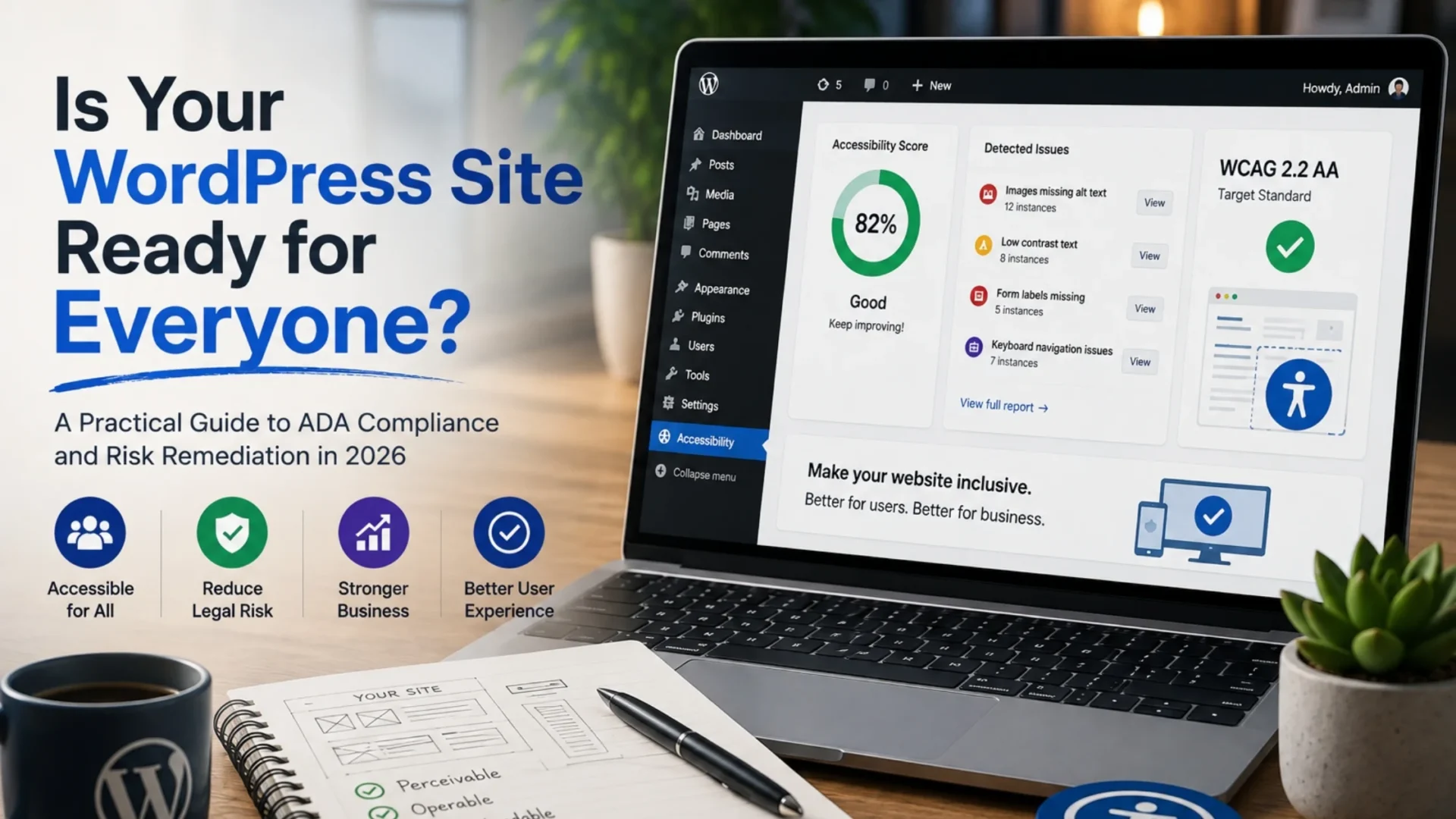
This article is going to explain what ADA accessibility requirements for WordPress actually mean, what happened in 2026 that made everyone worry, and how a company should carry out real ADA remediation work. No technical terms are going to be used, no scary stories will be made up to frighten someone into changing. Just a realistic look at how your situation is and your roadmap for action.
Does the ADA Actually Apply to Websites?
Yes. US federal courts routinely treat business websites as places of public accommodation under Title III of the Americans with Disabilities Act, and that interpretation has held up in case after case for over a decade.
Here’s the part that surprises a lot of owners: there’s no small-business carve-out. A five-person ecommerce shop can be sued the same way a national retailer can. Revenue and headcount don’t factor into whether the law applies to you.
The ADA was written in 1990, long before websites existed, so it never named a technical standard for them. Courts and plaintiffs’ attorneys filled that gap themselves by pointing to WCAG. That’s why a demand letter citing WCAG failures isn’t citing the law directly. It’s citing the standard everyone, including judges, has agreed to treat as the benchmark.
Title II vs. Title III, briefly:
|
Title II Covers state and local government entities: city websites, public university portals, court systems. |
Title III Covers private businesses open to the public, which is where nearly every WordPress site reading this guide falls. |
The distinction matters more than it might seem, and the next section explains why.
What Changed in 2026 (and Why Your Risk Went Up Anyway)
Many times, coverage on such a topic has been rather lazy; so let’s be exact here.
The Department of Justice finalized the regulation on accessibility standards in 2024, mandating that state and local governments that serve 50,000 or more constituents will have to comply with Level AA of WCAG 2.1. The original date to be compliant was April 24, 2026. But then, just when only four days remained before the deadline, the DOJ published an interim final regulation, delaying it until April 26, 2027 for larger groups and 2028 for smaller ones. It was the same standard at its base, merely the timeline changed.
Important distinction: That rule is Title II. It binds government entities, not private businesses like yours. If you run a WordPress site for a company, this regulation does not directly apply to you, and any article telling you otherwise is stretching the truth.
So why does your risk go up anyway? Because this rule, delayed or not, is the first time the federal government has formally written WCAG into binding law. Plaintiffs’ attorneys use that kind of development as leverage. It reinforces the argument that WCAG is the recognized standard, which strengthens Title III claims against private businesses even though the rule technically doesn’t touch them.
And the litigation numbers back that up:
|
3,117 Federal ADA website lawsuits in 2025, up 27% over 2024 (Seyfarth Shaw) |
4,928 Total 2025 filings including NY & CA state courts (UsableNet) |
1,000+ Filings in New York federal courts alone |
Small and mid-sized businesses remain disproportionately targeted. Plaintiffs’ firms know these companies are more likely to settle quickly rather than fight a costly legal battle, and that calculation hasn’t changed.
WCAG Explained Without the Jargon
Think of WCAG as a technical checklist that courts use to decide if a website has accessibility. WCAG is based on four guiding principles, and let’s be honest with each other, they are quite easy to understand.
|
Perceivable Are people seeing or hearing your content, including via assistive technology like a screen reader? |
Operable Is it possible to browse your site without the use of a mouse but only on a keyboard? |
|
Understandable Is the content and navigation of your website so clear and logical that everyone can easily follow them? |
Robust Is the code of your website so well-written that it can run reliably on assistive technologies, browsers, and different devices? |
(Robust is the formal WCAG principle name, not a marketing word. It’s the one instance where you’ll see it used here.)
Which version and level do you need?
AA is the practical legal target across nearly every court case and settlement agreement to date. On the version question, courts have referenced both WCAG 2.1 and 2.2, though 2.2 AA is the safer target right now since it’s the current standard and includes accessibility criteria that 2.1 doesn’t cover.
Where WordPress sites specifically fall short:
Missing alt text tops the list of problems, and it’s far ahead of the rest. WebAIM’s most recent Million report, which checks the top million homepages, showed that 95.9% had at least one detectable WCAG failure, with an average of 56 errors per page. Low-contrast text and lack of alternative text descriptions continue to be the two most prevalent problems every year.
On WordPress builds specifically, the usual suspects are:
- Sliders and carousels that trap keyboard focus or auto-rotate with no pause control
- Pop-ups and modals that a screen reader can’t close or that don’t return focus properly
- Form fields with no visible or programmatic labels
- Menus built with page-builder plugins that only respond to mouse hover, not keyboard input
- Color contrast that fails AA thresholds, especially in trendy pastel or low-contrast design themes
None of these are exotic problems. They’re default behaviors in a lot of popular themes and builder plugins, which is exactly why so many sites fail without anyone noticing.
Why Accessibility Widgets and Overlays Do Not Make You Compliant
This is the part most WordPress agencies won’t tell you plainly, so here it is.
Overlay widgets are the little accessibility icons you’ve probably seen in the corner of websites, the ones that promise one-line compliance through a JavaScript snippet. They’re marketed as a fast, affordable fix, and the pitch is appealing. Install a script, check a box, move on.
The issue is that overlays do not affect your underlying code. You can only tweak the outer layer to some extent, without tackling fundamental problems like broken keyboard navigation or missing form labels.
In fact, courts keep dismissing the idea of relying solely on an overlay to get one’s site accessible. Many of the ADA lawsuits in recent years were aimed at websites that had an accessibility widget in place when the lawsuit was filed.
Then there’s the FTC action:
|
!
|
In January 2025, the FTC filed a complaint against accessiBe, one of the largest overlay vendors, alleging its accessWidget product did not actually make websites WCAG-compliant despite marketing claims that it did. The FTC also alleged the company misrepresented paid third-party reviews as independent endorsements. |
|
$1M Penalty ordered against accessiBe |
Apr 2025 Final order issued |
20 years Order stays in effect, barring false compliance claims |
Accessibility experts are also discussing a usability issue that has received very few mentions: the effect of overlays on screen reader users. Users have mentioned that when overlays were added, they did not support assistive technology in their existing way but actually created conflicts with it, making the use of the website more difficult, not easier.
The honest take: Overlays might be only one small element of a broad accessibility improvement. But still, it’s an essential part of it. The most effective means of providing a website accessible to all visitors and complying with standards is to do it at the programming or source code level. It’s a long and winding road that you can’t shortcut no matter what a sales page tells you.
How to Check If Your WordPress Site Is Compliant
Start today. This doesn’t require a developer for the first pass.
If you use free automated scanners, you can catch around 30% to 40% of accessibility problems. It is a good place to start, but definitely not a place to put your finishing line. Automatic programs can identify missing alt text for an image or that there are not enough contrasting colors. But they cannot judge whether the alt text you have is actually useful or whether your tab order will make logical sense to a person using it. The only way to achieve that is to test it yourself, and for legal compliance, you most likely should engage the person who has hands-on experience in the field.
A short manual spot check you can run yourself:
|
1
|
Unplug your mouseTry to navigate your homepage, a product page, and your checkout or contact form using only the Tab and Enter keys. |
|
2
|
Track your keyboard focusCheck whether you can see where the keyboard focus is at every point. If you lose track of where you are on the page, a screen reader user will too. |
|
3
|
Run a contrast checkRun your primary pages through a free contrast checker to catch low-contrast text and buttons. |
|
4
|
Turn off imagesDisable images in your browser and see if the page still makes sense without them. |
|
5
|
Fill out your formsFill out your contact or checkout form and note any field without a clear, associated label. |
If you hit friction on any of these, that’s a real signal, not a false alarm.
What Real WordPress Remediation Involves
Genuine remediation moves past theme settings and into the code itself. Typical scope includes:
|
Semantic HTML structure Headings, lists, and landmarks marked up correctly rather than styled to look like headings without actually being ones |
ARIA labels, used sparingly Added only where native HTML can’t convey the necessary information, since overusing ARIA often creates new problems |
|
Color contrast corrections Across text, buttons, and interactive states |
Keyboard focus management Particularly for menus, modals, and sliders |
|
Accessible form design Including visible labels, error messaging, and logical tab order |
Full alt text pass Across images, distinguishing decorative images from meaningful ones |
|
Heading hierarchy fixes So screen reader users can navigate the page structure logically |
Theme and plugin auditing matters too. Some page builders generate markup that fights against accessibility no matter how carefully you configure them, which sometimes means recommending a different builder or a custom-coded section instead. |
And this isn’t a one-time project. Every new blog post, product listing, or landing page can reintroduce issues if your team isn’t trained to avoid them. Ongoing WordPress monitoring catches that drift before it becomes a liability again.
You can contact an expert WordPress development service provider to help you with the remediation or rebuilding of your store.
What Does WordPress ADA Compliance Cost?
Typical Remediation Range
$2,000 – $15,000
For small to mid-sized WordPress sites, depending heavily on scope. That’s a wide range on purpose, because the drivers behind it vary a lot from site to site.
Cost depends on:
- Site size and page count
- How the site was built, since heavily customized WordPress stores take longer to fix than simpler themes
- Audit depth, whether you need a basic scan-and-fix pass or a full manual audit with documented testing
- Whether you’re paying for a one-time remediation or ongoing monitoring on top of it
Let’s consider that number alongside the other options:
|
Remediation cost $2,000–$15,000, one-time, with a clear scope and a fixable end point. |
Litigation cost Settlements typically run a few thousand to several thousand dollars, plus legal costs, staff time on dispute management, and possible court-monitored obligations. |
Remediation is expensive, but litigation is even more so, and it comes with the added distress.
No agency, including Elsner Technologies, can hand you a fixed number without seeing your actual site. Anyone quoting a flat rate before an audit is guessing.
Talk to a WordPress ADA Compliance Expert
No pressure to commit. Just a clear picture of scope, timeline, and cost before you decide on your next step.
What to Do If You Receive an ADA Demand Letter
If this is why you’re reading this, take a breath first. A demand letter is serious, but it is not a lawsuit, and panicking rarely helps.
|
1
|
Don’t ignore itLetters like this don’t go away on their own, and non-response tends to escalate matters rather than resolve them. |
|
2
|
Contact legal counsel promptlyThis should be your first move. Elsner Technologies is not a law firm and doesn’t provide legal advice, so an attorney experienced in ADA Title III matters needs to be your starting point, not your web developer. |
|
3
|
Start a documented remediation effortAlongside legal counsel, beginning a genuine, well-documented accessibility fix establishes a good-faith paper trail. Courts and opposing counsel take a visible, dated remediation effort more seriously than a site that stays untouched during a dispute. |
|
4
|
Don’t install a widget and call it doneAs covered above, overlays don’t hold up legally or technically. Responding to a demand letter with a quick widget install, rather than substantive code-level work, is unlikely to satisfy a plaintiff’s attorney and won’t protect you if the matter proceeds further. |
Received a Demand Letter or Worried About Risk?
Start a documented, genuine remediation effort alongside your legal counsel. We’ll help you fix the real issues, fast.
A Decision Checklist: Where Does Your Site Stand?
Use this as a rough gut check, not a legal determination.
Likely fine for now if:
You’ve run an automated scan recently with minimal critical errors, your site was built or audited with accessibility in mind within the last year or two, and you can complete your own checkout or contact flow using only a keyboard.
Needs a closer review if:
You’ve never run an accessibility scan, your site uses a heavy page-builder plugin with sliders or pop-ups, or you genuinely don’t know what WCAG level your site meets.
High risk if:
You’ve received any prior accessibility complaint or demand letter, your site relies on an overlay widget as your only accessibility measure, or an automated scan turned up dozens of critical errors you haven’t addressed.
If you land in the second or third category, that’s not a reason to panic. It’s a reason to start with an audit rather than guessing at what needs fixing.
Conclusion
Accessibility compliance is a legal safeguard, but it’s also a genuine business opportunity that gets overlooked in most of the fear-driven content on this topic. People with disabilities represent significant spending power, and a site that actually works for them is a site that converts more visitors, not fewer.
There’s no version of this where a vendor can promise you’re lawsuit-proof. Anyone claiming otherwise, including overlay companies, isn’t being straight with you. What you can do is understand where you actually stand, fix the real issues at the code level, and keep monitoring as your site grows. That’s a manageable process, not a crisis, once you know where to start.
Not Sure Where Your Site Actually Stands?
Get an honest, code-level accessibility review, not a sales pitch. Our WordPress team fixes issues the way that actually holds up in court, not with a widget.
Frequently Asked Questions
Does the ADA apply to my business website?
Yes. US federal courts have consistently treated business websites as places of public accommodation under ADA Title III, regardless of company size or revenue. There’s no small-business exemption. If your site sells products, offers services, or serves the public in any commercial capacity, accessibility obligations likely apply to you.
Is my WordPress site automatically ADA compliant?
No. WordPress core includes accessibility-friendly features, but themes, plugins, and page builders often introduce accessibility failures regardless of the underlying platform. Compliance depends on how your specific site was built and configured, not which content management system you use.
What WCAG level do I need to meet?
WCAG 2.2 Level AA is currently the safest practical target, since courts and settlement agreements consistently reference the AA standard. WCAG 2.1 AA remains widely cited as well. Meeting AA generally satisfies the technical benchmark that most demand letters and lawsuits rely on.
How much does it cost to make a WordPress site ADA compliant?
Most small to mid-sized WordPress remediation projects range from $2,000 to $15,000, depending on site size, complexity, and audit depth. E-commerce sites and heavily customized WordPress stores typically cost more. An accurate quote requires an actual audit of your site rather than a flat estimate.
Do accessibility widgets make my site compliant?
No. Overlay widgets apply surface-level adjustments without fixing underlying code issues, and courts have consistently rejected them as a standalone compliance solution. The FTC fined overlay vendor accessiBe $1 million in 2025 for misleading compliance claims. Genuine compliance requires source-code-level remediation.
What should I do if I receive an ADA demand letter?
Don’t ignore it, and don’t panic. Contact an attorney experienced in ADA Title III matters first, since this isn’t a situation web developers can advise on legally. Alongside legal counsel, start a documented, genuine remediation effort to establish a good-faith record.
How long does WordPress accessibility remediation take?
A small site typically takes two to four weeks. Mid-sized e-commerce or content-heavy sites usually run six to ten weeks. Larger, highly customized builds can take three months or more, particularly when a theme or page builder needs to be replaced rather than patched.
Not sure where your site actually stands? An accessibility review gives you a clear, honest picture, not a sales pitch. Our WordPress team fixes accessibility issues at the code level, the way that actually holds up, rather than masking them with a widget.
Start with a WordPress accessibility review and find out exactly what needs attention before it becomes a bigger problem.