- The Quick Verdict
- Platform Overview at a Glance
- Pricing and Total Cost of Ownership
- BigCommerce pricing structure
- WooCommerce pricing structure
- Five-year TCO comparison
- Features Head-to-Head
- Design and customization
- SEO capabilities
- Payments and transaction fees
- B2B and wholesale
- Checkout and international selling
- Multichannel selling
- Apps and extensions
- Performance and Scalability
- Security, Compliance and Maintenance
- Migration Effort in Both Directions
- Which Platform for Which Business
- Common Mistakes When Choosing
- FAQs
- Which is better for eCommerce, WooCommerce or BigCommerce?
- Is BigCommerce cheaper than WooCommerce?
- Can I switch from BigCommerce to WooCommerce?
- Which platform is better for SEO, WooCommerce or BigCommerce?
- Is WooCommerce good for enterprise?
- What are the disadvantages of BigCommerce?
- Conclusion
- Not Sure Which Side of the Line Your Store Falls On?
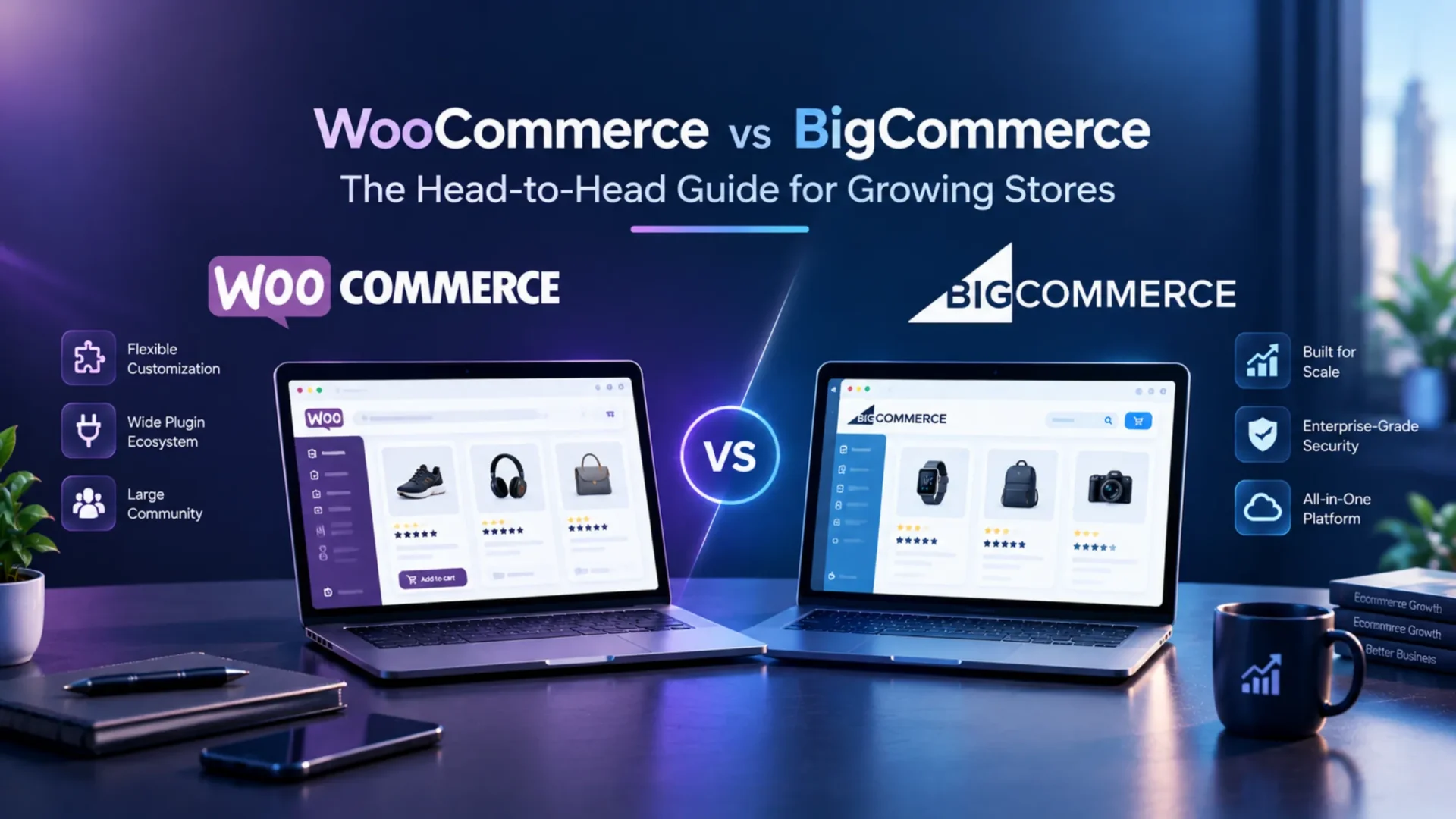
So your store’s doing well. Sales are up, and your current platform is starting to feel like a pair of shoes you’ve outgrown. Maybe plugin updates keep breaking things. Maybe a plan tier just jumped on you. Now you’re stuck on the question everyone lands on: WooCommerce vs BigCommerce.
I’m not going to hand you a feature checklist. You’ll get actual five-year cost math at three store sizes, honest migration timelines in both directions, and a decision matrix built around real business types. Both platforms are good. Which one’s right for you depends on your team, your catalog, and your revenue. I’ll be specific about where each one wins.
The Quick Verdict
Short on time? Here’s the answer.
✅ Go with BigCommerce if
you want someone else to run the technical side. Your team’s small, not very technical, and you’d like to launch fast. Your revenue also needs to fit a tier you’re comfortable paying for.
✅ Go with WooCommerce if
you want to own everything and shape it however you like. You’ve got developers on staff or on call. Maybe you sell in unusual ways, like subscriptions, deposits or tangled B2B pricing. Or BigCommerce’s revenue tiers have started to sting.
⚠️ Think about switching if
you’re on BigCommerce and the cap keeps nudging your bill up, or you’re on WooCommerce and plugin maintenance is eating your week.
The one question that usually settles it. If you run a small business and you’re torn between BigCommerce or WooCommerce, ask who’s going to maintain the store. For bigger teams, it’s more about how much customization your business model demands. The math and the matrix behind all of this are coming up.
Platform Overview at a Glance
Here’s the side by side. These details come from BigCommerce’s published plans as of October 2026. Prices move, so double check the BigCommerce pricing page before you commit.
Almost everything comes down to one thing. WooCommerce is software you run yourself. You pick the host. You control the code. You also own the stuff that breaks at 2 a.m. That’s the freedom, and it’s the bill too. If you’d rather not carry all that alone, WooCommerce development services are there for exactly this.
BigCommerce is the opposite deal. You rent a managed platform, and the vendor deals with servers, patches and uptime. You give up some control. In return, you stop thinking about infrastructure. Neither one’s better in a vacuum. It’s about which trade suits your team.
Pricing and Total Cost of Ownership
Everyone skips straight to this part, so let’s do it.
BigCommerce pricing structure
There are four plans: Standard, Plus, Pro and Enterprise. Right now, monthly billing is $39, $105 and $399 for the first three. Pay annually and you save about 25 percent, which brings them to $29, $79 and $299. Enterprise gets quoted case by case.
Here’s what trips people up. Every plan has a ceiling on trailing 12-month online sales. $50,000 on Standard, $180,000 on Plus, $400,000 on Pro. Cross it and you get bumped up a tier, whether you wanted the extra features or not. On Pro, the published pricing adds $150 a month for every extra $200,000 in online sales. So a great year quietly makes your bill bigger.
Example: say you’re doing $170,000 on Plus, paying $79 a month on annual billing. Then a strong holiday quarter pushes you past $180,000. Next invoice, you’re on Pro at $299. That’s nearly four times the cost, triggered by doing well. Plan for it before it happens.
On payments, there’s good news. BigCommerce doesn’t add its own transaction fee on any plan, whatever gateway you use. You still pay your processor’s rates, but that’s the same headache on both platforms.
WooCommerce pricing structure
The plugin’s free. Everything around it isn’t. You’ll pay for managed hosting, a theme, paid extensions (subscriptions, bookings, shipping rules), developer time and ongoing maintenance. Our WooCommerce development cost guide has typical project ranges if you want the detail.
Five-year TCO comparison
A quick note before the numbers. Everything here is illustrative. I assumed a developer rate of $75 an hour, annual BigCommerce billing, flat revenue over five years, and identical payment processing on both sides, so I left processing fees out. Enterprise pricing is quote based, so those monthly figures are placeholders.
Want to check my work? Here’s the $500k row. BigCommerce comes to about $26,900 in platform fees, $6,000 in apps, $300 for a theme, $7,500 for the initial build, and $13,500 in ongoing developer time. WooCommerce is $6,000 in hosting, $7,500 in extensions, $100 for a theme, about $9,750 for the build, $27,000 in maintenance and development time, and $1,000 in security tooling. Different shapes, similar totals.
So what’s it telling us? At $500k, they’re close enough that your team’s skills matter more than the spreadsheet. Around $2M, the gap opens up, because BigCommerce’s tier fees climb with revenue while WooCommerce’s costs climb with complexity. By $10M, it tightens again, and the answer depends on your Enterprise quote and how much custom work you need. Tweak the maintenance hours or the hourly rate and the winner can flip. Run it with your own numbers.
Features Head-to-Head
No wall of checkmarks here. Just the areas that tend to decide things.
Design and customization
WooCommerce is basically unlimited. Themes, page builders, raw code, all fair game. A developer can rebuild your cart flow from scratch if they want. BigCommerce has a solid theme library and the Stencil framework for developers, but a fully custom build means fighting the platform a bit.
Verdict: WooCommerce for bespoke design. BigCommerce for good-looking and quick.
SEO capabilities
Honestly? Both are strong. WooCommerce gives you full control of URLs, deep schema options, and plugins like Yoast and Rank Math. BigCommerce has a healthy baseline, but the ceiling’s lower and there’s no plugin market for niche needs. If organic search is your main channel, our WooCommerce SEO guide and WooCommerce product SEO guide show what’s possible.
Verdict: WooCommerce, by a small margin.
Payments and transaction fees
With WooCommerce, you choose any gateway and pay only that gateway’s fees. BigCommerce works the same way, no platform cut on any plan, with options like BigCommerce Payments, Stripe and PayPal. Some older comparisons say BigCommerce charges platform fees on third party gateways. That’s not what current published pricing says.
Verdict: a tie. If an article treats this as a big differentiator, close the tab.
B2B and wholesale
BigCommerce B2B Edition comes with company accounts, quote workflows, and price lists, so you launch quickly. WooCommerce gets to the same place through plugins like B2B for WooCommerce and Wholesale Suite, or a custom build.
Verdict: BigCommerce is faster out of the gate. WooCommerce bends better when your pricing rules get weird.
Checkout and international selling
This is where a lot of conversion work gets stuck. In WooCommerce, a developer can rewrite checkout completely. That matters for subscriptions, gifting flows and deposits. BigCommerce gives you a fast, well-tested checkout plus a Checkout SDK, but you’re building inside its guardrails. Multi-currency and multi-region selling work on both. BigCommerce gets you live faster. WooCommerce usually needs extra plugins for currency and tax, though it adapts better to odd requirements.
Verdict: WooCommerce for unusual checkout logic. BigCommerce for a quick global launch.
Multichannel selling
BigCommerce connects natively to Amazon, eBay, Meta, and Walmart. WooCommerce gets there through plugins and connectors. More setup, more things to babysit.
Verdict: BigCommerce.
Apps and extensions
WooCommerce’s ecosystem is huge, and quality is all over the place. Vet everything before you install it. BigCommerce’s marketplace is smaller and tighter. Fewer surprises, fewer choices.
Verdict: depends on whether you want breadth or predictability.
Performance and Scalability
On BigCommerce, infrastructure is the vendor’s problem. It’s tuned for commerce, and uptime commitments come with higher plans. You’ll never tune a database or debug a caching layer.
WooCommerce performance depends almost entirely on your hosting and how well the store’s optimized. The ceiling’s higher, but you pay to reach it. Most slow WooCommerce stores aren’t slow because of WooCommerce. They’re slow because of 40 plugins and cheap shared hosting. Our WooCommerce performance hacks post covers the fixes, and the official WooCommerce performance docs make a good second read.
So where does each one break? Stores usually outgrow BigCommerce at the edges of customization, mainly customer segmentation and checkout logic. WooCommerce starts creaking on database load, typically with huge catalogs (think 50,000 SKUs and up) or heavy concurrent traffic.
Example: picture a 30,000 SKU store running a flash sale on cheap shared hosting. On WooCommerce, it stalls. Put the same store on tuned managed hosting with object caching, and it’s fine. On BigCommerce, the sale just happens. High-performance order storage, now standard on new stores, helps a lot with order volume. It won’t rescue a bad host.
Security, Compliance and Maintenance
This is where the ownership gap really shows.
BigCommerce handles patching and publishes PCI DSS Level 1 and ISO 27001 credentials, with GDPR tooling included. Check the current certifications on its trust pages before you quote them to a client.
WooCommerce’s hosting security, updates, backups, and plugin weaknesses are your problem. Your PCI scope is greatly reduced if you choose a hosted payment form, such as from a gateway like Stripe. Though, you’re not off the hook for compliance.
The real difference is time. On BigCommerce, plan on roughly zero hours a month for platform security. On WooCommerce, figure 2 to 8 hours monthly, depending on how many plugins you run. If nobody on your team enjoys that work, a WooCommerce support plan can take it off your plate. And sometimes the maintenance burden alone is reason enough to pay BigCommerce’s higher plan fees.
Migration Effort in Both Directions
Moving platforms isn’t a weekend project. Both estimates below are illustrative, based on $75 an hour and a mid-sized catalog.
Whichever way you go, protect your SEO. Build a full redirect map before launch. Plan URL changes carefully. Carry over titles, descriptions and schema. Skip this and you can lose half your organic traffic in a month. And please don’t let anyone sell you a migration as a guaranteed revenue boost. Think of it as risk management with some upside.
Which Platform for Which Business
Here’s the decision matrix, matched to real profiles.
Two real toss ups. One’s the mid market store at $1M to $3M with mixed technical ability. Either platform works there, and execution matters more than the choice. The other’s a B2B store where B2B Edition and WooCommerce B2B plugins do about the same job. In both cases, pick the one your team will actually keep up.
Common Mistakes When Choosing
I see the same few mistakes over and over.
|
1
|
Picking the Cheapest Option in Year OnePicking whatever looks cheapest in year one, without modeling years three and five. That’s the big one. |
|
2
|
Underestimating WooCommerce MaintenanceUnderestimating how much internal time WooCommerce needs to run well. |
|
3
|
Overestimating BigCommerce FlexibilityOverestimating how flexible BigCommerce is on checkout and customer segmentation. |
|
4
|
Choosing From Feature ChecklistsChoosing from feature checklists instead of how your team actually works. |
|
5
|
Switching Too EarlySwitching too early, before your current platform has blocked anything concrete. |
|
6
|
Ignoring the Exit CostHow hard is it to leave the platform you’re about to pick? Ask before you commit. |
Want the wider field? Our comparison of Shopify vs Magento vs WooCommerce vs BigCommerce vs OpenCart covers all five.
FAQs
Which is better for eCommerce, WooCommerce or BigCommerce?
Neither wins across the board. BigCommerce suits teams that want a managed platform and a fast launch. WooCommerce suits teams that want full control and have technical help. The decision matrix above will point you to your profile.
Is BigCommerce cheaper than WooCommerce?
Sometimes. In our illustrative model the two were within about 5 percent at $500k, and WooCommerce came out cheaper at $2M. Developer hours and your Enterprise quote can flip the result.
Can I switch from BigCommerce to WooCommerce?
Yes. Plan for 4 to 10 weeks. Products, customers and orders migrate well, but themes, apps and custom checkout logic usually need rebuilding.
Which platform is better for SEO, WooCommerce or BigCommerce?
Both are capable. WooCommerce gives you more control over URLs, schema and plugins, so it has a modest edge. BigCommerce’s baseline is strong enough for most stores.
Is WooCommerce good for enterprise?
It can be, with serious hosting, a development partner and disciplined plugin choices. Large catalogs and heavy traffic take real investment, and some enterprise teams would rather use a managed platform than carry that.
What are the disadvantages of BigCommerce?
The big ones are revenue based plan tiers that raise your bill as you grow, a customization ceiling on checkout and customer segmentation, and a smaller app marketplace than WooCommerce’s plugin world.
Conclusion
Both platforms are good. The right one depends on your business. Two signals tend to be the clearest. If BigCommerce’s revenue caps keep pushing your costs up, give WooCommerce a hard look. If plugin maintenance is swallowing your team’s time, BigCommerce probably earns its fee. Past that, it’s a judgment call about your catalog, your team and your plans. Do the math with your own numbers.
Not Sure Which Side of the Line Your Store Falls On?
Talk to our team about a platform selection consult or a migration scoping call. We’ve built and moved stores on both platforms, and we’ll tell you straight if staying put is the right answer. Explore our eCommerce development services or get in touch to start the conversation.