- Why Consider WooCommerce for Dropshipping
- How to Set Up a WooCommerce Dropshipping Store
- Dropshipping Plugins and Supplier Options
- The Margin Reality (Worked Example)
- Automation and Fulfillment
- Speed and Performance: The WooCommerce Catch
- Where WooCommerce Dropshipping Breaks Down
- Tax, Compliance, and Customer Expectations
- Common Mistakes
- FAQs
- Is WooCommerce good for dropshipping?
- What is the best dropshipping plugin for WooCommerce?
- How much does it cost to start a WooCommerce dropshipping store?
- What margins can I realistically expect?
- WooCommerce or Shopify for dropshipping?
- Conclusion
- Dropship Store Outgrowing What Plugins Can Handle?
Is WooCommerce actually a good fit for dropshipping? Honestly, it depends. It works well if you want full control over your ecommerce store, no per-transaction fees, and don’t mind handling your own hosting. It’s a bad fit if you want a guided, hands-off setup.
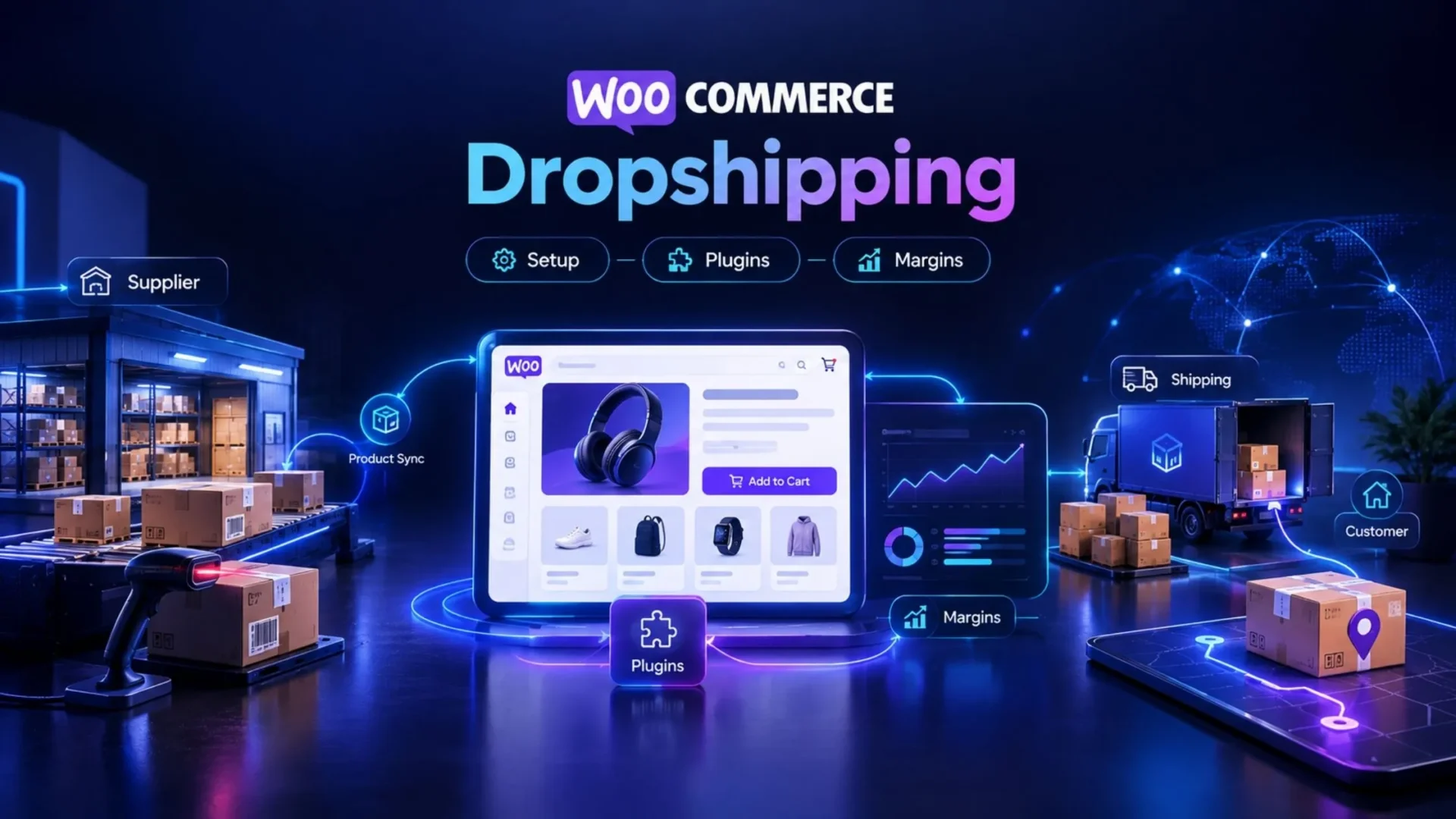
This guide will show you the real setup process, the plugins, and the supplier situation as well. It will lay out a clear calculation of margins using specific numbers instead of vague promises. There’ll be no sales pitch for passive income. Just what is actually involved in creating a WooCommerce dropshipping store, from the plugins to the money side, one by one.
Why Consider WooCommerce for Dropshipping
WooCommerce is a free plugin installed on WordPress, and the cost difference becomes very big compared to a hosted ecommerce platform like Shopify. You do not pay for space as you would when renting shop space, because you fully own the online shop.
A few advantages stand out:
- Full control and ownership. Your store data, your database, your rules. Nobody can suspend your account or change platform policy overnight.
- No platform transaction fees. Shopify (unless you use Shopify Payments) and several other hosted platforms take a cut on every sale. WooCommerce doesn’t. You’ll still pay your payment gateway’s processing rate, but that’s it.
- Unlimited customization. Thousands of plugins, and if none of them do exactly what you need, a developer can build it.
- Lower ongoing platform cost. You’re paying for hosting, not a monthly software subscription tier.
The trade-off is real, though. You handle hosting, security patches, plugin updates, and technical maintenance yourself, or you pay someone to. Shopify bundles that into its monthly fee. WooCommerce doesn’t.
Here’s the honest side-by-side:
There is no single winner here. WordPress and WooCommerce are among the biggest ecommerce platforms ranked by number of stores, based on W3Techs, a web data tracking and reporting website that focuses on CMS and platform usage.
Being on top also cuts both ways. It means you have access to an enormous library of plugins, but it also means millions of merchants using the same suppliers and chasing the same traffic compete in the same market.
How to Set Up a WooCommerce Dropshipping Store
Following these steps in order will make sure your store is set up correctly.
|
1
|
Pick a Focused Niche and Validate Demand FirstDon’t build the dropshipping business around general products. Be focused. Analyze market potential, assess the level of competition, and make sure there is real demand before proceeding. |
|
2
|
Choose Hosting Sized for Growth, Not Just LaunchYour catalog might quickly grow from a few items to hundreds or thousands of SKUs. Cheap shared hosting usually can’t cope with that traffic load. Our breakdown of WooCommerce development costs covers the real cost of hosting, theme, and setup. |
|
3
|
Install WordPress and WooCommerce, Then Set Up the StorefrontTheme, pages, navigation, basic branding. This part is mechanical. |
|
4
|
Add a Dropshipping Plugin and Connect SuppliersThis is where automation starts doing real work for you. |
|
5
|
Import Products and Set Pricing RulesDon’t just copy supplier prices. Build in your margin from day one. |
|
6
|
Configure Shipping, Tax, and Payment GatewaysGet this wrong, and you’ll spend weeks fixing checkout complaints. |
|
7
|
Test a Full Order End-to-End Before LaunchPlace a real order. Watch it route to the supplier. Confirm tracking syncs back. If it breaks, you want to know before a customer does. |
That last step gets skipped constantly. Don’t skip it.
Dropshipping Plugins and Supplier Options
The WordPress plugin ecosystem changes frequently and fast. Use any specific plugin mentioned here as the start of your research, not the end. Check features, reviews, and pricing from the WordPress plugin directory or the vendor’s site before you make your final choice.
Broadly, the tools fall into a few categories:
Supplier Marketplace Connectors
These plugins connect your WooCommerce store to a network of vetted suppliers, handling product import and, in some cases, automated order routing.
AliExpress and Similar Import Tools
Popular for their low barrier to entry. Products import with images and descriptions already written, which sounds convenient until you realize half your competitors are using the exact same descriptions.
Print-on-Demand Plugins
These connect your store to print partners for custom apparel, mugs, and similar goods. No inventory at all, since products only get made after a sale.
Order Automation and Fulfillment Tools
These take customer orders and automatically send them to suppliers. They also retrieve tracking numbers from the supplier and upload them back into WooCommerce, greatly reducing manual data entry.
When choosing a plugin, look at four things:
- The actual recent reviews, not the star rating alone
- The level of support the service can realistically provide
- The monthly amount you’d actually pay once beyond the free tier
- Whether the developer has a history of updating their code in line with WooCommerce changes
The Margin Reality (Worked Example)
This is the section most dropshipping content skips entirely, or fudges. Here’s a worked example, with every number labeled illustrative only. Your actual numbers will vary by niche, supplier, and ad efficiency.
Retail minus supplier cost looks like a 55 percent margin. That number is misleading. Once you account for payment processing, blended ad spend per order, and a reserve for returns and support tickets, the real margin drops to roughly 26 percent in this example. That’s still workable, but it’s a very different number than the one most “dropshipping is easy money” posts lead with.
Why does this matter so much? Because at thin margins, ad efficiency and customer retention aren’t nice-to-haves. They’re the entire business. A 5-point swing in your advertising cost per order can wipe out most of your profit. Repeat customers, who don’t carry a fresh acquisition cost, often end up being where the real margin lives.
Automation and Fulfillment
Once a store is running, automation determines how much of your time gets eaten by operations versus growth.
- Automatic order routing. Where the plugin supports it, orders push straight to the supplier without you touching a spreadsheet.
- Tracking sync. Customers get automatic shipment notifications instead of emailing to ask where their order is.
- Inventory sync. This one matters more than people expect. Nothing damages trust faster than confirming a sale for something the supplier is actually out of stock on.
- Where manual steps still creep in. Returns, custom orders, and supplier disputes usually still need a human. Automation reduces the workload; it doesn’t eliminate it.
Worth noting: automation isn’t limited to order routing. Broader ecommerce automation strategies, like abandoned cart recovery and personalized product recommendations, tend to move the needle on repeat purchases more than most dropshippers expect going in.
Speed and Performance: The WooCommerce Catch
Here’s a section most guides skip, and it costs stores real money.
Dropshipping catalogs tend to grow large fast, sometimes into the thousands of SKUs within months. A WooCommerce store with that many products, running on undersized hosting with a dozen unnecessary plugins, gets slow. Slow pages hurt conversion and rankings both.
If your product count is climbing and load times are creeping up, that’s not a coincidence. Hosting tier, image optimization, and plugin count matter more here than in almost any other WooCommerce use case, simply because catalog size grows so much faster in a dropship model than in a typical inventory-based store. Our guide to WooCommerce performance hacks covers the specific fixes worth prioritizing.
Speed also feeds directly into traffic. A slow catalog page doesn’t just lose the sale in front of you; it holds back rankings for every product page underneath it. If SEO is part of the growth plan, our WooCommerce product SEO guide walks through what actually moves rankings for catalog-heavy stores.
Where WooCommerce Dropshipping Breaks Down
WooCommerce isn’t the right choice for every dropshipper. It breaks down at a few predictable points:
⚠️ Plugin Limits at Scale
Stacking five or six plugins to handle catalog size, automation, and reporting eventually creates conflicts, and performance suffers.
⚠️ Supplier Reliability, Which You Don’t Control
Shipping delays and stockouts on the supplier’s end become your customer service problem, regardless of platform.
⚠️ Maintenance Burden
Self-hosted means you own security updates, backups, and plugin compatibility. That’s ongoing work, not a one-time setup task.
The Point Where Custom Beats Plugins
Once order volume or catalog complexity outgrows what off-the-shelf plugins handle cleanly, a custom integration usually costs less over time than continuing to patch together plugin workarounds. That’s often where it makes sense to hire a WooCommerce developer rather than adding another plugin.
Tax, Compliance, and Customer Expectations
A few operational realities that sink new dropshippers faster than product selection does:
- Sales tax cannot be an afterthought. Requirements vary by state and by where your supplier ships from, and getting this wrong creates real liability.
- Clear shipping-time communication matters just as much. Dropship orders routinely take longer than customers expect, and vague delivery estimates generate a disproportionate number of disputes and chargebacks.
- Returns policies need to reflect reality too. If your supplier doesn’t accept returns, your storefront policy shouldn’t promise one you can’t fulfill.
- Basic product liability applies even when you never touch the inventory yourself. If a product causes harm, “I never held the inventory” isn’t a legal shield.
Common Mistakes
|
1
|
Chasing the Cheapest Supplier Instead of the Most Reliable OneA $2 saving per unit isn’t worth it if shipping times are inconsistent and support tickets pile up. |
|
2
|
Ignoring Real Per-Order Ad Cost in Margin PlanningThe margin math above shows exactly why this matters. Retail minus supplier cost is not your margin. |
|
3
|
Overloading the Store With PluginsEvery plugin added “just in case” is a plugin slowing down checkout and adding a security surface. |
|
4
|
Treating Dropshipping as Hands-OffIt isn’t. Supplier communication, customer service, and margin monitoring all need ongoing attention. |
FAQs
Is WooCommerce good for dropshipping?
It absolutely can be. But the decision depends mostly on how deep your technical expertise is and what kind of features you’d really like in your online store. If your goal is full customization at the expense of some time, WooCommerce is a great choice. For people who don’t know anything about building websites and would rather someone else do it for them, it may not be the best tool to pick.
What is the best dropshipping plugin for WooCommerce?
There is no one fixed answer. The plugin that suits you best is mainly influenced by your supplier base and the type of dropshipping you’ll be running, say a standard print-on-demand shop or a highly complex order fulfillment system. Your requirements and budget play a big role too. So it helps to do your research, check reviews, look up their customer support, and find out which plugin best suits your business. Also keep an eye on changing trends so you get a plugin that meets your expectations for years to come.
How much does it cost to start a WooCommerce dropshipping store?
A number of factors determine the cost: the hosting tier you choose, the theme, and the WooCommerce dropshipping plugins you select. There can be quite a bit of variation in price, so it’s better to check the current numbers directly rather than rely on a fixed figure. At minimum, plan for hosting, your dropshipping plugin subscription level, and payment gateway fees.
What margins can I realistically expect?
It depends heavily on niche, supplier cost, and ad efficiency. The worked example above, a roughly 26 percent net margin after processing, advertising, and returns reserve, is illustrative only, not an average or a promise. Run your own numbers before committing to a niche.
WooCommerce or Shopify for dropshipping?
WooCommerce wins on control, customization, and avoiding platform transaction fees. Shopify wins on setup speed and built-in dropshipping app integrations that require less technical hand-holding. Neither is objectively better. It comes down to how much control you want versus how much setup friction you’re willing to trade for convenience.
Conclusion
WooCommerce mostly suits dropshippers who want their own store, full control, and to avoid platform transaction fees, and who are ready to pay for the maintenance of a self-hosted website. It’s a weaker choice if you want everything laid out for you, minimal work, and the whole thing done from scratch by someone else. Either way, one thing should be clear: margin calculations outweigh platform selection.
If your store has outgrown what plugins can handle cleanly, or you’re planning a dropship build that needs to scale past a few hundred SKUs, Elsner’s ecommerce development services can help you build something that holds up as the catalog grows.
Dropship Store Outgrowing What Plugins Can Handle?
Elsner’s ecommerce team can build a WooCommerce dropshipping store that stays fast and stable as your catalog scales past a few hundred SKUs — beyond what stacked plugins can manage cleanly.