- What a CRM has to do for a small business in 2026
- How this comparison was researched
- Five tests that matter more than any ranking
- Zoho CRM: what you get at each price point
- What CRM software really costs for a 10-person team
- Zoho CRM vs HubSpot vs Salesforce vs Pipedrive vs Freshsales
- When Zoho CRM is the wrong choice
- AI in CRM software: what is real and what is packaging
- Which CRM fits which small business
- Seven questions to ask any CRM vendor before you sign
- Integrations: where CRM projects quietly break
- Not sure which CRM fits your sales process?
- A 30-day CRM rollout that people actually follow
- CRM for small business UK: what changes when your customers are in Britain
- Frequently Asked Questions
- What is the best CRM software for small businesses?
- Is Zoho CRM good for small businesses?
- How much does Zoho CRM cost?
- Is there a free CRM that works for a small team?
- Which is better for a small business, Zoho CRM or HubSpot?
- What is the best CRM software in the UK?
- How long does a CRM implementation take?
- The bottom line
- Ready to choose and set up your CRM?
Most small businesses buy CRM software for the same reason. The pipeline lives in a spreadsheet, an inbox, and one person’s memory, and sooner or later a deal slips through the gaps. The buying mistake comes next. The first price on a pricing page is rarely the price you end up paying, and the cheapest plan is rarely the one that matches how your team actually sells.
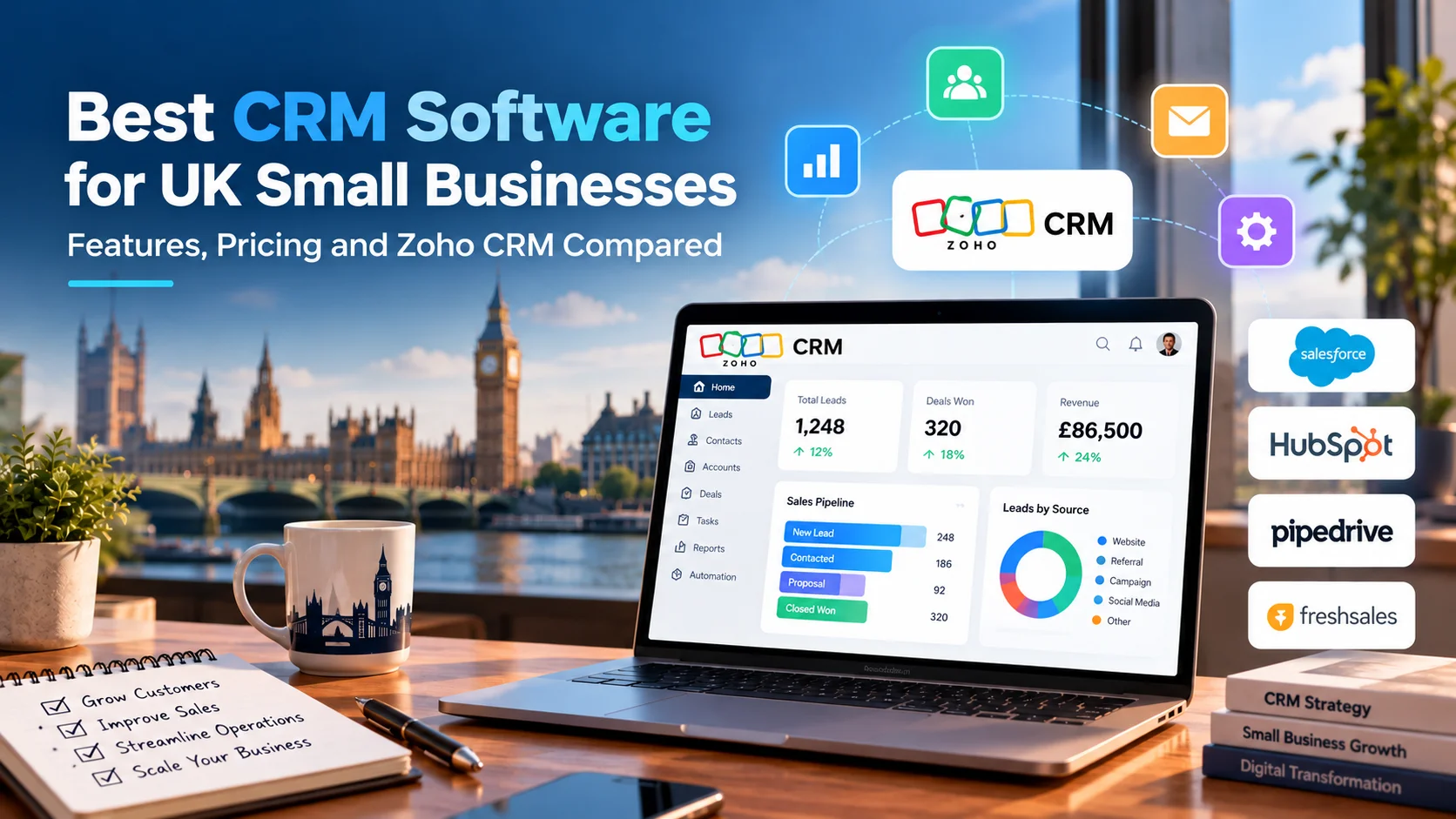
This guide compares the platforms small teams actually shortlist in 2026, using Zoho CRM as the reference point because it pairs a low entry price with real depth. You will get a ten-user cost model built from published list prices, a plain look at where Zoho falls short, a pick-by-situation table, a 30-day rollout plan, and the extra checks that apply if you sell into the UK. Teams whose process is too unusual for any packaged tool sometimes turn to custom software development instead, but for most small businesses the right answer is one of the products below.
Quick Answer
For most small businesses with 3 to 25 users, Zoho CRM is the best-value CRM software: plans run from free (up to 3 users) to $52 per user per month, with workflow automation, AI assistance, and deep customization at prices that undercut HubSpot and Salesforce. HubSpot wins for marketing-led teams and free starts, Pipedrive for simple deal tracking, and Salesforce for teams planning to scale into enterprise territory. The global CRM market is projected to reach $126.17 billion in 2026, according to Fortune Business Insights, so every vendor is investing heavily. Packaging and pricing, not features, now separate them. For UK-based teams, or US companies selling into Britain, the same shortlist holds, with data residency and UK GDPR added to the checklist.
What a CRM has to do for a small business in 2026
A CRM is the system of record for every customer conversation: who the lead is, where the deal stands, what was promised, and what happens next. For a small business the job is narrower than vendor marketing suggests. You need contact and company records, a visible pipeline, tasks tied to deals, email and calendar sync, basic reporting, and automation for the follow-ups people forget. Everything beyond that is a bonus you pay for.
Small businesses are the buyers vendors chase hardest. The SBA Office of Advocacy counts more than 36 million of them in the United States, employing nearly half of all private sector workers.
That competition shows up in pricing. Entry-level CRM plans average about $25.87 per user per month, according to Capterra’s 2026 CRM pricing review, while Zoho CRM’s first paid tier costs $14. That gap is the reason Zoho appears on nearly every small business shortlist, and the reason it deserves a closer look than a one-line verdict. UK small businesses see a similar spread in pounds.
How this comparison was researched
Research date: October 23, 2026. Prices come from HubSpot’s own pricing guide, Capterra, and independent pricing trackers, cross-checked where sources agreed. Features come from vendor documentation and published reviews. This guide rests on that published material, not on hands-on testing of every product, and vendor prices change often, so confirm each figure on the vendor’s pricing page. Ten-user totals are simple arithmetic: seats times the annual-billing price times 12, before tax, add-ons, and onboarding fees.
Five tests that matter more than any ranking
Every best-CRM list reaches a different winner, because every list weighs something different. Skip the ranking and run these five tests against your own team instead.
1. Year-three cost
Price the plan you will need in 24 months, not the one you need today. Per-seat pricing punishes growth, and automation, reporting, and AI usually sit one tier above the entry plan.
2. Time to a useful pipeline
A non-technical owner should be able to build stages, import contacts, and log a deal in an afternoon. If setup needs a consultant before the first deal moves, the tool is over-built for you.
3. Integration fit
List the tools that already run your business: email, calendar, accounting, billing, ecommerce, phone. Confirm each connection is native or marketplace-supported and works in both directions, not as a one-way export.
4. Automation ceiling
Today you need one follow-up reminder. Next year you may need approval steps, lead scoring, and handoffs between sales and delivery. Find the exact tier where each vendor starts charging for that.
5. Exit cost
Check data export options, contract terms, and what happens to your records if you cancel. A CRM you cannot leave cleanly is a long-term bill, whatever the monthly price says.
A platform that passes all five tests but gets ignored by your team still fails. Adoption is the sixth test, and the rollout plan later in this guide is built around it.
Zoho CRM: what you get at each price point
Zoho CRM is the most common value pick in 2026 comparisons, and the packaging explains why. There is a free edition for up to three users, then four paid tiers billed per user: Standard at $14, Professional at $23, Enterprise at $40, and Ultimate at $52 per month on annual billing. Monthly billing costs more, at $20, $35, $50, and $65 for the same four tiers, as laid out in Zeeg’s 2026 Zoho pricing breakdown.
In practical terms, Standard already includes workflow automation and lead scoring, which many competitors hold back for mid-priced plans. Professional adds analytics connections and the features growing teams ask for next. Enterprise is where process control, AI assistance, and deeper customization concentrate, so confirm exactly which features you need before assuming a lower tier covers them. Ultimate bundles advanced analytics for teams that live in dashboards.
Two other Zoho products matter for small teams. Bigin, Zoho’s simplified CRM for micro-businesses, starts at $7 per user per month. CRM Plus, at about $57 per user per month, bundles CRM with support, marketing, and analytics apps for teams that want one vendor across all customer-facing work. Across reviews, the strengths stay consistent: low cost per feature, flexible custom fields and modules, and an ecosystem that lets you add support, email campaigns, and accounting tools without switching vendors. UK customers can now choose a UK data region too, which matters for regulated work.
Where Zoho CRM falls short
- The interface is denser than Pipedrive’s, so expect a longer first week.
- The jump from Professional to Enterprise changes what the product can do, so a team that outgrows Professional should budget for the upgrade early.
- Zoho One, the company-wide bundle, requires a license for every employee, not just CRM users. It only saves money if most of your staff would use the suite.
- Support is standard at the lower tiers, and priority support starts higher up.
- The free edition caps at three users, so it works as a trial run, not a long-term home for a growing team.
What CRM software really costs for a 10-person team
Small business CRM pricing is quoted per seat, which makes every platform look cheap. The annual number for a real team tells a different story. The table below multiplies published 2026 list prices, billed annually, by ten users, before add-ons, onboarding fees, and tax. Treat it as a map of where each vendor sits, since promotions and regional pricing shift the exact figures. UK buyers should expect pound pricing that does not convert one-to-one from these dollar figures.
| Plan | Per user per month | 10 users per year | What to watch |
|---|---|---|---|
| Zoho CRM Standard | $14 | $1,680 | Workflows and lead scoring included; fewer customization options |
| Zoho CRM Professional | $23 | $2,760 | Analytics connections; the usual step for growing teams |
| Zoho CRM Enterprise | $40 | $4,800 | Deeper process control and AI; priority support |
| HubSpot Sales Hub Starter | $9 | $1,080 | $15 on monthly billing; promotions vary, and the next tier is a steep jump |
| HubSpot Sales Hub Professional | $90 | $10,800 | Sequences, workflows and forecasting; mandatory $1,500 onboarding fee ($100 on monthly billing) |
| Salesforce Starter Suite | $25 | $3,000 | Built for small teams; reportedly limited to 10 users |
| Salesforce Pro Suite | $100 | $12,000 | Workflow automation and forecasting sit at this tier |
| Pipedrive Essential | $14 | $1,680 | Clean pipeline view; higher tiers add automation at steeper prices |
Freshsales sits lower still, with its Growth plan at about $9 per user per month, or roughly $1,080 a year for ten users. Confirm every figure on the vendor’s own pricing page before you commit. For a plan-by-plan view of one vendor, see our guide to Zoho CRM pricing plans.
Costs the sticker price leaves out
- Onboarding and setup: HubSpot lists mandatory one-time fees of $1,500 for Sales Hub Professional and $3,500 for Enterprise, and someone on your team must still clean data and build stages
- Contact-based charges: HubSpot pricing can rise with contact counts as well as seats
- AI usage: HubSpot meters some AI features through credits, and Salesforce sells its Agentforce layer as a separate per-user add-on
- Light-user licenses: Zoho’s Team User add-on runs about $9 per person per month on annual billing
- Suite lock-in: bundles like Zoho One price every employee, whether or not they touch the CRM
The gap widens with headcount. At 25 users on annual billing, Zoho Professional comes to $6,900 a year and Zoho Enterprise to $12,000, while HubSpot Sales Hub Professional reaches $27,000 and Salesforce Pro Suite $30,000, before onboarding fees.
The practical rule is to calculate year-three cost at your projected headcount, on the tier that includes the automation you need. That number, not the entry price, is the one to compare.
Zoho CRM vs HubSpot vs Salesforce vs Pipedrive vs Freshsales
This CRM comparison puts five platforms side by side, judged on what a small team feels in its first six months rather than on feature counts.
| Criterion | Zoho CRM | HubSpot | Salesforce | Pipedrive | Freshsales |
|---|---|---|---|---|---|
| Best for | Value and customization | Marketing-led teams | Planned fast growth | Simple deal tracking | Phone-heavy sales on a budget |
| Free option | Free for 3 users | Free CRM with limits | Trial only | Trial only | Free for 3 users |
| Setup effort | Moderate | Low to moderate | Moderate to high | Low | Low |
| Customization | Deep | Good, gated by tier | Deepest | Moderate | Moderate |
| Pricing watch-out | Enterprise jump, add-ons | Contacts, credits, onboarding | Pro Suite jump, AI add-ons | Pricier upper tiers | Advanced features sit higher |
Zoho vs HubSpot: HubSpot is easier to start and stronger when marketing drives your pipeline, and its free CRM is generous enough to run a tiny team. Zoho costs less as you add seats and bends further around an unusual sales process. If growth comes from content and inbound leads, pick HubSpot. If it comes from outbound work and referrals, Zoho usually delivers more per dollar. The same logic holds for a small UK agency or a US firm with a London office.
Zoho vs Salesforce, Pipedrive, and Freshsales: Salesforce has the deepest ecosystem and the clearest growth path, but its automation and forecasting live in the $100 Pro Suite tier, while Zoho Enterprise at $40 covers much of the same ground. Pipedrive wins on pipeline clarity and Freshsales on built-in calling, but neither matches Zoho’s breadth.
When Zoho CRM is the wrong choice
Recommending one vendor for every team would turn this guide into a brochure. Four situations point somewhere else.
A one or two person team that wants to log deals in ten minutes a week. Pipedrive or a simple pipeline tool will feel lighter, and Zoho’s extra depth becomes clutter you scroll past.
A business whose growth engine is content marketing. HubSpot keeps blog traffic, forms, email, and deals in one data set, which removes integration work that Zoho would need a separate marketing app or connector to replace.
A company already tied to Salesforce or Microsoft. If your partners, reporting, or finance team live in another ecosystem, switching costs can outweigh the price gap.
A team with nobody willing to own configuration. Zoho rewards the person who sets it up carefully and punishes the team that clicks through the defaults. If no one will own it, choose the simpler tool and accept the lower ceiling.
AI in CRM software: what is real and what is packaging
Every vendor now leads with AI. The useful parts are narrow and practical: lead and deal scoring, call and email summaries, drafted follow-ups, and data cleanup suggestions. Zoho’s assistant is called Zia, HubSpot meters some AI actions through monthly credits, and Salesforce sells its Agentforce layer as an add-on near $125 per user, or bundled into a top tier around $550 per user, according to Dupple’s 2026 CRM roundup. We could not confirm those figures on Salesforce’s own pages, so check them before budgeting.
Gartner expects AI-influenced software to account for 8.5 percent of CRM spending by 2027, with 60 percent of that tied to generative AI, per its CRM forecast analysis. That tells you the category is early, not settled. Three rules keep you out of trouble. Test AI features on your own messy data, not the demo account. Price the credits and add-ons before the trial ends. Remember that scoring is only as good as the sales history behind it. Teams with years of deal data sometimes build custom scoring on top of their CRM, and that is where AI and machine learning development earns its cost, but a five-person team should start with the built-in tools.
Which CRM fits which small business
Use this table as a starting point, then check the result against the five tests above.
| If this sounds like you | Start with | Why |
|---|---|---|
| Solo owner or 1 to 3 people, tight budget | Zoho free edition, Bigin, or HubSpot free CRM | Zero or very low cost with a clear upgrade path |
| Sales team of 3 to 25 with a custom process | Zoho CRM Professional or Enterprise | Customization depth at a lower cost per seat |
| Growth driven by content and inbound leads | HubSpot | Marketing tools and CRM share one data set |
| Simple outbound deal flow, little admin time | Pipedrive | Visual pipeline and fast setup |
| Phone-heavy inside sales on a budget | Freshsales | Built-in calling and low-cost AI scoring |
| Fast growth expected, enterprise needs later | Salesforce Starter or Pro Suite | Longest growth path, at a higher cost |
| Support, marketing, and sales in one place | Zoho CRM Plus | One vendor across customer-facing work |
If two rows fit, choose the one with the lower year-three cost and run a two-week pilot with two real reps before signing anything annual.
Seven questions to ask any CRM vendor before you sign
Put these in writing and keep the replies, since they protect you from surprises at renewal.
- Tier fit: Which plan includes the automation, reporting, and AI features I will need in year two?
- Growth pricing: What do I pay at 25 users, or at double my current contact count?
- Hidden fees: Are there onboarding, support, or storage charges that the pricing page does not show?
- Exit path: How do I export all my data, and in what format, if I leave?
- Data location: Where is my data stored, and can I choose the region?
- Integrations: Which of my current tools sync natively, and in which direction?
- Renewal terms: What happens to my price at the end of the first contract year?
Integrations: where CRM projects quietly break
A CRM that does not talk to your email, calendar, and accounting software becomes a second spreadsheet. Before you buy, write down the five tools your team touches daily and test each connection with a real record. Zoho CRM connects with Google Workspace, Microsoft 365, QuickBooks, Xero, and Shopify through native integrations or marketplace extensions, but verify sync direction and field coverage on the marketplace page, because a one-way sync creates more cleanup than no sync at all. UK teams should add Xero to that test list, since it is widely used for VAT-ready bookkeeping.
Four checks to run during any trial
- Contacts and deals sync in both directions with your email and calendar
- Emails log to the right record without manual BCC addresses
- Invoice and payment status appear on the deal itself
- Web form submissions land in the pipeline with their traffic source attached
Cut any vendor that fails two of the four.
Not sure which CRM fits your sales process?
Elsner can review your pipeline, integrations, and budget, then tell you which platform to start with and which to skip.
A 30-day CRM rollout that people actually follow
Most CRM failures are adoption failures. The software works, the team stops updating it, and within a quarter the data is stale. A short, structured rollout protects against that.
Week 1: Define the pipeline
Write down your real sales stages, the three fields every deal must have, and one owner for the system. Clean your contact list before importing it.
Week 2: Build the minimum
Create the pipeline, turn on email sync, and automate only three things: new-lead assignment, follow-up reminders, and stale-deal alerts.
Week 3: Pilot with two people
Import data, connect accounting and web forms, and have two reps run real deals. Fix every friction point they report.
Week 4: Cut over
Train the full team in one hour, retire the spreadsheet on a fixed date, and review dashboard usage two weeks later.
Measure the rollout by behavior, not logins. After 30 days, check three numbers: the share of open deals with a next step scheduled, the share of new leads contacted within one business day, and the number of deals still tracked outside the CRM. If the first two climb and the third reaches zero, the system is working.
Mistakes worth avoiding
- Building 20 automations before anyone has logged a deal. Start with three.
- Importing every old contact. Dead data hides live deals.
- Keeping the spreadsheet open as a fallback. A parallel system guarantees the CRM loses.
- Skipping an owner. Without one accountable person, fields drift and reports lose credibility.
Not every small business has an in-house admin. Teams without one often bring in a dedicated engineering team to handle migration and integrations while internal staff stay focused on selling.
CRM for small business UK: what changes when your customers are in Britain
If you are comparing the best CRM software UK teams rely on, or you are an American company selling into Britain, four checks matter that rarely show up in US reviews.
Data protection comes first. Anyone processing the personal data of UK residents works under UK GDPR and the Data Protection Act 2018, enforced by the Information Commissioner’s Office. Electronic marketing falls under a separate law, PECR. Its strict consent rules apply mainly to individual subscribers such as sole traders and some partnerships, while limited companies can generally be emailed without prior consent if the sender is identifiable and an opt-out is offered, as this summary of ICO guidance explains. What applies depends on who you contact and how, so have counsel review your outreach plan, and make sure your CRM can record consent and opt-out status.
Data residency is the second check. Zoho already ran European data centers in Amsterdam and Dublin, and its own data center documentation now lists a UK region. Zoho reports 43 percent growth in the UK and calls it its third largest market globally, according to Data Centre Review. A UK data center supports residency requirements, but it does not make a business compliant by itself.
Pricing and currency are the third check. HubSpot and Salesforce list UK prices in pounds, which removes exchange-rate swings from a budget. One 2025 comparison for UK B2B teams of 10 to 50 staff put Salesforce Starter Suite at £20 per user per month and HubSpot Starter at £16, according to Compare the Cloud. Treat those as directional and confirm current rates.
Accounting and transfers are the fourth. UK teams commonly run Xero or QuickBooks with VAT reporting, so test invoice and payment sync before committing. And if your vendor stores UK personal data in the United States, you need a lawful transfer mechanism. The UK-US data bridge is one route for certified companies, and counsel can confirm whether it applies to your vendor.
Key takeaways
- Zoho CRM offers the strongest value for 3 to 25 users, from a free edition to $52 per user per month on annual billing.
- Compare year-three cost at your projected headcount, not the entry price. A 10-user team pays $1,680 to $4,800 a year on Zoho and $10,800 to $12,000 on HubSpot Professional or Salesforce Pro Suite.
- HubSpot suits marketing-led teams, Pipedrive suits simple deal tracking, Freshsales suits calling-heavy teams, and Salesforce suits planned scale.
- Test AI features and integrations on your own data during the trial, and price AI credits and add-ons before you commit.
- Adoption decides success. Automate three things first, pilot with two reps, and retire the spreadsheet on a fixed date.
- Selling into Britain adds UK GDPR, PECR marketing rules, data residency, and VAT sync to the checklist.
Frequently Asked Questions
What is the best CRM software for small businesses?
It depends on your team. Zoho CRM balances price and depth well for 3 to 25 users, HubSpot suits marketing-led teams, Pipedrive suits simple deal tracking, and Salesforce suits planned growth.
Is Zoho CRM good for small businesses?
Yes. It offers a free edition for up to three users, paid plans from $14 per user per month, workflow automation, and strong customization. The trade-offs are a denser interface and a meaningful capability jump between Professional and Enterprise.
How much does Zoho CRM cost?
On annual billing, Standard costs $14, Professional $23, Enterprise $40, and Ultimate $52 per user per month. Monthly billing raises those to $20, $35, $50, and $65. Add-ons and bundles such as CRM Plus cost extra.
Is there a free CRM that works for a small team?
Yes. HubSpot offers a free CRM with usage limits, and Zoho and Freshsales both offer free editions for up to three users. Free plans work well for solo owners but usually lack the automation a growing team needs.
Which is better for a small business, Zoho CRM or HubSpot?
HubSpot is better when marketing and inbound leads drive growth and you want an easy start. Zoho is better when you want deeper customization and a lower cost per seat as the team grows.
What is the best CRM software in the UK?
The same shortlist applies, with extra checks: UK GDPR and PECR checks, consent tracking, GBP pricing, Xero or QuickBooks sync, and data residency. Zoho’s UK data center and GBP-priced options from HubSpot and Salesforce are worth testing.
How long does a CRM implementation take?
A small team can be live in about 30 days with a defined pipeline, three starter automations, and a two-person pilot. Heavy customization, large data migrations, or many integrations extend that timeline.
The bottom line
The best CRM software is the one your team still updates in month six, at a price that still makes sense in year three. Price the real cost, test integrations on real records, start with three automations, and let a two-week pilot make the final call.
Ready to choose and set up your CRM?
Elsner helps growing businesses select, configure, and integrate CRM platforms around how their teams actually sell. Let’s talk through what your setup should look like.