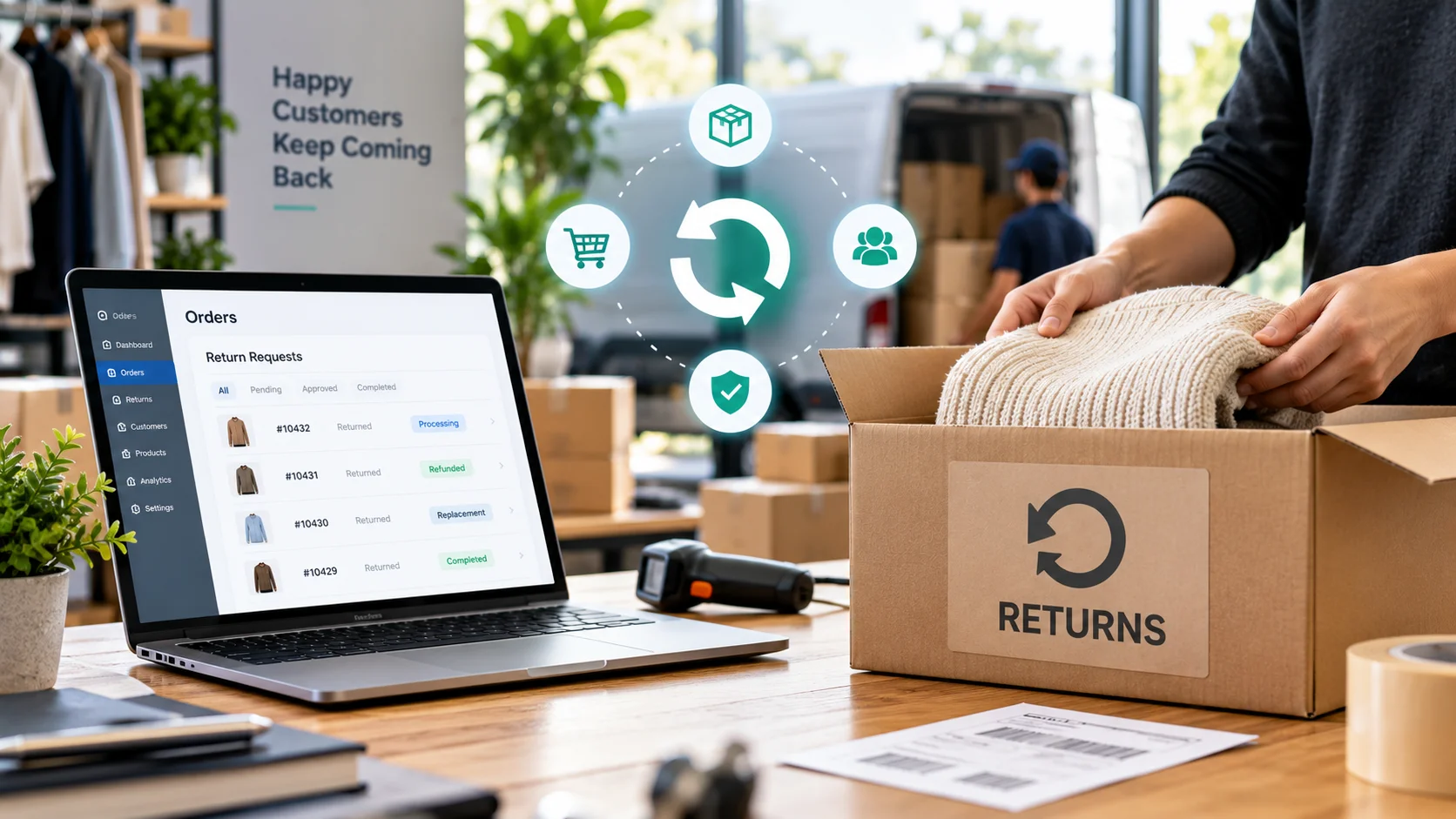
- Why Ecommerce Automation Is Essential for Modern Online Stores
- Speed
- Accuracy
- Time saved
- Room for real work
- Marketing Automation vs Operational Automation
- Top Ecommerce Automation Strategies You Must Implement
- Automated Inventory Management
- Automated Order Processing and Notifications
- Marketing Automation: The Flows That Actually Drive Revenue
- This week
- This month
- This quarter
- Once the basics hum
- Personalized Recommendations and AI Tools
- Beyond Email: SMS, Push, and WhatsApp Used Right
- SMS works well for
- Push and WhatsApp work well for
- The 2026 Shift: AI and Agentic Automation
- Predictive triggers
- Agentic campaigns
- Zero-party data
- AI support in the loop
- Best Ecommerce Automation Tools by Platform
- The Mistakes That Quietly Cost You Revenue
- Discounting on reflex
- Flow-and-forget
- Recommending what you can’t sell
- Treating open rates as truth
- How Automation Increases Revenue and Saves Time
- Measuring What Actually Matters
- When to Bring in a Developer
- Ready to Automate Your Store?
- Conclusion
- Frequently Asked Questions
- What e-commerce automation strategies should I implement first?
- How much does e-commerce automation cost?
- Does automation make a store feel impersonal?
- Can I set this up without technical skills?
- How long before I see results?
- How is AI changing e-commerce automation in 2026?
Quick answer: Ecommerce automation works best in two layers: operational automation that runs orders, stock, and deliveries with minimal involvement, and marketing automation that turns visitors into repeat buyers. Start with order processing, inventory sync, abandoned cart recovery, and a welcome series. Layer in AI-driven personalization, SMS and WhatsApp, and predictive triggers once the basics are solid. Done right, automation typically delivers 30 to 40% time savings and 15 to 25% revenue increases within six months.
Operating an online store without being fully aware of it is a big task and can feel defeating. Many e-commerce operators are stuck handling daily chores and repetitive tasks while not focusing on business growth.
This is the sad reality: manual operations limit your income to whatever one person, or a small team, can do physically in a day. Automation changes it all. It’s not just a futuristic concept now. Small stores are using it, and growing brands can’t survive without it.
This guide touches on automation at two key layers. One is operational automation that allows you to handle orders, control stock levels, and carry out deliveries with very minimal involvement. We also have marketing automation, the tool used to convert casual site visitors into buyers and loyal repeat customers. The proper combination of the two, when done well, will be able to save lots of time, eliminate errors, and more or less become a silent partner in your business, adding more sales.
Why Ecommerce Automation Is Essential for Modern Online Stores
Customer expectations have changed. Shoppers want instant confirmations, real-time tracking, and recommendations that actually feel relevant. Meeting all of that manually is nearly impossible. Automation handles what humans struggle with: consistency at scale.
|
1
SpeedWhat used to take three hours, updating inventory, processing orders, sending confirmations, now happens in minutes. Customers notice, and they come back because of it. |
2
AccuracyAutomated processes don’t oversell products because a count was wrong, and they don’t send an order to the wrong address because someone was rushing through data entry. The system doesn’t make typos. |
3
Time savedOrder processing speeds up by 80 to 90%. Customer service response times drop from hours to minutes. Marketing campaigns run around the clock without supervision. Inventory stays accurate across every sales channel automatically. |
4
Room for real workWhen the routine stuff runs itself, teams shift into strategy, product development, and relationship building instead of copy-pasting and data entry. That breathing room is where the next growth idea usually comes from. |
Marketing Automation vs Operational Automation
Before diving into specific strategies, it helps to separate the two categories, because they solve different problems, and both matter.
Marketing automation mainly focuses on lead generation and sales. For example, it could be the first-time customer welcome series, cart reminders, recommending products based on a customer’s actions, and even sending the right messages via email, SMS, and push notifications at the right time for different segments of your audience.
Operational automation works in the back office to reduce time spent on routine tasks. For instance, these are order confirmation emails, tracking updates, stock shortage notifications, return management, and updating your CRM system by syncing data from other systems.
The two overlap constantly. Operational automation feeds the clean, real-time data that marketing automation depends on to send the right message at the right moment. If your customer and inventory data is scattered or stale, even the best-built flow ends up firing the wrong message at the wrong person. Get the data foundation right first.
Top Ecommerce Automation Strategies You Must Implement
Not all automation delivers equal value. Some strategies transform operations almost overnight. Others provide marginal gains. The smart move is to focus on the highest impact areas first, then expand.
Automated Inventory Management
Inventory problems cost money in both directions. Overselling damages reputation and trust. Stockouts lose sales outright. Manual tracking creates problems constantly, and these are among the most common e-commerce mistakes that developers help online stores avoid.
Modern inventory automation fixes this. Stock levels update in real time across every sales channel. Sell a product on Amazon, and the website inventory drops instantly. Someone buys on the website, and the eBay listing updates automatically.
This synchronization prevents overselling on its own. The advanced systems go one step further by tracking the velocity of sales. Based on this, they can forecast products’ end dates and initiate reorder alerts even before there is an actual stockout.
Automated Order Processing and Notifications
The moment a customer clicks “Buy,” a chain reaction should start on its own: payment verification, order confirmation, warehouse notification, invoice generation, shipping label creation. Doing this manually for every order is the definition of busywork.
When a customer presses “Buy,” the rest should automatically happen: verification of payment, order confirmation, warehouse notification, invoice generation, and shipping label creation. To perform each of these manually for every order is the meaning of busywork.
What used to be a 10-to 15-minute manual task has been totally automated. Now it’s all done in less than 1 minute. Your customers will receive an automatic confirmation when they place an order, and they will no longer wonder if their order has gone through. With every status update, the customer is reassured that the order is on its way, and it also silently reduces the number of inquiries about the order status.
Marketing Automation: The Flows That Actually Drive Revenue
Most stores have at least a basic marketing automation enabled: a welcome email, a cart reminder. Still, most of them just leave the bulk of the money behind since they create only those few workflows everyone is doing, activate them once, and then basically ignore them forever. Set-and-forget gives a false sense of being a success. In reality, it silently limits the income potential instead of driving it.
Build in this order, and get each tier working before moving to the next.
|
1
This weekAbandoned cart recovery and a welcome series. These capture demand you’ve already earned, and they pay back faster than anything else you can switch on. |
2
This monthPost-purchase sequences and browse abandonment. Now you’re growing each order and catching shoppers who showed interest but stalled. |
3
This quarterWin-back flows and real segmentation by recency, frequency, and spend. This is where retention starts compounding instead of leaking. |
4
Once the basics humCross-channel orchestration and predictive, AI-driven triggers. Powerful, but pointless if the earlier tiers are still shaky. |
Welcome series. A new subscriber is never more interested than in the first few days. One email wastes that window. Three to five messages do the real work: introduce the brand, show your best products with proof, then offer a first purchase nudge with a deadline. This flow earns more revenue per contact than almost any other, so it’s worth obsessing over.
Abandoned cart recovery. Roughly 70% of shoppers add products to a cart and leave without buying, so this flow alone can move your numbers.
Resist discounting in that first email. Plenty of shoppers come back without one, and training them to wait for a coupon erodes margin fast. Stores that get this flow right typically recover 10 to 15% of abandoned carts. For a business doing $50,000 a month with 70% cart abandonment, that’s potentially $3,500 to $5,250 in recovered revenue every month from one automated flow.
Browse abandonment. When someone views a product two or three times and never adds it, something’s holding them back. A short flow showing that the item has reviews, shipping details, and your return policy answers the silent objection. Keep it light, one email, sometimes two.
The post-purchase journey. Sales are usually the easiest part; the post-purchase part is where the relationship building is mainly done. A good customer journey after purchase includes order confirmation and timing a review request so that it happens only after the product arrives. It might recommend accessories or related products and check the customer’s overall satisfaction before a negative review appears publicly. This is really the only place where one-time customers can be transformed into repeat customers with minimum effort.
Win-back flows. People drift. Assume a skin-care brand knows that its customers reorder a serum about once every 50 days. On day 65, and having not bought again, a churn signal fires and a silent series of touchpoints are triggered: a reminder email, a softer nudge on an alternate channel, a tiny offer if still no buy.
Personalized Recommendations and AI Tools
Product recommendations are revenue drivers. The right suggestion at the right moment can double the average order value. AI-powered automation makes this possible at scale: these systems watch how customers browse, analyze purchase patterns, and identify relationships between products that humans might miss.
Someone looking at running shoes is shown relevant socks, insoles, and performance gear automatically. Stores using smart recommendation engines see 10 to 30% increases in average order value, which is pure profit from products customers already wanted.
Beyond Email: SMS, Push, and WhatsApp Used Right
Email carries most of the load, but it isn’t the only channel worth automating. The trick is restraint. These channels reward usefulness and punish noise faster than email ever does.
SMS earns roughly $71 for every $1 spent on average, with most messages read within minutes. The catch is that this only holds while you stay welcome. One or two messages a week keep opt-in rates healthy. Daily texts drive unsubscribes faster than anything else.
SMS works well forOrder and delivery confirmations shoppers actually want Abandoned cart nudges with high read rates VIP-only deals that make loyalty feel real Back-in-stock alerts on items they wanted |
Push and WhatsApp work well forFlash sales with a tight deadline Price drops on products someone viewed Shipping status without a support ticket Conversational reorders and quick questions |
A simple rule keeps you out of trouble: cap total messages per customer per week across all channels, not per channel. Shoppers don’t see your channels as separate. They just feel pestered, or they don’t.
The 2026 Shift: AI and Agentic Automation
This is where automation genuinely looks different from what it did even a year ago. For a decade, automation meant rules you wrote yourself: if this happens, then do that. Now, the platform reasons. They predict, decide, and increasingly run whole flows with light supervision. Roughly 84% of e-commerce businesses say they’re prioritizing AI, so this stops being optional fast.
Predictive triggersForecast next-order timing, churn risk, and lifetime value per customer, then fire before you’d think to. |
Agentic campaignsDraft, segment, and optimize sends on their own. In 2026, this moved from a perk to a baseline feature. |
Zero-party dataRefers to the data that a customer offers you directly. With stricter privacy regulations, it will play the biggest role in making personalization not only highly accurate but also in full compliance with privacy. |
AI support in the loopResolves a large share of routine questions instantly, and those conversations feed cleaner data back into your flows. |
One grounded warning: AI amplifies whatever you feed it. Point it at messy data, and it personalizes the wrong thing at scale. The brands pulling ahead pair smart tools with disciplined AI personalization strategies, not just a bigger feature list.
Best Ecommerce Automation Tools by Platform
Knowing what to automate matters. Knowing how to automate it matters more. The good news is that tools exist for every platform, every budget, and every skill level, and the best one is whichever your team actually uses and that reads your product data well.
WooCommerce stores run on a strong plugin ecosystem: WooCommerce Subscriptions handles recurring billing automatically. AutomateWoo builds sophisticated marketing workflows. ATUM manages inventory with precision. WooCommerce store commonly pair with ActiveCampaign or Mailchimp for marketing, which fit the WordPress ecosystem and stay friendlier on a budget.
Shopify merchants have a packed app store to draw on: Oberlo automates dropshipping workflows. Klaviyo handles email marketing automation like a pro. ShipStation manages multi-carrier shipping without breaking a sweat. Shopify also pairs well with Omnisend, which offers deep native sync and predictive analytics and scales nicely for DTC brands.
Magento and Adobe Commerce setups tend to reach for Dotdigital or Adobe Campaign, built for complex catalogs and enterprise workflows. BigCommerce stores often pair with Drip or Klaviyo for good multi-channel sync and room to grow.
Four things to think about before analyzing logos: make sure each tool plugs seamlessly into your store and CRM, how deep the segmentation really is, if the workflow builder is for a non-developer to use easily, and if the reporting gives you all the revenue-related answers at a glance. And a pitfall to avoid: don’t buy channel breadth without the channel depth you’ve earned. Have the first two channels (say, email & one other) work at a high level first.
The best tools also don’t work in isolation. They connect with each other, creating workflows that span multiple systems but feel like one, and that level of integration is often what separates a good store from a great one.
The Mistakes That Quietly Cost You Revenue
None of these will crash your store. They just leak money slowly while everything looks fine on the surface, which is exactly what makes them dangerous.
Discounting on reflex
Slapping a coupon on every cart email trains shoppers to wait for one. Save discounts for win-backs and final-step recovery, and protect your margin everywhere else.
Flow-and-forget
Switching a flow on and never revisiting it is the most common mistake of all. The first real wins usually come from fixing timing and product blocks in flows you already have, not from building new ones.
Recommending what you can’t sell
Flows that push out-of-stock or thin-margin items waste sends and frustrate buyers. Connect your inventory and margin data so the system suppresses what it shouldn’t be promoting.
Treating open rates as truth
Privacy protections now inflate and distort open rates. Judge flows by clicks and revenue instead, or you’ll optimize toward a number that no longer means much.
How Automation Increases Revenue and Saves Time
Time savings are obvious and immediate. The revenue impact is where things get genuinely interesting.
Speed creates loyalty. Orders that ship same-day or next-day create standout customer experiences, and those experiences create repeat customers. Repeat customers spend 67% more than new ones, cost less to serve, refer friends more often, and forgive occasional mistakes more readily. That makes fast, automated fulfillment a compounding asset, not just a convenience.
Conversion improves on its own. When automation removes friction, real-time inventory prevents frustration, smart recommendations guide decisions, and abandoned cart emails recover lost sales. Each improvement looks small individually. Together they create a compound effect.
The time-money exchange is real. Consider a mid-sized store processing 100 orders a day. Manual processing at roughly 10 minutes per order eats up 16 to 17 hours of pure processing work daily. Automation cuts that to seconds per order, freeing up 15-plus hours to spend on growth instead of data entry.
Professional implementation of these systems typically shows 30 to 40% time savings and 15 to 25% revenue increases within six months. But automated systems still need upkeep. Comprehensive e-commerce website maintenance keeps workflows running smoothly and securely, so maintenance doesn’t turn automation into a liability instead of an asset.
Measuring What Actually Matters
Plenty of teams track activity instead of results: sends, opens, list size. Useful context, but none of it pays the bills. Build your reporting around revenue first, engagement second, list health third.
Two habits separate serious programs from busy ones. First, split your reporting between flows and campaigns, so you can see which automations are actually carrying their weight. Second, run holdout tests: keep a small slice of your audience out of a flow, compare their purchases against everyone else, and you’ll know what that flow is truly worth instead of guessing.
Results also arrive on different clocks. Cart recovery shows movement within days. A welcome series proves itself within a week. Deeper journey work, like win-back flows or predictive triggers, needs a couple of months of testing before the verdict is fair.
When to Bring in a Developer
A small store can run the basics solo. The case for outside help shows up at the edges.
Complex workflows need custom solutions. Multiple platforms don’t always play nicely together, and making systems talk to each other often requires custom integration work: custom APIs, sophisticated logic flows, and data that stays synchronized across everything.
Multi-store operations scale differently. Automating one store is straightforward. Coordinating five stores while keeping them consistent is an entirely different challenge, one that needs automation ecosystems, centralized control with distributed execution, and rules that adapt automatically to different store requirements.
Growth plateaus despite decent traffic. Sometimes automation exists but isn’t sophisticated enough to move the needle further. That’s the moment to audit existing systems for bottlenecks and implement strategies tailored to the specific situation.
You’ve outgrown basic plugin capability. Unique checkout flows, specialized fulfillment workflows, B2B-specific functionality, and integration with proprietary systems all require custom code rather than off-the-shelf plugins.
Scaling into new markets or product lines is another moment to get the architecture right early, since building it properly the first time beats untangling it later. If any of this sounds familiar, it can pay to hire e-commerce developers who can wire your data, flows, and integrations together cleanly while your team keeps shipping.
Ready to Automate Your Store?
Elsner Technologies helps ecommerce brands wire up inventory sync, order automation, and revenue-driving marketing flows that actually stay maintained. Whether you need one workflow fixed or a full automation build, we’ll scope it around your platform and your data.
Conclusion
Ecommerce automation isn’t a switch you flip and forget. It’s a system you build in order, tune often, and measure honestly, on both the operational side that keeps your store running and the marketing side that keeps it growing.
The stores that win aren’t the ones with the most flows or the most plugins. They’re the ones whose systems are sharp, well-fed with clean data, and actually watched. Start small and start now. Get order processing, inventory sync, cart recovery, and your welcome series right first, then climb from there. The competitors already running this quietly, compound their lead every month you wait.
Frequently Asked Questions
|
Q
|
What e-commerce automation strategies should I implement first?Start with order confirmation and shipping notification emails, since they’re quick wins that build customer trust. From there, prioritize inventory management and abandoned cart recovery alongside a welcome series. These capture demand and save time fastest. Only after those are solid should you move into segmentation, win-back flows, and predictive AI triggers. |
|
Q
|
How much does e-commerce automation cost?It varies by scope. Entry-level marketing automation platforms start around $20 to $50 a month for small lists, with growing stores often paying $100 to $300. Operational automation, like inventory sync or custom order workflows, depends more on your platform and integration complexity. Weigh the cost against recovered sales and time saved, since well-built automation tends to return many times its spend. |
|
Q
|
Does automation make a store feel impersonal?Not when it’s done well, and often the opposite is true. Automation enables more personalization, not less, since automated systems can deliver tailored recommendations and responsive service at a scale no manual process can match. The difference comes down to using real customer data for genuine personalization instead of generic blasts. |
|
Q
|
Can I set this up without technical skills?Yes, for the basics. Modern platforms use visual, drag-and-drop builders and prebuilt templates for common flows like welcome series, cart recovery, and order notifications. Basic setups take a few hours. Complex, multi-channel journeys, multi-store coordination, or custom integration work usually need a developer. |
|
Q
|
How long before I see results?Cart recovery often shows movement within days, and a welcome series within a week. More complex journeys, like win-back flows or predictive automation, need two to three months of testing to judge fairly. Most stores notice meaningful gains in the first month, then improvement compounds as flows and workflows get tuned. |
|
Q
|
How is AI changing e-commerce automation in 2026?Automation is shifting from fixed rules to systems that predict and decide. Tools now forecast churn, next-order timing, and lifetime value, and newer agentic features draft and optimize campaigns on their own. The catch is that AI only works as well as the data behind it, so clean, consented data matters more than ever. |