- What Odoo rental management actually covers
- Why rental operators are rethinking how they run the back office
- The core building blocks of a rental system in Odoo
- How a rental order actually moves through the system
- Odoo’s native Rental app versus a purpose-built rental suite
- Is this the right fit for your rental business
- The real cost of running rentals on spreadsheets
- Setting up rental management in Odoo 19
- Not sure if your rental business needs the full setup?
- Where this actually gets used: rental industries built on this exact model
- Dashboard metrics that actually tell you something
- Roles, security, and who gets to touch what
- Choosing the right partner to set this up correctly
- Frequently Asked Questions
- What is Odoo rental management?
- Does Odoo have a built-in rental app?
- Do I need a separate module for deposits and late fees in Odoo?
- How much does Odoo rental management software cost?
- Can Odoo handle late fees and damage charges automatically?
- What industries benefit most from Odoo rental management?
- Is Odoo rental management suitable for small rental businesses?
- How long does it take to set up rental management in Odoo?
- The bottom line
- Ready to run your rental business on a system that actually tracks everything?
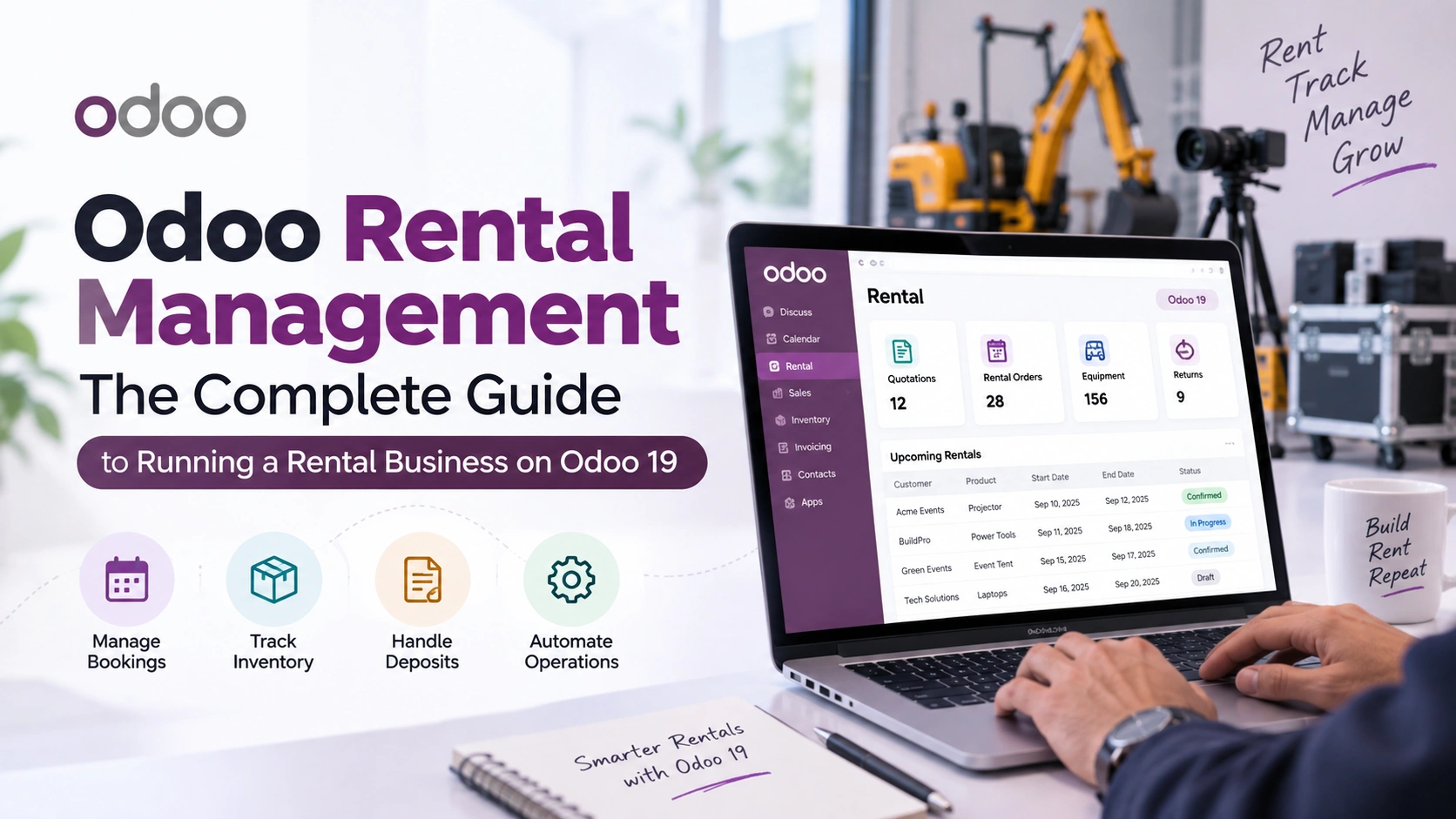
Most rental businesses do not lose money because a piece of equipment breaks down. They lose it in the gaps between systems: a deposit nobody tracked, a late return nobody flagged, an invoice that went out three weeks after the item came back. Odoo rental management exists to close exactly those gaps, and by 2026 it has become one of the more common ways rental operators are replacing spreadsheets, paper contracts, and separate invoicing tools with a single connected system.
This guide walks through what Odoo actually offers for rental operations, both the native Rental app built into Odoo and purpose-built add-ons like Elsner’s Rental Management Suite, and where the two genuinely differ. It also covers setup, dashboard metrics, security roles, and the industries where this kind of system earns its cost back fastest. None of it is theoretical. Every section maps to a real configuration screen or workflow decision a rental operator will face in the first month of using the software.
Honestly, the rental industry has a strange relationship with software. Equipment rental companies run million-dollar fleets on the same spreadsheet they used ten years ago. That’s changing fast, and the reasons why are worth understanding before picking a tool.
Quick Answer
Odoo rental management refers to the tools inside Odoo, both the built-in Rental app and third-party modules, that handle renting out products or equipment: setting rental prices, tracking availability, generating rental orders, collecting deposits, calculating late fees and damage charges, and invoicing customers automatically. Odoo itself now serves over 15 million users worldwide across more than 120 countries, according to Odoo’s own company data, making it one of the most widely deployed business platforms a rental company could build on.
What Odoo rental management actually covers
Odoo ships with a native Rental app as part of its Sales suite. It handles the basics well: marking a product as rentable, setting a per-day, per-week, or per-month price, checking availability against a calendar, and generating a rental order with a start and end date. For a business renting out generic items with low damage risk, that’s often enough on its own.
Where it gets more interesting is everything past that point. Deposits, late fees, damage charges, and a dedicated operations dashboard are not part of the native Rental app’s core logic. That’s the gap third-party modules like Odoo development add-ons are built to fill, and it’s also where the actual complexity of running a rental business tends to live. Anyone who has chased a customer for a late fee manually knows the difference between “we can track rentals” and “we can actually run a rental business” is not small.
It helps to separate three layers that “Odoo rental management” usually gets lumped into: the product layer (what’s rentable, at what rate), the operational layer (orders, pickups, returns, damage), and the financial layer (deposits, invoicing, late fees). A business evaluating Odoo for rental should be honest about which of these three layers is actually causing pain today, because that answer changes what setup makes sense.
Why rental operators are rethinking how they run the back office
Part of this is simple volume. The shift from ownership to rental that the American Rental Association keeps flagging in its quarterly forecasts isn’t a one-year blip. Businesses are choosing to rent equipment instead of buying it because it frees up capital and avoids the cost of maintaining idle assets. That means rental companies themselves are handling more transactions, more customers, and more overlapping schedules than they were five years ago, often with the same back-office headcount.
A spreadsheet handles ten active rentals fine. It starts falling apart somewhere around fifty, especially once deposits and damage charges enter the picture. Someone has to remember which customer still owes a late fee, which unit is overdue for return, and which invoice never got sent because the order was buried three tabs deep. None of that is a technology failure exactly. It’s just what happens when a manual process outgrows the volume it was built for.
There’s also a quieter reason. Rental customers, especially commercial ones, increasingly expect the same digital experience they get from every other vendor: a clear order confirmation, an accurate invoice, a deposit that gets refunded without three follow-up emails. A rental business running on paper contracts and manual invoicing isn’t just slower internally. It reads as less professional to the customer signing the agreement, and that perception shapes whether they come back.
The core building blocks of a rental system in Odoo
Strip away the marketing language and Odoo rental management really comes down to six connected pieces. Some exist in the native Rental app. Others, especially deposits, damage, and dashboards, typically come from a dedicated module built for rental operations specifically.
01. Rentable products
Any product gets flagged as rentable, with a per-day rate, a deposit amount, a late fee per day, and a minimum rental period set directly on the product form. This is the foundation everything else builds on.
02. Rental orders
A customer, a start date, and an end date create an order. Duration and deposit totals compute automatically across every line, so nobody is adding up rental days by hand.
03. Pickup and return workflow
Confirm, pick up, return, close. Each stage moves the order through a defined state, so anyone on the team can see exactly where a rental stands without a phone call.
04. Damage and late fee automation
Returned quantity, damage quantity, and damage charge get logged at return. Late days and their fees calculate from the end date automatically, removing the awkward part of every rental transaction.
05. Invoicing tied to accounting
Invoices generate directly from the rental order and flow into Odoo Accounting, with a live invoice count visible right on the order itself.
06. A live operations dashboard
A dedicated dashboard view surfaces active rentals, overdue returns, and deposit totals at a glance, instead of requiring someone to build a report every Monday morning.
How a rental order actually moves through the system
Reading a feature list doesn’t really show how a rental plays out day to day. Here’s the lifecycle of a single rental order from creation to close, since that’s the sequence that matters when evaluating whether a system actually fits how a business operates.
Order created with customer and rental dates
Deposit auto-computed across order lines
Confirm, then pick up when goods leave
Return wizard logs damage and late days
Invoice, then close the rental
Step four is where most manual systems quietly break down. Calculating a late fee by hand means someone has to remember the per-day rate, count the overdue days correctly, and not forget to apply it before the invoice goes out. In Odoo’s rental modules, that math happens the moment the return is logged. Late fee equals late days multiplied by the product’s configured late fee per day, every time, without anyone doing the arithmetic.
Odoo’s native Rental app versus a purpose-built rental suite
This is the question that actually decides an implementation, and it doesn’t get a straight answer often enough. Odoo’s built-in Rental app is genuinely good at what it does: real-time availability, flexible pricing periods, a customer self-service portal, and recurring rental billing. For a business renting straightforward items with minimal damage risk and no deposit requirement, it can be the whole solution.
| Capability | Native Odoo Rental app | Elsner Rental Management Suite |
|---|---|---|
| Availability and pricing | Yes, real-time calendar and flexible pricing periods | Yes, per-day pricing with minimum rental days |
| Automated deposit tracking | Not built in natively | Yes, auto-computed across every order line |
| Late fee calculation | Manual, no built-in late fee logic | Yes, automatic based on late days |
| Damage charge tracking | Not a native workflow | Yes, recorded directly in the return wizard |
| Dedicated rental dashboard | Standard sales reporting only | Yes, a live OWL dashboard for rental metrics |
| Licensing requirement | Included with Odoo Enterprise | One-time module cost, works on Online, Odoo.sh, or on-premise |
The honest takeaway is that these two aren’t really competitors. The native app handles scheduling and orders well. A dedicated module handles the financial exposure that comes with renting anything valuable enough to require a deposit, which covers most equipment, tool, vehicle, and high-value furniture rental businesses. Many operators end up running both together, using the native app’s calendar and portal alongside a suite that handles deposits and damage.
For businesses still weighing Odoo against a different platform before committing to either, it’s worth reviewing how the two actually stack up rather than taking a vendor’s word for it. A detailed Zoho vs Odoo comparison covers that ground separately for teams still in the evaluation stage.
A mistake worth avoiding
Businesses sometimes assume the native Rental app already handles deposits because it’s part of Odoo’s Sales suite. It doesn’t, at least not automatically. Renting out anything with real damage risk, a generator, a scaffolding set, a wedding tent, without a deposit and late fee mechanism in place is how rental companies end up eating repair costs they were never actually protected against.
Is this the right fit for your rental business
Not every rental operation needs the full setup described here. It depends on what’s actually rented and what’s at stake if it comes back damaged or late.
The real cost of running rentals on spreadsheets
It’s worth being specific about where manual tracking actually costs money, because “it’s inefficient” undersells the problem. Three patterns show up again and again in rental operations that haven’t automated this part of the business.
Deposits that never get followed up on: When deposit tracking lives in a spreadsheet, someone has to remember to check it before refunding a customer or chasing a shortfall. That step gets skipped constantly, usually in the direction that costs the business money.
Late fees that quietly get waived: Not out of generosity, usually. It’s just easier to skip an awkward conversation about a fee nobody calculated correctly than to defend a number pulled from memory. Automated calculation removes the ambiguity that makes that conversation awkward in the first place.
Invoices delayed past the point customers still remember agreeing to them: A rental invoice sent three weeks after return invites a dispute that a same-day invoice never would have. Cash flow suffers in a way that rarely shows up as a single dramatic loss. It shows up as a slow, steady leak that’s hard to see until someone finally reconciles the books.
None of this means a spreadsheet is a bad tool. It just means it’s the wrong tool once a rental business crosses a certain volume, and most operators cross that line well before they notice it happening.
Setting up rental management in Odoo 19
Setup is more straightforward than most business owners expect, provided the product catalog and pricing structure are decided ahead of time.
Phase one: install the rental module from the Apps menu, which pulls in Sales, Inventory, and Accounting as dependencies automatically. Then open each product meant for rent, mark it as rentable, and set the rental price per day, deposit amount, late fee per day, and minimum rental days. This is the part worth spending real time on. Pricing decided in a rush during setup tends to need correcting a month later, once real customer behavior shows what the market actually pays.
Phase two: a new rental order needs a customer, a start date, an end date, and the rented products as order lines. Duration and deposit calculate automatically from there. Confirm the order, then pick up when the customer collects the goods. When the item comes back, the return wizard captures returned quantity, damage quantity, and damage charge in one screen, and late fees compute from the end date without anyone touching a calculator.
Phase three: generate the invoice straight from the order, track it through the smart button, then close the rental once payment clears. The dashboard keeps a running view of active rentals, overdue returns, and deposit exposure, so a manager can check operational health in under a minute instead of pulling a weekly report.
Businesses moving from a different rental system, or from a fully manual process, sometimes need help migrating historical rental data and setting product pricing correctly on day one. That’s usually where working with a certified Odoo developer pays for itself, since a rushed initial setup tends to create cleanup work six months later that costs more than getting it right the first time.
Not sure if your rental business needs the full setup?
Elsner can review how your rentals currently run and tell you honestly whether the native Odoo Rental app is enough, or whether deposits and damage tracking justify the extra module.
Where this actually gets used: rental industries built on this exact model
The features above sound abstract until they’re mapped onto real rental categories. Here’s how the same system plays out differently depending on what’s actually going out the door.
Dashboard metrics that actually tell you something
A dashboard is only as useful as what it surfaces. For rental operations specifically, a handful of numbers matter far more than a generic sales overview would suggest.
Active rentals versus available inventory shows utilization at a glance, which is the number that actually determines whether a fleet is sized correctly. Overdue returns flags exactly which units are late right now, before a customer has to be chased down after the fact. Total deposit exposure tells a manager how much customer money is currently held, which matters for cash flow planning and for knowing what’s owed back the moment items return in good condition. Damage and late fee revenue, tracked separately from base rental income, reveals whether certain product categories are consistently coming back damaged, which is a signal worth acting on rather than absorbing quietly every month.
Frankly, that last metric gets ignored more than any other, and it shouldn’t. A product category that generates damage charges every single time it goes out isn’t a pricing problem to patch with a bigger deposit. It’s usually a signal that the item needs better condition documentation at pickup, or isn’t suited for rental in its current form at all.
Roles, security, and who gets to touch what
Rental data is financial data the moment a deposit gets involved, and it should be treated that way from the start. A properly configured setup separates access into at least two roles: a rental user who can create orders, process pickups, and log returns, and a rental manager who can adjust pricing, approve damage charges, and see the full dashboard.
That separation isn’t bureaucracy for its own sake. It stops a front-desk error from quietly changing a deposit amount on a live order, and it keeps an audit trail on every damage charge that gets applied, which matters the moment a customer disputes one. Businesses running rentals alongside other Odoo modules, particularly those exploring broader Odoo modules for business expansion, should treat rental permissions as part of the same access control review, not a separate afterthought handled later.
Choosing the right partner to set this up correctly
Odoo’s flexibility is also its biggest risk during setup. Because almost everything is configurable, it’s entirely possible to build a rental workflow that technically works but quietly leaves gaps, a late fee formula that doesn’t match the actual contract terms, or a deposit field that isn’t linked correctly to the return process. Those gaps rarely show up during setup. They show up three months later, during a dispute, when it’s harder to fix.
Elsner Technologies has built and supported Odoo apps, including the Rental Management Suite, as a certified Odoo partner with over two decades of enterprise software experience, based out of Ahmedabad and serving rental, equipment, and retail businesses across international markets. Every module purchase includes 90 days of direct bug-fix support, and implementation work can extend into full Odoo implementation for businesses that need product data migrated, staff trained, or the rental workflow customized beyond what the standard module covers.
A good way to judge a partner before committing is to ask how they handle the gaps described above specifically: how deposit disputes get resolved, how late fee logic gets tested before going live, and who is reachable if something breaks after the support window closes. Vague answers to any of those three usually predict a rougher implementation than a confident, specific one does.
Key takeaways
- Odoo’s native Rental app covers scheduling, availability, and basic orders well, but deposits, late fees, and damage tracking are not part of its core logic.
- The U.S. equipment and tool rental industry is projected to reach 83.5 billion dollars in 2026, with event rental growing even faster at 9.5 percent, according to the American Rental Association, a clear sign that rental volume is outpacing what manual systems can safely handle.
- A dedicated rental module earns its cost back fastest for businesses renting high-value equipment, vehicles, tools, or furniture where deposits and damage exposure are real, not for low-value, low-risk rentals.
- Late fees and damage charges that get calculated manually tend to get waived, delayed, or disputed. Automating that calculation removes the ambiguity that causes both problems.
- Role-based access separating rental users from rental managers protects deposit and pricing data from accidental edits, and creates an audit trail for damage disputes.
- Odoo now serves more than 15 million users worldwide, making it a platform rental businesses can build on with confidence that it will still be supported and developed years from now.
Frequently Asked Questions
What is Odoo rental management?
Odoo rental management refers to the set of tools inside Odoo, including the native Rental app and third-party modules, used to run a rental business. It covers marking products as rentable, tracking availability, creating rental orders, collecting deposits, calculating late fees and damage charges, and generating invoices tied to Odoo Accounting.
Does Odoo have a built-in rental app?
Yes. Odoo includes a native Rental app as part of its Sales suite, covering real-time availability tracking, flexible rental pricing periods, order management, and a customer self-service portal. It does not, however, include automated deposit tracking, late fee calculation, or damage charge workflows out of the box.
Do I need a separate module for deposits and late fees in Odoo?
If the business rents equipment, vehicles, tools, or furniture with real damage risk, yes. The native Rental app doesn’t automatically compute deposits or late fees. A dedicated rental management module, such as Elsner’s Rental Management Suite, adds that logic directly onto rental orders and the return process.
How much does Odoo rental management software cost?
Costs vary by approach. The native Rental app comes with an Odoo Enterprise subscription. Third-party modules that add deposit, late fee, and damage tracking, like Elsner’s Rental Management Suite, are typically a one-time purchase per Odoo version, often under 25 dollars, with support included for a set period after purchase.
Can Odoo handle late fees and damage charges automatically?
With a dedicated rental module, yes. Late days and their corresponding fees calculate automatically from the rental’s end date, and damage charges get logged during the return process along with returned and damaged quantities. Without that module, this math has to be done manually on each order.
What industries benefit most from Odoo rental management?
Construction and tool rental, event and party rental, furniture rental, and vehicle or fleet rental businesses see the clearest benefit, since each involves deposits, damage risk, or return timing that’s genuinely difficult to track manually at any meaningful volume.
Is Odoo rental management suitable for small rental businesses?
It depends on volume and risk more than size. A small business renting a handful of low-value items a week may not need the full setup. Once deposits, damage exposure, or more than roughly twenty active rentals enter the picture, the automation tends to pay for itself quickly regardless of overall company size.
How long does it take to set up rental management in Odoo?
Installing a rental module and configuring a handful of products can take under a day. Full setup, including pricing strategy, historical data migration, staff training, and integration with existing inventory, usually takes one to three weeks depending on catalog size and how much customization the business needs.
The bottom line
Odoo rental management isn’t a single feature to switch on. It’s a decision about which layer of a rental business actually needs automation first: scheduling, financial protection, or operational visibility. The native Rental app solves the first one well. Deposits, late fees, and damage tracking need something built specifically for that job. Getting that distinction right before implementation saves a rental business from discovering the gap the hard way, usually during a dispute over a damaged unit nobody had a system to document properly.
As rental volume keeps climbing across construction, events, and equipment categories through 2026 and beyond, the businesses that automate this early aren’t just saving time. They’re protecting revenue that manual tracking was quietly leaking all along. Whatever the right starting point turns out to be, flexible engagement models mean a rental business can start with a scoped setup and expand later, rather than committing to a full-scale project before knowing exactly what the software needs to do for them.
Ready to run your rental business on a system that actually tracks everything?
Elsner builds and supports Odoo rental solutions, from the native app to fully custom deposit and damage workflows, for businesses that are done chasing late fees on a spreadsheet.