- What DevOps automation actually means
- Why DevOps automation looks different in 2026
- The core areas of DevOps automation
- How DevOps automation actually works, step by step
- A quick self-check before you plan anything
- Manual, partially automated, or fully automated: where does your team actually sit
- Benefits of DevOps automation
- Measuring whether your automation is actually working
- Where different tool categories fit
- Common challenges enterprises run into
- Building in-house versus bringing in DevOps automation consulting
- Match your actual bottleneck, then automate that first
- Building a DevOps automation roadmap that actually sticks
- Not sure where your pipeline is actually breaking down?
- Where a technology partner fits into DevOps automation
- Frequently Asked Questions
- What is DevOps automation?
- What is the difference between DevOps and DevOps automation?
- What are the main types of DevOps automation?
- What are the benefits of DevOps automation?
- How do you measure whether DevOps automation is working?
- Where should a team start with DevOps automation?
- How much does DevOps automation cost?
- Can DevOps automation work with legacy systems?
- The bottom line
- Ready to build a pipeline your team can actually trust?
Ask ten engineering leaders what “DevOps automation” means and you will get ten slightly different answers. Some point straight at their CI/CD pipeline. Others mean infrastructure provisioning. A few mean the whole delivery loop, from the moment code is committed to the moment an alert fires at 2 a.m. That confusion is not just semantic. It is the reason so many automation initiatives stall out somewhere between “we bought the tools” and “we actually trust the pipeline.”
2026 has raised the stakes on getting this right. AI coding assistants are pushing more code into pipelines faster than most teams can safely absorb, and the organizations pulling ahead are not the ones with the most tools. They are the ones that automated the right parts of the loop, in the right order, with visibility built in from day one. This guide breaks down what DevOps automation actually is, where it delivers real value, what it costs to get wrong, and how a team goes from scattered scripts to a pipeline they can actually rely on.
None of this is theoretical for engineering leaders trying to plan next year’s roadmap. Every one of the decisions below, what to automate first, which metrics to trust, whether to build it in-house or bring in outside help, shows up in an actual budget conversation sooner or later. Better to work through it here than mid-incident.
Quick Answer
DevOps automation is the practice of replacing manual, repetitive steps in the software delivery lifecycle, building, testing, provisioning infrastructure, deploying, and monitoring, with automated tools and workflows. Instead of an engineer manually running tests or clicking through a deployment checklist, code moves through a pipeline that builds, validates, and ships it with minimal human intervention. The global DevOps market was valued at 19.80 billion dollars in 2025 and is projected to reach 125.07 billion dollars by 2034, according to Fortune Business Insights, a growth curve driven almost entirely by how much of the delivery pipeline organizations are choosing to automate.
What DevOps automation actually means
DevOps itself is a culture and a set of practices built around collaboration between development and operations teams. Automation is the mechanism that makes those practices actually work at scale. You can have a DevOps culture without much automation, and plenty of teams do, but it tends to look like a lot of Slack messages, manual handoffs, and someone staying late to babysit a release. Automation is what turns that culture into a repeatable, dependable system.
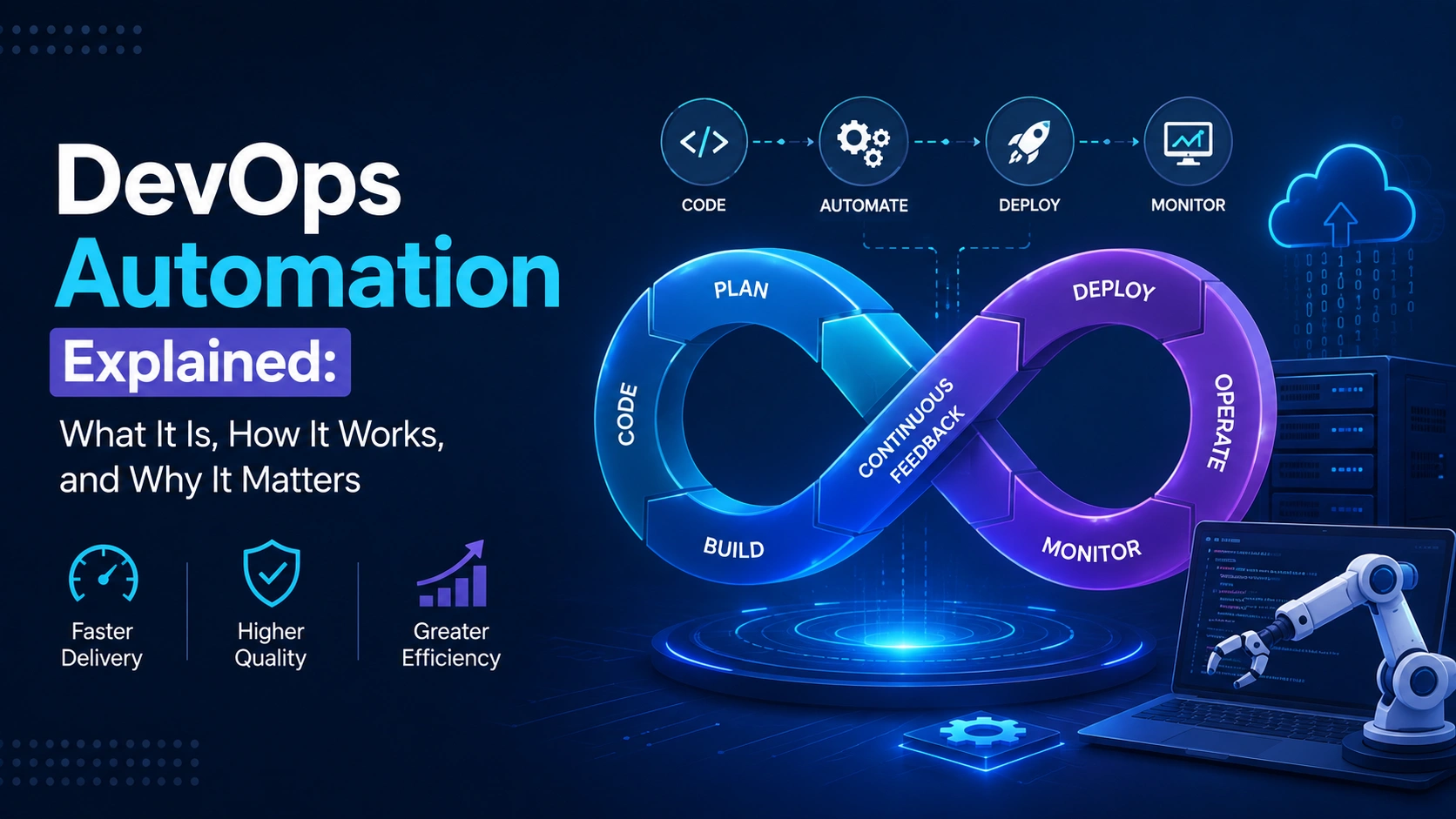
In practice, DevOps automation covers a specific set of activities: continuous integration and continuous delivery, infrastructure provisioning through code rather than manual configuration, automated testing at every stage of the pipeline, configuration management across environments, and automated monitoring and incident response once software is live. Each of these can be automated independently, and most teams do start that way, but the real payoff shows up when they are connected into a single loop where a code commit can move all the way to a monitored production deployment without a person manually pushing it through each gate.
It is worth being honest about what automation is not. It is not a replacement for good architecture, and it will not fix a codebase that was never designed to be tested or deployed independently. Teams that automate a fragile, tightly coupled system usually end up automating the pain, shipping broken releases faster instead of slower. The custom software development work that underlies a system matters just as much as the pipeline sitting on top of it.
Why DevOps automation looks different in 2026
Here is the part most guides on this topic skip entirely. AI coding assistants have changed the volume and speed of code hitting the pipeline, and that shift is exposing weaknesses in automation setups that used to hide comfortably in the background. Ninety percent of organizations surveyed for the 2025 DORA State of AI-Assisted Software Development report said they now use AI at work, and higher AI adoption was linked to higher software delivery throughput. That sounds like unambiguous good news. It is not, entirely.
The same research found that higher AI adoption also correlated with greater delivery instability. Teams are shipping more, but a meaningful share of that extra output is rework, code that gets reverted, patched, or quietly rewritten within days of merging. Frankly, this is the actual DevOps automation story of 2026: the bottleneck has moved. Writing code was never really the constraint for most teams. Reviewing it, testing it safely, and rolling it back cleanly when something breaks is where the real pressure now sits, and that is squarely automation territory.
That is also why platform engineering has grown from a niche practice into something close to standard operating procedure. Gartner expects 80 percent of large software engineering organizations to have a dedicated platform team by the end of 2026, up from 45 percent just four years earlier. The role of that platform team, in most cases, is precisely to automate the guardrails, self-service environments, standardized pipelines, policy enforcement, so individual developers and AI tools alike operate inside a system that catches mistakes before they reach production. Automation strategy and AI strategy are no longer separate conversations. Teams evaluating AI and machine learning development work alongside their DevOps pipeline tend to get more value from both than teams treating them as unrelated initiatives.
The core areas of DevOps automation
“DevOps automation” gets used as one catch-all phrase, but it actually spans several distinct disciplines. Most teams do not automate all of them at once, and honestly, they shouldn’t try to.
- Continuous integration: Automatically building and validating code every time it is committed, so integration problems surface in minutes, not weeks
- Continuous delivery and deployment: Automating the path from a validated build to a running production environment, with or without a manual approval gate
- Infrastructure as Code: Defining servers, networks, and environments in version-controlled configuration files instead of manual console clicks
- Configuration management: Keeping every environment, dev, staging, production, in a known, consistent state automatically
- Automated testing: Unit, integration, and end-to-end tests that run on every change, catching regressions before a human ever looks at the code
- Container orchestration: Automatically scheduling, scaling, and healing containerized workloads across a cluster
- Security automation, or DevSecOps: Scanning dependencies, containers, and infrastructure for vulnerabilities as part of the pipeline itself, not as a separate audit afterward
- Monitoring and observability: Automatically collecting metrics, logs, and traces, and alerting the right person when something looks wrong
- Incident response automation: Runbooks and self-healing scripts that handle common failure patterns before a human is even paged
Notice that testing shows up twice in spirit, once as part of CI and again as its own discipline. That is deliberate. Devops test automation is usually where teams get the fastest, most defensible ROI, because a slow or unreliable test suite is the single biggest reason releases get held back manually in the first place. Data pipelines deserve the same treatment. Teams running data engineering and MLOps workflows alongside application code often find that automating data validation prevents a category of production incident that traditional application testing never catches.
How DevOps automation actually works, step by step
Reading a list of tools does not really explain how automation works in practice. It is easier to follow as a sequence, since that is genuinely how a change moves through a well-automated pipeline.
1. A developer commits code
The moment code is pushed to a shared repository, an automated trigger fires. Nobody needs to remember to kick off a build. That is the whole point.
2. The build and test pipeline runs automatically
Code compiles, unit tests run, dependency and security scans execute. If anything fails, the pipeline stops there and the developer gets fast feedback, usually within minutes, instead of finding out during a release two weeks later.
3. Infrastructure provisions itself against defined code
If a new environment is needed, Infrastructure as Code tools spin it up to a known, version-controlled specification. No manual server configuration, no “it works on my machine” mystery.
4. The build deploys through progressive stages
Most mature pipelines deploy to staging automatically, then to production either automatically or behind a lightweight human approval, often using canary or blue-green strategies that limit the blast radius of a bad release.
5. Monitoring watches the result and can act on it
Once live, automated monitoring tracks error rates, latency, and resource use. In mature setups, a spike in errors can trigger an automatic rollback before a person even sees the alert.
Not every step needs to be fully automated on day one. Plenty of teams keep a manual approval gate before production for months, sometimes permanently, especially in regulated industries. That’s fine. Partial automation with a human checkpoint still beats a fully manual process, and it usually beats full automation bolted onto a pipeline nobody trusts yet.
A quick self-check before you plan anything
Most teams asking about DevOps automation already have some of it running. The mistake is planning a roadmap without first being honest about which pieces are actually solid and which are held together with a script one person understands. Answer these five questions before reading any further, since the answers change what you should do next far more than any tool comparison will.
- If a build breaks at 2 a.m., does anyone find out before a customer does? If the honest answer is no, monitoring is your gap, not deployment speed.
- Can a new engineer set up a working local environment in under an hour? If not, your infrastructure isn’t really codified yet, whatever your IaC tool bill says.
- Would your team trust a fully automated production deploy with no human in the loop? If the answer is a nervous maybe, that’s a test coverage problem wearing a deployment costume.
- Does one specific person need to be online for releases to happen safely? That’s a bus-factor risk automation is supposed to remove, and if it hasn’t, the pipeline is automating the easy 80 percent and leaving the risky part manual.
- Do you know your change failure rate right now, without pulling a report? If not, you’re not measuring automation, you’re just hoping it’s working.
Two or more honest “no” answers usually means the priority isn’t a new tool. It’s fixing the foundation the next tool would sit on top of.
Manual, partially automated, or fully automated: where does your team actually sit
Most teams overestimate how automated they already are. It helps to be blunt about what each stage actually looks like day to day.
| Maturity level | What deployment looks like | Typical release cadence | Biggest risk |
|---|---|---|---|
| Manual | Someone builds, tests, and pushes code by hand, usually with a runbook and a lot of nerves | Weekly, monthly, or worse | Human error and single points of failure, often one specific engineer |
| Partially automated | CI runs automatically, but deployment still needs a manual trigger or approval | Daily to weekly | Inconsistent environments and gaps between what CI tested and what actually ships |
| Fully automated | Commit to production with automated gates, monitoring, and rollback, no manual click | Multiple times per day, on demand | Weak test coverage or observability quietly letting bad changes through faster |
That last risk column matters more than it looks. Full automation without strong test coverage doesn’t remove risk, it just moves it downstream and speeds it up. That’s the trap a lot of teams fall into once they’ve automated the mechanics without automating the safety net underneath.
Benefits of DevOps automation
The benefits get repeated so often they start to sound like marketing copy, so it’s worth being specific about where they actually show up.
- Faster releases: Removing manual handoffs is usually what separates a team shipping weekly from one shipping multiple times a day
- Fewer human errors: A script runs the same way every time. A tired engineer at 11 p.m. does not always manage that
- Consistent environments: Infrastructure as Code eliminates the “it works on staging but not production” problem almost entirely
- Faster recovery: Automated rollback and monitoring shrink the gap between something breaking and someone fixing it
- Lower operational overhead: Engineers stop babysitting deployments and spend that time on actual product work
- Better security posture: Automated scanning catches vulnerabilities before release instead of after a headline
- Scalability without headcount growth: A well-automated pipeline handles ten releases a day about as easily as one
None of this is automatic, pun intended. A pipeline built on top of poor test discipline will just fail faster and more often. The benefits above assume the automation was built on a reasonably solid foundation, not bolted onto chaos and expected to fix it.
A mistake worth avoiding
Teams often automate deployment before they automate testing, because deployment feels more urgent and testing feels like a slower, less glamorous investment. It usually backfires. Shipping faster without validating faster just means bad code reaches users sooner. Get the test automation right first. Deployment speed is the easy part once that foundation exists.
Measuring whether your automation is actually working
“We deploy more often now” is not proof of a healthy pipeline. It might just mean more broken code is reaching users faster. The DORA research program, now part of Google Cloud, built four metrics specifically to prevent teams from fooling themselves this way: deployment frequency, lead time for changes, change failure rate, and time to restore service after an incident. In 2024, only 19 percent of engineering teams qualified as elite performers across these metrics, while the low-performing tier actually grew year over year, a reminder that automation adoption and automation maturity are not the same thing.
The 2025 DORA research added a fifth metric worth paying attention to: rework rate, the share of shipped code that has to be reverted, patched, or rewritten shortly after release. This addition exists precisely because of the AI-driven throughput problem covered earlier. A team can look elite on deployment frequency while quietly bleeding capacity into rework, and rework rate is the metric that catches it. Any team automating its pipeline in 2026 without tracking this number is flying with an incomplete instrument panel.
Practically, this means dashboards matter as much as pipelines. Automation without measurement tells you the process is running, not whether it’s actually helping. Teams that treat these five metrics as a standing scoreboard, reviewed monthly rather than once during a retrospective nobody remembers, tend to catch automation regressions before they become an incident.
Where different tool categories fit
There is no shortage of “best DevOps tools” listicles online, and honestly, most of them are trying to sell you something. What’s more useful is understanding which category solves which problem, so a tool evaluation starts from the actual gap instead of a vendor’s homepage.
| Category | Solves for | Watch out for |
|---|---|---|
| CI/CD platforms | Automated build, test, and deploy pipelines triggered by code changes | Pipeline sprawl across teams with no shared standard |
| Infrastructure as Code | Repeatable, version-controlled environment provisioning | Configuration drift when manual changes sneak back in |
| Container orchestration | Scaling, scheduling, and self-healing for containerized workloads | Real operational complexity, not a good first automation project |
| Observability platforms | Metrics, logs, and traces that turn incidents into fast diagnoses | Alert fatigue when every metric is treated as equally urgent |
| Security and compliance scanners | Catching vulnerable dependencies and misconfigurations pre-deploy | Slowing the pipeline down if scans aren’t tuned to actual risk |
A quick note on orchestration tools specifically, since they get asked about a lot: they belong later in an automation roadmap, not earlier. Teams that adopt container orchestration before their CI/CD and testing foundation is solid usually end up automating a mess into a distributed mess.
Common challenges enterprises run into
Legacy applications resist automation. Software built without automated tests, or tightly coupled to a specific server configuration, does not automate cleanly. In these cases, some amount of legacy software modernization usually has to happen alongside, not after, the automation work, or the pipeline ends up automating a system that was never built to be deployed safely and often.
Tool sprawl without a shared standard. Different teams adopting different CI tools, different IaC frameworks, different monitoring platforms creates a maintenance burden that quietly eats the time savings automation was supposed to deliver. This is exactly the gap platform engineering teams exist to close.
Weak or missing test coverage. Automating a deployment pipeline on top of a thin test suite is the single most common reason automation projects get blamed for outages the process itself didn’t actually cause. The root problem is almost always the missing tests, not the automation.
Skills gaps. Infrastructure as Code, container orchestration, and pipeline engineering require specific expertise that internal teams built around manual operations may not have yet. Hiring for it can take longer than the business can afford to wait, which is one reason enterprises often bring in outside engineering capacity to establish the pattern before handing it off.
Culture resistance. Not everyone wants to give up manual control of a release process, especially engineers who’ve been burned by a bad automated deployment before. That resistance is usually rational, not stubborn, and it goes away once the pipeline earns trust through a track record, not through a mandate.
Building in-house versus bringing in DevOps automation consulting
This question comes up in almost every automation planning conversation, and the honest answer is that it depends less on company size than on how much of this a team has already done before. A startup with one experienced platform engineer can sometimes move faster than a large enterprise with a dozen people who have never built a pipeline from scratch.
Building fully in-house makes sense when a team already has DevOps expertise on staff and just needs time to execute. It tends to break down when the same engineers are also responsible for shipping product features, since pipeline work quietly gets deprioritized every sprint in favor of whatever the roadmap says is due next. DevOps automation services or consulting support usually earns its cost back fastest in three specific situations: a team has never built CI/CD from scratch and doesn’t want to learn through production incidents, a legacy system needs automation and modernization at the same time, or the internal team needs to keep shipping features while someone else builds the pipeline in parallel. None of these are signs of a weak team. They’re just resourcing realities.
Match your actual bottleneck, then automate that first
Generic roadmaps tell every team to start with CI/CD. That’s usually right, but not always, and following a template blindly wastes time if your real bottleneck sits somewhere else. Be specific about what’s actually costing you time before picking a starting point.
| If this is your reality | Automate this first | Not this, yet |
|---|---|---|
| Releases slip because manual QA can’t keep pace with commits | Automated testing inside CI | Container orchestration |
| Every new environment takes days to configure and never matches production | Infrastructure as Code | Deployment automation |
| Incidents drag on because nobody sees the problem until a customer reports it | Monitoring and alerting | More frequent deployments |
| Security reviews happen right before launch and always find something late | Security scanning inside the pipeline | Full CI/CD overhaul |
| One engineer is the only person who knows how to ship a release | Documented, scripted deployment steps, even before full automation | Advanced orchestration or AI-driven ops |
Notice a pattern there. In almost every row, the answer to “what’s costing us the most” is not “deploy faster.” It’s usually something upstream of deployment that’s been ignored because deployment is the visible, complained-about part. Fix the actual bottleneck and deployment speed tends to follow on its own.
Building a DevOps automation roadmap that actually sticks
Teams that succeed at this tend to follow a similar rough sequence, whether they’re a five-person startup or a thousand-engineer enterprise. What changes is the scale and the timeline, not the order.
- Start with CI, not deployment. Automate build and test first. It’s lower risk and it’s where trust in the pipeline gets built
- Fix test coverage before automating anything downstream. A fast pipeline running weak tests just delivers bad news faster
- Move infrastructure to code early. Environment consistency is a prerequisite for reliable automated deployment, not a nice-to-have
- Add deployment automation with a rollback plan already in place. Never automate the ship without automating the undo
- Layer in monitoring and DORA-style metrics. Track deployment frequency, lead time, change failure rate, recovery time, and rework rate from day one, not after a bad quarter
- Automate security scanning into the pipeline itself. Treat DevSecOps as part of the build, not a separate audit that happens later
This roadmap looks slightly different for a SaaS product shipping continuously to production versus an internal enterprise system with quarterly release windows. Teams building on the SaaS development model usually get to full automation fastest, simply because there’s one production environment and a strong incentive to ship constantly. Enterprise systems with more compliance overhead tend to keep manual gates longer, and that’s a reasonable choice, not a failure to modernize.
Not sure where your pipeline is actually breaking down?
Elsner can walk through your current delivery process and point to exactly where automation would pay off first, without recommending a tool stack you don’t need.
Where a technology partner fits into DevOps automation
Not every engineering team wants to build pipeline architecture, infrastructure automation, and platform tooling entirely in-house, especially while that same team is also expected to keep shipping product features on schedule. That’s the gap a technology partner is meant to close, handling the plumbing while internal engineers stay focused on what the business actually needs the software to do.
In practice, the engagements that work best start with a defined, bounded piece of the pipeline, not an open-ended overhaul of everything at once. A dedicated engineering team can take ownership of setting up CI/CD for one product, establish the testing and deployment pattern the rest of the organization will follow, and hand off something documented and repeatable rather than a black box only one person understands. This is the approach Elsner takes when helping teams modernize legacy delivery processes through product modernization engagements, building the automation foundation alongside the application changes it needs to support.
Different projects call for different levels of involvement, and that’s exactly what a flexible engagement model is built for, whether that means a short pipeline audit, an embedded team running alongside internal engineers for a quarter, or a fully managed build-out. The right level of involvement depends on how much internal DevOps capacity already exists and how fast the business needs the pipeline to mature.
Key takeaways
- DevOps automation replaces manual steps across build, test, provisioning, deployment, and monitoring, and it works best when those steps are connected into one loop, not automated in isolation.
- The global DevOps market is projected to grow from 19.80 billion dollars in 2025 to 125.07 billion dollars by 2034, a clear signal of how central automation has become to software delivery.
- AI coding tools have increased throughput industry-wide, but the 2025 DORA research also links higher AI adoption to greater delivery instability, which is why rework rate joined the DORA metric set as a fifth measure in 2025.
- Only 19 percent of teams qualified as elite performers on the original four DORA metrics in 2024, and the low-performing tier grew, showing that adopting tools and reaching real maturity are two different things.
- Eighty percent of large software engineering organizations are expected to have a dedicated platform team by the end of 2026, up from 45 percent in 2022, reflecting how much automation strategy has shifted toward centralized, self-service platforms.
- The most common failure mode is automating deployment before test coverage is solid. Fixing that order first is usually the single most valuable change a team can make.
Frequently Asked Questions
What is DevOps automation?
DevOps automation is the use of tools and scripted workflows to handle repetitive steps in the software delivery process, building code, running tests, provisioning infrastructure, deploying releases, and monitoring production systems, without requiring a person to manually complete each step. It turns DevOps culture and practices into a repeatable, dependable pipeline.
What is the difference between DevOps and DevOps automation?
DevOps is a broader culture and set of practices focused on collaboration between development and operations teams. DevOps automation is the specific tooling and scripted workflows that make those practices scale reliably, without automation, teams can still follow DevOps principles, but the process usually stays manual, slow, and dependent on specific individuals.
What are the main types of DevOps automation?
The main categories are continuous integration, continuous delivery and deployment, Infrastructure as Code, configuration management, automated testing, container orchestration, security automation, and monitoring or observability. Most teams automate these gradually rather than all at once, usually starting with CI and test automation.
What are the benefits of DevOps automation?
The main benefits are faster release cycles, fewer human errors, consistent environments across development and production, faster incident recovery, lower operational overhead, stronger security posture, and the ability to scale delivery without a proportional increase in engineering headcount. These benefits depend on solid test coverage and architecture underneath the automation.
How do you measure whether DevOps automation is working?
The DORA framework, developed by the DevOps Research and Assessment program now under Google Cloud, is the standard used industry-wide. It tracks deployment frequency, lead time for changes, change failure rate, time to restore service, and, as of the 2025 research, rework rate, the share of shipped code that needs to be reverted or rewritten shortly after release.
Where should a team start with DevOps automation?
Start with continuous integration and automated testing before automating deployment. Teams that automate deployment first, on top of weak test coverage, tend to ship broken code faster instead of shipping good code more often. Infrastructure as Code should follow closely, since consistent environments are a prerequisite for reliable automated deployment.
How much does DevOps automation cost?
There is no single figure, since cost depends on how much of the pipeline needs to be built from scratch, how legacy the existing systems are, and whether the work is done in-house or with a partner. A realistic budget accounts for tooling, engineering time to build and maintain the pipeline, and the test coverage work that usually needs to happen alongside it.
Can DevOps automation work with legacy systems?
Yes, but usually not without some modernization alongside it. Legacy applications built without automated tests or tightly coupled to specific server configurations rarely automate cleanly on their own. In most cases, a phased approach that pairs automation with targeted modernization work delivers a more stable outcome than automating the legacy system as-is.
The bottom line
DevOps automation was never really about eliminating manual work for its own sake. It’s about building a delivery process the team can actually trust, one where shipping faster doesn’t quietly mean shipping worse. That distinction matters more now than it did five years ago, because AI is pushing more code through the pipeline than most teams have automated the safety net to handle. The organizations getting this right aren’t the ones with the longest tool list. They’re the ones that automated testing before deployment, built monitoring in from the start, and kept measuring rework alongside release speed. Everyone else is just shipping faster toward the same problems they had before, only now they hit sooner.
Ready to build a pipeline your team can actually trust?
Elsner helps engineering teams automate the parts of DevOps that actually move the needle, in the right order, without a tool stack that outgrows what your team can maintain. Let’s talk through what your pipeline needs next.