 Zoho
Solutions
Zoho
Solutions
 Ecommerce
Development
Ecommerce
Development
 Web
Development
Web
Development
 AI
Solutions
AI
Solutions





- Why This Happens in the First Place
- The Three Places Balances Actually Split
- Why This Actually Costs You Sales, Not Just Goodwill
- How to Tell If Your Setup Is Actually Fragmented
- What a Genuinely Unified Loyalty Setup Requires
- Tired of explaining mismatched points balances to customers?
- What This Looks Like When It’s Built Right
- Moving From a Fragmented Setup Without Losing Existing Balances
- A Practical Checklist Before You Fix It
- Frequently Asked Questions
- Why do my Odoo customers see different loyalty balances in-store and online?
- Does Odoo support loyalty points across Sale, POS, and Website by default?
- Will unifying loyalty balances affect points customers have already earned?
- Can Sale Orders earn loyalty points the same way POS and Website purchases do?
- How do I know if my Odoo loyalty program is fragmented?
- Give your customers one loyalty balance, not three
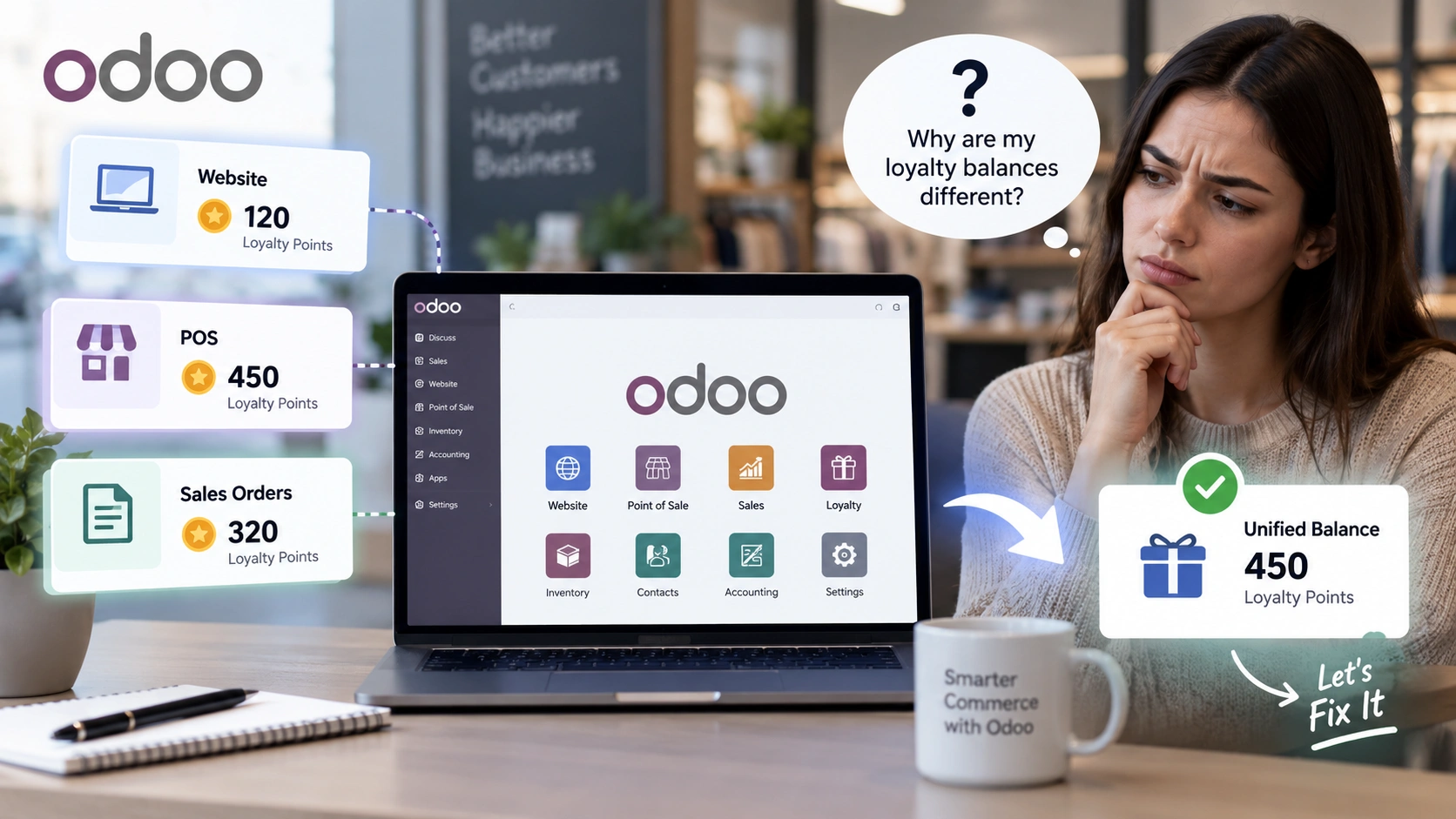
A customer earns loyalty points buying in-store at your POS. Two weeks later, they log into your website to redeem those points and see a balance of zero. Or the reverse: points earned online never show up when they walk into the shop. Either way, you’ve just spent money building a loyalty program that actively frustrates the people it was supposed to reward.
This is a more common problem with an Odoo loyalty program than most merchants realize, and it’s rarely obvious until a customer complains. The loyalty math is usually correct within each channel. The problem is that Sale Orders, POS, and the website often aren’t reading from the same ledger at all.
Here’s why that split happens, what it actually costs you, and what it takes to fix it properly instead of patching it channel by channel.
Quick Answer
Odoo customers end up with different loyalty balances across Sale, POS, and Website because many setups run separate loyalty logic, or separate modules entirely, for each channel instead of one shared ledger tied to the customer record. The fix isn’t a better sync job between three systems. It’s a single loyalty program that reads and writes from one balance regardless of where the purchase happened.
Why This Happens in the First Place
Odoo’s Point of Sale app has its own loyalty program configuration, built primarily for in-store use. The website and eCommerce side of Odoo can run loyalty logic too, but it’s configured separately, often as a different program record entirely. Sale Orders processed by your sales team sit in a third context again.
Each of these can technically work fine in isolation. The trouble starts the moment a real customer interacts with more than one of them, which for most retailers is most customers. If the POS loyalty program and the website loyalty program aren’t explicitly configured to share the same point pool per customer, you don’t get one balance. You get three, each partially correct and none of them trustworthy on its own.
Add a second complication: many stores layer on a separate third-party loyalty app for POS and a different one for the website, usually because they were installed at different times by different people solving different problems. Two independent apps, each doing its own math, is a guaranteed way to end up with balances that never reconcile.
The Three Places Balances Actually Split
1. The POS terminal
Points earned and redeemed here are usually calculated correctly for in-store purchases, but if the POS loyalty configuration isn’t linked to the same partner-level balance the website reads from, the number a cashier sees has nothing to do with what the customer sees online.
2. The website customer portal
Website loyalty balances tend to reflect only what was earned through eCommerce checkout. A customer who mostly shops in-store logs in and finds a balance far lower than what they’d expect, which reads as a bug even when the website math itself is technically accurate.
3. Sale Orders processed by your team
Phone orders, quotes converted to sales, and B2B orders handled directly through Sale often sit outside whatever loyalty logic was configured for POS or the website, meaning a chunk of legitimate purchases never earn points at all.
Why This Actually Costs You Sales, Not Just Goodwill
It’s tempting to treat this as a minor annoyance. It isn’t, and the reason is simple: a loyalty program only works if customers trust the number they’re shown. The moment that number looks wrong, even once, most customers stop checking it at all, and a program nobody checks doesn’t drive repeat purchases.
There’s a quieter cost too. Staff lose confidence in the system when a customer disputes a balance at the register, so they start overriding discounts manually just to avoid an argument, which defeats the entire point of automating the program. And every purchase that falls outside the tracked channels, a phone order, a wholesale Sale Order, is a purchase that earned no loyalty credit and gave you no reason to see that customer again sooner.
How to Tell If Your Setup Is Actually Fragmented
A few quick checks will tell you where you actually stand, before you assume a fix is needed or isn’t.
- Pick a customer who’s purchased both in-store and online. Compare the balance shown at POS against the balance shown on their website account
- Check whether a Sale Order placed directly through the Sales app earns any loyalty points at all
- Look at how many separate loyalty program records exist in your database. More than one for the same customer base is a warning sign
- Ask your POS staff whether they’ve ever had a customer dispute a points balance in the last month
- Check if redemption at POS reduces the same balance a customer sees reflected on the website afterward
If any of these come back inconsistent, the fix isn’t a better spreadsheet reconciliation. It’s structural.
What a Genuinely Unified Loyalty Setup Requires
Fixing this properly comes down to one architectural decision: every channel needs to read and write against the same loyalty ledger, keyed to the customer’s partner record, not to a channel-specific configuration.
In practice that means a single earn rate applied consistently whether the order comes from Sale, POS, or Website. It means redemption at any one channel immediately reflects everywhere else, since there’s only one number to update. And it means points are awarded on order confirmation across all three, not just on the channels someone happened to configure first. Getting this right usually isn’t a settings change. It’s an integration decision that touches how Sale, POS, and Website talk to each other, which is exactly the kind of work an experienced Odoo development team handles as a single project rather than three separate configuration tasks.
| Fragmented Setup | Unified Setup |
|---|---|
| Separate balance per channel | One balance tied to the customer record |
| Sale Orders often earn nothing | Points earned on Sale, POS, and Website alike |
| Redemption at POS doesn’t update the website | Redemption reflects instantly across every channel |
| No single view of program performance | One dashboard showing issued, redeemed, and top customers across channels |
| Disputes handled manually at the register | One audit trail customers and staff can both check |
Tired of explaining mismatched points balances to customers?
Elsner’s All in One Loyalty app for Odoo 19 runs a single earn-and-redeem balance across Sale, POS, and Website, with one dashboard and one audit trail for the whole program.
What This Looks Like When It’s Built Right
A properly unified loyalty setup isn’t more complicated for the customer. If anything, it’s simpler, because there’s only ever one number to think about.
- A single earn rate configured once, applied automatically across confirmed Sale Orders, POS transactions, and Website purchases
- One redemption flow that works the same way whether a customer is checking out online or standing at the register
- A live balance visible on the partner form for staff, and on a self-service portal page for the customer, both pulling from the same source
- A complete audit trail of every earn and redeem event, filterable by channel, so a disputed balance takes seconds to explain instead of a phone call to IT
- A manager dashboard showing points issued versus redeemed, top customers, and channel breakdown, so the program’s actual performance is visible rather than assumed
- Configurable expiry and thresholds set once at the program level rather than recreated per channel
None of this requires customers to behave differently. It requires the backend to stop treating each sales channel as its own separate business.
Moving From a Fragmented Setup Without Losing Existing Balances
Merchants who already have separate POS and website loyalty programs running usually worry about one thing first: what happens to points customers have already earned. That’s a fair concern, and it’s worth resolving before touching any configuration.
The safer path is auditing existing balances per customer across every channel first, reconciling them into a single opening balance, and only then switching the earn and redeem logic over to one unified program. Doing it in the reverse order, switching first and reconciling later, is how customers end up seeing their points disappear overnight, which is a far worse experience than the fragmented one you started with.
If your loyalty history spans years and multiple modules, it’s worth having someone hire an Odoo developer to handle that migration directly rather than attempting a manual reconciliation across spreadsheets exported from three different systems.
A Practical Checklist Before You Fix It
- Confirm exactly how many loyalty program records currently exist in your Odoo database
- Audit a sample of repeat customers across POS, website, and Sale Order history to see how far balances have already drifted
- Decide on one earn rate and one redemption rate that will apply across every channel
- Reconcile existing balances into a single opening balance before switching logic over
- Confirm Sale Orders processed directly by your sales team are included in the unified program, not just POS and Website
- Set up a manager dashboard so drift, if it happens again, gets caught early instead of through a customer complaint
Frequently Asked Questions
Why do my Odoo customers see different loyalty balances in-store and online?
This usually happens because POS and Website loyalty are configured as separate programs, or run through separate apps entirely, instead of sharing one balance tied to the customer’s partner record. Each channel calculates correctly on its own, but the numbers were never meant to match because they’re not reading from the same source.
Does Odoo support loyalty points across Sale, POS, and Website by default?
Odoo’s Point of Sale and Website apps each support their own loyalty configuration, but they don’t automatically share a single balance across channels out of the box. Getting one unified program that covers Sale, POS, and Website together typically requires either careful configuration or a dedicated app built for that purpose.
Will unifying loyalty balances affect points customers have already earned?
It doesn’t have to, as long as existing balances are audited and reconciled into a single opening balance before switching the earn and redeem logic to a unified program. Switching the logic first and reconciling afterward is what causes customers to see points disappear.
Can Sale Orders earn loyalty points the same way POS and Website purchases do?
Yes, but only if the loyalty program is explicitly configured to apply to Sale Orders and not just POS or eCommerce checkout. Many setups miss this, which means phone orders and B2B Sale Orders earn no points at all even though the customer purchased just as they would in-store or online.
How do I know if my Odoo loyalty program is fragmented?
Check whether a customer who’s purchased both in-store and online sees the same balance in both places, and whether redeeming points at POS is reflected on their website account afterward. A mismatch in either case is a clear sign the setup is running on separate ledgers rather than one shared balance.
Give your customers one loyalty balance, not three
Elsner’s All in One Loyalty app for Odoo 19 handles earning, redeeming, and tracking points across Sale, POS, and Website from a single configuration, with a manager dashboard and full audit trail built in.