 Zoho
Solutions
Zoho
Solutions
 Ecommerce
Development
Ecommerce
Development
 Web
Development
Web
Development
 AI
Solutions
AI
Solutions





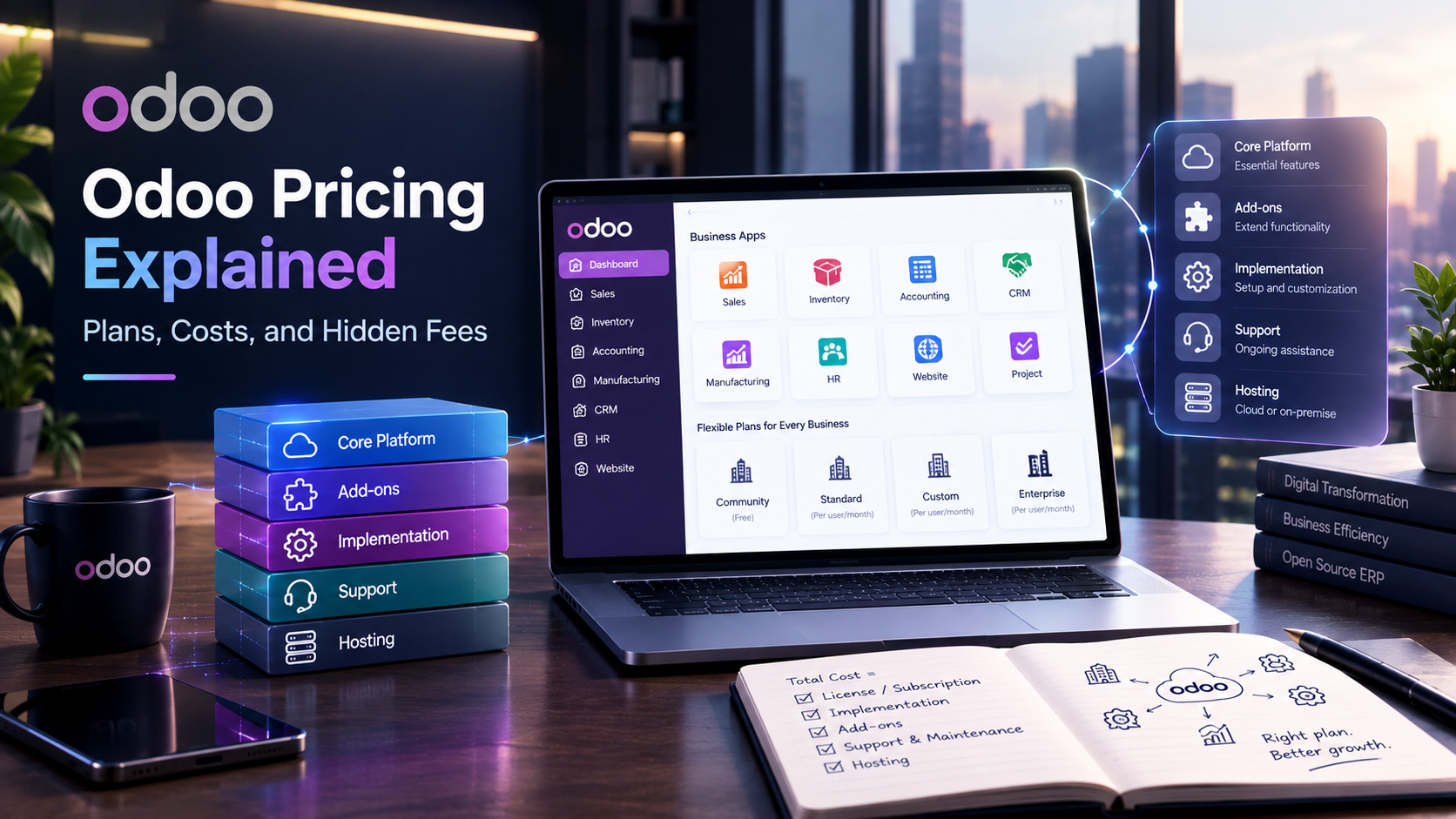
- How Odoo Pricing Actually Works
- Odoo Plans at a Glance
- Community vs Enterprise: The Real Cost Difference
- The Costs People Forget
- Total Cost of Ownership: An Illustrative Example
- Which Plan Should You Choose
- Odoo Pricing vs Other ERPs
- FAQs
- How much does Odoo cost per user?
- Is Odoo Community really free?
- What is the difference between Odoo Standard and Custom pricing?
- What are the hidden costs of Odoo?
- Is Odoo cheaper than SAP or NetSuite?
- The Bottom Line
- Want a Realistic Odoo Cost Picture, Not a Generic Estimate?
The per-user number on Odoo’s pricing page is real. It’s also not the number that determines whether Odoo fits your budget. That number is where a project starts, not what it costs by the time you’re live and running day-to-day operations on it.
This guide breaks down Odoo pricing: what Odoo actually charges per plan, where the license fee stops and the real spending begins, and which costs most comparisons leave out entirely. All figures below were checked against Odoo’s official pricing page on September 16, 2026. Pricing changes periodically, so reconfirm before you build a budget around it.
How Odoo Pricing Actually Works
Odoo charges per user, per month. Not per app, not per module, not per department. One monthly rate covers a user’s access to whatever apps your plan includes, and that’s the part people trip over.
Here’s the scenario that catches most first-time buyers. A 15-person team signs up expecting to pay for the three or four apps they actually use, Sales, Inventory, and Accounting, say. Instead, the paid plans (Standard and Custom) bundle in every Odoo app for that same per-user rate. You’re not charged extra for turning on Manufacturing or Helpdesk later. The catch runs the other way: your bill scales with headcount, not feature usage. Add five employees and your Odoo cost jumps whether or not those five people touch half the apps you’ve enabled.
There’s one free tier that works differently. One App Free gives unlimited users access to a single app, forever, at no license cost. It sounds generous, and it is, but it stops being useful the moment your team needs a second connected app. Choose eCommerce, for instance, and Website and Invoicing come along as required dependencies, still free, but you’re now running three apps instead of one.
This per-user model is central to nearly every conversation we have with clients evaluating Odoo development services, because the plan tier someone picks on day one often changes within the first year as their app usage grows.
Odoo Plans at a Glance
Three plans make up Odoo’s current pricing structure. Figures below are per user, per month, in USD, billed annually unless noted. Odoo also runs a first-year promotional rate on the Standard and Custom plans that reverts to the standard rate at renewal, which is worth knowing before you lock in a multi-year budget.
Last verified: September 16, 2026, directly from odoo.com/pricing. Plan names, discount structure, and rates have shifted before and will again. Don’t quote these numbers in a client proposal without checking the live page first.
Worth noting: none of these three plans charge separately for hosting, backups, or support. Odoo bundles that in. Where the real spending shows up is everywhere outside this table, which is the next section.
Community vs Enterprise: The Real Cost Difference
Odoo still ships as two distinct software editions underneath the plan names above, and this is the distinction most comparison articles blur.
So when is free actually free? Honestly, only when you or someone on staff can handle server setup, security patching, backups, and troubleshooting without a support contract. That’s a real cost; it’s just a labor cost instead of a license fee. For a technical founder with spare engineering time, Community can be genuinely the cheaper path. For a 20-person operations team with no in-house DevOps, Community usually ends up costing more in staff hours than the Standard plan would have cost in license fees. That trade-off is the entire decision, and it’s worth mapping out before committing either way.
The Costs People Forget
This is the section most Odoo pricing guides skip entirely, and it’s usually where budgets actually blow up.
✅ Implementation and Configuration
For most businesses, this is the single biggest line item, often larger than a full year of license fees combined. Setting up workflows, configuring modules to match how your business actually operates, and testing before go-live takes real hours. Small deployments with straightforward needs commonly run in the low thousands. Complex, multi-department rollouts can run well into five figures. Get a scoped quote before you commit to a timeline.
✅ Customization and Custom Module Development
Odoo Studio handles a lot of no-code customization on the Custom plan. Anything beyond that, like deeper workflow logic, custom reports, or integrations with a proprietary internal tool, needs actual custom software development work, typically billed by the hour.
✅ Hosting Choices
Odoo Online is included free with Standard and Custom. Odoo.sh, the platform built for teams running custom code with staging and development branches, costs extra and scales with the number of workers and storage you need. On-premise hosting means you’re covering your own servers.
✅ Data Migration
Moving records out of QuickBooks, an old ERP, or a pile of spreadsheets isn’t automatic. Clean data migrations save money later. Rushed ones create months of reconciliation headaches.
✅ Third-Party Apps
The Odoo App Store has thousands of add-ons, and many carry their own subscription fees stacked on top of your plan.
✅ Training and Ongoing Support
Unlimited support is included, but that covers troubleshooting, not hand-holding your team through a full rollout. Budget separately for onboarding time, especially for non-technical staff.
This full Odoo implementation picture is exactly why the sticker price and the real project cost rarely match. Businesses that plan around the license fee alone usually get an unpleasant surprise around month three.
Total Cost of Ownership: An Illustrative Example
Here’s a rough first-year picture for a 10-user team on Standard. Treat this as a shape, not a quote. Your actual numbers depend entirely on scope, team size, and how much customization you need.
The license fee, in most real deployments, ends up being the smallest number on this table. That’s the pattern worth remembering more than any single figure here.
Which Plan Should You Choose
Team size and technical capacity matter more than budget alone here.
|
1
|
CommunityFits technical teams with in-house engineering resources who are comfortable self-hosting and self-supporting. Not a great fit if nobody on staff wants to own server maintenance. |
|
2
|
StandardThe right call for most small and mid-sized businesses. You get every app, hosted infrastructure, and support, without paying for capabilities you won’t use. |
|
3
|
CustomMakes sense once you need external API access for integrations, Odoo Studio for deeper no-code customization, multi-company management, or flexibility in where you host. |
If you still haven’t figured out which level suits you, it’s usually more efficient to discuss your specific processes with someone experienced rather than trying to work it out from a plan comparison chart. Companies that hire Odoo developer support for this evaluation before implementation can avoid mid-project plan switches that otherwise cost both time and money.
Odoo Pricing vs Other ERPs
Compared to enterprise suites like SAP or NetSuite, Odoo’s license cost is genuinely lower, often by a wide margin. That part of Odoo’s pitch holds up.
Where the comparison gets more honest is implementation. A cheaper license doesn’t automatically mean a cheaper project. SAP and NetSuite implementations tend to include more structured, higher-cost professional services from the start. Odoo’s flexibility means implementation cost varies more by provider and scope, which can work in your favor with the right partner, or not, if the project isn’t scoped carefully upfront.
If you’re weighing Odoo against a different platform entirely rather than a legacy ERP suite, our Zoho vs Odoo comparison breaks down where each one wins depending on your team’s complexity, and our Zoho development services page covers what that alternative path looks like in practice.
FAQs
How much does Odoo cost per user?
Standard runs $24.90 per user per month in the first year on annual billing, renewing at $31.10. Custom runs $49.00 in the first year, renewing at $61.00. Monthly billing costs more per user and skips the annual commitment. One App Free costs nothing.
Is Odoo Community really free?
Yes, the license itself costs nothing. You’ll cover hosting, setup, and support yourself, either through in-house staff time or a paid partner, which is a real cost even without a license fee attached.
What is the difference between Odoo Standard and Custom pricing?
Standard includes all apps on Odoo Online hosting. Custom costs more per user but adds Odoo Studio, multi-company management, external API access, and a choice of hosting, including Odoo.sh or on-premise.
What are the hidden costs of Odoo?
Implementation, customization, data migration, third-party app subscriptions, and training and support. Implementation alone is often the highest cost in a first-year Odoo budget, larger than the license fee itself.
Is Odoo cheaper than SAP or NetSuite?
On license cost, generally yes, often by a significant margin. On total project cost including implementation, it depends heavily on scope and provider. A lower license fee doesn’t guarantee a lower total project cost.
The Bottom Line
The Odoo license is rarely the number that makes or breaks a budget. Implementation, customization, and the right plan fit are what actually determine whether the project pays off. If you’re evaluating Odoo and want a realistic cost picture based on your specific setup rather than a generic estimate, Elsner’s Odoo implementation and development team can walk through your requirements and give you a scoped, honest answer before you commit to a plan.
Want a Realistic Odoo Cost Picture, Not a Generic Estimate?
Elsner’s Odoo implementation and development team can walk through your requirements and give you a scoped, honest answer — before you commit to a plan.