 Zoho
Solutions
Zoho
Solutions
 Ecommerce
Development
Ecommerce
Development
 Web
Development
Web
Development
 AI
Solutions
AI
Solutions





- Why Magento Businesses Need Odoo Integration
- Common Challenges Without Integration
- What Is a Magento 2 Odoo Connector?
- Key Benefits of Magento 2 Odoo Integration
- Essential Features to Look For
- How the Odoo Magento 2 Connector Streamlines Business Operations
- Tired of reconciling Magento stock and Odoo warehouses by hand?
- Step-by-Step Overview of Connecting Magento 2 to Odoo
- Best Practices Before Integration
- Real Business Use Cases
- Common Mistakes to Avoid
- Future of ERP and eCommerce Integration
- FAQs
- Which Magento product types can an Odoo connector handle?
- How does the connector handle Magento’s Multi Source Inventory?
- Can one Odoo database serve multiple Magento websites?
- Will integration slow down my Magento storefront?
- How long does it take to connect Magento 2 to Odoo?
- Bring Magento and Odoo onto a single data trail
A Magento catalog with 40,000 SKUs, six store views, three inventory sources, and tiered B2B pricing is not really a store. It is a database with a checkout attached.
That complexity is why merchants choose Magento, and why integrating it with an ERP takes more thought than plugging in a hosted storefront. An Odoo Magento 2 connector has to understand configurable products, salable quantity, scope-level pricing, and credit memos. Get those four things wrong and your back office will quietly disagree with your storefront for months.
This guide covers what the integration does, which features matter, how to sequence a safe rollout, and where implementations usually fail.
Quick Answer
An Odoo Magento 2 connector links your Magento installation to Odoo through Magento’s REST API, mapping configurable parents to variants, MSI sources to warehouses, customer groups to pricelists, and credit memos to credit notes. A capable one keeps catalog, inventory, orders, and finance aligned in both directions without manual entry. The mistakes that break these projects are almost always the same four: syncing configurable parents as stock, comparing physical quantity to salable quantity, ignoring store view scope, and skipping credit memo testing.
Why Magento Businesses Need Odoo Integration
Magento is strong at merchandising complexity. Attribute sets, customer groups, tier pricing, multi-site architecture. Very few platforms handle catalog depth as well.
What Magento does not do is run your supply chain. Purchase orders, supplier lead times, landed cost, manufacturing, and double-entry accounting all sit outside its scope.
That gap gets expensive at a predictable point. Once your catalog passes a few thousand active SKUs, or once you fulfill from more than one location, manual coordination stops working.
Integration becomes necessary when any of these apply:
- You run multiple websites or store views from one Magento installation
- You hold stock in more than one source under Multi Source Inventory
- You sell B2B with customer-group pricing alongside retail
- Your finance team reconciles Magento invoices against accounting by hand
- You are placing purchase orders without reliable demand data
Odoo covers inventory, purchasing, accounting, and CRM in one database, which makes it a practical back office for catalog-heavy merchants. Linking the two systems is where the real work sits.
Common Challenges Without Integration
These problems are specific to Magento’s architecture, not generic integration complaints.
Configurable product mismatches. A configurable product in Magento is a parent wrapper around simple products. If your ERP treats the parent as sellable stock, your numbers break immediately.
Salable quantity confusion. Magento distinguishes physical quantity from salable quantity after reservations. Teams compare the wrong figure to their ERP and assume the integration is broken.
Store view pricing drift. Prices and attributes can be overridden per website or store view, so a price updated at default scope may not reach the view a customer sees.
Credit memo blind spots. Magento handles invoices, shipments, and credit memos as separate records. Refunds that never reach accounting distort revenue.
Indexer and cache lag. Bulk API updates can leave indexes stale, so the storefront shows old data even though the database is correct.
Performance contention. Magento is self-hosted, so heavy API traffic competes with real shoppers for server resources.
B2B pricing gaps. Tier prices and customer-group rules live in Magento. Your ERP quotes different numbers unless you map them deliberately.
What Is a Magento 2 Odoo Connector?
Put simply, it is a module that links your Magento installation to your Odoo database through Magento’s REST API and keeps records synchronized in both directions.
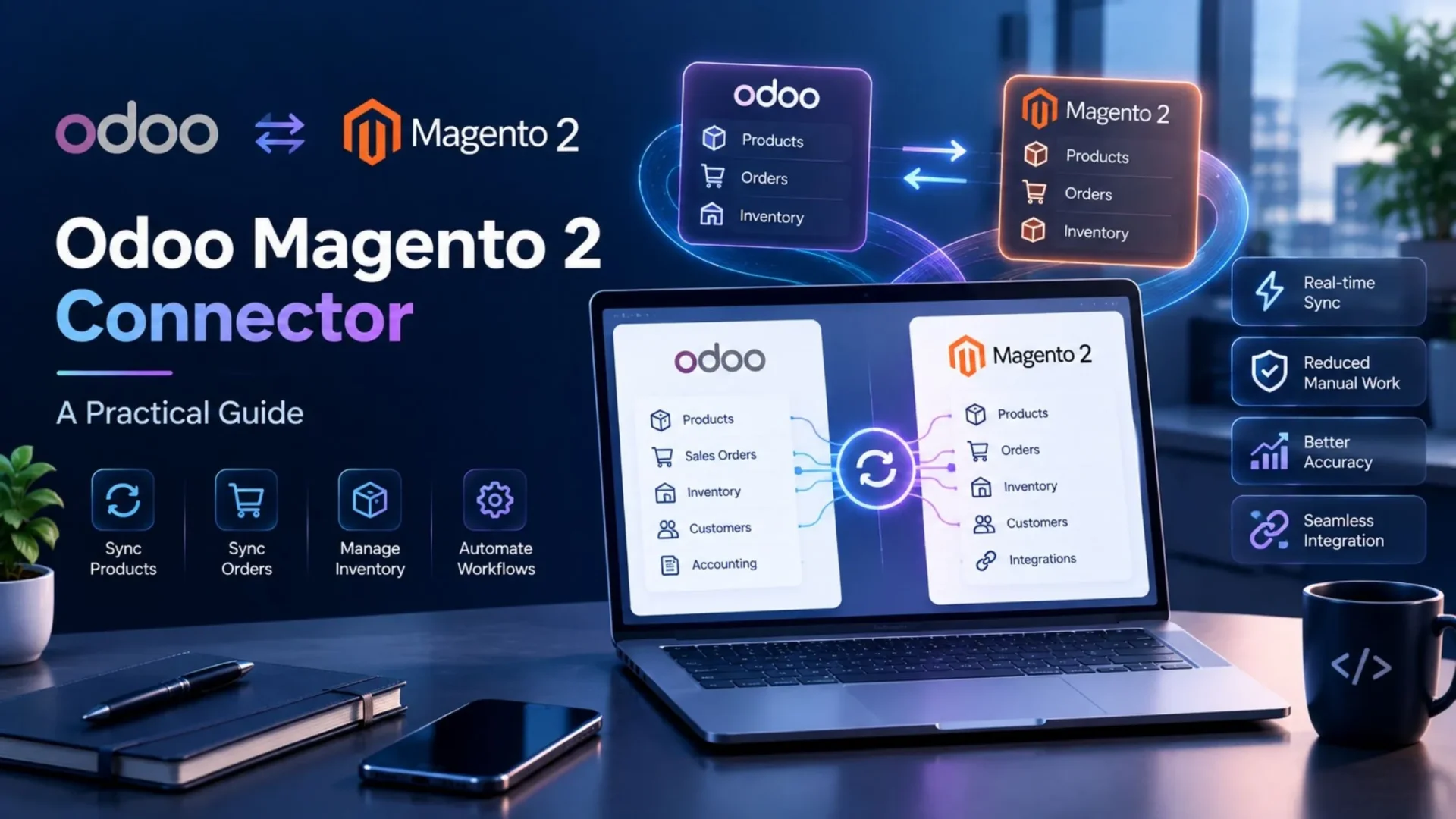
The translation job is harder than it sounds. Magento speaks in attribute sets, configurable parents, simple children, store view scopes, and sources. Odoo speaks in product templates, variants, warehouses, and stock moves. The connector maps one model onto the other and keeps both current.
A capable connector handles:
- Product data, including simple, configurable, bundle, and grouped types
- Attribute and attribute set mapping to Odoo product attributes and variants
- Inventory levels across MSI sources, mapped to Odoo warehouses
- Orders, imported as Odoo sale orders with the correct customer group and price
- Customers and addresses, including guest checkouts
- Financial records, so Magento invoices and credit memos produce Odoo invoices and credit notes
- Shipments, pushed back to Magento with carrier and tracking
The Odoo Magento 2 Connector on the Odoo Apps Store is one option worth measuring against that list.
Key Benefits of Magento 2 Odoo Integration
Real-time inventory accuracy. Odoo holds master stock. MSI sources reflect it. Overselling on high-velocity SKUs drops sharply.
Order automation. A Magento order becomes a sale order, a delivery order, and an invoice without manual entry. Your team reviews exceptions instead of processing everything.
Catalog control from one place. Manage products, prices, and descriptions in Odoo and push them out, including per store view values.
Multi-store consolidation. Run separate websites for regions or brands and report on all of them from one Odoo instance.
Proper B2B handling. Customer groups map to Odoo pricelists, so a wholesale buyer sees the same price in both systems.
Clean refund accounting. Credit memos create matching credit notes, so returns appear in your books when they happen.
Better purchasing. Replenishment rules read real sales velocity, which matters when lead times run long.
Fewer hours on data entry. Teams notice this one first.
| Manual Coordination | Connected Setup |
|---|---|
| Storefront salable quantity adjusted by hand after each restock | Odoo pushes stock to every MSI source as it changes |
| Configurable parents miscounted as sellable stock | Only simple children carry inventory in both systems |
| Store view price overrides missed at update time | Price changes push to the correct scope automatically |
| Credit memos raised in Magento, never posted in accounting | Refunds create matching credit notes on the same day |
| B2B tier prices maintained twice, in Magento and the ERP | Customer groups map to Odoo pricelists in one place |
| Bulk changes stall indexers and slow the storefront | Async and bulk endpoints keep the queue moving without spikes |
Essential Features to Look For
Judge connectors against Magento’s specifics, not a generic checklist.
Product type coverage. Ask directly which Magento product types the module supports. Simple and configurable are table stakes. Bundle and grouped products separate serious tools from basic ones.
Attribute set mapping. You need control over how Magento attributes become Odoo variant attributes, and which ones stay informational.
MSI source to warehouse mapping. One-to-one mapping between Magento sources and Odoo warehouses is what makes multi-location stock work.
Store view scope awareness. The connector should let you push values at website or store view level, not just default scope.
Bidirectional synchronization. Some tools only import orders. You want Odoo able to push stock, prices, and fulfillment status back.
Bulk and async API support. For large catalogs, Magento’s async and bulk endpoints prevent timeouts.
Queue, throttling, and retry logic. API calls fail. A job queue with retries protects data integrity and storefront performance.
Visible error logs. Silent failure costs more than loud failure. You need an inspectable queue.
Version compatibility. Confirm support for your Magento 2 release line and your Odoo version before committing.
How the Odoo Magento 2 Connector Streamlines Business Operations
Follow one order end to end.
A wholesale customer checks out at 10:20 AM on your UK store view. Magento applies their customer-group tier price and places the order.
The connector imports it into Odoo as a sale order, matched to the right partner, pricelist, currency, and tax rule. Line items resolve to the correct simple product variants, not the configurable parent.
Odoo reserves stock from the warehouse mapped to the MSI source serving that region. A picking appears for the warehouse team. Salable quantity on the storefront drops, so the next visitor sees accurate availability.
Staff pick, pack, and validate. Odoo generates the invoice and posts it. The shipment pushes back to Magento with carrier and tracking.
Two weeks later the buyer returns three units. Magento creates a credit memo. Odoo creates a matching credit note and restocks the units.
Nobody opened a spreadsheet at any point.
Tired of reconciling Magento stock and Odoo warehouses by hand?
Elsner’s Odoo Magento 2 Connector maps MSI sources to Odoo warehouses, imports orders with the correct customer-group price, and pushes invoices, shipments, and credit memos back to Magento from a single configuration.
Step-by-Step Overview of Connecting Magento 2 to Odoo
Sequence matters more than speed here.
Step 1: Audit your catalog. SKU is the join key between both systems. Remove duplicates, fill blank required attributes, and confirm every configurable parent has valid children.
Step 2: Document your attribute sets. List which attributes drive variants and which are descriptive only. This document will save you days later.
Step 3: Create Magento API access. Generate an integration with access tokens and grant scoped permissions for catalog, inventory, sales, and customers.
Step 4: Install and configure the module in Odoo. Create an instance record with your base URL, credentials, and website or store view mapping.
Step 5: Map the structural pieces. MSI sources to warehouses. Customer groups to pricelists. Tax classes to Odoo taxes. Payment methods to journals. Do this before importing anything.
Step 6: Import into a staging environment. Never test on production. Start with one attribute set and a few hundred SKUs, then verify every field against Magento.
Step 7: Test a full order lifecycle. Order, invoice, shipment, and credit memo. Refunds are where most implementations reveal gaps.
Step 8: Check indexers and cache. Confirm your indexing mode handles the sync volume, and that storefront data updates as expected after a bulk push.
Step 9: Go live in stages. Order import first. Inventory sync next. Catalog push and financial posting once those run clean for a week.
Step 10: Monitor the queue daily. Small mapping issues surface early and cost almost nothing to fix at that point.
If your setup involves custom product types, unusual pricing logic, or several storefronts feeding one database, bringing in Odoo development services for the mapping stage is usually cheaper than unpicking a bad build later.
Best Practices Before Integration
Standardize SKUs across every website before you connect anything.
Decide which system owns which field, in writing. Pricing, stock, product descriptions, customer records. Two masters for one field will flip-flop forever.
Schedule heavy syncs off-peak. Magento runs on your infrastructure, and your shoppers come first.
Back up both your Odoo database and your Magento database before the first bulk import.
Assign one owner. These projects drift when nobody is accountable.
Train the people who will use it. Warehouse and finance staff need to know where records now come from and what to do when something looks wrong.
Start narrow. One website, one warehouse, one attribute set. Widen once it holds.
Real Business Use Cases
These patterns recur across Magento implementations.
The multi-website retailer. Separate storefronts for the UK, EU, and US, each with its own currency and tax rules, all consolidating into one Odoo instance for reporting.
The B2B and B2C hybrid. Retail buyers pay list price. Wholesale customer groups get tiered pricing. Both draw from the same stock pool, so a large trade order updates retail availability immediately.
The three-source fulfiller. Stock sits in a main warehouse, a regional hub, and a dropship partner. MSI sources map to Odoo locations, and routing rules pick the cheapest valid option.
The configurable-heavy apparel brand. Size and color variants number in the thousands. Attribute set mapping keeps Odoo variants aligned without manual product creation.
The manufacturer selling direct. Production planning in Odoo reads live storefront demand.
Common Mistakes to Avoid
Syncing configurable parents as stock items. Only simple products carry inventory. Treating parents as sellable corrupts both systems.
Comparing the wrong quantity field. Salable quantity is not physical quantity. Know which one you are looking at before declaring a mismatch.
Ignoring store view scope. Updates at default scope do not always reach overridden store views.
Skipping credit memo testing. Refunds are an afterthought in most rollouts and a recurring accounting problem afterward.
Running bulk imports on production during business hours. Your storefront shares those resources.
Choosing on license cost alone. Support quality and update cadence matter more over three years, particularly as Magento releases security patches.
Future of ERP and eCommerce Integration
Two shifts are worth watching.
Platforms keep raising their technical baseline. API versions change, patch cycles tighten, and headless architectures separate the storefront from the back end. Merchants on manual processes absorb that as disruption. Integrated merchants absorb it as a module update.
Useful automation also depends on clean data. Forecasting, replenishment, and dynamic pricing all need accurate cost and velocity figures moving between systems. You cannot forecast well on numbers you do not trust.
Business automation rewards whoever fixes their data plumbing first. Unglamorous work. It compounds.
FAQs
Which Magento product types can an Odoo connector handle?
Simple and configurable products are the baseline, and any serious module covers both. Bundle, grouped, virtual, and downloadable types vary between connectors, so ask specifically. Configurable products matter most because only their child simple products carry stock, and a connector that maps this incorrectly will misreport inventory from day one.
How does the connector handle Magento’s Multi Source Inventory?
Well-built modules map each Magento source to an Odoo warehouse or stock location, one to one. Odoo then holds master quantities and pushes them to the matching source. Keep in mind that Magento shows salable quantity, which subtracts reservations, so it will not always match physical quantity in Odoo exactly.
Can one Odoo database serve multiple Magento websites?
Yes. Each website or store view connects with its own configuration for currency, pricelist, tax rules, and warehouse defaults, while all records consolidate into a single Odoo instance. This is the standard setup for merchants running regional or brand-specific storefronts from one Magento installation.
Will integration slow down my Magento storefront?
It can if you sync carelessly. Magento is self-hosted, so API traffic competes with shoppers for the same resources. Schedule bulk catalog and inventory jobs outside peak hours, use async and bulk endpoints for large batches, and check that your indexing mode suits the volume you are pushing.
How long does it take to connect Magento 2 to Odoo?
Technical setup often takes a day or two for API credentials, module installation, and basic configuration. Mapping and testing take longer. Budget two to five weeks for a catalog-heavy store, including attribute set mapping, staged imports, and a full order lifecycle test that covers invoices, shipments, and credit memos.
Bring Magento and Odoo onto a single data trail
Elsner’s Odoo Magento 2 Connector handles catalog, orders, inventory, invoices, and credit memos from one configuration, built and tested against real multi-store, multi-source Magento setups.