 Zoho
Solutions
Zoho
Solutions
 Ecommerce
Development
Ecommerce
Development
 Web
Development
Web
Development
 AI
Solutions
AI
Solutions





- What enterprise workflow automation actually means
- Why enterprise workflow automation matters right now
- Where enterprise workflows actually break down
- A practical way to think about workflow automation maturity: three levels
- Where enterprise workflow automation pays off fastest
- How to actually calculate ROI, with a worked example
- Not sure which process to automate first?
- Choosing the right approach: RPA, low-code, iPaaS, or custom-built
- Integrating workflow automation with the systems you already run
- Governance and human-in-the-loop controls
- A realistic rollout timeline
- Common mistakes that stall automation programs
- How Elsner helps enterprises scale workflow automation
- The bottom line
- Ready to scale your operations without adding headcount?
- Frequently Asked Questions
- What is enterprise workflow automation?
- What’s the difference between RPA and workflow automation?
- How do you calculate ROI for a workflow automation project?
- Which process should an enterprise automate first?
- Can workflow automation work with legacy systems that don’t have modern APIs?
- Should enterprises build custom workflow automation or buy an off-the-shelf platform?
- How does AI fit into enterprise workflow automation?
- Why do most enterprise workflow automation programs fail?
Ask an operations leader where their week actually goes and you rarely hear about strategy. You hear about the purchase order stuck in someone’s inbox, the onboarding checklist that lives in three different spreadsheets, and the report nobody trusts because two systems disagree on the same number. None of that is a talent problem. It’s a plumbing problem, and plumbing is exactly what workflow automation was built to fix.
This guide walks through what enterprise workflow automation actually involves, where it pays off fastest, how to calculate a real ROI figure instead of a guess, and what breaks when companies try to scale it past one team. If you’re evaluating tools, building a business case, or trying to figure out why your last automation project stalled, the sections below get specific about what actually works.
Quick Answer
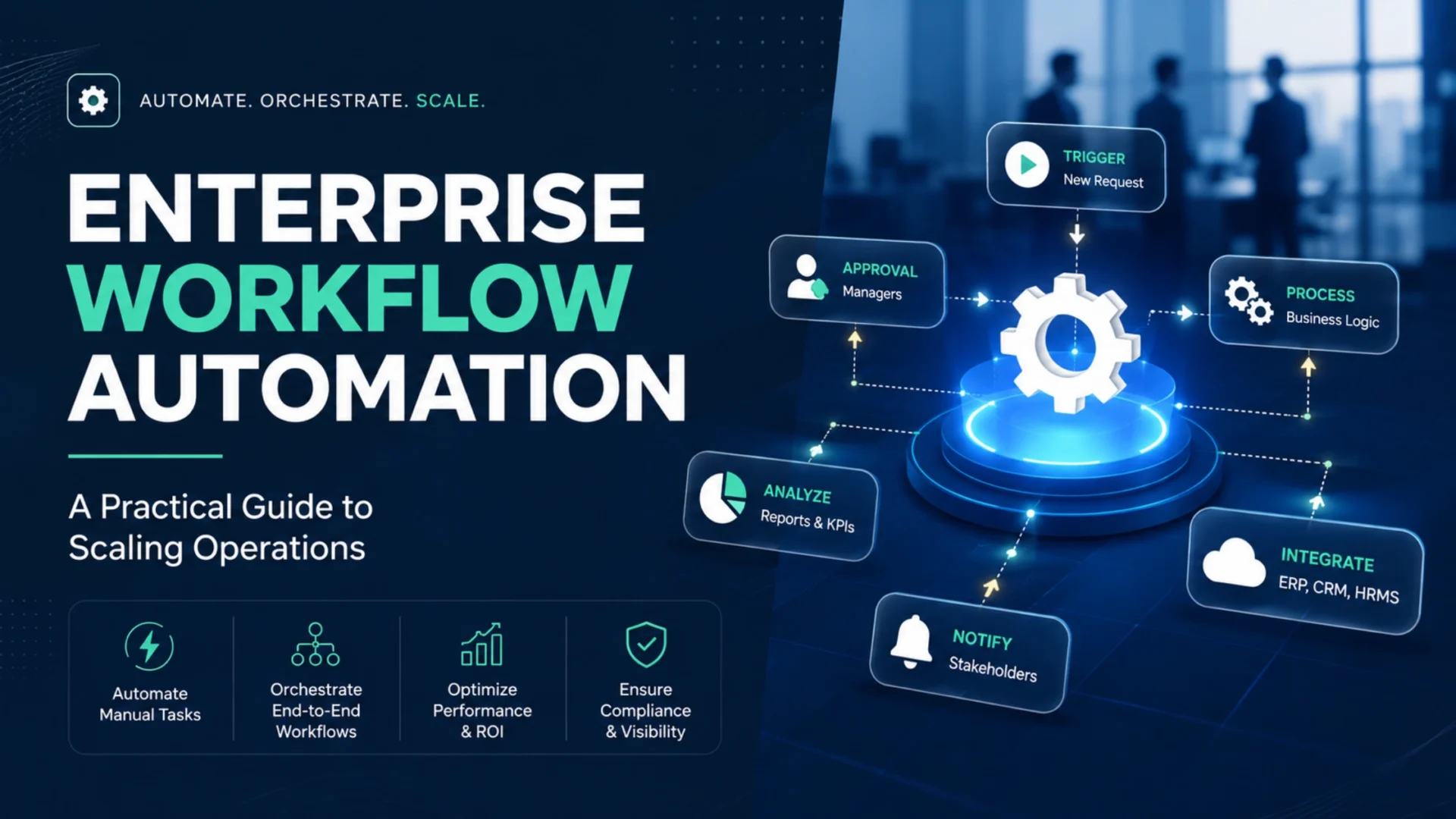
Enterprise workflow automation is the use of software, rules, and increasingly AI agents to route tasks, approvals, and data between people and systems without manual handoffs. Done well, it shortens cycle times, cuts error rates, and gives leadership real visibility into where work actually stalls. Done badly, it automates a broken process and just makes the mess move faster. The businesses that get the most out of it start narrow, prove the return on one process, and expand from there instead of trying to automate everything at once.
What enterprise workflow automation actually means
Enterprise workflow automation is the practice of using software, business rules, and integrations to move a multi-step process forward without someone manually pushing it along at every stage. It’s not one tool. It’s an architecture that connects triggers, logic, and systems so a process runs the same way every time, whether that’s the first run or the ten-thousandth.
Every automated workflow, no matter how complex, rests on three moving parts. A trigger starts things off, usually a form submission, a status change in a system of record, or a scheduled event. Logic decides what happens next, including approval routing, exception handling, and escalation. Integrations connect the systems involved, whether that’s an ERP, a CRM, a document repository, or a data warehouse.
Take a fairly ordinary procurement request. Manually, someone emails their manager, the manager forwards it along, procurement checks a spreadsheet for available budget, someone logs into the ERP for vendor terms, and finance gets looped in by email for final sign-off. Every one of those handoffs adds delay and a chance for something to get lost. Automated, the same request checks budget in real time, routes to the right approver based on category and dollar amount, pulls vendor data straight from the system of record, and logs every step as it happens.
Here’s the part that gets glossed over in a lot of vendor content: “workflow automation” and “AI workflow automation” aren’t the same thing, and treating them as interchangeable causes real confusion in budget conversations. Rule-based automation runs on IF/THEN logic. AI-augmented automation adds a language or reasoning layer, usually built through dedicated AI and ML development, for the steps that don’t fit a clean decision tree, like classifying an ambiguous invoice or pulling line items out of a non-standard PDF. Knowing which one a given process actually needs is usually the difference between a project that ships on time and one that quietly turns into an AI pilot that never reaches production.
Why enterprise workflow automation matters right now
Manual process work isn’t free, even when nobody’s tracking the cost that way. Every handoff between people, every spreadsheet someone updates by hand, every approval sitting in an inbox is time that could be spent on work that actually needs a person’s judgment.
The gap is bigger than most leadership teams realize until they measure it. Gartner expects at least 40% of enterprise applications to feature task-specific AI agents by 2026, up from under 5% the year before. That’s a fast shift, and it means the workflow tooling you pick today needs room to absorb agents later without a rebuild.
What that 40% figure doesn’t say out loud is that most of those hours aren’t spent thinking. They’re spent copying data between two systems that should already talk to each other, chasing an approval that’s sitting unread, or reconciling a report that three teams built independently because nobody trusted the shared version. That’s a workflow design problem before it’s a headcount problem, and workflow design problems are fixable without hiring anyone, especially once the power of data analytics shows leadership exactly where the hours are actually going.
Where enterprise workflows actually break down
Every enterprise runs into some version of the same handful of problems. Spotting which one is costing you the most is usually the fastest route to a fix.
Approval bottlenecks nobody owns: A request sits in one person’s queue for three days, not because they’re ignoring it, but because nobody set a service-level expectation or an escalation path. Multiply that by every approval step in the process, and days of delay pile up before anyone notices where it’s coming from.
Data living in too many places at once: A single customer record might exist in the CRM, a support ticketing tool, a billing system, and a spreadsheet someone keeps “just in case.” When none of those sync automatically, teams end up making decisions on data that’s already stale by the time they act on it, precisely the gap that solid data engineering and MLOps practices exist to close.
Manual reconciliation that scales badly: A small error rate on a hundred transactions a month is a rounding issue. The same error rate on ten thousand transactions across multiple business units is a compliance and finance problem that eats an entire team’s week every month.
Systems that were never designed to talk to each other: A lot of enterprise tech stacks were assembled department by department over a decade or more. ERP here, CRM there, a homegrown tool from 2014 that nobody wants to touch. Automation that ignores this reality and assumes clean API access everywhere tends to stall the first time it hits a system that doesn’t cooperate.
Exceptions that nobody planned for: The happy path of any process is easy to automate. It’s the edge cases, the missing field, the duplicate record, the unusual request that doesn’t fit the standard form, where automation projects usually run into trouble. Skip this planning and your workflow either breaks constantly or silently routes bad data forward.
No visibility into where work actually stalls: Without structured tracking, leaders find out about a bottleneck when a customer complains or an audit flags it, not when it first started slowing things down. By then, the cost has already compounded for weeks or months.
A practical way to think about workflow automation maturity: three levels
Not every automated workflow is built the same way, and the differences aren’t cosmetic. They determine what you can automate, how much you can trust it to run unsupervised, and whether the system can grow with the business or needs replacing in two years.
Rule-based automation: Built on straightforward IF/THEN logic. If the invoice is under $5,000, auto-approve. If a support ticket contains the word “refund,” route to billing. Every decision is predictable, which makes this tier a strong fit for payroll, compliance reporting, and anything where auditors will ask exactly why a decision was made. It falls apart the moment inputs get messy, like a scanned document in a non-standard format or an email written in plain language instead of a structured form.
AI-augmented workflows: Rules still run the overall process, but specific steps get handed to an AI model when they require interpretation rather than a fixed lookup. A procurement workflow might use rules for standard routing but call a model to classify an ambiguous vendor invoice or flag a contract clause that needs legal eyes. This is usually where a dedicated AI agent earns its place instead of a generic model bolted onto the workflow as an afterthought. The practical test here is simple: does this step follow the same logic every time, or does it require judgment? Rules handle the former more cheaply.
Orchestrated workflows: This is where rules, AI agents, and human reviewers act as coordinated participants in the same process rather than isolated pieces bolted together. A single workflow might route a purchase order through a compliance check, hand an unusual invoice to an AI agent for classification, and escalate a flagged discrepancy to a person, all within one governed process that keeps a complete audit trail across every handoff. This is genuinely the harder architecture to build, and it’s also the one that scales without falling apart every time you add a new use case.
A caution worth taking seriously
Gartner predicts that over 40% of agentic AI projects will be canceled by the end of 2027. That’s not a reason to avoid AI in your workflows. It’s a reason to build on a deterministic backbone first, then layer AI agents onto specific steps where they earn their keep, instead of betting an entire process on AI reasoning that hasn’t been tested against your real edge cases yet.
Where enterprise workflow automation pays off fastest
Some processes generate value from automation faster than others. The strongest early candidates usually combine high volume, consistent logic, and a bottleneck that’s already visible to leadership.
IT service management: Ticket routing, access provisioning, and incident response are repetitive by nature and produce results that both operations and finance teams can see immediately. Access requests that used to take days to route through the right approvers can often be resolved in hours once policy checks and routing are automated, which frees IT staff for work that actually requires troubleshooting skill.
Procurement and accounts payable: Three-way matching between invoice, purchase order, and receipt is exactly the kind of high-volume, rules-heavy work that automation handles well. Supplier onboarding, often a multi-week process involving document collection and approval routing across procurement, finance, and compliance, can shrink to days once the handoffs stop depending on someone remembering to forward an email.
Finance close and reporting: Journal entry tagging, expense audits, and month-end consolidation follow predictable logic most of the time. Automating the routine 90% frees the finance team to spend their close cycle on the exceptions that actually need a human explanation, not on data entry.
Employee onboarding and HR operations: A single new hire often triggers work across HR, IT, facilities, and a hiring manager at the same time. Automating account creation, equipment provisioning, and training assignments removes the coordination overhead that otherwise falls on whoever happens to remember to chase it.
A workable filter for picking your first process: it should happen often, follow consistent logic most of the time, involve moving data between multiple systems, and carry real cost when something slips through the cracks. Score a candidate process against all four, and you’ll usually land on a genuinely good starting point instead of picking whatever team complained loudest last quarter.
How to actually calculate ROI, with a worked example
Most workflow automation content throws around ROI percentages without showing the math behind them, which makes it hard to build a credible business case internally. Here’s a formula you can actually use, along with a worked example finance teams will recognize.
Worked example
A team processes 2,000 invoices a month. Each one currently takes 12 minutes of manual handling at a blended labor cost of $38 an hour. Automation cuts manual handling to 3 minutes per invoice. Annual Hours Saved = (12 minus 3 minutes) divided by 60, multiplied by 2,000 invoices, multiplied by 12 months, which comes out to 3,600 hours a year. At $38 an hour, that’s $136,800 in labor capacity freed up annually. If the automation platform and implementation cost $65,000 in year one, that’s a net first-year benefit of roughly $71,800, which works out to an ROI of about 110%, with payback landing under seven months.
That number is honest, but it’s also incomplete if you stop there. Real ROI models need to account for error reduction too, since a miskeyed invoice or a missed approval rarely costs just the minute it took to enter it. It costs the hour someone spends six weeks later tracking down why a payment went to the wrong vendor, plus the awkward call to fix it. Factor in a conservative estimate of avoided rework for manually handled processes, and the real return is almost always higher than the labor-hours math alone suggests.
Worth flagging honestly: not every workflow produces headcount savings, and finance leaders usually see through a business case that promises them anyway. What automation actually does in most cases is free up capacity that gets redirected to higher-value work, higher volume without proportional hiring, or faster cycle times that customers and internal stakeholders notice directly. Framing the case around capacity and speed, rather than layoffs, tends to land better with both leadership and the team that has to use the new system every day. If the volume justifies a purpose-built internal tool rather than another per-seat license, that’s usually the point where a conversation about SaaS development is worth having before the next budget cycle.
Not sure which process to automate first?
Elsner can map your current workflows and show you exactly where automation pays back fastest, before you commit budget to a platform.
Choosing the right approach: RPA, low-code, iPaaS, or custom-built
This is the decision that gets rushed most often, usually because a vendor demo looked impressive. The honest answer is that no single category of tool is right for every enterprise. What matters is matching the approach to your systems, your data volume, and how much your processes actually deviate from what an off-the-shelf platform assumes.
| Approach | Best for | Watch out for |
|---|---|---|
| RPA (robotic process automation) | Legacy systems with no usable API, screen-based data entry | Bots break every time the underlying screen layout changes |
| Low-code workflow platforms | Business teams building and owning approval flows without IT tickets | Complex logic and heavy customization can hit platform ceilings fast |
| iPaaS (integration platforms) | Connecting cloud apps that already have solid APIs | Per-task or per-operation pricing scales up quickly at enterprise volume |
| AI agent orchestration | Unstructured inputs: emails, PDFs, natural language requests | Needs a deterministic backbone or errors compound across steps |
| Custom-built automation | Proprietary logic, unusual sales or pricing models, deep system integration | Higher upfront cost, but no recurring per-seat or per-task licensing |
Most enterprises end up running a mix, not a single tool. RPA handles the legacy screen nobody wants to rebuild. Low-code covers business-owned approval flows. AI agents pick up the unstructured steps that used to require a person reading and interpreting a document. And somewhere underneath all of it, a genuinely custom-built layer is often what connects everything into one coherent system rather than a pile of point solutions that each solve a narrow problem and none of them talk to each other.
That last point matters more as programs mature. A company running five or six disconnected automation tools usually spends more on integration glue and maintenance than it would have spent building one properly architected system in the first place. Our custom software development team often gets called in precisely at this point, when off-the-shelf tools have started working against each other instead of together.
Where AI genuinely earns its place is in the steps that involve judgment rather than a fixed lookup: classifying an ambiguous request, extracting data from a document that doesn’t follow a template, or flagging something that looks unusual against historical patterns. That’s a different discipline from workflow routing, and treating it as a bolt-on afterthought is usually why these steps stay unreliable long after the rest of the workflow is running smoothly.
Integrating workflow automation with the systems you already run
Choosing a workflow tool is the easy part of most projects. Getting it to talk reliably to an ERP, a CRM, and whatever legacy system finance has depended on since before half the current team was hired is where projects actually succeed or stall.
ERP systems (SAP, NetSuite, Dynamics)
ERPs sit at the center of finance, procurement, and supply chain data, which makes them the highest-value integration and the riskiest one to get wrong. Batch processing windows, transaction integrity rules, and change-management processes around ERP configuration all need to be understood before a single workflow goes live against production data.
CRM and customer systems
CRM data changes constantly and often gets edited by multiple teams at once. Workflows that read from a CRM need conflict resolution logic built in from day one, or you’ll end up automating decisions off records that were already out of date the moment the workflow triggered.
Legacy and on-premises systems
Almost every enterprise has at least one system that predates modern APIs and runs on infrastructure nobody wants to touch. Integrating these usually means database-level connections, scheduled file transfers, or, as a last resort, UI-level automation that should be treated as a temporary bridge rather than a permanent fix, since it breaks the moment the underlying screen changes.
Data warehouses and reporting layers
Connecting a workflow platform directly to five separate operational systems creates fragile reporting, since every dashboard now depends on five different connections and data formats staying stable at once. Routing workflow data through a central warehouse first, where it’s cleaned and standardized, makes the whole architecture easier to scale as new systems get added.
The pattern that shows up again and again, regardless of industry, is that teams treat integration as a one-time setup task instead of ongoing infrastructure. API rate limits get tested hardest during peak periods, exactly when accuracy matters most. Sync failures and data mapping mismatches are unglamorous problems, but they’re what determines whether your automation runs cleanly for years or generates a steady trickle of exception tickets that eventually erodes trust in the whole system. Getting the underlying data architecture right, often through proper business intelligence integration across ERP and CRM systems, tends to make every downstream workflow decision easier and more reliable.
Governance and human-in-the-loop controls
Governance stops being optional the moment a workflow touches financial data, customer records, or anything a regulator might ask about later. Enterprise procurement teams increasingly won’t shortlist a platform until it’s cleared a security and compliance review, and that review usually looks at the same handful of things.
Role-based access decides who can build a workflow, who can approve it, and who can see the data it touches. Skip this and you get shadow automations built by individual employees that nobody else on the team even knows exist, which defeats the whole point of centralizing the process in the first place.
Audit trails matter just as much, and not as an afterthought bolted on after launch. Every workflow execution should leave a complete, unaltered record of what happened, who approved it, and what data changed at each step. That’s what an auditor asks for, and it’s also what gives leadership the confidence to eventually let a workflow run without a person checking every single output.
Confidence thresholds are the piece that becomes especially important once AI agents enter the picture. A well-designed workflow sets a clear cutoff for when the system proceeds automatically and when it pauses for a person to review. Get that threshold wrong in either direction, and you either bottleneck the process with unnecessary human review or let a misconfigured agent push through decisions that should have had eyes on them first. Getting this balance right usually means bringing in AI strategy consulting early, before the thresholds are baked into production rather than adjusted after something slips through.
A realistic rollout timeline
Timelines vary by process complexity and how many systems are involved, but this rough sequence holds up across most first automation projects.
Weeks 1 to 2
Map the process as it actually runs today, not as the org chart says it should. Every handoff, every exception, every system it touches.
Weeks 3 to 5
Design the future-state workflow on paper first. Decide which steps run automatically and which ones genuinely need a person in the loop.
Weeks 6 to 9
Build a minimum viable version covering the main path only. Resist the urge to handle every edge case before the first version even ships.
Weeks 10 to 13
Run it against real data with real users, fix what breaks, train the team on where to submit requests and how to check status, then launch with monitoring switched on from day one.
Once that first process is live and the numbers back up the business case, the next workflow usually moves faster, since a lot of the integration groundwork and stakeholder trust is already in place. That’s the land-and-expand pattern that shows up consistently across successful programs: prove it once, then use that proof to fund the next one instead of asking for a blank check upfront.
Common mistakes that stall automation programs
Automating a process that’s already broken: Software speeds up whatever you feed it, flaws included. If a process fails often because of missing data or an undocumented workaround, automating it just produces the same failures faster and at greater scale.
Trying to automate everything at once: Enterprise-wide rollouts sound efficient on a slide deck but usually outstrip how much organizational change a team can absorb at one time. A bounded first process, fully deployed with a demonstrated return, builds far more momentum than a sprawling program that stalls six months in.
Nobody owns the workflow after launch: Without a named business owner, small rule changes turn into weeks-long negotiations, users stop trusting the system, and the whole thing loses momentum quietly. Every workflow needs one person, not a committee, who can actually make a call when something needs to change.
Skipping exception planning: The happy path is always easy. Missing fields, duplicate records, and unusual requests are what actually determine whether users trust the tool or quietly go back to email and spreadsheets the first time it fails on something normal.
Building AI-only workflows without a deterministic backbone: Agents don’t fail loudly. They drift, and in a multi-step process, even small error rates at each step compound across the whole chain. A workflow that leans entirely on probabilistic AI reasoning for high-stakes decisions is more fragile than most teams expect once it hits real-world volume. Our guide on how to build an AI strategy for business growth walks through how to sequence this properly instead of bolting AI onto a process that was never designed to absorb it.
No monitoring after go-live: Connectors break, permissions change, and source systems get updated without warning. A workflow that ran perfectly for six months can quietly start failing on a subset of cases, and without dashboards and alerts in place, that failure often surfaces only when a customer or auditor points it out.
How Elsner helps enterprises scale workflow automation
We’re not locked into a single automation vendor, which means the recommendation you get is based on what your systems and process actually need, not what a partnership agreement pushes us toward. Some workflows genuinely fit a low-code platform. Others need a custom-built orchestration layer to hold up at scale, and some benefit from an AI agent handling the unstructured steps that rules alone can’t touch.
Our teams work across the full stack this kind of program actually needs, from picking the right first process to building the integrations that hold up at real transaction volume. Once a workflow is live, the reporting layer matters just as much as the automation itself. That’s usually where business intelligence comes in, turning raw workflow data into dashboards leadership actually checks instead of reports nobody opens.
Whatever stage your program is at, from a single approval flow to a multi-department rollout, the goal stays the same: fewer manual handoffs, faster cycle times, and a system your team trusts enough to actually use.
The bottom line
Enterprise workflow automation isn’t a single purchase decision. It’s an ongoing discipline that starts with picking the right first process, gets the architecture right early so AI agents can be added later without a rebuild, and treats governance and monitoring as part of the build rather than something to worry about after launch. The formula and timelines above give you a starting framework. The real work is being honest about which processes in your organization are actually broken versus which ones are just slow, because automating the wrong one first is how good programs lose their funding before they get a fair shot.
Ready to scale your operations without adding headcount?
Elsner builds enterprise workflow automation that holds up under real transaction volume, not just in a demo environment. Book a consultation and let’s map out what’s actually worth automating first.
Key takeaways
- Automating a broken process just makes the mess move faster. Fix the process before you automate it.
- Rule-based automation, AI-augmented workflows, and orchestrated systems solve different problems. Match the tier to the actual complexity of the process, not to what a vendor is selling.
- Real ROI comes from a clear formula: hours saved multiplied by volume and labor cost, minus implementation cost, plus the value of errors avoided.
- Most enterprises need a mix of RPA, low-code, iPaaS, and custom-built automation rather than a single tool that claims to do everything.
- Governance, audit trails, and monitoring aren’t optional extras. They’re what determines whether leadership eventually trusts the workflow enough to let it run unsupervised.
Frequently Asked Questions
What is enterprise workflow automation?
Enterprise workflow automation is the use of software, business rules, and integrations to route tasks, approvals, and data between people and systems across an organization without manual handoffs at every step. It covers everything from simple approval routing to complex processes that involve multiple departments, systems, and AI agents working together.
What’s the difference between RPA and workflow automation?
RPA automates individual tasks by mimicking user actions at the screen level, such as clicking buttons or copying data between applications. Workflow automation orchestrates the entire end-to-end process across multiple systems, people, and decision points, and it often uses RPA as one component within a larger governed process.
How do you calculate ROI for a workflow automation project?
Start with hours saved per transaction, multiply by transaction volume and blended labor cost to get annual savings, then subtract the platform and implementation cost. Add an estimate for avoided rework from reduced errors, since manual mistakes typically cost far more to fix later than they do to prevent upfront.
Which process should an enterprise automate first?
The strongest first candidates happen frequently, follow consistent rules most of the time, involve moving data across multiple systems, and carry a real cost when errors slip through. Invoice processing, access provisioning, and employee onboarding tend to score well against all four criteria in most organizations.
Can workflow automation work with legacy systems that don’t have modern APIs?
Yes, though it usually requires database-level integration, scheduled file transfers, or RPA that automates the screen directly. These approaches work, but they carry more maintenance risk than a clean API integration, since they tend to break when the underlying application interface changes.
Should enterprises build custom workflow automation or buy an off-the-shelf platform?
Most enterprises should start with proven platforms for standard processes like approvals and notifications. A custom build makes more sense once a workflow involves proprietary logic, unusual pricing or allocation rules, or a scale of integration that off-the-shelf tools were never designed to support cleanly.
How does AI fit into enterprise workflow automation?
AI agents handle the steps in a workflow that require interpretation rather than a fixed rule, such as classifying an ambiguous request or extracting data from a non-standard document. They work best layered onto a deterministic workflow backbone rather than replacing it entirely, since a rules-only foundation keeps the process predictable and auditable.
Why do most enterprise workflow automation programs fail?
Automation programs usually stall because they automate a process that was already broken, try to roll out too many workflows at once, lack a clear business owner after launch, or skip planning for exceptions. Technology is rarely the actual failure point. Process readiness and ownership almost always are.