- What is Ecommerce Replatforming?
- Signs You Actually Need to Replatform
- Reasons That Are Not Good Enough to Replatform
- The Real Cost of Replatforming
- Cost by Business Size
- When to Replatform Ecommerce (Timing is Everything)
- How to Pick the Right Platform
- 1. Business Model Fit
- 2. Total Cost of Ownership
- 3. Customization Needs
- 4. Scalability: Growth, Traffic, and Complexity
- 5. Integration Ecosystem
- 6. Team Capability: Who Will Actually Run This?
- Platform Fit Scenarios
- SaaS vs Headless vs Custom Build
- The 7-Phase Replatforming Roadmap
- How to Protect SEO During Migration
- How to Avoid Revenue Loss
- Data Migration: What to Move (and What Not To)
- What to Migrate Carefully
- What to Clean or Skip
- Common Replatforming Mistakes
- A Quick Decision Framework
- How Elsner Technologies Supports Replatforming
- Conclusion
- Ready to Replatform Your Ecommerce Store?
- Frequently Asked Questions
- How long does an ecommerce replatforming project take?
- How much does ecommerce replatforming cost?
- Will replatforming hurt my SEO rankings?
- What is the best ecommerce platform to migrate to?
- How do I avoid downtime during migration?
- Can I replatform without losing customer and order data?
- What is the difference between replatforming and a redesign?
It usually doesn’t break all at once. It starts small. A page that loads slower than it should. A checkout glitch that shows up once in a while. A feature request that somehow takes three weeks instead of three days.
You ignore it at first. Everyone does. But then it stacks up.
Traffic spikes crash your store during a sale. Integrations fail after updates. Your dev team is always busy, but somehow nothing moves fast enough. And at some point, someone in leadership says it out loud. Do we need to switch platforms?
That’s where things get uncomfortable. Because ecommerce replatforming is not a decision to be taken lightly. It’s expensive. It’s risky. And if done wrong, it can quietly eat into your traffic, conversions, and revenue for months.
But here’s the flip side. If it’s done right, it can unlock the next stage of growth. Faster pages. Better user experience. Cleaner operations. More flexibility.
This guide is built for that moment when you’re unsure.
No hype. No pushing specific platforms. Just a clear ecommerce migration framework to help you answer three critical questions:
When should you actually replatform
How do you pick the right platform
How do you migrate without hurting revenue or SEO
Let’s break it down step by step.
What is Ecommerce Replatforming?
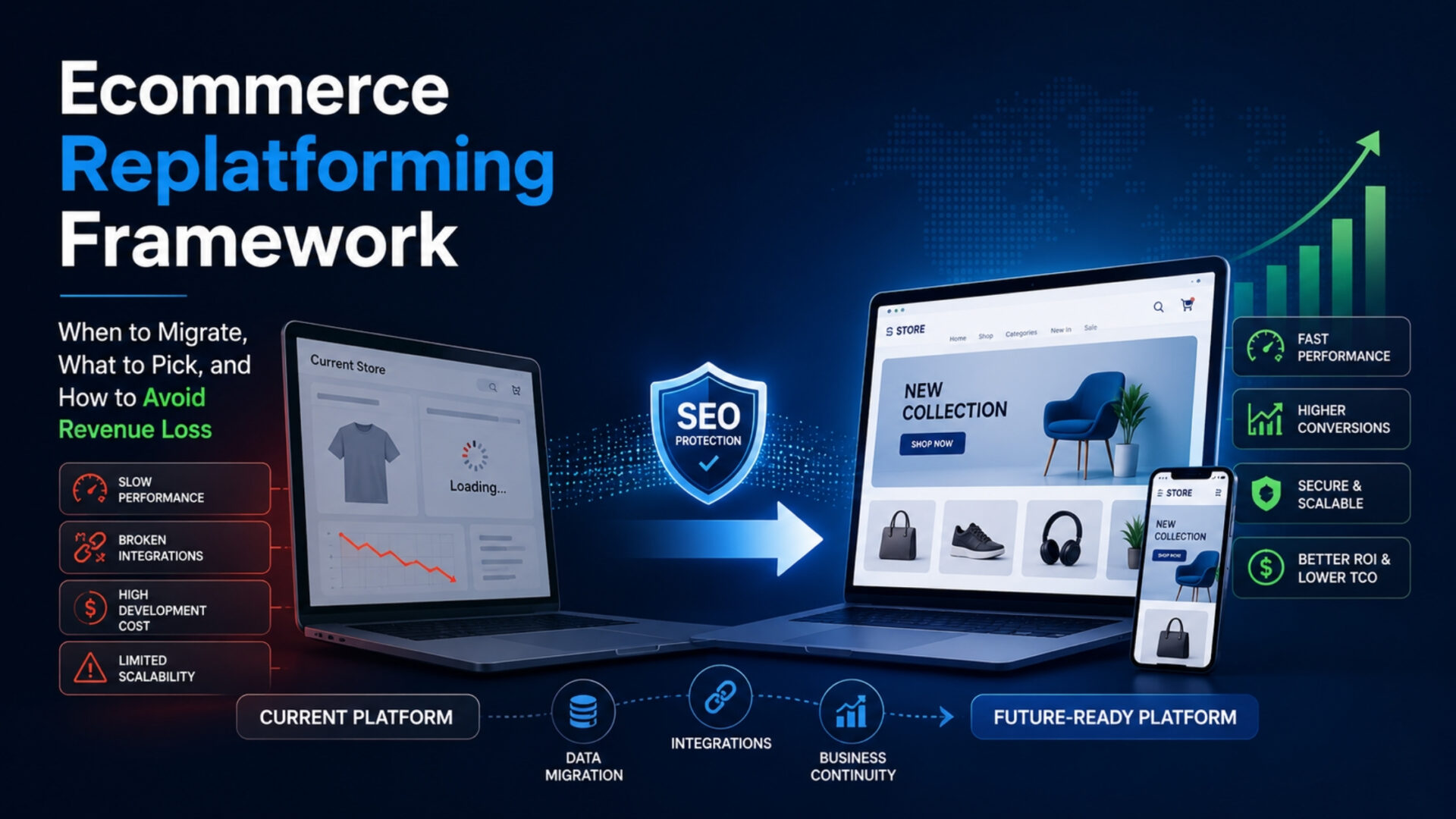
Basically, ecommerce replatforming means moving your online store from one platform to another.
This is not just redesigning your website. It’s not upgrading a version either. It’s a full transition of your backend, frontend, data, integrations, and workflows.
Think of it like moving your entire business to a new foundation. Everything still exists. But how it runs changes. A typical replatforming project can take anywhere from 3 months to 12 months, depending on complexity.
And in 2026, more brands are doing it than ever. Not because they want to. Because they have to. Customer expectations are higher. Core Web Vitals matter more. Mobile-first performance isn’t optional anymore. And older platforms, even if they worked fine before, struggle to keep up.
Signs You Actually Need to Replatform
Not every frustration means you need to migrate. But some patterns are hard to ignore. Go through this checklist and see what applies to you:
- Page speed is still slow, even after full optimization
- Your site struggles during high-traffic events
- Adding features takes weeks or months
- Development costs keep increasing
- Integrations break after updates
- Mobile experience feels outdated or rigid
- Your team spends more time fixing issues than building
- Security or compliance concerns are growing
- Expansion into new markets or models is blocked
- Your platform vendor is slowing down innovation
There’s no exact formula, but here’s a practical rule. If 4 or more of these are true, you’re not dealing with small issues anymore. You’re dealing with platform limitations.
And that’s when replatforming becomes a real conversation.
Reasons That Are Not Good Enough to Replatform
This is where many brands get it wrong. They jump into replatforming for the wrong reasons. Things like frustration, pressure, or assumptions. Let’s be honest, these happen a lot:
- A bad experience with a developer or agency
- Wanting a fresh design
- Copying a competitor’s tech stack
- New leadership wanting quick changes
- Believing a new platform will fix operational inefficiencies
- Vendor pressure or aggressive sales pitches
These are not platform problems. They’re process problems. In most cases, the underlying issue comes from inefficient workflows, unclear requirements, or a lack of coordination, not the technology itself.
Before making a big move, run a 30-day optimization sprint. Fix what you can. Improve performance. Clean workflows. Remove bottlenecks.
If problems still remain after that, then yes, it’s probably the platform.
The Real Cost of Replatforming
Here’s something most teams underestimate. The platform itself is not the highest cost. It’s everything around it. Let’s break it down clearly:
Cost by Business Size
What surprises most people is that the actual platform fee is often less than 20% of the total cost. The rest comes from execution.
When to Replatform Ecommerce (Timing is Everything)
Timing doesn’t get enough attention. But it should. Because even a well-planned ecommerce platform migration can fail if the timing is wrong.
First rule. Never migrate during peak season. Not during major sales. Not during holidays. Not when traffic is unpredictable.
The safer windows tend to be:
- Post-holiday Q1
- Mid-year slower periods
Also, avoid rushing because of internal deadlines. Fiscal pressure leads to shortcuts. And shortcuts here usually lead to bigger problems later.
Give yourself buffer time. Because delays will happen. They always do.
How to Pick the Right Platform
At first glance, most platforms look similar. They all promise flexibility, scalability, and performance. And technically, they’re not wrong. But the real difference shows up when your business starts pushing limits.
That’s why choosing a platform isn’t about features. It’s about fit. Here’s how to evaluate that properly:
1. Business Model Fit
This is the starting point. And honestly, one of the most overlooked areas. Not every platform is built to handle every business model equally well.
If you’re purely B2C, most modern platforms will work fine. The requirements are relatively standard. Catalog, checkout, promotions, or basic integrations. But things change quickly when you move beyond that.
- B2B setups need custom pricing, bulk ordering, account-based access, and approval workflows
- D2C brands often need strong branding, fast storefronts, and marketing flexibility
- Subscription models require recurring billing, lifecycle management, and retention tools
- Marketplaces need multi-vendor logic, commission structures, and complex payouts
- Hybrid models combine multiple layers, which increases complexity significantly
The mistake many teams make is choosing a platform that fits their current model. But not where they’re heading.
So the real question isn’t just: “What are we today?” It’s: “What will we become in the next 2–3 years?”
Because switching platforms again later is far more expensive than choosing right the first time.
2. Total Cost of Ownership
Most decisions get biased at this stage. Teams compare subscription fees or licensing costs and assume that’s the main expense. It’s not.
The actual cost of a platform is spread across multiple layers:
- Development and setup
- Custom features and workflows
- Integrations and middleware
- Ongoing maintenance and updates
- Third-party apps and tools
- Hosting (in some cases)
- Internal team costs
A platform that looks “cheap” upfront can become expensive over time if it relies heavily on paid apps or constant developer involvement.
On the other hand, a higher upfront investment might reduce long-term operational costs.
That’s why a 3-year cost view gives a much clearer picture. Not just what you’ll pay to launch. But what will it take to run, maintain, and scale?
3. Customization Needs
This is where trade-offs become very real. Some platforms are designed for speed and simplicity. Others are built for flexibility.
If your business runs on fairly standard workflows, an off-the-shelf setup can get you live quickly with minimal effort.
But if your operations involve:
- Complex pricing rules
- Unique checkout flows
- Custom product configurations
- Region-specific logic
- Internal workflows tied to systems
…then you’ll need deeper customization.
And not every platform handles that equally well. Some restrict backend access. Others allow full control but require more development effort.
So the key is to map your must-have custom logic before choosing a platform. Not after.
Because rebuilding critical workflows later can be costly, slow, and frustrating.
4. Scalability: Growth, Traffic, and Complexity
Scalability isn’t just about handling more traffic. It’s about handling growth without breaking.
There are three main areas to consider:
- Order volume → Can the platform process large numbers of transactions smoothly?
- Catalog size → Can it handle thousands (or millions) of SKUs without slowing down?
- Traffic spikes → Will your site stay stable during sales, launches, or peak events?
Some platforms perform well at smaller scales but struggle as complexity increases. Others are built for enterprise-level operations from day one.
Also, think beyond current numbers. If your traffic doubles next year, or your catalog expands 5x, will the platform still perform? Because scaling issues don’t show up early.
They show up when growth is already happening. And by then, it’s much harder to fix.
5. Integration Ecosystem
No eCommerce platform works in isolation. Your store is just one part of a larger system. You likely depend on:
- ERP systems for operations
- CRM tools for customer management
- PIM systems for product data
- Payment gateways
- Marketing automation tools
- Analytics platforms
The strength of a platform often depends on how easily it connects with these systems. Some platforms offer strong native integrations and app ecosystems. Others rely heavily on custom APIs or middleware.
The risk? If integrations are fragile or complex, they can break during updates, slow down operations, or require constant maintenance.
So when evaluating, don’t just ask: “Does it integrate?”
Ask: “How stable, flexible, and future-proof are those integrations?” In real-world scenarios, integration issues are among the biggest sources of friction.
6. Team Capability: Who Will Actually Run This?
This is where the replatforming strategy meets reality. A platform might look perfect on paper. But if your team can’t manage it effectively, it quickly becomes a bottleneck.
Think about:
- Do you have an in-house development team?
- What is their level of expertise?
- Will you rely on agencies for every change?
- How fast can your team respond to issues?
Some platforms are built for non-technical teams. Others require strong engineering support. If you choose a highly flexible system without the right technical resources, you may end up being dependent on external agencies for even small changes. That slows everything down.
On the flip side, choosing a simpler platform when you have a strong dev team might limit what you can build. So the goal is alignment. The platform should match your team’s capabilities, not fight against them.
Platform Fit Scenarios
- Quick launch, low complexity → Shopify
- Custom workflows, B2B → Adobe Commerce
- API-first, composable → BigCommerce or similar
- Content-heavy setups → WooCommerce or headless
- Complex enterprise needs → Custom build
There’s no universal winner here. The best platform is the one that fits your business today and where it’s going.
SaaS vs Headless vs Custom Build
- SaaS works when you want simplicity and speed. Less control, but easier management.
- Headless gives flexibility. Better frontend control. But adds complexity.
- Custom build offers full control. But it requires serious technical investment.
There’s no perfect option. Only trade-offs.
The 7-Phase Replatforming Roadmap
A successful replatforming roadmap follows a structured path. Each phase has a clear purpose and takes its own time to execute properly.
|
1
|
Discovery and Audit (2–4 weeks)This phase defines business goals, identifies current pain points, and audits your full integration ecosystem. It typically involves leadership, operations, and technical teams aligning on what needs to change. |
|
2
|
Platform Selection (3–6 weeks)The teams evaluate different e-commerce platforms through demos, requirement mapping, and scoring matrices to find the right fit. Stakeholders from tech, marketing, and finance are usually involved in decision-making. |
|
3
|
Planning and Architecture (3–5 weeks)This is where the technical blueprint is created – data mapping, URL structure, and integration design. Solution architects, SEO specialists, and developers collaborate closely here. |
|
4
|
Development and Design (8–20 weeks)During this phase, the storefront is built, features are developed, and integrations are implemented. Designers, frontend/backend developers, and QA teams handle this phase. |
|
5
|
Data Migration (3–6 weeks)Products, customers, orders, and content are transferred to the new platform with validation checks. Data teams and developers ensure accuracy and completeness. |
|
6
|
Testing and QA (3–5 weeks)Functionality, performance, payments and security of the entire system is tested in this phase. QA teams, developers, and business users work together to catch and fix issues. |
|
7
|
Launch and Post-Launch (4–8 weeks)Finally, the site goes live. Initially, with a soft launch, redirects are activated, and performance is monitored closely. Teams stay actively involved to fix issues, optimize, and stabilize operations. |
In most cases, the full timeline typically runs between 4-9 months for mid-market projects.
How to Protect SEO During Migration
This is one of the most critical parts. Because traffic loss doesn’t happen instantly. It creeps in. And by the time you notice, it’s already impacting revenue. Here’s what needs to be done properly:
- Conduct a full URL audit
- Create 301 redirects for every page
- Preserve meta titles and descriptions
- Maintain internal linking structure
- Keep canonical tags intact
- Update and submit sitemap
- Monitor Core Web Vitals closely
- Track keyword rankings weekly
Even with perfect execution, expect a temporary dip. Usually 10 to 20%, lasting around 30 to 90 days. That’s normal.
How to Avoid Revenue Loss
Traffic dips are manageable. Revenue dips are not. So the goal is simple. Reduce risk as much as possible. Some practical ways:
- Migrate during low-traffic periods
- Use a staging environment for testing
- Run both platforms in parallel
- Soft launch before full release
- Keep rollback plans ready
- Train your support team early
- Monitor checkout flow closely
The first week after launch is critical. Watch everything. Fix fast.
Data Migration: What to Move (and What Not To)
Data migration is often treated as a simple transfer. But in reality, it’s where many replatforming projects either stay clean or carry forward years of clutter. Most brands make the same mistake. They migrate everything.
That includes outdated, unused, or low-value data that slows down the new system from day one. A better approach is selective migration.
What to Migrate Carefully
- Active customer accounts and order history: These are critical for continuity. Customers need access to their accounts. And order history helps with service, returns, and maintaining trust.
- Live product catalog and SKUs: You need to ensure your current sellable inventory is accurate and complete, with correct pricing, variants, and stock data.
- Reviews and user-generated content: Reviews and user-generated content build credibility and directly impact conversions. So, it’s essential to preserve them.
- Recent content and SEO-valuable pages: Pages that drive traffic or rankings should be migrated carefully to maintain SEO performance and visibility.
What to Clean or Skip
- Inactive customers (older than 3 years): Old, inactive accounts add clutter and rarely provide value. Keeping them can affect performance and data quality.
- Discontinued products: The products that are no longer in use don’t need to be carried forward. They can, only if required for historical reference.
- Outdated content with no traffic: Low-value pages that don’t drive traffic or engagement can be removed to keep your site clean.
- Legacy custom fields no longer in use: You can remove unused fields from past systems. They often create confusion and unnecessary complexity in the new setup.
Replatforming isn’t just a platform migration. It’s a reset. Cleaning your data before moving helps improve performance, simplify operations, and set a stronger foundation for growth going forward.
Common Replatforming Mistakes
These mistakes show up again and again:
- Rushing the timeline to meet a fiscal deadline
- Underestimating data cleanup effort
- Forgetting about email, SMS, and ad platform integrations
- Not training the internal team on the new platform
- Choosing a platform based on features instead of fit
- Skipping load testing before launch
- Ignoring third-party app dependencies
- Not budgeting for post-launch fixes
Avoiding these won’t guarantee success. But it will reduce most risks.
A Quick Decision Framework
Still unsure? Ask yourself:
- Is your platform blocking growth?
- Is staying more expensive long-term?
- Do you have the budget and team?
- Will your business evolve soon?
- Have you tried optimizing first?
If most answers are yes, start planning.
If mixed, optimize first.
If mostly no, stay where you are and improve.
How Elsner Technologies Supports Replatforming
Replatforming is complex. But it doesn’t have to feel messy. Elsner Technologies works across the following:
The focus is simple. A structured approach. Clean data migration. SEO protection from day one. And strong post-launch support.
If you’re considering replatforming, it’s always a good idea to discuss your situation before making a final call.
Conclusion
Ecommerce replatforming is not just a technical decision. It’s a strategic move. The brands that get it right don’t rush. They don’t chase trends. They take time to evaluate, plan, and execute carefully.
They focus on fit. On timing. On protecting what they’ve already built. Because the truth is, a bad migration costs more than a careful one.
If you’re at that stage right now, take a step back. Think through it properly. And get expert input by hiring an ecommerce developer before making the move. It’ll save you time, money and a lot of stress.
Remember: A well-planned replatforming is an investment in your business’s future. Take the time to do it right.
Ready to Replatform Your Ecommerce Store?
Elsner Technologies has helped 650+ brands across diverse platforms migrate smoothly, protect their SEO, and unlock growth. Let’s talk about your store’s next chapter.
Frequently Asked Questions
How long does an ecommerce replatforming project take?
It is based on how complex your setup is. Small stores can move quicker, but if you have custom features and integrations, it will take time. Mostly, it takes somewhere around 4 to 9 months.
How much does ecommerce replatforming cost?
There’s no exact number here. It depends on what you’re creating. A simple migration can cost relatively less. But if you add custom functionality, integrations, or heavy data migration, costs go up.
Will replatforming hurt my SEO rankings?
It can. But you can take care of it. If redirections, URL structure, and content are handled properly, your rankings should stay stable. In fact, some businesses see improvements after cleaning things up. The key is to consider SEO as part of the process, not to fix later.
What is the best ecommerce platform to migrate to?
There’s no best platform. It depends on what your business needs. For example, a fast-growing DTC brand might need flexibility and speed, while a B2B setup might need more customization.
How do I avoid downtime during migration?
Most migrations today are planned in a way that customers don’t really notice. Teams usually work on a staging environment, test everything thoroughly, and then do a controlled launch.
Can I replatform without losing customer and order data?
Yes, you can. Data should not just be moved. It should be mapped, tested, and validated. Most teams run multiple test migrations to make sure everything is accurate before going live.
What is the difference between replatforming and a redesign?
A redesign is about the look and feel of your ecommerce store. Replatforming is about how it works behind the scenes and changing the platform altogether. Sometimes they happen together, but they’re not the same.