- What Is AI-Native Software Development?
- AI-assisted vs AI-native development
- Why Is Software Development Becoming AI-Native?
- AI coding agents are moving beyond autocomplete
- Coding is becoming faster than verification
- Software teams need more context, not just more AI
- AI is moving from assistant to collaborator
- AI-Native Software Development Lifecycle: What Changes at Each Stage?
- 1. Planning and discovery
- 2. Requirements engineering
- 3. Architecture and system design
- 4. Coding and implementation
- 5. Testing and quality assurance
- 6. Code review
- 7. Security and compliance
- 8. CI/CD and deployment
- 9. Monitoring and maintenance
- 10. Continuous improvement
- Traditional SDLC vs AI-Native SDLC
- What Are the Benefits of AI-Native Software Development?
- Challenges and Risks of AI-Native Software Development
- Defects and technical debt
- Context limits
- Security exposure
- Over-reliance and skill shifts
- Governance and accountability
- Review bottlenecks, tool sprawl, and cost
- What Is the Role of Developers in AI-Native Software Development?
- How Businesses Can Adopt an AI-Native Software Development Approach
- How to Measure the Success of AI-Native Development
- What Does the Future of AI-Native Software Development Look Like?
- Frequently Asked Questions
- What is AI-native software development?
- How is AI-native different from AI-assisted development?
- How does AI change the software development lifecycle?
- Will AI replace software developers?
- What are AI coding agents?
- What are the biggest risks of AI-native software development?
- How can businesses adopt AI-native software development?
- Planning an AI-native rollout?
Ask an engineering manager where the week goes, and the answer has changed. Not long ago it was typing: the function, the endpoint, the tests. Now a coding agent can read a repository, edit a dozen files, run the test suite, and open a pull request before standup ends. JetBrains’ Developer Ecosystem Survey 2026 found that 90 percent of professional developers used AI coding agents at work at least weekly between May and July 2026, and 68 percent used them daily.
Quick Answer
AI-native software development builds AI into every stage of the software development lifecycle, from planning to maintenance, instead of using it as one coding assistant. Humans keep ownership of goals, architecture, and risk. AI handles repeatable execution, while testing, review, and governance get redesigned to keep pace with faster code.
That changes the arithmetic. When writing code stops being the slowest step, something else takes its place: deciding what to build, reviewing what got built, proving it works, and shipping it safely. Those stages still run at human speed in most companies. Anthropic’s AI-native SDLC playbook, published in August 2026, makes the same point: the bottleneck moves to the steps on either side of the build phase.
Most teams travel through four phases. The traditional SDLC has people doing nearly everything. AI-assisted development adds a tool for individual tasks. AI-augmented development spreads AI across several stages while the workflow stays familiar. The AI-native SDLC reorganizes planning, specifications, testing, security, and operations around human and AI collaboration. It works best when it sits inside a wider AI strategy for business growth, not beside it.
Below, you’ll find what changes at each of ten lifecycle stages, where things go wrong, what the research supports, and how a US business can adopt this without gambling its codebase. There’s also a short readiness test in the adoption section. And if you’re weighing bespoke builds, see the benefits of custom software development for growing companies.
What Is AI-Native Software Development?
AI-native software development is the practice of deliberately building AI into the entire software development lifecycle, from discovery and requirements through testing, deployment, and maintenance, rather than attaching one assistant to one step. People set goals and stay accountable. AI does much of the repeatable execution inside guardrails the team defines.
You’ll also hear it called the agentic SDLC or agentic software development. Anthropic’s playbook treats those labels as the same shift. What separates it from ordinary tool adoption comes down to seven ideas:
- AI participates across stages, not in a single one.
- Humans stay accountable for anything that needs judgment.
- Written context (specs, standards, architecture notes) becomes a real input.
- Validation gets heavier because output volume goes up.
- Governance runs while the work happens, not weeks later.
- Production feedback flows back into planning.
- Handoffs are triggered by written artifacts instead of meetings.
The word “native” is borrowed on purpose. Cloud-native software wasn’t a data center with a few servers moved over; it was designed around what the cloud does well. AI-native development works the same way. A team that drops an agent into a process built for humans typing every line usually gets faster typing and unchanged bottlenecks. A team that rebuilds the process gets something different, though it takes more effort and discipline than buying a license.
AI-assisted vs AI-native development
| Area | AI-Assisted | AI-Native |
|---|---|---|
| Workflow | Human-led, AI helps with tasks | Shared across the lifecycle |
| AI role | Autocomplete, chat, snippets | Agents that plan, edit, test, report |
| Human role | Writes most code | Sets intent, reviews, owns decisions |
| Handoffs | Tickets and meetings | Artifacts trigger the next step |
| Testing | Mostly hand-authored | Generated and run continuously |
| Governance | Periodic review gates | Enforced as the AI acts |
| Decisions | Individual judgment | Human judgment, recorded in the repo |
Why Is Software Development Becoming AI-Native?
Four forces are pushing in the same direction.
AI coding agents are moving beyond autocomplete
Early tools finished your line. Current agents read a whole repository, change several files, run commands, read the errors, and try again. Adoption is moving fast: in the JetBrains data, Claude Code use at work rose from 18 percent in January 2026 to about 39 percent by mid-year, and Codex went from 3 percent to 16 percent. That’s a different category of tool, so it needs a different workflow.
Coding is becoming faster than verification
The 2025 DORA report, built on responses from nearly 5,000 professionals, found that AI adoption now correlates with higher delivery throughput but also with higher delivery instability. More output without stronger testing, review, and security simply means more to break.
Software teams need more context, not just more AI
An agent can’t respect a business rule nobody wrote down. Requirements, architecture notes, coding standards, security policies, and acceptance criteria all have to live somewhere the agent can read. Microsoft calls the alternative “translation loss,” where meaning erodes at every handoff.
AI is moving from assistant to collaborator
Researchers Ahmed Hassan and colleagues, writing in ACM Transactions on Software Engineering and Methodology, describe an intent-first, conversation-oriented model they call Software Engineering 3.0. It’s a research vision, not an industry standard, but it names where agentic software development is heading.
Anthropic’s playbook spells out what happens when build speed jumps and nothing else moves. The bottleneck shifts to planning, review, testing, and deployment. Controls designed for human-written code, like reading every line, stop matching reality. And governance gets more expensive, because exceptions still route through committees that meet weekly or monthly. None of that is a reason to slow the agents down. It’s a reason to redesign what surrounds them.
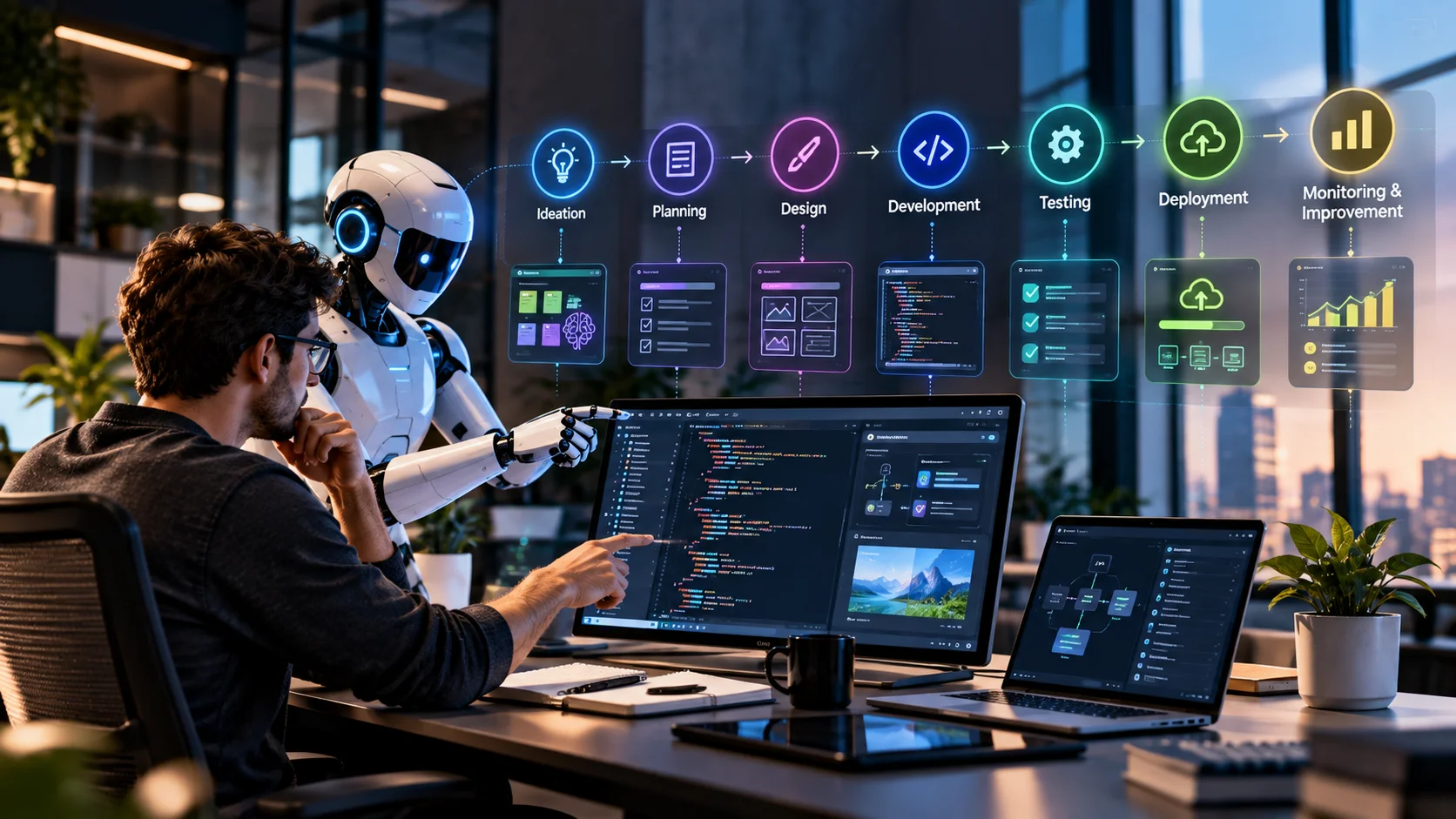
AI-Native Software Development Lifecycle: What Changes at Each Stage?
Ten stages, from the first idea to the next one. Notice how often the answer is the same: AI does the volume work, and a person owns the call.
1. Planning and discovery
Picture a claims operations lead who suspects a third of call time goes to “where’s my claim?” queries. AI can read months of support tickets, call notes, and customer feedback, cluster the recurring problems, and surface edge cases nobody thought to ask about. That’s requirements discovery at a speed no workshop can match.
Prioritization is another matter. Contract obligations, margin, and roadmap trade-offs aren’t in the ticket data. Let AI inform the ranking. Don’t let it make it.
A few practical uses worth trying early: summarizing a quarter of support tickets into ten ranked themes, checking a feature idea against past incidents, and turning a rough founder brief into a first draft of scope and open questions. Each output is a starting point for a human conversation, and it should be labeled that way.
2. Requirements engineering
Here AI drafts user stories, sharpens acceptance criteria, flags contradictions between requirements, and lists edge cases. The bigger shift is spec-driven development. Microsoft’s June 2026 guidance describes it as making structured specs the shared source of truth for humans and AI, then generating code and tests from that spec. Its Spec Kit workflow runs from principles and requirements through clarification, planning, tasks, implementation, and validation against the spec.
Microsoft’s own lesson is worth repeating: spec quality drives output quality, and not every change needs the full process. A one-line copy fix doesn’t need a constitution.
In practice, requirements work changes shape. Instead of a product manager writing a long document that engineers interpret, the person closest to the problem describes it in plain language, the AI drafts a structured specification, and the product owner corrects it. Anthropic describes this as capturing intent once, in the originator’s own words, then committing it so the next stage can read it. The payoff is fewer meetings and fewer misreadings. The risk is a confident spec that sounds finished but hides an unresolved question, so every AI-drafted spec should list its open questions explicitly.
3. Architecture and system design
AI is useful for weighing options: API shapes, database models, dependency maps, scalability limits, and documentation for systems nobody has diagrammed in years. It can also read a legacy codebase and explain what’s actually in it.
Watch this one. AI can propose an architecture. It can’t be held accountable for it. Carnegie Mellon’s Software Engineering Institute also notes that what works on a small codebase doesn’t always hold on a large one, so treat every AI-suggested design as a draft. Choices like monolith versus microservices still need a named human owner.
One useful habit: ask the AI to argue against its own proposal. What could this design break? Which step is riskiest? What alternatives did it discard, and why? Those three questions surface trade-offs a first answer tends to bury, and they leave a written record of why the team chose what it chose.
4. Coding and implementation
This is the stage everyone already knows: code generation, multi-file changes, refactoring, documentation, migrations, and agent-driven pull requests. Tools such as Claude Code, OpenAI Codex, GitHub Copilot, Cursor, and Gemini Code Assist all work this way to varying degrees. The tool matters less than the habit around it.
The habit that works is plan first, code second. Have the agent read the codebase and write a plan naming the files, the order, and the tests. A person corrects the plan before any code exists. It’s also where legacy software modernization gets cheaper, since agents are good at tedious, well-defined migration work.
Two supporting practices make a large difference. First, keep a short repository instruction file with build and test commands, conventions, and the mistakes the agent keeps repeating. Whenever it makes the same error twice, the correction goes in the file. Second, run several tasks in parallel only if each touches different files and a person can genuinely review every stream. The ceiling isn’t how many agents you can start. It’s how many outputs you can properly read.
5. Testing and quality assurance
More generated code demands more systematic validation. AI helps by:
- Writing unit and integration tests from the spec
- Finding edge cases a tired human skips
- Repairing brittle tests after harmless UI changes
- Explaining why a regression suite failed
One rule matters more than the rest: give the agent a way to check its own work, whether that’s a test command, a build, or a screenshot comparison. And don’t let an agent fixing a bug also rewrite the test that proves it. Human QA judgment moves toward test strategy, which our overview of quality assurance testing covers in more depth.
There’s a subtler point here too. Tests are the specification that survives. If an agent generates code and its own tests in one pass, both can share the same wrong assumption. Independent verification, such as a second agent with a fresh context or a human-written acceptance test for critical paths, catches what self-checking can’t. Our notes on automation testing explain how to build that independent layer.
6. Code review
Reviewing every line by hand made sense when a colleague wrote it. Anthropic’s playbook argues it can’t keep up once agents write most of the diff. So AI reviews first: it summarizes the pull request, flags likely bugs and security issues, and checks the change against the plan.
Humans then judge what machines handle poorly: business logic, architectural fit, risk, and long-term maintainability. Review shifts from reading syntax to asking whether the change should exist at all.
A practical order helps reviewers stay sane. Read the plan first, then the tests, then the diff. If the tests don’t prove the plan, the diff barely matters. Reviewers who start with the diff tend to get lost in details the agent got right and miss the requirement it quietly dropped.
7. Security and compliance
Security can’t be a final-stage check when code arrives this fast. Google described its approach in September 2026: AI agents scan every code change before it’s submitted, backed by a triage agent that reported over 92 percent precision, with fixes proposed for human review. Google also reported false-positive rates as low as 3 percent in some cases. That’s a vendor’s account of its own systems, so read it as a design pattern, not a benchmark you’ll match.
Your list should cover vulnerable dependencies, secrets in diffs, insecure generated code, prompt injection, and agent permissions. Every agent action should be attributable and auditable, and compliance rules belong in the workflow itself.
For regulated US industries such as healthcare, finance, and government contracting, add an evidence layer: which model or agent touched which change, under whose identity, with what approval. Logged sessions, committed artifacts, and branch protection that requires a human approver give auditors something concrete. Deterministic controls, like blocked file paths and denied network access, matter more than polite instructions in a prompt.
8. CI/CD and deployment
Judgment-heavy pipeline work is a good fit: triaging a failed build, drafting release notes, reading configuration for mistakes, estimating deployment risk, and running a rehearsed rollback. Start read-only, then add write steps behind existing gates.
Autonomy should scale by environment. Free in development, supervised in staging, and gated by a named person in production. Fully autonomous deployment isn’t right for every organization, and regulated ones will often say no.
A sensible starting point is boring. Let the agent triage failures and draft changelogs for a month before it touches anything that writes to an environment. Give agent jobs short-lived credentials and no standing production access. Then test the rollback path on purpose, because a rollback nobody has rehearsed is a hope, not a control.
9. Monitoring and maintenance
Agents can watch for anomalies, read logs, chase root causes, update stale documentation, and spot technical debt. Anthropic’s playbook suggests keeping detection deterministic, with a script watching metrics against thresholds, and calling the AI only after a threshold is breached. That’s sensible. You don’t want a model deciding whether something is wrong at 3 a.m.
Once a threshold trips, the agent’s job is diagnosis: read the logs, correlate with the last deployment, and write up what it found in the same format the planning stage uses. A human then decides whether to fix now, schedule it, or dismiss it. Dismissals matter, because they tune the thresholds and cut noise. The same logic applies to technical debt. A scheduled agent can flag duplicated logic and aging dependencies, and the team decides which items earn a sprint.
10. Continuous improvement
This is where a line becomes a loop. Production feedback becomes analysis, analysis becomes requirements, then development, testing, deployment, monitoring, and back to learning. Every incident should end as a permanent test, so the same class of failure gets caught earlier next time.
The pattern behind all ten stages
Each stage ends by writing something down (an intent note, a spec, a plan, a diff with tests, a review record) and the next stage starts by reading it. Those artifacts double as your audit trail. It’s the simplest way to keep humans accountable while agents do the volume work.
Traditional SDLC vs AI-Native SDLC
| Area | Traditional SDLC | AI-Native SDLC |
|---|---|---|
| Planning | Human-led workshops | Human decisions, AI analysis |
| Requirements | Written by hand | AI-refined specs |
| Architecture | Human-designed | AI-explored, human-owned |
| Coding | Mostly human | Humans plus agents |
| Testing | Mostly hand-authored | Generated and continuous |
| Code review | Human-centric | AI first pass, human sign-off |
| Security | Periodic checks | Continuous scanning |
| Deployment | Scripted pipelines | Pipelines with AI judgment steps |
| Maintenance | Reactive | Proactive, threshold-triggered |
| Feedback | Periodic | Continuous |
Read that table as a spectrum. Most organizations sit somewhere between the columns, and that’s fine. Traditional practice isn’t obsolete. CMU’s Software Engineering Institute puts it well: AI changes how software gets produced, not the need to engineer it against business goals. Version control, testing, architecture, and accountability all still apply.
It’s also worth saying that regulated environments won’t hit the right-hand column everywhere. A payments team may keep human review on every change to money-handling code for years. That isn’t a failure to modernize. It’s a deliberate control decision, and AI-native practice can accommodate it by concentrating human attention where risk is highest.
What Are the Benefits of AI-Native Software Development?
Be careful with the big numbers. In DORA’s survey, over 80 percent of respondents said AI raised their productivity, but that’s self-reported, and the same report tied AI to more instability. Gains are real when the surrounding system is healthy. The eight below are the ones we’d expect to hold up.
- Faster development cycles: the build phase compresses, provided planning and review keep pace.
- More output per engineer: one engineer can steer several parallel streams of work.
- Faster prototyping: a working prototype in days makes an MVP conversation concrete. Our MVP development work leans on this.
- Better test coverage: tests written alongside code rather than skipped under deadline.
- Faster documentation: docs stay current because updating them is nearly free.
- Cheaper legacy modernization: repetitive migration is where agents shine.
- Continuous feedback: production signals reach planning in hours, not quarters.
- Better use of expertise: senior people spend time on judgment, not boilerplate.
Case-level evidence exists, but it’s specific. One Microsoft brownfield team reported cutting the onboarding of a new asset type from roughly 2 to 3 weeks to a few days by capturing the repeatable pattern in parameterized specs. Useful, yes. A universal benchmark, no. Results vary with task, codebase, tooling, and review maturity.
One finding deserves more attention than it gets. DORA reported that teams with loosely coupled architectures and fast feedback loops saw gains, while teams with tightly coupled systems and slow processes saw little or none. In plain terms, AI amplifies what’s already there. If your deployment takes two weeks and your test suite is flaky, an agent won’t fix that. It will just produce more changes waiting in the queue. That’s a strong argument for investing in architecture and testing first, which is also why legacy modernization planning and AI adoption often belong in the same roadmap.
Challenges and Risks of AI-Native Software Development
Speed has a bill attached. Here’s what shows up most often.
Defects and technical debt
AI-generated code can be wrong in convincing ways. Carnegie Mellon’s Software Engineering Institute warns that AI can accelerate technical debt, and that quality doesn’t come for free. Debt now piles up at the speed of generation.
Context limits
Agents work from what they can see. Missing business rules, undocumented architecture, and unwritten security constraints produce plausible but wrong output, especially in large codebases.
Security exposure
Generated code can introduce vulnerabilities, and agents with broad permissions or exposed credentials add new attack surface. Prompt injection is a genuine concern when agents read untrusted content.
A concrete example: an agent asked to summarize a support ticket or a web page may encounter text written to look like an instruction. If that agent also holds a deployment credential, the gap between reading and acting is thin. Least-privilege access, sandboxing, and blocking network calls the task doesn’t need are the practical answers.
Over-reliance and skill shifts
DORA found roughly 30 percent of respondents had little or no trust in AI-generated code. That’s healthy. The danger is the opposite: juniors who accept output they can’t evaluate, and seniors who stop reading it.
There’s also a pipeline concern. If agents take over the starter tasks juniors once learned on, the team needs another route for building judgment, such as pairing on reviews and owning small production areas. Otherwise, the supply of engineers who can evaluate AI output quietly shrinks.
Governance and accountability
Who approved the change the agent wrote? If the answer is fuzzy, you have a problem. Exceptions that route through monthly committees also erase the speed you paid for.
Review bottlenecks, tool sprawl, and cost
Reviewers can drown when volume triples. Teams also collect overlapping tools with inconsistent policies, and usage-based pricing can surprise finance. For budget planning, see our breakdown of AI development cost.
Verification debt
Our framing, not an industry term: verification debt is the gap between how much code your team generates and how much it can genuinely verify. If it grows every sprint, you’re borrowing against future incidents. AI-native does not mean AI-autonomous.
What Is the Role of Developers in AI-Native Software Development?
Will AI replace software developers? The evidence so far points to a redistribution of work, not a disappearance. Typing shrinks. Judgment grows. As agents absorb the mechanical work, developers spend more time on:
- Problem framing, requirements, and product understanding
- Architecture and systems thinking
- Directing and orchestrating agents
- Reviewing output, test strategy, and security
- Technical decisions that carry business consequences
The Software Engineering 3.0 paper frames this as intent-driven collaboration, with developers expressing goals and AI teammates producing candidate software. Whether that happens quickly is genuinely uncertain. What’s clear today is that weak fundamentals get exposed faster. A developer who can’t read a diff critically will struggle more with agents, not less. Hiring and training should reflect that.
Consider a mid-level engineer on a team running three agent sessions at once. Their morning starts with reviewing overnight pull requests, correcting a plan an agent drafted, and writing an acceptance test for tomorrow’s feature. They still write code, mostly for the hard parts. But the job resembles a tech lead’s more than it used to. Organizations that recognize this early will promote, hire, and train differently, with more weight on reading code, writing specs, and reasoning about failure. Teams short on that experience often bring in custom software development support while they build it.
How Businesses Can Adopt an AI-Native Software Development Approach
Go incrementally. Microsoft’s own guidance recommends a small pilot, and we agree. If you’re unsure which use case to start with, AI strategy consulting can help you choose. Ten steps, in order:
1. Identify high-value use cases. Pick one painful, well-bounded workflow, such as a legacy migration or test backlog.
2. Audit the existing SDLC. Find where work waits. That’s where AI code will queue up.
3. Define AI responsibilities. Write down what agents may do, what needs approval, and what’s off limits.
4. Establish engineering standards. Coding conventions, branching rules, and definition of done, in writing.
5. Create context and documentation. Put commands, architecture notes, and recurring mistakes in a file the agent reads every session.
6. Introduce AI coding agents. Start with one or two engineers and plan-first workflows.
7. Strengthen automated testing. Agents are only as safe as the tests they run against.
8. Add security and governance controls. Scoped permissions, secret protection, and logged actions, enforced by tooling rather than habit.
9. Measure outcomes. Track delivery and quality, not activity.
10. Scale gradually. Expand to the next team only when review and testing are keeping up.
A three-question readiness test
Before handing any task to an agent, ask: (1) Can we verify the result in minutes with a test, build, or screenshot? (2) Is the context written down where the agent can read it? (3) Who owns the risk if it’s wrong? A “no” or a “nobody” means fix that first.
Some situations justify outside help: complex legacy systems, enterprise integrations, AI architecture, strict security requirements, large modernization programs, and custom AI applications. If that’s you, a partner offering AI software development services can shorten the learning curve. Ask any provider how they verify AI output, not just how fast they ship it.
A realistic pilot lasts six to ten weeks. Weeks one and two go to choosing the use case, writing the repository instruction file, and baselining today’s cycle time and change failure rate. Weeks three to six run the agent on real tickets with plan-first workflows and mandatory human review. The remaining weeks compare results to the baseline and decide whether to expand, adjust, or stop. Stopping is a legitimate outcome. A pilot that ends in “not yet, and here’s why” has still done its job.
Product teams building new software have a different entry point. If you’re validating an idea, AI-native practices pair well with an MVP, since fast iteration is the point. For a growing platform, SaaS development teams benefit most from the testing and CI/CD stages, where regressions cost real customers.
How to Measure the Success of AI-Native Development
Lines of code, prompt counts, and AI-generated file totals measure activity. Activity isn’t results. Track outcomes instead:
- Deployment frequency and lead time for changes
- Change failure rate and escaped defects
- Defect rates and test coverage
- Review time per pull request
- Development cycle time
- Incident resolution time
- Developer time saved, ideally via a short recurring survey
- Customer outcomes, such as task completion or support volume
Read them in pairs, because a speed metric on its own flatters you. Rising deployment frequency next to rising change failure rate is exactly the instability DORA describes. We’d also suggest watching reviewer hours per merged change. If it climbs while cycle time falls, you’re accumulating verification debt.
Baseline before you start. Without a pre-AI number for cycle time, review time, and change failure rate, every later claim is an anecdote. If you can’t pull those numbers today, data engineering and MLOps work is usually the first fix. And beware of turning any metric into a target. The moment “AI-generated pull requests” becomes a goal, people will generate pull requests. Use metrics to ask better questions in retrospectives, not to rank individuals.
What Does the Future of AI-Native Software Development Look Like?
Treat everything here as direction, not settled fact. Several trends are visible now:
- Multi-agent workflows: separate agents for building, verifying, and scanning, kept independent on purpose. Google’s security write-up recommends exactly that separation. Teams building agents into their own products should look at focused AI agent development expertise.
- Spec-driven development: specs as the durable artifact, code as the output.
- AI-powered testing and security agents: continuous, per-change scanning and validation.
- Intent-driven development (emerging): the SE 3.0 vision, still a research roadmap.
- Human-AI engineering teams and AI-native environments: tools built around agents from the start.
A few open questions are worth watching. Will specs or code become the primary artifact people maintain? How much review autonomy will regulators and auditors accept? And what does pricing look like once agent usage is metered heavily? Nobody knows yet, and anyone claiming certainty is selling something.
For most US businesses, the sensible stance is neither rushing nor waiting. Pick a bounded pilot now, build the verification habits that will matter under any tooling, and revisit the roadmap every quarter. Teams that learn how to review, test, and govern agent output today will adapt faster whenever the next generation of tools arrives.
Expect the tooling to shift monthly. Expect the principles, accountability and verification, to hold steady. For a wider view, see our piece on the future of AI.
Key takeaways
- AI-native development goes well beyond adding a coding assistant.
- AI can take part in every SDLC stage, from planning to maintenance.
- Faster coding raises the pressure on testing, review, and security.
- Written context and clear specs become more valuable than ever.
- Human oversight stays essential, and accountability can’t be delegated.
- Security and governance have to run inside the workflow.
- Developers are shifting toward architecture, review, and judgment.
- Adopt gradually, measure outcomes, and scale only when verification keeps up.
Frequently Asked Questions
What is AI-native software development?
It’s an approach that builds AI into every stage of the software lifecycle, from planning through maintenance. Humans own goals, architecture, and risk, while AI handles repeatable execution. Testing, review, and governance are redesigned so they keep up with faster code generation.
How is AI-native different from AI-assisted development?
AI-assisted development uses AI to speed up individual tasks, like autocomplete or snippets. AI-native development redesigns the whole workflow around human and AI collaboration, including specs, testing, security, and feedback loops. One adds a tool. The other changes the process.
How does AI change the software development lifecycle?
It moves the bottleneck. Coding gets faster, so planning, review, testing, and deployment become the slow points. Teams respond with written specs, AI-assisted review and testing, continuous security scanning, and a loop where production feedback triggers new work.
Will AI replace software developers?
Current evidence points to changing roles rather than disappearing ones. Developers spend less time typing and more on architecture, requirements, review, security, and decisions with business consequences. Weak fundamentals get exposed faster, so engineering judgment matters more, not less.
What are AI coding agents?
AI coding agents are tools that can read a codebase, plan a change, edit multiple files, run commands and tests, and iterate on errors. Unlike autocomplete, they complete multi-step tasks. Examples include Claude Code, OpenAI Codex, GitHub Copilot’s agent features, and Cursor.
What are the biggest risks of AI-native software development?
The main risks are defects and technical debt, security vulnerabilities, missing context, unclear accountability, and review bottlenecks. DORA’s 2025 research also linked AI adoption to higher delivery instability. Strong testing, scoped permissions, and human sign-off reduce these risks considerably.
How can businesses adopt AI-native software development?
Start with one bounded use case, audit your current SDLC, and document standards and context. Add agents with strong automated tests and security controls, then measure outcomes like change failure rate. Scale to more teams only when review and verification keep pace.
Planning an AI-native rollout?
Elsner’s engineers can review your current SDLC, find where AI will help and where it’ll create risk, and map a pilot that fits your team.