- What Is Omnichannel Ecommerce Development?
- Multichannel vs Omnichannel
- Omnichannel vs Unified Commerce
- Why Omnichannel Ecommerce Matters
- How an Omnichannel Shopping Journey Works
- Core Components of Omnichannel Ecommerce Development
- Key Features of an Omnichannel Ecommerce Platform
- Omnichannel Ecommerce Architecture
- Essential Ecommerce Integrations
- Why Real-Time Inventory Is Critical
- BOPIS, Ship-from-Store and Cross-Channel Returns
- How to Build an Omnichannel Ecommerce Strategy
- Shopify for Omnichannel Ecommerce Development
- Shopify Plus and Enterprise Omnichannel Development
- Headless Commerce for Omnichannel Experiences
- Common Omnichannel Ecommerce Challenges
- Common Omnichannel Development Mistakes
- How to Measure Omnichannel Ecommerce Performance
- Omnichannel Ecommerce Development Checklist
- Future of Omnichannel Ecommerce
- Final Thoughts
- Frequently Asked Questions
- What is omnichannel ecommerce development?
- What is the difference between multichannel and omnichannel ecommerce?
- What systems need to be integrated for omnichannel ecommerce?
- How does real-time inventory work in omnichannel ecommerce?
- What is the role of POS in omnichannel ecommerce?
- How does BOPIS work?
- Can Shopify support omnichannel ecommerce?
- When does a business need custom omnichannel ecommerce development?
- Ready to connect your channels into one shopping experience?
Omnichannel ecommerce development is what prevents you from leaving, scratching your head, wondering why the jacket you ordered arrived in a different size than you wanted.
Imagine this. A customer finds a jacket posted on Instagram, clicks through to your site, and discovers its medium size is in stock at the Denver store. She orders it online, takes it home, and picks it up at the store on Wednesday. But it’s too small, so she returns it at the same checkout counter and emails customer service to ask when her money will be refunded.
For her, that’s one journey with one brand. To your systems, it’s four disconnected records: a social click, a web order, a POS return, and a customer service inquiry. They don’t connect up, so no one has the full picture.
This guide focuses on the development side of that problem. You’ll see how websites, apps, marketplaces, inventory, customer data, and fulfillment fit into one shopping experience, what the underlying architecture looks like, and where projects most often fail.
Quick Answer
Omnichannel ecommerce development connects a brand’s website, app, stores, marketplaces, and support desk so they share the same product, inventory, order, and customer data. That’s the difference from multichannel selling, where each channel runs on its own records. Building it means integrating an ecommerce platform, POS, inventory, OMS, and often ERP and CRM, through APIs and real-time data sync, so a shopper’s journey never has to restart when they switch channels.
What Is Omnichannel Ecommerce Development?
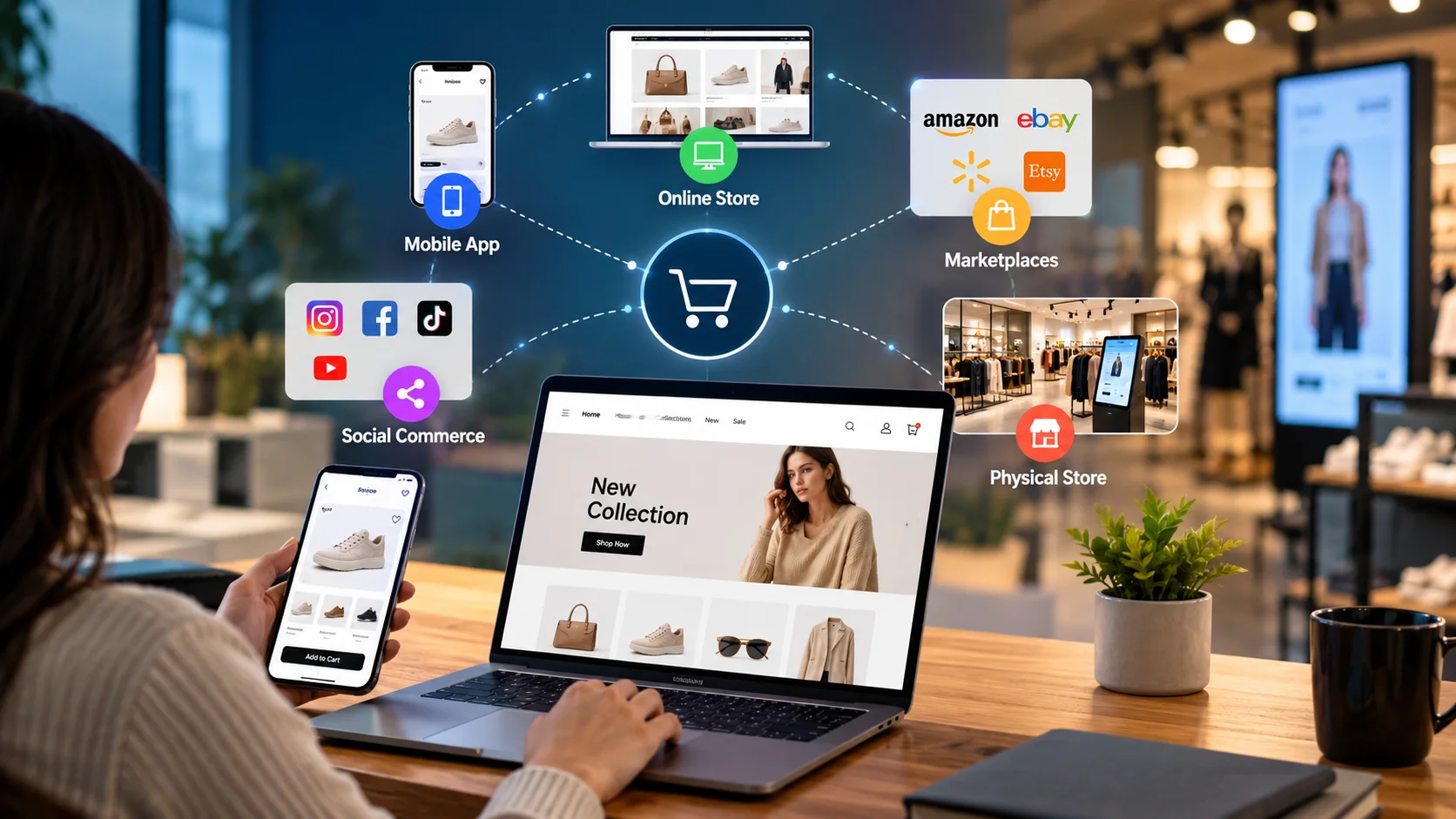
It is the design and delivery work that bridges every touchpoint a customer has with your brand, so the experience stays continuous no matter where they show up. That typically covers your ecommerce site, mobile app, physical stores, point of sale, online marketplaces, social commerce, and customer support.
Selling on all of those isn’t the same thing as connecting them. A brand can list products on Amazon, run a Shopify store, and keep three retail shops, and still be stuck with three separate stock counts and three customer lists. That’s multichannel.
Omnichannel means the channels share product data, customer identity, inventory, and orders. A return made in a store shows up against the online order that created it. Loyalty points earned at the register appear in the app that same evening.
Multichannel vs Omnichannel
| Multichannel | Omnichannel | |
|---|---|---|
| Channels | Run separately, each with its own goals | Connected and planned as one system |
| Data | Siloed by channel | Shared customer, product, and order data |
| Customer journey | Restarts on every channel | Continues across channels |
| Backend systems | Manual exports and duplicate entry | Integrated through APIs and data sync |
Omnichannel vs Unified Commerce
These two phrases get used interchangeably. That’s fine in casual conversation, but it’s worth untangling before you scope a build.
Omnichannel is about the customer: connected touchpoints and a consistent experience. Unified commerce usually runs deeper. It refers to shared customer, product, and order information flowing through a centralized backend, where stores, web, and fulfillment all pull from a single source of truth.
Omnichannel is what the shopper sees. Unified commerce is the plumbing that keeps it running. Vendors define the terms a little differently from each other, so take any single definition with a grain of salt. The goal underneath both is the same: one brand, one set of records.
Why Omnichannel Ecommerce Matters
Skip the promise of a guaranteed revenue lift. Nobody can honestly offer that. The practical gains are easier to defend.
- Customers see accurate stock before they travel to a store.
- Fulfillment gets flexible, because any location can serve an order.
- Returns stop being a channel dispute.
- Support agents see the full order history instead of asking the customer to repeat it.
- Operations get one view of stock, orders, and demand.
9%
More that customers using four or more channels spent in-store, on average, compared with shoppers who used only one, according to a Harvard Business Review study of 46,000 shoppers. The same study found that 73 percent of shoppers used multiple channels during their purchase journey.
Source: Harvard Business Review
How an Omnichannel Shopping Journey Works
The full loop runs: discover, research, check availability, purchase, fulfill, receive, support, return, re-engage. Each stage leans on a different piece of technology.
Discover and research
Product feeds, SEO, social commerce integrations, and a single product catalog that stays consistent everywhere it appears.
Check availability
Location-level inventory exposed on product pages and in the store locator, not just a single warehouse total.
Purchase
Checkout, payments, and a customer account that recognizes the shopper whichever channel they arrive from.
Fulfill and receive
Order routing, pickup workflows, shipping, and tracking that stay accurate across every fulfillment path.
Support and return
Shared order history, plus return rules that work the same whether the purchase happened online or in store.
Re-engage
Unified customer profiles and loyalty data feeding email, app notifications, and in-store offers.
Here’s the catch. If any one stage runs on a disconnected system, the shopper feels it right there. Usually at the worst possible moment.
Core Components of Omnichannel Ecommerce Development
Ecommerce Platform
This is the commerce layer: catalog, pricing, checkout, customer accounts, orders. It doesn’t need to be the system of record for everything, but it needs a clean API so other systems can talk to it. Teams building on a custom stack often start by outsourcing ecommerce development services, which map integration points before a single template gets built.
POS Integration
Your POS is where store sales, returns, exchanges, and customer lookups happen. Connect it to ecommerce and the store can see online orders, honor online promotions, and process returns against web purchases. Without that link, staff ends up doing refunds by hand.
Real-Time Inventory
Inventory isn’t just one number. You’re tracking store inventory, distribution center inventory, available-to-sell inventory, pending pickup holds, stock transfers between locations, and stockout points. A sale in Denver should reflect on your website within seconds, not overnight.
Unified Customer Data
One customer, one profile. Purchase history, loyalty balance, saved preferences, and support history should all sit under the same identity, whether the customer buys online or at the counter. Duplicate profiles kill this fast, so decide upfront how you’ll match records: by email, by phone, or by loyalty ID.
Order Management
A central order layer holds every order, no matter where it started. It routes each one to the right location, handles split fulfillment when no single site has everything in stock, keeps tracking current, and manages returns. This is where a lot of the operational value actually lives, and it’s worth reading a dedicated ecommerce order management guide before choosing a system.
Product Information
Descriptions, variants, images, attributes, and prices need to match everywhere they show up. A dedicated PIM becomes worth it once the catalog gets large.
Fulfillment and Logistics
Warehouse shipping, ship-from-store, BOPIS curbside pickup, and third-party logistics connections should all update the same order record, even though each adds different statuses your customer wants to see. Most of the operational risk here traces back to warehouse management practices that were never designed for multiple sales channels.
Analytics and Support
Support agents and analysts need cross-channel data. If your help desk can’t see the in-store return, it can’t answer the refund email. If analytics splits web and store buyers into different people, your retention numbers will be wrong.
Key Features of an Omnichannel Ecommerce Platform
You won’t need all of these on day one. Start with whichever one is tied to your biggest friction point right now.
| Feature | What It Does |
|---|---|
| Unified product catalog | One set of product data across web, app, POS, and marketplaces |
| Real-time inventory | Shows accurate stock by location |
| BOPIS | Buy online, collect in store |
| Ship-from-store | Lets stores fulfill online orders |
| Endless aisle | Store staff order items not on the shelf |
| Cross-channel returns | Return online purchases in store, and the reverse |
| Unified loyalty | Points earned and spent on any channel |
| Account synchronization | One login and profile everywhere |
| Cart and wishlist continuity | Saved items follow the shopper between devices |
| Store locator with local stock | Availability by nearby store |
| Personalization | Recommendations based on shared behavior data |
| Centralized order tracking | One status view for every order |
Omnichannel Ecommerce Architecture
A workable architecture has five layers. Here’s the simple version, from what the shopper touches down to where the order actually gets fulfilled.
Customer Channels
Website • App • Social • Marketplace • Store / POS
↓
Commerce Layer
Ecommerce platform • Catalog • Pricing • Checkout
↓
Integration Layer
APIs • Webhooks • Middleware • Data synchronization
↓
Business Systems
Inventory • OMS • ERP • CRM • PIM • WMS • Loyalty
↓
Fulfillment
Warehouse • Store • 3PL • Delivery • Pickup
Everyone underestimates the integration layer the most. APIs let one system request data from another, webhooks push an event the moment it happens, and middleware translates formats that don’t naturally speak to each other. A dedicated catalog layer, often built by Pimcore development specialists, usually sits inside the Business Systems row once the SKU count gets large enough that spreadsheets stop working.
One warning. Not every box is necessary for every business. A five-store apparel retailer can get by fine with a commerce platform, native POS, and a lightweight OMS. A three-warehouse national retailer will probably need everything. Choose your components based on scale, sophistication, and the infrastructure you already have.
Essential Ecommerce Integrations
- Ecommerce + POS: products, customers, inventory, orders, and returns should flow both directions. This is the foundation for BOPIS and in-store returns.
- Ecommerce + ERP: finance, procurement, and stock data usually live in the ERP. Syncing it with your storefront avoids double entry. If you’re running Odoo, Odoo development services often cover exactly this kind of connector work.
- Ecommerce + CRM or CDP: customer profiles, segments, and purchase history feed personalization and support.
- Ecommerce + OMS and WMS: order routing, allocation, and pick-and-pack all depend on it.
- Ecommerce + marketplaces: listings, stock levels, and marketplace orders should land in the same place as web orders.
- Ecommerce + loyalty and support: shared identity is the goal, so rewards and service history follow the person. Some teams handle repetitive support requests through AI agent development instead of routing everything to a human queue.
For most of these, you’ll use a mix. Native APIs handle simple sync, webhooks handle event-driven updates, and middleware sits in the middle once three or more systems need to agree.
Why Real-Time Inventory Is Critical
Imagine your website says “Available for pickup today.” The store sold the last one twenty minutes ago. The customer drives over, finds nothing, and complains.
That’s the obvious failure. The quieter ones cost more: overselling, cancellations, failed pickups, phantom stockouts that hide sellable items, and support tickets nobody wanted to write.
Fixing it takes several pieces working together.
- Location-level availability, not one global number.
- Reservations that hold stock the moment a pickup order is placed.
- Immediate updates after every sale and return, in any channel.
- Safety buffers for fast-moving items.
Perfect accuracy isn’t realistic. Cycle counts and receiving errors still happen. The goal is a system that’s correct most of the time and recovers gracefully when it isn’t.
BOPIS, Ship-from-Store and Cross-Channel Returns
BOPIS feels simple, and it is anything but. The store needs a pick list, somewhere to stage the order, a way to notify the customer when it’s ready, and a clean handoff at pickup. Ship-from-store adds another wrinkle, since associates have to process and send the order while still serving customers walking the floor. Ask the store teams whether that timing actually works before you build it.
| Capability | Customer Experience | Required Technology |
|---|---|---|
| BOPIS | Buy online, collect in store | Inventory + pickup workflow |
| Ship-from-store | Store fulfills an online order | Store inventory + order routing |
| Cross-channel return | Online purchase returned in store | Shared order and return data |
| Endless aisle | Store orders an unavailable item | Unified catalog + fulfillment |
How to Build an Omnichannel Ecommerce Strategy
1. Map the Customer Journey
Walk through discovery, purchase, fulfillment, support, and return the way a real customer would. Note where it has to repeat.
2. Audit Existing Systems
List every tool: ecommerce, POS, ERP, CRM, OMS, WMS, PIM, loyalty, and marketplace connectors. Who owns each one? How do they currently connect, if at all?
3. Identify Data Silos
Look for duplicated spreadsheets, manual uploads, and copy-paste jobs between systems. Those are your silos.
4. Prioritize High-Value Use Cases
Don’t launch everything at once. Pick the two or three that fix the most pain. Common starters are inventory visibility, BOPIS, cross-channel returns, unified customer profiles, and ship-from-store.
5. Define Architecture and Integrations
Decide which system owns which data. Then define APIs, sync frequency, security rules, and what happens when a sync fails. Error handling gets skipped more often than it should be.
6. Develop, Integrate and Test
Test full journeys, not just individual systems. Buy online, pick up in store, return through support. If the handoffs break, isolated tests won’t catch it.
7. Measure and Optimize
Track customer and operational outcomes after launch, then adjust. Your first version won’t be your best one.
Shopify for Omnichannel Ecommerce Development
Shopify covers a lot of omnichannel ground natively. Online store, POS, location-based inventory, orders, customers, and fulfillment all live in one admin. Per Shopify’s documentation, POS sales draw from the inventory at the location where the sale happens, while online orders are assigned to locations through order routing rules.
Local pickup is built in too. By default, pickup in store is only offered when the whole order is in stock at that location, though you can configure store transfers to move stock in from elsewhere.
That’s plenty for many retailers. Custom work enters when your needs outgrow the defaults.
- Custom apps for unusual pickup or return rules.
- ERP, OMS, or WMS integrations for finance and warehouse operations.
- Custom APIs and middleware when several systems must agree.
- Headless storefronts for unique front ends.
- Custom workflows for approvals, routing, or loyalty logic.
If you’re weighing this path, Shopify development services can help scope what’s native and what actually needs building. Start with the requirements, not the platform.
Shopify Plus and Enterprise Omnichannel Development
Bigger operations carry more constraints. Think many locations, high order volume, deep catalogs, multiple international storefronts, several fulfillment operations, both B2B and D2C in one business, and deeper integrations across the board.
Enterprise merchants on Shopify Plus get more room to customize. For instance, according to Shopify’s documentation, Plus stores can swap the built-in pickup-in-store feature for a custom app. Custom applications and headless builds show up often at this level.
But the platform still has to match the requirement. Plus features suit some companies and sit unused for others. If a simpler configuration covers what your business needs, build the simpler one.
Headless Commerce for Omnichannel Experiences
Headless separates the storefront from the commerce engine. It pays off when you run multiple front ends, a native mobile app, custom in-store experiences, international storefronts, or heavy personalization.
But headless isn’t automatically required for omnichannel commerce. Plenty of connected experiences run on standard storefronts just fine. Headless adds development and maintenance cost, so choose it because a specific requirement demands it, not because it’s fashionable.
Common Omnichannel Ecommerce Challenges
Fragmented systems
Tools that were never built to talk to each other in the first place.
Inaccurate inventory
Often traced back to delayed syncs or store adjustments that never got recorded.
Duplicate customer profiles
Created by guest checkouts and separate POS records that never get matched.
Inconsistent product data
Different descriptions, prices, or images across channels for the same item.
Legacy systems with limited APIs
Sometimes legacy software modernization has to come first, before any integration work is even possible.
Integration complexity
Grows with every extra system you connect, not in a straight line but a curve.
Poor return workflows
Rules that differ depending on which channel the return started from.
Privacy and security obligations
Customer data moving between more systems means more places it needs protecting.
Organizational silos
Online and store teams working against separate targets. This one is often the hardest, and no API fixes it.
Common Omnichannel Development Mistakes
Frankly, most of these come from the same root: treating omnichannel as a marketing campaign instead of an engineering project.
- Running each channel like a separate business.
- Adding channels before the core data is clean.
- Ignoring inventory accuracy until it becomes a support problem.
- Building a slick front end with nothing connected behind it.
- Creating duplicate customer records without a matching rule.
- Launching BOPIS without a real store process behind it.
- Overengineering. A tiny catalog rarely needs a five-layer stack.
- Working around legacy systems instead of planning for them.
- Measuring each channel in isolation.
How to Measure Omnichannel Ecommerce Performance
Look at the full journey, not one channel’s dashboard.
| Category | What To Track |
|---|---|
| Customer metrics | Retention, repeat purchase rate, customer lifetime value, cross-channel engagement |
| Commerce metrics | Conversion rate, average order value, revenue per customer |
| Operational metrics | Inventory accuracy, stockout rate, fulfillment time, pickup completion, return processing time, cancellation rate |
| Experience metrics | Customer satisfaction, support resolution time, pickup and return ratings |
A shopper who buys online and returns in store is one customer. If your reports count her twice, they’re telling you the wrong story.
Omnichannel Ecommerce Development Checklist
Customer experience
Consistent product content, unified accounts, store availability, matching promotions, cross-channel support.
Commerce and operations
Central product catalog, POS integration, real-time inventory, OMS, BOPIS, ship-from-store, cross-channel returns.
Technology
API and integration architecture, ERP, CRM, WMS and PIM connections, data synchronization, security and privacy controls.
Measurement
Retention, cross-channel performance, inventory accuracy, fulfillment speed, customer lifetime value.
Future of Omnichannel Ecommerce
Several trends are worth watching, though none are guaranteed. AI-assisted shopping and conversational commerce are changing how people find products. Social commerce keeps blurring the line between discovery and checkout. Connected loyalty, flexible fulfillment, and composable commerce all point toward more modular setups.
Agentic commerce, where AI agents research and buy on a shopper’s behalf, is the newest piece of that puzzle. Elsner has covered the mechanics of it in a separate piece on AI shopping agents and product discovery.
Businesses exploring automation often look at AI agent development for support and order workflows first, since that’s where the repetitive volume sits. It’s evolving fast, so plan for change and skip the hype.
Final Thoughts
Omnichannel ecommerce isn’t about selling everywhere. It’s about making every channel part of the same commerce experience.
A customer should be able to move between your website, app, store, marketplace, and support team without losing context, identity, product information, inventory visibility, order history, loyalty, or support continuity.
If you’re planning omnichannel ecommerce development, Shopify or Shopify Plus development, ecommerce integrations, or a custom build, it’s worth talking with a team experienced in ecommerce development services that starts with your systems and journeys, not a template. You can also hire ecommerce developers for a defined scope.
Frequently Asked Questions
What is omnichannel ecommerce development?
It’s the design and integration of websites, apps, stores, POS, marketplaces, and backend systems so customers get one connected experience. Development work covers shared data, inventory sync, order management, fulfillment, and returns across every channel.
What is the difference between multichannel and omnichannel ecommerce?
Multichannel sells through several channels that operate separately. Omnichannel connects those channels through shared customer, product, inventory, and order data, so the journey continues when a shopper switches from one channel to another.
What systems need to be integrated for omnichannel ecommerce?
Most setups connect the ecommerce platform with POS, inventory, OMS, ERP, and CRM. Larger businesses add PIM, WMS, loyalty, marketplaces, and 3PL tools. You don’t need every system, just the ones your journeys actually depend on.
How does real-time inventory work in omnichannel ecommerce?
Every sale, return, transfer, and adjustment updates a shared inventory record by location. APIs or webhooks push those changes to the website, POS, and other channels within seconds, so availability stays accurate and pickup promises hold up.
What is the role of POS in omnichannel ecommerce?
POS handles in-store sales, returns, and customer lookups. When integrated, it shares inventory, orders, and customer data with ecommerce, which enables BOPIS, in-store returns of online orders, and consistent loyalty across channels.
How does BOPIS work?
A customer buys online and picks a store. The system checks that location’s stock, reserves the item, notifies staff to prepare it, and tells the customer when it’s ready. Staff confirms the handoff at pickup, and inventory updates immediately after.
Can Shopify support omnichannel ecommerce?
Yes. Shopify combines online store, POS, location-based inventory, local pickup, and order routing in one platform. Many retailers can run omnichannel on native features, while complex needs may call for custom apps or integrations.
When does a business need custom omnichannel ecommerce development?
Usually when native features can’t handle your ERP, OMS, or WMS integrations, unusual fulfillment rules, several storefronts, or high order volumes. If standard tools already cover your journeys, custom work may be unnecessary.
Ready to connect your channels into one shopping experience?
Talk with the Elsner team about omnichannel ecommerce development, Shopify or Shopify Plus builds, and the integrations that fit how your business actually runs.