 Zoho
Solutions
Zoho
Solutions
 Ecommerce
Development
Ecommerce
Development
 Web
Development
Web
Development
 AI
Solutions
AI
Solutions





- Salesforce vs Zoho CRM: The Main Differences
- What Are the Benefits of Migrating From Salesforce to Zoho CRM?
- Affordable Pricing
- Quicker Deployment
- Smarter Automation
- An Integrated Ecosystem
- AI Support Baked In
- What Does Salesforce to Zoho CRM Migration Cost?
- The Migration Process: What Actually Happens, Week by Week
- Weeks 1-2: Audit and Extract
- Weeks 2-3: Clean and Standardize
- Weeks 3-4: Build the Zoho Environment
- Weeks 4-5: Import in Stages
- Weeks 5-6: Test Everything Twice
- Weeks 6-7: Train the Team
- Weeks 7-8: Go Live, Keep a Backup
- Common Challenges in Salesforce to Zoho Migration
- Need Help With Salesforce to Zoho Migration?
- Migrating From SAP to Zoho CRM Instead? Here’s What Changes
- SAP CRM vs Zoho CRM at a Glance
- Why Companies Actually Leave SAP
- SAP to Zoho Migration Cost Factors
- Why Elsner Technologies for Your Zoho Migration
- Wrapping Up
- Frequently Asked Questions
- Why migrate from Salesforce to Zoho CRM?
- What data can I move from Salesforce to Zoho?
- Will I lose data during the migration?
- How long does a Salesforce to Zoho migration take?
- Does Zoho offer migration tools?
- How long does it take to migrate from SAP to Zoho CRM?
- What’s the cost difference between migrating from Salesforce versus SAP?
- Can Zoho CRM handle large data volumes like SAP or Salesforce?
- What’s on a typical migration checklist, regardless of source system?
Quick Answer
Salesforce to Zoho CRM migration moves your contacts, deals, activities, and history into a lighter, more affordable environment. Salesforce-to-Zoho projects typically cost $500 to $150,000 depending on team size and complexity, and can take anywhere from 2 to 3 weeks for a small, clean setup to 3 to 4 months for a heavily customized org. SAP-to-Zoho migrations follow the same steps but usually cost more and take longer, given SAP’s on-premise complexity.
|
If you’re moving from Salesforce
|
If you’re moving from SAP
|
Short version: the process is the same either way, audit, clean, map, import, test, train, launch. What changes is how long each step takes and what it costs based on your starting system. This guide breaks down the real process, timeline, and mistakes to avoid.
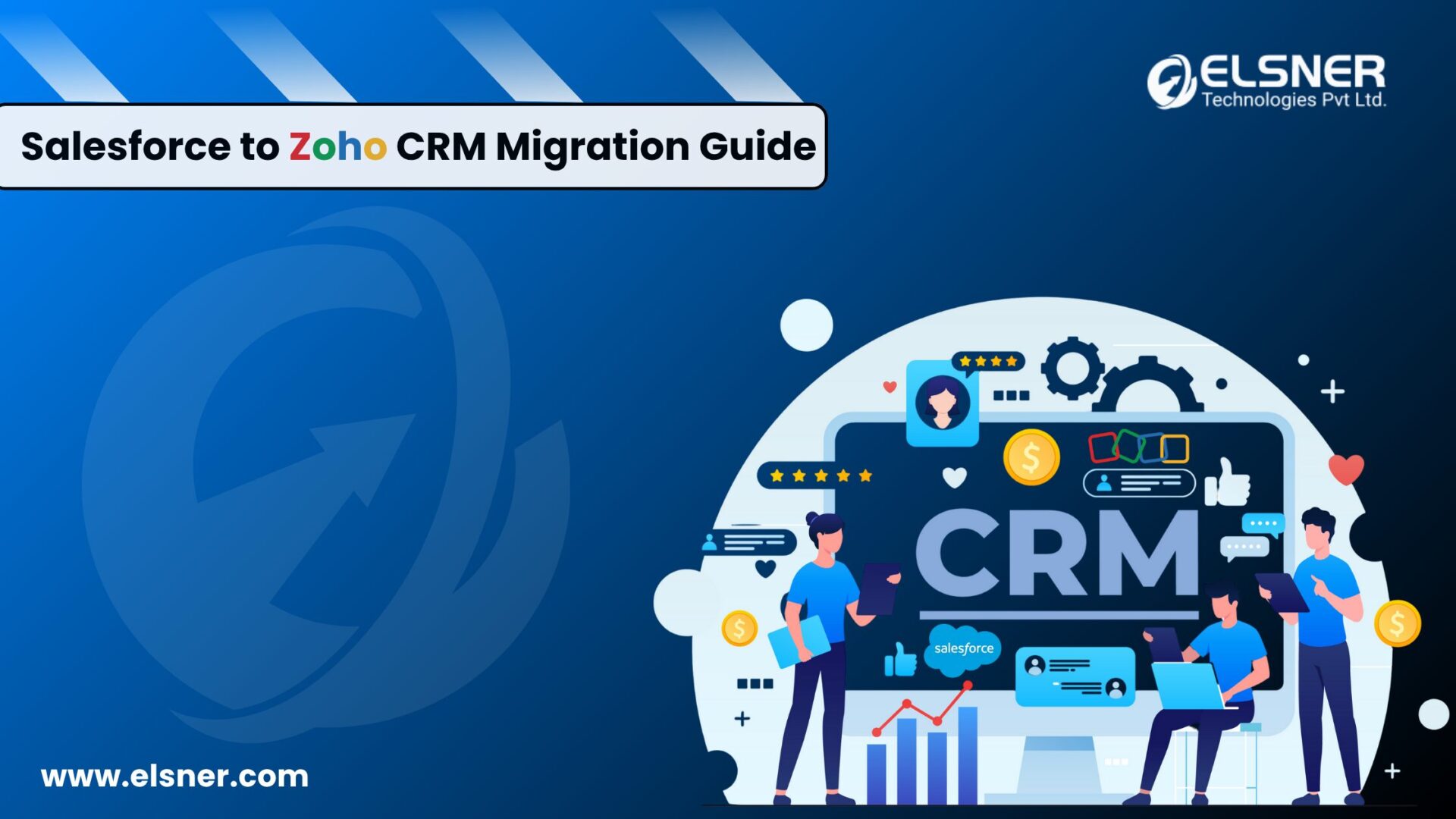
Moving from Salesforce to Zoho CRM moves your contacts, deals, activities, and history into a lighter environment. First of all, check your data in Salesforce; for each field, find the corresponding field in Zoho, and import gradually. Check and compare records after full import. If you’re an SAP user, the procedure will not change much, but SAP’s custom objects and on-premise structure may take several additional weeks before the data cleaning step. In either situation, unmapped fields and missing activity history will be the main reasons for damage, so it is good to address these first. A detailed guide of the work with corresponding cost estimates for these scenarios is given below.
Sales teams rarely switch CRMs on a whim. Something forces the decision. Usually it’s a renewal invoice that jumped again, a rep who can’t pull a report without emailing IT, or a finance lead tired of paying for modules three people use. For a lot of growing businesses, that something eventually points toward Zoho CRM.
Salesforce vs Zoho CRM: The Main Differences
Both platforms handle customer relationship management well. The right one depends on your team size, budget, and how much customization you actually need versus how much you think you need.
Here’s the side-by-side:
If you lay it out like this, the answer should be clear to the reader very quickly. Go with Salesforce if your pipeline is really complex and if you are running operations around the world, besides the need for extensive automation, which a small IT team can not provide.
However, if you are looking for an affordable, quick-to-set-up, and user-friendly solution for non-technical sales team members, then Zoho is probably the way to go. This kind of setup is more than likely to suit startups and small to medium-sized businesses that do not want their sales system implementation to last six months.
What Are the Benefits of Migrating From Salesforce to Zoho CRM?
Cost is the headline reason, but it’s rarely the only one. Teams that make the switch usually cite a mix of the following.
Affordable Pricing
Zoho packs enterprise-grade CRM features into a base price that doesn’t require six add-ons to get useful. Automation, analytics, workflow builders, most of it ships standard. Salesforce, by contrast, often gates the good stuff behind paid extensions.
Quicker Deployment
Basic Zoho setup can be running in hours. Salesforce implementations, particularly ones with any customization, routinely stretch into weeks or months. Ready-made templates and pipelines in Zoho cut out a lot of the heavy lifting.
Smarter Automation
Zoho’s workflow builder is drag-and-drop. Salesforce Flow and Process Builder can do more in the right hands, but they usually need a hand that’s been trained specifically on Salesforce. That’s a real cost most teams underestimate.
An Integrated Ecosystem
Salesforce frequently needs third-party tools bolted on for features Zoho includes natively. Zoho connects to 40-plus apps inside its own ecosystem on one bill, one login, one support line.
Worth noting: this only matters if you’re actually planning to use those extra apps. If your business runs entirely on point solutions already, the “ecosystem” argument carries less weight.
AI Support Baked In
Zia, Zoho’s built-in AI, handles predictions, deal-closure suggestions, and basic anomaly detection without an extra line item. It pairs well with broader advanced analytics and digital transformation strategies if your team wants to go further with reporting. Salesforce’s equivalent AI tools typically cost more on top of an already pricier base plan.
What Does Salesforce to Zoho CRM Migration Cost?
Cost is usually the deciding factor businesses weigh most heavily, and it varies a fair amount based on scope.
Rolled up by project size, that typically breaks down to:
- Small teams (10 to 25 users): $500 to $5,000 for a basic setup.
- Mid-size (25 to 100 users): $5,000 to $25,000, depending on complexity.
- Enterprise (100+ users): $25,000 to $150,000, driven mostly by integration count and customization depth.
Planning a Salesforce to Zoho migration? Avoid data loss, broken workflows, and budget surprises. Elsner’s Zoho team handles the audit, mapping, and cutover so nothing gets lost in translation. Get a Free Migration Consultation.
The Migration Process: What Actually Happens, Week by Week
Here’s where a lot of guides get vague. This one won’t. Below is roughly how a mid-size Salesforce (or SAP) to Zoho migration plays out in practice, assuming a partner is running it.
|
1
|
Weeks 1-2: Audit and ExtractExport all records: accounts, contacts, deals, activities, custom fields. Clean field names as you go. This step saves hours of troubleshooting later. |
|
2
|
Weeks 2-3: Clean and StandardizeFix date and phone formats, validate emails, flag or fill empty fields. Keep accounts, contacts, and deals in separate files to avoid import chaos. |
|
3
|
Weeks 3-4: Build the Zoho EnvironmentConfigure modules, custom fields, pipelines, and automation rules. Do this properly the first time. Rework here is expensive. |
|
4
|
Weeks 4-5: Import in StagesAccounts, then contacts, then deals, then activities and notes, in that order. Validate each stage before moving to the next one. |
|
5
|
Weeks 5-6: Test Everything TwiceCheck workflows, email triggers, reports, and integrations. Compare Zoho output against the old Salesforce data side by side. |
|
6
|
Weeks 6-7: Train the TeamHands-on, scenario-based sessions. Record them. Skip the feature tour. Train on the tasks people actually do all day. |
|
7
|
Weeks 7-8: Go Live, Keep a BackupCut over, monitor closely, keep the old system available for two weeks. Time the cutover for a slow sales week, not the end of quarter. |
Small, clean datasets can compress this into 2 to 3 weeks. Larger, heavily customized orgs (this applies more often to SAP environments than Salesforce ones) can stretch to 3 to 4 months. It depends on scope, not on some fixed industry average.
Common Challenges in Salesforce to Zoho Migration
Every migration hits friction somewhere. Here’s where it usually shows up.
Data mapping issues: Salesforce and Zoho have completely different data structures. A particular field that one might have might be named something else or might not even exist at all. A migration that lacks a good mapping sheet generally results in duplicate entries and an unexpected quiet data loss, which might occur weeks later.
Fix: Do not proceed without thorough checking. Create a detailed spreadsheet that shows which Salesforce fields will go to which Zoho ones and also include transformation rules for those fields that cannot be mapped directly.
Workflow differences: Salesforce’s Process Builder, Flows, and approval rules are not direct counterparts of Zoho’s automation engine in that respect. How they handle trigger conditions and exceptions underneath is different, and as a result, it takes proper Zoho CRM setup and marketing automation to do them correctly here.
Fix: Write down all Salesforce workflows, then determine their impact on your business processes and re-create them in Zoho’s rule engine, the main ones first.
Integration compatibility: For example, when Salesforce is connected to a marketing platform, support tool, or even an ERP system, one of your integrations most probably relies on Salesforce-specific APIs or the help of a particular middleware.
Fix: Identify all the connected applications and webhooks. Try the Zoho Marketplace for replacements at first, and afterwards, use middleware to cover any remaining gaps.
People resist the change, even when the new tool is better: Reps who know Salesforce inside and out don’t automatically welcome a new interface, no matter how much friendlier it is. Expect pushback in week one. Patience and hands-on training beat a mandate every time.
Historical data gets messy: Years of entries from different reps, at different times, with different habits, rarely clean up perfectly. At some point, “good enough” has to be the standard, or the migration never finishes.
Need Help With Salesforce to Zoho Migration?
Migrating from Salesforce to Zoho CRM takes more than moving records from one system to another. It takes someone who can handle data integrity, rebuild workflows accurately, and keep the business running while the switch happens.
That’s the gap a Zoho development partner fills. The right partner has usually already solved the specific problem you’re about to hit, whether that’s a stubborn custom field, an approval workflow with five branches, or an integration that only half-documents itself.
Migrating From SAP to Zoho CRM Instead? Here’s What Changes
Everything above still applies if you’re coming from SAP rather than Salesforce. The audit-clean-map-import-test-train-launch sequence doesn’t change. What does change is the starting point, and it’s a bigger one.
SAP was built for enterprise-level complexity that becomes a liability once a business stops needing it. High licensing fees, dedicated IT staff, and multi-month deployment timelines make sense at a certain scale. Below that scale, they’re just weight.
SAP CRM vs Zoho CRM at a Glance
SAP still makes sense for large enterprises with the budget and the complexity to justify it. Zoho fits better for mid-size, growing companies that don’t want (or can’t afford) that level of overhead.
Why Companies Actually Leave SAP
Cost is the obvious answer, but it’s rarely the whole story.
The problem with cost goes beyond the license: SAP charges based on the number of users, features, support agreements, and consultant hours on a project that had a very high implementation cost to begin with. And, the maintenance work is a continuous process and doesn’t finish after the system has been successfully implemented and is running smoothly.
Mobile access is no longer a choice: Salespeople are no longer tied to chairs or desks. On the contrary, they are out and about, visiting clients, attending meetings, or being in transit. It is not uncommon for SAP’s mobile offering to be just an add-on desktop product. In contrast, Zoho was a product of the mobile-first philosophy, and it is the differences that make a first impression on users when they go on the job with the tool.
Complexity kills adoption faster than any budget line item: SAP training runs weeks, and half of it gets forgotten before anyone actually needs it. Most users figure out Zoho’s automation tools in a day.
Integration turns into its own project: Connecting SAP to other systems usually means developers, APIs, and middleware, which is a lot of overhead for what should be routine plumbing. Zoho talks natively to Zoho Books, Zoho Desk, Zoho Projects, and a long list of others, which matters a lot for businesses exploring broader Zoho ERP software integrations down the line.
Time becomes a competitive gap: While one company is six months into an SAP rollout, a competitor on Zoho is already closing deals with the new system.
Mid-sized companies feel this tension the most. Too big for a bare-bones CRM, too practical to justify SAP’s overhead. Zoho tends to land right in that gap.
SAP to Zoho Migration Cost Factors
The cost drivers mirror the Salesforce path with one addition: SAP data volume and customization tend to run larger by default.
- Data volume: Generally, large and old datasets will require more time for processing, mapping, importing, as well as data cleaning.
- Customization: Implementing or rebuilding highly customized features and complicated automation logic will consume extra time.
- Integrations: Reconnecting the ERP, marketing, and support applications has already been planned in the project scope and does not represent a separate phase or effort.
- Partner experience: A Zoho migration expert comes at a higher initial cost. But it quite a bit reduces the likelihood of data loss as well as timeline slippage.
Basic SAP to Zoho migrations start around $5,000. Complex enterprise projects can run $50,000 or higher, though most businesses see positive ROI within the first year regardless of where they land in that range.
Why Elsner Technologies for Your Zoho Migration
Not every migration partner delivers the same result. Some talk a good game. Fewer actually execute one.
Elsner holds Zoho Premium Partner status, earned through completed implementations, not purchased with a membership fee. The team has handled migrations across manufacturing, healthcare, professional services, retail, and technology, and each of those industries brings its own quirks that a generic playbook misses.
Beyond the migration itself, the relationship extends into Zoho development services, ongoing customization, and long-term support. One partner for the whole journey, not just the cutover weekend.
Planning your Salesforce or SAP to Zoho CRM migration? Elsner’s team handles the audit, mapping, and cutover with zero data loss and minimal disruption to your sales team. Start Your Migration Today.
Wrapping Up
Migrating to Zoho CRM has a lot of advantages. It’s not a fad to be followed, though. You are actually looking to use tools that will match where the business is right now, and not the position it was in when you first signed the contract. Reduced costs are important, but faster implementation, simplified scaling, and a salesforce that isn’t against the software are factors which have equal, if not greater, importance.
Plan the audit properly, map the fields carefully, and bring in help where the complexity warrants it. Most businesses who make the switch say the same thing afterward: they wish they’d done it sooner.
Frequently Asked Questions
Why migrate from Salesforce to Zoho CRM?
Usually to lower cost while keeping strong CRM functionality, especially for businesses already using other tools in the Zoho suite.
What data can I move from Salesforce to Zoho?
Contacts, accounts, leads, deals, activities, notes, and attachments, plus custom fields once they’re properly mapped.
Will I lose data during the migration?
Not if it’s planned well. Clean and map the data first, migrate in stages, and validate before going live. Most data loss comes from skipping the audit step, not from the migration tool itself.
How long does a Salesforce to Zoho migration take?
Anywhere from a few days for a small, clean setup to several weeks for a large or heavily customized org.
Does Zoho offer migration tools?
Yes. Zoho provides native migration tools and support, though a partner is usually the better call for complex custom field or workflow mapping.
How long does it take to migrate from SAP to Zoho CRM?
It depends heavily on data volume and complexity. Small businesses with clean data can finish in 2 to 3 weeks. Large enterprises with heavy customization sometimes take 3 to 4 months.
What’s the cost difference between migrating from Salesforce versus SAP?
Salesforce migrations tend to run smaller, often $500 to $25,000 for small to mid-size teams. SAP migrations start similarly but often land higher due to larger datasets and more custom objects, sometimes reaching $50,000 or more for enterprise scope.
Can Zoho CRM handle large data volumes like SAP or Salesforce?
Yes. Zoho’s Enterprise and Ultimate plans support millions of records with solid performance, achieved through modern cloud infrastructure rather than traditional on-premise servers.
What’s on a typical migration checklist, regardless of source system?
A full data audit, cleanup of duplicates and stale records, a detailed field mapping document, Zoho environment configuration, user role setup, a phased import plan, workflow recreation, integration testing, group-specific training, and a post-launch support plan.