 Zoho
Solutions
Zoho
Solutions
 Ecommerce
Development
Ecommerce
Development
 Web
Development
Web
Development
 AI
Solutions
AI
Solutions





- Why Zoho CRM Implementation Matters More Than People Expect
- DIY vs Agency Implementation: An Honest Framework
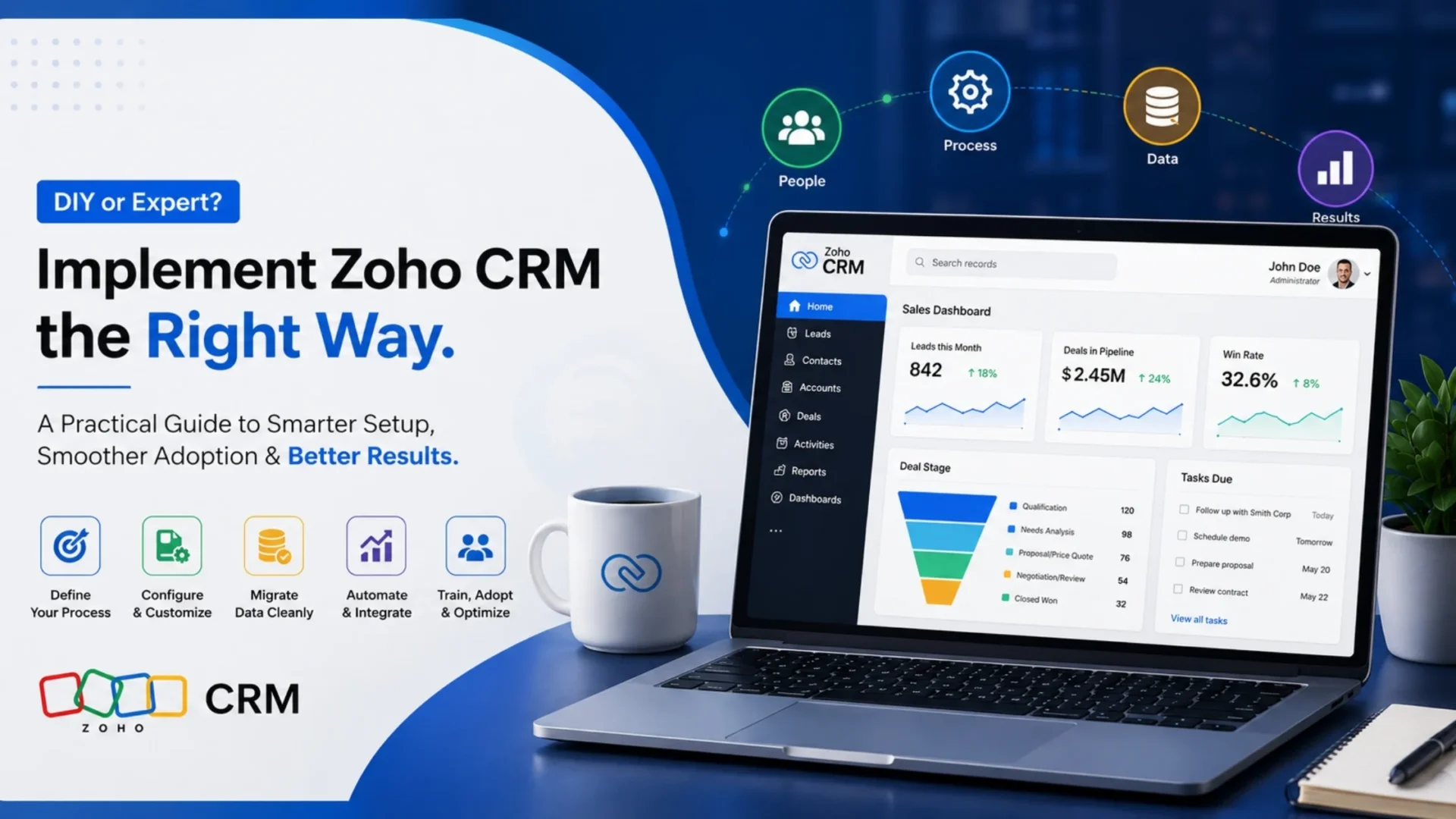
- The Complete Zoho CRM Implementation Process
- Discovery and requirements gathering
- Architecture and planning
- Configuration
- Data migration
- Integrations
- Testing
- Training
- Go-live
- Post-launch optimization
- Realistic Zoho CRM Implementation Timeline
- Real Zoho CRM Implementation Costs
- Zoho CRM licensing
- DIY implementation
- Hybrid implementation
- Full agency implementation
- Hidden Costs Nobody Budgets For
- Common Zoho CRM Implementation Mistakes
- Success Stories: What Good Implementation Looks Like
- Choosing the Right Implementation Partner
- Decision Checklist: DIY or Agency?
- Resource Planning for Implementation
- Zoho CRM vs Salesforce Implementation: A Quick Comparison
- The First 90 Days After Go-Live
- Conclusion
- Frequently Asked Questions
- How much does Zoho CRM implementation cost?
- How long does Zoho CRM implementation take?
- Should I hire an agency for Zoho CRM implementation?
- What are the most common Zoho CRM implementation mistakes?
- What is included in a typical Zoho CRM implementation?
- Can I implement Zoho CRM myself?
- What happens after Zoho CRM go-live?
- Is Zoho CRM suitable for enterprise businesses?
- Final Thoughts
Quick Answer
Zoho CRM implementation is the process of setting up modules, workflows, data, and integrations so the CRM actually matches how your business sells and operates. DIY works for small teams with clean data and time to spare; agencies pay off when data is messy, integrations are complex, or multiple departments need to share one system.
|
When DIY makes sense
|
When an agency provides better ROI
|
Short version: match the path to your team’s bandwidth and data complexity, not to which one sounds cheaper on paper. This guide breaks down the real costs, timeline, and mistakes to help you decide.
Somewhere between “we bought Zoho CRM” and “our sales team actually uses it,” most implementations quietly fall apart. Not with a dramatic failure. More like a slow leak – half-configured modules, a data migration nobody finished, three people still tracking deals in a spreadsheet because the CRM “feels like extra work.”
That gap between buying Zoho CRM and actually using it well is what this guide is really about.
If you are reading this, chances are you have already spent some time on Zoho’s pricing page. Perhaps you got yourself familiar with Zoho’s features on setup videos, and started wondering whether this is just a weekend project or whether it’s worth spending a six-figure sum. Likely, it can be both. It’s about how your team interacts with your company data (internal and external) and what you expect from the tools that handle the data, and how willing you are to learn on the run.
This guide walks through what a real Zoho CRM implementation entails in 2026: the phases, timelines, actual costs, and the mistakes that quietly waste the most money. We’ll compare DIY and agency-led implementation fairly, because both paths work for the right business. Neither is universally “better.” One is just better for you.
Why Zoho CRM Implementation Matters More Than People Expect
Buying Zoho CRM is easy. Anyone with a credit card can do it in ten minutes. Implementing it, meaning setting it up so it reflects how your business actually sells, services, and follows up, is a different project entirely.
Here’s the thing most vendors won’t tell you upfront: Zoho CRM is genuinely powerful, but that power is unopinionated. It doesn’t assume your sales process, your approval chain, or how your team hands off a lead from marketing to sales. You have to tell it. Every module, workflow, and automation reflects a decision someone had to make.
Skip that decision-making stage and you get a CRM that technically works, but nobody trusts. Sales reps go back to their own systems. Data gets entered inconsistently. Reports stop meaning anything because half the records are incomplete. Adoption failure is rarely a Zoho problem. It’s almost always an implementation problem.
That’s the real stake here. A properly implemented Zoho CRM becomes the operational backbone of a business. Lead routing, forecasting, service history, marketing attribution, all in one place. A poorly implemented one becomes an expensive habit nobody wants to keep.
DIY vs Agency Implementation: An Honest Framework
This is the question that actually matters, so let’s not dance around it.
When DIY makes sense:
- You have fewer than 15-20 users and a fairly simple sales process
- Someone on your team has prior CRM admin experience (Salesforce, HubSpot, or Zoho itself)
- Your data is relatively clean and lives in one or two sources
- You don’t need custom integrations beyond Zoho’s native connectors
- You have time – realistically 60 to 100 hours spread across a few months
When an agency provides better ROI:
- You’re migrating from another CRM with years of messy historical data
- You need integrations with ERP, accounting, or industry-specific tools
- Multiple departments (sales, service, marketing) need to work from shared data
- You’ve tried DIY before and adoption stalled
- Your team’s time is worth more doing revenue-generating work than learning Deluge scripting
Here’s a comparison that’s usually more useful than a feature checklist:
Worth saying plainly: DIY isn’t “cheap,” and agency isn’t “expensive.” They’re just different places the cost shows up. DIY hides its cost in staff hours and slow adoption. Agency work puts the cost on an invoice upfront. Which one actually costs less depends on your team’s bandwidth, not a general rule.
The Complete Zoho CRM Implementation Process
A real implementation – not a weekend setup – moves through distinct phases. Skipping any of these is where most of the trouble starts.
|
1
|
Discovery and requirements gatheringThis is where someone maps your actual sales process, not the idealized version from a slide deck. What happens between a lead coming in and a deal closing? Who touches it? What information gets missed today? |
|
2
|
Architecture and planningModule structure, custom fields, pipeline stages, user roles and permissions. Get this wrong and every later step becomes rework. |
|
3
|
ConfigurationBuilding out modules, layouts, blueprints, workflow rules, and validation logic inside Zoho CRM itself. |
|
4
|
Data migrationCleaning and importing contacts, deals, and historical records from spreadsheets or a legacy CRM. Often the most underestimated phase. |
|
5
|
IntegrationsConnecting Zoho CRM to email, marketing tools, accounting software (Zoho Books, QuickBooks), or ERP systems. |
|
6
|
TestingRunning real scenarios through the system before anyone relies on it daily. |
|
7
|
TrainingGetting the actual sales and service team comfortable, not just clicking through a demo once. |
|
8
|
Go-liveThe switch-over. Ideally boring. If it’s dramatic, something upstream was rushed. |
|
9
|
Post-launch optimizationA very important phase almost everyone forgets to budget for. |
Realistic Zoho CRM Implementation Timeline
Timelines get thrown around casually online – “set up in a day,” “live in a week.” Sometimes true for a five-person team with no legacy data. Rarely true for anyone else.
Here’s a more grounded breakdown for a mid-size implementation (30–100 users):
- Discovery and planning: 1–2 weeks
- Architecture design: 1 week
- Configuration: 2–4 weeks
- Data migration: 1–3 weeks (depends entirely on data quality)
- Integrations: 1–3 weeks
- Testing: 1 week
- Training: 1–2 weeks
- Go-live and stabilization: ongoing, first 2–4 weeks are critical
Add it up, and you’re usually looking at 8 to 14 weeks for a proper mid-market rollout. Enterprise implementations with multiple integrations and departments often run 4 to 6 months. Small businesses with clean data can move in 3 to 5 weeks.
Anyone promising a full implementation in under two weeks for a business with real complexity is either underscoping the work or planning to hand you something unfinished.
Real Zoho CRM Implementation Costs
Let’s talk numbers, because vague pricing helps nobody.
Zoho CRM licensing
2026 pricing, per user/month, billed annually:
- Standard: around $14
- Professional: around $23
- Enterprise: around $40
- Ultimate: around $52
That’s the easy part. Implementation cost is where the range widens.
DIY implementation
The cost is mostly hidden in labor. If an operations manager spends 80 hours setting things up at an internal cost of roughly $45/hour, that’s already $3,600 in time, before counting slower ramp-up, mistakes, and the opportunity cost of that person not doing their actual job.
Hybrid implementation
Here, the agency handles architecture and data migration; the internal team handles day-to-day configuration – typically $3,000 to $10,000 depending on data complexity and integration count.
Full agency implementation
It is commonly $5,000 to $25,000 for mid-market businesses, and $25,000 to $75,000+ for enterprise rollouts with multiple integrations, custom modules, and multi-department rollout.
None of these numbers are fixed. Scope changes everything. A 50-user implementation with clean data and no integrations costs far less than a 50-user rollout migrating from Salesforce with six connected systems.
Hidden Costs Nobody Budgets For
This is usually the section people skip and later regret skipping.
Employee time doesn’t show up on an invoice, but it’s real. Every hour your team spends learning Zoho instead of selling is a cost. Multiply that across a sales team and it adds up fast.
Data cleanup is another one. Migrating 40,000 messy contact records isn’t a “few hours” job. Duplicate detection, field mapping, and validation can quietly consume weeks if the data wasn’t maintained well beforehand.
Change management gets underestimated constantly. A CRM rollout is, at its core, asking people to change how they work. Resistance is normal. Budgeting time for internal communication and feedback loops isn’t optional – it’s part of the real cost.
Then there’s rework. When architecture decisions get made too fast, in three to six months you’re often paying someone to rebuild pipelines or restructure modules. That second round of work usually costs more than doing it right the first time.
A quick, honest list of what typically gets missed in budgets:
- Ongoing admin time after go-live
- License upgrades as the team grows
- Custom report building beyond default dashboards
- Mobile app rollout and field team training
- Integration maintenance when connected apps update their APIs
Common Zoho CRM Implementation Mistakes
Poor architecture tops the list. Building modules and pipelines around how the software “should” work instead of how the business actually operates. It looks fine in a demo. It falls apart in week three.
Bad data migration follows close behind. Importing messy, duplicate-heavy data without cleaning it first just moves the mess into a new system. Now it’s a mess with automation attached, which somehow makes it worse.
Integration failures happen when connections are built without testing edge cases – what happens when a field is empty, or a record gets updated in two systems at once. These issues surface weeks after go-live, usually during a busy sales period.
Low user adoption is the quiet killer. If the interface doesn’t match how reps actually work, they’ll route around it. No amount of management pressure fixes a tool people don’t trust.
Over-customization is sneaky because it feels productive. Building custom fields and modules for every theoretical scenario instead of daily operational needs. The CRM becomes complicated to maintain and confusing to use.
Missing post-launch support might be the most common mistake of all. Businesses treat go-live as the finish line. It’s closer to the starting line. The first 90 days determine whether the CRM sticks or slowly gets abandoned.
Why do these mistakes keep happening? Usually because implementation gets treated as a technical task instead of a business change project. It’s both.
Success Stories: What Good Implementation Looks Like
Small business – regional logistics company, 12 users. Moved off spreadsheets entirely. Implementation took 4 weeks, cost under $6,000 including WhatsApp integration for driver communication. Lesson: small teams with simple processes genuinely can move fast without an agency, provided someone owns the project internally.
Mid-market company – specialty packaging manufacturer, 65 users. Migrated from a legacy ERP-adjacent tracking sheet. Agency-led implementation ran 10 weeks, budget around $18,000, including data migration and Google Ads lead integration. Order processing became measurably faster within the first quarter. Lesson: mid-market complexity almost always benefits from experienced architecture planning, even if configuration is later handled internally.
Enterprise – multi-location retail group, 220 users. Full Zoho One rollout including CRM, Books, and Analytics. Implementation spanned roughly 5 months due to phased regional rollout and inventory system integration. Lesson: enterprise timelines aren’t a failure of planning – they reflect genuine organizational complexity, and rushing them creates more risk than the delay itself.
Choosing the Right Implementation Partner
Not every Zoho partner is equal, and frankly, some certifications mean less than they sound like they should. A few things actually worth checking:
- Do they ask about your sales process before pitching a solution? If not, that’s a red flag.
- Can they show real implementations in your industry, not just generic case studies?
- Do they offer post-launch support, or does the relationship end at go-live?
- Are they honest about what Zoho can’t do well, or does everything sound like a perfect fit?
That last point matters more than people expect. Any partner who never mentions a limitation is either inexperienced or not being fully straight with you.
Decision Checklist: DIY or Agency?
Quick gut-check before deciding:
|
Consider DIY if:
|
Consider agency or hybrid if:
|
Count how many boxes you’d check in each list. More on the DIY side means you can likely handle it in-house. More on the agency side means a hybrid approach, agency for architecture and migration, your team for day-to-day management, is usually the safer bet.
Resource Planning for Implementation
Whichever path you choose, someone internally needs to own the project. Not “own it” as a side task – own it as a real responsibility with dedicated hours each week.
Budget realistically for:
- A project owner (ops manager, sales ops, or founder in smaller companies)
- Time from sales leadership to validate pipeline structure
- IT involvement if integrations touch other systems
- A training window that isn’t squeezed into a single afternoon
Underinvesting in internal resourcing is one of the fastest ways to turn a good agency implementation into a mediocre one. The best agencies build systems; your team still has to run them.
Zoho CRM vs Salesforce Implementation: A Quick Comparison
Businesses who are looking to implement one of these systems will often do a head-to-head evaluation – Zoho vs Salesforce.
Implementing Salesforce usually takes a longer timeframe and costs much higher, sometimes 2 to 4 times what the same project would cost in Zoho. This is mainly due to licensing costs and also the extensive level of customization that the platform can provide. Salesforce will suit a large enterprise very well whose needs are complex, keep changing, and will have a dedicated administrative staff.
Zoho CRM implementation, by comparison, tends to suit mid-market and growing businesses that need strong Zoho CRM customization without enterprise-level overhead. It’s not “Salesforce lite.” It’s a different tool built for a different scale of complexity, and for most businesses under a few hundred employees, that’s actually the better fit.
The First 90 Days After Go-Live
This window decides whether the implementation actually sticks.
Weeks 1–2: expect questions, some confusion, and lower-than-expected data entry consistency. Normal. Not a sign of failure.
Weeks 3–6: usage patterns should stabilize. If adoption is still low here, something in the setup or training needs revisiting, not more patience.
Weeks 7–12: this is when reporting starts becoming genuinely useful, because there’s finally enough clean data flowing through the system. It’s also the right time for a structured review – what’s working, what’s being ignored, what needs adjusting.
Zia AI features, advanced automation, and deeper analytics are usually best introduced after this stabilization period, not on day one. Layering complexity too early is a common reason adoption stalls before it even gets going.
Conclusion
Zoho CRM implementation isn’t one decision. It’s a series of smaller ones – DIY or agency, phased or all-at-once, minimal customization or built-out from day one. None of these choices are wrong in isolation. They’re wrong when they don’t match your team’s actual capacity and complexity.
The businesses that get real value from Zoho CRM treat implementation as a business project with technical components, not a software installation. That mindset shift matters more than which path – DIY, hybrid, or agency – you ultimately choose.
If you’re still weighing the decision, that’s a reasonable place to be. Getting it right the first time is usually cheaper than getting it fast.
Frequently Asked Questions
How much does Zoho CRM implementation cost?
Costs vary by scope and complexity. DIY implementations mostly cost internal staff time, often equivalent to $3,000–$5,000 in labor. Hybrid or agency-led implementations typically range from $3,000 to $25,000 for mid-market businesses, and $25,000 to $75,000+ for enterprise rollouts with multiple integrations and departments.
How long does Zoho CRM implementation take?
A straightforward small business rollout can take 3 to 5 weeks. Mid-market implementations typically run 8 to 14 weeks, factoring in data migration and integrations. Enterprise implementations with multiple departments or phased regional rollouts often take 4 to 6 months to fully stabilize.
Should I hire an agency for Zoho CRM implementation?
It depends on your data complexity, integration needs, and internal bandwidth. Agencies provide better ROI when migrating messy historical data, connecting multiple systems, or rolling out across departments. Simple, single-team setups with clean data can often be handled DIY without added cost.
What are the most common Zoho CRM implementation mistakes?
The biggest ones are poor architecture planning, rushed data migration, under-tested integrations, and skipping post-launch support. Most failures trace back to treating implementation as a one-time technical task instead of an ongoing business process that needs attention after go-live.
What is included in a typical Zoho CRM implementation?
A complete implementation covers discovery, architecture planning, module and workflow configuration, data migration, integrations with tools like email or ERP systems, testing, user training, go-live support, and a post-launch optimization phase during the first 90 days.
Can I implement Zoho CRM myself?
Yes, particularly for small teams with straightforward sales processes and relatively clean existing data. Zoho provides strong native documentation and support. DIY becomes riskier as user count, data complexity, and integration needs grow, since mistakes often require costly rework later.
What happens after Zoho CRM go-live?
The first 90 days are critical for adoption. Expect some inconsistency in the first two weeks, followed by stabilizing usage patterns by week six. A structured review around week 8–12 helps identify what’s working and what needs adjustment before adding advanced automation.
Is Zoho CRM suitable for enterprise businesses?
Yes, particularly for enterprises seeking strong customization without Salesforce-level licensing costs. Zoho One extends CRM into a full business suite covering finance, analytics, and operations. Enterprise rollouts require more planning and phased timelines but scale effectively with proper architecture.
Final Thoughts
Deciding between DIY and agency-led Zoho CRM implementation isn’t something a blog post can fully settle for your specific business. It depends on your data, your team, and how much complexity you’re actually dealing with.
If you’d like an honest read on what your implementation would realistically involve, talk to Elsner’s Zoho CRM implementation team. No pressure to commit to anything. Just a clear picture of scope, timeline, and cost before you decide which path fits your business.