 Zoho
Solutions
Zoho
Solutions
 Ecommerce
Development
Ecommerce
Development
 Web
Development
Web
Development
 AI
Solutions
AI
Solutions





- Why Third-Party Odoo Apps Matter More in 2026
- What OPL-1 Licensing Actually Means for You
- Why These Nineteen Odoo Apps, Specifically
- Top Odoo Apps for 2026: Quick Comparison
- Not sure which of these actually fits your setup?
- The 19 Best Odoo Apps for 2026, In Detail
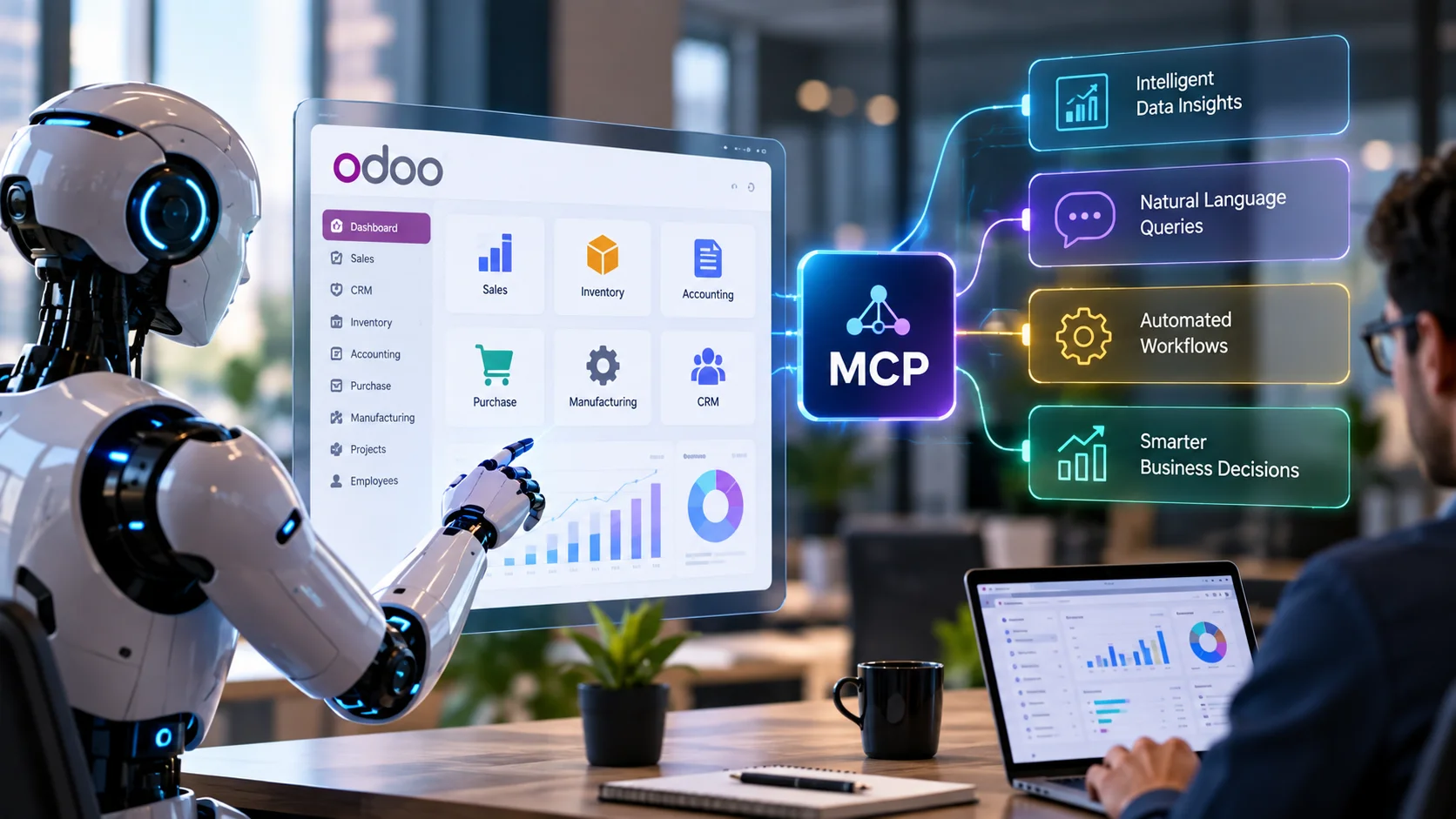
- 1. Odoo MCP Pro, AI Agent Server
- 2. AI Dashboard Builder
- 3. Shopify Odoo Connector
- 4. WooCommerce Odoo Connector
- 5. Amazon Odoo Connector
- 6. WhatsApp Business Integration
- 7. Magento 2 Connector
- 8. Google Shopping Feed
- 9. Meta Pixel eCommerce Tracking
- 10. All in One Loyalty, Website, POS & Sale Rewards Program
- 11. E-Invoice Compliance Suite
- 12. Zoho Books Connector
- 13. BSI All Import
- 14. List View Pro
- 15. Print Odoo, Direct Print
- 16. Multiple Branch Management
- 17. Real Estate Property Sale & Rental Management
- 18. Rental Management Suite
- 19. School Fee Management System
- How Long Setup Actually Takes
- Is It Safe to Buy Apps From the Odoo App Store?
- How to Choose Odoo Apps Without Overloading Your Instance
- Common Mistakes When Installing Odoo Apps
- Frequently Asked Questions
- What is the best Odoo app for 2026?
- Is Odoo MCP Pro safe to connect to an AI agent?
- Does AI Dashboard Builder send my business data to an external AI provider?
- Can I run the Shopify, WooCommerce, Amazon and Magento connectors together in one Odoo instance?
- Do these apps work on older Odoo versions?
- How much do Amazon, Meta and Zoho APIs cost to use with these connectors?
- Do I need a developer to install these apps?
- What happens if I upgrade Odoo to a new major version?
- Which of these apps are relevant if I don’t run an ecommerce store?
- Can I run Odoo MCP Pro and AI Dashboard Builder together?
- Final Take
Odoo’s own app marketplace now lists tens of thousands of modules, and honestly, most of them solve problems you don’t have. The trick in 2026 isn’t finding more apps. It’s finding the ones that actually move a metric: faster order sync, fewer manual exports, an AI agent that can answer a stock question without you opening a report, or a compliance workflow that used to need a spreadsheet and now runs itself.
We build Odoo apps for a living, so this list isn’t a scrape of app store ratings. It’s a working breakdown of nineteen apps we shipped ourselves, why we built them the way we did, and where each one earns its price tag. Several of these launched only in the last few months, so if you’ve been away from the Odoo App Store for a while, a good chunk of this will be new even to long time users.
Worth saying upfront: this isn’t a “top 50” roundup padded out with modules nobody needs. Nineteen apps, chosen because each solves a distinct, common problem, connecting your storefront, connecting your marketplace listing, connecting your accounting stack, or connecting your ERP to the AI tools and vertical workflows your team already relies on. If your business runs on Odoo and touches eCommerce, marketplaces, accounting compliance, real estate, rentals, education, or day-to-day back office admin in any way, at least one of these is probably already worth a look.
Quick Answer
The nineteen best Odoo apps for 2026 fall into six categories: AI infrastructure (Odoo MCP Pro, AI Dashboard Builder), eCommerce and marketplace connectors (Shopify, WooCommerce, Amazon, Magento 2, Google Shopping Feed, Meta Pixel eCommerce Tracking), customer engagement (WhatsApp Business Integration, All in One Loyalty Program), finance and compliance (E-Invoice Compliance Suite, Zoho Books Connector), back office productivity (BSI All Import, List View Pro, Print Odoo, Multiple Branch Management), and vertical industry solutions (Real Estate Management, Rental Management Suite, School Fee Management). All nineteen are one-time purchases under OPL-1 or LGPL-3 licensing, built and supported by Elsner Technologies.
Who wrote this
Quick disclosure: every app on this list is built by Elsner Technologies, an Odoo implementation partner with over 20 years in enterprise software. We’re not pretending to be neutral here. What we are doing is being specific about what each app does, what it costs, and who should skip it. If an app isn’t the right fit for your setup, we’ll say so.
In this guide
- Why third-party Odoo apps matter more in 2026
- What OPL-1 licensing actually means for you
- Why these nineteen apps, specifically
- Quick comparison table
- 1. Odoo MCP Pro, AI Agent Server
- 2. AI Dashboard Builder
- 3. Shopify Odoo Connector
- 4. WooCommerce Odoo Connector
- 5. Amazon Odoo Connector
- 6. WhatsApp Business Integration
- 7. Magento 2 Connector
- 8. Google Shopping Feed
- 9. Meta Pixel eCommerce Tracking
- 10. All in One Loyalty Program
- 11. E-Invoice Compliance Suite
- 12. Zoho Books Connector
- 13. BSI All Import
- 14. List View Pro
- 15. Print Odoo, Direct Print
- 16. Multiple Branch Management
- 17. Real Estate Property Sale & Rental Management
- 18. Rental Management Suite
- 19. School Fee Management System
- How long setup actually takes
- Is it safe to buy apps from the Odoo App Store?
- How to choose apps without overloading your instance
- Common mistakes when installing Odoo apps
- FAQs
Why Third-Party Odoo Apps Matter More in 2026
Odoo Enterprise ships with a growing set of native AI features these days, text generation, lead scoring, OCR on incoming documents, and as of version 19, a basic RAG-based agent layer. That’s a real improvement over where things stood two years ago. But it comes with a catch that doesn’t get mentioned enough: Community Edition users get almost none of it, and even Enterprise users are limited to whatever workflows Odoo S.A. decided to build in.
That gap is exactly where the third-party app market earns its keep. A native feature has to work for every Odoo customer on earth, which means it’s built broad and shallow. A purpose-built connector or vertical app from a partner who’s implemented Odoo for over a decade can go narrow and deep: Amazon sellers get FBA-specific fields Odoo’s core team would never prioritize. An Indian K-12 school gets an 8-period timetable and JrKG-to-12th fee structure Odoo’s generic education tooling was never built for.
There’s also a structural reason 2026 specifically changed the calculus. The Model Context Protocol wasn’t widely adopted until recently, and most businesses running Odoo 14 through 18 have no built-in path to connect an AI agent safely. Third-party MCP servers filled that gap months before any native equivalent existed. Around the same time, e-invoicing mandates across Belgium, Poland, and Spain, and Meta’s Conversions API becoming the default for ad attribution, pushed compliance and marketing tracking from nice-to-have into non-negotiable. If you’re on an older Odoo version or Community Edition and assumed you’re locked out of any of this, that assumption is outdated. It’s the third-party ecosystem, not Odoo S.A. directly, doing the heavy lifting here.
Same story on the ecommerce and vertical-industry side. Odoo’s own website and sales modules are solid, but they were never designed to be Shopify, Amazon, or Magento replacements, and they shouldn’t try to be. Odoo’s core also has no purpose-built model for a real estate broker’s commission structure or a rental deposit and late-fee workflow. The realistic pattern for most growing businesses is Odoo as the operational backbone, purchasing, accounting, multi warehouse inventory, and specialized platforms or purpose-built modules handling the customer-facing storefront, the marketplace listing, or the industry-specific workflow. Connectors and vertical apps are the plumbing between the two worlds, and plumbing that’s missing or unreliable is usually the actual reason “our systems don’t talk to each other” shows up on a leadership team’s list of problems every single quarter.
What OPL-1 Licensing Actually Means for You
Most apps on this list are distributed under the Odoo Proprietary License v1 (OPL-1), with one exception (Multiple Branch Management ships under LGPL-3), and it’s worth understanding what that actually permits before you buy, since almost no review site explains it plainly.
- You can use the module on any Odoo database you own or operate, install it across unlimited instances you control, and customize the source for your own internal needs
- You cannot resell, redistribute, or sublicense the module as your own product, or strip out the copyright and author attribution
- Support is bundled. Every app here includes 90 days of free bug-fix support from purchase, separate from paid customization work
- Pricing is per major Odoo version. A license bought for Odoo 19 covers Odoo 19. Upgrading to Odoo 20 down the road typically means a fresh license for the new version
None of this is unusual for the Odoo ecosystem, but it does mean the “$19.99 one-time” framing needs a small asterisk: one-time per version, not one-time forever. Factor that into a multi-year cost comparison if you’re deciding between a third-party app and building the same functionality in-house.
Why These Nineteen Odoo Apps, Specifically
Odoo’s core suite already covers CRM, invoicing, and inventory reasonably well out of the box. The gap sits at the edges: connecting Odoo to the platforms your business actually runs on, keeping up with country-specific compliance mandates, and giving non technical teams a way to run an entire vertical, a school office, a rental fleet, a property portfolio, without stitching together five disconnected tools.
That’s the lens we used to pick this list:
- Solves a connection or vertical problem, not a feature gap. Odoo already has inventory. It doesn’t natively talk to Amazon Seller Central, and it has no built-in school fee ledger
- Works on Odoo 19 without a pile of dependencies you’ll fight with later
- One time pricing. No monthly per seat tax stacked on top of your Odoo subscription
- Built for where 2026 moved the goalposts. AI agent access, country e-invoicing mandates, and server-side ad tracking all became must-haves this year, not nice-to-haves
- Real support behind it. Not a solo developer who might vanish after the sale
Nineteen apps cleared that bar for this list, up from six in our original guide earlier this year. We build more than nineteen, but these are the ones we’d point a new Odoo user toward first.
Top Odoo Apps for 2026: Quick Comparison
| App | Category | Price | Best For |
|---|---|---|---|
| Odoo MCP Pro | AI Agent Server | $58.75 | Teams connecting Claude or ChatGPT to live Odoo data |
| AI Dashboard Builder | Analytics / BI | $49.99 | Anyone who wants KPI dashboards without a BI analyst |
| Shopify Odoo Connector | eCommerce | $48.95 | Shopify merchants running fulfillment through Odoo |
| WooCommerce Odoo Connector | eCommerce | $48.95 | WordPress stores needing real time stock sync |
| Amazon Odoo Connector | Marketplace | $19.99 | Sellers running FBA or FBM at any real volume |
| WhatsApp Business Integration | Marketing / CX | $48.95 | Brands where WhatsApp is the default customer channel |
| Magento 2 Connector | eCommerce | $19.99 | Magento 2 merchants running multi-website catalogs |
| Google Shopping Feed | Marketing / Sales | $19.99 | Stores running paid Shopping ads on Google |
| Meta Pixel eCommerce Tracking | Marketing / Website | $19.99 | Brands running Meta ads who need accurate attribution |
| All in One Loyalty Program | eCommerce / Sales | $19.99 | Retailers rewarding repeat customers across channels |
| E-Invoice Compliance Suite | Finance / Compliance | $19.99 | Businesses invoicing into Belgium, Poland or Spain |
| Zoho Books Connector | Finance / Accounting | $19.99 | Teams running Zoho Books alongside Odoo operations |
| BSI All Import | Data / Migration | $19.99 | Teams migrating bulk data into a new Odoo instance |
| List View Pro | Productivity / UI | $19.99 | Any team spending hours a day in Odoo list views |
| Print Odoo, Direct Print | Productivity / Warehouse | $19.99 | Warehouses and counters printing straight to network printers |
| Multiple Branch Management | Operations / Multi-Location | $19.99 | Businesses running multiple branches from one database |
| Real Estate Property Sale & Rental Management | Vertical / Real Estate | $19.99 | Agencies, brokers and property managers |
| Rental Management Suite | Vertical / Rental | $19.99 | Equipment, product or asset rental businesses |
| School Fee Management System | Vertical / Education | $19.99 | Indian K-12 schools from JrKG to 12th standard |
Not sure which of these actually fits your setup?
Elsner’s Odoo team can look at your current stack and tell you honestly which app, if any, solves the problem you’re actually having.
The 19 Best Odoo Apps for 2026, In Detail
1. Odoo MCP Pro, AI Agent Server
Start here, because this is the app that’s actually new in the way people mean when they say “2026 changed everything.” Odoo MCP Pro connects Claude, ChatGPT, and other AI agents to your Odoo database through the Model Context Protocol, an open standard published by Anthropic that lets an AI tool discover what actions it’s allowed to take instead of you hardcoding every single one.
Here’s the practical difference. Without MCP, “connecting AI to your ERP” usually means a developer writes custom glue code for every workflow: one script for lead lookups, another for stock checks, a third for order creation. Add a new use case, write more code. With MCP Pro installed, the AI client sees the available tools on its own. Ask it to pull overdue invoices over $5,000 grouped by customer, and it just does it, no new integration required.
- Exposes Odoo models (sales, CRM, inventory, accounting) as MCP tools any compatible AI client can call
- Works with Claude, ChatGPT, Cursor, and other MCP compatible clients without per client setup
- Respects Odoo’s existing access rights and record rules, so an AI agent can only see what the connected user account can see
- No raw API key floating around in a prompt or a script somewhere
Who this is for
Operations and finance teams who are tired of exporting CSVs to answer questions a colleague could ask out loud. It’s also the obvious pick if your business already leans on custom AI agents for other tools and wants Odoo in that same loop instead of sitting outside it.
Where it falls short
If nobody on your team uses Claude, ChatGPT, or a similar AI client day to day, you won’t get value from this yet. It’s infrastructure for a workflow you have to actually adopt, not a dashboard that works the moment you install it. And frankly, some teams aren’t ready to hand an AI agent write access to their ERP, even a governed one. That caution is fair. Start read only, prove it out, expand from there.
A realistic first week: install the module, generate a scoped Odoo API key for one user account with view-only rights on Sales and Inventory, connect that account to Claude or ChatGPT through an MCP client, and just ask questions for a few days. “Which customers haven’t ordered in 60 days.” “What’s our fastest moving SKU this quarter.” No automation yet, just answers. Once that’s routine and nobody’s flagged a wrong number, expand to a second department. Rushing straight to write access in week one is how good tools earn a bad reputation.
2. AI Dashboard Builder
Most Odoo users don’t build dashboards. They wait for someone who knows the reporting module to build one for them, then ask for changes a week later and wait again. AI Dashboard Builder removes that bottleneck. Point it at any Odoo model, or upload a CSV, describe what you want in plain language, and it assembles a full board of KPI tiles, charts, and lists in seconds.
There are 17 visualization types here, which is genuinely more than most people will use, but the range matters: funnel charts for pipeline stages, bullet charts for actual versus target, radar charts for multivariate comparisons. Switch a chart from bar to line to pie in one click without rebuilding it.
This is worth calling out specifically because it’s the part people ask about first. The AI provider only ever sees the table and field schema, never actual records. Your customer names, invoice amounts, and stock counts stay inside your database. The chart is rendered locally from your live data. You also pick the provider yourself, OpenAI, Anthropic, Google Gemini, or a self hosted endpoint, so you’re not locked into one vendor’s terms.
Good fit if:
- Your team needs sales, inventory, or accounting visibility but has no dedicated BI analyst
- You’re combining Odoo data with external budgets or targets kept in a spreadsheet
- Multiple people need different dashboards with different access levels, admin, editor, restricted
Skip it if: you already run a mature BI stack (Power BI, Looker, whatever) pulling from Odoo through proper ETL. This app is for teams who don’t have that, not a replacement for it.
One detail that’s easy to overlook until you actually use it: every dashboard item gets its own Discuss chat channel. That sounds small, but it means a finance manager can flag “this number looks off” directly on the chart, in context, instead of a separate email thread that loses the original graph by reply three. Combined with three access tiers, admin, editor, and restricted, it’s genuinely usable for a mixed team rather than just the person who built it.
3. Shopify Odoo Connector
Shopify handles the storefront experience about as well as anyone. It’s not built to be a back office. The moment a merchant needs proper inventory across warehouses, multi channel accounting, or vendor management, Shopify alone starts to strain. The Shopify Odoo Connector is the bridge: it syncs products, inventory, and orders both ways through Shopify’s Admin REST API, so your storefront and your ERP stay in agreement without someone manually reconciling spreadsheets at midnight.
| Sync direction | Bi-directional, Odoo 19 to Shopify and back |
| Handles | Products, variants, stock levels, orders, customers |
| Connection method | Shopify Admin REST API, no third party middleware |
The honest tradeoff here: any storefront to ERP connector needs someone to map fields correctly on day one, product categories, tax classes, fulfillment locations. Rush that setup and you’ll spend the first month chasing sync errors instead of preventing them. Take the two extra hours during onboarding. It’s cheaper than fixing bad data later.
If you’re running a Shopify store and haven’t formalized your back end yet, this is usually paired with broader Shopify development work so the storefront, the connector, and the ERP get configured as one system instead of three separate projects.
Picture a brand selling through Shopify direct-to-consumer while also fulfilling wholesale orders through Odoo’s sales module. Without the sync, someone’s manually adjusting Shopify stock every time a wholesale order eats into shared inventory, and stockouts on the storefront become a weekly headache. With the connector running, a wholesale order in Odoo drops the stock number, Shopify reflects it within the sync window, and the storefront never oversells a product that’s actually gone.
4. WooCommerce Odoo Connector
WooCommerce still runs a huge share of small and midsize online stores, mostly because WordPress site owners already know the CMS and don’t want to rebuild on a new platform just to sell products. The WooCommerce Odoo Connector keeps orders, products, and stock synced between your WordPress store and Odoo without asking you to touch a line of PHP.
This is the one app on our list with actual public reviews on the Odoo App Store, two of them at the time of writing, both from real merchants who installed it for the same reason: stock counts kept drifting between WooCommerce and their back office, and a scheduled sync fixed it.
Typical use case: a store owner runs three or four product categories, sells through WooCommerce for direct to consumer traffic, and needs Odoo handling purchasing, accounting, and multi warehouse stock behind the scenes. The connector is the plumbing. Odoo does the thinking.
Pair this with broader WooCommerce development if your storefront itself needs work alongside the ERP sync. They’re separate problems that happen to show up together often.
A quick gut check before buying: if your WooCommerce catalog is under a few hundred SKUs and one person manages inventory part time, a scheduled sync every few hours is usually plenty. Once you’re past a few thousand SKUs or running flash sales where stock moves fast, ask about near real-time sync intervals during setup rather than assuming the default cadence will hold up.
5. Amazon Odoo Connector
Selling on Amazon means living inside Seller Central’s own reporting, which is fine until you’re also running Shopify, WooCommerce, or a wholesale channel and need one place that shows the whole picture. The Amazon Odoo Connector pulls orders, products, FBA inventory, settlement reports, and returns into Odoo through Amazon’s Selling Partner API, both FBA and FBM.
Six things it covers, worth listing plainly since sellers usually ask about these one by one:
- Order import, manual or scheduled, with taxes and shipping mapped correctly
- Product sync by SKU and ASIN, with a one click stock update wizard
- FBA inventory tracking, fulfillable, reserved, and inbound quantities per marketplace
- Settlement reports imported with fee lines, so payouts actually reconcile against your books
- Returns tracked with reason codes, linked back to the original order
- Inbound shipments monitored from creation through received at the fulfillment center
One thing to flag honestly: you’ll need to generate SP-API credentials yourself from Seller Central’s developer console before setup. That’s an Amazon requirement, not something any connector can skip. Budget twenty minutes for it the first time.
At $19.99, this is one of the least expensive apps on the list, and also one with arguably the widest scope, orders, inventory, settlements, and returns in a single module. If you’re managing more than one Amazon marketplace, US, UK, EU, the connector supports multiple sellers and marketplaces from one database, which saves a genuine amount of admin overhead.
The analytics dashboard bundled in deserves a mention too. It’s not as deep as AI Dashboard Builder, but it gives a quick sales KPI and order status breakdown per marketplace without leaving the Amazon menu, useful for a daily glance before you go digging into anything more granular.
6. WhatsApp Business Integration
In a lot of markets, WhatsApp isn’t a nice to have channel, it’s where customers actually expect to hear from you. Order confirmations, delivery updates, invoice reminders, all of it lands better as a WhatsApp message than a buried email. WhatsApp Business Integration connects Odoo directly to Meta’s Cloud API, so these messages fire automatically from the same workflows you already run.
Confirm a sales order, the customer gets a WhatsApp message. Post an invoice, same thing. Validate a delivery, they know before the driver’s even left the depot. None of this needs a developer building custom webhooks, since the triggers are already mapped to standard Odoo events.
Beyond automated messages, the app also supports a chatbot layer for basic customer queries, order status, product availability, that kind of thing, so a support team isn’t manually answering the same three questions all day.
This pairs naturally with a broader WhatsApp chatbot integration strategy if you’re building out conversational commerce, not just transactional alerts. Read more on how WhatsApp integration helps ecommerce brands specifically if you want the fuller picture before deciding.
One cost detail worth flagging upfront: the app license covers the integration itself, not Meta’s own conversation fees. WhatsApp Business messaging includes a limited number of free service conversations each month, with per-conversation charges beyond that set by Meta directly. Factor that into your monthly cost estimate, especially if order volume is high and you’re sending confirmations, shipping updates, and invoice reminders all through the same channel.
7. Magento 2 Connector
Magento (Adobe Commerce) still dominates among mid-market and enterprise merchants who outgrew Shopify’s simplicity and needed heavier catalog and multi-storefront control. The Magento 2 Connector gives Odoo a bi-directional bridge into that world: products, categories, customers, orders, stock, and invoices all flow across the Magento REST API using OAuth1 authentication, no risky direct database access involved.
Six sync objects are covered, and category mapping deserves a special mention. Magento’s category tree can get deep and messy fast, especially on multi-website stores, and the connector’s dedicated category mapping records mean you’re matching parent-child structures deliberately rather than hoping a flat import guesses correctly.
- Multi-instance and multi-website support from a single Odoo database, useful for agencies or brands running several Magento storefronts
- A dashboard and detailed sync logs, so a failed order sync is a five-minute fix, not a mystery
- An included scheduled action (cron) that keeps data flowing automatically once the initial mapping is done
Worth knowing: the module needs the Python libraries requests_oauthlib and Pillow installed on the server, and you’ll need to create a Magento integration under System → Integrations first to get your OAuth tokens. Neither is difficult, but they’re server-side steps a non-technical admin will want a developer’s help with the first time.
Run categories before products. It’s the single most common setup mistake: import products against an unmapped category tree, and you’ll spend the afternoon re-mapping instead of syncing.
8. Google Shopping Feed
If your Odoo website runs eCommerce and you want products showing up in Google Shopping results or Performance Max campaigns, someone has to keep a clean, error-free product feed flowing into Google Merchant Center. Google Shopping Feed does that job from inside Odoo, no spreadsheet exports, no third-party feed management tool subscription.
The part that separates this from a basic feed exporter is the built-in debugger. It runs pre-flight checks for missing field mappings, missing values, and missing categories before anything reaches Google, then pulls live item-level issues straight back from Merchant Center into a single, markable-as-resolved issue log. That’s the difference between finding out about a disapproved product three weeks later and catching it before the sync even runs.
- One feed configuration per country, language, currency and website, each with its own product filter
- Field mapping for every Google attribute (title, price, GTIN, brand, availability) to an Odoo field, a static value, or a Python expression
- Category mapping against the official Google product taxonomy, with per-product overrides
- An hourly automated sync, plus an on-demand sync button when you need it now
Good fit if: you’re already running or planning paid Shopping campaigns and your product catalog changes often enough that manual feed uploads keep falling behind. Skip it if you don’t sell through Odoo’s website eCommerce module at all, since the feed pulls from your live Odoo product and website data.
9. Meta Pixel eCommerce Tracking
Browser-only Meta Pixel tracking has been quietly losing conversions for years, to ad blockers, Safari’s Intelligent Tracking Prevention, and third-party cookie limits. Meta Pixel eCommerce Tracking fixes that by firing every event on both channels at once: the browser Pixel and Meta’s server-side Conversions API, sharing one event ID so Meta deduplicates automatically instead of double-counting.
Setup is genuinely a five-minute job. Paste your Pixel ID and Conversions API Access Token into Website Settings, and PageView, ViewContent, AddToCart, InitiateCheckout, and Purchase start firing off Odoo’s own website and sale order lifecycle. Nothing to schedule, nothing to maintain.
Why it matters for ad spend: the dual-channel Purchase event is the headline feature here. The browser Pixel fires Purchase on the confirmation page, and independently, the moment the sale order is confirmed in Odoo, the server sends the same event. Meta merges the two using the shared event ID, which recovers Purchase events that browser-only tracking would have simply lost, and gives a cleaner picture for Advantage+ optimization and ROAS reporting.
Test everything in Meta Events Manager’s Test Events tool using the built-in test event code before flipping the store to production tracking. Skipping that step is the most common way teams end up debugging a “missing conversions” problem that a five-minute test would have caught.
10. All in One Loyalty, Website, POS & Sale Rewards Program
Most Odoo loyalty setups end up siloed, points earned in the online store don’t count at the till, and points earned at the till don’t show up on a sale order. All in One Loyalty unifies all three channels, Sale, POS, and Website, under one program, one earn rate, and one redemption rule, so a customer’s balance means the same thing everywhere they shop.
Configuration is a single screen: set points earned per currency unit, a discount value per point, and a minimum balance before redemption unlocks. From there, every confirmed Sale Order, POS transaction, or website purchase earns points automatically, and redemption drops a discount line onto the order with one click, whether that order was placed online, at the counter, or over the phone.
- A dedicated POS widget showing loyalty balance, with one-tap redemption for cashiers
- A website portal page where customers view their balance, full history, and redeem at checkout
- A manager dashboard: top customers by points, points issued versus redeemed, channel breakdown
- Automated email notifications on every earn and redeem event, using Odoo’s own mail templates
Worth noting: points are awarded on order confirmation, not on quotation, which is the correct behavior but occasionally trips up new users testing the flow on a draft order. The full transaction history is exportable to Excel per customer, useful when finance wants to reconcile the loyalty liability against redeemed discounts.
11. E-Invoice Compliance Suite
Country-specific e-invoicing mandates stopped being a “someday” problem in 2026. If you invoice into Belgium, Poland, or Spain, the E-Invoice Compliance Suite brings all three formats into the standard Odoo invoice form: PEPPOL BIS 3.0 / UBL 2.1 for Belgium with live sandbox transmission, KSeF for Poland, and VeriFactu for Spain, both with simulated flows ready to swap in the live API once your account is provisioned.
Nothing here lives in a separate portal. Set the invoice country, and the module picks the matching format automatically. Generate the compliance XML from the invoice’s own E-Invoicing tab, send it, and check status with a button click, all without leaving the document your accounting team already works from every day.
VeriFactu records are SHA-256 hash-chained to the previous entry, mirroring Spain’s AEAT tamper-evident integrity requirement. Every invoice also carries its own format, status, and country-specific reference ID (Peppol Doc ID, KSeF Session ID, or VeriFactu Doc ID), so a tax authority or PEPPOL access-point audit has a clear, per-invoice trail to follow instead of a scramble to reconstruct one after the fact.
Where it stands today: Belgium’s PEPPOL flow transmits to a live sandbox network right now. Poland’s KSeF and Spain’s VeriFactu flows are simulated, meaning the XML generation, hash-chaining, and status tracking all work exactly as they will in production, but the live government API connections drop in as those countries’ own systems finish rolling out to third-party integrators. Worth confirming current mandate timelines for your specific country before assuming full production readiness.
12. Zoho Books Connector
Plenty of small and mid-size businesses run Zoho Books for accounting while operations sit in Odoo, usually because the accounting team adopted Zoho years before Odoo entered the picture. The Zoho Books Connector stops that from meaning double data entry, syncing products, sales orders, customers, vendors, invoices, bills, payments, and credit notes both ways over the official Zoho Books REST API v3 with OAuth 2.0.
Coverage is genuinely comprehensive rather than partial. That matters here specifically, because a connector that syncs invoices but not payments just moves the reconciliation headache instead of solving it. This one covers the full accounting document lifecycle, including credit notes and vendor credits matched back to their original invoices and bills.
- Register a self-client in the Zoho API Console for a Client ID, Client Secret, and Refresh Token
- Enter those credentials plus your Zoho Organization ID inside the connector’s configuration screen
- Run the first import or export manually using the one-click sync actions
- Turn on Auto-Sync and pick your preferred interval for hands-free background sync
- Monitor every run, manual or scheduled, from the sync log
Access tokens renew automatically once the refresh token is in place, so this isn’t a connection you’ll need to babysit week to week. The sync log is worth checking weekly regardless, since a mismatch caught early is a two-minute fix and one caught three months later is a reconciliation project.
13. BSI All Import
Migrating into Odoo, or onboarding a new client database, usually means ten different import wizards scattered across ten different menus, each with its own quirks. BSI All Import puts all of it under one dashboard: sales orders, purchase orders, invoices, inventory, payments, journal entries, products, partners, bills of materials, and pricelists, all from CSV or Excel.
This is squarely a migration and bulk-onboarding tool rather than something you’ll open daily. Where it earns its keep is the validation layer: every import is checked and recorded in an import log, so a batch of 2,000 partner records with a handful of malformed tax IDs surfaces exactly which rows failed, rather than silently skipping them or crashing halfway through.
A business switching from another ERP or a spreadsheet-based system needs opening stock quantities, historical invoices with open balances, and a full product and partner catalog loaded into a fresh Odoo instance before go-live. Instead of Odoo’s native import screens one model at a time, BSI All Import handles the whole set from guided wizards, no coding, with column-to-field matching that flags a mismatch before it becomes a bad record.
Worth knowing: column names in your source file need to match the expected fields for each import type. Downloading the template first and filling it in, rather than reshaping an existing export to guess at column names, saves a lot of back and forth on a large migration.
14. List View Pro
This is the smallest app on the list by scope, and probably the one with the fastest payback for teams who live in Odoo’s list views all day. List View Pro is a pure frontend enhancement that upgrades every single list view across every Odoo app, Sales, Purchase, Inventory, Accounting, CRM, HR, and any custom modules, without touching backend logic.
Seven features, all zero-configuration: an automatic serial number column so you always know which row you’re on across pages, spreadsheet-style inline filter boxes under each column header, resizable columns you drag to fit long text fields, click-to-copy on any cell value, one-click record duplication straight from the list, custom header colors, and clear row highlighting on hover.
Why it’s worth the ten minutes: inline filter boxes and click-to-copy remove hundreds of small clicks from daily back-office work, looking up a phone number, filtering a purchase list by vendor without opening the filter menu, copying an invoice reference to paste into an email. None of it is glamorous. All of it adds up across a team that touches list views for hours every day.
Settings live under Settings → General Settings → List View Pro, where each feature toggles independently and header colors can be set to match your brand.
15. Print Odoo, Direct Print
Warehouses and sales counters that print delivery slips, invoices, or labels dozens of times a day usually end up fighting one of two things: an IoT box they didn’t want to buy, or a cloud print account with its own login and its own monthly cost. Print Odoo, Direct Print skips both. It connects straight to network printers over RAW socket (JetDirect 9100) or a CUPS print server, using nothing but the printer’s IP address or queue name.
No cloud account, no API key, no IoT box, no per-page fee. The module talks to your printers over your own network, which also means it works fully standalone if your Odoo server has no internet access at all.
- Automated print scenarios: auto-print on sales confirmation, transfer validation, backorder creation, invoice posting, and purchase confirmation, each with domain filters and copy counts
- Per-user print rules routing a specific report to a specific printer and paper bin, useful when one counter prints A4 invoices and another prints thermal labels
- ZPL support for Zebra label printers, since QWeb-text reports print as raw ZPL rather than a rasterized PDF
- A batch printing wizard to select multiple sales orders, transfers, or invoices from any list view and send the lot to a printer in one action
Multi-company setups get their own default printers and scenarios per company, so an operation running several legal entities from one database doesn’t need to bolt this together manually.
16. Multiple Branch Management
Odoo’s multi-company feature is built for genuinely separate legal entities, which is overkill when what you actually have is one company running several retail branches, warehouses, or service centers that still need shared oversight. Multiple Branch Management adds a lighter-weight branch dimension across Sales, Purchase, Accounting, and Inventory, with role-based access so each user only sees the branches they’re assigned to.
A branch is a simple master record: name, code, address, phone, email, and manager, created in unlimited number per company. From there, every sale order, purchase order, invoice, journal entry, payment, and stock picking carries a branch field, and record rules automatically filter what a user sees based on their assigned default and allowed branches.
- Sales and purchase analysis reports extend with a branch dimension, so comparing performance across locations is a filter, not a manual export-and-pivot exercise
- Branch-wise profit and loss and balance sheet visibility inside standard Odoo accounting reports
- PDF report templates (invoices, sale orders, purchase orders) display branch info automatically for branded, location-specific documents
- A superuser still sees every branch, so head office retains full visibility even as branch staff see only their own
This is one of the two apps on our list licensed under LGPL-3 rather than OPL-1, which in practice means the same purchase-and-support model but slightly more freedom if you need to modify and redistribute internally within your organization.
17. Real Estate Property Sale & Rental Management
Real estate agencies, property managers, and brokers tend to run their business across a genuinely painful mix of spreadsheets, shared folders, and disconnected tools, one for listings, another for contracts, a third for maintenance tickets. Real Estate Property Sale & Rental Management replaces that whole stack with one Odoo application covering properties, projects, sale contracts, rental agreements, broker commissions, maintenance requests, and a client portal.
Properties track through a full lifecycle, available, reserved, sold, or rented, and can sit inside parent developments with sub-projects, so a large development with multiple phases rolls up property counts automatically rather than requiring manual tallying.
Auto-invoicing tied directly into Odoo Accounting. Once a sale contract is confirmed, the customer invoice generates automatically as a one-time charge. Rental agreements do the same on a recurring basis, matched to the tenant’s payment frequency, monthly or yearly, without someone manually raising an invoice each cycle. Broker commissions are tracked per contract with each agent’s percentage, so commission payouts reconcile against actual closed deals rather than a separate spreadsheet.
The client portal deserves a specific mention: tenants and buyers log in to view active contracts, download marketing brochures, and submit maintenance tickets directly, which cuts a meaningful amount of “can you send me a copy of my contract” email traffic for a busy agency.
18. Rental Management Suite
This is a narrower cousin of the real estate app above, built for businesses renting out equipment, vehicles, or general products rather than property. Rental Management Suite flags any product as rentable, sets a per-day price, deposit amount, late fee, and minimum rental days, and manages the full order lifecycle from pickup through return.
Rental orders auto-compute duration from start and end dates, and total deposit rolls up automatically across every line on the order, so the amount held is always visible without cross-referencing individual product deposits by hand.
Damage and late fees that never get charged because nobody tracked them consistently. The return wizard here captures returned quantity, damage quantity, and damage charge in one step, and calculates late days and the resulting late fee automatically from the end date against the product’s configured late-fee-per-day rate. That’s the difference between a policy that exists on paper and one that’s actually enforced every time.
Invoicing ties directly into Odoo Accounting from the rental order itself, with a live invoice count smart button, and a dedicated OWL dashboard surfaces key rental metrics for managers who want a daily operational glance rather than digging through individual orders. Two security groups, Rental User and Rental Manager, keep day-to-day staff and oversight roles properly separated.
19. School Fee Management System
This is the most specifically scoped app on the list, and it shows: it’s built for Indian K-12 schools, JrKG through 12th standard, and nothing else. School Fee Management System replaces the spreadsheets and register books most school offices still run on with fee collection, daily attendance, examinations, and an 8-period weekly timetable, all inside one Odoo login.
The academic structure sets up once per year: standards from JrKG to 12th, streams (Science, Commerce, Arts) for 11th and 12th, and divisions like A, B, C, D. From there, students register with auto-generated admission numbers, fee heads (Tuition, Transport, Lab, Library, Sports, Exam) get configured per standard and stream, and day-to-day office work runs from a single interactive dashboard.
- An interactive attendance matrix with one-click Present, Absent, or Late toggling and a full historical register
- Auto-numbered, printable PDF fee receipts on every payment, with pending, partial, paid, and overdue status tracking
- A bulk matrix marks-entry sheet for exams, with percentage, A+ to F grading, and rank calculated automatically, then batch-printed as PDF progress report cards
- A daily scheduled action that automatically notifies the Fee Accountant of pending and overdue payments
Security is role-specific rather than generic: School Admin, Fee Accountant, and Class Teachers each get strict record-level isolation, so a class teacher only ever sees their own class roster, attendance, and timetable, not the entire school’s data. For a school office replacing paper registers, that separation matters as much as the automation itself.
How Long Setup Actually Takes
Every app listing promises “install in minutes,” and technically that’s true for the install button. It’s not true for getting the app actually configured and trustworthy. Here’s a more honest estimate based on what typical first-time setups look like.
| App | Install | Realistic Configuration |
|---|---|---|
| Odoo MCP Pro | 5 minutes | 30 to 60 minutes for API key setup and MCP client connection |
| AI Dashboard Builder | 5 minutes | 15 minutes if using demo dashboards, 1 to 2 hours to build custom ones from scratch |
| Shopify Odoo Connector | 10 minutes | 2 to 4 hours for field mapping and a first sync test |
| WooCommerce Odoo Connector | 10 minutes | 2 to 3 hours, similar mapping work to Shopify |
| Amazon Odoo Connector | 10 minutes | 1 to 2 hours plus SP-API credential approval time from Amazon |
| WhatsApp Business Integration | 10 minutes | 30 to 90 minutes, mostly waiting on Meta Cloud API verification |
| Magento 2 Connector | 10 minutes | 2 to 4 hours for category mapping, OAuth setup and a first sync |
| Google Shopping Feed | 5 minutes | 1 to 2 hours for field and category mapping plus debugger checks |
| Meta Pixel eCommerce Tracking | 5 minutes | 15 to 30 minutes plus test-event verification |
| All in One Loyalty Program | 5 minutes | 20 to 40 minutes to set earn rate, redeem rate and minimum balance |
| E-Invoice Compliance Suite | 5 minutes | 1 to 2 hours per country to review formats and test the sandbox flow |
| Zoho Books Connector | 10 minutes | 1 to 2 hours for OAuth client setup and a first two-way sync |
| BSI All Import | 5 minutes | Varies by data volume, budget half a day for a full multi-model migration |
| List View Pro | 5 minutes | Works immediately, 10 minutes to pick colors and toggle features |
| Print Odoo, Direct Print | 5 minutes | 20 to 40 minutes per printer plus scenario setup |
| Multiple Branch Management | 10 minutes | 1 to 2 hours to create branches and assign user access |
| Real Estate Property Sale & Rental Management | 10 minutes | 2 to 4 hours to load properties, brokers and initial contracts |
| Rental Management Suite | 10 minutes | 1 to 2 hours to flag rentable products and set pricing rules |
| School Fee Management System | 10 minutes | Half a day to a full day for standards, streams, fee heads and student registration |
None of these are large blocks of time on their own. Stack five or six apps into one week, though, and it’s several full workdays of configuration, not the “ten-minute install” the app store copy implies. Plan the calendar accordingly, and prioritize whichever app touches the workflow currently costing your team the most hours.
Is It Safe to Buy Apps From the Odoo App Store?
This comes up more than you’d think, especially from businesses new to Odoo who are used to Shopify’s or WordPress’s app review processes. The short answer: yes, with the same due diligence you’d apply anywhere.
Odoo’s marketplace doesn’t run every listed app through a deep security audit before publishing, so the responsibility for vetting a specific app sits with the buyer, same as installing a WordPress plugin from a lesser-known author. Check three things before purchasing from any vendor, not just this list: how long the developer’s been listed on the store, whether there’s a real support email and response time commitment, and whether the app dependencies are limited to standard Odoo modules rather than obscure third-party libraries. Apps built by an established Odoo implementation partner, one with 20-plus years in enterprise software and a support team that answers within 24 hours, carry a different risk profile than a listing from an account with one module and no history.
How to Choose Odoo Apps Without Overloading Your Instance
Every Odoo implementation we’ve touched has the same failure mode waiting for it: someone installs ten apps in month one because they all looked useful in the store, and by month three nobody remembers what half of them do or why they’re slowing down page loads. More modules also means more dependency chains to track when something breaks, and more surface area for a future upgrade to snag on. None of that means avoid third-party apps. It means install with intent.
Start from the workflow, not the app store
Don’t ask “what apps exist.” Ask “where does my team lose the most time right now.” If that’s manually copying Amazon orders into a spreadsheet, the answer is obvious. If it’s nobody, install nothing yet.
Install one connector before you install five
Get Shopify or WooCommerce syncing cleanly, confirm the data’s right for two weeks, then add the next piece. Stacking every integration at once makes it nearly impossible to tell which one broke when something goes wrong.
Check the dependency list before you buy
Most of these apps rely on core Odoo modules, Inventory, Invoicing, Sales, that need to already be active. Skipping this check is the single most common support ticket we get in the first week after a purchase.
Budget for the onboarding hour, not just the license
A $19.99 connector still needs someone to map fields, generate API credentials, and test a sync cycle before it’s trustworthy. That hour matters more than the price tag.
Match AI and compliance tools to actual usage
Odoo MCP Pro is worth almost nothing if your team never opens Claude or ChatGPT. The E-Invoice Compliance Suite is worth almost nothing if you don’t invoice into Belgium, Poland or Spain. Buy the tool that fits a process you already have, not one you’re hoping to start.
Separate “nice to see” from “needed to run the business”
A dashboard is nice to see. A broken Amazon order sync during a holiday sales spike, or a missed e-invoicing deadline, is not optional to fix. When budget’s tight, prioritize the connectors and compliance apps touching live revenue and legal requirements over the analytics and productivity layer sitting on top of them. You can add the second tier once the first tier’s solid.
Common Mistakes When Installing Odoo Apps
A few patterns show up again and again with businesses who’ve already been burned once.
Installing on production before testing. Any connector touching live orders, inventory, or accounting compliance deserves a staging environment first, even a rough one. It’s an extra afternoon that saves a very bad Tuesday later.
Ignoring the demo dashboards. AI Dashboard Builder ships with ten predefined boards. Most teams skip straight to “build from scratch” and end up reinventing something that was already sitting there, customized in ten minutes instead of built from zero.
Treating connectors as set and forget. Amazon’s SP-API changes. Shopify and Magento update their API versions. A connector that worked flawlessly at install can quietly break six months later if nobody’s watching for platform side changes. Budget occasional maintenance, not just a one time setup.
Handing an AI agent write access on day one. With Odoo MCP Pro specifically, start read only. Let the AI answer questions before you let it create records or send emails on your behalf. Trust gets built, it doesn’t arrive with the install.
Assuming a simulated compliance flow is production-ready. The E-Invoice Compliance Suite’s Poland and Spain flows are simulated by design, ready to swap in the live government API once your account is provisioned. Confirm your specific country’s current mandate status and rollout timeline before treating any e-invoicing flow as fully live.
Not connecting the dots between apps. A WhatsApp confirmation firing off a Shopify order that’s tracked by the Shopify connector, visualized on an AI Dashboard Builder board, that’s the actual endgame here. Buying a stack of apps that never talk to each other’s outputs is a missed opportunity, not a finished project. If your setup’s getting complex enough that this coordination matters, it’s usually worth a conversation with an Odoo developer who can map the whole stack properly.
Skipping the team on the change. A new connector or vertical app changes how a warehouse clerk checks stock, how a class teacher marks attendance, or how a support rep answers a shipping question. Roll it out without a five-minute walkthrough for the people actually using it daily, and you’ll get workarounds and shadow spreadsheets instead of adoption. The tool’s only as good as whether the team trusts it enough to stop double-checking it manually.
Key takeaways
- Nineteen apps split into six real categories: AI infrastructure, eCommerce and marketplace connectors, customer engagement, finance and compliance, back office productivity, and vertical industry solutions.
- Almost every app is OPL-1 licensed and one-time per major Odoo version, not one-time forever (Multiple Branch Management is the LGPL-3 exception). Ninety days of bug-fix support comes bundled with each purchase.
- Install one connector before stacking five. Confirm the data is right for two weeks before adding the next integration.
- Match the tool to behavior your team already has, not behavior you’re hoping to start. An AI agent server is worth nothing if nobody opens Claude or ChatGPT, and a compliance suite is worth nothing if you don’t invoice into the countries it covers.
- The “ten-minute install” only covers the install button. Real configuration, field mapping, API credentials, permission testing, takes hours, not minutes. Plan the calendar accordingly.
Frequently Asked Questions
What is the best Odoo app for 2026?
There isn’t a single best app, it depends on the gap you’re closing. For businesses adopting AI agents, Odoo MCP Pro and AI Dashboard Builder are the standout picks for 2026 specifically because they address a workflow that barely existed two years ago. For ecommerce sellers, the Shopify, WooCommerce, Amazon, and Magento 2 connectors matter more day to day than any AI tool. For businesses invoicing into Europe, the E-Invoice Compliance Suite has become non-negotiable rather than optional. Match the app to the process that’s currently costing you time or exposing you to compliance risk.
Is Odoo MCP Pro safe to connect to an AI agent?
Odoo MCP Pro respects your existing Odoo user permissions and record rules, so an AI agent can only access what the connected account is already authorized to see. There’s no raw API key exposed in a prompt. That said, “safe” still depends on how you configure access. Start with a read only user account, confirm the AI’s behavior over a few weeks, then expand permissions gradually rather than all at once.
Does AI Dashboard Builder send my business data to an external AI provider?
No. Only the model and field schema, the structure, not the records, is sent to whichever AI provider you configure. Actual customer names, transaction amounts, and stock figures never leave your Odoo database. Charts are rendered locally from your live data after the AI proposes the visualization structure.
Can I run the Shopify, WooCommerce, Amazon and Magento connectors together in one Odoo instance?
Yes. Multi channel sellers commonly run several of these connectors alongside each other in a single Odoo database, each syncing its own channel’s products, orders, and stock. The main thing to get right is your product mapping, make sure SKUs match consistently across every platform, or you’ll end up with duplicate product records instead of one unified catalog.
Do these apps work on older Odoo versions?
All nineteen apps covered here are built for Odoo 19. If you’re on an earlier version, check the specific app’s listing on the Odoo App Store before purchasing, since compatibility is licensed per major version and isn’t automatically backward compatible. Upgrading your Odoo instance first is usually the more reliable path if you’re several versions behind.
How much do Amazon, Meta and Zoho APIs cost to use with these connectors?
The app license is a one time cost, but the underlying platform APIs have their own terms. Amazon’s Selling Partner API is free to use for approved sellers, though generating credentials requires an active Seller Central developer app. Meta’s WhatsApp Cloud API and Conversions API include a limited number of free conversations or events, with per-usage pricing beyond that tier set directly by Meta, not by the connector. Zoho Books’ API access depends on your existing Zoho Books subscription plan.
Do I need a developer to install these apps?
Installation itself is usually a few clicks through the Odoo Apps menu. Configuration is where it gets uneven. Field mapping, category mapping, and API credential setup are straightforward for a technical admin but genuinely confusing for a first time user. Most businesses get through it fine solo with the setup guide, though complex multi warehouse, multi marketplace, or multi country compliance setups benefit from a developer’s eye during the first configuration pass.
What happens if I upgrade Odoo to a new major version?
Since these apps are licensed under OPL-1 (or LGPL-3 in one case) per major Odoo version, moving from Odoo 19 to a future version usually requires a new license for that version once it’s released, similar to how most third-party Odoo modules work industry wide. Ninety days of bug-fix support is included with each purchase regardless of version, so if something breaks shortly after buying, that’s covered without an extra charge.
Which of these apps are relevant if I don’t run an ecommerce store?
More than half the list has nothing to do with ecommerce. Odoo MCP Pro, AI Dashboard Builder, BSI All Import, List View Pro, Print Odoo, and Multiple Branch Management are all general-purpose apps that apply to any Odoo business regardless of industry. The E-Invoice Compliance Suite and Zoho Books Connector are finance-focused. And Real Estate Property Sale & Rental Management, Rental Management Suite, and School Fee Management System are built for specific verticals, property, rental, and Indian K-12 education, entirely separate from any storefront.
Can I run Odoo MCP Pro and AI Dashboard Builder together?
Yes, and the two actually complement each other well. MCP Pro handles conversational, ask-a-question access through an AI client like Claude, while AI Dashboard Builder gives you a persistent visual board anyone on the team can glance at without opening a chat window. A common setup: MCP Pro for ad hoc questions and one-off analysis, AI Dashboard Builder for the recurring KPI boards leadership checks every Monday morning.
Final Take
Nineteen apps, six real categories. AI infrastructure with Odoo MCP Pro and AI Dashboard Builder. eCommerce and marketplace plumbing with the Shopify, WooCommerce, Amazon, Magento 2, Google Shopping Feed, and Meta Pixel connectors. Customer engagement with WhatsApp Business Integration and the All in One Loyalty Program. Finance and compliance with the E-Invoice Compliance Suite and Zoho Books Connector. Back office productivity with BSI All Import, List View Pro, Print Odoo, and Multiple Branch Management. And vertical industry solutions for real estate, rentals, and Indian K-12 education. None of them replace a properly configured Odoo instance. All of them close a gap that shows up constantly once your business grows past the point where spreadsheets and manual exports were good enough.
If you’re only installing one thing this year, pick the app that matches the workflow actually costing you time today, not the one that sounds most impressive in a pitch. The Amazon connector at $19.99 saves more real hours for a busy FBA seller than a $58 AI agent server nobody on the team will open, and a school still running fee collection on paper registers will get more out of the School Fee Management System in week one than out of any AI tool on this list.
A quick recap if you’re skimming back to the top. Enterprise teams already invested in AI workflows: Odoo MCP Pro first, AI Dashboard Builder second. Multi channel sellers juggling Shopify, WooCommerce, Amazon, or Magento: whichever connector matches your primary channel, then add the others and the Google Shopping Feed or Meta Pixel tracking as volume justifies it. Businesses invoicing across Europe: the E-Invoice Compliance Suite is no longer optional. Property and rental businesses: the two vertical apps built specifically for that workflow. Schools running Indian K-12 administration: School Fee Management System replaces the register books outright. Brands where customer support runs mostly through chat: WhatsApp Business Integration pays for itself in reduced ticket volume faster than almost anything else on this list.
And if you’re not sure which of these fits your setup, that’s a fair question to ask before spending anything at all.
Not sure which Odoo app fits your workflow, or need help configuring one properly? Talk to Elsner’s Odoo team for a free setup review. Contact Elsner Technologies today.