 Zoho
Solutions
 Ecommerce
Development
 Web
Development
 AI
Solutions




- What Can You Customize in Zoho CRM?
- Can an Admin Make the Change, or Do You Need a Developer?
- An Example: Bringing Contract Renewals into the CRM
- Choose the record structure
- Write a rule someone can test
- Check the Integration Before Commissioning Custom Code
- Check Your Edition Before Approving the Design
- How to Scope Customization Costs and Deliverables
- Test with the People Who Will Use It
- Published Examples from Elsner
- Frequently Asked Questions
- What is Zoho CRM customization?
- Can I customize Zoho CRM without coding?
- When do I need a Zoho CRM developer?
- How much does Zoho CRM customization cost?
- Can an existing Zoho CRM setup be customized?
- What should be handed over after customization?
Before changing Zoho CRM, open a record with someone who uses it every day. Ask them to complete a normal task: qualify a lead, approve a discount or arrange a renewal. Where do they stop to check a spreadsheet or message a colleague? That is a better starting point than a list of features.
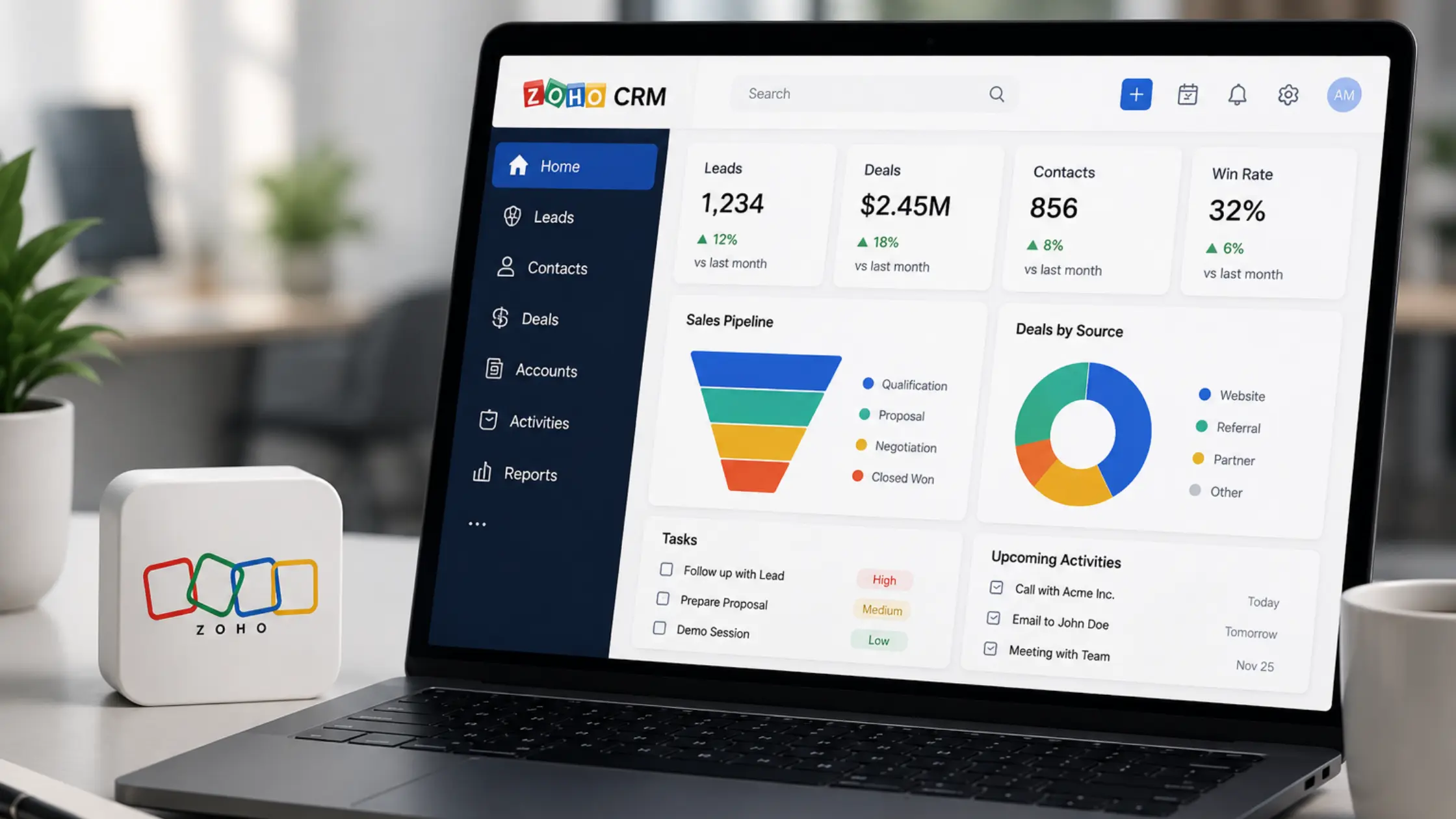
Zoho CRM customization means adapting its records, screens, processes and reports to your business. Much of that work can use built-in settings. Custom code has a place too, particularly when another system is involved. The important decision is what the change must accomplish and how you will know it works.
What Can You Customize in Zoho CRM?
Start with the problem, then choose the tool. These are common examples; availability depends on your edition.
| Requirement | Options to assess | Check the result |
|---|---|---|
| Reps miss important details | Fields, layouts and validation | Necessary information is captured without blocking valid exceptions. |
| Contracts need separate histories | A custom module and lookups | The customer, contract and owner remain connected. |
| Deals skip agreed steps | Blueprint and process controls | Required actions happen before a transition. |
| Managers chase overdue work | Views, reports and dashboards | Known overdue records appear under the right owner. |
| Users enter information twice | A connector or custom integration | Records sync in the agreed direction without unwanted duplicates. |
Can an Admin Make the Change, or Do You Need a Developer?
An admin can often add fields, change layouts and build views or supported workflow actions. For example, adding a delivery date to Deals may be straightforward. Someone still needs to decide who updates it and what happens when the date changes.
A consultant helps with the structure behind the screen: modules, relationships, permissions and process rules. A custom Contracts module is not automatically a programming job. Deciding whether it links to Accounts, Deals or both takes more thought than creating the module itself.
Development becomes relevant when supported settings and connectors leave a gap. That might mean a Deluge function, a widget or an interface to another application. An ERP stock panel inside a Deal, for instance, needs rules for refresh timing, access and failed requests.
Use a Zoho consulting review when the process needs defining. For agreed requirements that need code, explore our Zoho development services.
An Example: Bringing Contract Renewals into the CRM
Consider a business with annual service contracts. One customer has three contracts with different expiry dates. Its account manager has changed, but renewal reminders still go to the previous owner. This is an illustrative requirement, not a client result.
Choose the record structure
First see whether existing Deal records can hold the information. If each contract needs its own history, consider a Contracts module linked to the customer. Start with a contract reference, owner, end date and renewal status. Link the original Deal where useful; avoid copying customer details into every contract.
Write a rule someone can test
A draft requirement might read: “Create one task for the current contract owner 60 days before expiry. Exclude cancelled contracts.” Agree what should happen if ownership or the expiry date changes. Test the proposed workflow against your edition before assuming it covers every exception.
Try moving a sample expiry date by a month. Check the old task. Then import the same contract again and look for duplicates. Finally, open a “Renewals due in 60 days” view and confirm that cancelled and completed renewals are handled correctly. Those checks belong in the specification.
If a billing platform supplies the contract dates, the project also needs an integration decision. Otherwise, this may be achievable through configuration and workflow design.
Tell us what your team is tracking outside Zoho CRM. We’ll help assess whether configuration, automation or custom development fits the job.
Check the Integration Before Commissioning Custom Code
“Two-way sync” is not a complete specification. List the record types, direction, matching keys and system that owns each field. Also name the person responsible when a sync fails.
QuickBooks shows why this matters. Zoho’s native integration supports two-way syncing of contacts, accounts, vendors and products. Quotes, invoices and purchase orders move from QuickBooks into CRM; imported transactions are read-only there. Editing an invoice from either system is therefore a different requirement. Confirm edition and account availability, along with currency and other prerequisites, using Zoho’s QuickBooks documentation.
Our Zoho CRM integration services cover requirements beyond supported behaviour. The CRM API integration guide explains the technical considerations.
Check Your Edition Before Approving the Design
| Capability | Documented availability |
|---|---|
| Custom modules | Standard: 10; Professional: 25; Enterprise: 200; Ultimate: 500. Combined custom/team-module limits apply. |
| Blueprint | Professional and above |
| Approval processes | Enterprise and Ultimate |
| Functions as workflow actions | Enterprise and Ultimate; extension use has separate rules |
| Sandbox | Enterprise and Ultimate |
Review the official edition comparison and your account’s entitlements. Include any licence upgrade in the budget. For worldwide teams, confirm local prices, taxes and regional availability.
How to Scope Customization Costs and Deliverables
A useful quotation separates the subscription from the project. Our Zoho CRM pricing guide covers licensing. For the work itself, ask what is included in each of these areas:
- Process and data design: records, relationships, ownership and permissions.
- Existing data: cleanup, mapping, imports and validation.
- Configuration and development: screens, rules, functions and interfaces.
- Integrations: connector charges, dependencies and failure handling.
- Release: testing, training, documentation and ongoing support.
Does the price cover historical records or only new ones? Who maintains a connection after launch? What will a later change cost? Use the same brief when comparing Zoho development providers, and check assumptions, exclusions, currency and taxes.
Test with the People Who Will Use It
A demonstration under an administrator login misses everyday access problems. Ask representatives of each affected role to try normal records and exceptions:
- Check who can view, edit and approve each record.
- Try missing fields, duplicate imports and changes of owner.
- Check reminder dates, repeat triggers and rejected approvals.
- Confirm a failed integration is visible and can be retried safely.
- Reconcile reports against a known set of sample records.
Where available, use Sandbox for supported changes. Records do not deploy to production, and integrations have restrictions. Follow Zoho’s deployment guidance, agree recovery arrangements and record the checks needed after release.
Before adding more fields, review the ones nobody uses. Document each automation and give it an owner. Include maintenance in the handover; our Zoho support services are relevant when an existing setup needs continuing attention.
Published Examples from Elsner
The private-jet CRM project covers enquiry capture, bookings linked to clients and dashboards connecting enquiries with bookings. The Hocco Ice Cream case study lists CRM, Flow, Forms, WhatsApp API and dashboards. Both give examples of delivered scope. Use them to think through your own records and handoffs; they are not estimates for a new project.
Need custom modules, approvals or integrations? Share what your current setup is missing, and we’ll discuss the changes, project scope and next steps.
Frequently Asked Questions
What is Zoho CRM customization?
It means adapting records, layouts, workflows, permissions and reports to your business. Changes may use supported settings, specialist process design or custom code.
Can I customize Zoho CRM without coding?
Yes. Fields, layouts, modules, views and supported workflow actions can often be configured without code. Check your edition and limits first.
When do I need a Zoho CRM developer?
When the requirement needs scripts, widgets, interfaces or integration behaviour beyond supported settings and connectors. Ask the developer to explain the gap and ongoing maintenance.
How much does Zoho CRM customization cost?
There is no single project price. Scope data preparation, configuration, code, integrations, testing, training and support. Confirm exclusions, currency and taxes; licence and connector subscriptions are separate.
Can an existing Zoho CRM setup be customized?
Yes. Review its records, permissions and automations first. Test dependencies because a change can affect existing data, reports and user routines.
What should be handed over after customization?
Configuration and code documentation, test results, user and admin instructions, connection ownership, release notes and support arrangements. Your team should know how the workflow operates and who resolves failures.
Product documentation checked 2 November 2026. Confirm current limits in your account. The renewal example is a proposed design, not a tested client implementation.