- What Is Ecommerce Automation, Actually?
- Why This Matters More Than It Used To
- Where Off-the-Shelf Tools Genuinely Win
- Six Signs You’ve Outgrown No-Code Automation
- What Custom Ecommerce Automation Actually Looks Like
- Ecommerce Automation Across Different Platforms
- The Benefits, Honestly Weighed
- What Nobody Tells You: Automations Break Quietly
- B2B Ecommerce Automation Deserves Its Own Mention
- How to Decide: A Simple Framework
- Not Sure Which Side of the Line You’re On?
- Frequently Asked Questions
- What is ecommerce automation, and how is it different from off-the-shelf tools like Zapier?
- How do I know if I need custom ecommerce automation software?
- Is ecommerce automation expensive to set up?
- Can Shopify Flow and Zapier handle B2B ecommerce automation?
- Why do ecommerce automations fail silently instead of showing an obvious error?
- Do I need to replace my existing tools to add custom automation?
Every online store eventually hits the same wall. Somewhere between processing 50 orders a week and processing 500, the spreadsheets stop working. The founder who used to handle everything personally is now copying tracking numbers by hand at 11 PM. That’s usually the point when someone says the word “automation” out loud for the first time.
So they installed Zapier. Maybe Shopify Flow. Maybe Klaviyo for the email side. And for a while, it works beautifully. Orders sync, abandoned carts get chased, stock updates go out on their own. Ecommerce automation, in this form, feels like magic the first time you see it run without you.
Then the business grows some more. A second sales channel opens. A B2B wholesale arm gets bolted on. Three different systems now need to talk to each other in ways no drag-and-drop builder was ever designed for. That’s the part most guides on this topic skip entirely: what happens after the easy automation is already done.
This guide covers both halves honestly. What ecommerce automation actually is, how the trigger-condition-action logic behind it works, where tools like Shopify Flow and Zapier genuinely earn their keep, and the specific point at which most growing stores need something built rather than bought. No vendor pitch. Just what tends to happen in practice.
Quick Answer
Ecommerce automation is software that carries out repetitive online store tasks, like order routing, inventory updates, and abandoned cart emails, without a person triggering each one by hand. It runs on a simple logic: something happens, a rule gets checked, and an action fires. Off-the-shelf tools handle this well for single-platform, single-system tasks. Custom automation becomes necessary once a business runs multiple systems, complex approval logic, or high order volumes that no-code tools weren’t built to handle.
| 20-30% | 70.2% | 3-12 months |
|---|---|---|
| Typical drop in operational costs on processes that get automated well | Global average online cart abandonment rate | Common payback window for a well-scoped automation project |
Cart abandonment figure sourced from Baymard Institute’s meta-analysis of 50 abandonment studies. Cost-reduction and payback ranges reflect findings commonly reported across McKinsey’s research on workplace automation and AI adoption and enterprise automation ROI studies from Forrester. These figures shift year to year, so treat them as a directional guide rather than a guarantee for your store.
What Is Ecommerce Automation, Actually?
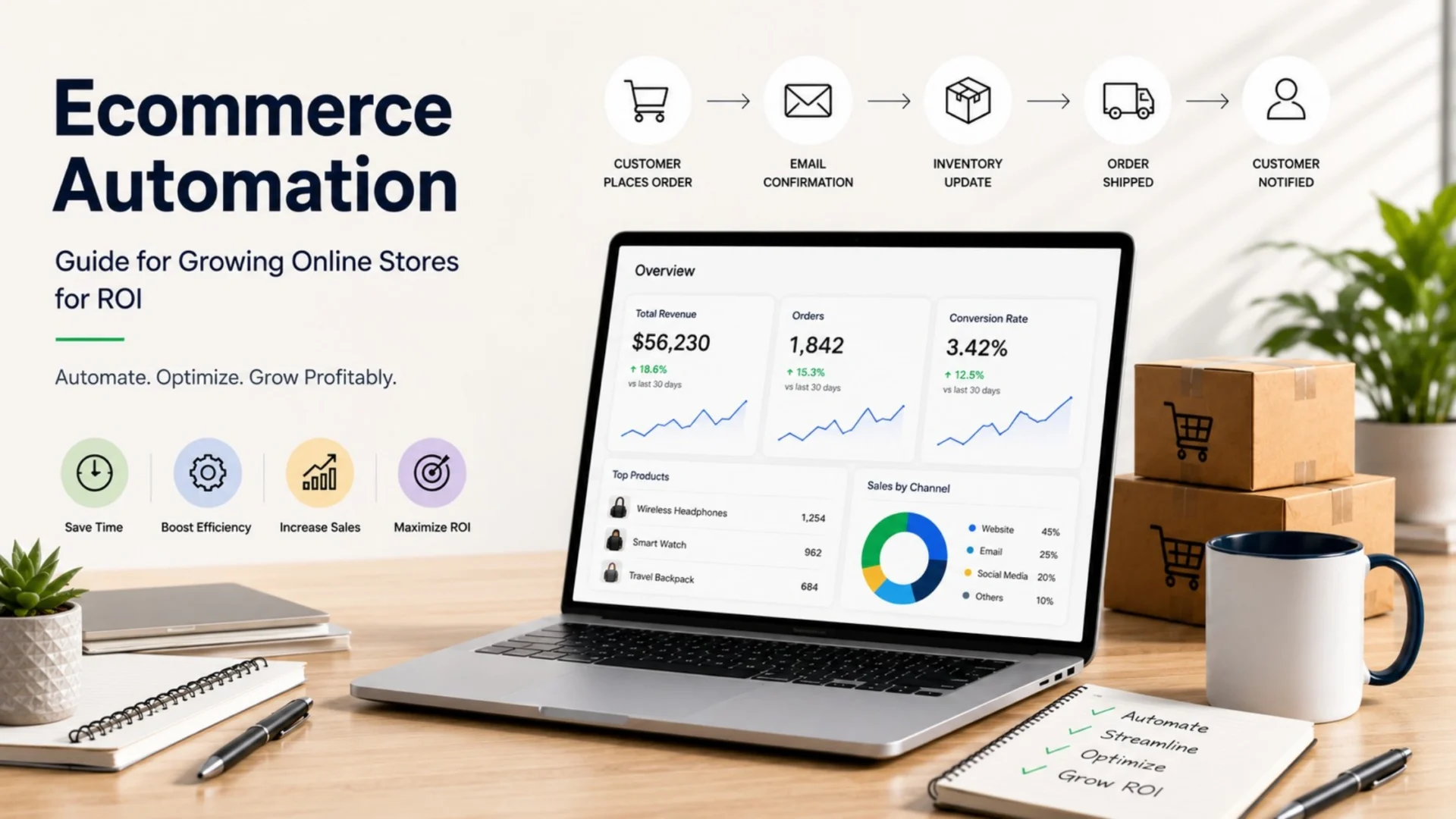
Strip away the marketing language and ecommerce automation is just this: software doing repetitive, rules-based store work so a person doesn’t have to. Order confirmations, inventory syncing, cart abandonment emails, fraud flags, tax calculations. None of it requires judgment. All of it requires consistency. That’s exactly what software is good at and humans, frankly, aren’t.
The mechanism underneath almost every automation, from a $10-a-month Shopify app to a six-figure custom build, is the same three-part logic:
Trigger: Something happens. An order gets placed, stock drops below 15 units, a cart sits untouched for an hour.
Condition: A rule gets checked. Is this customer’s lifetime spend over $2,000? Is the SKU still active?
Action: The system responds. It sends an email, applies a discount, generates a purchase order, flags the transaction.
That’s it. Every ecommerce automation platform on the market, no matter how it markets itself, is really just a different interface for building trigger-condition-action chains. Some let you drag boxes on a screen. Others need a developer writing to an API. The underlying logic doesn’t change; only the ceiling of what you can build does.
Worth separating early: ecommerce automation isn’t the same thing as general business automation. Payroll software and HR onboarding tools automate work too, but they weren’t built around commerce events. Ecommerce automation is wired specifically into your catalog, cart, checkout, and inventory, and it knows things a generic workflow tool doesn’t, like whether an order looks fraudulent or whether a bestseller is about to sell out.
Why This Matters More Than It Used To
A decade ago, automation was a nice-to-have for stores that could afford custom development. That’s flipped. Customer expectations moved faster than most teams’ capacity, and manual processes that were merely inefficient at 100 orders a month become genuinely damaging at 1,000. A single miskeyed inventory count doesn’t just cost one sale anymore; it cascades into overselling, refunds, and a support queue nobody enjoys working through.
There’s also a quieter shift happening underneath: stores are no longer competing only against each other on price and design. They’re competing on how fast and accurately they can operate. A brand running clean automation ships faster, restocks smarter, and catches fraud before it hits the books. A brand running on manual updates is, in most cases, just working harder to stay in the same place.
A useful way to see this in practice: picture a mid-sized apparel brand doing around 800 orders a month across Shopify and a wholesale portal. For a year, a founder reconciled stock between the two by hand every evening. One missed update during a seasonal spike led to 40 oversold units and a week of refund emails. That’s not a hypothetical edge case; it’s the exact moment most growing stores start taking automation seriously, usually after the damage rather than before it.
This is also where a properly built store starts to pay for itself. Platforms built with automation-friendly architecture from day one, through solid ecommerce development, tend to scale with far less friction than ones retrofitting automation in year three as a patchwork of apps and workarounds.
None of that means every business needs a custom system on day one. Most don’t. The honest starting point for almost every store is exactly where you’d expect: the tools already sitting inside your platform, plus a handful of well-chosen apps.
Where Off-the-Shelf Tools Genuinely Win
Let’s give credit where it’s due. Tools like Shopify Flow, Zapier, Klaviyo, and HubSpot solve real problems for real businesses, and for a large chunk of stores, they’re the right and only answer needed. They’re fast to set up, don’t require a developer, and cover the tasks that eat the most hours for the least complexity.
| Tool | Best For | Where It Runs Out of Road |
|---|---|---|
| Shopify Flow | Tagging orders, applying discounts, simple inventory rules within Shopify | Multi-platform logic, complex branching, external system syncs |
| Zapier | Connecting two or three apps with straightforward if/then logic | High-volume workflows, real-time syncs, anything needing custom error handling |
| Klaviyo | Email and SMS flows, cart abandonment, segmentation-driven campaigns | Operational tasks outside marketing, like fulfillment or accounting sync |
| HubSpot | CRM-driven follow-ups, lead nurturing, mid-funnel marketing automation | Deep commerce logic like dynamic pricing or multi-warehouse routing |
If you run Shopify and haven’t touched Flow yet, that’s usually the first place to look before spending on anything else. Our own Shopify automation guide walks through the native workflows most stores overlook, and it’s a good starting inventory before deciding whether you need to go further.
The honest pattern across all four tools above: they’re built to connect apps, not to understand your business logic deeply. That distinction sounds subtle. It isn’t. It’s the exact line where most growing stores eventually get stuck.
Six Signs You’ve Outgrown No-Code Automation
Nobody wakes up one day and decides to build custom automation for fun. It usually happens because something specific started breaking, or because the workaround required to make a no-code tool behave became more work than doing the task manually. Here’s what that moment typically looks like from the inside.
You’re stacking five Zaps to do one task. If a single workflow needs multiple tools chained together with filters and delays just to avoid duplicate triggers, that’s not automation anymore. That’s a fragile Rube Goldberg machine waiting to break at 2 AM.
You’re hitting rate limits or task caps. Most no-code platforms charge, or simply stop working, past a certain number of monthly tasks. Once your order volume crosses that line, costs climb fast and reliability drops.
Your logic needs real branching, not just if/then. “If lifetime spend exceeds $5,000 and last order was over 60 days ago and the customer is in the loyalty program, then apply a 15% discount but exclude sale items” is a sentence most no-code builders simply can’t express cleanly.
You’re running on three or more systems that don’t talk natively. Shopify, a warehouse management system, an ERP, and a marketplace, all needing the same order data, in real time, without drift between them.
Errors go unnoticed until a customer points them out. No-code tools often don’t have proper logging or alerting built in. When something breaks, you don’t get a clear notification, you get a support ticket three days later.
You’re paying for five different app subscriptions to patch one workflow. At some point, the combined monthly cost of stitched-together apps starts approaching what a one-time custom build would have cost.
If two or three of these sound familiar, that’s usually the signal. Not all six need to be true at once. Even one, if it’s the fifth item above, unnoticed errors, is reason enough to take a serious look.
What Custom Ecommerce Automation Actually Looks Like
Here’s what most articles on this topic skip entirely: what a custom automation build actually involves, technically. It’s not magic, and it’s not necessarily expensive to start. It usually comes down to three components working together.
First, a middleware layer, often built in Node.js or a similar backend framework, that sits between your systems and handles the actual logic. Instead of a no-code tool trying to express complex branching, this middleware runs proper code: conditionals, loops, error handling, retries. It’s the difference between a spreadsheet formula and an actual program.
Second, event-driven architecture rather than polling. No-code tools often check for changes every few minutes, which introduces lag and wasted resources. A properly built system listens for webhooks and reacts instantly when an order is placed or stock changes, with no delay and no unnecessary API calls burning through rate limits.
Third, and this is the part that gets skipped most often, proper logging and alerting. A custom system tells you when something fails, why it failed, and often retries automatically before a human ever needs to step in. That single feature alone prevents most of the quiet breakdowns that plague stitched-together no-code stacks.
This is exactly the kind of engineering that sits under proper custom software development, built to your actual business logic instead of forcing your business logic to fit inside someone else’s drag-and-drop interface. That doesn’t mean throwing out your existing tools. In most well-built systems, Klaviyo still handles email, Shopify Flow still handles simple in-platform rules, and the custom middleware handles everything that needs to talk across systems or apply complex logic.
Ecommerce Automation Across Different Platforms
What’s achievable, and what tends to break first, depends heavily on which platform you’re running. Here’s the honest reality for each one.
Shopify
Strong native automation through Flow, plus a huge app ecosystem. The limitation shows up around checkout customization and complex multi-warehouse logic, where custom API work through Shopify development tends to close the gap cleanly.
WooCommerce
Extremely flexible since it’s built on WordPress, but automation is entirely plugin-dependent and can get fragile fast. Custom plugin work through WooCommerce development is often the cleaner path once you’re running more than three automation plugins at once.
Magento / Adobe Commerce
Built for complex catalogs and B2B logic from the ground up, so this is where custom automation pays off fastest. Magento development here usually means unlocking capability the platform already supports, not fighting against it.
Odoo
Genuinely different from the others since it’s an ERP with ecommerce built in, not the reverse. That means inventory, accounting, and sales automation live in one system natively. Odoo development tends to solve the finance-and-ops automation gap that plagues stores running separate ecommerce and accounting platforms.
Notice the pattern across all four. The platform rarely stops you from automating well. What stops you is trying to force cross-system logic through a tool that was designed to live inside one platform only.
The Benefits, Honestly Weighed
The case for automation isn’t abstract, and it doesn’t require inflated numbers to make. Every benefit below maps to a cost you’re already paying somewhere, in hours, in errors, or in lost sales.
| Benefit | What It Replaces |
|---|---|
| Time saved | Manual order entry, spreadsheet inventory counts, repetitive email sends |
| Fewer errors | Miskeyed stock counts, duplicate orders, mismatched pricing across channels |
| Faster order processing | Manual label generation, hand-typed shipping updates |
| Better customer experience | Delayed shipping notifications, slow support response times |
| Measurable ROI | Unproven marketing spend, unclear operational cost drivers |
None of this is guesswork. Businesses that automate core processes typically see operational costs drop in the 20 to 30 percent range on the tasks they’ve actually automated, per McKinsey’s ongoing research on workplace automation, and payback periods for well-scoped projects tend to land somewhere between three months and a year. That’s not a universal guarantee. It’s what happens when the right task gets automated the right way, on a well-understood process rather than a guess.
What Nobody Tells You: Automations Break Quietly
Here’s the part that gets left out of most automation guides entirely. Automations don’t usually stop working with a warning sign. You find out weeks later when a customer complains, or worse, when you notice a revenue dip you can’t explain.
An API changes and nobody notices
Payment processors, shipping carriers, and marketing platforms update their APIs regularly. A no-code integration built two years ago can quietly stop syncing correctly, and unless you’re watching error logs closely, you might not catch it for months.
A webhook fails and there’s no retry logic
If a webhook that syncs inventory drops even once, and there’s no automatic retry, that one SKU is now out of sync everywhere until someone manually catches it. This is exactly where custom middleware earns its cost back.
Rate limits get hit during peak sales
The exact moment automation matters most, a flash sale or holiday spike, is often the exact moment no-code tools throttle or queue up delayed. Orders during Black Friday shouldn’t be sitting in a processing backlog because a third-party tool hit its hourly cap.
Nobody owns the automation once it’s built
Automation gets set up by whoever was around at the time, and six months later, nobody remembers how it works or where the logic lives. When it breaks, there’s no clear owner and no documentation to fall back on.
None of these are reasons to avoid automation. They’re reasons to build it properly, with monitoring, alerting, and clear ownership baked in from the start, rather than assuming it’ll just keep working forever once it’s live.
B2B Ecommerce Automation Deserves Its Own Mention
B2B ecommerce workflow automation is often treated as an afterthought in generic automation guides, but the logic here is genuinely more complex than B2C. Approval chains, tiered pricing by account, purchase order matching, and recurring reorder schedules don’t fit neatly into most no-code builders.
A wholesale buyer placing a $40,000 order usually needs a different automated path than a retail customer buying a $60 item. Automated invoicing, custom net-terms logic, and multi-step approval workflows are where B2B stores see the fastest return on investing in proper automation, precisely because manual handling of these processes tends to be the slowest, most error-prone part of the whole operation.
How to Decide: A Simple Framework
You don’t need a committee meeting to figure this out. Run any process you’re considering automating through these four questions, in order.
- Does it live inside one platform? If yes, start with native tools like Shopify Flow before looking anywhere else.
- Does it need to talk to two or three external systems? Zapier or a similar connector tool is usually enough here.
- Does it involve complex branching, high volume, or multiple systems at once? This is where custom middleware starts making financial sense.
- Has a no-code version already broken quietly more than once? That’s the clearest signal of all. Fix the underlying architecture, not just the symptom.
Most businesses will find their answer somewhere between steps two and three, and that’s completely normal. The goal isn’t to jump straight to custom development for everything. It’s to know exactly where the ceiling is before you hit it, rather than finding out the hard way during a sale event.
If you’re not sure which side of that line your business sits on, it’s usually faster to get a second opinion than to guess. Teams that hire ecommerce developers for a short technical audit often find the answer isn’t “rebuild everything,” it’s one or two specific workflows that need proper engineering while the rest stays exactly as is.
Not Sure Which Side of the Line You’re On?
We’ll audit your current automation setup and tell you honestly whether off-the-shelf tools still fit, or whether it’s time to build something that actually scales with you.
Frequently Asked Questions
What is ecommerce automation, and how is it different from off-the-shelf tools like Zapier?
Ecommerce automation is software that handles repetitive online store tasks, like order processing, inventory syncing, and marketing follow-ups, without manual effort. It runs on a trigger-condition-action model: an event happens, a rule gets checked, and the system acts on its own. Off-the-shelf tools like Zapier or Shopify Flow use pre-built connectors and simple if/then logic. Custom automation is built specifically around your systems and business rules using real code and proper error handling, which matters once workflows involve complex branching or multiple platforms.
How do I know if I need custom ecommerce automation software?
Common signs include stacking multiple no-code tools to complete one workflow, hitting monthly task limits, needing logic that involves several conditions at once, or running three or more systems that don’t sync natively. If automations have already broken quietly more than once, that’s usually the clearest signal.
Is ecommerce automation expensive to set up?
It depends entirely on scope. Native platform tools and basic app subscriptions can cost very little or nothing extra. Custom automation development costs more upfront but usually pays back within a few months to a year through labor savings and fewer errors, particularly for high-volume or multi-system workflows.
Can Shopify Flow and Zapier handle B2B ecommerce automation?
They handle basic B2B tasks like order tagging or simple discount rules reasonably well. Complex needs like tiered approval chains, custom net-terms logic, and recurring reorder scheduling usually require more flexible platforms like Magento or custom-built middleware.
Why do ecommerce automations fail silently instead of showing an obvious error?
Most no-code tools lack robust logging, retry logic, and alerting. When an API changes or a webhook drops, the workflow simply stops working without notifying anyone, and the issue often surfaces only after a customer complains or a revenue gap appears.
Do I need to replace my existing tools to add custom automation?
Usually not. Most well-built systems keep tools like Klaviyo for email and Shopify Flow for simple in-platform rules, while custom middleware handles only the cross-system or high-complexity logic those tools weren’t designed for.