- Guest Allowing
- Fully Customized Wishlist
- Add a Product To The Wishlist Manually
- Wishlist Design Customize
- Multiple Icons Options for Wishlist Items
- 24×7 Online Support
- Manage This Wishlist
- Create Unlimited Wishlists
- Feature Comparison Table: Wishlist Multi Feature vs. Standard Shopify Wishlist
- Want to Add Powerful Wishlist Features to Your Shopify Store?
- Summary
- FAQ
- What is the Wishlist Multi Feature Shopify app?
- Can guest users create wishlists without an account?
- How many wishlists can a customer create?
- Can I customize the app to fit my shop branding?
- Can I add products to a customer’s wishlist manually?
- Does the app come with multiple icons and positions?
- What type of support do you offer for the app?
In the present age of cutthroat competition in online shopping, Shopify wishlist apps are becoming a necessity to keep customers engaged, bring them back to your store, and drive higher conversion rates. Shoppers frequently window-shop for favorite products without buying right away because they’re working within a budget, comparing options, or waiting for seasonal sales.
If you’re deciding whether to build a custom Shopify feature or use an existing solution, it helps to understand the difference between custom and public Shopify apps before choosing the right approach for your store.
We all have noticed that familiar tendency among online shoppers that when they are shopping online, they add items on their wishlists. A wishlist is nothing but a list of all the items that you want to buy in the future. There might be products that you like while surfing, but you don’t have enough money to buy or you simply don’t want to buy right now. You can add such products on the wishlist and when you want to buy them, you just need to check your wishlist rather than finding those products again on the store.
However, the only issue is the number which can be a deterring factor for customers. Not all the eCommerce stores have wishlists and sometimes, when you want to add a product and find wishlist on the store, you end up knowing that there is none.
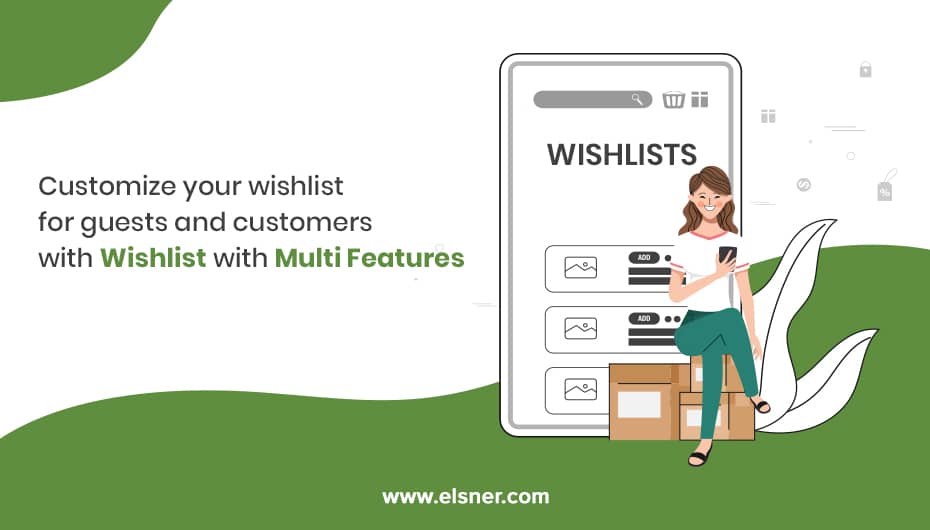
Elsner, a renowned Shopify development company specializing in web and app development, identified this issue and built a powerful solution called Wishlist Multi Feature. The app makes it easy for customers to save products they like while browsing and return later to complete their purchase. Now, you can easily add wishlist as you browse different stores online. Not just that, it will also give you the option to add to the product wishlist and customize the design of the wishlist manually. Whether you are a guest user or a registered user, you can use this wishlist app and create wishlist on various stores. In addition to that, you can also get as many wishlists as you want to add in the store.
In this article, we will explore some of the app’s features and learn how each can improve your user experience, increase retention, and drive more sales for your Shopify store.
Guest Allowing
With this option, the store admin has full control over who has access to the wishlist feature. You can allow or deny guest (not logged in) users from accessing your site from the backend. Allowing guest wishlists also greatly boosts accessibility. Shoppers can save items without signing up, reducing friction and leading to more saves. For privacy-minded shops, disabling guest access makes wishlists a feature for registered users only, and this eventually helps you grow your email list. Such flexibility allows the app to be used by a variety of business that sell, from impulse-buy fashion stores to high-consideration electronics retailers.
Fully Customized Wishlist
One of the powerful features of this Shopify wishlist app is its full customization. From the admin panel, you can change colors, fonts, button styles, and the layout and text label positions to make the wishlist perfectly fit your theme. You don’t need to know how to code; the changes are applied immediately across both desktop and mobile. This level of customization ensures brand consistency yet still creates that ‘high-end’ feel that really makes your customers want to keep coming back.
Add a Product To The Wishlist Manually
Store owners can also manually add products to users’ wishlists. This is helpful in customer service situations, such as when you are on the phone with a customer and want to add products for them or for VIP customers. It can also handle multi-store/multichannel scenarios where the admin may need to add personalized recommended products. This feature brings the online and offline worlds closer together, making clients happier.
Wishlist Design Customize
Not only can you customize colors, but you can also adjust the wishlist page and pop-up completely. Change grid/list mode, thumbnail size, hide unwanted content (such as social share buttons if you think they are unnecessary) and style with custom CSS. The end result is a simple, smart wishlist system that feels like it was built specifically for your store, making it easier to use and less likely to send visitors away from your wishlist page.
Multiple Icons Options for Wishlist Items
Select a wishlist icon from a variety of shapes like hearts, stars, bookmarks, and more in different colors and styles. Place the icon in the header, on the product page, or as a floating button. This customization makes the call-to-action pop out while keeping the same background color, so customers can save the product with a single click.
24×7 Online Support
Elsner is available 24/7 through live chat/email/ticket system. Whether you need help with installation, customization, or best practices, the team is responsive. This ongoing support is vital for non-technical shop owners who want to squeeze the most out of the app without delay.
Manage This Wishlist
Admins can view, edit, and manage all customer wishlists from a centralized dashboard. Track popular saved products, spot emerging trends, and even remove out-of-date lists. Wishlists are persistent across sessions and devices for signed-in users; guest lists can be merged upon registration. This backend availability enables wishlist information to be converted into actionable data for merchandising and marketing.
Create Unlimited Wishlists
You can create as many wishlists as you want, for example, “Birthday Gifts”, “Wedding Registry”, “Summer Outfits”,” Home Decor Ideas”, etc. Each wishlist can have a name and a description and be private or public. The multi-wishlist feature drives higher engagement as users think more strategically about organizing their saved items and returning to manage or add to their lists.
Feature Comparison Table: Wishlist Multi Feature vs. Standard Shopify Wishlist
To demonstrate the value of our app, let’s start with a quick comparison with Shopify’s native basic wishlist functionality (available in a few themes or through free apps):
|
Feature |
Wishlist Multi Feature (Elsner) |
Standard/Basic Shopify Wishlist |
|
Guest User Support |
Fully configurable (enable/disable) |
Often limited or absent |
|
Unlimited Wishlists per Customer |
Yes |
Usually single list only |
|
Manual Admin Addition/Editing |
Yes |
No |
|
Full Design Customization |
Extensive (colors, icons, layout, CSS) |
Minimal or theme-dependent |
|
Icon Options & Positioning |
Multiple choices + floating |
Basic heart icon only |
|
Backend Management Dashboard |
Yes (view/edit all lists) |
No advanced dashboard |
|
24/7 Dedicated Support |
Yes |
Shopify general support |
|
Multi-Store Compatibility |
Yes |
Varies |
This comparison chart illustrates how advanced the Wishlist Multi Feature Shopify App is compared to basic options. It’s a perfect solution for store owners looking to enhance their customers’ shopping experience.
Want to Add Powerful Wishlist Features to Your Shopify Store?
Boost engagement and repeat purchases with advanced wishlist functionality. Our Shopify experts can help you implement and customize the right solution for your store.
Summary
In short, a powerful Shopify wishlist app like Wishlist Multi Feature turns a dormant browsing session into an active intent collection. Wishlist data can also be used to improve conversion strategies by understanding what customers are most interested in. You can explore advanced techniques in our guide on AI-powered conversion optimization for Shopify stores. Unlimited lists, guest access, and deep customization are a few features that set this app apart in the increasingly competitive 2026 landscape, where retention ultimately dictates bottom-line success.
Don’t miss out; download the app now to enhance your store’s user experience and drive more repeat sales. Whether you own a boutique fashion store, an electronics retailer, or a gift shop, personalized wishlists are a great way to foster customer loyalty and increase average order value over time. If you want help integrating advanced wishlist features or customizing your store, you can also hire a Shopify expert to implement the app and optimize it for your specific business needs.
FAQ
-
What is the Wishlist Multi Feature Shopify app?
Shopify wishlist app designed by Elsner that provides unlimited wishlists, guest access, full customization, and manual management to enhance customer engagement and sales
-
Can guest users create wishlists without an account?
Yes, admins can now turn on guest wishlist capability, allowing non-registered shoppers to save products for a future visit and checkout.
-
How many wishlists can a customer create?
Unlimited. Customers can create multiple lists for different events, needs, or categories.
-
Can I customize the app to fit my shop branding?
Yes, customize colors, icons, layouts, buttons, and other UI elements via the admin panel.
-
Can I add products to a customer’s wishlist manually?
Yes, store owners can add or edit items directly from the backend, which is great for customer support or a VIP experience.
-
Does the app come with multiple icons and positions?
Yes, use different icons (hearts, stars, etc.) on headers, product pages, and as floating buttons.
-
What type of support do you offer for the app?
Elsner provides 24×7 online support via chat, email, or tickets for assistance with installation, customization and troubleshooting.