- What Is Fleet Management Software?
- GPS Tracking Tool vs Fleet Operations Platform
- Why Businesses Develop Custom Fleet Management Software
- Essential Fleet Management Software Features
- 1. GPS Tracking and Live Fleet Visibility
- 2. Route Planning and Dispatch Management
- 3. Vehicle Maintenance and Inspection Management
- 4. Fuel and Operating Cost Tracking
- 5. Driver and Workforce Management
- 6. Safety, Compliance, and Document Management
- 7. Alerts, Notifications, and Exception Handling
- 8. Dashboards, Reports, and Analytics
- 9. Mobile Applications for Drivers and Field Teams
- 10. Role-Based Access and Audit History
- How AI Integration Can Improve Fleet Management
- Predictive Maintenance
- AI-Assisted Route and Dispatch Optimization
- Arrival-Time Prediction
- Fuel Anomaly Detection
- Demand Forecasting and Fleet Utilization
- AI Search Across Fleet Records
- AI Use Cases at a Glance
- How to Introduce AI Without Overcomplicating the Product
- Fleet Management Software Development Process
- How Much Does Fleet Management Software Development Cost?
- Key Factors That Affect Development Cost
- Development Cost vs. Total Cost of Ownership
- Integrations, Data, and Security Considerations
- Common Integration Categories
- Data Quality and Governance
- Security and Privacy
- Common Fleet Software Development Challenges
- Custom Fleet Management Software vs. Off-the-Shelf Solutions
- How to Measure Whether the Platform Is Working
- Key Takeaways
- Frequently Asked Questions
Ask a dispatcher what the morning looks like, and the answer is rarely about driving. It is about a vehicle that missed its service window, a delivery that is running late, a driver who needs a new assignment, and a spreadsheet that does not match the tracking tool. Spreadsheets and disconnected tracking apps can work for a small operation, but they become difficult to manage as vehicles, drivers, routes, and customer expectations grow.
Fleet management software development brings these activities into one connected digital system. Depending on the operation, the platform may combine GPS tracking, dispatching, route planning, maintenance schedules, fuel monitoring, driver workflows, analytics, and integrations with existing business systems. AI can extend these capabilities by helping teams forecast maintenance needs, estimate arrival times, identify unusual fuel use, and make better use of operational data.
This guide explains the core features, development stages, cost drivers, AI opportunities, integration needs, and practical decisions involved in building a fleet management platform.
Quick Answer
Fleet management software development is the process of planning, designing, building, integrating, and maintaining software that helps an organization manage vehicles, drivers, routes, maintenance, compliance, and fleet performance. Costs depend on scope, integrations, data sources, user roles, security requirements, and whether the product is a focused MVP or a full enterprise platform. AI should be added where reliable data and a measurable operational use case justify it.
What Is Fleet Management Software?
Fleet management software is a digital platform for coordinating the vehicles, people, processes, and data involved in operating a fleet. A fleet may include delivery vans, trucks, service vehicles, rental cars, company cars, construction vehicles, or specialized commercial equipment.
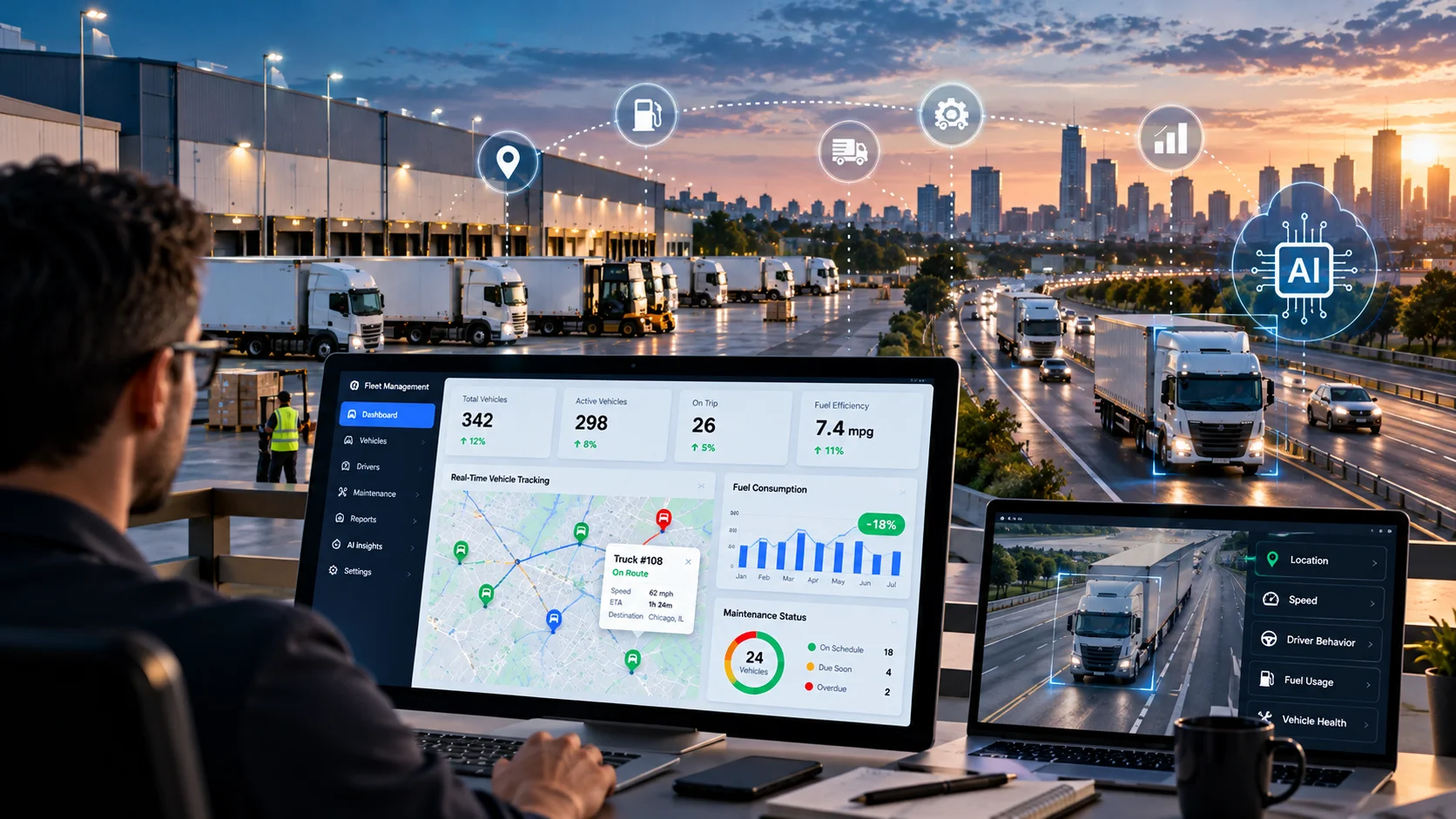
A typical system gives dispatchers and managers a shared view of vehicle locations, assignments, maintenance status, driver activity, and performance indicators. Drivers may use a mobile app to receive assignments, submit inspection reports, capture proof of delivery, or report issues. Administrators can use dashboards and reports to understand operating costs, utilization, safety trends, and service performance.
GPS Tracking Tool vs Fleet Operations Platform
Fleet management platforms vary widely in scope. The required scope should follow the business process, not a feature checklist.
| Area | GPS Tracking Tool | Fleet Operations Platform |
|---|---|---|
| Main focus | Location and trip history | Vehicles, drivers, jobs, costs, and compliance in one system |
| Data sources | GPS device or tracking vendor | Telematics, fuel cards, maintenance records, orders, and driver input |
| Workflows | Viewing positions and past trips | Dispatch, inspections, maintenance, proof of delivery, billing, and customer notifications |
| Business integration | Usually limited | ERP, CRM, accounting, and order management connections |
| Best fit | Basic visibility for a small fleet | Growing or complex operations that need coordination across teams |
Why Businesses Develop Custom Fleet Management Software
Off-the-shelf products can be a good fit when their workflows and integrations match a company’s needs. Custom development becomes worth evaluating when the business has requirements that standard tools cannot support efficiently, or when fleet operations are a core part of its service delivery.
- Workflow fit: Support specialized dispatch rules, approval processes, vehicle categories, or service-level agreements.
- System integration: Connect fleet operations with ERP, CRM, warehouse, accounting, order management, or customer portals.
- Operational visibility: Combine information that is currently split across spreadsheets, tracking vendors, maintenance systems, and driver apps.
- Scalability: Design for additional depots, regions, vehicles, user roles, or business units.
- Data ownership and control: Define access permissions, retention rules, reporting, and data exchange around business requirements.
- Product differentiation: Build fleet technology into a customer-facing service or a software product sold to other businesses.
Decision Checkpoint
Before commissioning custom software, document the operational problem, the users affected, the current workaround, and the metric expected to improve. If an existing platform already solves the problem at a reasonable total cost, customization may be unnecessary.
Essential Fleet Management Software Features
Feature priorities depend on fleet size, vehicle type, operating model, and regulatory environment. The following capabilities form a practical starting point for requirements planning.
1. GPS Tracking and Live Fleet Visibility
GPS and telematics data can show vehicle location, movement, trip history, and status. A map view helps dispatchers identify available vehicles, monitor active jobs, and respond when a vehicle deviates from its expected route. The interface should clearly indicate the timestamp and freshness of location data, because delayed data can lead to poor decisions.
2. Route Planning and Dispatch Management
Route planning helps teams assign jobs based on location, capacity, time windows, driver availability, vehicle restrictions, and delivery priorities. Dispatchers need the ability to make manual adjustments when traffic, customer requests, weather, or vehicle issues change the plan. For complex operations, optimization should account for real-world constraints rather than simply selecting the shortest distance.
3. Vehicle Maintenance and Inspection Management
The platform can track service intervals, inspection results, repair history, warranties, and upcoming maintenance. Alerts can be triggered by mileage, engine hours, dates, diagnostic codes, or inspection findings. Mobile inspection forms help drivers report defects before a vehicle is assigned to another job.
Roadside enforcement data shows why this module matters. In the Commercial Vehicle Safety Alliance’s 2026 International Roadcheck results, 19% of the commercial vehicles inspected were placed out of service, and brake-related violations made up 39.1% of all vehicle out-of-service violations. Defects like these are exactly what inspection workflows and maintenance alerts are meant to catch before a vehicle leaves the yard.
4. Fuel and Operating Cost Tracking
Fuel is a significant operating expense for many fleets. Software can consolidate fuel transactions, mileage, vehicle utilization, and relevant telematics data to help managers investigate unusual consumption or idle time. The system should distinguish between confirmed transactions and estimated values, and it should flag missing or inconsistent records instead of presenting them as reliable facts.
Cost pressure makes this visibility more valuable. The American Transportation Research Institute’s 2026 Analysis of the Operational Costs of Trucking found that the average cost of operating a truck reached a record $2.336 per mile in 2025, up 3.4% from 2024. Fuel stayed near 48 cents per mile, while repair and maintenance costs rose 8.6%. The survey covers for-hire carriers in the U.S. and Canada, so smaller or non-trucking fleets should benchmark against their own numbers.
5. Driver and Workforce Management
Driver features may include schedules, assignments, credentials, training records, incident reports, and performance indicators. Mobile workflows can reduce calls and paper forms by letting drivers acknowledge jobs, complete checklists, upload photos, and communicate status changes. Driver monitoring and scoring should be transparent, proportionate, and aligned with applicable privacy and employment requirements.
6. Safety, Compliance, and Document Management
Depending on the fleet and jurisdiction, software may help organize vehicle inspections, licenses, permits, insurance documents, incident records, and maintenance evidence. For regulated fleets, requirements should be reviewed with qualified compliance specialists. Software reminders support the process but do not, by themselves, guarantee compliance.
7. Alerts, Notifications, and Exception Handling
Useful alerts focus attention on events that require action, such as overdue maintenance, unexpected stops, missed delivery windows, expiring documents, or abnormal sensor readings. Users should be able to configure thresholds and notification channels. Too many low-value alerts can create fatigue, so alert quality matters as much as alert quantity.
8. Dashboards, Reports, and Analytics
Dashboards turn fleet data into operational measures. Common indicators include vehicle utilization, cost per mile or kilometer, fuel consumption, maintenance spend, on-time delivery, idle time, downtime, and incident frequency. Each metric needs a clear definition, a trustworthy data source, and a named owner so teams do not compare inconsistent numbers.
9. Mobile Applications for Drivers and Field Teams
A driver app should be simple to use while parked and should support unreliable connectivity when the work environment requires it. Depending on the use case, features can include job details, navigation handoff, digital inspections, proof of delivery, photo uploads, messaging, and issue reporting. Offline actions should sync safely when connectivity returns, with clear handling for conflicts and failed uploads.
10. Role-Based Access and Audit History
Fleet managers, dispatchers, drivers, finance teams, maintenance staff, and customers need different views and permissions. Role-based access helps restrict sensitive information, while audit logs record important actions such as assignment changes, edits to vehicle records, and administrative updates. Multi-factor authentication and least-privilege access should be considered for systems handling operational or personal data.
A Useful Principle
The right fleet platform is not the one with the most features. It is the one that solves the fleet’s most expensive operational problems, fits existing workflows, and can scale without making daily work harder.
How AI Integration Can Improve Fleet Management
AI can help fleet teams recognize patterns, estimate future conditions, and prioritize decisions. Its value depends on data quality, model performance, and whether the result fits an actual workflow. A sensible implementation begins with one measurable use case instead of adding AI across the platform without a clear objective. Teams that need models or assistants built around their own data can explore AI agent development services as part of the build.
Predictive Maintenance
Predictive maintenance models can analyze historical repairs, mileage, engine hours, diagnostic codes, and sensor readings to estimate the likelihood of a component issue. The goal is to help teams schedule inspections or repairs before a failure causes avoidable downtime. Predictions should be shown with confidence or risk levels and reviewed alongside maintenance expertise. A model cannot make unreliable or missing sensor data trustworthy.
AI-Assisted Route and Dispatch Optimization
Optimization systems can evaluate delivery locations, time windows, vehicle capacity, traffic estimates, driver availability, and changing job priorities. Machine learning may improve travel-time estimates, while optimization algorithms select feasible route combinations. In practice, AI-generated recommendations should remain editable by dispatchers, with the reasons for significant changes made understandable to users.
Arrival-Time Prediction
Estimated arrival times can combine historical trip patterns, time of day, route characteristics, live traffic, stops, and weather data where available. More reliable estimates help dispatchers plan workloads and give customers better updates. Performance should be measured by comparing predicted arrival times with actual outcomes across routes and operating conditions.
Fuel Anomaly Detection
Models can flag fuel consumption that differs from a vehicle’s normal pattern, unusually long idle periods, or transactions that need review. These alerts are investigative signals, not proof of misuse. Vehicle type, load, terrain, weather, maintenance condition, and driving conditions can all influence consumption, so the system should provide context before a manager acts.
Idle time deserves its own metric. The U.S. Department of Energy’s idle reduction overview cites Argonne National Laboratory estimates that road vehicles waste more than 6 billion gallons of fuel every year while idling, which is why tracking idle hours by vehicle and route is a practical starting point for fuel analytics.
Demand Forecasting and Fleet Utilization
Forecasting can help estimate demand by location, season, time window, or customer segment. Operations teams can use these estimates to plan vehicle availability, staffing, maintenance windows, and capacity. Forecast accuracy should be monitored over time, and managers should retain the ability to override forecasts when new information emerges.
AI Search Across Fleet Records
A natural-language interface can help authorized users ask questions such as which vehicles have overdue maintenance or which routes experienced repeated delays last week. To make this safe, responses should be grounded in approved data sources, respect access permissions, show the reporting period, and link back to the records used. The interface should not invent values when the underlying data is incomplete.
AI Use Cases at a Glance
| AI Use Case | Data Commonly Needed | Operational Value to Measure | Important Safeguard |
|---|---|---|---|
| Predictive maintenance | Service history, mileage, diagnostics, sensor readings | Unplanned downtime, maintenance planning, failure rates | Validate alerts with technicians and track false positives |
| Arrival-time prediction | Trip history, timestamps, route and traffic data | ETA error, on-time performance, customer updates | Display estimate freshness and uncertainty |
| Fuel anomaly detection | Fuel transactions, distance, idle time, vehicle data | Investigations resolved, unexplained consumption | Do not treat an anomaly as proof of wrongdoing |
| Demand forecasting | Historical orders, seasonality, location, capacity | Capacity utilization, unmet demand, idle capacity | Compare forecasts with actual results and allow overrides |
| Route recommendations | Stops, constraints, traffic, capacity, time windows | Travel time, distance, missed windows, workload balance | Keep hard constraints and dispatcher review in place |
How to Introduce AI Without Overcomplicating the Product
- Start with a business metric. Choose a problem such as unplanned downtime, late arrivals, excessive idle time, or manual dispatch effort.
- Audit the data. Check completeness, timestamps, duplicate records, sensor reliability, and access rights before model development.
- Create a baseline. Record current performance so the team can determine whether the AI feature improves outcomes.
- Run a limited pilot. Test with selected vehicles, routes, depots, or users before broad deployment.
- Keep people accountable. Use recommendations and alerts to support decisions, with approval requirements for safety-critical or high-impact actions.
- Monitor after launch. Track model drift, false alerts, adoption, operating costs, and the effect on the chosen business metric.
Planning a Connected Fleet Management Platform?
Define your fleet workflows, integration requirements, mobile experience, and AI priorities before development begins. A clear scope can help reduce rework and keep the product focused on measurable operational outcomes.
Fleet Management Software Development Process
A reliable development process balances operational discovery, technical design, staged implementation, and field validation. The steps below can be adapted for a small MVP or a larger enterprise rollout.
Step 1: Discover Requirements and Map Workflows
Interview dispatchers, drivers, fleet managers, maintenance teams, finance staff, and other stakeholders. Document how vehicles are assigned, how exceptions are handled, where data is stored, and which decisions currently rely on manual work. Rank requirements by business impact and identify what must be included in the first release.
Step 2: Define the MVP and Success Metrics
Choose a narrow first release that solves a complete, valuable workflow. For example, an MVP might combine vehicle records, live location, trip history, basic dispatch, maintenance reminders, and a manager dashboard. Avoid building advanced AI, complex billing, or multiple mobile apps until the underlying workflows and data needs are understood. A focused scope is also where MVP development services can help validate the idea before a larger investment.
Step 3: Design the Architecture and User Experience
Plan the web dashboard, mobile experience, backend services, data storage, identity management, integration layer, and event processing. Fleet systems may need to handle frequent location updates and intermittent connectivity. The architecture should account for data volume, expected update frequency, availability requirements, and how the system behaves when a vendor API is unavailable.
Step 4: Integrate Telematics and Business Systems
Confirm how vehicle data will be collected, whether devices or vendor APIs are required, what each integration costs, and what data the provider permits the application to use. Build monitoring for failed synchronization, stale records, API limits, and data mapping errors. Integrations should be tested with realistic edge cases, not just successful sample responses.
Step 5: Develop Core Modules in Stages
Implement the highest-priority modules first, then expand through iterative releases. Use automated tests for key calculations, permissions, workflows, and integration behavior. If AI is in scope, keep model services separate enough that they can be evaluated, updated, or disabled without disrupting essential fleet operations.
Step 6: Test in Real Operating Conditions
Test with representative users, devices, vehicles, routes, and network conditions. Validate GPS freshness, mobile battery impact, offline synchronization, notification timing, access controls, data accuracy, and recovery from service interruptions. For AI features, compare recommendations against actual outcomes and include scenarios where data is missing or unusual.
Step 7: Launch, Train, and Improve
Roll out by depot, region, vehicle group, or user cohort where possible. Provide role-specific training and a clear support process. After launch, review usage, errors, support requests, and operational metrics. Prioritize improvements based on evidence from the field rather than adding features simply because they are technically possible.
How Much Does Fleet Management Software Development Cost?
There is no single reliable price for fleet management software. Cost depends on the number and complexity of modules, whether mobile apps are required, the volume and source of vehicle data, third-party integrations, security expectations, deployment model, and ongoing support. The ranges below are broad planning estimates for discussion, not quotes or guaranteed market prices. Actual proposals should be based on a documented scope and delivery assumptions.
Prototype or Proof of Concept
$10,000 to $30,000
Limited workflow, sample data or one basic integration, early validation.
Relative complexity: Low to moderate
Focused MVP
$30,000 to $80,000
Core vehicle records, user roles, basic tracking or dispatch, essential reports.
Relative complexity: Moderate
Mid-Sized Custom Platform
$80,000 to $200,000+
Web dashboard, driver app, telematics integrations, maintenance, notifications, analytics.
Relative complexity: High
Enterprise or AI-Enabled Platform
$200,000 to $500,000+
Multiple systems, complex permissions, high-volume data, advanced optimization, predictive models, enterprise security.
Relative complexity: Very high
These figures are illustrative budgeting bands only. Geography, delivery team, existing components, vendor licensing, hardware, data subscriptions, and compliance needs can move a project outside these ranges. Do not use them as a substitute for a scoped estimate.
Key Factors That Affect Development Cost
- Feature scope: Tracking, dispatch, maintenance, billing, driver workflows, customer portals, and analytics each add design, engineering, and testing effort.
- Mobile requirements: One cross-platform app, separate native apps, offline support, background location behavior, and device compatibility can materially change scope.
- Telematics and hardware: Device purchases, installation, provider fees, API access, and differences between vehicle models can add cost beyond software engineering.
- Third-party integrations: Each integration requires authentication, mapping, error handling, monitoring, and maintenance as vendor APIs evolve.
- AI capabilities: Data preparation, model evaluation, deployment, monitoring, and ongoing inference costs are separate from building a basic dashboard.
- Security and compliance: Strong identity controls, audit trails, retention policies, security testing, and industry-specific requirements need to be included in planning.
- Scale and reliability: High-frequency telemetry, many concurrent users, multiple regions, and stricter uptime requirements affect infrastructure and engineering decisions.
Development Cost vs. Total Cost of Ownership
The initial build is only one part of the investment. A realistic budget should also include hosting, monitoring, telematics subscriptions, mapping and traffic APIs, messaging, mobile app maintenance, support, security updates, backups, and future enhancements. AI features may add data storage, model hosting, evaluation, and third-party usage charges.
Estimate total cost of ownership over a defined period, such as three years, and compare it with the current cost of fleet administration, downtime, manual reporting, software subscriptions, and operational inefficiencies. Use assumptions that can be checked after launch. Avoid promising a return on investment before baseline data and expected adoption are understood.
Integrations, Data, and Security Considerations
Fleet software is only as useful as the information it can access and the reliability of the workflows that depend on that information. Integration design should be treated as a core part of the product, not a final step after the interface is complete.
Common Integration Categories
- Telematics and GPS providers: Location, mileage, diagnostic codes, engine hours, and vehicle events.
- Mapping and traffic services: Geocoding, route calculation, traffic conditions, and estimated travel times.
- ERP and accounting platforms: Cost centers, purchase orders, invoices, vendor records, and financial reporting.
- CRM and order management: Customer details, service appointments, delivery windows, and order status.
- Fuel cards and expense systems: Fuel transactions, vehicle expenses, and reconciliation workflows.
- Maintenance and parts systems: Work orders, inventory, service schedules, and repair history.
- Identity and communication tools: Single sign-on, email, SMS, push notifications, and role management.
Data Quality and Governance
Define which system owns each record and how conflicts are resolved. Standardize vehicle identifiers, timestamps, distance units, location formats, driver identifiers, and maintenance codes. Track data freshness and integration failures. For analytics and AI, record where data came from, when it was updated, and whether values are measured, estimated, or inferred.
Security and Privacy
Fleet platforms can process location histories, employee information, customer records, and commercially sensitive operational data. Use encryption in transit and at rest where appropriate, least-privilege permissions, secure secrets management, audit logging, backups, vulnerability management, and a documented incident response process. Establish retention and access rules for location data, and review applicable legal and contractual obligations with qualified advisors.
Common Fleet Software Development Challenges
Most fleet projects run into the same handful of problems. Planning for them early costs far less than fixing them after launch.
Unreliable or Inconsistent Vehicle Data
Different devices and vendors may report different fields, formats, update intervals, or levels of accuracy. Address this through a normalized data model, validation rules, provider-specific adapters, and monitoring for stale or missing information.
Scope Creep
Fleet operations touch many departments, so feature requests can expand rapidly. Establish an MVP, prioritize requirements by business value, and move lower-priority features into later releases. Keep a clear process for evaluating changes to budget, timeline, and risk.
Low Adoption by Drivers and Dispatchers
A system that adds extra steps to daily work can be ignored even if its technology is strong. Involve frontline users in design, reduce duplicate data entry, test workflows in the field, and provide training that explains how the software helps them complete work.
Integration Failures and Vendor Dependency
Third-party APIs can change, enforce rate limits, or become temporarily unavailable. Build retries, queues, alerts, reconciliation tools, and graceful fallback behavior. Confirm contract terms and data portability before committing to a vendor-dependent architecture.
AI Recommendations That Users Cannot Trust
Black-box alerts, false positives, and unexplained route changes can undermine confidence. Show the factors behind recommendations where feasible, track performance against a baseline, let authorized users override suggestions, and provide a safe fallback when the model or data source is unavailable.
Custom Fleet Management Software vs. Off-the-Shelf Solutions
The decision should be based on fit, total cost, integration needs, and long-term product strategy. Custom development offers more control, but it also makes the business responsible for product maintenance, security, reliability, and future improvements.
| Decision Factor | Off-the-Shelf Platform | Custom-Developed Platform |
|---|---|---|
| Initial time to use | Often faster when existing workflows fit | Requires discovery, design, development, and testing |
| Workflow flexibility | Limited to available configuration and extensions | Can be designed around specific operating processes |
| Integrations | Depends on supported connectors and vendor APIs | Can target required systems, with added engineering effort |
| Cost model | Subscription, license, implementation, and add-on fees | Build cost plus infrastructure, maintenance, support, and upgrades |
| Ownership and control | Depends on contract, export options, and vendor policies | Greater control over roadmap and architecture, subject to contracts and chosen components |
| Best fit | Standard fleet needs and rapid deployment | Distinct workflows, complex integrations, or a strategic software product |
A hybrid approach can also work. A company may use a proven telematics product for vehicle data while developing a custom operations layer for dispatch, customer workflows, reporting, or integration with its existing systems. This can reduce the amount of foundational technology that must be built from scratch, and a partner offering custom software development can build that layer around the systems already in place.
How to Measure Whether the Platform Is Working
Define success metrics before launch and compare results against a baseline. The right measures depend on the fleet’s goals, but a practical scorecard may include the following.
- Vehicle utilization and unplanned downtime
- Cost per mile or kilometer, with a consistent cost definition
- Fuel consumption and idle time, adjusted for relevant operating conditions
- On-time delivery or service completion rate
- Maintenance compliance and repeat repair frequency
- Dispatch time and manual administrative effort
- Driver and dispatcher adoption, task completion, and support requests
- Integration reliability, data freshness, and system availability
- For AI features: prediction error, false-alert rate, recommendation acceptance, and measurable operational impact
Review the metrics with the people who use the platform. A dashboard should help teams decide what to do next, not simply display more numbers. If a metric changes, investigate whether the change comes from the software, operating conditions, data quality, or a separate business process.
Key Takeaways
- Fleet management software development connects vehicle tracking, dispatch, maintenance, driver workflows, cost monitoring, and reporting in one operational environment.
- The strongest projects start with a clear understanding of daily work and a manageable first release.
- Integrations and data quality need to be planned from the start, not added at the end.
- AI adds value through predictive maintenance, arrival-time estimates, fuel anomaly detection, route recommendations, and demand forecasting, but only when the data is reliable and the outcome can be measured.
- Human review, security, transparent recommendations, and safe fallback behavior matter most when decisions affect drivers, vehicles, customers, or safety.
- Estimate total cost of ownership, not just the build cost, and compare custom development with an existing platform before committing.
- Document key workflows and define success metrics before development begins so the solution can evolve with the business.
Frequently Asked Questions
What is fleet management software development?
It is the process of designing, building, integrating, and maintaining software that helps businesses manage vehicles, drivers, routes, maintenance, operating costs, and fleet performance.
How much does it cost to build fleet management software?
Cost depends on scope, integrations, mobile requirements, telematics, security, and AI capabilities. A prototype may cost substantially less than a multi-module enterprise platform. Treat broad estimates as planning ranges and obtain a scoped proposal before budgeting a project.
How long does fleet management software development take?
A limited prototype may take weeks, while a production MVP commonly requires several months. Larger platforms with mobile apps, complex integrations, enterprise security, and AI features may take longer. Timeline depends on team capacity, data readiness, and the number of workflows included.
What features should an MVP include?
A practical MVP may include vehicle and driver records, role-based access, basic tracking or trip data, dispatch workflows, maintenance reminders, alerts, and a small set of operational reports. The exact scope should be based on the most important problem the business needs to solve first.
How is AI used in fleet management?
AI can support predictive maintenance, estimated arrival times, route recommendations, fuel anomaly detection, demand forecasting, and natural-language search across approved records. Each use case needs suitable data, testing, monitoring, and a measurable objective.
Can fleet management software integrate with existing ERP or CRM systems?
Yes, if the required systems expose suitable APIs, connectors, or data exchange methods. Integration scope depends on authentication, data formats, business rules, rate limits, licensing, and how errors and conflicting records are handled.
Should a business build custom software or buy an existing fleet platform?
Buying is often practical when standard features meet requirements and rapid deployment is important. Custom development may be appropriate for specialized workflows, complex integrations, or a fleet technology product that supports a company’s competitive strategy. Compare total ownership cost and operational fit before deciding.
What data is needed for AI-powered fleet management?
Depending on the use case, data may include GPS history, trip timestamps, mileage, diagnostic codes, service records, fuel transactions, delivery outcomes, and vehicle or route attributes. Data completeness, consistency, permission, and freshness are critical to reliable results.
How can fleet software protect driver and vehicle data?
Use appropriate access controls, encryption, audit logging, secure integrations, retention policies, backups, and incident response procedures. Location and employee data should be handled transparently and in accordance with applicable legal, contractual, and organizational requirements.
What should be considered before hiring a fleet software development partner?
Review the team’s experience with mobile and web applications, API integrations, data-intensive systems, security, testing, and long-term support. Ask how requirements will be prioritized, how project changes will be handled, how ownership will work, and what maintenance and handover deliverables are included.
Build Software Around Your Business Workflows
If you are evaluating a custom fleet management platform, start with your business goals, current systems, user needs, and integration requirements. Elsner can help you explore a software development approach aligned with your project scope.
Recommended Elsner Resources