
 Zoho
Solutions
 Ecommerce
Development
 Web
Development
 AI
Solutions





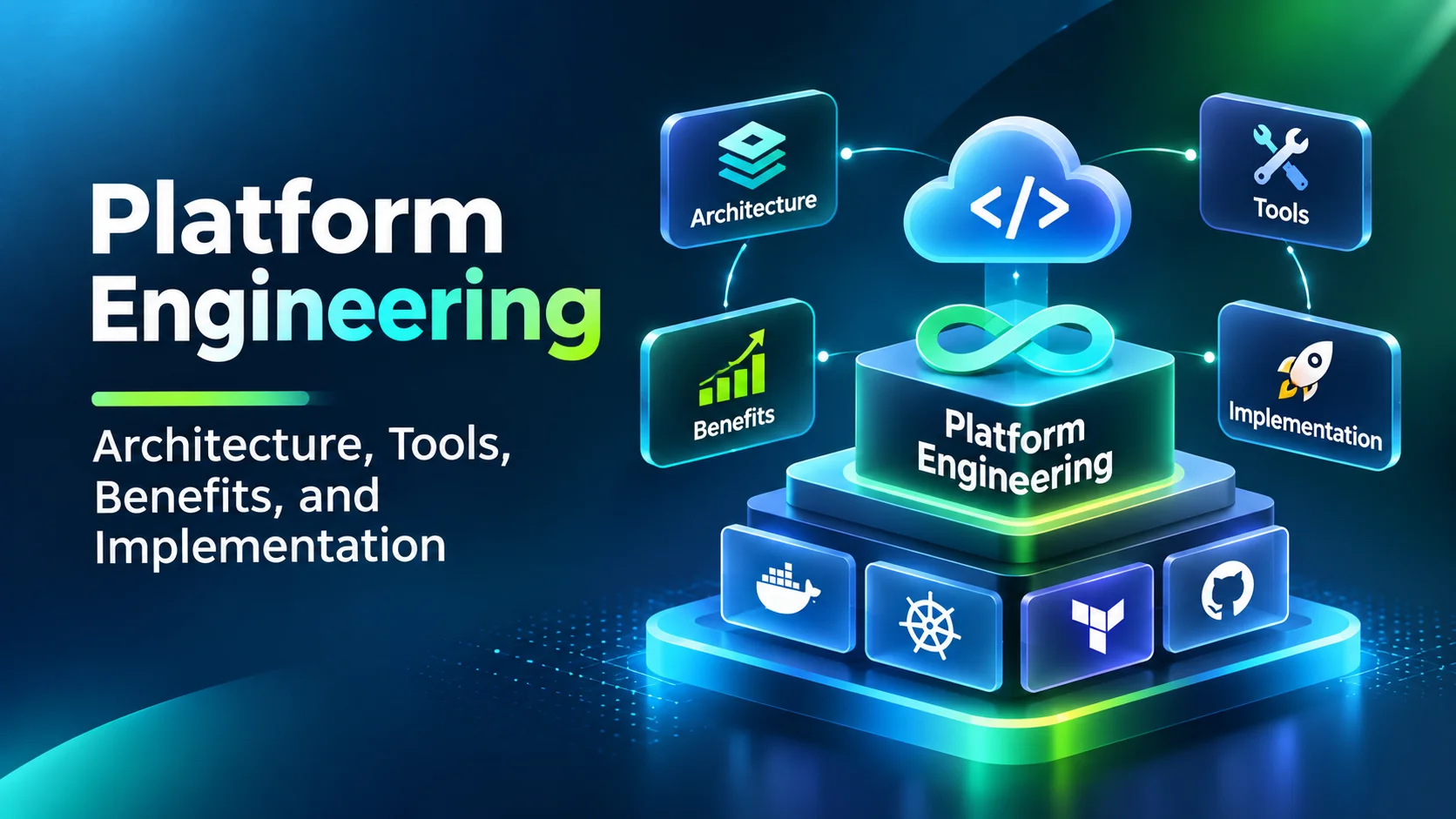
- What platform engineering is, and what an internal developer platform includes
- Platform engineering vs DevOps vs SRE
- When a business needs platform engineering
- Platform engineering architecture: six layers
- Platform engineering tools and what each one does
- What platform engineering actually improves
- How organizations actually run their platforms
- A practical 90-day implementation roadmap
- Not sure where your platform should start?
- Build, buy, or go hybrid
- What platform engineering costs
- Security and governance in the platform
- How to measure platform success
- Mistakes that sink platform initiatives
- Where platform engineering is heading
- Frequently Asked Questions
- What is platform engineering in simple terms?
- What is an internal developer platform?
- What’s the difference between platform engineering and DevOps?
- Is Backstage an internal developer platform?
- Does every software company need platform engineering?
- How long does it take to implement platform engineering?
- Should a company build or buy an internal developer platform?
- How can businesses measure the ROI of platform engineering?
- The bottom line
- Ready to improve your engineering environment?
A developer wants to start a new service. First comes a repository, then an infrastructure ticket, a pipeline nobody has documented, access approvals from three teams, and a week of waiting before the first real line of code. Multiply that by a dozen teams and a few dozen applications, and the friction becomes a delivery problem, not an annoyance.
Platform engineering attacks that friction directly. Instead of letting every team assemble its own tooling, an organization builds an internal developer platform: reusable workflows, approved templates, automation, and guardrails behind one self-service experience. The point isn’t to restrict developers or force one stack on everyone. It’s to remove operational work that adds nothing to the product. This guide covers how it works, the architecture layers, tools, benefits, a 90-day plan, build versus buy, costs, security, and the metrics that show whether it’s helping.
Quick Answer
Platform engineering is the discipline of building and running an internal developer platform that lets software teams complete common tasks, like creating services, provisioning environments, and deploying code, through self-service workflows with built-in security and standards. It pays off when repeated engineering friction becomes expensive, usually across many teams and applications. Start with one painful workflow, treat the platform as a product, and measure developer outcomes, not tool counts.
Research note: the CNCF figures come from its Q1 2026 Technology Radar survey of more than 400 professional developers. Tool descriptions reflect vendor and project documentation, which changes often, so confirm current capabilities before you choose. The 90-day plan is an illustrative framework, not a fixed schedule.
What platform engineering is, and what an internal developer platform includes
Platform engineering designs, builds, and maintains internal platforms that help development teams finish common tasks on their own. The platform team owns the systems, integrations, policies, and templates. Application developers use them with fewer manual steps and fewer tickets.
Picture a company with 12 development teams. Each one creates environments, configures pipelines, manages secrets, and monitors applications. Without a shared platform, each invents its own way. One team keeps custom deployment scripts, another maintains different configuration files, and over time the differences become maintenance work nobody budgeted for.
An internal developer platform (IDP) is the set of capabilities that makes self-service possible. It typically covers:
- Creation: automated project and repository setup from reusable templates
- Provisioning: infrastructure and environment workflows
- Delivery: deployment and release capabilities
- Controls: security and compliance checks built into the workflows
- Visibility: service ownership, monitoring, and operational information
- Support: technical documentation and help resources
Don’t confuse the IDP with the portal. The portal is the front door where engineers discover services, read documentation, and trigger workflows. The IDP is everything behind it too: automation, APIs, integrations, infrastructure, and policy. A portal without working self-service is just a directory with a nice theme.
Platform engineering vs DevOps vs SRE
| Area | Primary responsibility | Main objective |
|---|---|---|
| DevOps | Collaboration and delivery practices across development and operations | Better delivery and coordination |
| Platform engineering | Shared internal tools, workflows, and self-service capabilities | Make common tasks easier and more consistent |
| Site reliability engineering | Reliability, service operations, incident management, service objectives | Keep services dependable |
They fit together. A DevOps team may define a deployment process, and the platform team turns it into a reusable workflow. An SRE team may set the reliability requirements that workflow has to enforce before anything reaches production. None replaces the others.
When a business needs platform engineering
A small team with one application and a manageable workflow may not need a dedicated platform. The need grows with developers, applications, environments, and dependencies. Watch for these five signals.
1. Developers wait on other teams for routine tasks
Tickets and manual approvals for environments, repositories, or standard deployments slow delivery. Self-service workflows can handle the routine and keep controls on sensitive operations.
2. Every team follows different standards
Some variation is healthy. Repeated differences in repository structure, configuration, deployment, and security checks aren’t. Reusable templates create consistency without forcing identical architecture.
3. Infrastructure has become hard to see
Multiple cloud accounts, container environments, databases, and integrations make it difficult to know what exists and who owns it.
4. Onboarding takes too long
New engineers hunt for documentation, request access, and configure environments by hand. Documented, repeatable workflows make the first week predictable.
5. Senior engineers do repetitive work
When experienced developers spend time on manual configuration and infrastructure requests, product work suffers. Maintained self-service turns repeatable tasks into automation.
So the real question isn’t whether platform engineering is popular. It’s whether recurring friction has become expensive enough to justify a shared platform.
Platform engineering architecture: six layers
There’s no mandatory reference architecture. Design follows your application portfolio, infrastructure, security needs, and existing capabilities. Most internal developer platforms, though, share six layers.
1. Developer experience layer
This is where developers interact: a portal, a command-line interface, APIs, or integrations inside existing tools. They should be able to browse templates, create components, find services and owners, request environments, check deployments, and reach documentation. A developer should know what a workflow will create, which permissions it needs, and where to get help when it fails.
2. Software catalog and service metadata
A catalog tracks applications, APIs, libraries, dependencies, ownership, repositories, and lifecycle status. Select a customer management service and you’d see its owning team, source code, production environment, and runbooks. The Backstage project popularized this model. A catalog only works if someone owns keeping it current, because a stale catalog is as confusing as none.
3. Self-service workflow and template layer
Here, common tasks become repeatable workflows. A new service template might create the repository, project structure, configuration files, basic tests, documentation, ownership metadata, and initial security checks. These recommended paths are called golden paths. They give teams a supported starting point, not a cage, so keep a documented process for exceptions when an application really needs something different.
4. Orchestration and infrastructure provisioning
Behind each request, systems have to act. For a test environment, the platform validates the request, checks permissions, provisions infrastructure, configures dependencies, returns the details, and records the activity. Infrastructure as Code tools such as Terraform define infrastructure in version-controlled configuration, and Crossplane builds control planes that expose standard APIs for cloud resources. Developers shouldn’t need provider-specific knowledge to use an approved workflow.
5. CI/CD and deployment integration
The platform connects to your existing build, test, and deployment systems, such as GitHub Actions, GitLab CI, Jenkins, or Argo CD for GitOps on Kubernetes. It doesn’t replace them. It gives developers one consistent way to reach them. If you’re sorting out the pipeline side, see our notes on Azure DevOps pipelines, and for container platforms, why Kubernetes matters.
6. Security, governance, and observability
Security belongs inside the workflows, not bolted on before release. That means role-based access, identity verification, secrets management, policy checks, dependency and vulnerability scanning, audit logging, and approval gates. For observability, OpenTelemetry offers a vendor-neutral way to collect traces, metrics, and logs and connect platform workflows to existing monitoring.
How the layers work together on a new application
- The developer opens the portal and picks an approved template
- The platform collects project details and verifies permissions
- A workflow creates the repository, baseline configuration, and metadata
- Infrastructure automation provisions the resources
- The CI pipeline builds the code and runs quality and security checks
- The delivery system deploys to the target environment
- Monitoring starts collecting operational data
- The catalog records ownership, repository, dependencies, and lifecycle
The platform provides the connected experience. Each tool still does its specialized job.
Platform engineering tools and what each one does
The most common mistake is picking tools because they appear on popular lists, without defining how they’ll work together.
| Platform layer | Tools and technologies | Typical use |
|---|---|---|
| Developer portal | Backstage, Port, Cortex | Experience, service discovery, self-service |
| Infrastructure as Code | Terraform, OpenTofu | Infrastructure definition and provisioning |
| Control plane | Crossplane | Standard APIs for cloud resources |
| Platform orchestration | Humanitec Platform Orchestrator | Coordinating application and infrastructure workflows |
| Container orchestration | Kubernetes | Managing containerized workloads |
| CI/CD | GitHub Actions, GitLab CI, Jenkins | Build, test, and integrate code |
| GitOps delivery | Argo CD, Flux | Declarative application deployment |
| Observability | OpenTelemetry plus compatible platforms | Collecting and analyzing telemetry |
| Policy management | Open Policy Agent, Kyverno | Enforcing configuration and policy rules |
A few honest notes
- Backstage: a flexible open-source portal framework, best for teams with the engineering time to maintain it. It isn’t a complete platform until you build the automation behind it
- Port and Cortex: portal and standards products for teams that prefer managed or configurable options. Compare integrations, security controls, and pricing against your needs
- Terraform and OpenTofu: repeatable infrastructure, but you still have to design how developers request resources and how approvals work
- Kubernetes and Argo CD: strong for standardized deployment, with real operational weight. Adopt Kubernetes when workloads justify it
The best combination is the one that supports your required workflows with manageable integration effort. A longer tool list rarely means a better developer experience.
What platform engineering actually improves
Measure benefits in everyday engineering work, not in the number of tools installed or workflows built.
- Developer productivity: less time on repetitive setup when environments and templates are one click away
- Faster onboarding: documented workflows and approved templates reduce dependence on individual colleagues
- Consistent practices: reusable templates and automated policies apply baseline standards while leaving room for exceptions
- Infrastructure visibility: a maintained catalog shows ownership, dependencies, and status, which helps during incidents and reviews
- Less repetitive operations work: self-service handles routine requests so human attention goes to decisions that need it
- More predictable delivery: maintained workflows cut avoidable configuration differences, as long as the platform itself is tested and adapted to feedback
How organizations actually run their platforms
Platform ownership doesn’t follow one model. In the CNCF Q1 2026 Technology Radar, a survey of more than 400 professional developers, the most common arrangement was several teams sharing platform capabilities. Dedicated platform teams were the minority.
41%
Share of organizations where multiple teams collaboratively handle platform capabilities, the most common model reported.
Source: CNCF Technology Radar, Q1 2026
28%
Share of organizations with a dedicated platform engineering team responsible for internal platforms.
Source: CNCF Technology Radar, Q1 2026
The takeaway for planning: you don’t need a large dedicated team on day one. You do need clear ownership, whether that sits with one team or a defined group. The same survey found that for AI workflows, the most common approach was a hybrid platform, at 35 percent. Most organizations extend what they have instead of starting a separate AI platform.
A practical 90-day implementation roadmap
Begin with a real engineering problem, not a decision to deploy a particular portal. Treat the schedule below as a planning framework, since actual timing depends on application count, integration complexity, and team availability.
Days 1 to 15: Assess existing workflows
Interview developers, infrastructure engineers, security, and engineering managers. How long does a new environment take? Which setup steps repeat across teams? Where do deployments differ for no good reason? Map the current process before proposing a replacement, then rank opportunities by frequency, impact, effort, and risk. If environment requests are the biggest pain, automating them beats building a fancy catalog.
Days 16 to 30: Define scope and architecture
Pick one high-value workflow for the first release. Decide whether an existing portal can be extended, which infrastructure tools stay, how identity and permissions work, and where policies get enforced. Don’t add a new tool for every layer. If priorities or user needs are still unclear, product strategy consulting can sharpen them before you commit to a bigger roadmap.
Days 31 to 60: Build the minimum viable platform
Deliver one working path end to end, such as creating a standard service, wiring its dependencies, and deploying to development. Include a usable entry point, one or two tested templates, repository integration, provisioning automation, defined permissions, quality checks, deployment visibility, and basic documentation. An attractive portal that can’t finish a workflow isn’t a platform yet.
Days 61 to 75: Run a controlled pilot
Give a small group access and watch them work without step-by-step help. Where do they hesitate, hit permission errors, or need to ask another team? Check that workflows create the right structure, provision resources correctly, enforce security, and show helpful error messages. Pair the pilot with automation testing of the templates themselves, so changes get tested before other teams see them.
Days 76 to 90: Improve and prepare for wider adoption
Use pilot results to update templates, document exceptions, and name owners. Define the operating model: platform ownership, support, release and upgrade procedures, security reviews, documentation upkeep, feedback collection, and performance measurement. Success after 90 days doesn’t mean every application has migrated. It means you’ve validated one useful capability and have a realistic plan to improve it.
Not sure where your platform should start?
Elsner can review your delivery workflows, pick the first golden path worth automating, and recommend the smallest platform that removes real friction.
Build, buy, or go hybrid
| Factor | Build | Buy | Hybrid |
|---|---|---|---|
| Customization | High | Depends on the product | High for selected workflows |
| Initial effort | Significant engineering | Often faster to configure | Depends on integration scope |
| Maintenance | Owned internally | Shared with the vendor | Shared across components |
| Vendor dependency | Lower | Higher | Depends on the mix |
| Technical ownership | Internal platform team | Vendor plus internal admins | Shared |
Build when your workflows, compliance needs, or infrastructure are unusual enough that products can’t cover them, and you can commit to maintaining APIs, integrations, documentation, and upgrades for years. Buy when you want established capabilities and can accept product limits, after checking identity integration, support model, data handling, extensibility, pricing, and exit options. Hybrid is common: Backstage for the portal, Terraform for provisioning, Argo CD for deployment, and custom glue for approvals. The rule of thumb is simple. Reuse what existing tools already do well, and build custom pieces only where your requirements justify it.
What platform engineering costs
No single price applies. A platform for a few teams looks nothing like one connecting hundreds of applications across several environments. Don’t estimate from tool counts. Estimate total cost of ownership.
- Engineering: platform architects, infrastructure and software engineers, security, and product management
- Licensing: portals, orchestration, infrastructure, and monitoring products
- Infrastructure: compute, storage, networking, environments, and hosting
- Integration: repositories, identity providers, catalogs, CI/CD, and internal apps
- Security and governance: access controls, policy automation, audits, and testing
- Maintenance: upgrades, incidents, documentation, and developer support
- Adoption: training, pilot support, and moving teams off old processes
A simple estimation model
- Total cost = initial implementation + software and infrastructure + integration + security + ongoing operations + adoption
- Compare over several years, because ongoing operations usually outweigh the first build
Security and governance in the platform
An IDP creates infrastructure, touches sensitive resources, deploys software, and holds configuration, so security has to be part of its design. A security assessment and testing review of the platform itself, not just the apps on it, is worth planning early.
- Role-based access: developers get the permissions their responsibilities need, managed through central identity
- Secrets management: keep API keys, passwords, deployment credentials, and certificates out of templates and repositories
- Policy as code: check infrastructure and deployment requests automatically against organizational rules
- Audit trails: record provisioning, permission changes, approvals, and admin actions
- Dependency checks: scan for vulnerabilities, and add SBOMs, artifact verification, and supply chain controls where your requirements call for them
Keep security consistent across every golden path. A workflow that makes development faster but weakens access controls isn’t a successful platform capability.
How to measure platform success
| Metric | What it measures | Why it matters |
|---|---|---|
| Time to first deployment | Project start to first successful deploy | Shows whether setup and onboarding improve |
| Self-service completion rate | Requests finished with no manual help | Measures workflow effectiveness |
| Golden path adoption | Eligible projects using approved workflows | Shows whether the platform meets real needs |
| Developer satisfaction | Feedback from platform users | Surfaces usability issues and gaps |
| Change lead time and deployment frequency | Speed and rhythm of delivery | Tracks delivery performance |
| Change failure rate and recovery time | Release stability and restoration speed | Tracks reliability |
| Support requests | Volume and type of manual help needed | Reveals remaining workflow gaps |
Look at delivery results and developer satisfaction together. DORA, the research program behind widely used delivery metrics, has cautioned that poorly managed platforms can hurt throughput and stability. So take a baseline before launch: time a standard service from creation to deployment, then repeat after the pilot. If it gets faster but failed deployments or security exceptions rise, fix the platform before expanding it. The goal is better engineering outcomes, not higher adoption numbers.
Mistakes that sink platform initiatives
Watch for these
- Building a portal before understanding developer problems. Find the repetitive tasks first
- Treating the platform as an infrastructure project. It’s an internal product with users, a roadmap, and support
- Creating too many golden paths. A few well-kept paths beat dozens of overlapping templates
- Choosing tools without mapping integrations, ownership boundaries, and security needs
- Ignoring maintenance. Templates, APIs, and integrations age, so assign owners from day one
- Measuring adoption instead of outcomes. Portal visits don’t prove developers are faster
Where platform engineering is heading
AI-assisted workflows are the obvious next step: connecting development assistants to service catalogs, approved templates, documentation, and infrastructure APIs. Letting an automated system trigger infrastructure changes or deployments demands the same permission checks, review steps, and audit trails you’d require from a person. Teams exploring that path can look at AI agent development with those guardrails in mind. Meanwhile, the platform-as-a-product mindset keeps gaining ground. Success belongs to teams that can show their platform reduces friction, not just abstracts it.
Key takeaways
- Platform engineering pays off when repeated engineering friction has become expensive, usually across many teams and applications.
- An internal developer platform is the automation, APIs, and policy behind the portal, not the portal alone.
- Start with one painful workflow and build a minimum viable platform around it in about 90 days.
- Reuse existing tools where they work. Build custom pieces only where your requirements demand it.
- Treat the platform as a product with owners, a roadmap, and developer feedback.
- Measure outcomes such as time to first deployment and change failure rate, not tool counts.
Frequently Asked Questions
What is platform engineering in simple terms?
Platform engineering is building internal tools, automation, and self-service workflows that help developers finish common tasks without filing a ticket for every routine request. It gives teams approved resources and consistent paths for building, deploying, and running software.
What is an internal developer platform?
An internal developer platform is a connected set of tools, workflows, APIs, infrastructure capabilities, and policies developers use to build, test, deploy, and manage applications. It often includes a portal, but it’s much more than a user interface.
What’s the difference between platform engineering and DevOps?
DevOps is a set of collaboration and delivery practices linking development and operations. Platform engineering turns selected practices into reusable internal capabilities, so teams can apply them through self-service instead of rebuilding them each time.
Is Backstage an internal developer platform?
Not by itself. Backstage is an open-source framework for developer portals, with a software catalog, templates, documentation, and plugins. It can be the front end of an IDP, but you still need automation, infrastructure integrations, policies, and operations behind it.
Does every software company need platform engineering?
No. Small teams with simple infrastructure and delivery may not. It becomes useful when repeated tasks, infrastructure complexity, fragmented workflows, and manual dependencies start slowing delivery.
How long does it take to implement platform engineering?
A focused first release can be planned over roughly 90 days, depending on application count, integrations, and team capacity. A mature platform needs continuous improvement, ownership, and maintenance well beyond that.
Should a company build or buy an internal developer platform?
Build for highly specific workflows if you can maintain the result. Buy for faster access to established capabilities. Many organizations go hybrid, combining open-source tools, commercial products, and custom integrations.
How can businesses measure the ROI of platform engineering?
Compare implementation and operating costs with measured gains such as less manual support work, shorter onboarding, faster environment provisioning, less rework, and better delivery performance. Use real baselines, not assumed productivity gains.
The bottom line
A platform isn’t defined by how many tools it contains. It earns its place by solving real developer problems, keeping self-service workflows useful, and changing as your engineering needs change. Start with the workflow that hurts most, ship a focused platform, measure it, and grow from feedback. If you need custom components, integrations, or application engineering around it, Elsner’s custom software development team can help.
Ready to improve your engineering environment?
Bring your slowest workflow. Elsner will help you decide what to automate first, what to reuse, and how to measure the result.