- Zoho Books vs Xero Pricing in the U.S. (2026)
- Which platform gives more per dollar?
- Zoho Books vs Xero: Feature-by-Feature Comparison
- Zoho Books vs Xero for Invoicing, Expenses, and Bank Reconciliation
- Which Is Better for Inventory and Project Accounting?
- Best for ecommerce businesses
- Zoho Books vs Xero for U.S. Taxes, 1099s, and Payroll
- Integrations and Ecosystem: Zoho Books vs Xero
- Which Is Easier to Use?
- Zoho Books vs Xero by Business Type
- Solo freelancers and consultants
- Small service firms (2 to 5 people)
- Growing SMBs (6 or more users)
- Ecommerce and inventory-heavy businesses
- Agencies and project-based firms
- Businesses already on Zoho CRM
- Accounting firms managing multiple clients
- Multi-currency international businesses
- Zoho Books vs Xero: Hidden Costs You Should Consider
- Switching From Xero to Zoho Books, or Zoho Books to Xero
- What makes migration difficult?
- When should you avoid switching?
- What About AI and Automation in 2026?
- Zoho Books vs Xero: Which One Should You Choose?
- Quick Decision Checklist
- Frequently Asked Questions
- Is Zoho Books better than Xero?
- Is Zoho Books cheaper than Xero in the U.S.?
- What is the difference between Zoho Books and Xero?
- Which is better for small businesses, Zoho Books or Xero?
- Which is better for inventory, Zoho Books or Xero?
- Does Zoho Books handle U.S. sales tax and 1099s?
- Does Xero include payroll in the subscription?
- Can I migrate from Xero to Zoho Books?
Quick Answer
Zoho Books connects closely with the wider Zoho ecosystem and wins on price for small teams and inventory-heavy businesses. Xero focuses on accounting alongside a broad third-party app ecosystem, and its unlimited-user pricing wins once you cross five or six people. Neither is universally better; the right pick depends on your business model, workflow, and three-year cost.
|
Choose Zoho Books if
|
Choose Xero if
|
Short version: neither platform is “wrong” for a growing U.S. business. They’re just built around different assumptions about how your team works. This guide breaks down pricing, features, taxes, and hidden costs to help you decide.
Choosing which accounting software to use is not just about the monthly fee. Every business in the U.S. is different, so an appropriate decision will be based on users, workflows, inventory, projects, taxes, integrations, and your accountant.
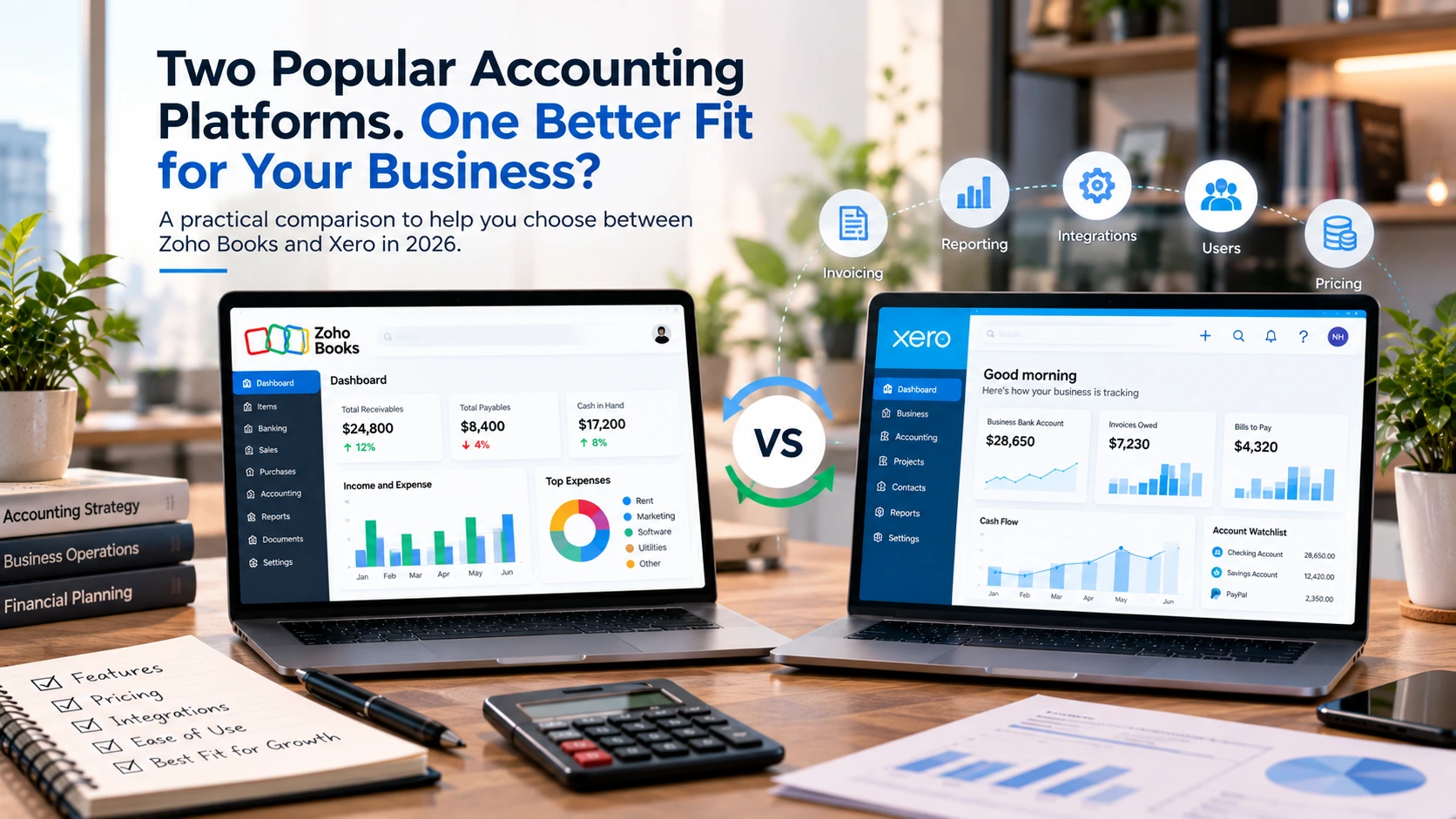
Zoho Books vs Xero is especially interesting because the platforms take different approaches. Zoho Books connects closely with the wider Zoho ecosystem, while Xero focuses on accounting alongside a broad third-party app ecosystem. Ultimately, the right choice is one that fits your business model, the way you work, the integrations you need, and the overall price.
Zoho Books vs Xero Pricing in the U.S. (2026)
Pricing is usually where these comparisons get sloppy. Articles compare an annual Zoho Books price against a promotional Xero price, or vice versa, and the numbers end up meaningless. So let’s normalize this properly, using current U.S. list pricing at the time of writing.
Zoho Books runs on a tiered plan structure from Free through Ultimate:
Xero, by comparison, runs three plans, and every one of them includes unlimited users, which is a genuinely different pricing philosophy:
Heads up: Xero announced that they would, as of 1 October 2026, increase their prices in the US so that Early, Growing and Established would be close to $27, $59, and $97 per month, respectively. If you’ve come upon this after that date, double-check Xero’s live pricing page before you buy, because promotional rates and list prices change more often than you might think.
Which platform gives more per dollar?
This is truly what matters; it depends on your user count. If you run on your own or with two to three people, Zoho Books Standard, $15 to $20 per month, is tough to beat. Bank feeds, sales tax tracking, and 1099 e-filing are built right in.
For teams of five to eight, the math is different. Since Xero Growing at $55 includes unlimited users, you get access to that as a bundle, whereas Zoho Books will bump you into Professional or Premium tiers and an additional per-user charge when you surpass your included seats, which range from $2.50 to $3 per user per month.
So the “cheaper” platform really does come down to headcount. Anyone telling you one is simply cheaper than the other has not, for your real team size, run the numbers.
Zoho Books vs Xero: Feature-by-Feature Comparison
Here’s a compact view of where the meaningful differences sit. “Native” means it’s built in, “add-on” means extra cost, and “plan-dependent” means it only shows up above a certain tier.
A few of those rows deserve more explanation than a table can give, so let’s walk through the ones people actually care about.
Zoho Books vs Xero for Invoicing, Expenses, and Bank Reconciliation
|
Both platforms handle the daily basics well. Invoice creation, recurring billing, payment reminders, and bank feeds are solid on either side, so this usually isn’t the deciding factor. |
Where they actually differ: expense capture
|
Zoho Books Receipts auto-scanning as an add-on on most packages, and links nicely if you also use Zoho Expense. |
Xero Relies on Hubdoc (free with Xero), a separate application under the Xero umbrella, rather than a native solution. |
Bank reconciliation: close to a wash. Transaction rules, matching, and multi-account support exist on both. If your bookkeeper already has a preference here, honestly, let that preference decide it.
Which Is Better for Inventory and Project Accounting?
|
Winner
|
Zoho Books, mostly. Starting at the Professional plan ($40/month annual), it includes native inventory tracking, purchase orders, project profitability tracking, timesheet billing, and retainer management. |
Xero offers some of this too, but deeper inventory work usually means the Inventory Plus add-on, and project tracking is only really strong once you’re on the Established plan. If you’re a services firm billing hours against projects, or a product business tracking stock across warehouses, Zoho Books gives you more of that functionality without stacking add-ons on top of your base subscription.
|
$
|
Best for ecommerce businessesIf you’re selling on Shopify, WooCommerce, Etsy, eBay, or Amazon, Zoho Books Elite ($120/month annually) integrates with Shopify storefronts, tracks serial and batch numbers, and even creates shipping labels. Xero can support ecommerce too, usually through its app marketplace and providers like A2X or Shopify, but it’s building that stack out of third-party components rather than a single native solution. |
Zoho Books vs Xero for U.S. Taxes, 1099s, and Payroll
This is where a lot of comparison articles get vague, so let’s be specific.
Zoho Books tracks sales tax and use tax, manages W-9 collection, and supports 1099-MISC and 1099-NEC e-filing starting on the Standard plan. Xero also supports 1099 tracking and W-9 management, included across its plan tiers, not gated behind a higher one.
|
Zoho Payroll Works fine but has narrower state coverage and a smaller U.S. footprint. |
Xero Payroll (Gusto) Genuinely polished, well-known payroll product in the U.S. market. |
Honest caveat: neither platform replaces a CPA. Software can track and file the mechanics, but it can’t advise you on nexus questions, entity structure, or how a specific transaction should be categorized for tax purposes. That’s still a conversation for your accountant.
Integrations and Ecosystem: Zoho Books vs Xero
This is arguably the single biggest architectural difference between these two platforms, and it doesn’t get enough attention in most comparisons.
|
Zoho: connected native suite Zoho Books sits inside a wider ecosystem: Zoho CRM, Zoho Inventory, Zoho Expense, Zoho Projects, Zoho Analytics all share the same data model. For a business integrating CRM, inventory, project management, and accounting into one system, that’s a real benefit no feature list captures. If you find it difficult to implement, you can easily hire a Zoho developer to help. |
Xero: open third-party ecosystem Xero advertises 1,000+ app integrations across payments, inventory, HR, ecommerce, and vertical tools. Instead of one integrated platform, it’s the accounting kernel into which everything else connects. |
Neither is objectively better. Native suite minimizes integration workload but commits you to Zoho’s vision. Third-party ecosystem offers more options but takes more vendor management. If you’re already immersed in Zoho, that may tip the scales; if your stack is a mix of best-in-breed apps from different companies, Xero’s agnostic nature likely fits better.
Which Is Easier to Use?
|
Zoho Books Feature-rich but sometimes busier to use, more visibly on higher tiers where more modules are instantly available. |
Xero Most often described as clean and user-friendly, mainly for teams migrating from spreadsheets or their first accounting platform. |
Neither is objectively harder. If simplicity for a non-finance team member is a key consideration, that’s a tick against Zoho Books. If your team can handle a bit more configuration but wants a more comprehensive feature set, Zoho Books will soon stop feeling daunting.
Zoho Books vs Xero by Business Type
Instead of crowning a single overall winner, it typically is a decision between these business models:
|
1
|
Solo freelancers and consultantsZoho Books Free or Standard generally offers the best value, with the features meeting the most basic invoicing and expense requirements. |
|
2
|
Small service firms (2 to 5 people)A close call, except that it looks like Zoho Books Standard or Professional has the advantage on cost per user. |
|
3
|
Growing SMBs (6 or more users)Xero Growing or Established tends to win, because unlimited users beats paying incrementally for every added seat. |
|
4
|
Ecommerce and inventory-heavy businessesZoho Books, particularly Elite, because native inventory and Shopify integration beat assembling an add-on stack. |
|
5
|
Agencies and project-based firmsZoho Books Professional, for native project profitability and timesheet billing. |
|
6
|
Businesses already on Zoho CRMZoho Books, almost without exception, purely for the shared ecosystem. |
|
7
|
Accounting firms managing multiple clientsXero, largely because of accountant familiarity and the breadth of practice tools built around it. |
|
8
|
Multi-currency international businessesApproximately evenly split, although Xero Established supports it natively, whereas Zoho Books does from Professional and above at a more affordable price. |
If none of these apply to your business, don’t be concerned. Compare the 2 or 3 most important factors to you with the list, rather than trying to find a definitive answer.
Zoho Books vs Xero: Hidden Costs You Should Consider
The subscription price is rarely the real cost. A useful way to think about this is a simple total cost of ownership framework: software cost, plus add-ons, plus integrations, plus implementation and migration, plus the ongoing admin time your team spends running it.
|
Zoho Books, watch for
|
Xero, watch for
|
Don’t skip this: implementation and migration costs are real. Bringing over historical transactions, customizing workflows, or connecting either platform to a CRM, ecommerce store, or ERP has a cost whether you do it in-house or bring in help. It depends entirely on your data volume and complexity, but budget for it rather than assuming a clean, free migration.
Switching From Xero to Zoho Books, or Zoho Books to Xero
Businesses usually switch for one of a few reasons: cost, outgrowing a feature ceiling, consolidating with a broader ecosystem (moving toward Zoho, typically), or an accountant relationship changing.
|
↔
|
A proper migration generally involves your chart of accounts, customer and vendor records, open invoices and bills, opening balances, bank connections, historical transaction data, saved reports, and any integrations or automations you’ve built. If you’re coming from QuickBooks, our QuickBooks to Zoho Books migration guide walks through this in more detail. |
What makes migration difficult?Rarely the software itself. CSV export and import handle the basics fine, but they typically don’t carry over transaction history in a fully reconciled state, custom workflow rules, or integration configurations. Those usually need rebuilding rather than importing. |
When should you avoid switching?If your only argument is “the other one is a bit cheaper,” reconsider. Migration takes time, and if your platform already does the job, the savings are hard to come by. It only makes sense once you’ve truly grown out of a feature ceiling. |
What About AI and Automation in 2026?
Both platforms have leaned into automated bookkeeping over the past couple of years, and it’s worth a grounded look rather than a hype cycle.
|
Zoho Books AI-assisted categorization, automated bank rule suggestions, and receipt data extraction via auto-scan, plus the wider Zoho ERP integrations stack as automation needs grow. |
Xero Automated bank reconciliation matching, cash flow forecasting tools, and document capture via Hubdoc. |
Both reduce manual data entry meaningfully compared to five years ago. Neither replaces a bookkeeper’s judgment, and neither should be marketed to you as doing so. The real value is fewer hours on repetitive categorization and matching, not full automation of your books.
Zoho Books vs Xero: Which One Should You Choose?
Pulling this together into a decision framework rather than a verdict:
|
Choose Zoho Books when
|
Choose Xero when
|
The winner genuinely depends on your business model, your workflow, your user count, your growth plan, and your three-year cost, not on which platform has the flashier features page.
Quick Decision Checklist
Before you commit to either platform, run through these questions honestly:
Compare workflows before you compare subscription prices. The cheaper plan on paper isn’t cheaper if it forces you into three add-ons and a manual workaround six months from now.
Frequently Asked Questions
Is Zoho Books better than Xero?
Not universally. Zoho Books tends to be better value for small teams, inventory-heavy businesses, and anyone already using Zoho products. Xero tends to be better for teams with more than five or six users, businesses relying on a large app ecosystem, or those wanting Gusto payroll built in.
Is Zoho Books cheaper than Xero in the U.S.?
It depends on user count. For one to three users, Zoho Books is usually cheaper. Once you cross five or six users, Xero’s unlimited-user pricing often becomes the better value, since Zoho Books charges per extra seat beyond its included limit.
What is the difference between Zoho Books and Xero?
The biggest structural difference is the ecosystem. Zoho Books is part of a connected native suite including CRM, inventory, and projects. Xero is a strong standalone accounting core built to connect with over 1,000 third-party apps.
Which is better for small businesses, Zoho Books or Xero?
For very small teams under five users, Zoho Books generally offers more functionality per dollar. For small businesses actively growing their headcount, Xero’s unlimited-user model becomes more cost-effective faster than people expect.
Which is better for inventory, Zoho Books or Xero?
Zoho Books, particularly from the Professional plan up. Inventory, purchase orders, and Shopify integration are native, while Xero typically requires the separate Inventory Plus add-on for comparable depth.
Does Zoho Books handle U.S. sales tax and 1099s?
Yes. Sales tax tracking, W-9 management, and 1099-MISC and 1099-NEC e-filing are included starting on the Standard plan.
Does Xero include payroll in the subscription?
No, not directly. Xero connects to Xero Payroll powered by Gusto, which is billed separately from the core accounting subscription.
Can I migrate from Xero to Zoho Books?
Yes, though it’s more involved than a simple CSV export. Chart of accounts, customer and vendor records, historical transactions, and any integrations typically need to be rebuilt or carefully mapped rather than imported wholesale.
If your business is already leaning toward Zoho Books, particularly because of the ecosystem angle, talk to Elsner’s Zoho implementation team. No pressure to commit to anything, just a clear picture of scope, timeline, and cost before you decide which path fits your business.