- What Is an Ecommerce SEO Checklist?
- The Ecommerce SEO Growth Framework
- The Ultimate Ecommerce SEO Checklist (2026 PDF)
- 1. Ecommerce Keyword Research Checklist
- 2. Technical SEO Checklist for Ecommerce
- 3. Category Page SEO Checklist
- 4. Product Page SEO Checklist
- 5. Content Marketing & Internal Linking Checklist
- 6. Off-Page SEO & Authority Building Checklist
- 7. Structured Data & Schema Checklist
- 8. Optimizing for AI Overviews & Answer Engines
- How to Run a Monthly Ecommerce SEO Audit
- Your 90-Day Ecommerce SEO Action Plan
- Common Ecommerce SEO Mistakes to Avoid
- Conclusion
- Want Your Store to Rank and Sell More?
- Frequently Asked Questions
- What is the most important item on an ecommerce SEO checklist?
- How long does ecommerce SEO take to show results?
- What’s the difference between ecommerce SEO and regular SEO?
- Do I need schema markup for an ecommerce store?
- Should I optimize my ecommerce store for AI Overviews?
Most online stores don’t have a traffic problem. They have a “right traffic” problem. Plenty of visitors land on the blog, bounce around, and never see a product page that ranks. Meanwhile the category pages that actually drive revenue sit on page three for the keywords with real buying intent.
In 2026, that gap got wider. AI Overviews now answer a big share of shopping research questions before a shopper ever clicks. Product feeds, structured data, and category-level authority decide who gets cited and who gets skipped. An ecommerce SEO checklist isn’t a nice-to-have anymore. It’s the difference between being the store Google recommends and the store nobody finds.
This guide walks through every layer that matters, in the order that actually moves rankings and sales.
Quick answer: An ecommerce SEO checklist covers six layers in priority order: keyword research, technical SEO, category page optimization, product page optimization, content and internal linking, and off-page authority. Start with technical fixes and high-intent category keywords, then optimize product pages with schema, then build content and links. Audit the whole thing monthly. Do it in that sequence and rankings compound instead of stalling.
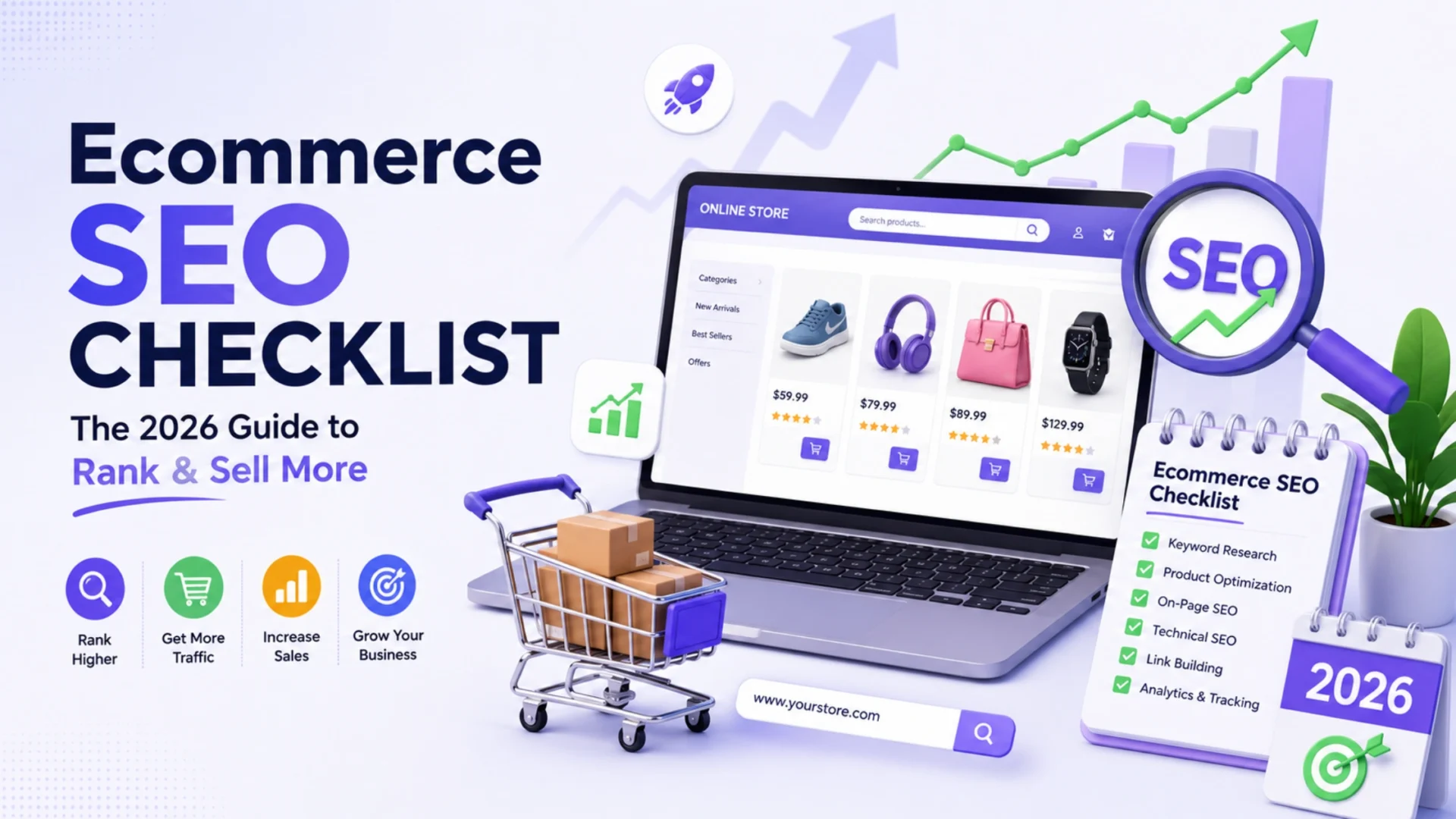
What Is an Ecommerce SEO Checklist?
An ecommerce SEO checklist is a structured set of optimization tasks that improves how a store’s category pages, product pages, and supporting content rank in search and AI-driven results. It groups work into technical, on-page, content, and authority layers so nothing high-impact gets skipped.
A 40-product Shopify store and a 40,000-SKU Adobe Commerce catalog need very different versions of the same list. The point isn’t to do everything at once. It’s to know what to fix first, what to fix next, and what genuinely doesn’t matter for your store right now.
The plain-English version: a checklist isn’t busywork. It’s a priority order. The stores that win aren’t doing more than everyone else, they’re doing the right things in the right sequence.
The Ecommerce SEO Growth Framework
Before the tactics, the order. SEO for stores works best as a progression, not a pile of disconnected tasks. Fix the foundation, then the pages that convert, then the content and links that feed authority back into them.
|
1
|
Technical SEOIf Google can’t crawl and index your catalog efficiently, nothing else lands. This is always first. |
|
2
|
Category SEOCategory pages target the highest-volume commercial keywords. They’re your biggest revenue lever, and most stores ignore them. |
|
3
|
Product SEOProduct pages capture buyers ready to purchase. Schema and unique copy decide whether they win rich results. |
|
4
|
Content & AuthorityBuying guides, comparisons, and links pass relevance and trust back to the pages that convert. |
Free Download
The Ultimate Ecommerce SEO Checklist (2026 PDF)
A printable version of this entire checklist, including the growth framework, the category and product page templates, the schema list, and the 90-day roadmap. Print it, share it with your team, and tick off each item before launch.
1. Ecommerce Keyword Research Checklist
Keyword research for stores is different from blog keyword research. You’re mapping intent to page types, not just chasing volume. Get this wrong and you end up competing with yourself.
Map every keyword to one page type. “Best running shoes for flat feet” belongs on a buying guide. “Men’s trail running shoes” belongs on a category page. “Brooks Cascadia 17” belongs on a product page. One keyword, one page. That single rule prevents most cannibalization.
Prioritize commercial and transactional intent first. Those keywords convert. Informational queries build the top of the funnel and matter later, but revenue lives in the buying-intent terms, so start there.
Mine the long-tail modifiers buyers actually type. Size, color, material, use case, price range, “near me,” and brand combinations. These are lower competition and higher conversion, and they map cleanly onto filtered category pages.
Read the live SERP before you commit. If a keyword returns all category pages, don’t try to rank a blog post there. Google has already told you what intent it rewards. Listen to it.
One practical tip from real catalog work: build a keyword-to-URL map in a spreadsheet before touching a single page, and lock in clean, SEO-friendly URLs while you’re mapping. It’s the document your whole SEO program runs off for the next year.
You don’t need expensive tools to start. Google Search Console shows the queries you already rank for and the easy wins sitting on page two. Paid tools like Ahrefs or Semrush speed things up once you scale, but the map matters more than the software.
2. Technical SEO Checklist for Ecommerce
This is where most stores quietly bleed rankings. Large catalogs create thousands of crawlable URLs through filters, sorting, and pagination. If Google wastes its crawl budget on filtered duplicates, your real pages get crawled less often. Technical SEO is unglamorous, and it’s the highest-leverage work you’ll do.
Think about it from Google’s side. A crawler has a finite budget for your site. Every visit it spends on ?color=red&sort=price-low is a visit it didn’t spend on a product you actually want indexed. On a 200-product store this barely registers. On a 20,000-SKU catalog, it’s the difference between fresh pages getting indexed in days versus weeks.
- Crawl the full site with Screaming Frog or a similar tool. Find orphan pages, broken links, redirect chains, and duplicate titles.
- Control faceted navigation. Decide which filtered URLs should be indexed, and block or canonicalize the rest so crawl budget goes to pages that matter.
- Handle out-of-stock and discontinued products deliberately. Keep, redirect, or 410 them on purpose, never by accident.
- Get Core Web Vitals into the green: LCP under 2.5s, INP under 200ms, CLS under 0.1. Note that INP replaced FID, so older checklists are wrong here.
- Verify mobile rendering. Google indexes mobile-first, and most store traffic is mobile anyway.
- Keep XML sitemaps clean and current. Submit them in Search Console and check coverage weekly.
- Set canonicals correctly on paginated, filtered, and parameter URLs. This single fix solves most ecommerce duplicate content.
Watch out: Site speed on platforms like Magento and WooCommerce is rarely fixed by one plugin. It’s hosting, theme bloat, image weight, and third-party scripts working together. For a deeper walkthrough, our guide on improving Core Web Vitals scores covers the fixes that actually move the needle.
3. Category Page SEO Checklist
Category pages target high-intent, high-volume keywords, and shoppers who land on them are usually closer to buying than blog readers. Yet most stores leave them as a bare grid of products with a thin title and no real content.
The most underused asset in ecommerce SEO
If you only have time to optimize one page type this quarter, make it your top revenue categories. They rank for the terms with the most buying intent, and almost nobody puts real work into them. That’s the easiest competitive gap on this entire list.
Title and meta first. Write a keyword-rich, human SEO title and a meta description that previews value, not just the category name. Then use one clear H1 that matches the intent for that collection.
Add a genuine content block. Usually below the product grid, with context, buying guidance, and supporting keywords. Make filters an SEO decision, not just a UX one: crawlable where it helps, blocked where it doesn’t.
Link out and answer questions. Point to related categories and your best products to spread authority and keep shoppers moving. Add an FAQ block targeting the long-tail questions shoppers ask about that category.
A quick reality check: don’t dump a 1,000-word essay above the products. Shoppers came to browse, not read. Short intro near the top, heavier supporting content below the grid. That balance keeps both Google and buyers happy.
4. Product Page SEO Checklist
Product pages are where rankings turn into revenue. The shopper searching a specific product or model number is ready to buy. The trouble is that most product pages use the manufacturer’s stock description, which means thousands of stores publish identical copy. Identical copy doesn’t rank. If you sell on WooCommerce, our WooCommerce product SEO guide breaks down the description and schema setup step by step.
Unique, benefit-led descriptions
Rewrite manufacturer copy. Lead with what the product does for the buyer, then the specs. This is the single biggest product-page win, and almost everyone skips it.
Descriptive titles and image alt text
“Men’s Lightweight Running Shoes, Breathable Mesh” beats “Running Shoes.” Name image files properly and write real alt text. Product image search drives more sales than most owners realize.
Reviews, schema, and related products
Customer reviews add fresh, unique content and feed star ratings into search results. Related products lift internal linking and average order value at the same time. Worth the effort.
A practical note on reviews, since they do double duty. They build the trust that converts a hesitant shopper, and they add the unique, keyword-rich text that thin product pages are missing. Make leaving a review easy, ask a week or two after delivery, and surface the most useful ones near the top. It’s some of the cheapest content you’ll ever generate, and shoppers wrote it for you.
5. Content Marketing & Internal Linking Checklist
Content is how you rank for the research-stage searches that lead to a sale weeks later. Buying guides, comparisons, and how-to articles capture shoppers early. Then internal linking quietly does the heavy lifting, passing relevance and authority down to the category and product pages that convert. Done consistently, that’s exactly what good content marketing services are built to deliver.
- Build topic clusters around your main categories so each theme has depth, not one stray post.
- Create buying guides and comparison pages for high-consideration products. These earn links and feed AI Overviews.
- Link every article to the relevant category or product page with descriptive anchor text, never “click here.”
- Answer real purchase objections in FAQ content. Removing hesitation is conversion work disguised as SEO.
6. Off-Page SEO & Authority Building Checklist
On-page work gets you eligible to rank. Authority gets you over the line in competitive categories. For stores, the cleanest path is great content that earns links, plus digital PR that turns product stories and original data into coverage.
Earn links to content assets, not just the homepage. Buying guides and original research attract the best links because other sites actually want to cite them.
Pursue digital PR. Product stories, founder insight, and data are the angles journalists will cover. One strong placement beats fifty directory links.
Turn unlinked brand mentions into links. This overlaps with online reputation management, and in 2026 it extends to tracking new mentions inside AI answers too.
Skip cheap link packages. They’re a liability, not an asset. Quality over quantity, every time.
7. Structured Data & Schema Checklist
Schema is how you turn a plain blue link into a rich result with price, stock, and star ratings. For ecommerce it’s close to mandatory in 2026, because rich results win clicks and feed the structured data that AI engines pull from. Most competitors only mark up Product and stop there. Don’t stop there.
Validate everything with Google’s Rich Results Test before you trust it. Schema that doesn’t pass does nothing, and schema that claims ratings you don’t have is a risk, not a shortcut.
One more piece most checklists skip: connect your product data to Google Merchant Center and keep the feed accurate. Free product listings now surface across Search, the Shopping tab, and increasingly inside AI-driven results. Clean schema on the page plus a healthy feed gives Google two consistent signals about the same product, and consistency is what earns the listing. For US stores especially, an up-to-date feed with correct pricing, availability, and GTINs is doing quiet SEO work every single day.
8. Optimizing for AI Overviews & Answer Engines
This is the part most ecommerce SEO checklists still ignore, and it’s exactly where 2026 is being won. AI Overviews, ChatGPT shopping, and Perplexity now answer product research questions directly. If your store isn’t structured to be quoted, you lose the customer before the click.
- Open key sections with a clean, quotable answer in two to three sentences, then expand below it.
- Use clear comparison tables and lists. Answer engines extract structured data far more reliably than dense paragraphs.
- Keep product data accurate and complete: specs, price, availability, and genuine reviews. AI answers are only as good as your data.
- Build entity authority. Consistent brand information across your site, profiles, and the wider web helps engines trust and cite you.
- Track brand mentions inside AI answers, not just classic rankings. That’s the new visibility metric.
The mindset shift: classic SEO asked “how do I get the click?” Answer engines ask “is this store a trustworthy source worth quoting?” The second question rewards accuracy, clarity, and consistency far more than keyword density.
Stores that already do the on-page work well tend to win this layer almost by default, as long as their data is clean. If you want to go deeper, our approach to generative engine optimization breaks down how stores earn citations in AI-driven results.
How to Run a Monthly Ecommerce SEO Audit
SEO isn’t a one-time project. Products go out of stock, pages break, competitors move, and Google updates roll out. A monthly audit catches problems while they’re cheap to fix instead of after they’ve cost you a quarter of traffic. Score each area, track the trend, assign owners.
|
1
|
Check Search ConsoleLook for new crawl errors, coverage drops, and any manual actions before they spread. |
|
2
|
Review Core Web VitalsCatch any speed regression early, before it rolls across a whole template. |
|
3
|
Track rankings by page typeWatch organic revenue by category and product, so you know what’s actually growing. |
|
4
|
Re-validate schema and sitemapsBoth break silently during routine catalog updates. A quick monthly check keeps them honest. |
Your 90-Day Ecommerce SEO Action Plan
A checklist without a sequence is just a wish list. Here’s how to phase the work over a quarter so each month builds on the last.
Common Ecommerce SEO Mistakes to Avoid
These show up on stores of every size. Knowing them in advance saves you from the slow, expensive kind of traffic loss that’s hard to trace later.
Ignoring category pages
Stores pour effort into blog posts while their highest-revenue category keywords sit unoptimized. Backwards priorities.
Duplicate manufacturer descriptions
Copying stock product copy means competing with every other store using the same text. Rewrite it.
Letting faceted navigation run wild
Uncontrolled filter URLs burn crawl budget and create endless duplicates. Manage them on purpose.
Deleting old products with no plan
Removing discontinued pages without a redirect strategy throws away earned authority and creates 404s.
Conclusion
The stores that win at search aren’t the ones doing the most. They’re the ones doing the right things in the right order. Fix the technical foundation, optimize the category and product pages that drive revenue, support them with content and links, and structure everything so AI engines can quote you. Then audit monthly and keep compounding.
An ecommerce SEO checklist works because it forces sequence onto something that otherwise becomes a scattered list of tasks. Follow this one and the growth tends to take care of itself.
The real cost isn’t the SEO work. It’s the revenue you lose every month your best pages sit on page two. A structured program pays that back fast.
Want Your Store to Rank and Sell More?
Elsner’s ecommerce SEO experts plan and execute the full checklist, from technical fixes and schema to category optimization, content, and AI-search visibility, with results you can measure.
Frequently Asked Questions
What is the most important item on an ecommerce SEO checklist?
Technical SEO comes first, because if Google can’t crawl and index your catalog efficiently, nothing else ranks. Once the foundation is solid, optimizing category pages usually delivers the biggest revenue gain, since they target the highest-intent commercial keywords. Start technical, then move to categories, then products.
How long does ecommerce SEO take to show results?
Most stores see early movement within two to three months, with meaningful traffic and revenue growth around the four to six-month mark. Technical fixes can show faster wins. Authority building through content and links takes longer to compound. Competitive categories naturally take more time. It depends on your starting point and how competitive your niche is.
What’s the difference between ecommerce SEO and regular SEO?
Ecommerce SEO deals with challenges regular SEO rarely faces: large catalogs, faceted navigation, duplicate product descriptions, out-of-stock handling, product schema, and category page optimization. The fundamentals overlap, but the scale and the page types are different, so the checklist is different too.
Do I need schema markup for an ecommerce store?
Yes. Product, Offer, AggregateRating, BreadcrumbList, and FAQPage schema enable rich results that lift click-through rates and feed the structured data AI engines rely on. In 2026 it’s close to essential for competitive product rankings. Always validate it with Google’s Rich Results Test.
Should I optimize my ecommerce store for AI Overviews?
Absolutely. AI Overviews and answer engines increasingly handle product research before a shopper clicks. Stores with accurate product data, clean structured content, quotable answers, and strong entity authority are far more likely to be cited. This is exactly what a focused answer engine optimization effort targets. Ignoring this layer means losing visibility you can’t see in classic ranking reports.