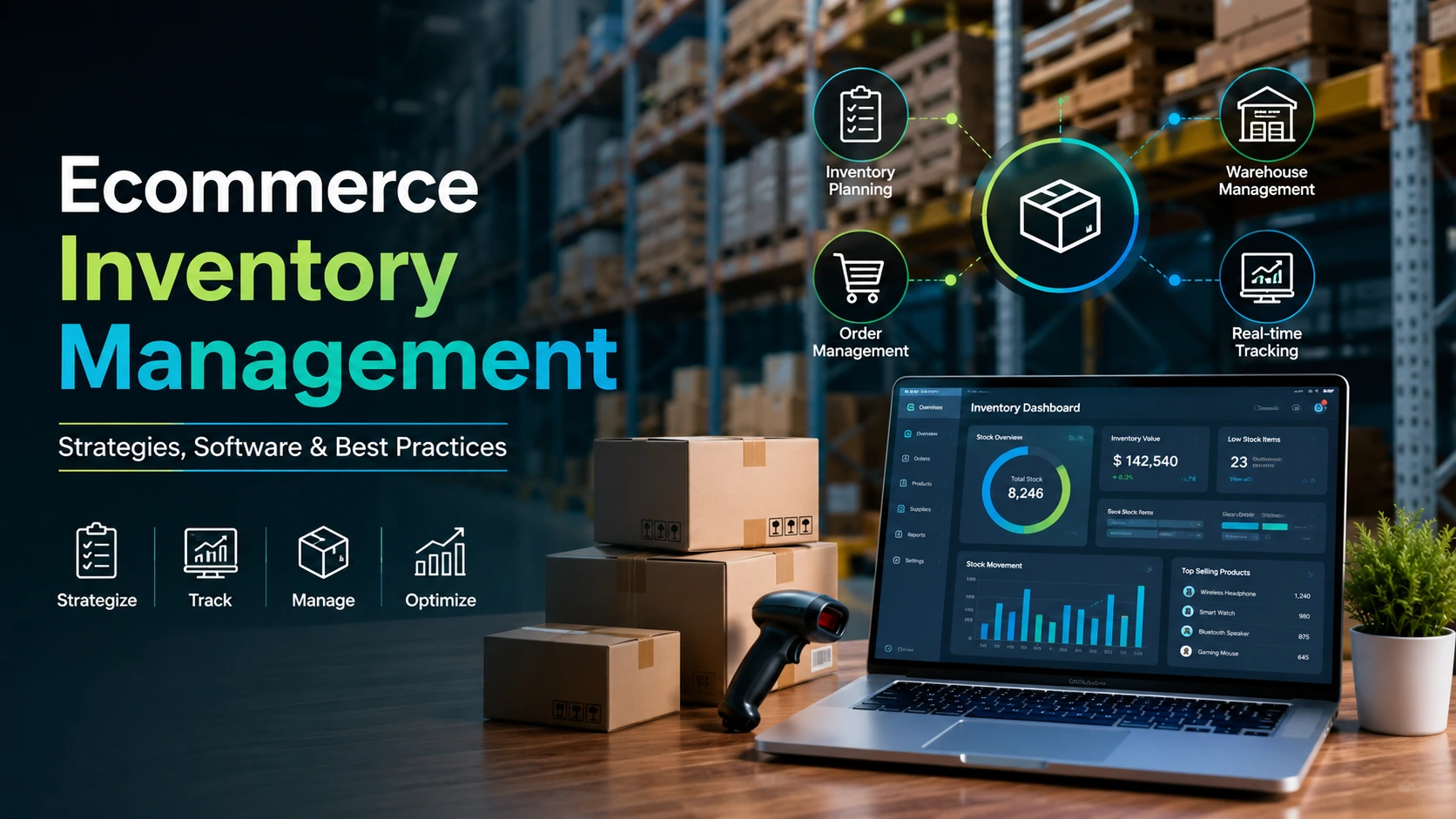
- What is ecommerce inventory management, exactly?
- Why ecommerce inventory management matters in 2026
- Common ecommerce inventory challenges
- Ecommerce inventory management strategies
- Inventory KPIs and metrics that actually matter
- The real cost of getting inventory wrong
- Multi-channel inventory management
- Not sure your stock is actually in sync across channels?
- Best ecommerce inventory management software for 2026
- Build vs buy: custom inventory system or off-the-shelf software
- Integrating inventory management with your ecommerce platform
- AI and predictive analytics in inventory management
- Common mistakes to avoid
- How to choose the right inventory management system
- How Elsner helps ecommerce brands get inventory right
- The bottom line
- Ready to fix stockouts and overselling for good?
- Frequently Asked Questions
- What is ecommerce inventory management?
- What is the best ecommerce inventory management software?
- How do you calculate a reorder point for ecommerce inventory?
- Should a growing ecommerce brand build a custom inventory system or buy software?
- How does multi-channel inventory sync work?
- What KPIs matter most for ecommerce inventory management?
- How often should an ecommerce business do a stock audit?
- Can small ecommerce stores manage inventory with spreadsheets?
Running an online store without a real inventory system is a bit like driving at night with the headlights off. You might get where you’re going, but you won’t see the pothole until you’re already in it. That pothole, for most ecommerce brands, shows up as a stockout on a bestseller during a sale, or a warehouse full of stock nobody wants three months later.
This guide walks through what ecommerce inventory management actually involves, the strategies and formulas that keep stock under control, the software options worth considering in 2026, and the platform-level integration work that most guides skip entirely. If you sell on Shopify, WooCommerce, Magento, or run operations through Odoo, the later sections get specific about what actually breaks and how to fix it.
Quick Answer
Ecommerce inventory management is the organized process of sourcing, tracking, storing, and syncing stock across every channel a business sells on, so products stay available without tying up more cash than necessary. Done well, it prevents overselling, reduces storage costs, and feeds accurate data into forecasting, accounting, and fulfillment. Done poorly, it is one of the fastest ways to lose customers and margin at the same time.
What is ecommerce inventory management, exactly?
Ecommerce inventory management is the structured process of sourcing, storing, tracking, and syncing stock across every channel where a business sells products online. It covers everything from forecasting demand and setting reorder points to reconciling what’s physically on a shelf with what a system says should be there.
Unlike traditional retail inventory, ecommerce inventory has to account for multiple sales channels at once. A single SKU might sell on a Shopify store, an Amazon listing, a wholesale portal, and a physical location, all pulling from the same stock pool. If those channels don’t talk to each other in real time, you either oversell a product you don’t have, or you sit on stock that one channel could have sold while another channel shows it as unavailable.
Most inventory advice online reads like it was written for a business that only sells through one channel and never touches a spreadsheet error. Real ecommerce operations are messier than that. Suppliers run late, marketing launches a flash sale nobody warned the warehouse about, and a product can go viral and sell out in an hour. The businesses that handle this well aren’t the ones with zero problems. They’re the ones with a system that catches problems early enough to act on them.
The three questions inventory has to answer, at any moment
What do we have. Where is it. How long will it last at the current sales pace. Miss any one of those answers, and the rest of the business, from marketing spend to customer service, starts making decisions on bad data.
Why ecommerce inventory management matters in 2026
Inventory sitting in a warehouse is cash that isn’t doing anything else. For most online stores, inventory ties up more working capital than any other line item, and every day it sits unsold is a day that money can’t be used for marketing, hiring, or product development. On the flip side, running too lean means missing sales the moment demand ticks up.
The stakes have gotten higher, not lower, heading into 2026. Ecommerce is now a $6.88 trillion global market, which means even small inventory inefficiencies compound across a much bigger base of transactions than they did a few years ago. Customers expect same-day accuracy on stock status, and a single “out of stock” message at checkout is often enough to send a shopper straight to a competitor’s site.
Here’s the part that doesn’t get said enough: most stockouts aren’t caused by suppliers running out of raw materials. They’re caused by a business not knowing, in real time, exactly how much stock it has left and how fast it’s moving. That’s a data problem before it’s a supply chain problem, and data problems are fixable. Getting the foundation right, starting with a properly structured ecommerce development setup that supports real-time stock data, makes every downstream inventory decision easier.
Common ecommerce inventory challenges
Every growing ecommerce business runs into some version of these problems. Recognizing which one is hurting you most is usually the first real step toward fixing it.
Overselling across channels. When stock isn’t synced in real time, two channels can sell the last unit of the same product within minutes of each other. One customer gets a confirmed order that can never be fulfilled, and that’s a refund, an apology email, and often a lost customer.
Inaccurate demand forecasting. Spreadsheet-based forecasting usually looks backward at last month’s sales and calls it a plan. It ignores seasonality, marketing calendars, and the fact that a TikTok mention last week just tripled demand for one SKU overnight.
Dead stock and overstocking. Ordering too much of a slow mover ties up capital that should be funding your bestsellers. It’s a quiet problem. Nobody notices it building up until a warehouse audit turns up pallets of stock that haven’t moved in six months.
Manual reconciliation errors. Spreadsheets and manual counts introduce human error at a rate that scales badly. A 2% counting error on 500 SKUs is a rounding issue. The same 2% error on 15,000 SKUs across three warehouses is a real financial problem.
Fragmented systems that don’t talk to each other. Order management, accounting, warehouse operations, and the storefront often run on separate tools that were never designed to sync automatically. That gap is where stock counts quietly drift out of accuracy, usually without anyone noticing until a customer complains.
Seasonal and peak-season demand swings. Black Friday, holiday shopping, and category-specific peaks like swimwear in early summer create demand spikes that a standard reorder point formula won’t catch on its own. A business that sizes its safety stock for an average month gets caught flat-footed the moment that month stops being average. Handling this well usually means building a separate seasonal forecast layered on top of the baseline model, not just scaling last year’s numbers up by a guess.
Not planning for returns as inventory events. A returned item doesn’t automatically become sellable stock again the moment it arrives back at the warehouse. It needs an inspection step before it re-enters available inventory, and skipping that step is how damaged or incomplete returns end up shipped right back out to the next customer.
Ecommerce inventory management strategies
Strategy matters more than software here. The right tool applied to the wrong strategy still produces bad outcomes. Here are the approaches that actually move the needle, along with the math behind them, since most guides mention these formulas without ever showing a worked example.
FIFO (First In, First Out). Older stock ships before newer stock. This matters most for perishables, seasonal goods, and anything with an expiration date or style cycle, since it prevents older inventory from aging into unsellable dead stock.
Just-in-Time (JIT) inventory. Stock arrives close to when it’s needed rather than sitting in a warehouse for months. It reduces carrying costs significantly, but it also raises risk if a supplier has a delay. JIT works best when you have reliable suppliers and predictable demand, not when you’re still figuring out your sales patterns.
ABC analysis. Not every SKU deserves the same attention. ABC analysis splits inventory into three tiers: A-items (roughly 20% of SKUs generating 80% of revenue), B-items (moderate value and volume), and C-items (low value, often high volume, low priority). Most businesses over-manage their C-items and under-manage their A-items. Flip that, and forecasting accuracy improves fast.
Safety stock and reorder point. Safety stock is the buffer you keep on hand to absorb demand spikes or supplier delays. Reorder point is the stock level that triggers a new purchase order.
Worked example
A store sells 20 units a day of its top product. The supplier takes 10 days to deliver a new batch. The business wants 50 units of safety stock to cover unexpected demand spikes. Reorder Point = (Average Daily Sales × Lead Time in Days) + Safety Stock, so Reorder Point = (20 × 10) + 50 = 250 units. The moment stock hits 250 units, a new purchase order should go out automatically, not after someone notices the shelf looking thin.
Economic Order Quantity (EOQ). EOQ calculates the order size that minimizes total inventory cost, balancing ordering costs against holding costs. The formula is EOQ = square root of ((2 × annual demand × order cost) / holding cost per unit). If annual demand is 7,300 units, order cost is $50 per order, and holding cost is $2 per unit per year, EOQ works out to roughly 603 units per order. Ordering in smaller batches racks up excessive ordering fees. Ordering in larger batches ties up cash in holding costs you didn’t need to spend.
Dropshipping and hybrid fulfillment. Some SKUs, especially slow movers or oversized items, make more sense to dropship than to stock. A hybrid model, where core bestsellers are held in-house and long-tail items are dropshipped, often produces better margins than an all-or-nothing approach.
Cross-docking. Cross-docking moves stock directly from an inbound shipment to an outbound one, skipping long-term storage almost entirely. It works well for fast-moving, high-turnover products where holding cost outweighs the risk of a short supply gap.
Consignment inventory. Under a consignment model, a supplier keeps ownership of stock until it actually sells, which frees up the retailer’s cash but shifts more forecasting responsibility onto the supplier relationship. It’s common in jewelry, art, and specialty goods, where unit costs are high and demand is harder to predict.
Inventory KPIs and metrics that actually matter
Tracking every possible number is a waste of time. These five tell you almost everything you need to know about inventory health, and they connect directly to the broader ecommerce metrics a growing brand should already be watching.
| KPI | What it tells you | Healthy benchmark |
|---|---|---|
| Inventory Turnover Ratio | How many times stock sells and gets replaced over a period | 4 to 8 times a year for most categories |
| Sell-Through Rate | Percentage of stock sold versus received in a given period | Above 80% within a normal sales cycle |
| Stockout Rate | Frequency of “unavailable” states on active SKUs | Under 2% of total SKU-days |
| Carrying Cost Percentage | Cost of holding inventory as a share of its total value | 15% to 30% annually, lower is better |
| Order Accuracy Rate | Orders shipped correctly on the first attempt | Above 99% |
Carrying cost is the one most businesses underestimate. It isn’t just warehouse rent. It includes insurance, shrinkage, obsolescence, and the opportunity cost of cash tied up in stock instead of growth. When that number creeps past 30%, it’s usually a sign that too much capital is parked in slow-moving SKUs.
The real cost of getting inventory wrong
It’s easy to think of inventory problems as an operations headache. They’re actually a revenue and margin problem wearing an operations costume. Every stockout on a popular item, every dead-stock write-off, and every manual reconciliation hour has a dollar figure attached, even when nobody’s tracking it that way.
| Problem | Where the cost hides | Typical impact |
|---|---|---|
| Stockouts on bestsellers | Lost sale plus lost customer lifetime value | A repeat customer lost is often worth more than the missed order |
| Overstocked slow movers | Warehouse space, insurance, eventual markdown or write-off | Carrying cost alone can run 15% to 30% of stock value per year |
| Manual reconciliation | Staff hours spent counting and correcting instead of growing the business | Scales badly, since error rate rises with SKU count |
| Overselling and refunds | Refund processing, customer service time, and damaged trust | Often shows up later as a lower repeat purchase rate |
The hardest cost to quantify is also the most important one: trust. A customer who orders a product, waits for a shipping confirmation, and then gets an apology email instead usually doesn’t complain loudly. They just don’t come back, and they don’t tell you why. That’s the kind of leak that never shows up on a spreadsheet until someone connects inventory accuracy to repeat purchase data through proper business intelligence reporting, at which point the pattern is usually obvious in hindsight.
Multi-channel inventory management
Selling on more than one channel multiplies revenue potential, but it also multiplies the ways inventory data can go wrong. A product listed on a Shopify store, an Amazon marketplace, and a wholesale portal needs one single source of truth for stock levels, not three separate counts that someone reconciles manually at the end of the week.
Real-time sync works through APIs or a middleware layer that updates every connected channel within seconds of a sale. Sell one unit on Amazon, and the Shopify listing should reflect that immediately, not after a batch job runs overnight. Brands running a proper Shopify development setup usually have an easier time here, since Shopify’s API infrastructure supports near-instant webhook-based stock updates when it’s configured correctly.
The other piece people miss is buffer stock allocation across channels. If you have 100 units and three channels, splitting evenly isn’t usually the right call. High-converting channels should get priority allocation, with a shared buffer pool that dynamically shifts stock to wherever demand is strongest that week.
Not sure your stock is actually in sync across channels?
Elsner can audit your current Shopify, WooCommerce, Magento, or Odoo setup and flag exactly where stock data drifts out of accuracy.
Best ecommerce inventory management software for 2026
There’s no single “best” platform here. The right choice depends on order volume, number of sales channels, whether you need manufacturing or bill-of-materials support, and how deeply inventory needs to tie into accounting.
| Software | Best for | Standout feature |
|---|---|---|
| Zoho Inventory | Small to mid-sized stores on a budget | Tight integration with Zoho Books and Zoho CRM |
| Cin7 | Growing multi-channel sellers | Strong warehouse and manufacturing support |
| Linnworks | Brands prioritizing demand forecasting | Multichannel listing plus forecasting in one place |
| Katana | Manufacturers and made-to-order brands | Live production and raw material tracking |
| Odoo Inventory | Businesses wanting inventory unified with accounting and CRM | Open-source flexibility and modular add-ons |
| Brightpearl | Mid-market retailers needing retail POS plus inventory | Combines order management, accounting, and inventory |
| SkuVault | Multi-warehouse operations | Barcode-driven accuracy across locations |
Worth flagging: a lot of “best software” roundups rank tools mainly on feature count. Feature count matters less than whether the tool fits your existing tech stack. A brand already running Odoo for accounting and purchasing usually gets more value from Odoo’s native inventory module, especially with the growing library of specialized Odoo apps built for specific business workflows, than from bolting on a completely separate inventory platform that needs its own integration work.
Free tools and spreadsheet-based tracking work for the first few hundred orders a month. Past that point, the manual reconciliation time alone usually costs more than a paid tool’s monthly fee. Several platforms also price by order volume rather than by feature set, which means a fast-growing brand can outgrow its starting tier within a year even without adding a single new sales channel.
Build vs buy: custom inventory system or off-the-shelf software
Most brands should start with existing software. It’s cheaper, faster to deploy, and battle-tested across thousands of businesses. But there’s a point where off-the-shelf tools stop fitting, and that point comes up more often than software vendors like to admit.
Custom builds start making sense when a business has an unusual sales model that standard platforms weren’t designed around, needs inventory logic tied to proprietary pricing or allocation rules, or has outgrown what a general-purpose tool can handle at scale. A brand doing complex kitting, custom manufacturing runs, or B2B pricing tiers tied to inventory availability often finds that off-the-shelf software forces awkward workarounds instead of solving the actual problem. That’s usually the point worth reading our breakdown of SaaS versus custom ecommerce before committing budget either way.
A practical rule of thumb
If your team spends more time working around a software limitation than using the software itself, that’s the signal to evaluate a custom build, not another plugin.
The cost conversation isn’t as simple as “custom is expensive, software is cheap.” Off-the-shelf tools carry ongoing subscription costs that scale with order volume and user seats, and those costs compound for years. A custom system has a higher upfront cost but no recurring license fee, and it can be built to match a workflow exactly instead of the workflow bending to fit the tool. For businesses already investing in custom software development elsewhere in their operations, folding inventory logic into that same system often removes an entire layer of integration headaches.
Integrating inventory management with your ecommerce platform
This is the part most inventory guides skip entirely, and it’s usually where projects actually go wrong. Picking software is the easy part. Making it talk correctly to your storefront, warehouse, and accounting system is where the real work happens.
Shopify
Shopify’s Admin API and webhook system support near-instant inventory updates, but only if webhook retry logic and rate limits are handled correctly. A common failure point: webhooks silently drop during high-traffic events like flash sales, and stock counts drift out of sync exactly when accuracy matters most. Building this correctly through proper Shopify development means adding fallback reconciliation jobs that catch what webhooks miss.
WooCommerce
WooCommerce’s inventory sync usually runs through plugins rather than a native API-first structure. That works fine at lower order volumes, but plugin-based sync tends to slow down badly once a store crosses a few thousand SKUs, since many plugins weren’t built for that scale. A custom development approach, using direct database-level hooks instead of relying purely on plugin polling intervals, keeps stock counts accurate without the lag.
Magento (Adobe Commerce)
Magento’s multi-source inventory (MSI) module is genuinely strong for brands running multiple warehouses, but it needs to be configured correctly from day one. Retrofitting MSI onto a store that’s already live with a single-source setup is possible, but it’s a bigger project than most businesses expect. Getting this right through proper Magento development from the start avoids a costly migration later.
Odoo
Odoo’s advantage is that inventory, purchasing, accounting, and manufacturing already share one database, so there’s no sync lag between modules in the first place. The tradeoff is that Odoo implementations need careful configuration of warehouse routes and reordering rules, or the automation that makes Odoo valuable never actually gets switched on.
Across all four platforms, the same failure pattern shows up again and again: businesses assume the integration is a one-time setup task, when it’s actually an ongoing piece of infrastructure that needs monitoring, especially around peak sales periods when API call volume spikes and rate limits get tested hardest.
Weeks 1 to 2
Audit every sales channel and identify exactly where stock counts currently drift out of sync.
Weeks 3 to 6
Fix the highest-impact integration gap first, usually webhook reliability or plugin polling delays, before touching anything else.
Weeks 7 to 10
Set up reorder points and safety stock formulas per SKU tier instead of one flat rule for the whole catalog.
Weeks 11 to 13
Run a full cycle count to confirm system accuracy, then set a recurring audit schedule going forward.
AI and predictive analytics in inventory management
AI-driven forecasting has moved from a nice-to-have to a genuine competitive advantage heading into 2026. The shift is from looking backward at last quarter’s sales to modeling forward, factoring in seasonality, marketing calendars, weather patterns for certain categories, and even social media signal spikes.
Machine learning models trained on historical sales, browsing behavior, and external signals can flag a demand spike days before it shows up in raw sales numbers, giving purchasing teams enough lead time to actually act instead of reacting after the fact. This connects closely to broader predictive analytics in business work, since inventory forecasting is really just demand forecasting applied to a physical constraint.
Practically, this shows up as dynamic reorder points that adjust automatically instead of sitting on a fixed number someone set six months ago, anomaly detection that flags when a SKU’s sales pattern breaks from its normal curve, and automated purchase order suggestions that a buyer approves rather than calculates manually. None of this replaces human judgment. It just removes the guesswork from the parts of the job that shouldn’t require guessing in the first place.
Adoption is uneven in practice. Larger retailers have run predictive forecasting for years, while a lot of mid-sized ecommerce brands are still deciding whether the investment is worth it. The honest answer is that it’s worth it once a business has enough sales history, usually 12 to 18 months of consistent data, for a model to actually learn something useful. Before that point, a well-tuned reorder point formula and a disciplined cycle count schedule will outperform a forecasting model that doesn’t have enough data to trust yet.
Common mistakes to avoid
Treating inventory as a launch-day task. A lot of stores set up their inventory system once, during the initial build, and never touch the configuration again. Stock accuracy needs the same ongoing attention as site uptime or page speed, not a one-time checkbox during a store launch.
Ignoring lead time variability. Reorder points built on a supplier’s best-case delivery time look fine on paper and fall apart the first time that supplier has a bad month. Build reorder points around realistic average lead time, not the fastest delivery you’ve ever gotten.
Overstocking based on gut feeling. “Just in case we sell more” is a reasonable instinct that, left unchecked, quietly turns working capital into dead stock sitting in a warehouse corner. Trust the reorder math over the anxiety.
Skipping regular stock audits. Cycle counts, done in small rotating batches rather than one massive annual count, catch discrepancies while they’re still small enough to fix quickly instead of compounding into a full inventory mismatch that takes a week to untangle.
Forgetting inventory during platform maintenance. Stock sync is one of the first things that breaks during a poorly planned migration, plugin update, or theme change. That’s exactly why an ongoing ecommerce website maintenance plan should explicitly include inventory system checks after every update, not just general uptime monitoring.
Relying on a single supplier with no backup plan. A single-source supply chain looks efficient right up until that one supplier has a bad quarter. Even a secondary supplier for your top five SKUs, priced slightly higher, is usually cheaper than the stockout it prevents.
How to choose the right inventory management system
Start with order volume and SKU count, since that alone rules out a good chunk of options. A store doing 200 orders a month doesn’t need the same tool as one doing 20,000. From there, work through these questions honestly:
- How many sales channels need to stay in sync, and how fast does that sync need to happen?
- Does the business need manufacturing or bill-of-materials support, or just straightforward buy-and-resell tracking?
- How deeply does inventory data need to connect with accounting and reporting?
- Is the current platform going to support the integration cleanly, or will it need development work first?
- What’s the realistic budget, factoring in both the software cost and the implementation time it will take to get it running correctly?
Skip the demo-driven decision. Almost every platform looks great in a 30-minute sales demo. Ask instead for a reference customer at a similar order volume and SKU count, and ask them specifically what broke in the first six months.
Team size matters more than most buying guides admit. A two-person operation needs something simple enough that nobody has to become a part-time systems administrator just to keep it running. A team with a dedicated ops hire can handle more configuration complexity in exchange for more control, which is usually where Cin7, Odoo, or a custom build start to make more sense than a lighter tool built for solo founders.
How Elsner helps ecommerce brands get inventory right
Elsner works on both sides of this problem: the software selection and the platform-level integration that actually makes it work in production. That combination matters, because a perfectly good inventory tool connected through a rushed integration still produces the same overselling and stock-drift problems as no system at all.
Our team has built inventory-connected storefronts across Shopify, WooCommerce, Magento, and Odoo, handling everything from real-time multi-warehouse sync to custom reorder automation tied into existing accounting workflows. Our ecommerce development team can review your current stack and tell you honestly where the gaps are.
The bottom line
Inventory management isn’t a back-office function you set up once and forget. It’s a live system that either protects your margins and customer trust, or quietly erodes both every single day it’s misconfigured. The strategies and formulas above give you the foundation. The software comparison narrows your options. But the integration work, the part that connects theory to your actual storefront, is usually what separates a system that works from one that just looks good in a spreadsheet. Start with an honest audit of where stock data breaks down today, since usually the answer is more specific than “we need better software.”
Ready to fix stockouts and overselling for good?
Elsner builds and integrates inventory systems that actually hold up during your busiest sales days, not just in a demo. Book a consultation and let’s map out what makes sense for your business.
Key takeaways
- Stockouts are usually a data problem before they’re a supply chain problem, since most businesses simply don’t know their real-time stock position.
- Reorder point and EOQ formulas only work when lead time and demand are based on realistic averages, not best-case assumptions.
- Multi-channel selling needs one single source of truth for stock, synced through APIs in real time, not reconciled manually at the end of the week.
- Most brands should buy proven software first. Custom builds make sense only once a specific workflow genuinely outgrows what off-the-shelf tools support.
- Picking software is the easy part. Platform-level integration, especially around webhook reliability and peak-season API limits, is where most projects actually break.
Frequently Asked Questions
What is ecommerce inventory management?
Ecommerce inventory management is the process of tracking, organizing, and controlling stock across every sales channel a business uses, including a website, marketplaces, and physical locations, so the right products are available at the right time without tying up excess cash.
What is the best ecommerce inventory management software?
There is no single best option for every business. Zoho Inventory and Katana suit small to mid-sized stores, Cin7 and Linnworks fit growing multi-channel sellers, and Odoo Inventory works well for brands that want inventory tied directly into accounting, purchasing, and manufacturing.
How do you calculate a reorder point for ecommerce inventory?
Reorder point equals average daily sales multiplied by lead time in days, plus safety stock. If you sell 20 units a day, your supplier takes 10 days to deliver, and you keep 50 units of safety stock, your reorder point is 250 units.
Should a growing ecommerce brand build a custom inventory system or buy software?
Most brands should start with proven software like Zoho Inventory, Cin7, or Odoo Inventory. A custom build only makes sense once off-the-shelf tools cannot support a specific workflow, an unusual sales model, or a scale of SKUs and orders that standard platforms were not built to handle.
How does multi-channel inventory sync work?
Multi-channel inventory sync uses APIs or a middleware layer to update stock counts across every connected channel, such as Shopify, Amazon, and a physical POS, within seconds of a sale, so no channel oversells a product that another channel already sold.
What KPIs matter most for ecommerce inventory management?
Inventory turnover ratio, sell-through rate, stockout rate, carrying cost percentage, and order accuracy rate are the five KPIs that most directly affect ecommerce profitability and customer experience.
How often should an ecommerce business do a stock audit?
Most growing ecommerce brands are better off with rotating cycle counts, checking a portion of SKUs weekly or biweekly, rather than one large annual count, since cycle counts catch discrepancies while they are still small and easy to fix.
Can small ecommerce stores manage inventory with spreadsheets?
Spreadsheets can work for the first few hundred orders a month on a single sales channel. Past that volume, or once a second sales channel is added, manual reconciliation time and error rates usually cost more than a basic paid inventory tool.