- What Is an AI Agent Platform?
- AI Agent Platform vs AI Agent Framework
- AI Agent Platform vs AI Agent Builder
- AI Agent Platform vs Custom AI Agent Development
- Types of AI Agent Platforms in 2026
- No-Code and Low-Code Agent Platforms
- Developer-First Agent Frameworks and Platforms
- Enterprise Agent Platforms
- Custom Agent Platforms
- Best AI Agent Platforms in 2026
- AI Agent Platform Comparison: What Actually Matters?
- Integration Capability
- Model Flexibility
- Governance and Permissions
- Observability and Evaluation
- Human-in-the-Loop Controls
- Deployment Options
- Total Cost of Ownership
- No-Code vs Low-Code vs Developer-First vs Enterprise AI Agent Platforms
- How to Choose an AI Agent Platform for Your Business
- What Workflow Are You Automating?
- What Systems Does the Agent Need to Access?
- What Actions Can the Agent Take?
- How Much Control Do You Need?
- Who Will Maintain the Agent?
- AI Agent Platform Security and Governance Checklist
- How Much Do AI Agent Platforms Cost in 2026?
- Subscription Pricing
- Usage-Based Pricing
- Enterprise Pricing
- API and Infrastructure Costs
- Custom Development Costs
- When Is an AI Agent Platform Enough?
- When Should You Build a Custom AI Agent Instead?
- Platform vs Custom AI Agent
- AI Agent Platform vs Custom Development: A Practical Decision Framework
- How to Move From AI Agent Prototype to Production
- Common Mistakes When Choosing an AI Agent Platform
- Which AI Agent Platform Is Right for Your Business?
- Key Takeaways
- Frequently Asked Questions
- What is an AI agent platform?
- What are the best AI agent platforms in 2026?
- What is the difference between an AI agent platform and an AI agent framework?
- How do I choose an AI agent platform for my business?
- How much do AI agent platforms cost?
- Are AI agent platforms secure for enterprise use?
- When should a business choose custom AI agent development instead of a platform?
- Can AI agent platforms integrate with CRM and ERP systems?
Quick Answer
An AI agent platform is software that lets a business build, connect, deploy, and govern AI agents that take real actions inside its systems, not just answer questions. There is no single best platform in 2026. The right choice depends on your workflow, the systems the agent must touch, and how much governance and long-term ownership you need.
Four checks before you shortlist any platform
- Integration depth: can the agent read and write your actual CRM, ERP, or database, not just show a connector in a list?
- Governance: role-based access, approval steps, and audit logs you can actually query.
- Total cost: license plus usage, model fees, integration, implementation, and maintenance.
- Ownership: who maintains prompts, permissions, and monitoring six months after launch?
Short version: if the workflow is standard and the connectors already exist, start with a platform. If the logic is proprietary, many systems must work together, or data boundaries are strict, look at custom development. This guide gives you the framework to decide.
There are now AI agent platforms built for no-code teams, developers, enterprise IT departments, CRM ecosystems, and fully custom AI applications. Honestly, the hard part in 2026 isn’t finding one. A search takes ten seconds.
The tricky part is identifying a platform that is capable of handling your real business data, implementing deliberate actions within the set of systems that your business relies upon, adhering to the permissions mandated by your compliance team, and remaining sustainable a year down the line, not simply impressive a year down the line.
This guide lays out exactly what an AI agent platform is and isn’t, how the categories compare, what to look for before you purchase one, and when building your own makes more sense. Forget the generic top-ten list here; this is a realistic decision system.
What Is an AI Agent Platform?
Definition
An AI agent platform is software that enables a company to build, integrate, deploy, and manage an AI agent that, upon receiving a request and making a decision, may perform a task by accessing tools or APIs within constrained permissions and supervision rather than just answering questions, like a conversational AI chatbot.
In reality, most platforms bundle a similar set of functionality, despite branding it differently. Here is what there is generally:
|
Agent builder A way to create and configure an agent. |
Model access A means of linking it to one or more language models. |
|
Tool and API integrations A mechanism to open up tool or API integrations so it is able to perform. |
Workflow orchestration Some form of workflow orchestration. |
|
Memory and state Memory or state management to remember context in between steps. |
Deployment and monitoring Deployment management and monitoring features. |
|
Governance controls Governance controls to determine ‘what can be approved’ by whom. |
|
That last part, governance, is where most platforms still fail. A bot that can read a CRM record is a nice-to-have. A bot that can delete, update, or send an email on your behalf is a business decision, and the platform has to approach it as such.
AI Agent Platform vs AI Agent Framework
|
Framework A developer kit, not a finished product LangGraph, CrewAI, OpenAI Agents SDK, Google ADK, Microsoft Agent Framework
|
Platform A finished product Salesforce Agentforce, for example
|
This distinction matters more than most comparison articles admit. Calling LangGraph or CrewAI a SaaS platform and putting it next to Salesforce Agentforce in a feature table is comparing a set of power tools to a finished house. Both are valid; they just solve different problems for different teams.
AI Agent Platform vs AI Agent Builder
|
Agent builder Scoped to a single agent
|
Platform The wider environment around the agent
|
Some products blur the line on purpose, since builder is an easier sell than platform, but the practical test is simple. The 2 a.m. test: ask whether the product still helps you once the agent is live and something breaks at 2 a.m. A builder usually stops helping at that point. A platform keeps going.
AI Agent Platform vs Custom AI Agent Development
|
Platform Wins on speed
Matters when a business just needs to prove value quickly. |
Custom development Wins on control
|
Custom development trades some of that speed for control. It’s a real trade-off, not a case of one option being better. We cover the full breakdown of when each path makes sense in the AI agent development services section below, once we’ve walked through the platform categories.
Types of AI Agent Platforms in 2026
Not every product in this space is solving the same problem, and treating them as interchangeable is where a lot of buying decisions go wrong. Before comparing individual vendors, it helps to know which shelf they’re actually sitting on.
|
1
|
Fastest to launch No-Code and Low-Code Agent Platforms |
- Built for speed: prebuilt connector templates, a visual builder, and a workflow that can be live in hours rather than weeks.
- Zapier and Make: Zapier remains ahead in the number of connectors, while Make is excellent for visual branching.
- n8n: has leapfrogged ahead of Zapier for AI agent capability, offering native agent nodes, LangChain integration, and vector memory support. That’s why teams doing serious agentic work are increasingly turning to n8n in place of Zapier’s more superficial AI integrations.
Watch out: the trade-offs show up once workflows become complex. Extensive custom logic, atypical data models, or strict rules-based governance tend to push these tools beyond their limits.
|
2
|
Most control for engineers Developer-First Agent Frameworks and Platforms |
- Mostly frameworks: most of these are frameworks or SDKs rather than finished platforms.
- LangGraph: the choice when you need checkpointed state and durable execution for production-grade reliability.
- CrewAI: its role-based, YAML-friendly structure tends to get teams from prototype to something usable the fastest.
- Google ADK 2.0: added multi-language support (Python, Go, TypeScript), which matters for polyglot engineering teams.
- Microsoft Agent Framework: the recommended path for teams migrating off AutoGen, which is now in maintenance mode.
Watch out: none of these arrive with a governance console, so that layer is on you to build or buy separately.
|
3
|
Governance and scale first Enterprise Agent Platforms |
These platforms are built around governance and scale first, features second.
- Copilot Studio: its 2026 updates leaned hard into governance. Agent 365 now acts as a control layer across Microsoft’s own agents and third-party ones, with governance agents that flag risky permissions before an agent even ships.
- Agentforce: the Einstein Trust Layer handles data masking, toxicity filtering, and zero-retention policies, and it reads and writes Salesforce data natively.
- Bedrock AgentCore: has matured mainly on the operations side in 2026, with unified observability that puts traces and logs in a single log group per agent. That sounds unglamorous until you’re the one debugging a failed tool call at midnight.
Watch out: native Salesforce data access is a real advantage if your business already runs on Salesforce and a real limitation if it doesn’t.
|
4
|
Fully yours Custom Agent Platforms |
Some organizations build their own internal agent architecture instead of adopting a commercial one:
- A proprietary orchestration layer
- A specialized platform tuned to one industry’s compliance needs
- A business automation environment that simply has no off-the-shelf equivalent
Right when: this isn’t the default path for most businesses, but it’s the right one when the workflow, data sensitivity, or integration complexity genuinely doesn’t fit anything on the market.
Best AI Agent Platforms in 2026
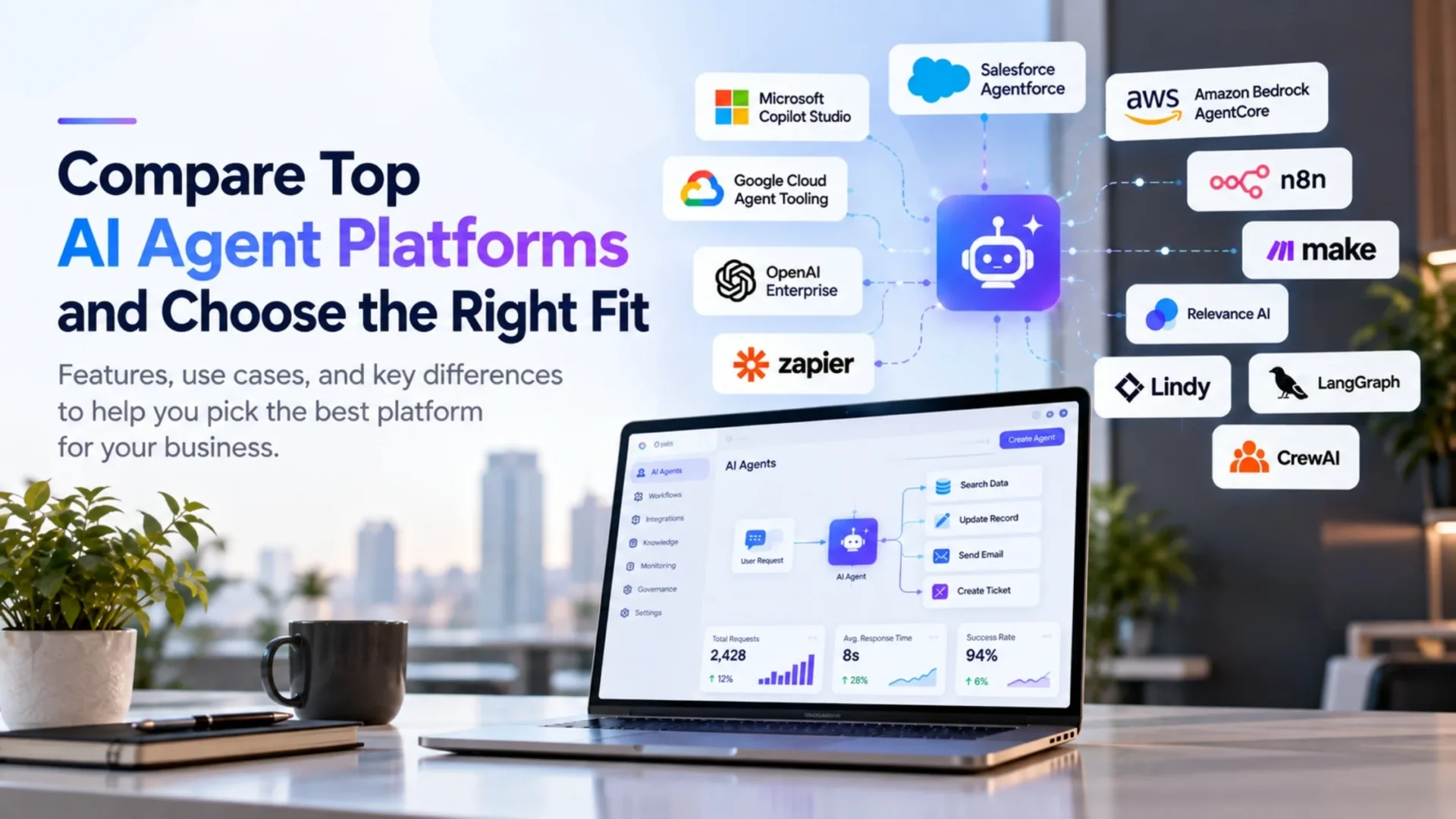
There’s no single best AI agent platform in 2026, and any article that hands you one without asking about your workflow first is skipping a step. What follows is a comparison across categories, not a ranked list, because a no-code tool and an enterprise governance platform aren’t competing for the same job.
| Platform | Category | Strongest for | Watch out for |
| Microsoft Copilot Studio | Enterprise | Microsoft 365 shops, cross-agent governance via Agent 365 | Governance depth adds admin overhead |
| Salesforce Agentforce | Enterprise | Salesforce-native CRM automation with built-in Trust Layer | Data outside Salesforce needs extra integration work |
| AWS Bedrock AgentCore | Enterprise / developer | AWS-native workloads needing runtime observability | Requires AWS platform expertise to operate well |
| Google Cloud agent tooling | Enterprise / developer | Teams already standardized on Google Cloud and Vertex AI | Smaller third-party ecosystem than AWS or Azure |
| OpenAI enterprise agent tools | Enterprise / developer | Fast model access and frontier reasoning quality | Governance and admin tooling is less mature than the CRM giants |
| n8n | Low-code / developer hybrid | Teams that want AI agent nodes with self-hosting and cost control | Steeper learning curve than pure no-code tools |
| Make | Low-code | Visual, branching workflows for operations teams | AI agent capability still behind n8n |
| Zapier | No-code | Non-technical teams needing the broadest connector library | Limited native agent reasoning and memory |
| Relevance AI / Lindy | No-code agent builders | Fast agent creation without engineering resources | Depth of governance varies; check current documentation |
| LangGraph | Developer framework | Stateful, production-grade agent logic with checkpointing | You are building the governance layer yourself |
| CrewAI | Developer framework | Role-based multi-agent teams, fastest prototype to usable build | Debugging multi-agent handoffs can get opaque at scale |
AI Agent Platform Comparison: What Actually Matters?
This is the section worth reading twice before you sign anything. Feature checklists are easy to game. These seven criteria are harder to fake, and they’re the ones that actually determine whether an agent survives contact with production.
|
1
|
Integration CapabilityA platform claiming hundreds of integrations tells you almost nothing on its own. The real question is narrower: can the agent actually read and write the specific systems your business runs on: your CRM, ERP, HRMS, ecommerce platform, or internal database, not just a generic connector that pulls surface-level data? MCP (Model Context Protocol) support is increasingly the differentiator here, since it standardizes how an agent discovers and calls tools rather than relying on brittle, one-off API wrappers. |
|
2
|
Model FlexibilitySome platforms lock you into one model family. Others support model routing, letting you send simple tasks to a cheaper model and complex reasoning to a stronger one, or switch providers entirely if pricing or performance shifts. Vendor dependency here isn’t just a cost question; it’s an operational risk if a provider changes terms or deprecates a model you’re relying on. |
|
3
|
Governance and PermissionsRole-based access control, least-privilege defaults, approval workflows, audit logs, and a clear sense of agent identity (which agent did what, on whose behalf) separate a demo-ready product from a production-ready one. If a vendor can’t show you an audit trail for a specific agent action during a sales call, that’s worth noting. |
|
4
|
Observability and EvaluationCan the platform trace individual tool calls, measure failure rates, reproduce a failure after the fact, and monitor cost per interaction, not just uptime? AWS leaned into this hard with AgentCore’s 2026 observability update, which now delivers traces and logs to a single log group per agent instead of scattering them across destinations. That kind of detail sounds small until you’re the one trying to figure out why an agent silently stopped updating records three days ago. |
|
5
|
Human-in-the-Loop ControlsFull autonomy isn’t automatically the goal. The more useful question is whether the platform lets you define, clearly, when an agent should act on its own, when it should ask for approval first, when it should escalate to a person, and when it should simply stop. A platform with no meaningful pause button is a liability the moment an agent touches financial data or customer communication. |
|
6
|
Deployment OptionsSaaS, cloud, private cloud, self-hosted, hybrid, and (where genuinely supported) on-premises all carry different implications for data residency and compliance. n8n’s self-hosted community edition, for instance, appeals specifically to teams that want AI agent capability without sending workflow data through a third party’s cloud by default. |
|
7
|
Total Cost of OwnershipThe subscription price is rarely the real number. Add usage or credit costs, model or API fees, integration work, implementation, ongoing monitoring, and the internal engineering time nobody budgets for upfront. Salesforce’s Agentforce is a useful cautionary example here: published pricing starts around $0.10 per action or $125 to $550 per user per month depending on the model, but multiple independent analyses put realistic year-one costs for mid-market deployments at $150,000 to $600,000 once Data Cloud, implementation, and governance work are stacked in. That’s not a criticism of Agentforce specifically; it’s a reminder that headline pricing and total cost are two different conversations. |
No-Code vs Low-Code vs Developer-First vs Enterprise AI Agent Platforms
Here’s a scannable way to see how the four categories trade off against each other. None of these scores are arbitrary; they reflect the documented capabilities discussed above, not a marketing scorecard.
| Dimension | No-code | Low-code | Developer-first | Enterprise |
| Speed to prototype | Fastest | Fast | Moderate | Slow to moderate |
| Customization depth | Limited | Moderate | High | High, within vendor’s model |
| Complex integrations | Weak | Moderate | Strong | Strong, but vendor-scoped |
| Governance maturity | Basic | Basic to moderate | You build it | Built in, often strongest |
| Engineering effort required | Minimal | Low | High | Moderate, implementation-heavy |
| Long-term architectural control | Low | Low to moderate | High | Moderate, vendor-dependent |
How to Choose an AI Agent Platform for Your Business
This is the buyer framework. Work through it in order, and the right category tends to become obvious before you even open a vendor’s pricing page.
Question 1
What Workflow Are You Automating?
Lead qualification, customer support, procurement, finance approvals, document processing, sales operations, inventory checks, internal knowledge lookup, HR requests – these workflows carry very different risk profiles.
|
Lower risk A support agent answering FAQ questions |
Higher risk A finance agent approving payments |
These are not the same evaluation exercise, even if both get called an agent.
Question 2
What Systems Does the Agent Need to Access?
List out the specific systems: CRM, ERP, ecommerce, internal databases, email, support desks, proprietary applications.
Then check, honestly, whether the platform you’re evaluating has a real connector for each one, or whether you’d be building custom middleware to make it work.
Question 3
What Actions Can the Agent Take?
There’s a meaningful difference between:
|
Reads data An agent that reads data |
Drafts for approval One that drafts a response for a human to approve |
Acts on its own One that can create, update, delete, send, or approve something on its own |
The higher the business risk of the action, the stronger the controls need to be, and the more seriously you should weigh a platform’s governance depth over its feature count.
Question 4
How Much Control Do You Need?
Any of these push you toward developer-first tools or custom development:
- Custom business logic
- Advanced multi-agent orchestration
- A custom interface
- Unusually strict data boundaries
Off-the-shelf platforms are, by design, built for common patterns.
Question 5
Who Will Maintain the Agent?
Someone has to own, after launch:
|
|
This is the question teams skip most often, and it’s the one that determines whether an agent is still running (and trusted) six months after the demo.
AI Agent Platform Security and Governance Checklist
Before you commit to a platform, walk through this list with the vendor directly, and ask for documentation, not just a verbal assurance:
| ✓ Data privacy practices and where data actually resides | ✓ Authentication and authorization models, including how the platform distinguishes a human user from an agent acting on that user’s behalf |
| ✓ A defined agent identity with its own action history | ✓ Least-privilege defaults rather than broad access granted by convenience |
| ✓ Audit trails that are queryable, not just stored somewhere | ✓ Encryption in transit and at rest |
| ✓ Data residency options if you operate under regional compliance requirements | ✓ A documented approach to human approval for higher-risk actions |
| ✓ Real monitoring, and an actual incident response process, not a one-line mention in the terms of service | |
One important caveat: verify every vendor-specific security or compliance claim against that vendor’s own current documentation before you rely on it. Marketing pages and sales decks age quickly in this space, sometimes within a single product release. For a neutral benchmark of what good AI risk management looks like, keep the NIST AI Risk Management Framework open alongside the vendor’s documentation. It organizes the work into four functions: govern, map, measure, and manage.
How Much Do AI Agent Platforms Cost in 2026?
There’s no honest single number here, so treat any article that gives you one “average AI agent platform cost” with some suspicion. What’s more useful is understanding the pricing models you’ll actually encounter.
Subscription PricingPriced per user, per workspace, or per plan tier. Predictable, but it can undercount usage-heavy deployments. |
Usage-Based PricingCredits, tasks, runs, actions, or token consumption. Agentforce’s Flex Credits model is a good example:
More actions mean more credits burned per interaction. |
Enterprise PricingCustom contracts, usually quote-based, and usually tied to a minimum edition or platform tier. Agentforce, for instance, requires Salesforce Enterprise Edition at a minimum before you can even license the AI layer on top. |
API and Infrastructure CostsCommon with developer-first implementations: model API fees, compute, and infrastructure billed separately from any platform license. |
Custom Development CostsImplementation plus ongoing maintenance, usually the largest upfront number but sometimes the better three-year economics for a genuinely specific use case. |
|
A useful mental formula, regardless of vendor
Platform license + usage + model or API cost + integration work + implementation + monitoring + maintenance + the internal engineering time it actually takes to keep the thing running
The cheapest subscription on the page is not automatically the cheapest system once all of that gets added up, and several independent cost breakdowns of Agentforce deployments found real year-one spend landing at three to five times the initial quote once Data Cloud, testing, and governance work were included.
When Is an AI Agent Platform Enough?
An existing platform is usually enough when:
| ✓ | The workflow is fairly standard |
| ✓ | The integrations you need already exist natively |
| ✓ | Your governance requirements match what the vendor already provides |
| ✓ | You don’t need heavy customization |
| ✓ | Speed to deployment matters more than owning the architecture outright |
Plenty of businesses stop right here, and that’s the correct outcome for a lot of use cases, not a consolation prize.
When Should You Build a Custom AI Agent Instead?
Custom development starts to make more sense once the picture gets more specific:
| • CRM or ERP integration that’s genuinely complex | • Business logic that’s proprietary and doesn’t map to a vendor’s standard actions |
| • Multiple systems that need to be coordinated in one workflow | • A custom interface requirement |
| • Strict data boundaries that a shared platform can’t guarantee | • Advanced multi-agent orchestration |
| • An unacceptable amount of vendor lock-in | • An agent that’s about to become business-critical enough that you want full architectural ownership |
This is where custom AI agent development tends to enter the conversation, not as a default recommendation, but as the logical next step once a platform’s limits become the limiting factor.
Platform vs Custom AI Agent
| Situation | Platform | Custom |
| Workflow follows a standard, well-documented pattern | Yes | – |
| Required integrations already exist natively | Yes | – |
| Business logic is proprietary or highly specific | – | Yes |
| Multiple disconnected systems need coordination | – | Yes |
| Strict, non-negotiable data boundaries | – | Yes |
| Speed to a working pilot matters most | Yes | – |
| Full architectural ownership matters long term | – | Yes |
AI Agent Platform vs Custom Development: A Practical Decision Framework
Run through this five-question test honestly, since it’s usually enough to settle the decision without another round of vendor demos.
Choose a platform when the workflow is standard, the integrations you need already exist, your governance needs line up with what the vendor offers out of the box, heavy customization isn’t required, and speed matters more than owning the architecture.
Consider custom development when multiple business systems need to be coordinated in ways no connector handles cleanly, the workflow runs on proprietary business rules, the data architecture is genuinely complex, the agent is becoming mission-critical, or full control over architecture and behavior is a requirement rather than a preference.
How to Move From AI Agent Prototype to Production
A working prototype and a production-ready system are not the same thing, and treating them as equivalent is one of the more expensive mistakes teams make in this space. A realistic path looks something like this: start with workflow discovery to understand what’s actually being automated, choose a platform or architecture based on that (not the other way around), build a proof of concept, handle integration work properly rather than with shortcuts, design security and permissions before launch rather than after an incident, build in evaluation so you can measure whether the agent is actually doing its job, design human approval steps for anything above a low-risk threshold, deploy, monitor continuously, and keep improving.
Skipping steps here is usually where the six-month ownNIST AI Risk Management Frameworkership problem starts. Teams that treat this as a one-time build rather than an ongoing system tend to end up back at square one, sometimes talking to an AI agent development company after a prototype quietly stalls out, rather than before.
Common Mistakes When Choosing an AI Agent Platform
A few patterns show up again and again across failed or stalled deployments:
Choosing based only on how good the demo looked, rather than how the platform behaves with real data
Choosing based only on model quality, while ignoring integration and governance gaps
Underestimating what write access to a business system actually requires in terms of controls
Ignoring observability until something breaks and nobody can explain why
Comparing developer frameworks and finished SaaS platforms as if they were the same category of product, which sets unrealistic expectations either way
Choosing purely on subscription price without accounting for usage costs
Starting to build before the actual workflow is clearly defined
Ignoring long-term maintenance ownership
Over-automating a decision that genuinely needed a human in the loop, because full autonomy sounded more impressive in the pitch (maybe the most common one of all)
Which AI Agent Platform Is Right for Your Business?
There isn’t one universal winner, and the right answer depends on your workflow, existing technology stack, governance requirements, internal technical capacity, and how much long-term ownership you actually want. A few common scenarios, though, tend to point in fairly clear directions.
| Business scenario | Likely fit |
| Small team automating routine tasks, no engineering resources | No-code (Zapier, Make, Relevance AI, Lindy) |
| Growing team needing AI agent logic with cost control | Low-code with agent nodes (n8n) |
| Engineering team building custom, production-grade agent logic | Developer framework (LangGraph, CrewAI, Google ADK) |
| Enterprise already standardized on Salesforce | Salesforce Agentforce |
| Enterprise already standardized on Microsoft 365 | Microsoft Copilot Studio |
| Enterprise on AWS needing deep runtime observability | AWS Bedrock AgentCore |
| Complex, multi-system workflow with proprietary logic | Custom AI agent development |
Key Takeaways
- AI agent platforms aren’t one single product category, even though they’re often marketed as if they were
- It’s worth separating no-code and low-code builders, developer frameworks, enterprise platforms, and custom development, since each solves a different problem
- Integration depth matters more than a long connector list
- Production agents genuinely need permissions, governance, observability, evaluation, and human approval, not just a good demo
- Total cost should include licenses, usage, integrations, implementation, and maintenance, not just the sticker price
- Platforms tend to be the better fit for standardized workflows
- Custom development becomes more attractive once business logic, integrations, data requirements, or governance needs get specific enough that no vendor’s standard pattern quite fits
Frequently Asked Questions
What is an AI agent platform?
An AI agent platform is software that lets a business create, connect, deploy, and govern AI agents that can take actions, not just answer questions. It typically includes model access, tool or API connections, workflow orchestration, memory, deployment options, monitoring, and governance controls, all in one environment rather than as separate pieces you assemble yourself.
What are the best AI agent platforms in 2026?
There’s no single best platform. Microsoft Copilot Studio and Salesforce Agentforce lead among enterprise options, n8n leads among low-code tools with real agent capability, and LangGraph and CrewAI lead among developer frameworks. The right pick depends on your workflow, existing tech stack, and governance needs, not a universal ranking.
What is the difference between an AI agent platform and an AI agent framework?
A platform is a finished product with deployment, monitoring, and governance built in. A framework, like LangGraph or CrewAI, is a developer toolkit for building agent logic, and it typically doesn’t ship with a business-ready admin console or governance layer. Frameworks give you control. Platforms give you speed.
How do I choose an AI agent platform for my business?
Start by defining the workflow you’re automating, the systems the agent needs to access, and what actions it needs to take (read, draft, update, delete, approve). Then check whether a platform’s integration depth and governance controls actually match that risk level, rather than choosing based on feature count alone.
How much do AI agent platforms cost?
Pricing models vary widely: subscription, usage-based credits, per-user licensing, enterprise contracts, or a mix. Published prices rarely reflect total cost. Salesforce Agentforce, for example, lists usage starting around $0.10 per action, but independent analyses put realistic year-one enterprise deployments at $150,000 to $600,000 once implementation and governance are included.
Are AI agent platforms secure for enterprise use?
The strongest enterprise platforms include role-based access control, audit logs, data masking, and human approval workflows, and vendors like Microsoft and Salesforce have invested heavily in governance tooling through 2026. Security still depends on how you configure permissions, so verify current security documentation directly rather than assuming it by default.
When should a business choose custom AI agent development instead of a platform?
Custom development tends to make sense when integrations are unusually complex, business logic is proprietary, multiple systems need tight coordination, data boundaries must be strict, or the agent is becoming business-critical enough that full architectural ownership matters more than speed to launch.
Can AI agent platforms integrate with CRM and ERP systems?
Most enterprise and developer-first platforms can, through native connectors, REST APIs, or increasingly through MCP. The depth varies a lot, though. The real test isn’t whether a connector exists; it’s whether the agent can read and write the specific fields your business actually depends on.
Need help deciding?
Not Sure Whether a Platform Is Enough for Your Workflow?
Most teams don’t know the answer until someone maps their CRM, ERP, ecommerce stack, internal applications, data requirements, and governance needs against what’s actually possible off the shelf. Elsner can walk through that evaluation with you. No assumption that custom is automatically the answer, just an honest look at what your workflow actually needs.
| Talk to Our AI Strategy Team |