- What is enterprise software integration?
- Why enterprise integration matters more than ever
- Integration patterns and architecture
- Middleware, ESB, and the enterprise integration platform
- Integrating ERP and CRM systems
- What enterprise integration looks like in practice
- Security and governance for enterprise integration
- Common enterprise integration challenges
- The enterprise integration process, step by step
- How much does enterprise software integration cost?
- What drives the number
- How AI is changing enterprise integration in 2026
- How to choose an integration platform or partner
- How Elsner approaches enterprise integration
- Tired of systems that don’t talk to each other?
- Frequently Asked Questions
- What is enterprise software integration?
- What is the difference between enterprise application integration and API integration?
- What is an enterprise integration platform (iPaaS)?
- What is the difference between iPaaS and an ESB?
- How much does enterprise software integration cost?
- What are the main challenges of enterprise integration?
- How do you integrate ERP and CRM systems?
- How long does an enterprise integration project take?
A finance team we know closed the quarter four days late. The numbers weren’t wrong. They just lived in five systems that didn’t talk to each other. Someone exported from the CRM, someone else keyed it into the ERP, and a third person reconciled the gaps by hand. Every single month, the same quiet tax on everyone’s time.
That tax is what enterprise software integration exists to remove. This guide explains what integration actually means, the patterns and platforms that connect enterprise systems, how to handle ERP and CRM data, what it costs, where security fits, and how AI is reshaping the field in 2026. Read the patterns and cost sections closely. That’s where most integration budgets get made or wasted.
Quick Answer
Enterprise software integration is the practice of connecting an organization’s separate applications, databases, and systems so they share data and work as one. It spans ERP, CRM, cloud tools, and legacy systems, linked through APIs, middleware, and integration platforms. Done well, it removes manual data entry, breaks down silos, and gives teams one accurate view of the business in real time.
What is enterprise software integration?
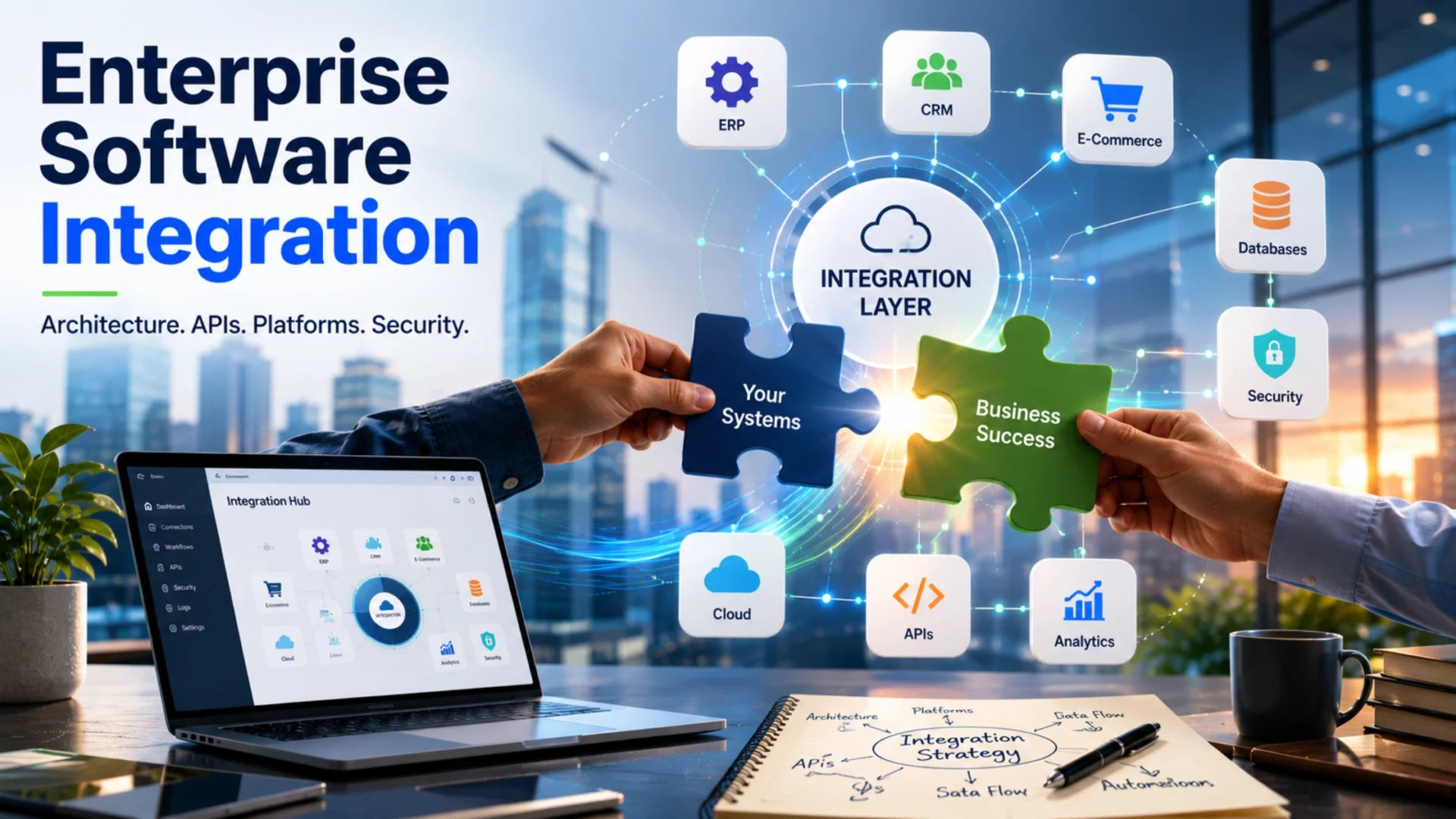
Enterprise software integration is the process of connecting the many applications a large organization runs so they can share data and trigger actions automatically. Instead of each tool holding its own version of the truth, integrated systems stay in sync. A change in one place shows up everywhere it matters.
You’ll also hear the term enterprise application integration, or EAI. It means much the same thing. EAI is the older, more formal name for linking business applications like CRM, ERP, and finance systems into one working ecosystem. Enterprise integration is the broader umbrella that covers data, applications, and business processes together.
Integration usually works on a few levels at once:
- Data integration, keeping the same information consistent across systems
- Application integration, connecting software directly through APIs or middleware
- Process integration, automating workflows that span several systems at once
- Interface integration, showing data from many systems in one dashboard
Here’s a plain example. A sales rep closes a deal in the CRM. Without integration, someone retypes that order into the ERP, updates inventory somewhere else, and emails finance to invoice. With integration, one action triggers all of it. The deal creates the order, adjusts stock, and starts the invoice on its own.
That’s the whole idea. Turn a pile of disconnected tools into a single system that behaves like one.
Why enterprise integration matters more than ever
The average company runs more software than it can keep track of. That’s not a figure of speech. Research found the typical enterprise now uses 897 applications, and only about 29 percent of them are integrated. The rest sit in silos, each holding its own slice of the truth.
Those silos cost real money. Gartner has estimated that poor data quality, much of it caused by disconnected systems, costs organizations an average of $12.9 million a year. The damage shows up as duplicate work, conflicting reports, slow decisions, and customers who get a different answer depending on which team they reach.
There’s a newer pressure too. AI runs on data, and disconnected data starves it. In the same benchmark research, 95 percent of IT leaders said integration problems get in the way of putting AI to work. A model that can’t reach clean, connected data can’t do much. Integration has quietly become the thing that decides whether AI investments pay off.
Put simply, integration used to be a back-office convenience. Now it sets the ceiling on how fast a business can move, forecast, and serve customers. The companies pulling ahead treat it as core infrastructure, not a side project.
The gap between the two groups keeps widening. A connected business answers a customer question once, launches a product without a manual data scramble, and trusts its own reporting. A disconnected one spends its energy reconciling spreadsheets and second-guessing the numbers. Same tools, very different outcomes. The deciding factor is whether the systems actually talk.
Integration patterns and architecture
Every integration approach answers one question: how do systems find and talk to each other? Five patterns cover almost everything you’ll meet. Picking the right one early keeps future changes cheap.
Point-to-point is the simplest. You connect two systems directly with custom code. It’s quick for a single link. The trouble starts as you add systems. Ten systems wired directly can need dozens of connections, and one upgrade can break several at once.
Hub-and-spoke, usually built on an enterprise service bus (ESB), puts a central layer in the middle. Every system connects to the hub instead of to each other. This cuts the connection sprawl and centralizes the logic. The tradeoff is cost and the specialized skills an ESB needs to run.
API-led connectivity exposes each system’s functions as clean, reusable APIs. Other systems call those APIs through defined endpoints. This is the modern default for connecting cloud and SaaS tools, because it’s standardized and reusable across projects.
An integration platform as a service (iPaaS) is a cloud service that hosts and manages your integrations for you, usually with pre-built connectors and low-code tools. For most growing teams, it’s the fastest path with the least infrastructure to run yourself.
Event-driven architecture flips the model. Instead of systems asking each other for updates, they publish events that interested systems subscribe to, often through tools like Kafka. This decouples systems and suits real-time, high-volume workloads. Our breakdown on choosing the right architecture digs into that tradeoff further.
The point-to-point trap: Almost every messy integration story starts the same way. A team connects two systems directly because it’s fast, then does it again, and again. A year later, nobody can trace what connects to what, and every change is risky. If you expect to connect more than a handful of systems, skip the spaghetti and start with a central platform.
| Pattern | Best for | Watch out for |
|---|---|---|
| Point-to-point | A few simple, stable links | Connections multiply fast and break on updates |
| Hub-and-spoke (ESB) | Complex, high-control, legacy-heavy setups | Cost and specialized skills to run |
| API-led | Cloud and SaaS connections, reusable services | Needs API design discipline and management |
| iPaaS | Most growing cloud and hybrid environments | Ongoing subscription, less low-level control |
| Event-driven | Real-time, high-volume, decoupled systems | More moving parts to design and monitor |
Middleware, ESB, and the enterprise integration platform
The words middleware, ESB, and iPaaS get thrown around loosely, which causes real confusion on vendor calls. Here’s the plain version.
Middleware is the broad term. It’s any software that sits between systems and helps them exchange data. It translates formats, routes messages, and keeps things in sync. An ESB and an iPaaS are both kinds of middleware.
An enterprise service bus is self-hosted middleware built around a central bus. It’s strong for complex, high-control environments and good at connecting older on-site systems. It also needs real infrastructure and specialized people to keep it running well.
An enterprise integration platform, delivered as iPaaS, moves all of that to the cloud. The vendor hosts it. You get pre-built connectors, visual tools, and faster setup, with far less to manage yourself. iPaaS is now the largest and fastest-growing part of the integration market. Gartner valued the iPaaS market at $8.5 billion in 2024, up sharply from the year before.
| Approach | Where it runs | Best for | Tradeoff |
|---|---|---|---|
| Custom-coded links | Your own code | A few simple, stable connections | Maintenance grows as you add systems |
| ESB | Self-hosted | Legacy-heavy, high-control setups | Costly, needs specialized skills |
| iPaaS | Vendor cloud | Most cloud and hybrid environments | Subscription cost, less low-level control |
Most companies land on a mix. An iPaaS handles the modern cloud tools, while an ESB or custom work covers the stubborn legacy systems. When an off-the-shelf platform can’t model your process, a custom software development approach fills the gap. The goal isn’t platform purity. It’s connectivity that fits your actual environment.
Integrating ERP and CRM systems
The ERP and the CRM are the two systems almost every integration project touches. The CRM holds the customer and sales side. The ERP runs finance, inventory, and operations. When they don’t share data, the same customer exists twice, with two different truths, and someone spends their week reconciling the difference.
Connect them, and the daily grind changes. A deal closed in the CRM creates an order in the ERP automatically. Inventory levels show up for sales reps in real time. Invoices generate without anyone rekeying a thing. That automation is what most teams are really after when they start an integration project.
The connection itself usually runs on bidirectional API calls or a middleware layer that keeps both sides in step. The wiring is rarely the hard part. Agreeing on what the data means is. Does “customer” point to the same record in both systems? Which one wins when they disagree? Settle those questions early, and you avoid the most common integration headaches later.
There’s a reporting payoff too. Once ERP and CRM data live together, leadership can see the full arc, from first sales touch to final payment. Teams that connect ERP and CRM systems around a clear data model get cleaner forecasting almost right away.
What enterprise integration looks like in practice
Definitions only go so far. Three common scenarios show what integration actually delivers, day to day, once it’s working.
Order-to-cash automation. A customer places an order on the website. Integration passes it to the ERP for fulfillment, updates inventory, starts the invoice in the finance system, and logs the activity in the CRM. Nobody retypes anything. What used to take a chain of emails now happens in seconds, and the numbers match across every system.
Employee onboarding across HR, IT, and finance. A new hire gets added in the HR platform. That single event can create their accounts in IT systems, set up payroll in finance, and assign equipment through a ticketing tool. Onboarding that once took days of manual coordination runs as one connected workflow instead.
Ecommerce and inventory sync. A retailer sells across a website, a marketplace, and a physical store. Integration keeps stock accurate across all three in real time, so a product sold in one channel isn’t oversold in another. At scale, that sync is the difference between smooth operations and constant firefighting.
The common thread: In all three, one event in one system sets off the right actions everywhere else, automatically. That’s the real product of integration. Not the connections themselves, but the manual work they quietly erase and the errors they stop before they start.
Security and governance for enterprise integration
Every new connection is a new door. Integration multiplies the places data moves, which multiplies the places something can go wrong. Security can’t be bolted on at the end. It has to sit in the design from the first sketch.
Start with the APIs, since they carry most of the traffic. Authentication (who is calling) and authorization (what they may do) belong on every endpoint. Standards like OAuth handle this cleanly. Encrypt data both in transit and at rest. Rate limiting and monitoring catch abuse before it spreads across connected systems.
A zero-trust mindset helps. Assume no system or request is trusted by default, even inside your own network. Verify every call. This limits the blast radius if one system is ever compromised, which matters far more once everything is connected.
- Authenticate and authorize every API call, no exceptions
- Encrypt data in transit and at rest
- Apply rate limiting and continuous monitoring on endpoints
- Map which data flows where, and why, before connecting
- Assign a clear owner to every integration you build
- Check which rules apply, from GDPR to HIPAA to PCI DSS
Governance is the less glamorous half, and the one teams skip. Who owns each integration? What regulations apply to the data crossing it? An integration nobody owns is an integration nobody secures. Folding this into your wider approach to security in digital transformation keeps it from becoming a scramble the week before an audit.
Common enterprise integration challenges
Most integration projects don’t stumble on the technology. They stumble on the messy realities the technology exposes. These are the ones that come up again and again.
Data silos and mismatched data
Different systems define the same thing in different ways. Reconciling those definitions is often the single hardest part of any integration.
Legacy systems that resist connection
Older software often lacks clean APIs. You can wrap it with an API layer, or plan a legacy software modernization effort when a rebuild is the smarter call.
Point-to-point sprawl
Custom links pile up until nobody can trace what connects to what. A central platform prevents the tangle before it forms.
Performance under load
Real-time syncing across many systems can strain all of them at once. Design for peak volume, not the average day.
Ownership and maintenance
Integrations break when connected systems update. Someone has to own each one, or it quietly rots until a report goes wrong.
The enterprise integration process, step by step
A structured process is what separates integration projects that land from the ones that turn into a maze of half-working connections. Strong teams follow a recognizable sequence. Here it is.
1
Assess and map
Inventory every system, the data each one holds, and how information should flow between them. This map is the foundation the whole project stands on.
2
Clean the data first
Fix duplicates and mismatches before connecting anything. Integrating dirty data just spreads the mess faster and to more places.
3
Choose the pattern and platform
Match the approach (API-led, iPaaS, ESB, or event-driven) to your scale and team. There’s no single right answer, only the right fit.
4
Build and test in phases
Connect a few systems first, prove it works, then expand. A big-bang integration rarely lands cleanly on the first try.
5
Secure and govern
Apply authentication, encryption, and clear ownership as you build, not after go-live. Retrofitting security is slow and expensive.
6
Monitor and maintain
Watch data flows, catch failures early, and update integrations as systems change. This work never fully ends.
How long does it take? A focused integration between two systems can take a few weeks. A full enterprise program connecting dozens of systems runs several months to a year, depending on scope and data quality. Poor data is the most common reason timelines slip. A disciplined data engineering practice keeps the pipeline honest and the schedule realistic.
How much does enterprise software integration cost?
Cost depends on scope more than anything else. Connecting two clean, modern systems is cheap. Untangling a dozen legacy systems with messy data is not. Any fixed price quoted before real scoping is a guess, and usually an optimistic one.
Three models cover most projects. A one-time custom integration between two systems often runs a few thousand to tens of thousands of dollars. An iPaaS subscription usually costs from a few hundred to several thousand dollars per month, based on connectors and data volume. A full enterprise program, with strategy, platform, and many connections, commonly reaches six figures.
| Approach | Typical cost | Best for |
|---|---|---|
| Single custom integration | $5,000 to $30,000 (one-time) | A couple of specific system links |
| iPaaS subscription | $500 to $5,000 and up per month | Multiple cloud and hybrid connections |
| Enterprise integration program | $100,000 and up | Full multi-system connectivity with governance |
Ranges are directional and shift with scope, data quality, and provider.
What drives the number
A few factors move the price more than the rest. The number of systems and connections comes first. Data quality is next, since cleanup can quietly become the biggest line item. Real-time syncing costs more than scheduled batch updates. Legacy systems without clean APIs add work, and compliance requirements raise the floor with extra controls and testing.
Budget for maintenance either way. Integrations break when connected systems update, so plan for ongoing upkeep, not a one-time build. Teams that treat integration as a living system spend less over the long run than the ones that build it once and forget it. That neglect always resurfaces at a bad moment.
How AI is changing enterprise integration in 2026
AI has changed integration from both sides at once. It’s making integrations easier to build, and it’s creating a fresh, urgent reason to build them.
On the build side, AI now suggests data mappings, drafts connector code, and flags likely errors before they ship. This lowers the skill floor. Gartner expects most new data integration flows to be built by non-technical users, working under IT governance, rather than by engineers hand-coding every connection. That shifts who does the work, though it doesn’t remove the need for oversight.
On the demand side, AI itself runs on connected data. A model or agent is only as useful as the data it can reach, which is why disconnected systems stall so many AI projects. Integration has become the quiet prerequisite for AI paying off, not an optional extra to add later.
The agentic shift: The next wave is AI agents that take actions across systems, not just answer questions. An agent that updates a record, places an order, or routes a ticket needs those systems connected and governed first. Without a clean integration layer underneath, agentic AI has nothing solid to stand on.
Building that foundation responsibly is its own discipline, one our AI and ML development work focuses on. Treat AI as a reason to get integration right, not a shortcut around it. The tools help you build faster. They don’t remove the need for a clean data model underneath.
How to choose an integration platform or partner
Choosing how to integrate matters as much as choosing what to integrate. The platform and the partner shape your cost, your timeline, and how much you’ll fight the system a year from now.
On platforms, match the tool to your reality. A cloud-first company with mostly SaaS apps fits iPaaS well. A large enterprise carrying heavy on-site legacy systems may need an ESB or a hybrid setup. Don’t chase the platform with the most features. Pick the one that fits your systems and your team’s skills.
On partners, look past the sales deck. Software integration services vary widely in quality. A strong partner has connected systems like yours before and can prove it with specifics, not slogans.
What to look for
- Real experience with your specific systems, your ERP and your CRM
- A clear method for mapping data and resolving conflicts
- A serious security and governance approach
- Honest talk about what won’t integrate cleanly
- A plan for maintenance after the build ships
- Clarity on who owns the integrations and the code
Bring sharp questions to the first call. The answers reveal more than any pitch. Worth asking:
- Have you integrated our exact systems before?
- How do you handle data cleanup and conflicting records?
- What happens when one of our systems updates and breaks a connection?
- How do you secure the data moving between systems?
- Is this a one-time build or an ongoing partnership?
- Who owns and maintains the integrations afterward?
Watch for anyone who promises to connect everything cheaply and fast. Real integration surfaces messy data and awkward edge cases every time. A partner who names that upfront is more trustworthy than one who waves it away. Comparing a shortlist of top software development companies against these questions beats signing with the first confident pitch.
How Elsner approaches enterprise integration
At Elsner, enterprise software integration means connecting systems so they behave like one, not just exchanging files on a schedule. Our teams work across custom software, data engineering, and the API and middleware work that ties ERP, CRM, and cloud tools together.
The approach starts with the map, not the tools. Understand every system and what its data means. Clean it. Choose a pattern that fits the actual environment. Then build in phases, secure each connection, and plan for the upkeep that integration always needs.
For organizations drowning in disconnected apps, or trying to feed clean data into AI, the right integration foundation changes what’s possible. Our web development services and back-end teams handle the connective work these projects demand, with the governance enterprise stakeholders expect. If that’s where you are, the next step is a straightforward conversation about your systems and your goals.
Tired of systems that don’t talk to each other?
Talk to a team that connects ERP, CRM, cloud, and legacy systems into one clean, governed data flow, with a realistic plan for scope, security, and maintenance.
Frequently Asked Questions
What is enterprise software integration?
Enterprise software integration is the process of connecting an organization’s separate applications, databases, and systems so they share data and work as one. It links tools like ERP, CRM, and cloud platforms through APIs, middleware, and integration platforms. The goal is to remove manual data entry, break down silos, and give teams one accurate view of the business.
What is the difference between enterprise application integration and API integration?
Enterprise application integration (EAI) is the broad practice of connecting business applications so they work together. API integration is one method for doing it, using defined endpoints to exchange data between systems. In short, EAI is the goal, and APIs are one of the main tools used to reach it, alongside middleware and integration platforms.
What is an enterprise integration platform (iPaaS)?
An enterprise integration platform, usually delivered as iPaaS (integration platform as a service), is a cloud service that hosts and manages your integrations. It offers pre-built connectors, visual tools, and low-code options, so teams can connect systems faster with less infrastructure to run. iPaaS is now the largest and fastest-growing segment of the integration market.
What is the difference between iPaaS and an ESB?
An enterprise service bus (ESB) is self-hosted middleware, strong for complex, high-control, and legacy-heavy environments, but it needs specialized skills and infrastructure. An iPaaS moves that capability to the cloud, hosted by a vendor, with pre-built connectors and faster setup. Many enterprises use both, an iPaaS for cloud tools and an ESB or custom work for older on-site systems.
How much does enterprise software integration cost?
It depends heavily on scope. A single custom integration between two systems often runs $5,000 to $30,000. An iPaaS subscription usually costs $500 to $5,000 and up per month. A full enterprise integration program commonly reaches six figures. Data quality, the number of systems, real-time needs, and compliance requirements drive the number most.
What are the main challenges of enterprise integration?
The biggest ones are data silos and mismatched data definitions, legacy systems that lack clean APIs, point-to-point sprawl that becomes unmanageable, security and compliance gaps, performance under heavy load, and unclear ownership. Most of these are process and data problems more than technical ones, which is why planning and data cleanup matter so much upfront.
How do you integrate ERP and CRM systems?
ERP and CRM systems usually connect through bidirectional API calls or a middleware layer that keeps both sides in sync. The technical wiring is rarely the hard part. The key is agreeing on what shared data means, such as which system holds the master customer record and which one wins in a conflict. Settling that early prevents most sync problems later.
How long does an enterprise integration project take?
A focused integration between two systems can take a few weeks. A full enterprise program connecting dozens of systems runs several months to a year, depending on scope and data quality. Poor or messy data is the most common reason timelines slip, so cleaning data before connecting systems keeps the schedule realistic.