 Zoho
Solutions
Zoho
Solutions
 Ecommerce
Development
Ecommerce
Development
 Web
Development
Web
Development
 AI
Solutions
AI
Solutions





- The Honest Answer
- What You Actually Pay For
- A Realistic Cost Range
- Free vs Paid: Where to Spend and Where Not To
- Total Cost of Ownership Example
- WooCommerce Cost vs Hosted Platforms
- Common Cost Mistakes
- FAQs
- Is WooCommerce free to use?
- How much does a WooCommerce store cost per month?
- Are WooCommerce plugins free?
- Is WooCommerce cheaper than Shopify?
- What is the highest hidden cost of WooCommerce?
- Wrapping Up
- Want a WooCommerce Store Budgeted Right From Day One?
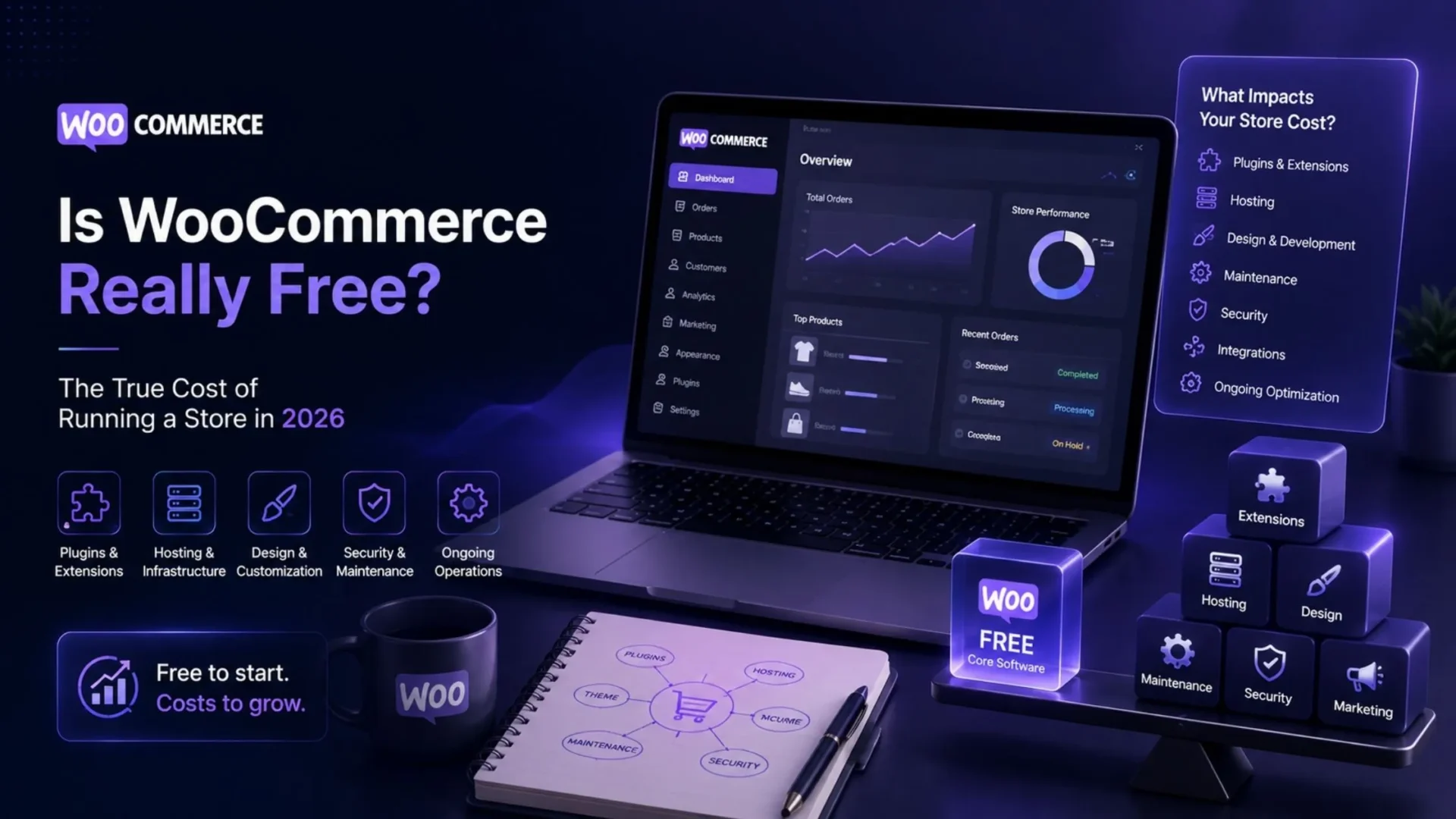
WooCommerce itself costs nothing. The plugin is free, always has been, and you can download it today without entering a card number. But the store you build with it is a different story. Hosting, a working theme, the plugins that actually make a shop function, payment processing, and someone to build and maintain the thing all cost money. This guide breaks down exactly what you’ll spend, with real ranges, so you can budget a WooCommerce store development instead of guessing.
The Honest Answer
Here’s the part most posts skip. WooCommerce the plugin is genuinely, permanently free. So is WordPress development. Install both, and you have a working online store shell with zero licensing cost. That part isn’t a trick.
What’s not free:
- Hosting, every month, for as long as the store exists
- A domain name, renewed yearly
- Most themes worth using in a real business
- The plugins that handle security, backups, SEO, shipping, and payments properly
- Payment processing, a small cut of every sale
- Development and design, whether you do it yourself or hire someone
- Ongoing maintenance, because a store you never touch again eventually breaks
So the honest framing is this: WooCommerce is free software. A WooCommerce store is a small business expense. Both statements are true at the same time.
What You Actually Pay For
Let’s go layer by layer, because lumping this into one vague number doesn’t help anyone budget.
|
1
|
Domain and SSLA domain typically runs $12 to $20 a year through registrars like Namecheap or Cloudflare. Some hosts throw in a free domain for year one, then charge the normal rate on renewal. Read the fine print there. SSL is usually bundled free with modern hosting through Let’s Encrypt, so this line item is often a non-issue in 2026. |
|
2
|
HostingThis is the highest recurring cost, and it’s also the one people underspend on most. Shared hosting starts around $3 to $10 a month and can work for a brand-new store with a small catalog. It’s fine for testing an idea. It is not fine once you’re processing real orders during a sale. Managed WooCommerce hosting, built specifically for the plugin’s demands, typically runs $15 to $40 a month for a small-to-mid store, and can climb past $200 for high-traffic operations. Don’t let a $3 hosting plan be the reason checkout times out during your biggest sales day. |
|
3
|
ThemeThere are free themes, and many of them are actually quite good. But when the store demands a highly specialized layout, product filtering, or a unique brand identity, the owner typically settles for a high-end theme, most of which have a lifetime cost of around $40 to $100, or a customized development which may easily exceed one thousand. |
|
4
|
Essential PluginsSecurity, backups, SEO, shipping rules, and a functioning payment gateway aren’t optional extras. Some of this is covered by free tools like UpdraftPlus for backups. Some of it isn’t. An SEO plugin like Yoast Premium runs close to $90 a year. Add a couple of shipping or inventory extensions, and you’re often looking at $100 to $400 a year in plugin renewals for a modest store. |
|
5
|
Payment ProcessingEvery transaction has a fee attached, typically around 2.9% plus a small fixed amount per sale, similar across most gateways. This scales with revenue, which is actually a fair way to pay. It just needs to be in the budget from day one. |
|
6
|
Development and DesignIf you’re familiar with working on websites and feel confident, then a do-it-yourself approach might be feasible. But if you decide to rely on someone else’s skills only for a particular website, there are no fixed costs, as they will depend on the services rendered. It is a good idea to ask for an estimate that defines the scope of work to be done so that guessing is prevented rather than taking chances. |
|
7
|
MaintenanceThe most overlooked aspect until something breaks. It is not only plugin conflicts and security issues that need handling, but also WordPress core upgrades require your intervention. Not following these steps is exactly what makes your well-run establishment a disaster scene. You can read our blog to learn more about WordPress maintenance services. |
A Realistic Cost Range
None of these numbers are quotes. Treat them as planning ranges and verify current pricing with your host and plugin vendors before you commit.
Note: Every figure here is illustrative. Hosting alone can range from $3 to $250 depending on traffic and support level, and plugin costs swing just as widely depending on how many premium tools you stack. Verify actual host and plugin pricing before you publish a budget internally.
Free vs Paid: Where to Spend and Where Not To
Not all money you spend is going to benefit your store. Some will, some just give you that productive feeling.
Here’s a practical rule: If a cost affects uptime, security, or checkout reliability, pay for it. If it’s cosmetic or convenience-only, the free version usually does the job.
Total Cost of Ownership Example
This is one illustrative snapshot, not a universal number. Your actual total depends heavily on traffic, catalog size, and how much you outsource.
Add it up and a lean, DIY-run small store might land near $30 to $60 a month in fixed costs, plus transaction fees. A store with hired maintenance and a few premium tools often sits closer to $150 to $400 a month. Again, mark this as directional. Your setup will differ.
WooCommerce Cost vs Hosted Platforms
Platforms like Shopify host as well as provide a package deal of hosting, security, and support through one monthly fee. You can usually get a basic plan at a fee of somewhere between $25 and $65 a month before you add third-party apps or get hit by the transaction fees. That’s convenience at an extra cost. Essentially, you’re leasing that platform. If you want to change at some point down the road, it will require you to rebuild your website from scratch.
At the early stages, you can save a lot of money by using WooCommerce. It normally offers a lower-cost option. But once you need high customization or you are not willing to handle the hosting and updates yourself, it will cost you a lot more. There is no one-size-fits-all solution that is economically the cheapest. It is up to you how many website visitors you have, how well you handle technology, and how detailed backend access you want. Read to know more about the WooCommerce development cost.
Common Cost Mistakes
A few situations recur repeatedly among new WooCommerce site owners.
|
1
|
Choosing the Cheapest HostThey opt for the very cheapest host and then suffer downtime during a promotion. It is actually a cost, yet it comes late when the bill is due. |
|
2
|
Neglecting Maintenance Until It BreaksOne neglects to do maintenance till the site breaks and then, at emergency rates, pays for a remedy that regular maintenance would have avoided. |
|
3
|
Overusing PluginsOne installs lots of plugins when the same things could be done using very few and better choices, resulting in site slowdown and additional renewal costs no one is controlling. |
|
4
|
Underestimating Payment FeesThe charges are based on percentages. So the larger the volume of sales, the greater the proportion paid. These cost elements should be built into the planning from the beginning and not discovered unexpectedly. |
FAQs
Is WooCommerce free to use?
WooCommerce is freely available open-source software. This means you do not need to be concerned about the payment of any license cost. But if you are going to continue running the store, you will have to bear the cost of hosting, domain registrar, and perhaps paid plugins to get a premium theme.
How much does a WooCommerce store cost per month?
If you choose minimal configuration, you might spend $30 to $60 a month on hosting and plugins, apart from payment fees. A store using premium hosting and other tools will usually expect to pay $150 to $400 monthly. The final amount can depend greatly on the level of traffic or size of your catalog.
Are WooCommerce plugins free?
A lot of the core plugins have free versions. When it comes to specific functionalities, such as advanced SEO, professional backups, or particular shipping integrations, it is often that this will require a premium tier, which can range from $50 to $150 a year per plugin.
Is WooCommerce cheaper than Shopify?
Normally, at a small scale, yes. When comparing WooCommerce vs Shopify, WooCommerce has avoided Shopify’s flat monthly platform fee. That advantage is reduced or reversed with deep customization, dedicated support, or not wanting to manage hosting and security on your own.
What is the highest hidden cost of WooCommerce?
Ongoing maintenance is the major issue. While one could easily allocate money for hosting and purchase a theme initially, one often neglects to consider that the site will need to be updated, security patches installed, and plugins kept compatible with regular checks. And one of them could easily be a problem on its own.
Wrapping Up
WooCommerce gives you control that most hosted platforms lack. Though that control will benefit you only if the store is initially properly built and budgeted, not a patched-up mess later. In short, if you want a WooCommerce store that is realistically scoped, well-designed, and maintained without surprises, call up our WooCommerce development team and figure out what truly fits your budget rather than what is based on a guess.
Want a WooCommerce Store Budgeted Right From Day One?
Elsner’s WooCommerce team can scope, build, and maintain your store around real numbers, not guesswork, so there are no surprise costs later.