- Where AI Actually Helps a WooCommerce Store Today
- AI-Powered Product Search That Actually Converts
- What AI Search Fixes
- What to Look For
- Real Impact
- Common Mistakes
- Smart Product Recommendations (Beyond “Related Products”)
- What AI Recommendations Do Better
- Tools Worth Exploring
- Where to Place Recommendations
- Real Impact
- One Mistake to Avoid
- AI for Product Descriptions and Content
- Where AI Helps
- Where AI Struggles
- The Right Workflow
- Content Quality Benchmarks
- AI Chatbots and Customer Support Automation
- Where They Work Best
- Where They Fail
- Recommended Workflow
- Real Impact
- Common Mistake
- Predictive Analytics and Inventory Forecasting
- What AI Can Predict
- Tools Worth Trying
- Best Fit
- Real Impact
- Personalization Workflows That Actually Work
- AI Plugins to Avoid (Honest Take)
- Setting Up AI in WooCommerce: A Simple 5-Step Workflow
- Common Mistakes Store Owners Make with AI
- What AI in WooCommerce Will Look Like in 2026 and Beyond
- How to Use AI Without Breaking Your Store
- Conclusion
- Ready to Implement AI in Your WooCommerce Store?
- Frequently Asked Questions
- What is the best AI plugin for WooCommerce?
- Does AI actually improve WooCommerce conversion rates?
- Are AI chatbots safe for ecommerce stores?
- Can I use AI to write WooCommerce product descriptions?
- How much does AI integration in WooCommerce cost?
- Will AI replace WooCommerce developers?
If you run a WooCommerce store, you’ve probably heard the same pitch again and again about AI for WooCommerce. AI will boost conversions. AI will write your content. AI will handle your customers. AI will basically run your entire business with AI for WooCommerce tools.
Sounds great. But when you actually try these AI for WooCommerce tools, the results feel underwhelming. Some plugins genuinely help. Others just repackage old features and call them AI.
This guide cuts through that noise.
No hype. No exaggerated claims. Just real AI use cases that work inside WooCommerce today. Also, practical plugins and workflows that actually move metrics like conversion rate, AOV, and support efficiency.
Quick context: AI in WooCommerce isn’t a silver bullet. It’s a toolset. The stores that win with AI are not the ones using the most tools. They are the ones using the right tools in the right way, backed by clear measurement and proper setup.
Where AI Actually Helps a WooCommerce Store Today
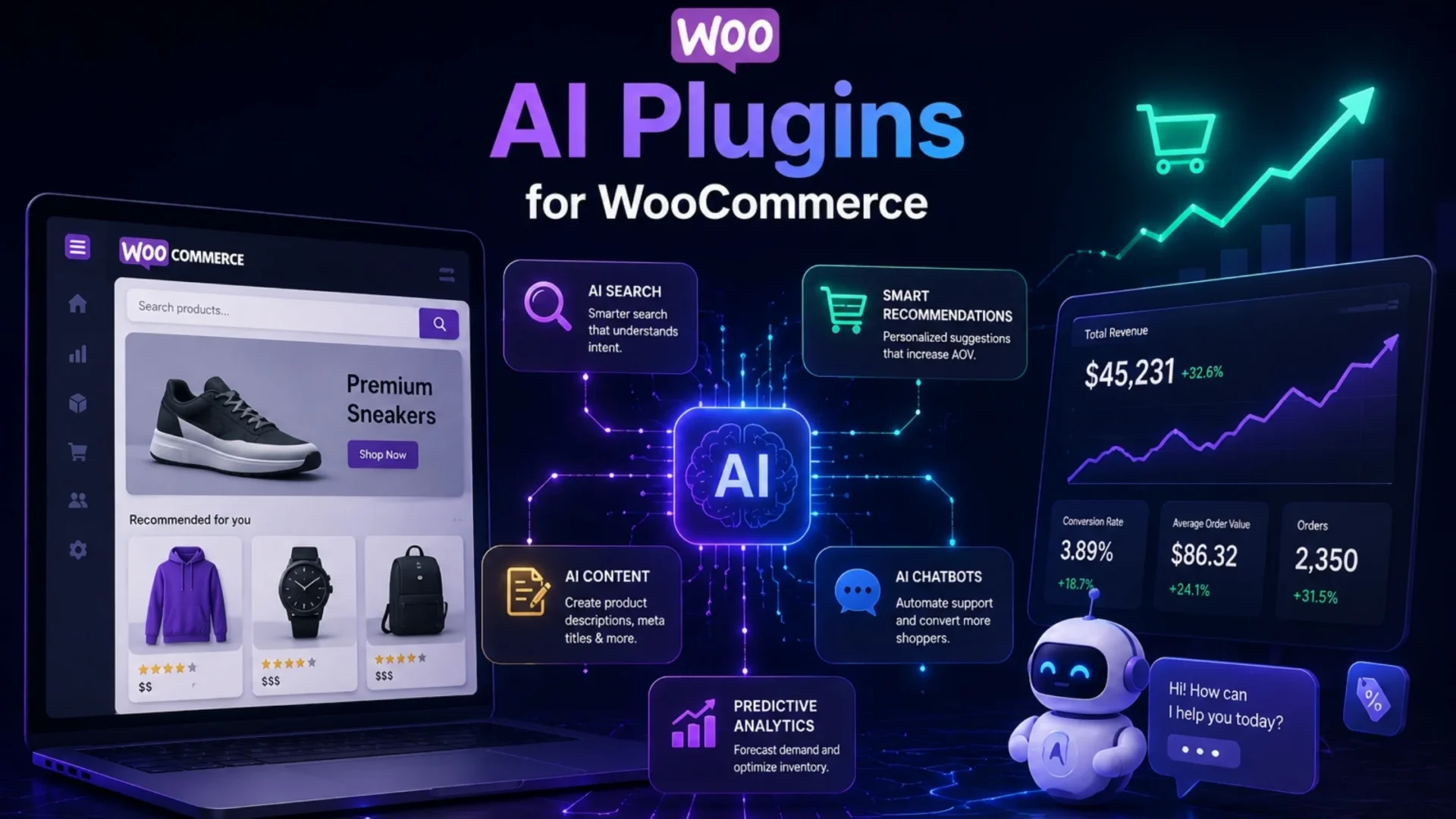
Before we dive into tools, let’s get one thing clear. AI is not useful everywhere. But in a few areas, it delivers real, measurable value:
- On-site product search
- Personalized product recommendations
- Product content and descriptions
- Customer support automation
- Predictive analytics and inventory forecasting
Anything outside this list is still early or overhyped. Let’s take a look at how AI is useful in each of these.
AI-Powered Product Search That Actually Converts
The default WooCommerce search is basic. It doesn’t handle typos well. It struggles with synonyms. And relevance is often off. That’s a problem because search users are high-intent buyers.
What AI Search Fixes
- Detecting the user intent (understands what users mean, not just what they type)
- Typo tolerance
- Semantic matching
- Personalized results
Popular AI Search Plugins
Algolia, Clerk.io, and Doofinder lead the market with semantic understanding and real-time indexing. Each comes with different pricing tiers and customization options.
What to Look For
- Search-to-purchase conversion lift
- Mobile performance (huge factor for Core Web Vitals)
- Fast indexing
- Multi-language support
Real Impact
Stores often see 10% to 30% increase in search-driven conversions. But only if it’s implemented correctly.
Common Mistakes
- Poor product data indexing
- No synonym setup
- Ignoring mobile experience
Small gaps like these quietly kill performance.
Smart Product Recommendations (Beyond “Related Products”)
Default WooCommerce recommendations are rule-based. They don’t learn and adapt. AI changes that.
What AI Recommendations Do Better
- Behavior-based suggestions
- Real-time updates
- Cross-sell and upsell optimization
- Lookalike customer modeling
Tools Worth Exploring
Recombee, Braze, Klaviyo, and Nosto offer AI-driven recommendations with proven ROI. Many integrate directly with WooCommerce without custom development.
Where to Place Recommendations
- Product pages
- Cart pages
- Post-purchase emails
- Abandoned cart flows
Real Impact
A well-placed recommendation engine can drive 5% to 15% increase in AOV. Not huge at first glance, but it compounds fast.
One Mistake to Avoid
Don’t overload your store with recommendation widgets. Too many suggestions = decision fatigue.
AI for Product Descriptions and Content
This is where AI gets the most attention. And also where it’s most misunderstood.
Where AI Helps
- Writing bulk product descriptions
- Generating meta titles
- Creating alt text
- Drafting category pages
Where AI Struggles
- Brand voice consistency
- Technical accuracy
- Long-form SEO content
Popular Tools
Copy.ai, Writesonic, AI Power, and ChatGPT with proper prompting all work. The difference is in the workflow, not the tool.
The Right Workflow
AI should not replace humans. A better approach:
- AI generates a draft
- Human edits and improves
- Brand reviewer approves
That’s how you stay aligned with modern search guidelines.
Important Reality: Pure AI-generated content without human review can hurt rankings and trust. Search engines are now very good at spotting low-quality automation.
Content Quality Benchmarks
- Originality
- Accuracy
- Brand consistency
- Real value
If content fails here, AI won’t save it.
AI Chatbots and Customer Support Automation
Chatbots can help a lot. But only in the right scenarios.
Where They Work Best
- Order tracking
- FAQs
- Basic product queries
- Size guides
Where They Fail
- Refund disputes
- Complex issues
- Sensitive customer interactions
Tools to Consider
Tidio, Drift, Intercom, and Gorgias are built for ecommerce. Start with one that integrates into your existing workflow.
Recommended Workflow
- AI handles Tier 1 queries
- Humans handle Tier 2 and Tier 3
Real Impact
Support tickets can be reduced by 30% to 50% with a proper setup. That’s huge for scaling operations.
Common Mistake
Hiding human support is a common mistake. Customers need a clear fallback option. Always.
Predictive Analytics and Inventory Forecasting
This one is often ignored. Which is surprising, because it directly impacts profit.
What AI Can Predict
- Demand spikes
- Stock requirements
- Slow-moving inventory
- Customer churn
Tools Worth Trying
Stockpyl, Ordoro, and Shopify’s native forecasting use historical data to predict future demand. Even small stores see value here.
Best Fit
Stores with 500+ SKUs, seasonal demand, and growing order volume benefit most. Smaller stores can still gain insights, but the ROI is lower.
Real Impact
15% to 25% reduction in stockouts and overstock. Which means better cash flow and lower waste.
Personalization Workflows That Actually Work
Here’s the thing. AI is not one plugin. It’s a system.
A simple working workflow looks like this:
- AI search captures user intent
- Recommendations adapt to behavior
- Emails trigger based on actions
- Chatbot engages during hesitation
- Inventory data guides what to push
That’s real personalization. Not just adding one tool and hoping for results.
AI Plugins to Avoid (Honest Take)
Most blogs won’t say this. But it matters.
Avoid tools that:
- Just relabel old features as AI
- Have no real case studies
- Lack recent updates
- Send data to unknown servers
- Offer “free” plans with heavy restrictions
- Promise full automation without human input
Quick Evaluation Checklist
Before installing any plugin:
- Check changelog activity
- Read recent user reviews
- Understand where your data goes
Setting Up AI in WooCommerce: A Simple 5-Step Workflow
Keep it simple. Don’t overcomplicate setting up AI for your WooCommerce store:
- Audit your data quality – Bad data = bad results
- Start with one use case – Either search or recommendations first
- Test in staging environment – Never go live without testing
- Run A/B tests for 30 days – Get real data before deciding
- Measure real metrics – Conversions, AOV, support time reduction
Only move to the next step once you see actual ROI. This disciplined approach saves you from expensive mistakes. And if you need structured guidance, WooCommerce development services can handle the technical setup while you focus on strategy.
Common Mistakes Store Owners Make with AI
Some common mistakes are:
- Installing multiple AI plugins at once
- Not tracking performance
- Replacing humans entirely
- Publishing AI content without edits
- Ignoring data privacy
- Choosing tools based on hype
- Skipping testing phase
- Forgetting performance optimization
Key Reality: Too many plugins can slow your store, hurting Core Web Vitals and conversions. Start minimal and add only what drives measurable results.
What AI in WooCommerce Will Look Like in 2026 and Beyond
Things are evolving fast. Some trends are already taking shape:
- Native AI inside WooCommerce
- AI agents handling full journeys
- Voice and image search
- Real-time pricing optimization
- Predictive churn detection
- Multimodal AI experiences
The stores experimenting now will have an edge later. If you want to stay ahead, partnering with WordPress and WooCommerce experts ensures your store can adapt as these technologies mature.
How to Use AI Without Breaking Your Store
If you’re unsure where to start, keep this in mind. Start small. Focus on one area. Measure impact and then expand.
If you try to do everything at once, you’ll end up with noise instead of results.
If you want a structured approach, working with ecommerce development services or an AI consultant can save weeks of trial and error.
A proper setup includes:
- Data audit
- Plugin selection
- Workflow design
- Performance tracking
- Ongoing optimization
And yes, that part makes a difference.
Conclusion
AI is not a magic switch. It’s a tool. And like any tool, it only works when used properly.
The stores that win with AI are not the ones using the most tools. They are the ones using the right tools in the right way.
Start with one use case. Measure real results and then scale. Because in the end, the goal is simple. Make your store easier to shop, faster to navigate and smarter to grow. Everything else is just noise.
Ready to Implement AI in Your WooCommerce Store?
We help WooCommerce stores implement AI strategically. From setup to optimization, every step is designed to drive conversions and reduce overhead.
Frequently Asked Questions
What is the best AI plugin for WooCommerce?
There isn’t a single “best” plugin. It depends on your goal. For search, tools like Algolia work well. For recommendations, platforms like Recombee are strong. Focus on your use case instead of chasing an all-in-one solution.
Does AI actually improve WooCommerce conversion rates?
Yes, but only when implemented properly. AI search and recommendations can increase conversions by 10% to 30%. Poor setup or wrong tools, though… won’t deliver meaningful results.
Are AI chatbots safe for ecommerce stores?
Yes, AI chatbots are safe if configured correctly. Make sure you control data flow, provide human support options, and avoid sharing sensitive customer information with unknown systems.
Can I use AI to write WooCommerce product descriptions?
Yes, and it saves time. But you should always review and edit the content. Pure AI output often lacks brand tone and accuracy.
How much does AI integration in WooCommerce cost?
Costs vary widely. Basic plugins may start low, while advanced setups can go higher depending on scale, customization, and data complexity.
Will AI replace WooCommerce developers?
No. AI will not replace developers; however, AI can assist, automate, and speed things up. But developers are still essential for customization, integration, and performance optimization.