- Why the Price Gap in Zoho CRM Customization Is So Wide
- Configuration vs. Customization vs. Development: The Three Levels Nobody Explains Clearly
- Level 1 — Configuration: What Any Admin Can Do Without Writing a Line of Code
- Level 2 — Customization: Where Most US Businesses Actually Need Outside Help
- Level 3 — Development: When You Genuinely Need a Zoho Developer
- What Can Actually Be Customized in Zoho CRM
- When Do You Need a Developer for Zoho CRM Customization?
- Zoho CRM Customization Cost: What US Businesses Actually Pay
- The Over-Customization Warning Most Agencies Will Never Give You
- Before You Bring in a Zoho Developer: A Pre-Engagement Checklist
- What a Well-Customized Zoho CRM Actually Looks Like: A Real Before and After
- Conclusion
- Want an Honest Assessment of What Your Zoho CRM Actually Needs?
- Frequently Asked Questions
- What is Zoho CRM customization?
- What customization options does Zoho CRM offer?
- When do you need a developer for Zoho CRM customization?
- How much does Zoho CRM customization cost for a small business in the USA?
- What is the difference between Zoho CRM configuration and customization?
- Can I customize Zoho CRM without coding?
Most businesses that feel frustrated with Zoho CRM are not using the wrong platform. They are using the right platform the wrong way. Zoho CRM, out of the box, is built for a generic sales process. Leads come in, they move through a pipeline, they close, or they do not. But most real businesses are not generic.
A commercial real estate firm tracks properties differently from a healthcare practice managing patient follow-ups. A software company qualifying enterprise deals has a completely different workflow from a retail distributor managing wholesale accounts. Zoho CRM can handle all of these, but only if it is set up to match the way your business actually works.
This guide explains what Zoho CRM customization involves, what you can handle yourself, what genuinely requires a developer, and what it costs at each level. That way, you can make a confident decision — not just a hopeful one.
Important: The wide gap in Zoho CRM customization cost is not about quality alone — it is about scope, who does the work, and how clearly your requirements are defined before the project starts. Understanding the three levels before you engage anyone saves you from paying for the wrong solution.
Why the Price Gap in Zoho CRM Customization Is So Wide
Three things drive almost all the variance. Everything else is noise.
|
1
|
Configuration vs. Customization vs. DevelopmentAn admin renaming a pipeline stage in 10 minutes and a developer building a live ERP sync in Deluge both fall under “Zoho CRM customization.” Same platform. Completely different scopes. The label tells you nothing about the cost or the level of work. |
|
2
|
Who Is Holding the InvoiceA freelancer, a US boutique agency, and an offshore Zoho Partner in India. The same project brief will produce quotes that differ by a factor of four or five. Geography and brand premium account for most of it. Zoho platform expertise, not geography, is what actually determines the outcome. |
|
3
|
How Tight Is Your ScopeFuzzy briefs produce padded quotes. No serious Zoho consultant commits a fixed price to a moving target, so they build in a cushion. A well-documented process description, a clear list of external systems, and a named go-live date cut quotes by 20 to 30 percent before any negotiation happens. |
Configuration vs. Customization vs. Development: The Three Levels Nobody Explains Clearly
This is where most articles fail you. They list Zoho features without telling you who can actually do the work. Here is the honest breakdown of three levels, with real business examples for each.
Level 1 — Configuration: What Any Admin Can Do Without Writing a Line of Code
This is the starting point for every Zoho CRM implementation. At this level, you are working inside the standard settings panel, no code, no external tools, no developer. A capable admin can rename default fields to match the company’s language, add custom fields (text, dropdown, date, currency), create custom views and filters, set up basic workflow rules, build standard reports and dashboards, manage user roles and permissions, and wire email templates.
Real Example:
A logistics company wants to track shipment origin, destination, and freight carrier inside Zoho CRM Deals. They add four custom fields to the Deals module, update the page layout, and create a pipeline view filtered by carrier. Total time: two to three hours. Cost: zero.
Who can do this: Any business admin who is willing to spend a few hours inside the Zoho CRM settings panel. No developer required at this stage.
Level 2 — Customization: Where Most US Businesses Actually Need Outside Help
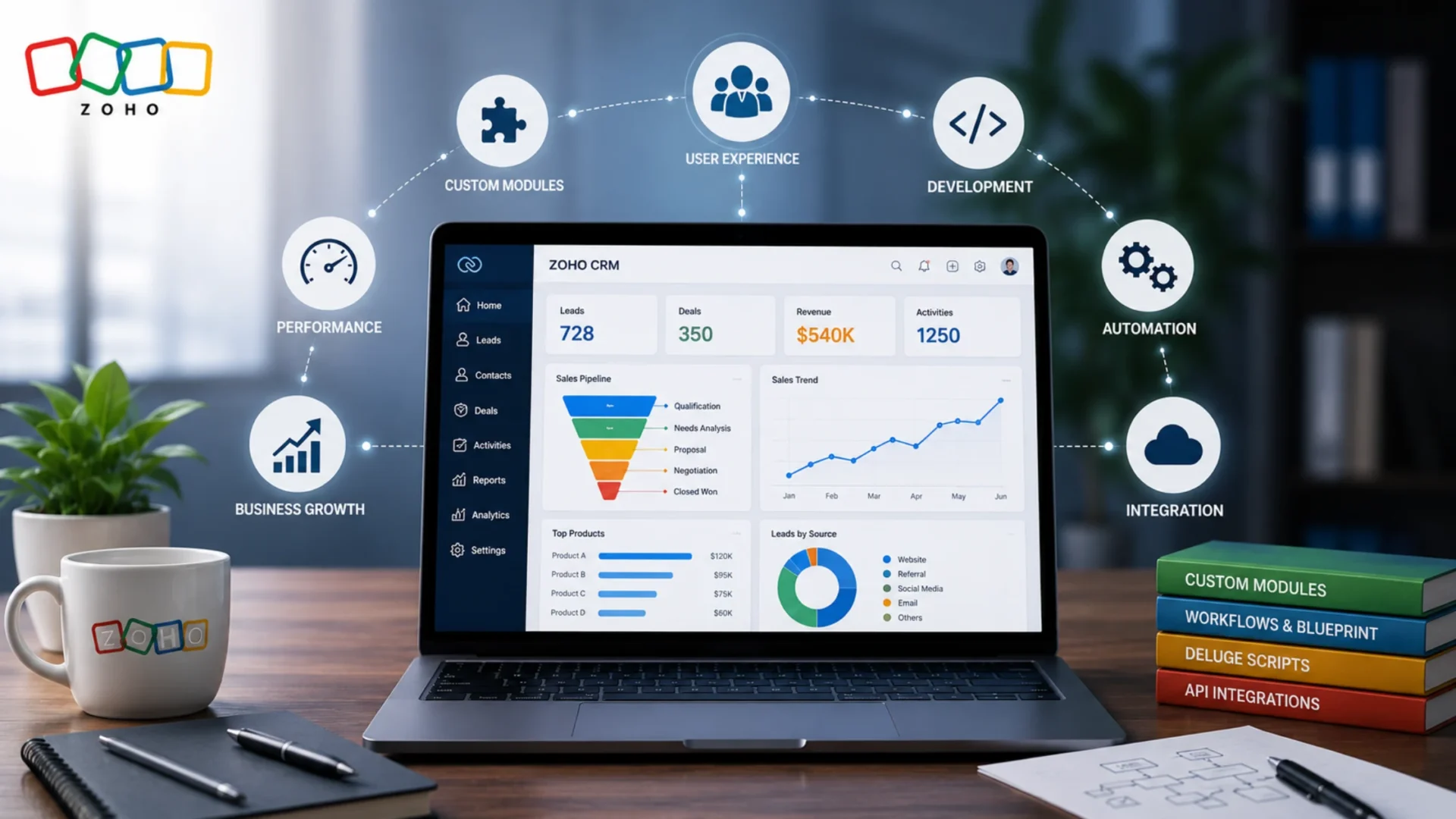
This is where the platform becomes a real operational tool rather than a standard CRM. You are still not writing code, but you are working with more advanced features — and getting them wrong creates a system that is harder to fix than it was to build. Work at this level typically includes building custom modules from scratch beyond the default five, designing Canvas layout views for record detail pages, mapping Blueprint workflows for multi-stage sales or service processes, creating Subforms for line-item data inside records, building multi-level approval workflows, and configuring advanced scoring rules and territory management.
Real Example:
A B2B services company needs a custom Proposals module that links to Deals, tracks revision history, stores document versions, and triggers an internal approval workflow before the proposal reaches the client. No code — but it requires a custom module build, Subform setup, and Blueprint configuration. A first-time admin will get this wrong and create a system nobody wants to use.
Who can do this: A Zoho consultant or experienced Zoho admin. A developer is not required at this level — but someone with real Zoho implementation experience is. Our Zoho development services team handles exactly this level of engagement — from scoping through post-launch handoff, without pulling in development resources you do not need yet.
The Honest Bottom Line: Most US businesses dealing with a Zoho CRM that does not fit their process need Level 2, not Level 3. They assume they need a developer because the problem feels complex. Often, they need a Zoho consultant who knows the platform well enough to configure it properly, which costs significantly less than full development work.
Level 3 — Development: When You Genuinely Need a Zoho Developer
This is where the platform’s native tools stop being enough. At this level, you are dealing with Deluge scripting for custom automation logic, API integrations connecting Zoho CRM with tools like QuickBooks, Shopify, Salesforce, or your internal ERP, Zoho Creator applications that run alongside CRM, client-side JavaScript for real-time UI behaviour, custom widgets embedded into CRM records, and webhook configurations for real-time data sync.
Real Example:
A wholesale distributor needs Zoho CRM to pull live inventory levels from their ERP every time a sales rep opens a deal record. When inventory drops below a set threshold, a workflow automatically flags the deal and notifies the warehouse team. None of this is possible with native Zoho tools. It requires API integration, Deluge scripting, and custom function logic — a developer is required. This kind of project sits squarely in the territory of custom software development layered on top of the CRM platform.
⚠️ Worth Knowing:
- Someone who knows JavaScript does not automatically know Zoho’s ecosystem — Deluge is a proprietary scripting language specific to the Zoho platform
- A general developer without Zoho API experience will take three times longer and produce fragile code that breaks on platform updates
- Always ask for Zoho-specific project references before hiring — not just a portfolio of generic web development
What Can Actually Be Customized in Zoho CRM
A practical reference of what Zoho CRM setup and customization actually covers — with one line of context per item so you know why it matters:
When Do You Need a Developer for Zoho CRM Customization?
This is the question most agencies avoid answering honestly because a straight answer sometimes means a smaller project scope. Here is a scenario-based table that gives you a real picture:
The honest pattern: If your problem is about how data is structured, displayed, or flows inside Zoho CRM, you likely need a consultant, not a developer. If your problem is about data moving between Zoho and an external system, or logic that Zoho’s native automation cannot evaluate, that is when you genuinely need someone who writes code. Knowing this distinction saves you from either overpaying or underbuilding.
Zoho CRM Customization Cost: What US Businesses Actually Pay
Hourly rates are a poor guide — what matters is what the project actually involves. Here is what to expect at each level. These are real project-type cost ranges, not generic estimates. If you are looking to hire a Zoho CRM developer for customization, knowing these ranges before reviewing proposals puts you in a significantly stronger position.
Best Value Note: Zoho Partner agencies with offshore delivery teams handle the same project scope at 40 to 60 percent lower cost without compromising quality. That is where most US SMBs find the strongest return on their Zoho CRM customization investment. With 20+ years of technology delivery experience and 250+ developers, Elsner operates as a Zoho Authorized Partner serving US businesses at this exact model.
The Over-Customization Warning Most Agencies Will Never Give You
Most agencies will never tell you this — because it reduces their billing. It is, however, one of the most common problems any Zoho consultant encounters: the CRM that was over-customized by someone who understood the platform just well enough to break it.
The symptoms are recognizable:
- 50+ custom fields, with half of them empty because no one ever filled them in
- Custom modules that duplicate information already sitting in standard modules
- Workflow automations are firing on top of each other and causing incorrect field updates
- A record detail page so cluttered that sales reps stopped entering data — it simply takes too long
Over-customization almost always happens when the CRM is built around what the administrator thought the business needed — rather than what the sales team actually does every day. Or when every new problem is solved by adding something new rather than fixing the underlying structure.
The right question to ask before any customization project: Not “what can Zoho CRM do?” — but “what does my team need to do in under three clicks per day?” Build to that answer. Everything else is noise that will cost you later.
Before You Bring in a Zoho Developer: A Pre-Engagement Checklist
Complete these steps before you spend a dollar on developer time. Skipping them is how projects balloon in scope and cost.
✅ 1. Map your actual process on paper first
Write down your current sales or service process in plain language — stage by stage, what happens, and who is responsible at each step. This becomes your project brief. Any consultant or developer worth hiring will ask for it in the first conversation.
✅ 2. Identify your actual pain points — not your feature wishlist
Identify which specific problems are causing your team to work around the CRM rather than in it. These are your real customization requirements — not what you think you need, but what is actively costing you time and revenue.
✅ 3. List every external system that needs to connect
List every external system the CRM needs to exchange data with — accounting, eCommerce, support, telephony, ERP — and clarify what data needs to go in which direction. This single piece of information determines whether your project is a Level 2 or Level 3 engagement.
✅ 4. Decide who will manage the CRM after launch
Clarify who will manage the CRM after the developer finishes. If no one on your team can maintain it, build for simplicity rather than complexity. A system your team cannot own will degrade inside six months regardless of how well it was built.
✅ 5. Set a realistic timeline — and protect it
Rushed CRM customization creates technical debt that costs more to fix than it costs to do right the first time. If the business is demanding a go-live date that compresses the build by 30 percent, that pressure usually surfaces as a maintenance bill six months after launch.
✅ 6. Get at least two scoped proposals — not hourly rates
A fixed-scope quote tells you exactly what you are buying. An hourly quote tells you very little — and that ambiguity rarely works in your favour. Any agency that refuses to scope the project before billing is signalling something about how they run engagements.
What a Well-Customized Zoho CRM Actually Looks Like: A Real Before and After
Numbers and tables explain scope and cost. This case study explains what a successful Zoho CRM customization actually produces in practice and the type of ROI a properly scoped engagement delivers.
No developer was required. No API integration. No Deluge scripting. Just a Zoho consultant who understood the platform and took the time to understand the business first. This is what genuine Zoho CRM customization looks like when it is done right. For a closer look at similar engagements, browse our project portfolio to see the types of business problems we have solved across industries.
Conclusion
Zoho CRM customization is not an all-or-nothing investment. A business that needs custom fields and a better pipeline structure does not need the same engagement as one that needs real-time API sync with an ERP. The right starting point is always the same — map your actual business process on paper first, then identify specifically where the CRM fails to reflect it.
In most cases, the gap is smaller than it feels, and the fix is less expensive than expected. In some cases — integrations, Deluge logic, Creator applications — you genuinely need a developer with Zoho-specific experience. Knowing which situation you are in before you engage anyone is what keeps the project on budget and on timeline.
The right measure of a Zoho CRM engagement isn’t what it costs — it’s what it returns. A $3,800 consultant-level customization that moves rep adoption from 40 to 90 percent pays for itself in recovered productivity inside the first quarter. A $15,000 developer build that nobody uses because it is too complex to maintain costs far more than the invoice suggests.
Want an Honest Assessment of What Your Zoho CRM Actually Needs?
Elsner is a Zoho Authorized Partner that has implemented and customized Zoho CRM for 200+ businesses across the US. Tell us what is not working — we will tell you exactly what it takes to fix it, and what it will cost. No padded estimates, no upselling you to a developer engagement you do not need.
Frequently Asked Questions
What is Zoho CRM customization?
Zoho CRM customization is the process of modifying the platform to match the way your specific business works — beyond the default settings it ships with. This covers everything from adding custom fields and building new modules to writing Deluge scripts for advanced automation and connecting the CRM to external tools via API. The level of work required depends entirely on the gap between what Zoho does out of the box and what your team actually needs it to do.
What customization options does Zoho CRM offer?
Zoho CRM offers a wide range of customization options across multiple levels. At the basic level: custom fields, renamed modules, workflows, and tailored dashboards. At the intermediate level: new modules, Canvas layouts, and multi-step Blueprint processes. At the advanced level: Deluge code for custom logic, API integrations with external systems, and companion applications built in Zoho Creator. This range is what makes Zoho CRM customization services so varied in scope and cost.
When do you need a developer for Zoho CRM customization?
You need a developer when the work involves code or real-time data exchange with external systems — specifically Deluge scripting for custom automation logic, API integrations connecting Zoho CRM with tools like QuickBooks or Shopify, real-time data sync via webhooks, or building a Zoho Creator application if your problem is entirely about how data is structured or displayed inside the CRM, that typically requires a consultant, not a developer.
How much does Zoho CRM customization cost for a small business in the USA?
For a US small business, Zoho CRM customization costs range from $0 for basic admin configuration done in-house to $1,500–$6,000 for consultant-level work (custom modules, Blueprint processes) to $4,000–$15,000 for developer-level work, including API integrations and Deluge scripting. Full implementations with custom development typically run $12,000 to $40,000 or more. Zoho Partner agencies with offshore teams often deliver the same quality at 40 to 60 percent lower cost, which is where most US SMBs find the best value.
What is the difference between Zoho CRM configuration and customization?
The Zoho CRM configuration vs customization difference comes down to complexity and who can do the work. Configuration means adjusting what is already built into the platform — adding fields, setting permissions, creating views, and building basic workflows. Any capable admin can handle it with no coding. Customization goes further: building new modules, designing Canvas layouts, mapping Blueprint processes, or writing Deluge scripts. The deeper the change, the more likely you need someone with real platform experience rather than just access to the settings panel.
Can I customize Zoho CRM without coding?
Yes — and in most cases, that is exactly what you should do. Zoho CRM allows you to customize Zoho CRM without coding across a broad range of features: custom fields and modules, Canvas layout design, Blueprint process mapping, approval workflows, and advanced reporting, all of which require zero code. You only move into code territory when you need logic that the native automation tools cannot handle, or when you need to connect Zoho CRM to an external system. Most US businesses are surprised to find how much they can accomplish without writing a single line.