The below article is presented with an assumption that you have server access to Magento i.e database or FTP access.
Using Database
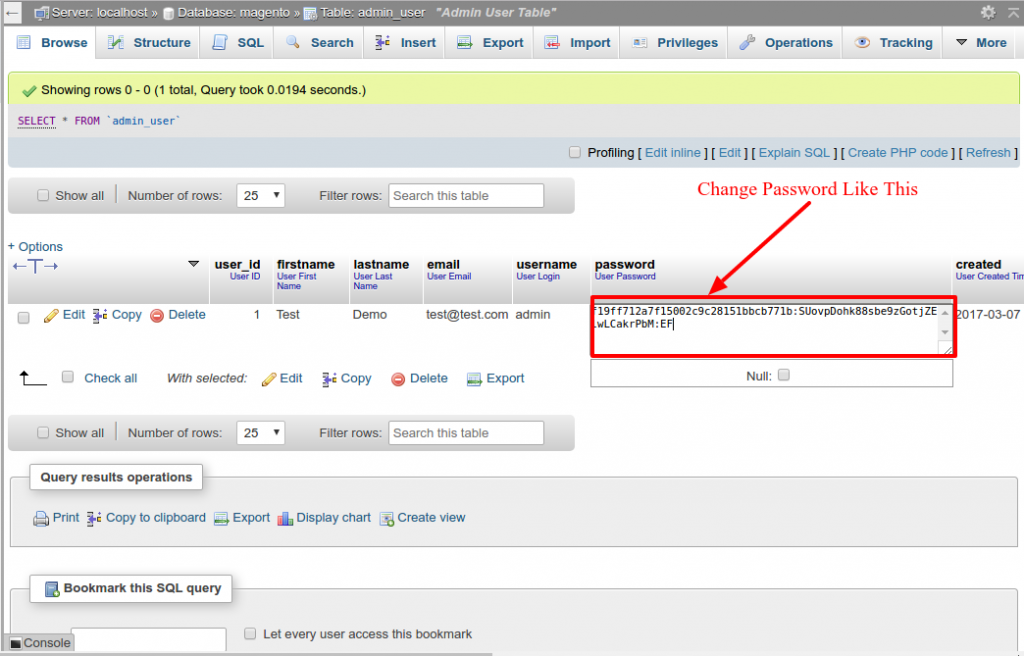
Changing Magento password using database is very easy if you have knowledge of Magento development. Open your database in PHPMyAdmin, and open the “admin_user” table. There you will see a row, with your admin username. Before, resetting the password you need to decide on two things New Password, Salt (any 2 letter word).
For my situation, I will take my new secret Password to be “anypassword” and salt to be “EF”. Next, go to any md5 generator site and produce md5 of string “EFanypassword”. The md5 for my situation being “e21ffc5b40e40077ba94c5ee63733655”. Presently, Edit the table line, in the admin_user table, for whom you need to change the secret Password. In the secret Password Column, put in the md5: Example :salt i.e for my situation “f21eeg7by0e40117bb97c5ge53733685:EF” and after that save the changes. Now you should be able to login with your new password through admin.
For Example
Only FTP Access
To login into Magento admin, using FTP access. Through FTP open the class Mage_Admin_Model_User located at app\code\core\Mage\Admin\Model\User.php
Next find the authenticate() function on line no: 348. Inside the authenticate function, this code is written
$this->loadByUsername($username);
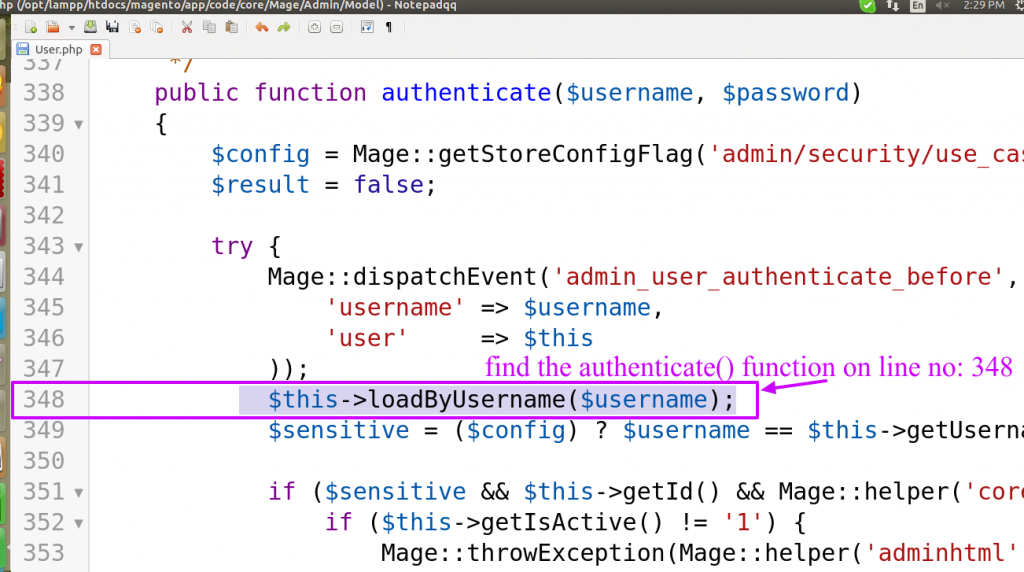
You need to add the line return true; after this i.e
$this->loadByUsername($username);
return true;

And that’s it, now you login in admin using any password. Since we have skipped the code for password checking, login using any password and then change the password in admin from System -> Permission -> Users.