- What Magento ERP Integration Actually Solves
- The Three Integration Architectures
- Magento Odoo Integration Deep Dive
- Where Odoo Fits
- Integration Approaches
- Typical Timeline and Cost Range
- Magento NetSuite Integration Deep Dive
- Where NetSuite Fits
- Integration Approaches
- Typical Timeline and Cost Range
- Sync Frequency Reality
- Magento SAP Integration Deep Dive
- Where SAP Fits
- Integration Approaches
- Typical Timeline and Cost Range
- Data Sync Patterns and Mapping Decisions
- Common Magento ERP Integration Pitfalls
- Choosing the Best ERP for Magento Ecommerce: Odoo, NetSuite or SAP
- FAQs
- Can Magento be integrated with ERP?
- What is the best ERP for Magento?
- How much does Magento ERP integration cost?
- How long does Magento ERP integration take?
- Do I need a connector or a custom build for Magento to ERP?
- What is the difference between Magento connector and middleware?
- Ready to Scope Your Integration?
- Weighing Connector, Middleware, or Custom?
Your finance team gets order data three days late. The warehouse ships a jacket that sold out on Monday. A customer asks where her refund is, and support can’t say, because Magento shows the order as closed while the ERP still shows it open.
That’s what a weak Magento ERP integration looks like day to day. It’s rarely one big failure. It’s a hundred small mismatches that eat hours every week.
This guide is for people scoping real integration work: IT directors, operations leads, and solution architects. We cover Odoo, NetSuite, and SAP, the three ways to connect each one, and the mapping choices that decide whether a project holds up. It’s not a pitch for any connector. It’s what we’ve seen work, and where things break.
What Magento ERP Integration Actually Solves
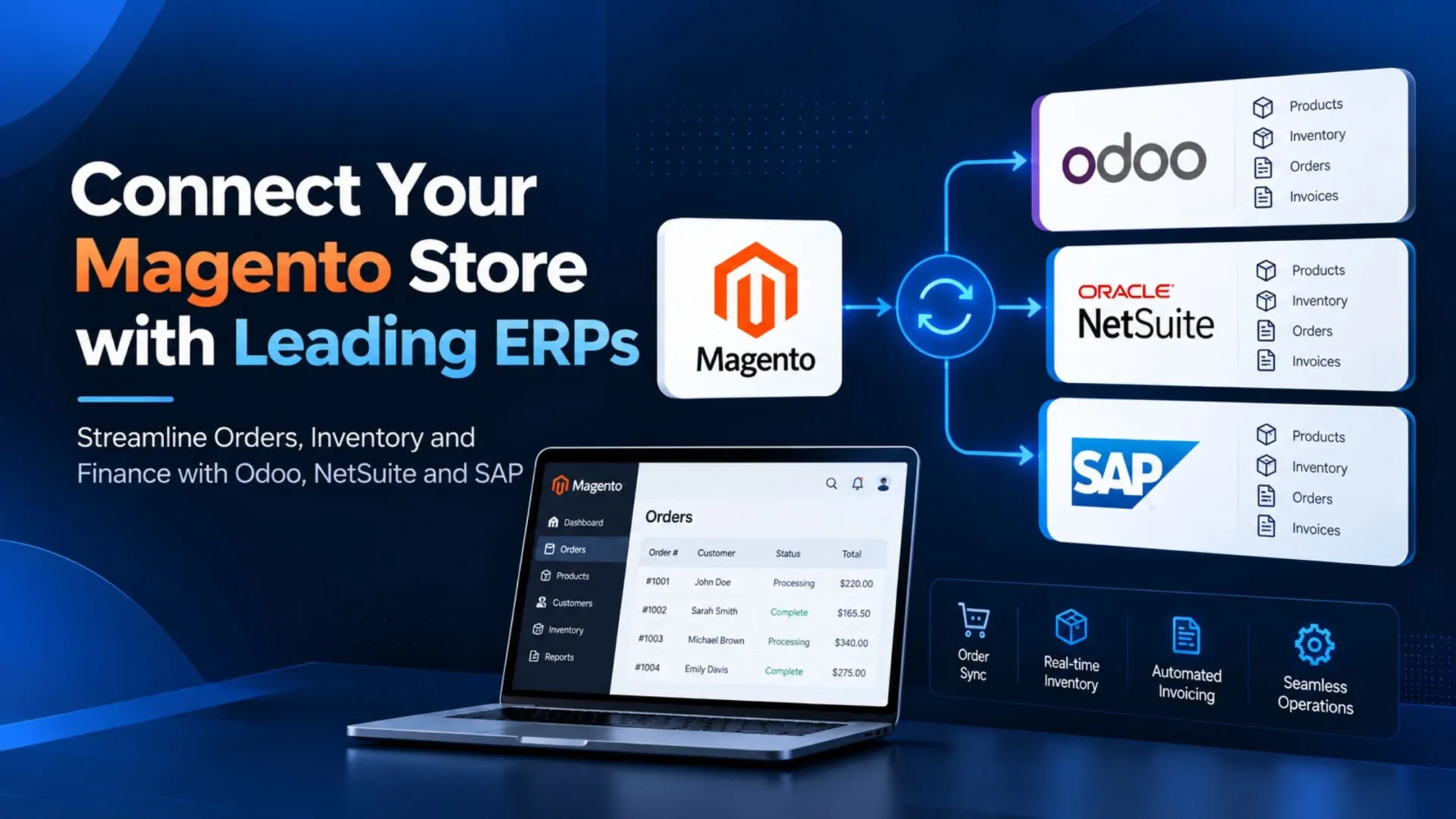
A Magento ERP integration connects your store and your ERP, so they share data both ways. Some people call it Magento 2 ERP integration, and others say Adobe Commerce ERP. It’s the same job. Products, inventory, orders, customers, and invoices stay in sync, and nobody has to type them in twice. It works for Magento Open Source and Adobe Commerce, though the tools are a bit different.
Four problems usually push teams to do it:
- Order to cash delay. Orders sit in Magento until someone keys them into the ERP, so invoicing and revenue booking lag behind.
- Oversell risk. Stock on the site drifts away from the warehouse count.
- Reconciliation work. Finance spends days matching payments, refunds, and tax across two systems.
- Customer service gaps. Agents see one order status. The warehouse sees another.
Now the part vendors skip. Integration won’t fix bad master data, because garbage in still means garbage out. It won’t repair a messy warehouse process. And an unreliable supplier stays unreliable, just more visibly. Think of it as plumbing. The value comes from what your team does with clean data on both sides.
Enterprise stores feel this first. If you’re planning Adobe Commerce development for a growing catalog, decide how the ERP connects before you design checkout. The order flow shapes both.
The Three Integration Architectures
Every project we’ve scoped lands in one of three patterns. Pick the pattern first and the product second. Teams that flip that order end up shopping for a Magento ERP connector before they know what it has to do.
|
1
|
Off-the-Shelf Connector: Fastest, Cheapest, Most OpinionatedA vendor builds a module for Magento and a matching piece for the ERP. You install it, map your fields, and the vendor’s data model handles the rest. It suits standard catalogs, one ERP, simple tax and pricing rules, and stores under 10,000 orders a month. The catch is that you’re accepting someone else’s opinion about what an order looks like. Anything unusual becomes a workaround. And you’ll pay a license for as long as the connector lives. |
|
2
|
Middleware or iPaaS: Moderate Cost, High FlexibilityA middle layer such as Boomi, MuleSoft, Celigo, or Workato sits between Magento and the ERP. Each side talks to the platform instead of to the other. Best for: Magento plus ERP plus a warehouse system plus a CRM, conditional logic, marketplace-style split orders, and teams already running automations on an iPaaS. Watch for: pricing by task or endpoint that climbs with volume, and failed runs that need a specialist to debug. |
|
3
|
Custom API Integration: Highest Upfront Cost, Lowest Long-Run Cost at ScaleYour own code connects Magento’s REST or GraphQL API to the ERP’s API. It runs on your server or in a small cloud function. This fits 10,000 or more orders a month, complex tax models (India GST, EU OSS), marketplaces, multi-store setups, and ERP workflows a connector can’t model. Be honest about the price, though. It costs more upfront, takes longer, and someone has to own it after launch, whether that’s your in-house team or a partner offering Magento development services. |
Adobe’s own integration starter kit can trim the early work on Adobe Commerce. It gives you sample code and event wiring for products, customers, orders, shipments, and stock, built on Adobe App Builder. It’s a starting frame, not a finished integration, and you should confirm your edition qualifies. (Verified against Adobe documentation on October 22, 2026.)
Here’s the decision table we use in scoping calls:
Magento Odoo Integration Deep Dive
Where Odoo Fits
Odoo is an open-source ERP with a big module ecosystem. It’s popular with mid-market companies, especially in Europe and India.
Your edition changes the integration more than most people expect. The community edition is self-hosted and open to any module. Enterprise adds licensed apps and gives you hosting choices: Odoo Online, Odoo.sh, or your own servers.
Odoo Online usually doesn’t accept third-party modules, and Odoo’s documentation says external API access isn’t available on its One App Free or Standard plans. If you want a module-style connector, plan on Odoo.sh or your own hosting. (Verified against Odoo documentation on October 22, 2026.)
Integration Approaches
If you’re asking how to integrate Magento with Odoo, you have three routes.
Off the Shelf
Third-party connectors sit on the Odoo Apps Store from vendors such as Emipro, Webkul, and VentorTech. They’re not built by Odoo itself, so check which Odoo and Magento versions each one supports before you buy.
Middleware
Platforms like Boomi or Celigo can sit in the middle, usually with custom flows on the Odoo side.
Custom
Direct calls from Magento’s REST or GraphQL API into Odoo’s external API. Older builds used XML-RPC. Odoo deprecated XML-RPC and JSON-RPC in version 19, and its documentation schedules removal of the main services for Odoo 22 in fall 2028. The JSON-2 API is the replacement, so build on that.
Typical Timeline and Cost Range
These numbers are illustrative. They assume one Magento store, one Odoo instance, about 5,000 active SKUs, and standard tax.
- Off the shelf: 2 to 4 weeks, plus a connector license and a setup fee.
- Custom: 6 to 12 weeks, roughly $15,000 to $45,000.
Tax rules, warehouses, and custom fields move that range fast.
Elsner has an edge here. Our sister brand ERPOcean specializes in Odoo, so on cross-team projects the Odoo side and the Magento side share what they learn instead of working through a ticket queue. If you’d rather add engineers to a running project, you can hire Magento developer talent for the storefront side while the ERP team handles Odoo.
Magento NetSuite Integration Deep Dive
Where NetSuite Fits
NetSuite is a cloud-native ERP. It scales from mid-market to large enterprise and it’s common in North America. Editions matter. A single-entity account behaves very differently from NetSuite OneWorld, which adds subsidiaries, currencies, and tax per entity. Know which one you’re on before anyone writes a line of code.
Integration Approaches
Searching for how to connect Magento to NetSuite turns up a lot of noise. Here’s the short list.
Off the Shelf
Celigo’s Magento 2 and NetSuite integration app, i95Dev NetSuite Connect, and Folio3’s connector. The first two are listed on the Adobe Commerce Marketplace. Folio3’s runs as a SuiteApp inside NetSuite. These are partner products, not Adobe’s.
Middleware
Celigo shows up as middleware on a lot of NetSuite projects, even for teams that never bought its prebuilt app.
⚠️ Custom
Direct calls to NetSuite’s REST web services, plus RESTlets where REST has gaps. Oracle says SOAP web services will be removed with the 2028.2 release and tells teams to build new integrations on REST with OAuth 2.0. Don’t start a new Adobe Commerce NetSuite integration on SOAP. (Verified against Oracle NetSuite documentation on October 22, 2026.)
Item data deserves extra care. When NetSuite pushes names and descriptions into Magento, it can overwrite URL keys and meta fields you tuned on purpose. Our Magento SEO guide covers which fields to protect.
Typical Timeline and Cost Range
Illustrative again, assuming one storefront, one NetSuite account with a single subsidiary, and about 5,000 active SKUs.
- Off the shelf through Celigo: 4 to 8 weeks. License tier scales with transaction volume.
- Custom: 8 to 16 weeks, roughly $30,000 to $90,000.
Sync Frequency Reality
NetSuite limits how many requests can run at the same time. The limit covers SOAP, REST, and RESTlet calls together, and it depends on your service tier and SuiteCloud Plus licenses. If you go over it, REST calls fail with a 429 error. (Verified against Oracle and Celigo documentation on October 22, 2026.)
So orders can sync in real time, but inventory usually runs on a timer. Every 15 minutes is a common choice.
Magento SAP Integration Deep Dive
Where SAP Fits
SAP is the enterprise choice for large B2B distribution, manufacturing, and multinational operations. The edition changes everything. S/4HANA is the current flagship, Business One targets smaller companies, and ECC is the older generation many firms still run. A connector built for Business One won’t help an S/4HANA shop.
For B2B stores, the buyer side matters as much as the ERP side. Company accounts, shared catalogs, and quote flows all touch SAP data, and our Magento B2B ecommerce features guide shows which of those features need ERP input.
Integration Approaches
Off the Shelf
i95Dev SAP Business One Connect and TechDivision’s SAP S/4HANA connector are both listed on Adobe Commerce Marketplace. TechDivision’s is built on Adobe’s integration starter kit. For a Magento SAP connector on ECC or a heavily customized S/4HANA, expect gaps.
⚠️ Middleware
SAP Integration Suite, SAP PI/PO, Boomi, and MuleSoft. Middleware is very common with SAP because the landscape is complicated. One date to watch: SAP has said mainstream maintenance for Process Orchestration 7.5 ends at the close of 2027, with extended maintenance to 2030. Don’t start fresh work on PI/PO without a plan for that.
Custom
Direct connection through OData services, IDocs, or RFC and BAPI calls.
Typical Timeline and Cost Range
Illustrative, assuming S/4HANA, one plant, one storefront, and standard order-to-cash.
- Off the shelf: 6 to 10 weeks at minimum.
- Middleware: 8 to 16 weeks, depending on scope.
- Custom: 12 to 24 weeks, roughly $60,000 to $200,000.
The SAP reality check: SAP projects rarely finish on the date the sales team quoted. Budget 30 to 50 percent contingency. The bottleneck is usually SAP-side configuration and change management, not Magento work.
Data Sync Patterns and Mapping Decisions
This is the section every failed ERP project skipped. Six flows, six decisions.
Products
Which system is the master, Magento or the ERP? Pick wrong and you’ll rebuild the sync later.
Inventory
Magento inventory sync with the ERP comes down to one question: real time or interval? Real time cuts oversell risk but adds load on both systems. An interval keeps things calm at the price of a small lag.
Orders
Magento order sync with the ERP needs a trigger. When does an order leave Magento: on placement, on payment, or on fulfillment? Each choice changes what finance sees and when.
Customers
How do you match duplicates? By email, by phone, or with the ERP customer ID as the source of truth? Guest checkouts make this messier than it looks.
Invoices and Credit Notes
Which system creates them? Finance decides this, not IT.
Tax
Calculated in Magento or in the ERP? Enterprise stores usually calculate in the ERP. Smaller stores often keep it in Magento.
One rule covers all six. Make each decision once, at project start. Changing any of them later costs more than the original build.
If you’re mapping these flows during a platform move, our Magento migration checklist pairs well with this list.
Common Magento ERP Integration Pitfalls
Think of this as the short list of Magento ERP integration best practices, told backward. Most of these look obvious afterward. They’re easy to miss in the middle of a project.
|
1
|
Choosing the Connector Before the ArchitectureCovered above. It still happens constantly. |
|
2
|
Underestimating Master Data CleanupDirty product data in either system breaks the sync on day one. Budget time for cleaning, not just connecting. |
|
3
|
Skipping the “Map Every Tax Scenario” StepThen you meet the mismatches in production, with real customers watching. |
|
4
|
Assuming Real-Time Sync Is Always RightUsually it isn’t. |
|
5
|
Ignoring Change Management on the ERP SideNew fields, approval flows, and warehouse steps all need owners. |
Two more deserve a closer look.
Building around today’s catalog is a quiet trap. A store that sells simple products now may add bundles, subscriptions, or a marketplace later. If the integration can’t stretch, you’ll pay for a rebuild right when growth is hardest to interrupt.
And connector vendors change. Prices go up, features get deprecated, companies get acquired. Ask what happens to your sync if that day comes. A Magento support plan helps here, because someone is watching versions and vendor notices while you run the business.
Choosing the Best ERP for Magento Ecommerce: Odoo, NetSuite or SAP
There’s no single best ERP for Magento ecommerce. There’s a best fit for your profile. Here’s how we map it.
Sometimes it’s a toss-up. Two ERPs fit about equally well, and the spec sheets won’t settle it. In that case, look at your people. Which system does your team already know? Which one can you hire for in your city? A tool your team can run beats a better tool nobody understands.
FAQs
Can Magento be integrated with ERP?
Yes. Magento exposes REST and GraphQL APIs, and most ERPs have APIs of their own. You connect them with a connector, a middleware platform, or custom code.
What is the best ERP for Magento?
It depends on your size, region, and process. Odoo fits budget-sensitive mid-market stores, NetSuite fits growing North American brands, and SAP fits large, complex B2B operations.
How much does Magento ERP integration cost?
It varies by ERP, scope, and architecture. As a rough illustration, an off-the-shelf connector costs a license plus setup, while a custom build for Odoo, NetSuite, or SAP can run from roughly $15,000 into six figures. Get a scoped estimate before budgeting.
How long does Magento ERP integration take?
Illustrative ranges: 2 to 4 weeks for an Odoo connector, 4 to 8 weeks for NetSuite through Celigo, and 6 to 10 weeks or more for SAP. Custom builds run 6 to 24 weeks depending on the ERP. SAP projects often slip, so add contingency.
Do I need a connector or a custom build for Magento to ERP?
If your catalog, tax, and pricing are standard and volume is modest, a connector is usually enough. If you have complex tax, marketplace flows, high volume, or you’ve already outgrown a connector, a custom build tends to pay off.
What is the difference between Magento connector and middleware?
A connector is a prebuilt link between Magento and one ERP, with a fixed data model. Middleware is a separate platform that sits between several systems and lets you build and change flows yourself.
Ready to Scope Your Integration?
Your ERP matters less than the architecture you pick and the mapping decisions you make in week one. Most failed ERP projects trace back to those early choices, not to week-twelve execution.
If you’re weighing connector, middleware, or custom, we’d be glad to talk it through. Book an ERP integration scoping call with our team. We bring Adobe Commerce development depth on the Magento side, and our sister brand ERPOcean covers the Odoo side. For storefront work around the integration, see our Magento development services.
Weighing Connector, Middleware, or Custom?
Book an ERP integration scoping call. We bring Adobe Commerce depth on the Magento side and Odoo expertise through our sister brand ERPOcean — so the architecture and mapping get decided right in week one.