- What Is Visual Search in Ecommerce?
- Why Keyword Search Does Not Always Match the Way People Shop
- Visual Search, Image Search, and Multimodal Search Are Not the Same Thing
- How Visual Search Actually Connects a Shopper to a Product
- Why Google Lens Matters to Ecommerce Brands
- Google’s New Multimodal Search Reporting Makes This More Measurable
- The First Optimization Priority: Make the Product Image Easy to Understand
- Product Data Is Just as Important as Product Photography
- Do Not Forget Image Alt Text, But Do Not Overestimate It
- Structured Data: Useful Foundation, Not a Shortcut
- Product Variants Deserve Special Attention
- Visual Search on Shopify, Magento, WooCommerce, and Headless Commerce
- Shopify
- Magento and Adobe Commerce
- WooCommerce
- Headless Commerce
- Where Visual Search Can Make the Biggest Difference
- Visual Search Should Connect With Product Recommendations
- Common Visual Search Mistakes That Can Hurt the Experience
- How to Measure Visual Search Performance
- A Practical 90-Day Roadmap for Visual Ecommerce Search
- Visual Ecommerce Search Checklist
- Key Takeaways
- Frequently Asked Questions
- What is visual search in ecommerce?
- Why is visual search becoming important for online stores?
- Does visual search replace traditional SEO?
- How should ecommerce product images be optimized for visual search?
- Does image alt text improve visual search rankings?
- Does structured data guarantee visual search visibility?
- Which ecommerce categories can benefit from visual search?
- Can Shopify stores implement visual search?
- Can Magento and Adobe Commerce stores use visual search?
- What should an ecommerce business do first?
You see a jacket on someone walking down the street. You like the shape, the color, maybe even the way it fits into the outfit. But there is one problem: you have no idea what the jacket is called.
So what do you search for?
“Brown oversized jacket” might bring thousands of results. “Casual men’s jacket” might be even less useful. The words you choose may not match the words used by the retailer at all.
Now imagine simply taking a picture of the jacket and using that image to start your search.
That is the basic idea behind visual search in ecommerce, and it is changing an important part of the shopping journey. Instead of asking shoppers to translate what they see into keywords, visual search lets the image carry part of the meaning.
The shift matters for ecommerce brands because product discovery is becoming less dependent on a single search box. A shopper can discover a product through a photograph, screenshot, social post, video frame, camera image, or another product they already own.
For merchants, that creates a practical question: if a shopper finds your product through an image instead of a keyword, is your catalog ready for that journey?
Quick Answer
Visual search in ecommerce allows shoppers to use an image, photograph, screenshot, or camera input to discover products without relying entirely on keywords. A strong visual search strategy starts with accurate product photography, useful image context, complete product attributes, correctly connected variants, crawlable product pages, structured data, and consistent pricing and availability. The goal is not to create a separate SEO trick for images. It is to make the entire product catalog easier for search systems and shoppers to understand.
What Is Visual Search in Ecommerce?
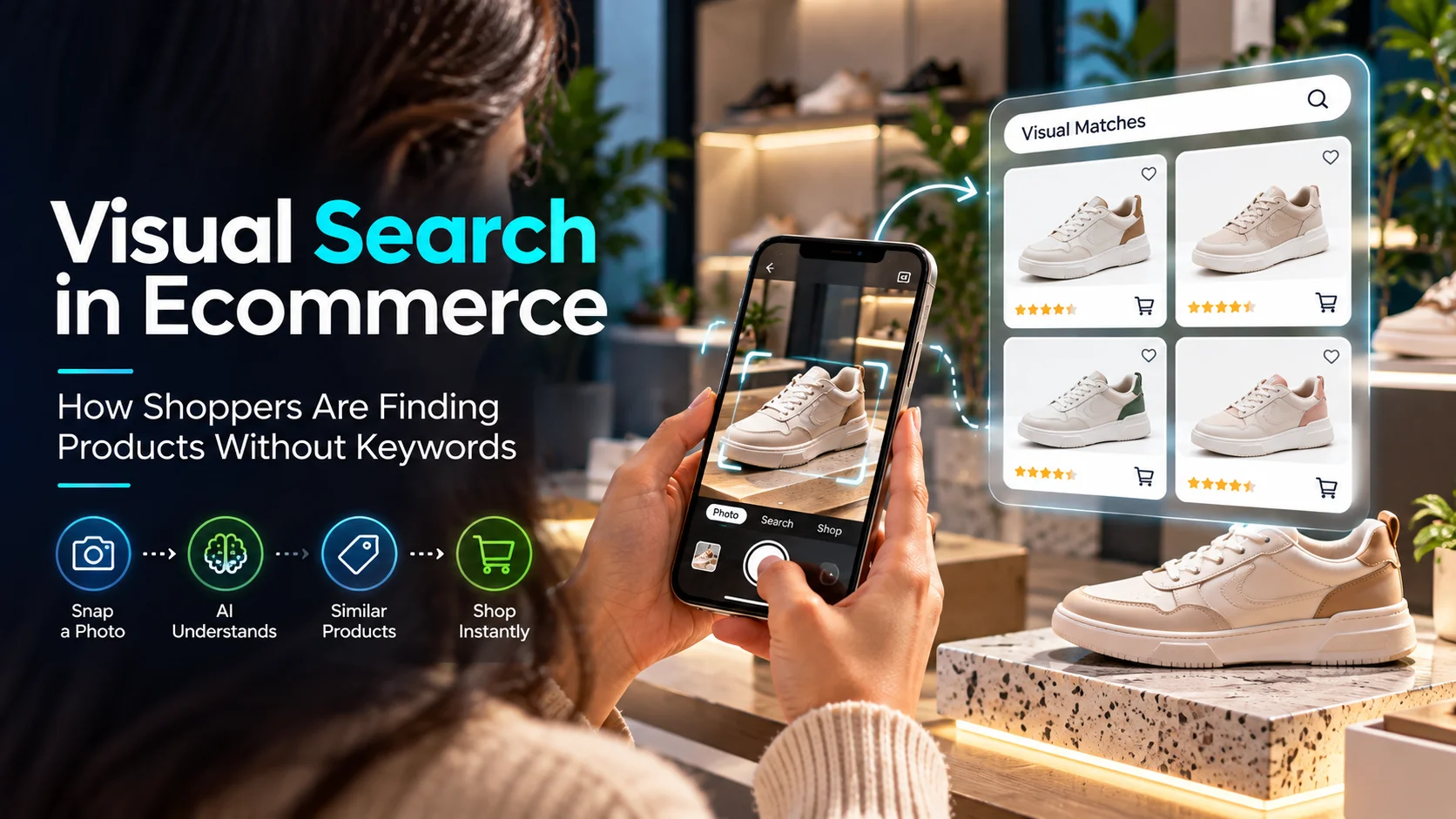
Visual search is a way of finding information or products by using an image as the starting point. Instead of typing a description into a search engine, a shopper can upload a photograph, use a camera, select an image from their device, or interact with an image they are already viewing.
The search system then attempts to understand what is visible. Depending on the technology, that can include recognizing objects, comparing shapes, identifying colors and patterns, understanding the broader scene, or connecting visual information with product and shopping data.
For ecommerce, the interesting part is what happens after the image is understood. The shopper may be shown an exact product, similar products, different versions of the same product, retailers selling the item, or additional information that helps with the purchase decision.
Google has been investing heavily in this type of discovery through Google Lens. Google reported that Lens was handling nearly 20 billion visual searches every month, with 20% of those searches related to shopping. It has also described shopping experiences where Lens can identify products and surface information such as prices, reviews, deals, and retailers. Google’s Lens shopping announcement explains several of these use cases.
The important change is simple: shoppers do not always need to know the name of a product before they can start looking for it.
That may sound like a small change in search behavior, but for ecommerce it affects the entire path from inspiration to product page.
Why Keyword Search Does Not Always Match the Way People Shop
Traditional ecommerce search assumes that the shopper can describe the product they want. Sometimes that is true. Sometimes it is not.
Consider furniture. A shopper may see a sofa with curved arms, a low profile, textured upholstery, and a warm neutral color. They understand what they like visually, but they may not know whether the retailer calls it “modern,” “contemporary,” “boucle,” “curved,” or something else entirely.
The same thing happens in fashion. A shopper might recognize the silhouette of a dress but have no idea whether the product category is “slip dress,” “bias-cut dress,” “midi dress,” or simply “summer dress.”
Visual search removes some of that friction because the shopper can begin with the thing they already understand: its appearance.
| Traditional Discovery | Visual Discovery |
|---|---|
| Shopper describes the product | Shopper shows the product or something similar |
| Depends heavily on vocabulary | Uses visual characteristics as an input |
| Exact terminology can affect results | Appearance can start the discovery process |
| Filters are usually applied after a query | Text and filters can refine an image-based query |
This does not make keyword search obsolete. In fact, the two methods work better together. A shopper may upload a picture and then add “show me something under $150” or “find this in black.” The image establishes the visual direction, while text supplies the remaining constraints.
Visual Search, Image Search, and Multimodal Search Are Not the Same Thing
These terms are increasingly used together, but they describe different parts of the modern discovery experience.
| Search Method | Starting Signal | Example |
|---|---|---|
| Keyword Search | Words | “Black leather handbag” |
| Image Search | Image | Finding pages or images related to a photograph |
| Visual Search | Visual characteristics | Finding products that look like an uploaded item |
| Semantic Search | Meaning and intent | Understanding “something suitable for a beach wedding” |
| Multimodal Search | Image plus text | Using a photo and asking for a cheaper version in black |
For ecommerce teams, this distinction leads to a useful conclusion. You should not build one optimization strategy for text and another completely separate strategy for images. The product catalog has to support both.
How Visual Search Actually Connects a Shopper to a Product
The technology behind visual search can involve computer vision, machine learning, image embeddings, product catalogs, ranking systems, and other components. Merchants do not need to understand every technical detail to understand the ecommerce implication.
Think of the process as a chain.
The shopper provides the visual signal
It might be a photograph, screenshot, camera image, social post, or another product image.
The system interprets what is visible
It may identify objects, shapes, colors, patterns, materials, or relationships between elements in the image.
The visual signal is matched with product information
The system needs product images, catalog attributes, product relationships, and other useful signals to find relevant results.
The shopper adds context
Price, color, size, brand, availability, location, or other preferences can further narrow the result.
The shopper reaches a product
The journey ends with a product page, retailer, listing, recommendation, or another useful shopping destination.
Notice where the merchant’s responsibility appears in this process. It is not just the image. The product catalog sits underneath the entire experience.
Why Google Lens Matters to Ecommerce Brands
Google Lens is probably the clearest example of visual search becoming part of everyday search behavior.
A shopper can see a product in a video, on a website, in a store, or while browsing social content and use Lens to investigate it. Google has also described combining images with words so that shoppers can refine what they are looking for. A photograph can establish the visual direction, while text can add something the camera cannot know, such as budget or preferred color.
20B+
Google says Lens is used for nearly 20 billion visual searches every month, and 20% of those searches are shopping-related.
Source: Google, October 2024
That number should not be treated as a promise of traffic for every ecommerce site. It is better understood as evidence that visual discovery is already a substantial behavior.
The practical question for merchants is therefore not whether every shopper will use visual search. It is whether the business is prepared when a shopper does.
Google’s New Multimodal Search Reporting Makes This More Measurable
One of the most useful recent developments for SEO teams is better visibility into multimodal search behavior.
In September 2026, Google announced web multimodal search performance reporting in Search Console. The reporting covers search experiences involving Lens, Circle to Search on Android, image uploads to Google Search, and Chrome’s “Search this image” feature. Google says the data can be accessed through a new multimodal search type filter in Performance reporting.
Why This Matters
Visual discovery is becoming something SEO teams can investigate with performance data rather than simply discuss as a future trend. If a site receives traffic from qualifying multimodal searches, Search Console can help identify that activity.
This changes how ecommerce teams can approach optimization. Instead of assuming that a particular image should perform well, marketers can look at actual search behavior, identify the product categories receiving visual discovery, and then investigate what makes those pages useful.
The First Optimization Priority: Make the Product Image Easy to Understand
This sounds obvious, yet it is one of the easiest things to get wrong in a large catalog.
A product image should show the product clearly enough that a shopper can recognize it without having to decode the photograph. The same principle is useful for visual discovery systems.
A strong product image should:
- Show the actual product clearly.
- Use enough resolution to preserve important details.
- Represent colors realistically.
- Show useful angles when appropriate.
- Make important product characteristics visible.
- Correspond to the product or variant being sold.
Lifestyle photography still has an important role. It helps shoppers imagine how a product fits into their lives. The problem starts when lifestyle photography becomes the only meaningful representation of the product.
For example, a bedroom photograph may look beautiful, but if the product page sells only the nightstand and the image contains a bed, lamp, rug, artwork, and several other objects, the visual relationship becomes ambiguous.
Use lifestyle images to add context. Use clear product photography to establish identity.
Product Data Is Just as Important as Product Photography
Imagine visual search identifies the right sneaker. That solves only the first part of the shopping problem.
The shopper still wants to know whether it is available in their size, what it costs, which colors exist, what it is made from, when it can arrive, and what happens if they need to return it.
That information lives in the product catalog.
| Product Information | Examples |
|---|---|
| Identity | Product name, SKU, brand, category |
| Appearance | Color, pattern, finish, style, shape |
| Physical Details | Material, dimensions, weight, construction |
| Variants | Size, color, material, configuration |
| Commerce | Price, inventory, shipping, returns |
This is one reason visual search should be considered part of a broader product-data strategy rather than a standalone SEO project. The same clean data can support site search, filters, recommendations, shopping feeds, marketplaces, structured data, AI shopping experiences, and merchandising.
For businesses dealing with large or fragmented catalogs, product digitalization for ecommerce can help bring product information and digital commerce operations into a more consistent structure.
Do Not Forget Image Alt Text, But Do Not Overestimate It
Alt text has an important job, particularly for accessibility. It also provides context about an image when the image itself cannot be perceived.
What it should not become is a dumping ground for keywords.
Avoid this
“best women’s shoes online white sneakers women’s sneakers cheap sneakers”
A better approach
“White women’s low-top sneakers with a rubber sole.”
The second version describes what a person can actually see. That is the standard to aim for.
Structured Data: Useful Foundation, Not a Shortcut
Structured data gives search engines machine-readable information about a page. For ecommerce, Product structured data can communicate details such as product identity, offers, price, availability, reviews, and other supported information.
Google’s current documentation says Product markup can make eligible pages appear in product-related search experiences, including merchant listings and product snippets.
For visual ecommerce, the key word is consistency. If structured data says one thing while the visible page, image, price, or variant says something else, the implementation is not doing its job properly.
Product Variants Deserve Special Attention
Apparel, footwear, furniture, electronics, luggage, and many other products are sold in variations. Google specifically recommends ProductGroup and related properties for describing relationships between variants such as size, color, material, and pattern.
Think about the image and the variant together. If a shopper discovers a red handbag visually, but the product page opens with the black variant selected, the journey is already slightly broken. Good visual commerce keeps the visual result connected to the actual purchasable option.
Visual Search on Shopify, Magento, WooCommerce, and Headless Commerce
Shopify
Shopify merchants should start with catalog quality before looking at advanced visual search functionality. Product photography, product attributes, variants, collections, descriptions, structured data, and internal links need to be reliable first.
Once the foundation is sound, visual search can be introduced through appropriate applications, integrations, or custom storefront development. Shopify development services can support custom ecommerce functionality when standard capabilities are not enough.
Magento and Adobe Commerce
Magento and Adobe Commerce stores often have larger catalogs, more complex attributes, configurable products, multiple storefronts, and deeper integrations. In those environments, visual search needs to be connected to the underlying product architecture.
If the visual-search index says a product is available but the inventory system says it is out of stock, the shopper experience becomes unreliable. The search layer should therefore consume dependable catalog and inventory information rather than becoming another isolated source of truth.
Magento development services can support this type of custom product discovery architecture.
WooCommerce
WooCommerce stores can take the same foundational route: improve product images, organize attributes properly, maintain structured product information, and make product pages technically accessible. Custom visual discovery can then be added where there is a clear customer benefit.
WooCommerce development services can support custom search and product-discovery integrations.
Headless Commerce
Headless architecture becomes interesting when visual discovery is a major part of the customer experience. A custom frontend can combine image upload, visual results, filters, recommendations, product comparison, and other discovery features while APIs connect the experience to commerce systems.
But headless does not automatically mean better visual search. It simply gives a business more control. The additional complexity should be justified by an actual customer or operational requirement.
Where Visual Search Can Make the Biggest Difference
Not every ecommerce category has the same visual-search opportunity. The strongest use cases tend to be products where appearance is an important part of the decision.
Fashion
Shoppers can search for similar silhouettes, outfits, colors, patterns, shoes, bags, or accessories.
Furniture and Home Decor
A room photograph can become the starting point for finding visually similar furniture, lighting, rugs, or decorative pieces.
Beauty
Visual signals can help with product discovery around shades, packaging, styles, and product appearance, although ingredient and suitability information still requires textual context.
Jewelry and Accessories
Shape, finish, color, design, and style can be strong discovery signals.
Automotive Parts
Visual identification can help shoppers locate similar components, but compatibility, specifications, and fitment should always be validated separately.
Visual Search Should Connect With Product Recommendations
There is a useful distinction between “find this” and “help me find something like this.”
The first is an identification problem. The second is a discovery problem.
A strong ecommerce experience should be able to handle both. If the exact product is unavailable, the shopper should not necessarily reach a dead end. The system can offer alternatives based on visual similarity, price, color, category, or other relevant attributes.
| Shopper Intent | Useful Ecommerce Response |
|---|---|
| “Find this exact item” | Exact product match |
| “Find something similar” | Visually related products |
| “Show me this in another color” | Relevant variants |
| “Find a cheaper version” | Similar products filtered by price |
| “Complete this look” | Complementary recommendations |
This is where visual search starts becoming more than a search feature. It becomes part of merchandising.
Common Visual Search Mistakes That Can Hurt the Experience
Treating Visual Search as an Image Optimization Project
A beautiful image is useful, but it cannot replace product information. Visual discovery still needs a dependable catalog behind the image.
Using Keyword-Stuffed Alt Text
Alt text should serve accessibility and accurate image description. It should not become a place for repeated commercial keywords.
Ignoring Variant Accuracy
When visual results, selected variants, prices, and availability disagree, the shopper loses confidence quickly.
Using Images That Do Not Represent the Product
Heavy editing or misleading compositions can create a gap between what shoppers discover and what they actually receive.
Launching a Feature Without Measuring Relevance
A visual search system that returns technically similar but commercially irrelevant products can frustrate users instead of helping them.
How to Measure Visual Search Performance
A visual search strategy should eventually answer a simple business question: does this help shoppers find useful products?
The answer should not be based only on how many people use the feature. A shopper can upload an image, receive poor results, and leave. That is activity, but it is not necessarily success.
Discovery Metrics
- Multimodal search impressions where available
- Clicks from image-driven discovery
- Organic product-page visits
- Search visibility trends for image-led discovery
On-Site Metrics
- Visual-search usage rate
- Result click-through rate
- Search refinement rate
- Product engagement
- Add-to-cart rate
- Conversion rate
Catalog Metrics
- Products with complete image coverage
- Missing product attributes
- Broken image URLs
- Variant-image mismatches
- Structured-data issues
- Inventory inconsistencies
A Practical 90-Day Roadmap for Visual Ecommerce Search
The temptation with emerging ecommerce technology is to start by buying or building the technology. For visual search, that is often the wrong first step.
Start by fixing the information that the technology would depend on.
Days 1 to 30: Find the Gaps
- Audit images across important product categories.
- Find products with missing attributes.
- Review image accessibility and crawlability.
- Check Product structured data.
- Review variant relationships.
- Identify categories where visual discovery could have the most customer value.
Days 31 to 60: Improve the Catalog
- Replace weak or inconsistent product imagery.
- Improve important product attributes.
- Fix variant and image mismatches.
- Improve product-page internal linking.
- Resolve structured-data problems.
- Synchronize product information between systems.
Days 61 to 90: Test and Learn
- Monitor multimodal search reporting in Search Console where available.
- Test visual discovery on priority categories.
- Measure product engagement from visual-search sessions.
- Identify queries or products where results are weak.
- Feed those findings back into catalog management.
That last step is important. A visual search strategy should become a feedback loop. If shoppers repeatedly search visually for a particular category but the results are weak, the answer may be missing attributes, poor images, incorrect variants, weak product relationships, or a problem in the search implementation.
Visual Ecommerce Search Checklist
Images
- Product images clearly represent the actual products.
- Important visual details are visible.
- Images are available in useful views and angles.
- Colors and finishes are represented accurately.
- Variant images match the selected variant.
Product Information
- Product names are specific and accurate.
- Relevant visual attributes are documented.
- Material and physical characteristics are available where useful.
- Variants are properly organized.
- Price and inventory information is current.
Technical Foundation
- Product pages are crawlable.
- Images are accessible.
- Product structured data is accurate.
- Variant markup reflects the actual product structure.
- Internal links connect relevant categories and products.
- Product URLs are included in the appropriate sitemap.
Measurement
- Multimodal search performance is monitored where data is available.
- Visual-search behavior is tracked if an on-site feature exists.
- Product engagement is measured.
- Conversion behavior is compared with other discovery channels.
- Catalog issues are documented and fixed continuously.
Key Takeaways
Visual search is changing one of the oldest assumptions in ecommerce: that shoppers have to know what a product is called before they can find it.
They increasingly do not.
A photograph can now be the first step. A screenshot can be a product query. Something seen in a video can become a shopping opportunity. And an image can be combined with text to create a much more specific request.
For ecommerce brands, the answer is not to abandon keyword SEO or create a collection of visual-search hacks. The more durable approach is to make the product catalog genuinely useful to both people and machines.
That means better images. Better product attributes. Better variant relationships. Better structured data. Better technical accessibility. Better consistency between what the customer sees and what the commerce system says is available.
Google’s latest multimodal Search Console reporting is another sign that visual discovery is becoming a measurable part of the search ecosystem rather than a niche experiment.
The brands that prepare well are not necessarily the ones with the most complicated visual-search technology. They are the ones whose products are easy to understand, easy to compare, and accurately represented wherever shoppers encounter them.
Frequently Asked Questions
What is visual search in ecommerce?
Visual search in ecommerce allows shoppers to use images, photographs, screenshots, or camera inputs to discover products. Instead of relying only on typed keywords, the system can use visual characteristics to identify products or find visually similar items.
Why is visual search becoming important for online stores?
People often recognize a product visually before they know its name or the terminology needed to search for it. Visual search reduces that gap by allowing the image to become the starting point for product discovery.
Does visual search replace traditional SEO?
No. Visual search complements traditional SEO. Product pages still need useful content, crawlable URLs, internal links, accurate product information, good page experience, and appropriate structured data.
How should ecommerce product images be optimized for visual search?
Use clear product photography, show important details, provide useful angles, represent colors accurately, keep images technically accessible, and make sure the images correspond to the actual product or selected variant.
Does image alt text improve visual search rankings?
Alt text should primarily provide accurate image descriptions and support accessibility. It should not be written as a list of keywords. Visual discovery depends on a broader combination of image, product, page, and technical signals.
Does structured data guarantee visual search visibility?
No. Structured data helps search engines understand product information and can make eligible pages available for certain search experiences, but Google does not guarantee that structured data will produce a particular search appearance.
Which ecommerce categories can benefit from visual search?
Fashion, furniture, home decor, beauty, jewelry, footwear, accessories, and other visually driven categories can be strong candidates because appearance plays an important role in product discovery and selection.
Can Shopify stores implement visual search?
Yes. Shopify stores can prepare their product catalogs for visual discovery and can add visual-search functionality through suitable applications, integrations, or custom development depending on the store’s requirements.
Can Magento and Adobe Commerce stores use visual search?
Yes. Magento and Adobe Commerce can integrate visual-search capabilities. Larger catalogs should pay particular attention to product attributes, variants, inventory synchronization, PIM, APIs, and search infrastructure.
What should an ecommerce business do first?
Start with a catalog audit. Review image quality, product attributes, variants, crawlability, structured data, internal links, and consistency between the product page and commerce systems. Once those fundamentals are in place, evaluate whether an on-site visual-search experience would solve a meaningful customer problem.
For ecommerce businesses that want to build a stronger foundation for modern product discovery, Ecommerce Development Services can help connect product data, search, integrations, merchandising, and customer experience into a scalable commerce environment.