- What SonarQube actually checks in your code
- Why static analysis carries more weight in 2026
- The real benefits of implementing SonarQube properly
- A quick self-check before you install anything
- Quality gates and Clean as You Code, explained properly
- SonarQube Cloud versus SonarQube Server: picking the right edition
- Setting up SonarQube: the sequence that actually works
- Connecting SonarQube to your CI/CD pipeline
- Where SonarQube fits next to other tools in your pipeline
- Match your actual problem before you configure anything
- Not sure which part of this to tackle first?
- Implementation mistakes enterprises keep making
- Building in-house versus bringing in help for the rollout
- Frequently Asked Questions
- What is SonarQube used for?
- What is a SonarQube quality gate?
- What does Clean as You Code mean in SonarQube?
- Is SonarQube free to use?
- What are the main benefits of implementing SonarQube?
- How do I integrate SonarQube with CI/CD?
- Does SonarQube catch issues in AI-generated code?
- Should SonarQube replace our dedicated SAST tool?
- The bottom line
- Ready to roll out SonarQube without the false starts?
Most teams install SonarQube the same way they install any other tool. Spin up a container, connect a repository, click a few defaults, and call it done. Three months later, the quality gate is either red on every build, which everyone learns to ignore, or green on every build, which tells you nothing at all. Neither outcome has much to do with SonarQube itself. It’s almost always a setup problem, and setup problems compound quietly until a release ships with a vulnerability nobody caught.
That gap matters more now than it did two years ago. AI coding assistants are producing a growing share of the code entering pipelines, and a recent industry survey found that 82 percent of organizations believe AI-generated code risks creating a new form of technical debt they aren’t prepared to manage. Static analysis used to be a nice-to-have for disciplined teams. It’s becoming the layer that decides whether AI-assisted development actually speeds things up or just moves the mess downstream.
This guide walks through what SonarQube actually inspects, how quality gates and the Clean as You Code approach work together, what a real CI/CD integration looks like, where the real benefits show up, and where teams consistently get the rollout wrong. It’s written for engineering leads and platform teams planning an implementation, not for someone learning to code for the first time.
Quick Answer
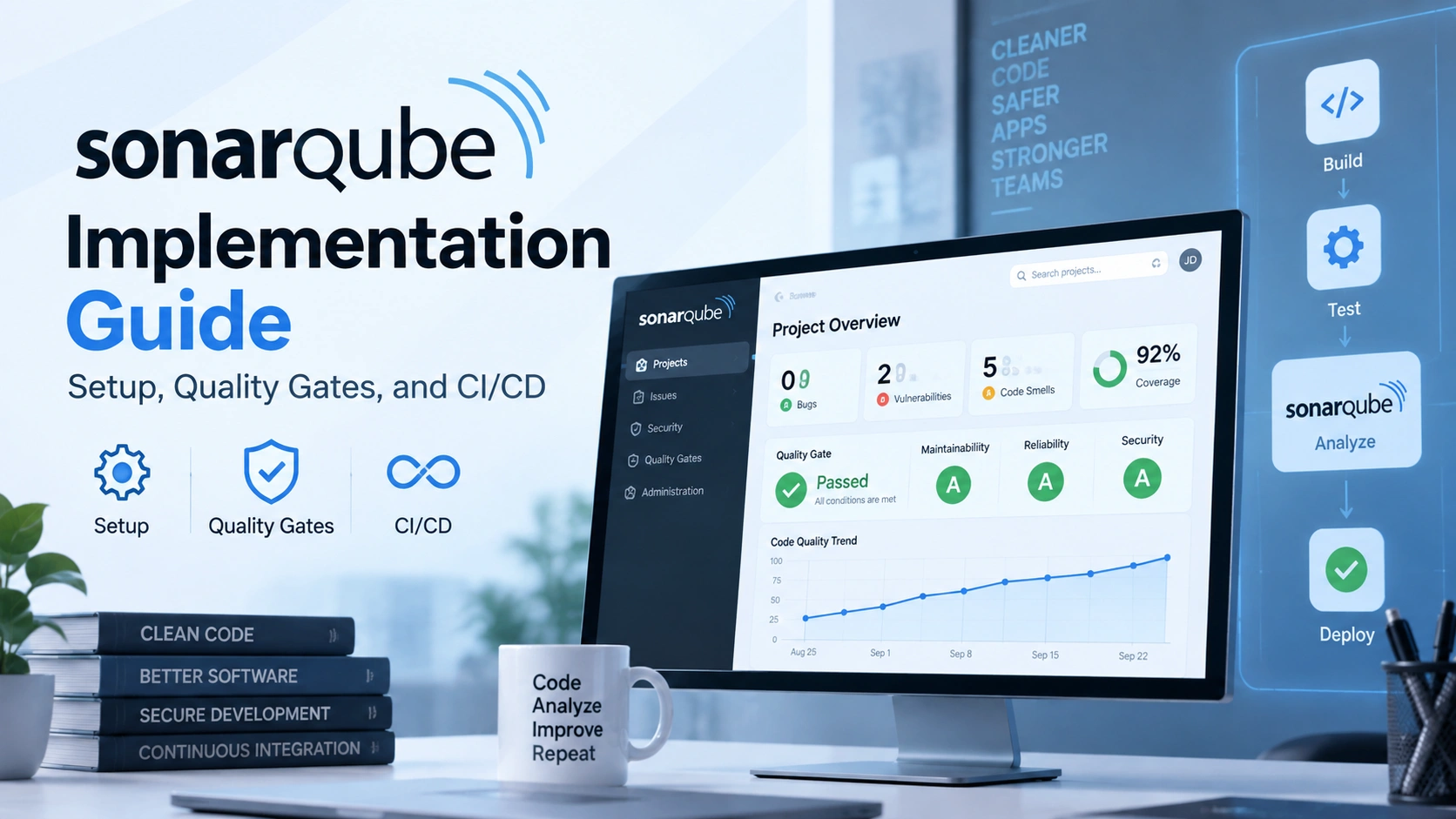
SonarQube is a static analysis platform from SonarSource that scans source code for bugs, security vulnerabilities, code smells, and duplication, then blocks or flags releases that fail a defined quality gate. Implementation involves three layers working together: a quality profile that sets the rules, a quality gate that sets the pass or fail conditions, and a CI/CD integration that runs the scan automatically on every commit or pull request. Most successful rollouts focus the gate on new code first rather than trying to clean an entire legacy codebase at once, an approach SonarSource calls Clean as You Code.
What SonarQube actually checks in your code
SonarQube isn’t a linter with a friendlier dashboard, though it gets described that way often enough. A scanner walks your source tree, builds an internal model of the code, and evaluates it against a set of rules specific to each language, more than 30 languages and frameworks at this point, including Java, JavaScript, TypeScript, Python, C#, and infrastructure-as-code formats like Terraform. The output lands in four rough buckets: bugs, which are things likely to cause incorrect behavior at runtime; vulnerabilities, security flaws mapped to standards like OWASP and CWE; code smells, maintainability issues that won’t break anything today but will slow the next person down; and duplications, repeated blocks that usually signal a missed abstraction.
None of that happens in isolation from the rest of your delivery process. A scan that runs once a month in a dashboard nobody checks isn’t really doing anything. The value shows up when analysis is wired into the same custom software development workflow your team already uses, so a failing check shows up on the pull request itself, not three weeks later during a security review.
Two more recent additions are worth knowing about, since they change what “implementation” means in 2026. AI CodeFix, now generally available, proposes automated fixes for a subset of detected issues instead of just flagging them. AI Code Assurance and Agentic Analysis, both still in beta as of this writing, are aimed squarely at the question every team is now asking: is the code an AI assistant just committed actually safe to ship. Frankly, that second piece is the real story behind why SonarQube implementation projects have picked up urgency this year.
Why static analysis carries more weight in 2026
Here’s the uncomfortable part most vendor pages skip over. AI coding tools have made it dramatically easier to produce code that compiles and passes a quick glance. They haven’t made it easier to know whether that code is secure, maintainable, or even understood by the person who committed it. A 2026 survey of DevSecOps professionals found that 91 percent of organizations now have two or more AI coding tools in active use, and 78 percent report developers writing and committing code faster as a result. That sounds like a clean productivity win until you read the next line.
The same research found that 43 percent of respondents can no longer reliably tell AI-generated code apart from code a human wrote in their own codebase, and 85 percent agree that AI has shifted the real bottleneck from writing code to reviewing and validating it. Speed moved upstream. Risk moved downstream. That’s exactly the gap a properly configured quality gate is built to close, catching problems before a human reviewer even opens the diff. It’s also why teams running AI and machine learning development work alongside application code tend to treat static analysis as a prerequisite now, not an afterthought bolted on once something breaks.
Put those three numbers next to each other and a pattern shows up fast. Teams are already losing close to half their week to debt they didn’t plan for, and the tools accelerating output are quietly adding to that pile rather than shrinking it. Static analysis doesn’t eliminate technical debt on its own. It’s the mechanism that stops new debt from getting waved through unnoticed, which is a smaller promise but a more honest one.
The real benefits of implementing SonarQube properly
None of these show up automatically the day you install the scanner. They show up once the quality gate is scoped correctly, wired into CI, and actually trusted by the team, which is the whole point of the rest of this guide. Worth knowing upfront what you’re working toward.
Worth being honest about the tradeoff too. None of this happens without someone owning it. Teams that pair SonarQube with disciplined automated testing practices tend to see these benefits show up within a quarter. Teams that bolt it onto an already chaotic pipeline mostly just get a louder chaos.
A quick self-check before you install anything
Teams that get the most out of SonarQube usually answer these honestly before touching a config file. Teams that skip this step tend to end up with a quality gate that’s either ignored or resented within a quarter.
- Do you know your current bug and vulnerability count, even roughly? If nobody has an answer, expect the first scan to surface a number that feels alarming. That’s normal, not a sign the tool is broken.
- Is there one person accountable for the quality gate configuration? Without an owner, thresholds drift, exceptions pile up, and the gate becomes decorative within a few sprints.
- Does your team already have a CI pipeline that runs on every pull request? If not, that’s the actual prerequisite. SonarQube analysis without automated triggering just becomes a manual step someone forgets.
- Would a failed gate actually block a merge, or would someone override it under deadline pressure? Be honest here. A gate that’s routinely bypassed teaches the team it doesn’t matter, and that lesson is hard to undo later.
- Are you trying to fix years of legacy code, or just stop new problems from piling on? Picking the wrong goal here is the single most common reason implementations stall.
That last question deserves its own section, because it’s where nearly every failed rollout actually goes wrong.
Quality gates and Clean as You Code, explained properly
A quality gate is a set of pass or fail conditions a build has to satisfy before it’s considered releasable. Coverage on new code above a threshold, zero new bugs, a maintainability rating no worse than B, that kind of thing. SonarQube ships a built-in gate called Sonar way, and it’s designed around a specific philosophy worth understanding before you customize anything.
That philosophy is Clean as You Code. Instead of demanding a team fix five years of accumulated issues before a release can ship, the gate applies almost entirely to new code, meaning code that’s been added or changed since a defined baseline. According to SonarSource’s own documentation, this approach lets teams improve quality gradually without blocking ongoing development, and it directly addresses the reason so many static analysis rollouts fail: nobody wants to own a backlog of ten thousand pre-existing issues on day one.
In practice, this means a developer is only responsible for the code they touch today. If they add new issues, SonarQube assigns those issues to them directly, which keeps accountability tight and specific instead of dumped on whoever happens to open the dashboard. Old code gets cleaned up naturally over time, since most changes touch surrounding lines anyway, but nobody is blocked waiting for a full legacy remediation project that was never going to happen on schedule.
The mistake that kills most SonarQube rollouts
Someone configures the quality gate against the entire codebase instead of new code, the first scan comes back with thousands of pre-existing issues, the gate turns red on every branch, and within two weeks the team either disables it or starts merging with failed checks anyway. The tool didn’t fail here. The configuration did. Scope the gate to new code first, always, then decide separately whether legacy remediation is worth a dedicated effort.
SonarQube Cloud versus SonarQube Server: picking the right edition
SonarSource sells two products under the SonarQube name, and mixing them up early leads to procurement headaches later. SonarQube Cloud is the hosted SaaS version, connects directly to GitHub, GitLab, Bitbucket Cloud, or Azure DevOps, and requires no infrastructure to maintain. SonarQube Server is the self-managed edition, the one regulated industries and air-gapped environments usually need, running as Community Build, a free open-source edition with limited language support, or a paid edition with broader coverage and enterprise features.
| Option | Best fit | Starting cost | Watch out for |
|---|---|---|---|
| SonarQube Cloud, Free | Solo developers, small open source projects | $0 | Public repositories only in most configurations |
| SonarQube Cloud, Team | Growing teams that want zero infrastructure overhead | Starts around $32 per month | Pricing scales with lines of code analyzed, not just seats |
| SonarQube Server, Community Build | Teams that need self-hosting but not enterprise features | Free, open source | Fewer supported languages, no built-in SSO or branch analysis |
| SonarQube Server, Enterprise or Data Center | Regulated industries, air-gapped or compliance-heavy environments | Custom, sales-quoted | Real setup overhead: infrastructure, upgrades, and scanner maintenance become your team’s job |
One detail that trips people up during evaluation: Community Build supports basic security rules for a handful of languages but lacks the deeper taint analysis and full OWASP Top 10 coverage that Developer and Enterprise editions include. If your compliance requirements mention SAST explicitly, confirm which edition actually covers that before you commit engineering time to a proof of concept on the free tier.
Setting up SonarQube: the sequence that actually works
Skip the tool comparison for a second and look at the mechanics. Every SonarQube implementation, cloud or self-hosted, follows roughly the same four-layer sequence, and getting the order right matters more than any individual setting.
1. Stand up the server, or connect to the cloud instance
For a self-hosted proof of concept, the fastest path is Docker: docker run -d --name sonarqube -p 9000:9000 sonarqube:lts-community. That’s fine for evaluation. Avoid the embedded database in anything you’d call production.
2. Define a quality profile per language
Start with the built-in Sonar way profile rather than writing a custom rule set from scratch. Custom profiles are worth building later, once your team has enough scan history to know which default rules are noisy for your specific stack.
3. Set the new code definition before you touch the gate
This step gets skipped constantly, and it’s the one that determines whether Clean as You Code actually works. Define new code at the project or branch level, tied to your release cadence, before you enable any blocking condition.
4. Wire the scanner into your pipeline, not into a person’s laptop
Local IDE scanning through SonarQube for IDE is genuinely useful for fast feedback, but it’s a supplement. The scan that decides whether a merge is allowed has to run in CI, every time, without depending on someone remembering to trigger it.
Connecting SonarQube to your CI/CD pipeline
SonarQube integrates natively with GitHub, GitLab, Bitbucket, and Azure DevOps, and the mechanics look similar across all four: a scan runs on push and on pull request, results get posted back as a status check, and a failed quality gate blocks the merge rather than just logging a warning somewhere nobody reads. Pull request decoration, where issues show up as inline comments directly on the diff, is the feature that determines whether developers actually engage with the findings or ignore a separate dashboard entirely.
Here’s roughly what that looks like as a GitHub Actions workflow, using the official SonarSource scan action:
name: Main Workflow
on:
  push:
    branches: [main, develop]
  pull_request:
    types: [opened, synchronize, reopened]
jobs:
  sonarqube:
    runs-on: ubuntu-latest
    steps:
      - uses: actions/checkout@v4
        with:
          fetch-depth: 0
      - name: SonarQube Scan
        uses: sonarsource/sonarqube-scan-action@v2
        env:
          SONAR_TOKEN: ${{ secrets.SONAR_TOKEN }}
Disabling shallow clones with fetch-depth: 0 matters more than it looks like it should. SonarQube needs enough git history to accurately calculate what counts as new code, and a shallow clone quietly breaks that calculation without throwing an obvious error. GitLab CI, Jenkins, and Azure DevOps pipelines follow the same basic shape, checkout, scan, gate check, though each has its own plugin or template for handling the token and host URL securely.
Where SonarQube fits next to other tools in your pipeline
A question that comes up in almost every evaluation: does SonarQube replace a dedicated SAST tool, or sit alongside one? The honest answer depends on how deep your compliance requirements go.
SonarQube is strongest as the deterministic, always-on layer that runs on every commit and enforces a baseline everyone agrees to. It’s less strong on deep taint analysis and binary scanning, the kind of thing dedicated SAST platforms like Checkmarx or Semgrep specialize in. Teams with strict audit requirements, financial services and healthcare especially, often run SonarQube for shift-left developer feedback and a specialized SAST tool for the compliance-grade scan that happens before a major release. That’s not redundancy. It’s two tools doing two different jobs at two different points in the pipeline.
CodeQL, GitHub’s native option, overlaps more directly and makes sense if your org is already fully committed to GitHub and wants one less vendor relationship. The tradeoff is language coverage and the maturity of the quality gate concept itself, which SonarQube has had over a decade to refine. Neither choice is wrong. What’s wrong is picking a tool because a blog post ranked it first, rather than because it matches your compliance posture and existing DevOps platform.
Match your actual problem before you configure anything
Generic setup guides tell every team to enable every check on day one. That’s usually a mistake. Be specific about what’s actually costing you time and start there.
| If this is your reality | Configure this first | Not this, yet |
|---|---|---|
| Security reviews keep finding vulnerabilities right before launch | Security-focused quality profile with OWASP rules enabled | Full custom rule authoring |
| Nobody trusts test coverage numbers on the legacy codebase | New code coverage condition, scoped tightly | A blanket coverage requirement on the whole repository |
| AI-assisted commits are landing faster than reviewers can keep up | Mandatory pull request analysis with decoration enabled | Relying on manual review alone to catch issues |
| One person is the only one who understands the quality gate config | Documented, version-controlled quality gate definition | Advanced multi-branch policy differentiation |
Not sure which part of this to tackle first?
Elsner can review your current pipeline and point to exactly where a SonarQube rollout, or a broader code quality strategy, would pay off fastest for your specific stack.
Implementation mistakes enterprises keep making
Treating the first scan as a report card: A legacy codebase will almost always surface a large number of pre-existing issues on the first analysis. That number is a baseline, not a verdict on the team. Panicking over it, or worse, mandating it be fixed before any new feature work continues, is how implementations lose executive support in month one.
Skipping quality profile customization entirely: The default Sonar way profile is a reasonable starting point, not a permanent answer. Teams that never revisit it end up either drowning in low-value warnings or missing rules that matter specifically to their stack, like framework-specific security patterns.
Letting exceptions become the norm: Every team needs an override path for genuine edge cases. The trouble starts when that path becomes the default route to shipping, quietly turning a hard gate into a suggestion. If more than a small fraction of merges are going through an exception, the gate configuration is wrong, not the team’s discipline.
Underestimating legacy system friction: Codebases that were never designed with automated testing or clean module boundaries in mind don’t scan cleanly, and forcing a strict gate onto them without addressing the underlying structure usually just relocates the frustration. In these cases, some amount of legacy software modernization needs to happen in parallel with the rollout, not after it, or the gate ends up enforcing standards the codebase architecturally can’t meet.
Not budgeting for the human review layer: SonarQube surfaces issues. It doesn’t triage which ones actually matter for your specific product and risk profile. Teams that don’t allocate real time to reviewing and tuning findings end up with either alert fatigue or a gate that’s too permissive to catch anything meaningful.
Building in-house versus bringing in help for the rollout
SonarQube itself isn’t hard to install. Configuring it well, tuning quality profiles to a specific stack, setting realistic gate thresholds, wiring it into every pipeline without breaking existing CI, and getting a skeptical team to actually trust the results, that’s the part that takes real experience. Plenty of teams have that experience in-house already and just need dedicated time to execute.
Where outside support tends to earn its cost back fastest: a team has never rolled out static analysis at scale and doesn’t want to learn the hard lessons on a production codebase, the rollout needs to happen alongside legacy modernization work rather than as a separate project, or internal engineers need to keep shipping features while someone else establishes the pipeline pattern the rest of the org will follow. None of those are signs of a weak team. They’re resourcing realities, and a flexible engagement model exists specifically to match the level of involvement to how much internal capacity is actually available.
The engagements that work best start narrow: one product, one pipeline, a documented and repeatable pattern the rest of the organization can copy, rather than an open-ended overhaul of every repository at once. Get one team’s gate configuration right, prove it earns trust over a few sprints, and the second and third rollouts move considerably faster.
Key takeaways
- SonarQube’s value comes from combining a quality profile, a quality gate, and CI/CD automation. Skip any one layer and the whole rollout tends to underperform.
- Done right, the payoff is concrete: faster reviews, fewer vulnerabilities in production, measurable technical debt, and one consistent standard across every contributor.
- Scoping the quality gate to new code, the Clean as You Code approach, is the single change that determines whether an implementation gets adopted or abandoned.
- 82 percent of organizations in a 2026 industry survey say AI-generated code risks creating a new form of technical debt, and 85 percent say AI has shifted the real bottleneck from writing code to reviewing it, which is exactly the gap automated static analysis is built to close.
- SonarQube Cloud and SonarQube Server solve different problems. Confirm which one matches your compliance and infrastructure requirements before running a proof of concept.
- Legacy systems often need modernization work running in parallel with the rollout, not a strict gate bolted onto architecture that was never built to pass one.
Frequently Asked Questions
What is SonarQube used for?
SonarQube is used for continuous static analysis of source code, scanning for bugs, security vulnerabilities, code smells, and duplicated code across more than 30 languages. Teams typically run it inside a CI/CD pipeline so every commit or pull request is evaluated automatically against a quality gate before it can merge.
What is a SonarQube quality gate?
A quality gate is a set of pass or fail conditions, such as zero new bugs or a minimum coverage percentage, that a build must satisfy to be considered releasable. If the gate fails, most CI/CD integrations block the merge automatically rather than just logging a warning.
What does Clean as You Code mean in SonarQube?
Clean as You Code is SonarSource’s recommended approach of applying quality gate conditions to new or changed code rather than an entire legacy codebase. It lets teams improve quality gradually on every commit without being blocked by years of pre-existing issues.
Is SonarQube free to use?
Yes, in two forms. SonarQube Server offers a free, open-source Community Build with support for a limited set of languages, and SonarQube Cloud offers a free tier aimed at individual developers and public repositories. Paid tiers add broader language coverage, security rule depth, and enterprise administration features.
What are the main benefits of implementing SonarQube?
The main benefits are faster code reviews since basic issues get caught automatically, fewer security vulnerabilities reaching production, a measurable technical debt trend instead of a vague sense that the codebase is getting messier, one consistent quality standard across distributed teams, faster onboarding for new engineers, and a defensible audit trail for compliance and enterprise client reporting.
How do I integrate SonarQube with CI/CD?
Most teams use an official scanner action or plugin for their platform, GitHub Actions, GitLab CI, Jenkins, or Azure DevOps, configured to run on push and pull request events. The scanner needs a full, non-shallow git clone to accurately determine new code, and the pipeline should be set to fail the build when the quality gate does.
Does SonarQube catch issues in AI-generated code?
SonarQube applies the same rule-based analysis to AI-generated code as it does to human-written code, which catches many common issues regardless of origin. SonarSource has also introduced AI Code Assurance and Agentic Analysis, both currently in beta, specifically aimed at verifying code produced by AI coding assistants before it reaches production.
Should SonarQube replace our dedicated SAST tool?
Usually not entirely. SonarQube is strong as an always-on developer feedback layer running on every commit, but dedicated SAST platforms often provide deeper taint analysis and binary scanning that compliance-heavy industries require. Many teams run both, using SonarQube for shift-left feedback and a specialized tool for release-gate compliance scans.
The bottom line
SonarQube doesn’t fix bad code by itself, and no amount of configuration will make it do that. What it does is refuse to let new problems slip through quietly, which turns out to be exactly the discipline teams need now that AI assistants can produce plausible-looking code faster than any human reviewer can double-check it by hand. The teams getting real value out of this aren’t the ones with the strictest gate on paper. They’re the ones who scoped it to new code, gave someone real ownership of the configuration, and wired it into a pipeline developers actually trust enough not to route around.
Ready to roll out SonarQube without the false starts?
Elsner helps engineering teams configure static analysis that developers actually trust, from quality gate scoping to CI/CD integration to legacy remediation planning. Let’s talk through what your pipeline needs.