- What These Alerts Actually Are
- Enable Magento 2 Native Product Alerts
- How Customers Experience It
- Limitations of the Native Feature
- When to Use an Extension
- Low-Stock Notifications for Your Team
- Making Alerts Actually Reliable
- Common Mistakes Worth Avoiding
- When a Custom Build Makes Sense
- Wrapping This Up
- Losing Sales Every Time a Product Goes Out of Stock?
- Frequently Asked Questions
- Does Magento 2 have back-in-stock alerts built in?
- Why aren’t my stock alert emails sending?
- Can I send SMS alerts in Magento 2?
- Do native alerts work well with Multi Source Inventory?
- How do I see who subscribed to a product alert?
A shopper stops at your bestselling product. It’s out of stock. There’s no way to say “hey, come back when it’s here.” So they leave. And in the next minute, they’re on a competitor’s site buying the same product from someone else. That happens more often than most store owners realize, and the fix is a lot less complicated than it sounds.
Magento 2 (and Adobe Commerce, if that’s what you’re running) already has a way to catch that shopper before they walk. You can also go further with an extension, or build something custom if your catalog and setup call for it.
This guide walks through all three. So you can figure out how to set up Magento 2 out of stock notification and what actually fits your store instead of just following whatever the first Google result told you to click.
What These Alerts Actually Are
Before touching any settings, it helps to know there are really three different things going on here, and a lot of merchants lump them together.
|
1
|
Magento 2 Back-in-Stock NotificationA shopper subscribes to a sold-out product and gets an email when it’s available again. |
|
2
|
Native Product AlertsMagento’s built-in feature that actually powers this (it also handles price-drop alerts, as a side note). |
|
3
|
Admin Low-Stock NotificationsInternal alerts that ping your team before a product runs out, so someone can reorder before it becomes a problem. |
Confusing these three is where a lot of setup headaches start. Someone wants customer alerts but ends up configuring the low-stock report, or vice versa, and then wonders why nothing’s working.
Keep them separate in your head, and the rest of this gets a lot easier.
Enable Magento 2 Native Product Alerts
This lives under Stores > Configuration > Catalog > Catalog > Product Alerts.
Inside, you’ll find two most important settings: Allow Alert When Product Back in Stock and Allow Alert Notification for Out of Stock Products (the wording shifts slightly depending on your version, so double-check against what you’re actually running). Flip both to Yes, and you’ve technically switched the feature on.
From there, find the alert email templates, set a proper sender name and address, and make sure the storefront setting is enabled. The “Notify Me” prompt actually shows up on product pages.
The part almost nobody flags clearly enough: none of this fires without cron running. Magento’s alert emails go out through a scheduled cron job, not instantly the second stock updates. If cron isn’t set up, or it’s silently failing, your alert system will look fully configured in the admin and still send zero emails. This is the most common reason store owners think they “did everything right” and alerts still don’t work.
So after flipping the toggles, go check that cron jobs are actually running on schedule. It’s a five-minute check that saves weeks of silently losing subscribers.
How Customers Experience It
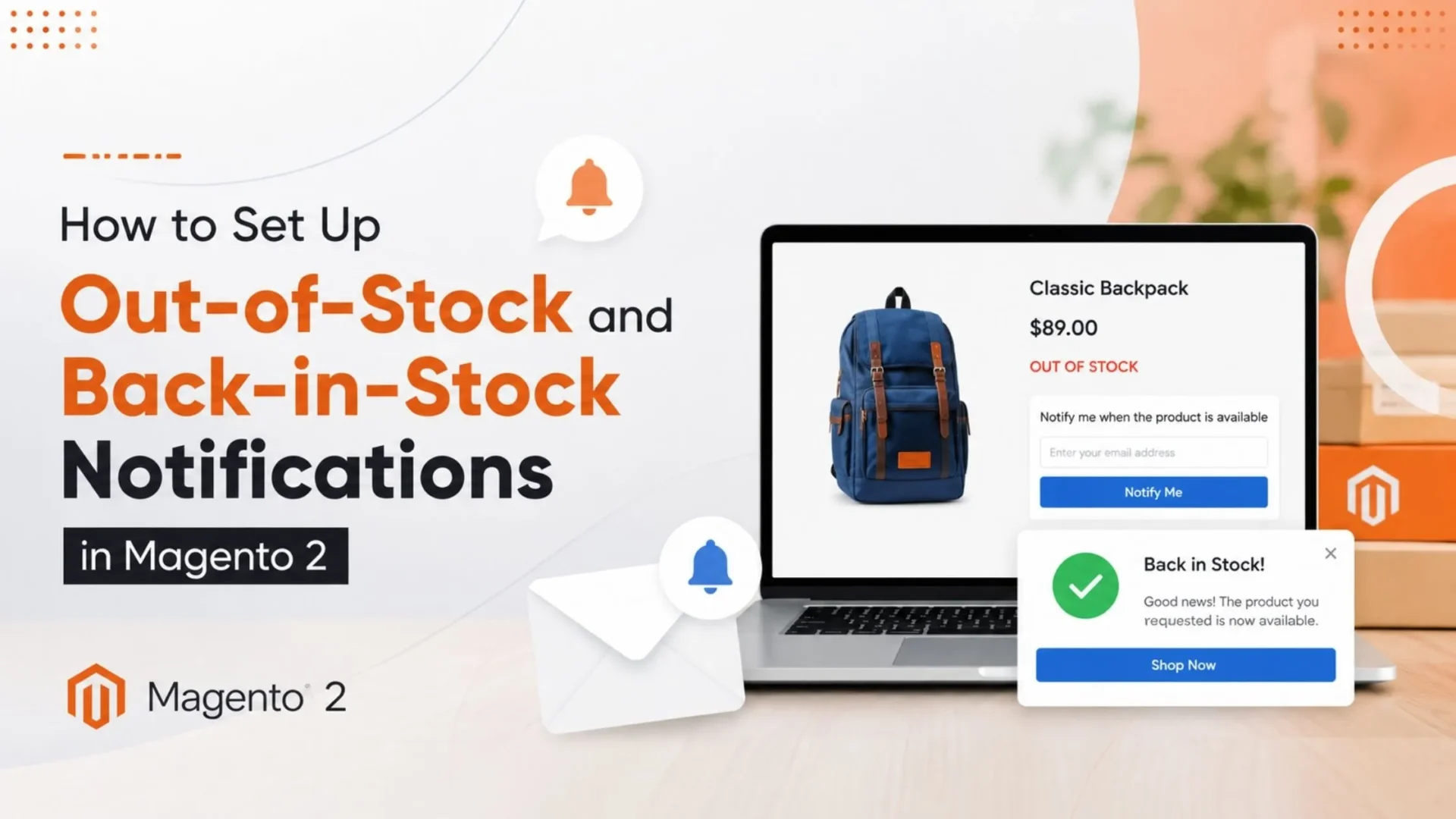
A shopper sees a “Notify me when available” link or button, depending on the theme, just next to the Add to Cart button. They click it. Then enter their email if they are not logged in, and that’s it — they are subscribed.
If they’re logged in, they can see and manage their alert subscriptions right in their account dashboard, under “My Product Alerts.” Worth checking that this section is actually easy to find in your theme, because a lot of default themes bury it.
As for the email itself, be honest with yourself here: the default Magento template is plain. Functional, but plain. Most stores end up restyling it a little so it doesn’t look like a system-generated afterthought.
It’s also worth setting expectations for the customer somewhere, even just a line of text, on when and how often they’ll hear back. Nobody wants to sign up for one alert and get flooded.
Limitations of the Native Feature
It does the job, but only up to a point.
- Email only — no SMS, no push notifications.
- Limited template customization unless you’re comfortable digging into the code yourself.
- No built-in reporting on how much revenue these alerts actually recover, so you’re mostly flying blind on ROI.
- Shaky with complex catalogs — if you’re running Multi Source Inventory or a fairly complex catalog, the native logic can get shaky around edge cases like partial stock across warehouses.
None of that makes it bad. For a smaller catalog with straightforward stock logic, native alerts genuinely do the job. It’s just worth knowing where the limitation is before you assume it’ll scale with you.
When to Use an Extension
Once you outgrow the basics, extensions fill the gaps. The better ones add SMS alerts, richer and more customizable email templates, subscriber segmentation, and actual analytics on recovered revenue, so you can see whether the whole thing is paying for itself.
If you’re evaluating one, don’t just go by the marketplace star rating. Check how recently it’s been updated, whether it’s actually compatible with your Magento version, how responsive the support team is (message them before you buy, honestly, that tells you a lot), and whether it plays nicely with MSI if that applies to you.
One honest note here: extensions cost money, both upfront and in ongoing maintenance. They’re worth it when the recovered revenue clearly outweighs that cost, not just because a feature list looks impressive.
If your team wants a hand picking or building the right one, Magento extension development is something we do at Elsner, and it’s usually a shorter process than people expect once the requirements are clear.
Low-Stock Notifications for Your Team
This part’s for your team, not your customers. Under each product’s advanced inventory settings, there’s a field called Notify for Quantity Below, where you set the threshold that triggers a low-stock flag. You can also set this at a broader config level if you don’t want to touch every product one by one.
Pair that with the Low Stock report in admin, and your team gets a heads-up before a bestseller actually goes out of stock, not after.
That’s the real value here: reactive alerts recover some lost sales, sure, but proactive restocking means the stockout barely happens at all. If you’ve got SKUs that consistently sell fast, this report deserves a regular glance, weekly at minimum.
Making Alerts Actually Reliable
A few habits go a long way here.
✅ Check Cron Health Regularly
Not just once during setup and then never again. A broken cron job can quietly disable your entire alert system without any obvious sign in the admin.
✅ Use a Proper Transactional Email Service
Instead of relying on default server mail. Deliverability on shared hosting is genuinely unreliable and your alert emails can end up in spam folders.
✅ Test the Full Flow Yourself
Subscribe to a sold-out item, restock it, confirm the email lands. Don’t assume it works just because the settings look correct.
✅ Set Up Basic Monitoring
Even something basic, so a broken cron job doesn’t go unnoticed for a month while you quietly lose subscribers who never hear back.
Common Mistakes Worth Avoiding
|
1
|
Flipping the Feature On and Never Checking CronThe biggest one. It looks done. It isn’t. |
|
2
|
Leaving the Default Email Template UntouchedIt works, but reads like a system notice rather than something from your brand. |
|
3
|
Mixing Up Customer Alerts With the Internal Low-Stock ReportThis leads to building the wrong solution for the actual problem. |
|
4
|
Ignoring Deliverability EntirelyThis tends to get ignored until someone notices subscriber numbers going up while sales from alerts stay flat. |
When a Custom Build Makes Sense
For bigger, more complex setups, native and even extensions can start to weaken. If you’re running Multi Source Inventory across several warehouses, or a headless and PWA storefront where the native frontend hooks don’t really apply, or a catalog large enough that performance needs real engineering attention, that’s usually when custom development is the more sensible route.
This is also where working with a dedicated Magento development services team pays off, since these builds need someone who actually understands Magento’s inventory architecture, not just a general developer bolting something on. If you’re at that stage, it might be worth looking into how to hire Magento developer talent that’s specifically done this kind of work before.
Wrapping This Up
Native alerts cover the basics for most stores. If a simple Magento 2 out of stock notification setup is all you need, that’s genuinely enough for a lot of catalogs. Extensions add more reach and better reporting when you need to justify the cost. Custom builds make sense once your catalog gets too complex for off-the-shelf options to handle well.
But across all three, reliability comes down to the same two things: cron and email deliverability, not just the toggle you flipped in admin. Get those right and the rest mostly takes care of itself.
If you’d rather not rely on hoping cron behaves itself, our Magento team can build and maintain this properly. That includes an ongoing Magento support plan, so it doesn’t quietly break six months from now.
Losing Sales Every Time a Product Goes Out of Stock?
Elsner’s Magento team can set up, customize, and maintain reliable stock alerts — so cron issues and missed emails stop quietly costing you subscribers.
Frequently Asked Questions
Does Magento 2 have back-in-stock alerts built in?
Yes. If you’re searching for a Magento 2 out of stock notification option, the native Product Alerts feature handles this out of the box, so you don’t need to install anything extra just to get started. You will still want to configure the email template and confirm cron is running before you trust it.
Why aren’t my stock alert emails sending?
Nine times out of ten, it’s cron. The alert system depends entirely on scheduled cron jobs to actually send anything, so if cron is stalled or misconfigured, everything in admin will look correctly set up while nothing goes out. Check that first before digging into templates or settings.
Can I send SMS alerts in Magento 2?
Not natively. The built-in feature is email only, so if SMS matters to you, you’re looking at a third-party extension or a custom integration built on top of the native alert logic.
Do native alerts work well with Multi Source Inventory?
They work, but not always cleanly. Simple stock scenarios are fine, but once you’re dealing with partial availability across multiple warehouses, the native logic can get shaky. Complex MSI setups often need extra logic or a custom approach to handle it properly.
How do I see who subscribed to a product alert?
That data does exist, it lives in the database, but it’s not surfaced anywhere friendly inside the default admin panel. Most stores end up using an extension or a bit of custom reporting to actually see and act on that subscriber list.