- What is enterprise web development?
- How enterprise web development differs from standard web development
- Enterprise-grade architecture: the decision that quietly decides everything
- Monolith vs microservices
- The modular monolith, a pragmatic middle path
- Composable, headless, and MACH
- Scalability and performance at enterprise scale
- Security and compliance for enterprise web applications
- Modern tech stacks for enterprise web applications
- Front-end
- Back-end
- Cloud and infrastructure
- Integrating with enterprise systems (ERP, CRM, and legacy)
- The enterprise web development process, step by step
- How much does enterprise web development cost?
- What actually drives the number
- How AI is changing enterprise web development in 2026
- Common enterprise web development mistakes
- How to choose an enterprise web development company
- How Elsner approaches enterprise web development
- Planning an enterprise web platform?
- Frequently Asked Questions
- What is enterprise web development?
- How is enterprise web development different from standard web development?
- How much does enterprise web development cost?
- How long does it take to build an enterprise web application?
- What technologies are used in enterprise web development?
- What security and compliance standards apply to enterprise web applications?
- How do I choose an enterprise web development company?
- Can an enterprise web application be customized or extended later?
A logistics company we spoke with rebuilt its internal order portal over nine months and spent well into seven figures. The launch went smoothly. Then the first big Monday arrived. The portal slowed to a crawl under real traffic, two integrations timed out, and the support queue filled before lunch. The code wasn’t bad. The architecture was never designed for the load the business actually carried.
That gap, between a site that works in a demo and a platform that holds up under real pressure, is what enterprise web development is really about. This guide covers what the term means, how it differs from standard web projects, the architecture and security calls that matter most, realistic cost ranges, where AI genuinely helps in 2026, and how to pick a partner who won’t leave you with that Monday. Skip what you already know. Read the cost and architecture sections closely, because that’s where most enterprise budgets quietly go wrong.
Quick Answer
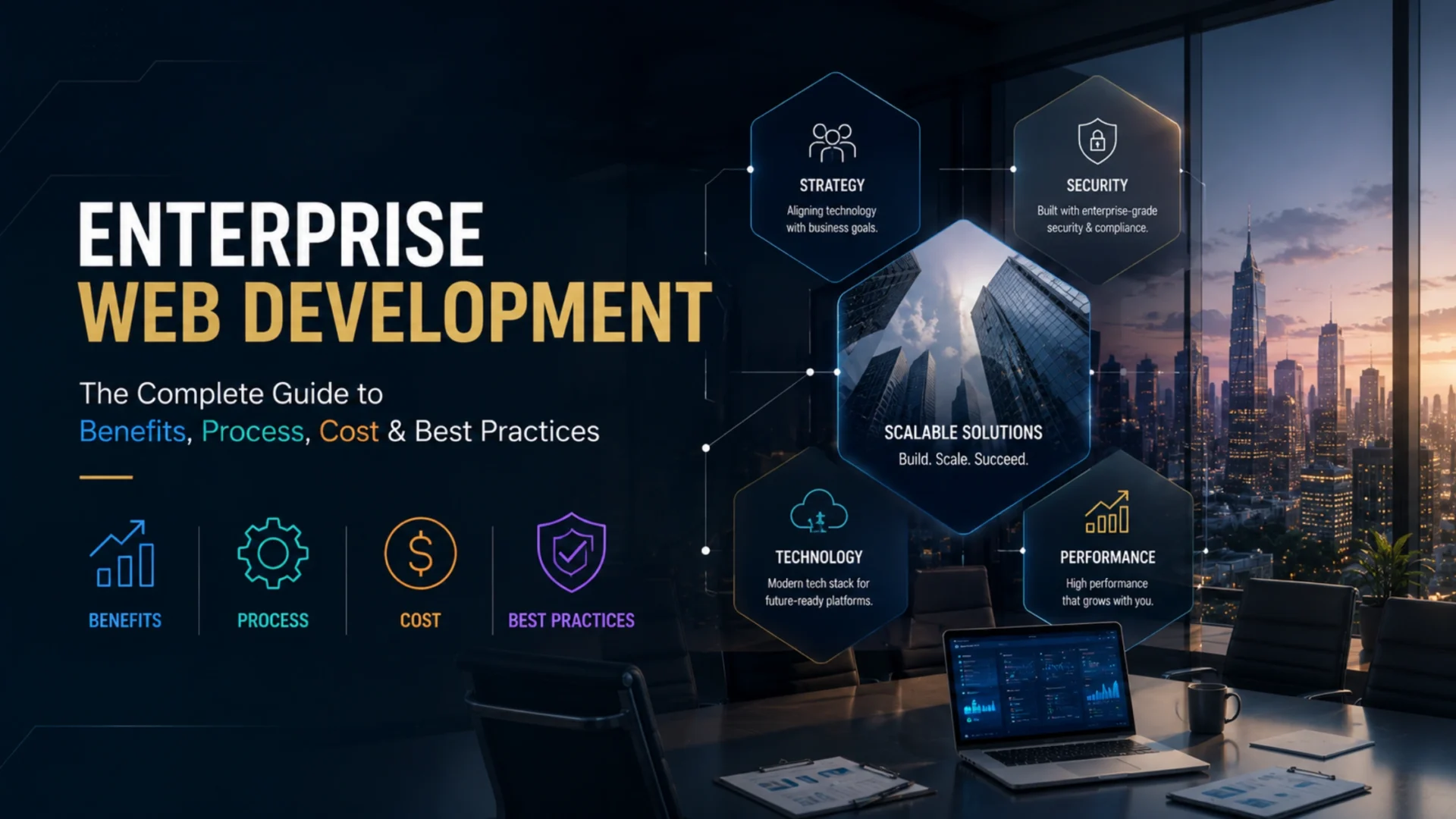
Enterprise web development is the practice of designing, building, and maintaining large-scale, secure, and deeply integrated web platforms for big organizations. It goes well beyond a standard website. The work centers on scalable architecture, strict security and compliance, integration with systems like ERP and CRM, and support for many thousands of concurrent users. Done right, it produces software that stays fast, safe, and maintainable as the business grows.
What is enterprise web development?
Enterprise web development covers the full build of web applications and platforms meant to run core operations at a large company. Think customer portals, internal dashboards, B2B commerce platforms, data-heavy reporting tools, and systems that tie several departments together at once. These are not brochure sites. They carry real business logic and real consequences when they fail.
The scope usually spans several disciplines in parallel:
- Front-end engineering for complex, role-based interfaces
- Back-end and API development that handles heavy transaction volume
- Integration with existing enterprise systems
- Security, access control, and compliance
- DevOps, deployment pipelines, and ongoing maintenance
What separates enterprise web software development from a typical project is the number of moving parts and the cost of getting them wrong. A small business site can survive an hour of downtime. A payment portal serving fifty thousand daily users cannot. That pressure shapes every decision, from the database schema to the login flow.
so make this also according to the previous:
Enterprise projects also carry more stakeholders. A marketing site might answer to one owner. An enterprise platform answers to IT, security, legal, finance, and the business units that depend on it daily. Enterprise Web development Services address these complex requirements from the start instead of after launch.
One practical way to spot an enterprise project: if the app needs single sign-on, audit logging, or a formal security review before it ships, you’re in enterprise territory. Those requirements rarely show up on a standard website. They’re the tell.
How enterprise web development differs from standard web development
The line between a standard website and an enterprise platform isn’t about how it looks. It’s about what happens underneath when usage climbs and requirements pile up. A well-built small business site and an enterprise application can look almost identical to a visitor. Under the hood, they’re different animals.
Here’s how the two compare across the factors that actually drive cost and risk.
| Factor | Standard web development | Enterprise web development |
|---|---|---|
| Typical users | Hundreds to a few thousand | Tens of thousands to millions, often concurrent |
| Architecture | Single codebase, one server is fine | Scalable, often distributed across services |
| Security | Basic hardening and SSL | Formal reviews, SSO, audit logs, compliance controls |
| Integrations | A form and maybe a payment gateway | ERP, CRM, legacy systems, internal APIs |
| Stakeholders | One owner or a small team | IT, security, legal, finance, business units |
| Timeline | Weeks to a couple of months | Several months to a year or more |
| Ongoing support | Occasional updates | Dedicated maintenance, monitoring, SLAs |
None of this makes standard web development lesser. It’s the right choice for most businesses. The mistake is treating an enterprise problem like a standard one, picking a template and a small budget for a system that will carry real operational weight. That mismatch sits behind a large share of failed rebuilds. Match the approach to the stakes, and most of the pain disappears.
Enterprise-grade architecture: the decision that quietly decides everything
Architecture determines whether a platform scales gracefully or collapses under its own weight two years in. Most enterprise regret traces back to this layer. Pick well early, and later changes stay cheap. Pick poorly, and every new feature costs more than the last.
Monolith vs microservices
A monolith keeps the whole application in one codebase and one deployment. It’s simpler to build, easier to test, and faster to ship early on. For many enterprise apps, a well-structured monolith is still the right call, especially at launch.
Microservices split the app into independent services that deploy and scale on their own. They shine at very large scale, with big teams working in parallel on different parts. They also add real operational overhead: service discovery, network calls, distributed logging, and more infrastructure to run.
The honest tradeoff is this. Microservices solve scaling problems you might not have yet, while creating complexity you’ll feel on day one. Plenty of teams adopt them too early and regret it. Our breakdown on choosing the right architecture goes deeper on that call.
The modular monolith, a pragmatic middle path
There’s a middle option most guides skip. A modular monolith keeps a single deployment but organizes the code into clear, independent modules with strict boundaries. You get much of the maintainability of microservices without the distributed-systems tax. For a lot of enterprise teams, this is the sweet spot. Start here, and split out services only when a specific part genuinely needs to scale on its own.
Composable, headless, and MACH
The other major shift is composable architecture, sometimes labeled MACH (microservices, API-first, cloud-native, headless). Instead of one all-in-one suite, you assemble best-in-class services connected through APIs. A headless setup separates the front-end experience from the back-end, so teams can change one without rebuilding the other.
Industry analysts have tracked a steady move toward composable and headless setups among large organizations, driven by the freedom to swap parts without a full rebuild. The tradeoff is more integration work upfront. Composable pays off when you expect frequent change. It’s overkill for a stable, simple platform.
| Approach | Best for | Watch out for |
|---|---|---|
| Monolith | Early-stage or mid-size apps, small teams | Harder to scale one part on its own later |
| Modular monolith | Most enterprise apps wanting maintainability | Needs discipline to keep module boundaries clean |
| Microservices | Very large scale, many parallel teams | Heavy operational and infrastructure overhead |
| Composable / headless | Frequent change, multi-channel delivery | More upfront integration and coordination |
A word on microservices regret: A common pattern we see is a team splitting into microservices before they have the scale or the operations maturity to run them. The result is a distributed system with all the complexity and none of the benefit. If you can’t yet run a monolith cleanly, microservices won’t fix that. They’ll multiply it.
Scalability and performance at enterprise scale
Traffic that a standard site handles fine can knock over an enterprise app if performance wasn’t designed in from the start. Scale isn’t something you bolt on later. It’s a set of decisions you make early and revisit often.
Two ways to add capacity exist. Vertical scaling means a bigger server, more CPU and memory on one machine. It’s simple but hits a ceiling. Horizontal scaling means more machines sharing the load, which scales much further but needs the app built to support it. Most enterprise platforms lean horizontal for anything that has to grow.
Beyond raw capacity, a few practices carry most of the performance weight:
- Caching at multiple layers, from the database to the browser, to cut repeated work
- A content delivery network so static assets load from a location near each user
- Load balancing to spread traffic across servers and avoid a single choke point
- Database indexing and query tuning, since slow queries sink more apps than slow servers
- Observability and monitoring, so you see a problem building before users do
- Auto-scaling rules that add capacity during spikes and release it after
The point isn’t speed for its own sake. It’s staying fast and available on the days that matter most, the product launch, the sale, the Monday after a marketing push. Those are the moments an enterprise platform earns or loses trust. Design for the worst day, not the average one.
Security and compliance for enterprise web applications
Security is where enterprise stakes get real. The average cost of a data breach reached a record $10.22 million for organizations in this market in 2025. The same report found 63 percent of organizations had no AI governance policy as they pushed new tools into production. For an enterprise platform, security isn’t a feature. It’s the foundation everything else sits on.
Enterprise security work usually spans several standards at once, depending on the industry and the data involved. Here’s what the common ones actually require.
| Standard | What it covers | Who needs it |
|---|---|---|
| SOC 2 | Controls for security, availability, and data handling | SaaS and service providers handling client data |
| GDPR | Data privacy and consent for personal data | Any business handling data from certain regions |
| HIPAA | Protection of health information | Healthcare, insurers, and their vendors |
| PCI DSS | Secure handling of payment card data | Anyone processing card payments |
| WCAG / ADA | Accessibility for users with disabilities | Public-facing sites, increasingly a legal must |
| SSO / SAML / OAuth | Secure, centralized login and access | Almost every enterprise app with user accounts |
Accessibility deserves special mention, because so many teams treat it as optional until a lawsuit says otherwise. It isn’t optional. A 2025 analysis found detectable accessibility failures on 94.8 percent of home pages among the top million sites, averaging dozens of errors each. Beyond the legal exposure, accessible design reaches more customers and tends to be cleaner engineering anyway. Build it in from the first wireframe, not the final QA pass.
Access control is the other pillar. Single sign-on lets employees use one secure identity across every internal tool, which cuts both friction and risk. Standards like SAML and OAuth handle the secure handoff behind it. For enterprise apps, this isn’t a nice-to-have. Security teams will ask for it in the first review.
Treating security as an ongoing practice, rather than a launch checkbox, separates the teams that stay out of the headlines from those that don’t. Our take on security in digital transformation covers how to fold this into the build from day one.
Modern tech stacks for enterprise web applications
There’s no single best stack for enterprise web development. The right choice depends on your team’s skills, the problem, and where you expect to scale. That said, a few technologies show up again and again in serious enterprise builds, and for good reasons. Think of the stack in layers, each with a handful of strong, well-supported options.
Front-end
React, usually paired with Next.js, dominates enterprise front-end work right now. It handles complex, interactive interfaces well and has a deep talent pool behind it. Angular stays popular in large organizations that value its structure and built-in conventions, especially in regulated industries. Both are safe choices. The decision often comes down to what your team already knows.
Back-end
On the back end, the field is wider. Node.js is a common pick for fast, real-time features and teams that want one language across the whole stack. Our Node.js development work leans on it for exactly that reason. Java and .NET are enterprise mainstays, trusted for large, complex systems and heavy transaction loads. PHP, especially through modern frameworks like Laravel, still powers a huge share of the web and remains a practical, cost-effective option for many enterprise apps. Each of these can carry a serious platform. None is wrong.
Cloud and infrastructure
Almost every modern enterprise platform runs on a major cloud, most often AWS, Azure, or Google Cloud. The choice frequently follows existing vendor relationships as much as technical merit. Containers, managed with Docker and Kubernetes, have become standard for deploying and scaling these apps consistently across environments. This layer is where scalability and reliability get delivered in practice.
| Layer | Common choices | Good when |
|---|---|---|
| Front-end | React / Next.js, Angular | Complex, role-based interfaces |
| Back-end | Node.js, Java, .NET, PHP / Laravel | Heavy logic and transaction volume |
| Database | PostgreSQL, MySQL, SQL Server, MongoDB | Structured or flexible data models |
| Cloud | AWS, Azure, Google Cloud | Elastic scaling and managed services |
| Containers | Docker, Kubernetes | Consistent deployment across environments |
A quick warning on stack decisions: pick for the next five years, not the next five weeks. Chasing the newest framework often costs more in hiring and stability than it saves in features. Boring, proven technology runs most of the systems you rely on every day. That’s not an accident.
Integrating with enterprise systems (ERP, CRM, and legacy)
An enterprise web application rarely lives alone. It has to talk to the systems the business already runs on, and that integration work is often where projects get hard. A slick portal that can’t pull live data from your ERP isn’t much use to the people who need it.
The usual suspects are an ERP system for finance and operations, a CRM for customer data, and often several older internal tools that predate anyone still on the team. Enterprise web portal development frequently means stitching all of these into one coherent interface. Users see a single screen. Behind it, half a dozen systems exchange data in real time.
A few patterns make this manageable. An API-first approach means every system exposes clean, documented endpoints, so connecting them is predictable rather than a custom hack each time. Middleware or an integration layer can sit between systems to translate and route data, keeping each side loosely coupled. Replacing one system later then doesn’t break everything wired to it.
Legacy systems deserve their own caution. Many enterprises run critical processes on software written years ago that nobody wants to touch. You can often wrap these with an API layer instead of replacing them outright, which buys time and reduces risk. When a full replacement is unavoidable, treating it as a planned legacy software modernization effort beats a rushed rip-and-replace.
Plan integrations early, not as an afterthought once the shiny front-end is done. Teams that map every system a platform must touch during discovery avoid the nastiest surprises. The ones that don’t usually find them the hard way, late, when changes cost the most.
The enterprise web development process, step by step
A predictable process separates enterprise projects that land from the ones that drift for a year and quietly get shelved. The specifics vary by team, but the strong ones follow a recognizable arc. Here’s the sequence that tends to work.
1
Discovery and requirements
Map the business goals, users, systems to integrate, and compliance needs. This is the cheapest place to catch a mistake and the most expensive place to skip. Rushed discovery shows up as costly change requests later.
2
Architecture and planning
Decide the architecture, stack, and integration approach before writing feature code. The choices here set the ceiling on everything that follows.
3
Design and prototyping
Build the interface and user flows, ideally as clickable prototypes stakeholders can react to. Catching a workflow problem in a prototype costs almost nothing. Catching it after build costs a lot.
4
Development
Build in short, testable increments rather than one big push toward a distant launch. Working software early beats a perfect plan on paper.
5
QA and testing
Test functionality, performance, security, and accessibility, not just whether buttons work. Enterprise apps need all four covered before launch, not after.
6
Deployment and DevOps
Ship through automated pipelines with staging environments and quick rollback if something breaks. Manual, hope-for-the-best deploys don’t belong on enterprise systems.
7
Maintenance and iteration
Monitor, patch, and improve continuously. An enterprise platform is a living system, not a one-time delivery.
How long does all this take? For a substantial enterprise platform, plan on roughly six to twelve months from discovery to a solid launch, sometimes longer for very large or heavily regulated systems. Smaller enterprise apps can land faster. Anyone promising a full enterprise build in a few weeks is either scoping something small or setting you up for a painful surprise. A disciplined custom software development process is what keeps that timeline honest.
How much does enterprise web development cost?
Cost is the question everyone wants answered first and the one most guides dodge with a useless range. Here’s a straighter answer, with the caveat that real numbers depend heavily on scope. Two enterprise projects can differ by ten times and both be priced fairly.
Start with rates, since labor drives most of the bill. Developer rates vary widely by experience and location. Freelance and offshore work can run lower, while experienced developers based here commonly charge in the range of $100 to $150 per hour. Specialized enterprise consultancies often run higher, from $250 to $400 per hour and up for senior architecture and compliance work. Those rates, multiplied across a months-long build, are what produce enterprise price tags.
| Project type | Typical range | What you get |
|---|---|---|
| Enterprise portal or dashboard | $50,000 to $150,000 | A focused internal tool with a few integrations |
| Mid-size enterprise application | $150,000 to $400,000 | Multiple modules, several integrations, custom logic |
| Large-scale platform | $400,000 to $1,000,000 and up | Distributed architecture, many integrations, strict compliance |
Ranges are directional and shift with scope, region, and provider.
What actually drives the number
A handful of factors move the price more than anything else. Complexity comes first. A simple data-entry app and a real-time analytics platform are worlds apart in effort. Integrations are next. Every system you connect adds work, and legacy or poorly documented systems add more. Compliance raises the floor too. Building for HIPAA or PCI DSS means extra controls, testing, and documentation that a low-stakes app skips.
Custom architecture, heavy design work, and ongoing maintenance all add to the total as well. Maintenance is the line most budgets forget. Plan for roughly 15 to 20 percent of the build cost per year to keep an enterprise platform secure, updated, and healthy. That figure isn’t optional. Skipping it just defers the cost to a worse moment.
The honest guidance is to be suspicious of both extremes. A quote that seems too cheap usually means corners get cut on security or scale, the exact things enterprise projects can’t cut. A quote that seems huge might be padding, or it might reflect real complexity you haven’t scoped yet. Get the scope clear first. The price follows from that, not the other way around.
How AI is changing enterprise web development in 2026
AI has moved from novelty to daily tool in enterprise development faster than almost anything before it. The reality on the ground is more nuanced than the hype suggests, and knowing the difference matters when you’re planning a budget.
Adoption is real and large. A 2025 developer survey found that 84 percent of developers now use or plan to use AI tools in their work. Yet the same survey showed trust in that output dropping sharply, with under a third saying they trust AI-generated code to be accurate without checking it. Both things are true at once. Developers use AI constantly and verify it carefully.
Where AI earns its place today is the repetitive middle of the work. Generating boilerplate, drafting tests, writing documentation, and speeding up routine code. Research from McKinsey found developers completed some coding tasks up to twice as fast with AI help, though the gains shrank to under ten percent on genuinely complex work. That pattern holds in practice. AI accelerates the parts that were always tedious. It doesn’t replace the judgment that hard problems need.
AI is also showing up inside enterprise apps themselves, as chat assistants, smart search, and recommendation features that customers now expect. Building those responsibly is its own discipline, one our AI and ML development work focuses on. There’s a real caution, though. The rush to add AI has outpaced governance at many companies, which is exactly how new security gaps open. Adopt the tools. Put guardrails around them first.
The best AI tools for enterprise web development in 2026 are the ones that fit your workflow and stay under human review, not whichever one is loudest this quarter. Treat AI as a fast, capable assistant that still needs checking. That framing keeps the productivity without the risk.
Common enterprise web development mistakes
Most enterprise projects that go wrong don’t fail because of bad code. They fail because of decisions made, or skipped, long before the first line got written. These are the ones that come up most.
Skipping real discovery
Jumping to build before fully understanding the business, users, and systems involved. Nearly every expensive change request traces back to this.
Ignoring integrations until late
Treating the connection to ERP, CRM, and legacy systems as an afterthought. Integration is often the hardest part. Plan it first.
Under-planning security and compliance
Bolting on security near launch instead of designing it in. This is slow, expensive, and how audits turn ugly.
Over-engineering the architecture
Reaching for microservices or exotic tooling before the scale justifies it. Complexity you don’t need is still complexity you have to run.
Neglecting QA beyond the basics
Testing whether buttons work while skipping performance, security, and accessibility. A disciplined quality assurance testing practice catches what quick checks miss.
Forgetting the day after launch
Treating go-live as the finish line. An enterprise platform needs monitoring, maintenance, and iteration, or it slowly decays.
How to choose an enterprise web development company
Picking the right partner matters more than picking the right framework. A strong team makes good technology work. A weak one wastes even the best stack. If you’re evaluating an enterprise web development company, a few things separate the ones worth hiring from the rest.
Look for genuine enterprise experience, not just a long portfolio. Building a marketing site and building a system that integrates with an ERP under a compliance regime are different sports. Ask to see work at your scale and in your kind of complexity. A firm that has solved your class of problem before will save you from mistakes you can’t yet see coming.
What to look for
- Proven experience with projects at your scale and complexity
- A clear, documented process rather than an improvised one
- A serious security and compliance posture, with examples
- Direct, honest communication and named points of contact
- Clarity on who owns the code and intellectual property
- A real plan for support and maintenance after launch
Come to the conversation with sharp questions. The answers tell you more than any sales deck. Worth asking:
- How do you handle security reviews and compliance requirements?
- Who owns the code and the IP when the project ends?
- What does your process look like from discovery to launch?
- How do you handle changes in scope mid-project?
- What happens after go-live, and what does support cost?
- Can I talk to a reference client with a similar project?
A few warning signs are worth taking seriously. A quote far below everyone else usually means a gap you’ll pay for later. Vague answers on security or code ownership signal trouble. So does a team that agrees to everything without pushing back. Good partners tell you when an idea is a bad one. That honesty is worth more than easy agreement. Comparing a shortlist of top web development companies against these criteria beats going with the first pitch that sounds good.
How Elsner approaches enterprise web development
At Elsner, enterprise web development means building platforms that hold up under real business pressure, not just in demos. Our teams work across custom software, web and ecommerce development, and the back-end and data engineering that ties enterprise systems together. That range matters, because most enterprise projects need several of these at once.
The approach stays consistent regardless of stack. Understand the business first. Choose architecture that fits the actual scale, not the trendiest option. Design security and compliance in from the start. Then build in testable increments with a clear plan for the day after launch.
For organizations weighing a new platform, a rebuild, or a modernization of something aging, the right partner reduces risk as much as it adds capability. Our web development services span the front-end, back-end, and integration work these projects demand, with the governance enterprise stakeholders expect. If that’s the kind of build you’re planning, the next step is a straightforward conversation about scope.
Planning an enterprise web platform?
Talk to a team that designs enterprise web applications for the scale, security, and integration your business actually needs, with a clear plan for what happens after launch.
Frequently Asked Questions
What is enterprise web development?
Enterprise web development is the process of building and maintaining large-scale, secure web applications and platforms for big organizations. It covers scalable architecture, integration with systems like ERP and CRM, strict security and compliance, and support for many concurrent users. The focus is on software that runs core business operations, not simple marketing sites.
How is enterprise web development different from standard web development?
The difference is scale, complexity, and stakes. Standard sites serve smaller audiences and stay simple. Enterprise platforms handle heavy traffic, connect to multiple internal systems, meet formal security and compliance requirements, and answer to many stakeholders. They also cost more and take longer, because the cost of failure is far higher.
How much does enterprise web development cost?
Cost depends heavily on scope. A focused enterprise portal often runs $50,000 to $150,000, a mid-size application $150,000 to $400,000, and a large-scale platform $400,000 and up. Complexity, integrations, and compliance drive the number most. Budget another 15 to 20 percent of the build cost per year for maintenance.
How long does it take to build an enterprise web application?
Most substantial enterprise platforms take roughly six to twelve months from discovery to a solid launch. Very large or heavily regulated systems can take longer. Smaller enterprise apps can land faster. Any promise of a full enterprise build in a few weeks usually means either a small scope or an unrealistic plan.
What technologies are used in enterprise web development?
Common front-end choices include React with Next.js and Angular. Back-end work often uses Node.js, Java, .NET, or PHP with Laravel. Databases range from PostgreSQL and SQL Server to MongoDB. Most platforms run on AWS, Azure, or Google Cloud, deployed with Docker and Kubernetes. The right stack depends on scale and team skills, not trends.
What security and compliance standards apply to enterprise web applications?
It depends on the industry and data involved. Common standards include SOC 2 for service providers, GDPR for personal data, HIPAA for health information, and PCI DSS for card payments. Accessibility under WCAG and ADA applies to most public-facing apps. Secure login through SSO, SAML, and OAuth is expected on nearly every enterprise platform.
How do I choose an enterprise web development company?
Look for proven experience at your scale, a clear documented process, a serious security posture, and honest communication. Ask who owns the code, how they handle compliance, and what support looks like after launch. Be wary of quotes far below the rest and teams that agree to everything without pushing back on weak ideas.
Can an enterprise web application be customized or extended later?
Yes, if it’s built for it. A clean architecture with clear module boundaries or well-documented APIs makes later changes straightforward. Platforms rushed without that discipline get harder and costlier to extend over time. This is exactly why the early architecture decisions matter so much for long-term flexibility.