- What “Shopify Enterprise” Actually Means in 2026
- Six Capabilities That Define Shopify Plus at Enterprise Scale
- 1. Checkout Extensibility
- 2. Native B2B on Shopify
- 3. Shopify Flow Automation
- 4. Multi-Storefront with Expansion Stores
- 5. Shopify Audiences and Performance Marketing
- 6. Headless Commerce via Hydrogen
- What Shopify Plus Actually Costs in 2026
- Shopify Plus vs. the Alternatives: An Honest Comparison
- When to Switch to Shopify Plus, and When to Hold Off
- What a Migration to Shopify Plus Actually Involves
- What US Enterprise Brands Are Actually Doing on Shopify Plus in 2026
- Growth Strategies That Actually Work at Shopify Plus Scale
- Checkout conversion as a growth lever
- Omnichannel inventory and fulfillment
- International expansion done right
- Scaling on Shopify Plus or Planning to Switch?
- Frequently Asked Questions
- What is Shopify Enterprise, and is it the same as Shopify Plus?
- How much does Shopify Plus cost in 2026?
- When should a business upgrade to Shopify Plus?
- How does Shopify Plus compare to Adobe Commerce for enterprise?
- Can Shopify Plus handle B2B and DTC from the same store?
- What is Checkout Extensibility on Shopify Plus?
- How many stores can you run on Shopify Plus?
- What is Shopify Audiences and does it work for enterprise brands?
Something has quietly shifted in the enterprise ecommerce market over the last two years. Brands that once defaulted to Salesforce Commerce Cloud or Adobe Commerce for serious scale are now moving to Shopify Plus, not because it is cheaper, but because it actually works better for how modern enterprise teams operate.
This isn’t a Shopify success story. It’s a practical read on what Shopify enterprise actually means in 2026, who it suits, where it earns its price, and where it still has real limits. If your business is at the stage where standard Shopify is starting to feel like a drag on execution, or you’re running on a legacy platform that demands a team just to maintain it, this is worth your time.
We’ll cover how Shopify Plus works at scale, the six capabilities that matter most for large operations, the honest cost picture, how it stacks up against the alternatives, when to switch and when not to, and what a migration actually involves.
Quick Answer
Shopify Plus is Shopify’s enterprise commerce plan, starting at $2,300 per month. It’s built for high-volume merchants that need checkout customization, native B2B selling, multi-storefront operations, and automation at scale. It starts making financial sense around $1M in annual revenue and delivers its best ROI above $5M. Below that threshold, standard Shopify plans usually win on cost.
| $2,300/mo | 99.99% | 54% |
|---|---|---|
| Shopify Plus base price on a 3-year term ($2,500 on a 1-year term) [1] | Uptime SLA for Shopify Plus, backed by redundant global infrastructure [2] | Higher total cost of ownership reported for Salesforce Commerce Cloud vs. Shopify, per Shopify’s own TCO comparison [3] |
Sources: [1] Shopify Plus pricing, shopify.com/plus/pricing (2026); [2] Shopify Plus platform documentation, shopify.com/plus; [3] Shopify, “Shopify vs. Salesforce Commerce Cloud” TCO comparison (2026). Note: [3] is vendor-published data from Shopify; the 54% figure is directional, not independent. Confirm all three against the live sources before publishing.
What “Shopify Enterprise” Actually Means in 2026
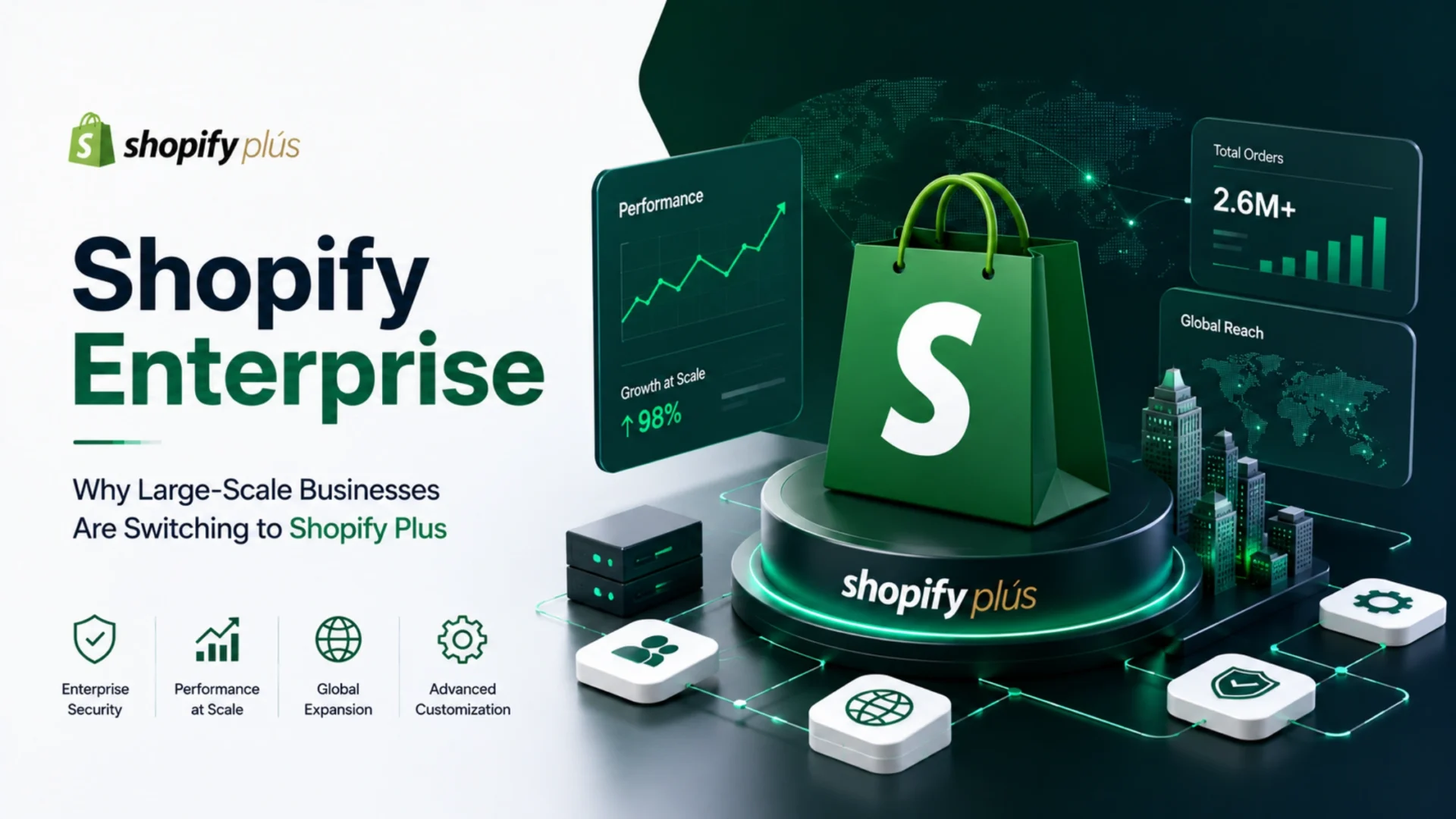
Shopify doesn’t sell a product called “Shopify Enterprise” by that exact name. What they offer is Shopify Plus, and the enterprise conversation around it has grown because the platform has matured far beyond its small-business roots.
Standard Shopify plans are genuinely great for businesses under $1M in annual revenue. Once you’re past that mark, certain structural limits start showing up. The checkout is locked down. Adding staff hits account caps. Running multiple regional storefronts gets expensive and messy. Automation requires stacking third-party apps, each one adding cost and complexity.
Shopify Plus removes most of those ceilings. You get checkout extensibility, up to ten expansion stores, unlimited staff accounts, native B2B tools, and Shopify Flow for automation without the app stack. More importantly, the infrastructure behind Plus is built for enterprise-level traffic, supporting 10,000 or more concurrent checkouts without degrading. For context on what Shopify Plus enterprise scaling looks like in practice, that piece covers the specifics in detail.
One thing worth saying plainly: Shopify Plus is a hosted SaaS platform. That’s a deliberate tradeoff. You give up some backend control in exchange for not owning the infrastructure, security patches, or server scaling decisions. For most growing brands, that’s a great deal. For organizations with very specific compliance environments or deeply custom backend logic, it can be a real constraint.
Six Capabilities That Define Shopify Plus at Enterprise Scale
Not every Plus feature earns its keep equally. These six show up most consistently when enterprise teams report why they switched, stayed, or expanded on the platform.
1. Checkout Extensibility
This is the capability that most often decides the switch. On standard Shopify, you can’t touch the checkout. Shopify Plus gives you Checkout Extensibility through UI Extensions, Shopify Functions, and the Checkout Branding API. You can add custom fields, build tiered discount logic, show upsells inside checkout, filter payment or shipping methods by buyer type, and personalize the experience for B2B versus DTC customers, all without editing raw code.
Important note for 2026: checkout.liquid was deprecated for the information, shipping, and payment steps back in 2024, and the thank-you and order status pages were sunset on August 28, 2025. Shopify Scripts, the older tool many Plus stores leaned on for custom checkout logic, stopped running on June 30, 2026. Anyone still tied to either path has had to move to Checkout Extensibility. The newer architecture is sandboxed and upgrade-safe, which is the practical reason it holds up better than the old script-based approach.
Worth knowing: Shopify Plus is built to handle 10,000 or more checkouts per minute with unlimited bandwidth. During a flash sale or product launch, that headroom is the difference between a smooth experience and a crash.
2. Native B2B on Shopify
The wholesale channel used to be clunky. In 2026, Shopify’s native B2B suite is a genuine enterprise tool. It lets you run B2B and DTC from the same store, with separate pricing catalogs, company accounts, net payment terms, and custom checkout experiences for wholesale buyers. You don’t need a third-party B2B app costing $150 to $500 a month anymore.
The honest caveat: if your B2B operation involves very deep procurement logic, RFQ-heavy flows, or complex ERP-driven pricing with multi-level approval workflows, Plus still has limits. That kind of complexity is where Adobe Commerce tends to hold ground.
3. Shopify Flow Automation
Manual operations don’t scale. Flow is Shopify’s built-in automation engine, and it handles the repetitive tasks that otherwise need either a developer or a stack of third-party apps. Customer tagging, inventory alerts, fraud detection triggers, order routing logic, loyalty reward checks. All without code.
Pair it with Launchpad, which lets you schedule flash sales, product drops, and campaign activations in advance, and your marketing team stops depending on a developer for every major launch. That operational independence tends to be one of the most-cited wins after a Plus migration.
4. Multi-Storefront with Expansion Stores
One Plus account supports up to ten stores. You can run separate storefronts for different regions, currencies, brands, or B2B and DTC divisions from a single Organization Admin. This is where the economics shift in Plus’s favor. Managing three or four Shopify Advanced accounts at $299 each gets expensive fast. Consolidating into one Plus account often costs less once you account for the app savings and the operational time saved.
For brands expanding internationally, Shopify Markets adds currency localization and regional pricing natively. A brand can launch in a new territory in days rather than months. That kind of speed is genuinely hard to replicate on a self-hosted platform without significant development effort.
5. Shopify Audiences and Performance Marketing
This one gets overlooked in standard Plus comparisons. Shopify Audiences uses purchase behavior data from across the Shopify merchant network to build better ad targeting lists on Meta and Google. Shopify reports that merchants using it see up to 50% lower customer acquisition costs. One documented case study from Nathan James showed a 52% CAC decrease and 5.6x ROAS after switching to Audiences-powered targeting.
For brands spending $20,000 or more per month on paid ads, that kind of reduction on its own can cover the Plus subscription cost. That’s a number worth modeling before making a platform decision.
6. Headless Commerce via Hydrogen
Shopify Plus supports headless builds through Hydrogen, its React-based framework, and Oxygen, its hosting layer. For brands that publish across web, apps, and other digital surfaces, or need a fully custom frontend, this path gives you Shopify’s commerce infrastructure with total frontend freedom.
Headless adds build cost and engineering overhead, though. Don’t go this route because it sounds advanced. Go this route because your frontend genuinely needs things the standard Shopify storefront can’t do. For most Plus merchants, the standard theme with Checkout Extensibility does the job. The Shopify Hydrogen headless approach is a guide worth reading if you’re seriously evaluating this path.
| Feature | Standard Shopify | Shopify Plus |
|---|---|---|
| Checkout customization | Not available | Full (Checkout Extensibility) |
| Native B2B tools | Not available | Included |
| Shopify Flow automation | Limited | Full (higher limits) |
| Expansion stores | Not included | Up to 10 |
| Staff accounts | Capped by plan | Unlimited |
| Credit card rate | 2.4% to 2.9% + 30¢ | 2.15% + 30¢ |
| Checkout capacity | Standard limits | 10,000+ checkouts/min |
| Dedicated merchant support | Not included | Merchant Success Manager |
What Shopify Plus Actually Costs in 2026
The pricing page isn’t the whole story. Here’s what the numbers actually look like for different business profiles, because the platform fee is just one variable in a larger equation.
Base plan: $2,300 per month on a 3-year term, $2,500 on a 1-year term. For revenue above a certain threshold, pricing converts to a revenue share model up to a cap.
Development and customization: varies widely, roughly $2,000 to $20,000 or more depending on checkout extensions, integration complexity, and custom theme work.
App stack: even on Plus, some apps remain necessary. Subscription management, advanced loyalty, and certain search tools often still require third-party software.
Where Plus pays back: native B2B tools save $150 to $500 a month versus third-party apps. Shopify Flow saves another $50 to $200. Lower transaction fees save more at volume. At four or more stores, Plus consolidation often costs less than managing separate Advanced accounts.
The break-even math is relatively straightforward. Once you’re past $1M in annual revenue and need checkout customization or multi-store management, the economics usually work. Below that, the Advanced plan at $399 a month is almost always the right call.
Multi-store math, illustrated
Four regional storefronts on Shopify Advanced, at $399 each, run $1,596 a month before apps. Add a typical app stack across those stores, roughly $800 to $1,000, and you’re already near $2,400 to $2,600.
One Shopify Plus account covering the same four storefronts starts at $2,300, with native B2B and Flow replacing several of those paid apps.
At four or more stores, the platform fee often lands at or below what the separate Advanced accounts already cost, before you even count the lower transaction rate.
Illustrative figures based on published Advanced pricing. App spend varies by stack, so model your own numbers before deciding.
There’s one cost that trips people up at enterprise scale. The platform fee is visible. The app subscriptions that creep in over time are not. Some larger Plus implementations end up spending more on apps than on the platform itself. Going in with a strict app governance policy saves money and keeps performance cleaner.
Shopify Plus vs. the Alternatives: An Honest Comparison
This comparison gets muddied by vendor bias on every side. Here’s a straightforward look at how Shopify Plus compares to the three most common alternatives enterprise teams evaluate in the US market.
Shopify Plus vs. Adobe Commerce (formerly Magento Enterprise)
Adobe Commerce wins for deep backend customization, complex catalogs, and heavy ERP integration with full server-level control. If you have in-house development resources and very specific business logic, it’s genuinely more flexible. But it’s also significantly more expensive to run and maintain. Teams without dedicated Magento engineers often spend more on support than on features. Shopify Plus is faster to market, simpler to maintain, and better suited for businesses where agility matters more than total control.
Shopify Plus vs. Salesforce Commerce Cloud
Salesforce makes sense when you’re already deep in the Salesforce ecosystem and need tight integration across sales, service, and marketing. Outside that context, the TCO premium is hard to justify. A Shopify-commissioned TCO comparison puts Salesforce’s overall total cost of ownership at roughly 54% higher than Shopify’s on average. That’s vendor-aligned data, so weight it with care, though the broader direction shows up in independent reviews too. For brands not already invested in Salesforce infrastructure, the value proposition gets narrow quickly.
Shopify Plus vs. BigCommerce Enterprise
BigCommerce is the closest direct SaaS competitor. It has no transaction fees, strong native B2B features, and lower complexity for pure-B2B operations. For mid-market teams that want fewer platform-driven costs without the overhead of a self-hosted build, it’s a legitimate alternative. Shopify Plus pulls ahead on ecosystem size, app availability, checkout tooling, and the Audiences ad targeting feature. The choice between the two usually comes down to what your tech team already knows.
Shopify Plus vs. Commercetools (Composable)
Composable platforms like Commercetools suit organizations that want every piece of their stack as a separate, replaceable component. Maximum flexibility in theory. In practice, it’s an architecture change, not just a platform change. Every workflow has to be re-implemented. It carries the highest migration risk of any option here, and the ongoing engineering cost is significant. Unless you have the team and the specific business case to justify it, Shopify Plus with Hydrogen gets you most of the flexibility at far lower operational cost.
When to Switch to Shopify Plus, and When to Hold Off
Most platform decisions go wrong because they happen either too early or too late. Here’s how to read the signals correctly.
Switch when you’re seeing these
Your checkout can’t be modified. Conversion rate improvements stuck behind the checkout wall are leaving money behind every month.
You’re managing multiple stores badly. Regional storefronts on separate accounts with duplicated work and no central visibility.
B2B is running on workarounds. A third-party wholesale app that doesn’t quite work right, or manual processes your team is carrying.
Flash sales or major launches feel risky. High-traffic events stress the checkout because you’re on shared infrastructure.
You’re stacking apps to do what should be built in. If your monthly app spend is approaching or exceeding the Shopify Advanced plan cost, the math for Plus already works.
Don’t switch if you’re under $500K in revenue, you only need one storefront, or your B2B requirements involve deeply custom procurement logic. In any of those cases, the standard plans or a more customizable platform will serve you better.
If you want the short version, map it against annual revenue and complexity.
| Annual revenue | What usually makes sense |
|---|---|
| Under $1M | Stay on Shopify Advanced. The cost gap rarely pays back yet. |
| $1M to $5M | Evaluate Plus once checkout customization or multi-store needs appear. |
| $5M to $50M | Strong Plus candidate, especially with B2B or international expansion. |
| $50M and above | Weigh Plus against Adobe Commerce, based on how custom your backend needs to be. |
These are starting points, not rules. A $2M brand with heavy B2B can outgrow Advanced faster than a $6M single-catalog DTC store.
What a Migration to Shopify Plus Actually Involves
Migration is where good platform decisions fail. The platform decision and the migration execution are two separate risks, and mixing them up is expensive.
Most Plus migrations fall into two categories. The first is moving from a legacy enterprise platform like Adobe Commerce or Salesforce. These typically involve significant data migration, integration rebuilds, and checkout redesign. Teams that skip proper staging and testing find out what breaks at the worst possible time.
The second category is upgrading from standard Shopify. This is easier than most people expect on the technical side, but often underestimated on the workflow side. Upgrading to Plus and continuing old practices is a common reason migrations disappoint. You need to redesign workflows around the platform’s strengths. Otherwise you’ve paid for capabilities you’re not using.
| Migration Phase | What to prioritize | Common mistake |
|---|---|---|
| Data migration | Product data, customer records, order history, and SEO URLs | Losing redirect maps and breaking organic traffic |
| Integration audit | ERP, CRM, fulfillment, and analytics connections | Rebuilding integrations last-minute instead of first |
| Checkout rebuild | Migrate to Checkout Extensibility, not checkout.liquid | Porting old customizations instead of rethinking them |
| Workflow redesign | Set up Flow, Launchpad, and B2B tools before launch | Going live with manual processes still running |
| Load testing | Simulate peak traffic before your first big campaign | Assuming Plus infrastructure removes all risk |
SEO continuity deserves specific attention. A migration that doesn’t map redirects correctly will lose organic traffic that took years to build. This is one of the areas where working with an experienced Shopify development team pays back immediately. Having a solid ecommerce SEO plan in place before and after migration protects the organic channel through the transition.
What US Enterprise Brands Are Actually Doing on Shopify Plus in 2026
The enterprise Shopify Plus market has matured enough that we can now see what serious operators are actually building, not what the sales deck says they’re building.
Enterprise brands running on Shopify Plus
The platform powers more than 10,000 high-volume brands, and the well-documented ones show how differently a single platform gets used at scale.
Gymshark moved to Plus after its Magento store crashed during a major sale. It now runs a headless storefront built to absorb Black Friday-level traffic without buckling.
Allbirds pairs Plus with Shopify POS to keep inventory and customer data synced across its online store and physical retail locations.
Heinz launched its direct-to-consumer “Heinz to Home” store on Plus in a matter of days during the pandemic, a speed traditional enterprise stacks rarely match.
Fashion Nova runs one of the highest-traffic Plus storefronts in fashion, having passed 100 million orders on the platform.
Brands at scale are using multi-store setups with distinct storefronts by region. A US store, a UK store, and an EU store all running from one Organization Admin, each with localized pricing, language, and payment methods. Marketing teams manage campaigns across all three without touching the development team.
B2B/DTC hybrid operations are increasingly common. One store, two buyer experiences. Wholesale customers log in and see company pricing, net-30 terms, and a custom catalog. DTC customers see standard retail pricing and a branded checkout. Same backend, no duplication.
AI-powered commerce is moving fast. Shopify’s roadmap includes stronger AI for product recommendations and customer support automation inside the Plus ecosystem. Brands that started building on agentic-ready infrastructure in early 2026 are positioning for a meaningful advantage as ChatGPT checkout integrations and AI shopping surfaces gain traction. Our piece on AI-driven ecommerce development covers where this is heading.
Advanced ecommerce marketing automation is another active area. Brands are using Shopify Flow in combination with email and CRM tools to build personalized post-purchase sequences and retention programs without manual intervention. For the tactical picture, the broader ecommerce marketing automation strategies piece covers what’s working across the US market right now.
Something Most Guides Miss
The biggest operational risk with Shopify Plus isn’t the platform. It’s the app governance. Enterprise teams that don’t audit their app stack quarterly end up with 40 apps running in production, conflicting scripts, and a performance budget that’s been quietly eaten alive. A strict approval process for new apps, reviewed every 90 days, is worth more in long-term cost savings than almost any other Plus best practice.
Growth Strategies That Actually Work at Shopify Plus Scale
The platform matters less than what you build on it. These are the approaches delivering consistent results for US enterprise brands on Plus in 2026.
Checkout conversion as a growth lever
Most brands focus growth efforts above the checkout, not inside it. On Shopify Plus, the checkout is a growth surface. Upsell and cross-sell widgets inside checkout, trust signals and social proof, delivery date estimates, and segmented experiences for high-value customers. These are conversion rate moves, and they compound over time. A 1% improvement at checkout on $20M in revenue is $200K.
Omnichannel inventory and fulfillment
Selling across web, retail, and wholesale with a single inventory source is where most multi-channel operations break down. Shopify Plus with Shopify POS Pro, combined with a properly integrated fulfillment system, keeps inventory accurate across all surfaces. Brands that get this right stop hemorrhaging margin on oversells and manual reconciliation. For a deeper look at how this connects to scaling ecommerce on Shopify, that piece covers what’s moving the needle for scaling merchants.
International expansion done right
The common mistake is treating international as a translation problem. It’s a market-fit problem. Shopify Markets handles the currency, language, and duties side. What you need to add is market-specific pricing, a local payment method strategy, and a clear position on where you’re willing to lose margin to win customers in a new region. Brands that expand into one market well, prove the model, then scale it are consistently outperforming those who try to launch everywhere simultaneously.
Shopify Plus isn’t for every enterprise, and the businesses that get the most from it are the ones that choose it deliberately rather than by default. If your business needs checkout control, multi-store management, automation at scale, or native B2B tools, the platform earns its cost and then some. If your operation requires deep backend customization or runs within a larger Salesforce ecosystem, the alternatives have a genuine case.
The right question isn’t “is Shopify Plus the best enterprise platform?” It’s “is Shopify Plus the right platform for how my business actually operates?” Answer that honestly and the decision becomes clearer than any feature comparison chart can make it.
Scaling on Shopify Plus or Planning to Switch?
Whether you’re migrating from Adobe Commerce, consolidating multi-store operations, or building out checkout customization, our Shopify Plus team handles the strategy, build, and integration so you don’t leave performance on the table.
Frequently Asked Questions
What is Shopify Enterprise, and is it the same as Shopify Plus?
Shopify doesn’t sell a standalone product called “Shopify Enterprise.” When people refer to Shopify for enterprise use, they typically mean Shopify Plus, which is the company’s highest-tier plan. It includes checkout extensibility, native B2B tools, up to ten expansion stores, unlimited staff accounts, Shopify Flow automation, and a 99.99% uptime SLA.
How much does Shopify Plus cost in 2026?
Shopify Plus starts at $2,300 per month on a 3-year term, or $2,500 on a 1-year term. For businesses above a revenue threshold, pricing shifts to a revenue share model up to a cap. Total cost of ownership depends on development needs, app stack, and integration complexity. Most brands reach true break-even with Plus somewhere between $1M and $5M in annual revenue.
When should a business upgrade to Shopify Plus?
The clearest signals are: you can’t customize your checkout and it’s costing conversions; you’re managing multiple storefronts badly on separate accounts; B2B is running on third-party app workarounds; high-traffic events stress your current infrastructure; or your monthly app spend is approaching the cost of Plus. Usually this happens around $1M to $2M in annual revenue, though it depends on complexity.
How does Shopify Plus compare to Adobe Commerce for enterprise?
Adobe Commerce offers deeper backend customization, full server-level control, and is better suited for complex ERP-driven B2B workflows. Shopify Plus is faster to market, simpler to maintain, and better for brands where agility and operational simplicity matter more than total backend control. The choice depends on how much custom development resource your organization can carry long-term.
Can Shopify Plus handle B2B and DTC from the same store?
Yes. Shopify’s native B2B suite, available exclusively on Plus, lets you run wholesale and direct-to-consumer operations from one store. B2B buyers get company accounts, custom pricing catalogs, net payment terms, and a separate checkout experience. DTC customers see standard retail pricing. You manage both from the same admin without duplication or extra software costs.
What is Checkout Extensibility on Shopify Plus?
Checkout Extensibility is the Plus-exclusive framework that replaced checkout.liquid. The main checkout steps moved off checkout.liquid in 2024, the thank-you and order status pages were sunset on August 28, 2025, and Shopify Scripts stopped running on June 30, 2026. It lets you customize the Shopify checkout through UI Extensions, Shopify Functions, and the Checkout Branding API without editing raw code. You can add custom fields, build discount logic, insert upsell widgets, filter payment or shipping methods, and create different checkout experiences for different buyer types.
How many stores can you run on Shopify Plus?
One Shopify Plus account supports up to ten stores managed from a single Organization Admin. This includes your primary store and up to nine expansion stores for different regions, brands, or buyer types. At four or more storefronts, Plus consolidation is almost always more cost-effective than managing separate Advanced accounts.
What is Shopify Audiences and does it work for enterprise brands?
Shopify Audiences uses purchase behavior data from across the Shopify merchant network to build better ad targeting lists on Meta and Google. Shopify reports merchants see up to 50% lower customer acquisition costs. For brands spending $20,000 or more monthly on paid ads, the potential CAC reduction alone can justify part of the Plus subscription cost. It’s a Plus-exclusive feature.