- Why Bother Identifying Shopify Stores at All
- How Shopify Stores Are Built (And Why That Leaves Fingerprints)
- The Nine Identification Methods
- Method 1: Check the Page Source
- Method 2: URL Patterns and the Checkout Test
- Method 3: HTTP Headers Tell the Truth
- Method 4: The JSON and API Endpoint Trick
- Method 5: Read the Cookies
- Method 6: Browser Extensions That Do the Work for You
- Method 7: Online Lookup Tools
- Method 8: Theme and Template Clues
- Method 9: DNS and CNAME Lookup
- How These Identification Methods Hold Up on Headless and Hydrogen Stores
- Common False Positives and How to Avoid Them
- Quick Comparison of Shopify Detection Methods
- A Confidence Checklist You Can Run in Under a Minute
- How We Run These Detection Methods in Practice
- Telling Shopify From Shopify Plus
- What to Do Once You’ve Confirmed Shopify
- Frequently Asked Questions
- Final Word
You’re poking around a competitor’s store. Something feels familiar. The cart drawer slides in from the right. The product page has that clean, almost suspiciously fast feel. So the question lands in your head. Is this thing actually built on Shopify?
That question matters more than most people realize. Knowing the platform behind a store tells you what apps a brand probably runs, how their checkout flows, what kind of customizations they paid for, and whether your agency can realistically pitch them. The trouble is, in 2026 the obvious clues aren’t always obvious anymore. Headless storefronts, custom domains, theme heavy customization, and aggressive whitelabeling have made surface level detection harder than it used to be.
We run these checks constantly when scoping Shopify projects, so this guide is the working version, not the theory. It walks through every reliable shopify ecommerce platform identification method that still holds up this year, including the detection techniques that survive headless and Hydrogen builds. Each one comes with how to use it, when it fails, and what to do when the signals contradict each other.
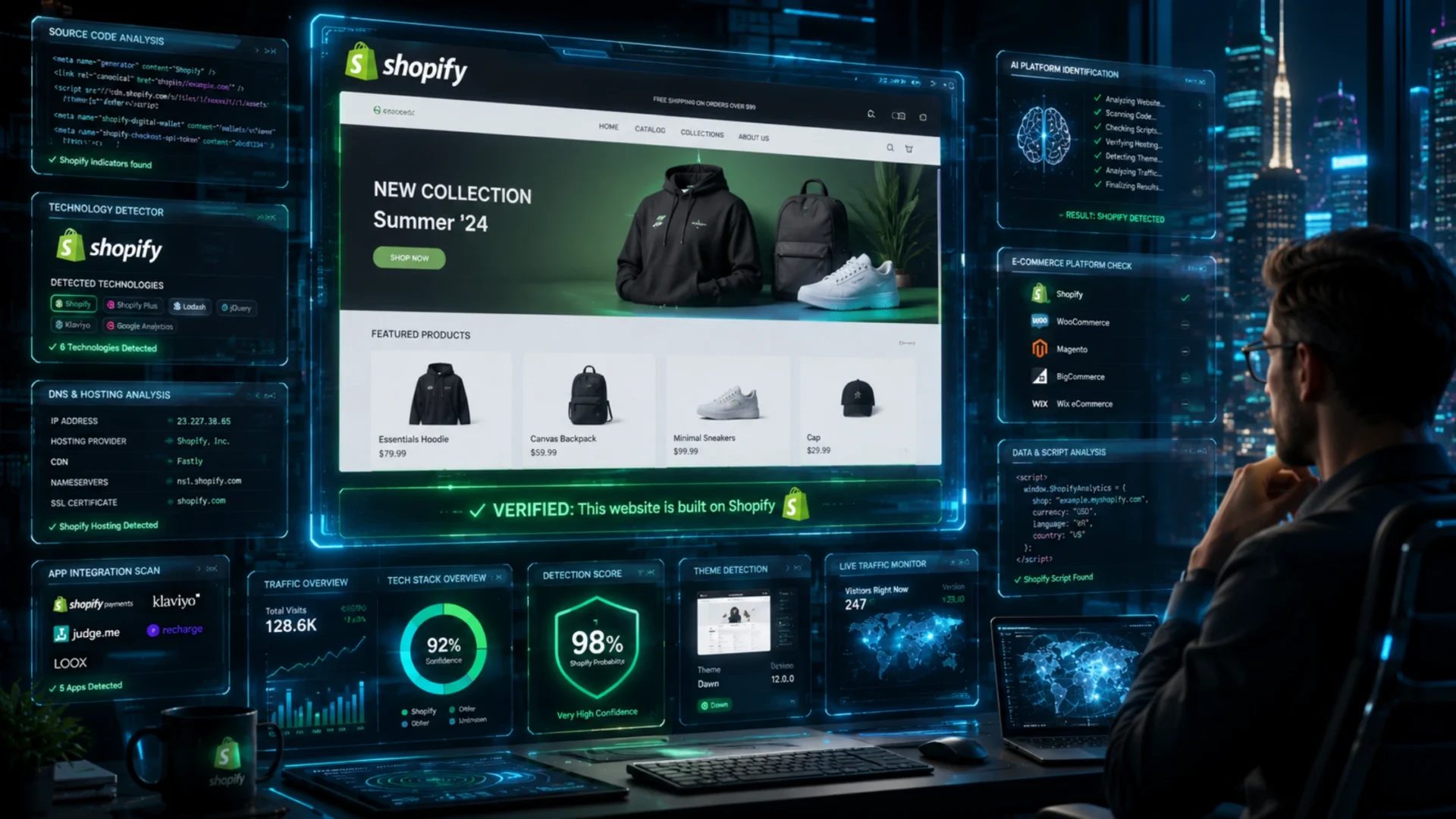
Quick answer: The fastest shopify ecommerce platform detection methods are searching the page source for cdn.shopify.com, running the add to cart checkout test, reading HTTP response headers like x shopify stage, and adding .json to any product URL. Any one of these confirms a Shopify store in seconds.
The rest of this guide covers all nine methods, the new 2026 signals like the /cart.js endpoint and DNS lookups, and the techniques that still work on headless and Hydrogen storefronts.
What this guide covers
- Why identifying Shopify stores is worth your time
- How Shopify stores are built, and why that leaves fingerprints
- The nine identification methods, ranked by reliability
- How detection holds up on headless and Hydrogen stores
- Common false positives and how to dodge them
- Quick comparison of every detection method
- A confidence checklist you can run in under a minute
- Telling regular Shopify from Shopify Plus
- Frequently asked questions
Why Bother Identifying Shopify Stores at All
Before the methods, the use cases. Because if you don’t have a reason to look, the rest of this is just trivia.
Agencies use platform detection for prospecting. If you sell Shopify development services, you don’t want to pitch a Magento store. Wasted hours add up fast.
Developers use it for competitive research. Studying how a successful Shopify brand structures their pages, apps, or checkout gives you a shortcut to learning what works. It’s also useful when comparing capabilities across major ecommerce platforms before recommending one to a client.
Marketing teams use it before recommending a replatform. If a client says they want to move to Shopify Plus, knowing that their main competitor already lives there changes the conversation entirely.
Sales teams use it for outreach. A targeted email to a Shopify merchant about a Shopify app converts far better than a generic cold pitch.
Honestly, even hobby builders use it. Some of the best store ideas come from reverse engineering how someone else solved a problem you’re stuck on.
How Shopify Stores Are Built (And Why That Leaves Fingerprints)
Quick context before the techniques. Every identification method below works for one reason. Shopify controls so much of the stack that it cannot help leaving traces.
Three layers matter here.
The frontend runs on Liquid, Shopify’s server side templating language, wrapped around standard HTML, CSS, and JavaScript. You almost never see raw Liquid tags in the browser because they render on the server. What you do see is the leftover structure, like section wrappers and predictable class names.
The backend is fully managed by Shopify. Product data, orders, customers, and the Storefront and Admin APIs all sit on Shopify infrastructure. A brand can repaint the frontend however it likes. The plumbing underneath stays Shopify.
The hosting and delivery layer leans on Shopify’s CDN and caching. Assets load from Shopify controlled domains, and the checkout almost always runs on Shopify servers even when everything else looks custom.
That last point is the whole game. You can hide a theme. You can proxy a CDN. Hiding the checkout and the API behavior is much harder. Keep that in mind as the signals start contradicting each other later.
The Nine Identification Methods
Method 1: Check the Page Source
This is the oldest move in the book. Right click anywhere on the homepage. Choose “View page source.” Hit Ctrl+F. Search for the word shopify.
If the store runs on Shopify without heavy customization, you’ll see hits everywhere. CSS file paths, JavaScript references, class names, asset URLs, all leaking the platform name. The most telling reference looks like this:
cdn.shopify.com
That’s the Shopify content delivery network. If you see it loading product images or theme files, the store is on Shopify. Period.
Other tells in the source code include:
- Global variables like
Shopify.theme,Shopify.shop,Shopify.routes, orShopify.checkout - Section wrappers in the rendered HTML with IDs starting
shopify-section - Asset paths containing
/cdn/shop/ - References to
shopify_payorshop_pay
When this method fails: heavily customized stores or headless setups sometimes scrub these references or load them through proxies. Source code peeking still catches roughly 80 percent of Shopify stores in seconds. Worth trying first.
Method 2: URL Patterns and the Checkout Test
Shopify follows predictable URL patterns. Once you know them, spotting a Shopify store gets faster than viewing source.
The classic patterns include:
- Product pages live at
/products/product name - Collection pages live at
/collections/collection name - The cart sits at
/cart - Customer accounts live at
/account
None of these patterns are unique to Shopify on their own. Plenty of platforms use similar structures. But when you see all four together, the probability shoots up.
The checkout test is more reliable. Add any product to the cart and click checkout. Watch the URL. If it redirects to a Shopify hosted flow (often shop.example.com/checkouts/... or a Shop Pay accelerated checkout) with that unmistakable layout, left side form and right side order summary, you’ve got your answer.
Even Shopify Plus stores with custom checkouts almost always reveal themselves on this final step. The domain might be the brand’s own, but the structure underneath is pure Shopify.
One trick that fails this test: brands using third party checkout solutions like Bold or ReCharge subscriptions sometimes route through different domains briefly. Don’t stop at the first redirect. Follow the chain.
Method 3: HTTP Headers Tell the Truth
HTTP response headers are like the receipt your browser keeps quietly. They carry technical metadata about the server and the platform. Most stores never bother stripping them.
Open browser DevTools. Switch to the Network tab. Refresh the page. Click on the main document request. Look at the Response Headers section.
Shopify specific headers to scan for include:
x shopify stagex shopidx sorting hat shopidx dc(followed by something like gcp us central1)powered by: shopifyon rare older stores
If any of those show up, you’re looking at a Shopify store. No ambiguity. Headers don’t lie unless someone went out of their way to strip them, and almost nobody does.
One caveat worth knowing. Cloudflare and other reverse proxies can mask or rewrite some headers, so treat headers as strong evidence rather than absolute proof. This method still beats source code checking because it survives heavy theming, and the underlying Shopify infrastructure usually injects these values somewhere in the request chain even on headless setups.
Method 4: The JSON and API Endpoint Trick
Shopify stores expose product data through public endpoints by default. Most merchants don’t even know this exists, which means it’s almost never disabled.
Take any product URL. Add .json to the end. Hit enter.
So if the product URL is example.com/products/blue tshirt, you try example.com/products/blue tshirt.json.
If a structured JSON response loads with product details, variants, prices, and image URLs, the store is on Shopify. Other platforms don’t expose data through this exact pattern. Shopify documents this JSON behavior in its own help center, so it’s a stable signal, not a quirk.
Three more endpoints worth trying when the product test is inconclusive:
/products.jsonon the root domain returns the first batch of products/cart.jsreturns the current cart object in Shopify’s format, a quick and clean signal- The Storefront API leaves traces too. Search the source or network calls for a GraphQL endpoint shaped like
/api/{version}/graphql.jsonor aShopify.queryreference
Quick warning: don’t scrape these endpoints aggressively. They’re meant for occasional checks, not data harvesting. Some merchants now restrict the public catalog, so a blocked or empty response does not rule out Shopify. Shopify also rate limits aggressive requests, and your IP gets blocked fast.
Method 5: Read the Cookies
Shopify stores set specific cookies on visitors. Open DevTools, go to the Application tab, and check the Cookies section.
Look for names that start with an underscore and contain shopify:
_shopify_y_shopify_s_secure_session_idcartwith a long alphanumeric value
The presence of any of these confirms Shopify. The cookie names are baked into the platform’s session and analytics infrastructure. Even privacy conscious merchants who strip third party trackers usually keep these, because removing them breaks the cart.
One technical note. The _shopify_y and _shopify_s cookies are set by Shopify’s analytics JavaScript, so they appear only after scripts run in a real browser. A plain command line request won’t catch them. Use DevTools or a headless browser. This is the check I personally run first when the page source feels too cluttered to read.
Method 6: Browser Extensions That Do the Work for You
If you don’t want to manually check anything, install one of the major detection extensions. They scan the page and tell you what the site runs on.
Wappalyzer is the popular choice. It identifies Shopify alongside hundreds of other technologies, frameworks, and apps the store uses. The free version covers the basics. Paid plans add bulk lookups and CRM exports for prospecting work.
BuiltWith works similarly but leans more heavily into lead generation. Its database includes historical data, so you can see when a store moved to Shopify and from what platform.
For Shopify specific detail, Koala Inspector and lightweight tools like WhatRuns go further. They surface the theme name and the apps a store has installed, which is gold for competitive research.
Honestly, for casual checks one of these extensions is the right answer. The manual methods are only worth learning for when extensions misfire, which happens on stores using cloaking, edge caching, or aggressive script removal.
Method 7: Online Lookup Tools
Can’t install browser extensions on a locked down work laptop? Or checking a URL someone sent you without visiting it? Online tools fill the gap.
- BuiltWith at builtwith.com lets you paste any domain
- Store Leads focuses on ecommerce specifically and tracks platform, apps, and traffic estimates
- Dedicated Shopify inspector tools break down the theme name and apps installed
These tools rely on crawled data, so newly launched stores or recent platform migrations sometimes show outdated results. Trust them for established stores. Verify manually for anything that looks new.
Method 8: Theme and Template Clues
This one needs a bit of pattern recognition. Shopify themes have visual signatures. After looking at a few hundred stores, you start spotting them automatically.
Telltale signs include:
- The standard Shopify cart icon and counter pattern in the header
- Predictive search dropdowns that match the default theme styling
- Footer payment icon strips with the Shop Pay button styling
- Product page layouts that follow the classic gallery left, info right, recommendation grid below pattern
Here’s the 2026 update most older guides miss. Shopify’s default free theme is now Horizon, launched in 2025, which replaced Dawn as the starting point for new stores. Dawn, Sense, Studio, and Refresh are still listed in the Shopify theme store, but Horizon is block based and supports deeper nesting, so its layouts feel more flexible and modern. If a store launched recently and the editor driven blocks look unusually rich, you’re probably looking at Horizon.
Custom themes hide all of this, but the underlying behavior, how image zooms work, how the cart updates, the speed of the variant picker, often gives them away. This method is the least precise. It’s also the fastest. Sometimes a quick glance is all you need before the deeper checks.
Method 9: DNS and CNAME Lookup
This is the method casual guides skip, and it’s the one that often cracks a stubborn headless store. DNS sits below the webpage, so it survives even when the frontend is fully custom.
Run a quick lookup on the domain. A command line check works:
dig www.example.com CNAME
Many Shopify stores point their domain at Shopify infrastructure, and the www subdomain commonly resolves to a Shopify host such as shops.myshopify.com. If you see that CNAME, the store is on Shopify, theme or no theme.
When this method fails: stores behind Cloudflare, custom routing, or an aggressive proxy can hide the underlying host. So pair DNS with one page level signal before you call it. On its own it’s strong, not absolute.
How These Identification Methods Hold Up on Headless and Hydrogen Stores
Here’s where things get interesting in 2026. More brands are running headless Shopify setups, where the storefront uses a custom frontend (often built with Shopify’s Hydrogen framework) while Shopify handles the backend, inventory, and checkout.
Headless stores break most of the surface level identification methods.
The page source might look like a Next.js or Remix application. URL patterns might not follow /products/ or /collections/. Cookies might be reduced. CDN paths might be proxied through the brand’s own domain.
What still works:
- The checkout test almost always exposes Shopify, because that step stays on Shopify infrastructure
- HTTP headers on API calls (use the Network tab and watch the XHR or Fetch requests) often reveal Shopify endpoints
- Network requests to
shopifycloud.com,myshopify.com, or the Storefront API GraphQL endpoint give it away - A DNS lookup frequently exposes a Shopify host even when everything visible is custom
Headless detection takes more patience, but the backend still leaves fingerprints. You just have to look one layer deeper, usually in the Network tab and the DNS records rather than the rendered page.
Common False Positives and How to Avoid Them
A few traps catch people off guard.
Some agencies build mock Shopify lookalikes on WordPress with WooCommerce, mimicking the cart drawer and checkout style. These pass the visual test but fail every technical one.
Plenty of WordPress sites also embed only the Shopify Buy Button on a single page while the real site runs elsewhere. The Buy Button is not a full Shopify store, so don’t let one widget fool you. Always test the actual product URL, not a campaign or landing page.
Some platforms, BigCommerce and Squarespace Commerce among them, use similar URL conventions like /products/. URL patterns alone are weak signals. Always combine with at least one other method.
Stores migrating between platforms can leave Shopify references in cached content for weeks. The header check, the DNS lookup, or the JSON endpoint test cuts through that confusion fast.
Quick Comparison of Shopify Detection Methods
| Method | Speed | Accuracy | Best For |
|---|---|---|---|
| Page source check | Fast | High | Standard stores |
| URL patterns | Very fast | Medium | Initial guess |
| Checkout redirect | Medium | Very high | Confirming suspicion |
| HTTP headers | Medium | Very high | Customized stores |
| JSON and API endpoint | Fast | Very high | Quick proof |
| Cookies | Fast | High | Any store |
| Browser extensions | Instant | High | Casual checks |
| Online lookup tools | Slow | Medium | No browser access |
| Theme recognition | Instant | Low to medium | Trained eye |
| DNS and CNAME lookup | Fast | High | Headless stores |
A Confidence Checklist You Can Run in Under a Minute
No single clue is proof. The pros think in signal strength, not yes or no. Here’s the mental model we use, borrowed from how detection tools score sites internally.
Strong signals (any one is near certain):
- Checkout redirects into a Shopify hosted flow
- A product or
/cart.jsendpoint returns Shopify formatted JSON - A Shopify specific HTTP header is present
- DNS resolves to a Shopify host
Moderate signals (confirm, don’t conclude):
ShopifyJavaScript globals in the sourcecdn.shopify.comasset paths- All four standard URL patterns appearing together
Weak signals (never enough alone):
- A single CDN image
- A lone
/products/URL pattern - A theme that merely looks like Shopify
The rule that saves you: two or more strong and moderate signals together is a confident yes. One weak signal on its own should stay unclassified until you find more.
How We Run These Detection Methods in Practice
Here’s the honest version, not the textbook one. When we’re scoping a Shopify prospect, we don’t run all nine checks. We run two.
First, the .json trick. Add it to a product URL, hit enter. If structured product data loads, we’re almost certain before DevTools is even open.
Then the checkout test as a tie breaker. Add to cart, watch where the redirect lands.
That pairing settles most stores in under thirty seconds. The other seven methods are for the awkward cases, headless builds, cloaked storefronts, sites that strip half their scripts for speed. For those, a DNS lookup is usually the fastest tie breaker.
A quick example from a recent scoping call. The brand insisted they were on a fully custom stack. Page source looked clean, no obvious Shopify strings, that classic headless smell. The .json endpoint still returned a full product object, and the checkout redirected straight into a Shopify hosted flow. About forty seconds, debate over.
The lesson we keep relearning is simple. One technical signal beats ten visual guesses. Trust the endpoint, the header, or the DNS record, not the theme.
Telling Shopify From Shopify Plus
Once you’ve confirmed Shopify, the next question agencies usually ask is whether the store is on regular Shopify or Shopify Plus. The answer matters because Plus merchants pay more, expect more, and often need more advanced development work.
Plus indicators include:
- Custom checkout extensions or scripts
- Multiple storefronts under one organization
- Advanced wholesale or B2B portals
- The
plus.shopify.comreference in admin links (rarely visible publicly) - Sophisticated automation flows visible in cart or checkout behavior
One detail changed in 2026 that helps here. With the Summer 2026 release, checkout extensibility became generally available to every Plus merchant, replacing the old checkout.liquid customization. So if you see a heavily customized checkout built from modular blocks rather than a stock flow, that’s a strong Plus signal. The same goes for automation that goes beyond standard scripts, like bundle discounts that adjust dynamically, complex shipping rules, or B2B pricing tiers.
What to Do Once You’ve Confirmed Shopify
Identification is the easy part. The valuable work starts after.
If you’re a developer, study the apps the store uses. Tools like Koala Inspector list installed apps. Knowing which review platform, subscription tool, or upsell app a successful brand chose tells you what’s working in their niche.
If you’re an agency, this is your prospecting moment. A short, specific email referencing the store’s actual stack outperforms generic outreach by a wide margin. Compare your services to what they currently run. Identify gaps.
If you’re a brand owner researching competitors, focus on the customer experience rather than the tech. Their checkout flow, their email capture timing, their post purchase upsells. The technology under it matters less than the experience built on top. And if a rebuild or migration is on the table, it helps to know the rough Shopify development cost before you commit to a direction.
Need help building or scaling a Shopify store? Our Shopify development services cover everything from new builds to migrations to Plus level customization. We’ve helped brands across categories ship faster, convert better, and reduce dependency on bloated apps.
Frequently Asked Questions
What are the most reliable Shopify identification methods?
The most reliable shopify ecommerce platform identification methods are the checkout redirect test, the HTTP header check, the .json endpoint trick, and a DNS lookup. Each one gives a near certain answer. Page source and cookie checks are quick confirmations on top of those. Theme recognition is the least reliable on its own and should always be paired with a technical check.
How do I tell if a website is built on Shopify quickly?
Add .json to any product URL. If structured product data loads, the site is on Shopify. If you want a second confirmation, add a product to the cart and watch whether checkout redirects to a Shopify hosted flow. Both answers arrive in seconds.
Can I identify a Shopify store from just the URL without visiting it?
Sometimes. If the URL contains myshopify.com as a subdomain, it’s definitely Shopify. Otherwise you usually need to visit the page, run a DNS lookup, or use an online lookup tool. URL alone isn’t enough for whitelabeled domains.
Why would a store hide that it’s on Shopify?
Most don’t intentionally hide it. The signals get weaker because of headless setups, custom themes, or aggressive performance optimizations that strip default scripts. Privacy conscious brands sometimes minimize tracking cookies, which reduces some detection signals as a side effect.
What Shopify theme is a store using?
A theme detection extension like Koala Inspector or Wappalyzer usually names it. Manually, look at the section structure and editor driven blocks. Newer stores often run Horizon, the block based theme that became Shopify’s default in 2025. Older stores commonly run Dawn or one of its presets.
Are these methods legal to use?
Yes. Everything described here uses publicly available information that any browser exposes. You’re not bypassing security or accessing private data. Just don’t scrape JSON endpoints aggressively or use detection methods to harm the store.
Which method should I try first?
If you have a browser extension installed, that’s the fastest. Otherwise, try the checkout redirect test or add .json to a product URL. Both give you a yes or no answer in seconds.
Do these techniques work on mobile?
Page source viewing and DevTools work in mobile browsers like Kiwi or through remote debugging from a desktop. The JSON endpoint trick works in any browser, mobile included. Cookies and headers need DevTools, which means desktop or remote inspection.
Is it possible to fully hide that a store runs on Shopify?
Practically, no. The checkout flow lives on Shopify infrastructure even for the most aggressively customized headless setups, and DNS often gives the host away. Someone determined enough to find the underlying platform almost always can.
Final Word
Identifying the platform behind a store is a small skill that pays off in surprising ways. Better prospecting. Smarter competitive research. Faster decisions when planning a build or migration.
The shopify ecommerce platform identification methods above range from instant browser extension checks to deeper technical inspections like DNS lookups. Most stores reveal themselves in under a minute once you know where to look, and the nine method toolkit covers the awkward headless cases the quick checks miss.
And if you’re ready to build something on Shopify, scale an existing store, or migrate from another platform, our team has spent years doing exactly that. Reach out and we’ll talk through what makes sense for where you are.