- Why Do Businesses Move from Legacy ERP to Zoho?
- The Common Pain Points
- The Zoho ERP System Advantage
- Why Manufacturers Choose Zoho Over Salesforce Plus a Separate ERP
- Why Data Loss Happens in a Zoho ERP Migration
- The Most Common Culprits
- Risks of Zoho ERP Migration Businesses Often Ignore
- Why Downtime Happens (and How to Avoid It)
- Zoho ERP Migration Process: 7 Steps to Zero Data Loss
- A Practical Migration Roadmap
- Migrating from Salesforce? A Few Things Work Differently
- Why Not Just Do It Yourself?
- Sample Migration Walkthroughs
- Benefits After a Zoho ERP Migration
- What the ROI Looks Like
- Why Choose Elsner for Your Zoho ERP Migration?
- Final Takeaway
- FAQs
- How long does a Zoho ERP migration take?
- How much does a Zoho ERP migration cost?
- How do I migrate from Salesforce to Zoho without losing historical data?
- Is Zoho ERP suitable for manufacturing companies?
- Want Someone to Manage the Whole Thing End to End?
Quick Answer
To complete a Zoho ERP migration without losing data, follow seven steps: audit, map fields, clean data, test in a sandbox, back up, schedule a quiet cutover, then validate. The biggest risks are mapping errors, broken integrations and undocumented workflows. Planning and testing prevent all three.
Most businesses hit the same wall. The ERP is slow and costly, or a CRM like Salesforce now costs more than it returns. According to Gartner, nearly 75% of ERP implementations go over budget, usually because nobody planned for what goes wrong.
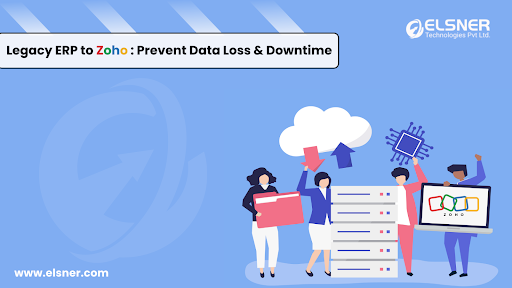
Moving to the Zoho ERP system in 2026 makes sense, but a Zoho ERP migration is not something to rush. This guide covers seven steps that prevent the most common failures, whether you’re leaving Odoo, SAP, Tally, Salesforce or an older system.
And if you’d rather not carry it alone, our Zoho development services team can make the whole process more structured.
Why Do Businesses Move from Legacy ERP to Zoho?
Legacy systems may have worked well years ago. Today, they often hold businesses back.
The Common Pain Points
⚠️ High Maintenance Costs
Older setups need expensive server upkeep and steep licensing fees.
⚠️ Slow Adaptability
Adding a feature or integration can take months, sometimes years.
⚠️ Limited Remote Access
Many were built before cloud-first work models existed.
⚠️ Data Silos
Linking the ERP to CRM, accounting, or e-commerce is clunky, if it works at all.
⚠️ Vendor Lock-In
Switching modules or expanding is costly and slow.
⚠️ Disconnected Operations
Order tracking and production planning live in different tools, so delays show up as missed deadlines.
The Zoho ERP System Advantage
- 100% cloud-native and mobile-ready
- 60+ connected business apps under one Zoho umbrella
- Built-in AI insights through Zoho Zia at no extra cost
- Scales from small teams to global enterprises
- Flexible pricing, often 50 to 70% lower than legacy systems
More organisations are replacing outdated setups with the Zoho ERP system. Cost is part of it. But the bigger reason is staying agile enough for whatever comes next.
Why Manufacturers Choose Zoho Over Salesforce Plus a Separate ERP
Here’s a pattern we see often. A manufacturer runs Salesforce for sales and a separate ERP for inventory and production. Two systems, two logins, two versions of the truth.
When the two don’t talk properly, sales promises a delivery date without knowing what’s on the floor. Production finds out about a rush order late. Everyone loses time chasing each other.
Compared with Salesforce plus an add-on, Zoho usually comes out ahead on manufacturing workflows.
The saving on licences is nice. The real win is that the friction between CRM and operational data disappears.
Why Data Loss Happens in a Zoho ERP Migration
Data loss is rarely one catastrophic mistake. It’s usually a pile of small ones.
The Most Common Culprits
Inconsistent Data Structures
Legacy systems often store the same data type in different formats across modules. That makes one-to-one mapping into Zoho harder and more error-prone.
Poor Field Mapping
If “Customer ID” in your old system lands in “Account Number” in Zoho, records get overwritten or go missing. Precision matters here.
Hidden Dependencies
A small change in the old system can trigger automations in connected accounting, inventory or HR tools. Miss those links and you break workflows without realising it.
Weak Backups
Some companies keep partial backups. Some keep none. Without a full copy, any problem leaves you with no safe restore point.
Manual Errors
Copy-paste slips, wrong import formats and skipped verification. They corrupt data and push back your go-live date.
Risks of Zoho ERP Migration Businesses Often Ignore
Most teams spend their energy picturing life after the move. Fewer think about what can break during it. These four show up more than any others.
⚠️ Data Corruption
Things break quietly. Field mismatches, encoding errors, formatting inconsistencies. Each one is small. Together they create weeks of cleanup, and they often don’t surface until after go-live. It’s the leading cause of data loss in ERP migrations.
⚠️ Integration Failures
Your system talks to other tools: accounting software, ecommerce platforms, communication apps. Those connections don’t rebuild themselves. APIs need remapping, and if you don’t test them before go-live, you’ll find out in production, usually when an order doesn’t sync or an invoice won’t reconcile.
⚠️ Workflow Disruption
Approval chains, automated alerts and custom report triggers don’t transfer on their own. They have to be rebuilt in Zoho and tested. Complex businesses often discover halfway through that a chunk of their workflows were never documented. They lived in someone’s head, or buried inside the old system.
⚠️ Reporting Errors
Historical data doesn’t always fit cleanly into Zoho’s reporting structure. Map it wrong and your dashboards show the wrong numbers, and decisions built on those numbers make things worse. Validate every report before you sign off.
Why Downtime Happens (and How to Avoid It)
Downtime isn’t only a tech problem. It’s a business continuity problem. For a manufacturer, even one day offline can mean missed orders, idle machines and unhappy customers.
It usually comes down to a few things:
- Migrating during high-activity periods
- Underestimating how long data transformation takes
- Not enough hardware or bandwidth for the transfer
- Skipping the sandbox test
Also read: Zoho vs Odoo: A Detailed Comparison
Zoho ERP Migration Process: 7 Steps to Zero Data Loss
Here’s how to cut the risk down significantly.
|
1
|
Step 1: Audit Your Current SystemGo through everything. Every active module, custom field, workflow and third-party connection. You want to know what’s actually in use versus what was set up and forgotten. Bring in department heads. IT often doesn’t know which processes live in people’s heads rather than in the system. Document it all. Every other step builds on this one. |
|
2
|
Step 2: Map Data Fields to ZohoEvery field in your current system needs a home in Zoho. Some are obvious. Customer Name becomes Contact Name. Invoice Amount becomes Invoice Value. Others, especially custom fields and old configurations, have no direct equivalent. This takes longer than people expect. Do it carefully, because mapping errors are one of the top causes of data loss, and they’re completely preventable if you sort them out before touching live data. If you’re coming from Salesforce, this step also means matching Salesforce objects to Zoho CRM and ERP modules. For manufacturers, that includes inventory, work orders, bills of materials and suppliers. |
|
3
|
Step 3: Clean Data Before MigrationRemove duplicates. Standardise formats. Fill in missing values where you can, and flag records that can’t be fixed for manual review. Delete test entries and old contacts nobody ever used. A cleaner dataset means fewer problems in Zoho. It also means your team doesn’t wade through junk records while they’re still learning the platform. |
|
4
|
Step 4: Run a Test MigrationBefore the live move, push a representative sample into a Zoho sandbox. Check that records look right, relationships between modules are intact and nothing important got dropped. Test your key workflows and confirm integrations fire correctly. Most businesses want to skip this to save time. It’s usually the step that saves them the most. |
|
5
|
Step 5: Back Up Everything TwiceThree independent copies, in separate places. Cloud, local server, offline. Don’t skip it because the migration looks simple. Don’t skip it because the test went well. Backups exist for the edge cases nobody saw coming, and if the live migration goes sideways, they’re the only thing between you and a weeks-long recovery. |
|
6
|
Step 6: Schedule SmartlyFind your quietest window. A weekend, a holiday, the gap between financial periods. Schedule the cutover there and tell your team well in advance. Write the rollback plan down. Not in someone’s head. On paper. Keep a small migration team online for the whole window to monitor progress and catch surprises early. |
|
7
|
Step 7: Validate Post-MigrationDon’t call it done until you’ve checked the results properly. Go through every critical module: customers, vendors, invoices, inventory, orders and financial records. Compare record counts between old and new. Run standard reports and compare them to known outputs from the old system. Confirm every automated workflow triggers correctly. Then have department leads sign off on their own areas. It’s not bureaucracy. It’s the difference between a migration that’s technically finished and one that’s actually finished. |
A Practical Migration Roadmap
Here’s a simplified timeline for a Zoho ERP migration without disruption.
Migrating from Salesforce? A Few Things Work Differently
The seven steps above still apply. But moving off Salesforce adds a few wrinkles, especially for manufacturers.
Your data isn’t just contacts and deals. It’s years of quotes, order history and custom objects, often tied to material costs or supplier data somewhere else. So the work leans heavily on module mapping and on rebuilding custom logic, like quoting rules and approval flows, inside Zoho.
On the Zoho side, manufacturers usually get the most value from a few connected flows:
- Automatic work order creation when a sale is confirmed
- Supplier data linked to purchase orders
- Production status visible directly in the CRM
- Real-time inventory updates for the sales team
When those connect, sales can promise accurate delivery dates without chasing production for answers.
A typical Salesforce to Zoho engagement at Elsner covers:
- Data audit and cleanup before anything moves
- Mapping Salesforce modules to Zoho CRM and ERP equivalents
- Module setup for inventory, work orders, BOM and suppliers
- Role-based training for shop floor and admin teams
- Post-migration support while everyone settles in
Why Not Just Do It Yourself?
You can. Plenty of teams try. But in manufacturing, one day of downtime can cost thousands in missed orders or idle machines.
Your internal IT department understands your business processes inside and out. But they might not be familiar with your new software platform. Expert consultants will prevent data loss when importing and exporting, minimize interruptions to your operation, and customize the transition to your own working procedures rather than a predefined template. Issues are spotted early and avoid unnecessary escalation.
Sample Migration Walkthroughs
To be clear, this is an illustrative scenario, not a case study from Elsner’s portfolio. But it reflects the kind of outcomes manufacturers can expect when the migration is handled with care.
Benefits After a Zoho ERP Migration
Once the dust settles and the team gets comfortable, the changes show up fast.
✅ Automation
Zoho has built-in workflow automation that doesn’t need a developer. Invoice triggers, inventory restocks, lead assignment rules. They run without anyone pushing them manually. Most legacy systems either lack this or make it needlessly complex.
✅ Cloud Access
Your team logs in from wherever they are, on whatever device they have. No more being chained to office workstations.
✅ Cost
Savings on developer maintenance, servers and licensing tend to appear quickly. Businesses leaving heavily customised legacy systems often see a real drop in IT spend within the first year.
✅ Visibility
Zoho’s unified dashboard pulls sales, inventory, finance and HR data into one place. If your leadership team was running reports by hand or pulling numbers from three different systems, that’s a big shift.
What the ROI Looks Like
Manufacturers often recover the cost of migration within 12 to 18 months.
Why Choose Elsner for Your Zoho ERP Migration?
Elsner Technologies has run Zoho migrations for businesses across industries, platforms and levels of complexity. We understand the technical side and the operational side, so the system works for your floor managers, your sales reps and your customers, not just on paper.
Want someone to manage the whole thing end to end? Book a consultation.
Final Takeaway
A Zoho ERP migration isn’t just a tech upgrade. It’s a chance to change how your business runs day to day.
Without a solid strategy, though, the risks of downtime and data loss are very real. Follow a clear framework: audit, map, clean, test, back up, migrate, validate. And if your system is heavily customised, or you’re leaving Salesforce with years of complex data, bring in a migration partner.
Done right, you protect your data, speed up operations, cut costs and get room to scale.
FAQs
How long does a Zoho ERP migration take?
A small business with basic data can finish in two to four weeks. A mid-sized business with custom workflows, multiple modules and years of history usually needs two to four months. Manufacturers moving from Salesforce with professional support often land in the 6 to 10 week range. What affects timing most is how prepared the data is before you start.
How much does a Zoho ERP migration cost?
A basic migration can run from a few hundred to a few thousand dollars. A complex migration with professional services usually falls between $3,000 and $15,000 or more, depending on scope. A failed DIY attempt, with the downtime, data recovery and rework that come with it, often costs more than doing it right the first time.
How do I migrate from Salesforce to Zoho without losing historical data?
With proper data mapping and validation, you can retain all usable historical data, from customer orders to production logs. The key is a full audit up front, a sandbox test, and record-count and report comparisons after the move.
Is Zoho ERP suitable for manufacturing companies?
Yes. Zoho has modules for inventory, bill of materials, production planning, vendor management and quality control. Zoho Inventory, Zoho Books and Zoho Creator together handle both discrete and process manufacturing. Businesses in tiles, furniture, garments and similar industries use it for exactly this.
Want Someone to Manage the Whole Thing End to End?
Elsner Technologies has run Zoho migrations for businesses across industries, platforms and levels of complexity. We understand the technical side and the operational side.