The world is in isolation.
COVID-19 has hit more than 200 countries worldwide.
A significant number of cities are in lockdown.
People are resorting to video conferencing apps for professional meetings, online study classes, and catching up with friends and families.
According to the recent report of App Annie, there has been a surge in the download of video conferencing apps as the pandemic intensifies in the USA and Europe.
A sudden spike of 62 million downloads across Google Play and iOS in a week’s time in March 2020 – that’s huge!
In this write-up, we will discuss the popular video conferencing apps that are actually helping out people in this tough time.
Skype Meet Now
 Skype has become a popular name for one-to-one conversations. Skype has recently introduced the Meet Now feature, which enables the users to start video conferencing quickly without any downloads and sign-ups.With Skype Meet, you can host a conference call with just one link.Thinking how?It’s just a 3-step process –
- Generate a meeting URL and send it to the participants
- Invite anyone even if they are not on Skype
- Join the call through the unique meeting URL
Useful Features –
- You can record your call for later reviews. Skype stores the record for up to 30 days.
- No need to prepare for your video meeting. Just turn on the background blur feature.
- Easily share presentations and work materials in the conference call.
Hangouts Meet
 We are all aware of Google Hangouts, which is the “classic” version and is still available. However, Google is currently creating hype for Hangouts Meet, which claims to allow secure enterprise-grade video conferencing. Hangout Meet is fully integrated with G Suite.Useful Features –
- Hangouts Meet is a secured channel with built-in protection. It employs counter-abuse protections so that your meetings are kept safe.
- Multi-person video calls are simple with smart participant management and a lightweight interface.
- There is a dial-in phone number for every meeting. The guest can dial in quickly, even without data or wifi.
Windows, Mac, Android, iOS – The Google Hangouts Meet is available for all the major platforms.
Go To Meeting
 Go To Meeting is built for collaboration for any type of business. The app supports both video and audio meetings. Go To Meeting, as the name suggests, really provides all the essentials one might need while hosting or attending a meeting.Useful Features –
- GoToMeeting Office 365 or Google Calendar plugins facilitates scheduling and joining of meetings in a second.
- The Call Me feature allows seamless one-touch to join by automatically calling the participants. So, no need to remember any dial-in numbers.
- Cloud Recording feature can record all your meetings.
- Use Siri to join a meeting as GoToMeeting supports voice commands on the iPhone.
- You can share your screen with others in the meeting and draw/highlight any content in real-time.
- GoToMeeting offers high-quality audio using VoIP because, in a meeting, every conversation is essential.
Cisco Webex Meetings
 Cisco Webex Meetings is a big name when it comes to video conferencing apps. It is mainly for serving large enterprises.Useful Features –
- With WebEx Meeting Center, have your own personalized meeting room.
- The WebEx Event Center helps you promote your products and services with real-time webinars and other online events.
- The WebEx Training Center creates a learning environment with high-definition video and integrated audio. There are even multimedia and assessment tools to increase the effectiveness of training.
- It is also possible to record and build a digital library of sessions so that people can view or review them in the future.
FreeConference
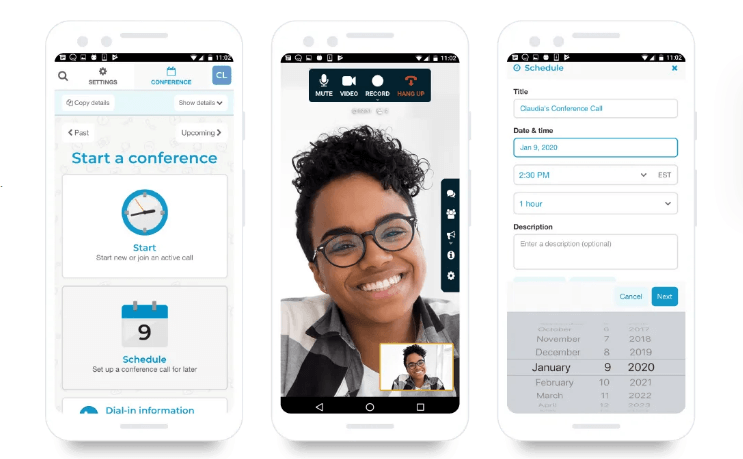
If you are looking for a free video-conferencing app, FreeConference may be the right choice for you. Besides the free version, the app also has paid plans. However, there are a lot of free features. The paid versions are also quite affordable.
Useful Features –
- Start your calls today by choosing from over 15 free dial-in numbers. Calls are absolutely free.
- You can conference by phone or web without any installation and download.
- Make your meetings productive by collaborating in real-time using the online whiteboard.
- Smart meeting summaries.
- Create a group of callers you frequently conference with from the FreeConference address book. Next time when you schedule your calls, just select one group instead of each participant.
Jitsi Meet

Jitsi Meet is an open-source platform and is also a great option if you want to use a video conferencing app for free.
Useful Features –
- Send invitations to users for the conference by a simple custom URL.
- With Etherpad, edit documents together with the team members.
- Jitsi Meet keeps the conversation private with advanced security settings.
- For recording the conference, you can stream to YouTube and then share the link. You can also download the file if necessary.
- It integrates with Google Calendar, Office 365, and Slack.
Zoom Meetings: A Big No!
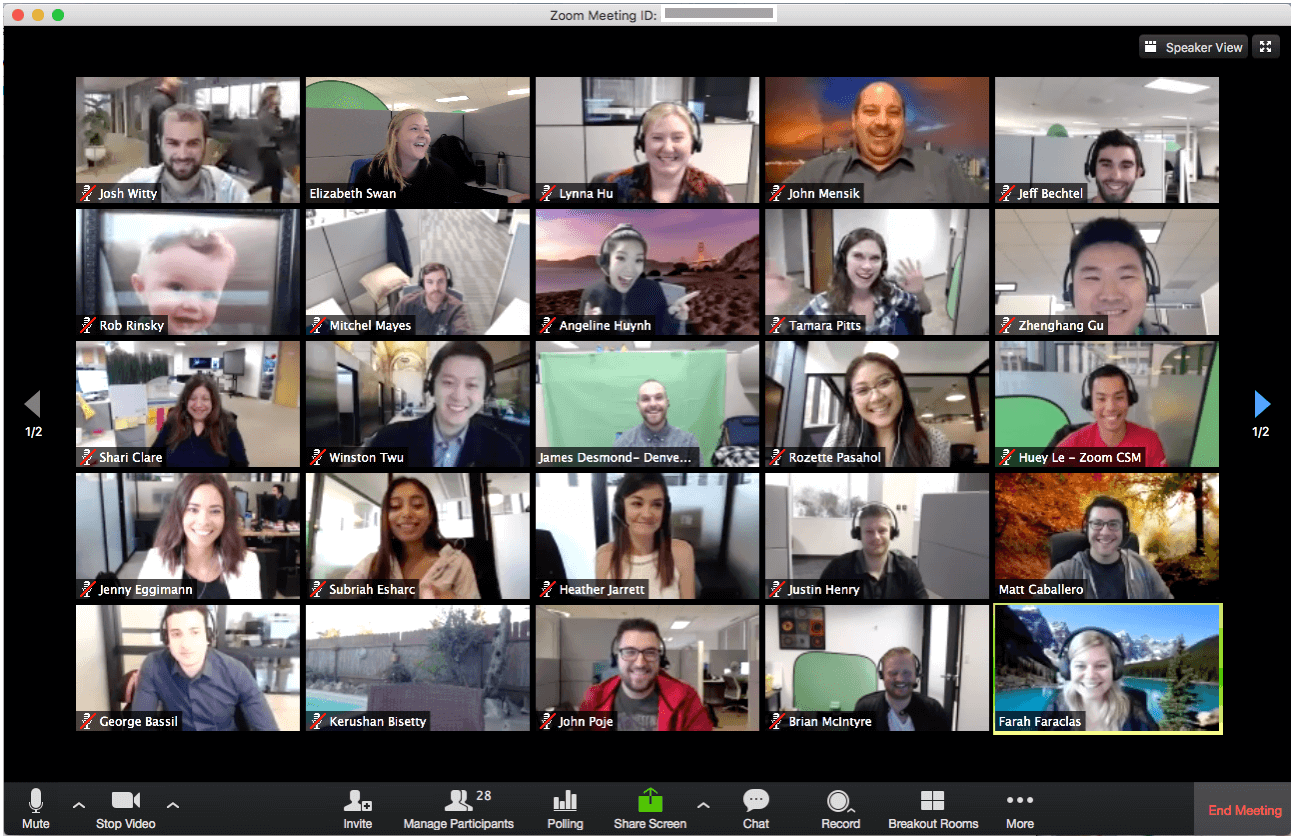 Zoom would have topped the list of the most popular video conferencing apps if only recently it would not have faced multiple security challenges and privacy issues. The Zoom platform has quickly escalated as people are working remotely from home in this global lockdown phase. But, Zoom is now facing security backlash. The Washington Post has reported, “Thousands of personal Zoom videos have been left viewable on the open Web, highlighting the privacy risks to millions of Americans as they shift many of their personal interactions to video calls in an age of social distancing.” This is alarming. Hence, we recommend not to use the Zoom platform for the time being.
Now that we have discussed the productive apps, you can choose the best video conferencing app that suits your needs.
Final Thoughts
Video conferencing has become the tool for every business to thrive in this COVID-19 crisis. In this article, we have covered some of the video conferencing apps for android and iOS. These apps have literally kept us going in this tough situation. The shift to remote working would not have been possible without these apps and their incredible features to ease social distancing.