- Why do you Need to Invest in the Shopify Multi Warehouse Inventory?
- 1. Shopify App for Various Locations
- 2. Product Management in Warehouses
- 3. Manage Stock Levels in Safety
- 4. Refills of Stocks
- Why Use Multiple Locations for your Shopify Store?
- Shopify Multi-Location Inventory – How It Really Works
- Operation Challenge In Multi-Warehouse Configuration
- How to Set Up Multi-Warehouse Inventory in Shopify?
- Shopify Apps for Advanced Multi-Location Inventory Management
- Which Factors Should You Consider When Planning Your Stock Levels?
- What are the Factors you Need to Consider While you Manage Stock Levels?
- How to Analyze the Demand for Your Stocks?
- Under Stock
- Overstock
- Trends
- Frequently Asked Questions
- Can I have multiple warehouses on Shopify?
- What is Shopify order routing in multi-location?
- Can I move inventory between locations in Shopify?
- How to prevent overselling in Shopify multi-warehouse inventory?
- Available vs. committed inventory: what’s the difference?
- When should I use a third-party app for managing inventory across multiple locations?
In the rapidly expanding ecommerce market today, companies are growing faster—global online sales are expected to reach around $7 trillion in 2026, and many brands are adding multiple fulfillment points to meet customer expectations for faster shipping. But as the operations expand, keeping track of the inventory is a big challenge. Research has shown that inventory inaccuracies can cause over-selling, stockouts, and lost revenue—particularly when stock levels are tracked across multiple warehouses in Shopify. This guide takes a look at Shopify multi-location inventory management and shows how you can better manage your stock, minimise errors and fulfil more orders.
Online businesses are putting efforts in Shopify Development Company to increase their reach globally with multiple inventories. It is essential to have an organized and clear inventory to provide a better experience for the customers.
Businesses focus to increase e-commerce sales by increasing the significant volumes through multiple channels. Your stock levels are easily higher if you have managed the products and services efficiently.
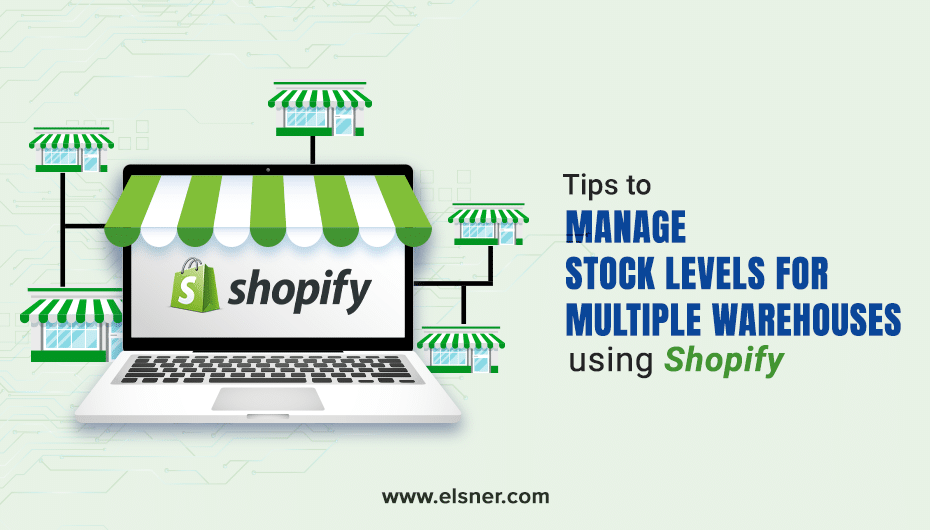
Why do you Need to Invest in the Shopify Multi Warehouse Inventory?
Dealing will the e-commerce business means making product supply across the globe effortless. Shopify supports multiple locations, which makes more space for your business. The default features of Shopify might not be enough for some online companies. You need to break things into a simpler number like:
- Available Quantity
- Expected Quantity
- Minimum Stock levels
As a business owner, you must structure all this to ensure you deliver smooth customer satisfaction. Several functions that you can use with the help of Shopify Development Company are:
1. Shopify App for Various Locations
The app helps clients to expand to multiple stores based on the plan they have purchased. While a custom Shopify Development can help in removing such limitations. You can add as many stores as your business requires and unique features to grab customers’ attention.
2. Product Management in Warehouses
The critical challenge is to manage multiple warehouses. A merchant will
manage stock levels to know if each warehouse has the right amount of products. The extensive list of products, the more complicated it might be to monitor product quantities.
3. Manage Stock Levels in Safety
Demand for the products and services might fall or rise. Merchants need to build strategies about the minimum and maximum units available in the warehouse to meet the demands. Shopify gives an easy panel to manage safety stock and stock levels.
4. Refills of Stocks
One of the primary reasons the clients want custom e-commerce applications is to make product monitoring simple. Once you have the product quantities and the minimum stock level, you can use it to calculate the number of orders expected.
Why Use Multiple Locations for your Shopify Store?
As people move towards the digital world, the number of sales channels is increasing in the marketplace. The location can be retail stores, drop-shippers, warehouses, or any place where inventory can be managed and stocked. This will also provide your business with better visibility and help you reach customers quickly. Various plans offered by Shopify are:
- Shopify Plus: 20 locations
- Shopify: 5
- Shopify Lite: 3
- Advanced Shopify: 8
- Basic Shopify: 4
These locations help to fill the orders and increases customer satisfaction.
Shopify Multi-Location Inventory – How It Really Works
With Shopify’s multi-location inventory, the quantity of stock available at each warehouse/fulfillment center is tracked independently, and Shopify does not aggregate quantities across locations. Some important definitions to know are:
- Available inventory: The quantity of stock ready for sale for new orders (on-hand minus committed stock).
- Committed stock: The inventory that has been reserved for pending orders, transfers, or fulfillments of your own. You don’t want to oversell; Shopify will subtract this stock as soon as the order is placed.
When a customer order is placed, Shopify decides the fulfillment location using intelligent routing order logic. It prioritizes the nearest location to customers within their market by default, but only if that location has sufficient stock for all products. Other considerations include limiting line splits (prefer one location when feasible) and your customized location priority.
Youcan specify fulfillment priorities per location in Settings > Locations by dragging the locations into the desired order (e.g., by efficiency cost or Nearest for speed).
Shopify also offers inventory transfers—generate transfer orders to move inventory from place to place, and monitor in-transit quantities that aren’t available for sale until they are received. This allows for stock balancing during demand surges or seasonal shifts, paving the way for Shopify multi-warehouse inventory management success for expanding brands.
Operation Challenge In Multi-Warehouse Configuration
When scaling up to a multi-warehouse system, there are real-life challenges that can affect the customer experience and your bottom line:
- Overselling issues: Location/channel sync delays may result in sales of stock that is already allocated. For instance, a flash sale could deplete inventory in one warehouse faster than Shopify adjusts visibility, leading to canceled orders and unhappy buyers.
- Mismatch of stock between channels: When selling through Shopify Plus marketplaces such as Amazon, disparities occur without real-time two-way sync which results in running out of stock on one platform and having excess stock on another.
- Complexity of returns: Returns to the proper warehouse (original fulfillment) is another matter altogether — especially if you need to consider regional policies or can’t automate reverse logistics.
- Delayed sync issue: Manual or rare updates to goods information make stock information outdated, leading to issues such as shipping from a distant location when stock is available closer.
For example, a DTC brand scaling to three warehouses—promo spikes cause temporary overselling because warehouse updates occur every 45 minutes rather than in real time.
The sooner you deal with these, the better, with the right setup and tools to help you avoid losing sales and help you build trust.
How to Set Up Multi-Warehouse Inventory in Shopify?
Just follow this easy step-by-step guide to enable and manage shopify multi locations inventory:
- Enable multi-location: Go to Settings > Locations in your Shopify admin. If you do not have multi-location enabled, Shopify allows for it on most plans – check your plan for location limits.
- Add warehouse locations: Click “Add location” and enter information such as name, address, and location type (warehouse, retail, etc.). This activates tracking per site.
- Assign products to locations: Go to Products > Select a Product > Inventory Section. Change the stock quantity for the item at each location, and specify which stock location the item will be fulfilled from.
- Set fulfillment priority: Go to Settings > Locations and reorder your priorities by dragging your locations; the highest-priority locations (those closest to your most important markets) will receive auto fulfillment first.
- Set up shipping: Apply shipping profiles or zones to match rates with destinations. Integrate with order routing for location-based fulfillment.
- Route testing: Execute test orders from various locations at different priority levels to monitor fulfillment locations and modify priorities/transfers as necessary. Check that the available vs. committed inventory is updated.
This native integration is great for many, but some high-volume or complex workflows will need apps.
Shopify Apps for Advanced Multi-Location Inventory Management
Although the native tools provide sufficient support for basic multi-warehouse inventory in Shopify, more advanced features such as real-time multi-channel syncing, barcode workflows, or automatic transfers may be required as companies expand.
Here’s a short comparison of popular applications:
|
App |
Key Features | Best For | Pricing (approx.) |
Rating |
|
Stock Sync |
Auto sync with suppliers, real-time updates, multi-channel | Dropshipping & supplier-integrated stores | Free plan available, paid tiers (from $5/mo) |
4.7/5 |
|
ShipHero |
Warehouse management, picking/packing, multi-carrier shipping | High-volume fulfillment & multi-warehouse | From $1,995/month |
4.5/5 |
|
SKULabs |
Multi-channel sync, barcode scanning, batch picking, WMS features | Complex operations across Shopify + marketplaces | From $299/month | 4.9/5 |
For simpler setups with few locations, you can use the native Shopify solution. Transition to apps when you start to encounter a lot of overselling, are selling on multiple channels, or want warehouse-grade features such as batch processing.
Which Factors Should You Consider When Planning Your Stock Levels?
Well, now that you know the location of your warehouses, it is crucial to bear in mind the factors that can enhance your product sales in the market and increase revenue:
- Location: You know that focusing on a specific location will attract people interested in purchasing your products. Just like you can never sell winter clothes in a place that never experiences winter.
- Channels: As there are many channels, it is important to identify which will be in high demand in the market. Establish a strong foothold in these sales channels by using appropriate marketing methods.
- Efficiency: This pressure can, from time to time, be brought to bear on increasing demand for your store. So, when you have the inventory at their location, it flows to customers like water with very little effort.
What are the Factors you Need to Consider While you Manage Stock Levels?
Now that you have decided the location for your warehouses. It is vital to remember the factors that can improve your sales in the market and bring better revenue:
- Location: You understand that targeting a particular area where people will be interested in buying your products is essential. Like you can never sell winter clothes in a place that never has a winter season.
- Channels: As there are multiple channels, it is essential to know they will highly demand which one in the market. Make a powerful presence on these sales channels with the help of the right strategies of digital marketing.
- Efficiency: You might want to increase the demand for your store. So, that when you have the inventory at their location, they are distributed to the customers effortlessly.
How to Analyze the Demand for Your Stocks?
Under Stock
It would help if you looked for the answers to some questions like:
- Where do you need more stocks to meet the customer demands?
- Is it possible to transfer the stocks from one place to another?
- Are there enough stocks to meet customer requirements?
Overstock
As a business owner, you should know some answers like:
- Do you have too much inventory?
- Is there a location that has higher sales for the product?
- Is it the proper use of time and money to have an inventory at some locations?
- Are you thinking of considering a better merchandise distribution?
Trends
This is an important section to keep your business rolling in the market:
- Which products are getting higher demands?
- Have you noticed a decrease or increase e-commerce sales?
- Do seasonal sales affect a specific location?
That Is All, Folks!
Being part of a
Shopify Development Company, we know that the new multi-location system helps grow business. E-commerce businesses can have new distribution points, optimize inventory, manage stock levels, handle sales demands, or maintain a warehouse. You can always reach us! This entire process might need a touch of expertise to gain success and grow at a higher rate.
Frequently Asked Questions
Can I have multiple warehouses on Shopify?
Yes, you can! Multi-location inventory tracking in Shopify is included with most plans, with independent stock tracking at up to 20 locations (Shopify Plus) or fewer at lower plans.
What is Shopify order routing in multi-location?
It prioritizes the nearest location with stock on hand, reduces splits, and complies with your store’s unique priority ranks to deliver the most efficient fulfillment.
Can I move inventory between locations in Shopify?
Yes, use the Transfers feature to move stock between warehouses, with tracking for in-transit items that aren’t available for sale until received.
How to prevent overselling in Shopify multi-warehouse inventory?
Keep track of your stock and control it across all sales channels, ideally in real time. Set safety stock levels. Also, check out apps for multi-channel sellers to help manage discrepancy issues.
Available vs. committed inventory: what’s the difference?
Available stock is sellable; committed stock has been reserved for orders or transfers. Shopify immediately deducts committed stock to protect against overselling.
When should I use a third-party app for managing inventory across multiple locations?
For more sophisticated use cases (barcode workflows, multi-channel sync outside of Shopify, or advanced warehouse management), native apps are sufficient for simple multi-warehouse management.